UGREEN 8K@60Hz Displayport KVM Switch 1 Monitors 2 Computers
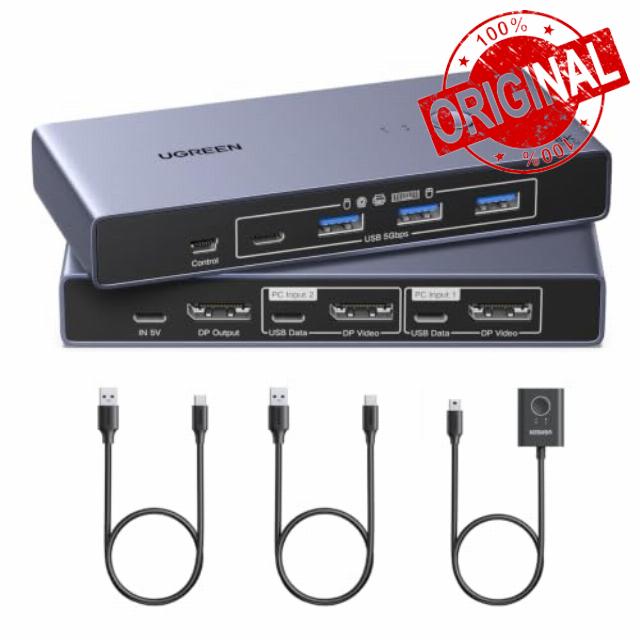
UGREEN 8K@60Hz Displayport KVM Switch 1 Monitors 2 Computers with 4 USB 3.0 Ports Aluminum Support 4K@240Hz Share One Monitor Keyboard Mouse U-Disk Printer with 2 USB Cables
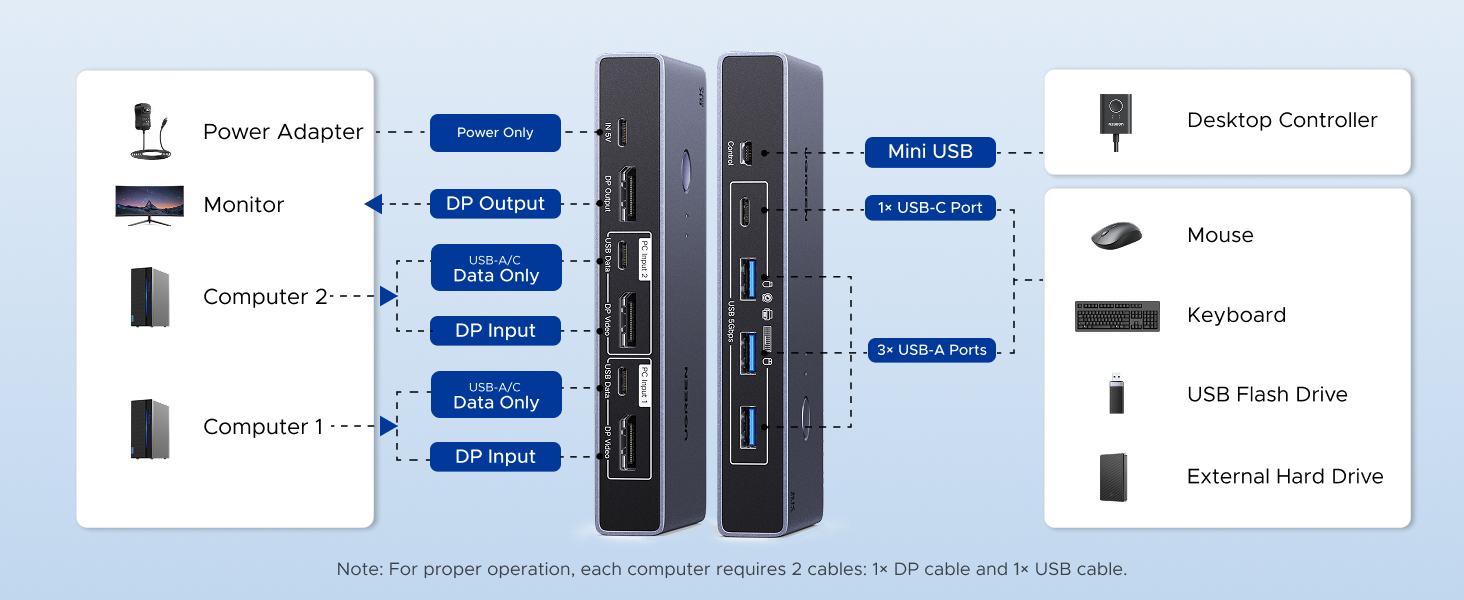
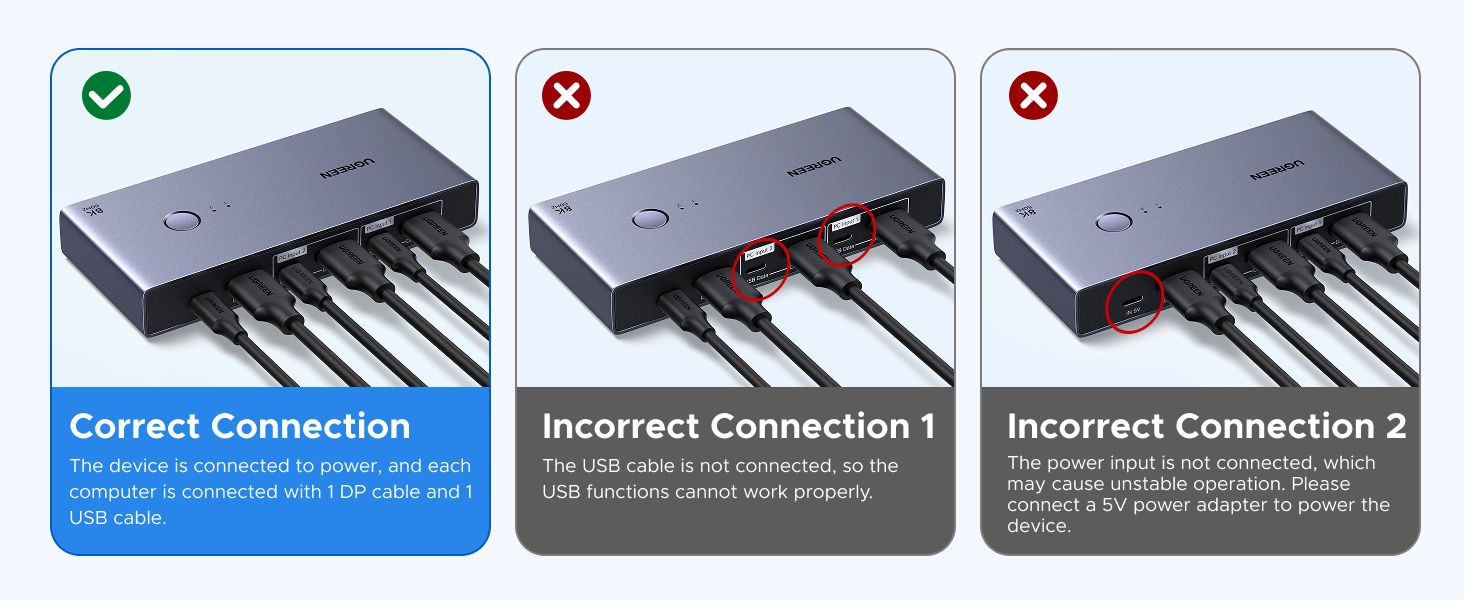
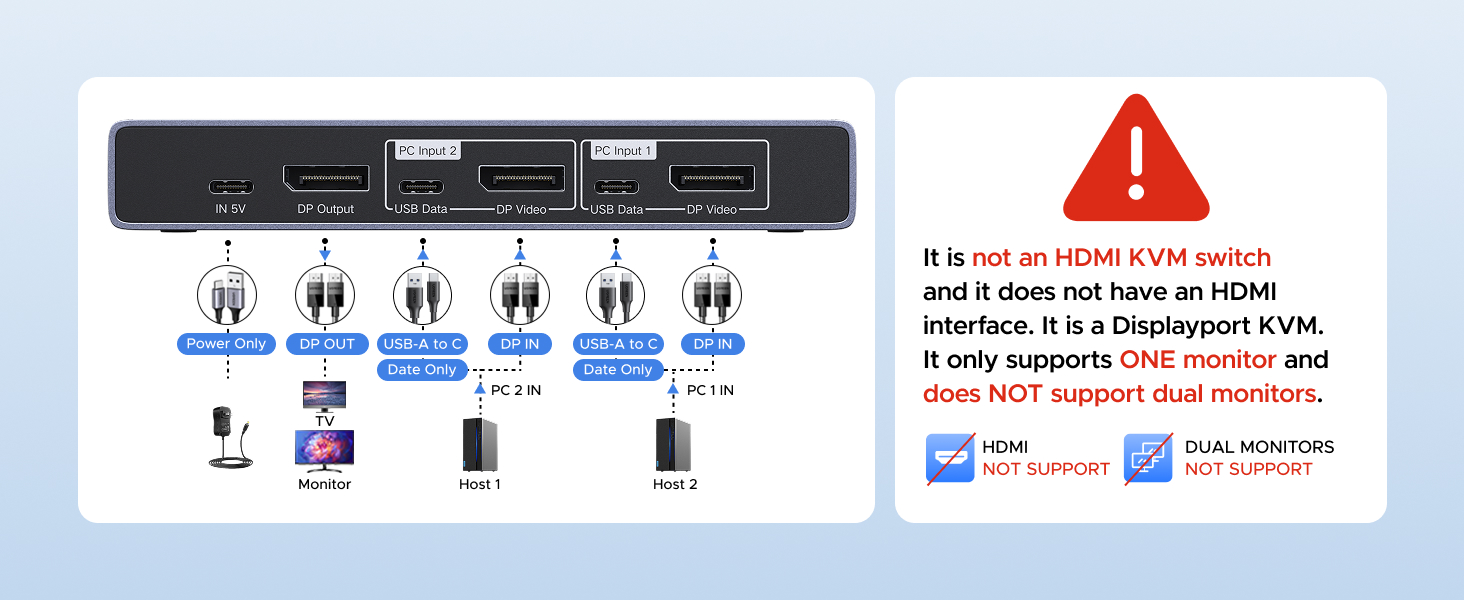
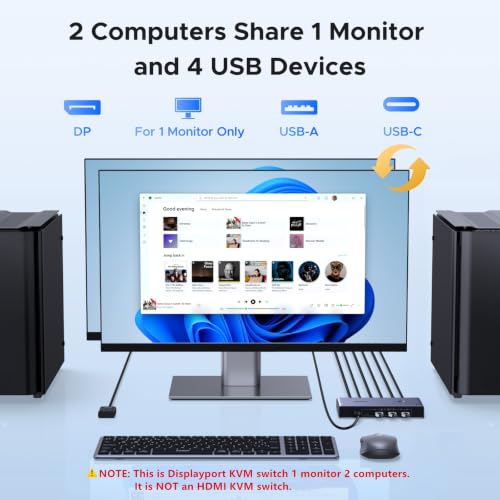
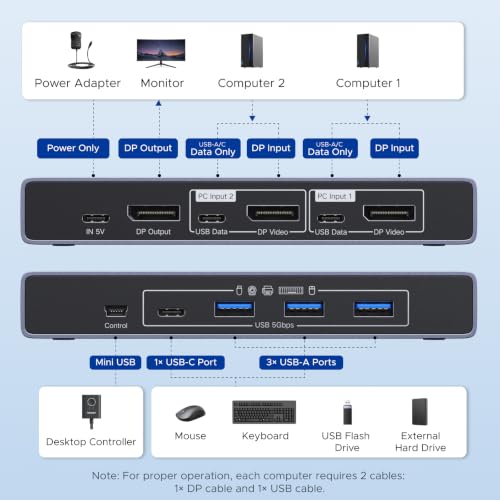
- Note: 1, It is NOT an HDMI KVM switch and it does NOT have HDMI interface. It only supports One monitor. 2, Each computer must connect 1 DP cable + 1 USB data cable to ensure working properly. 3, It does not support EDID emulation. 4, USB-C power cable and power adapter are NOT included. DP cables not included
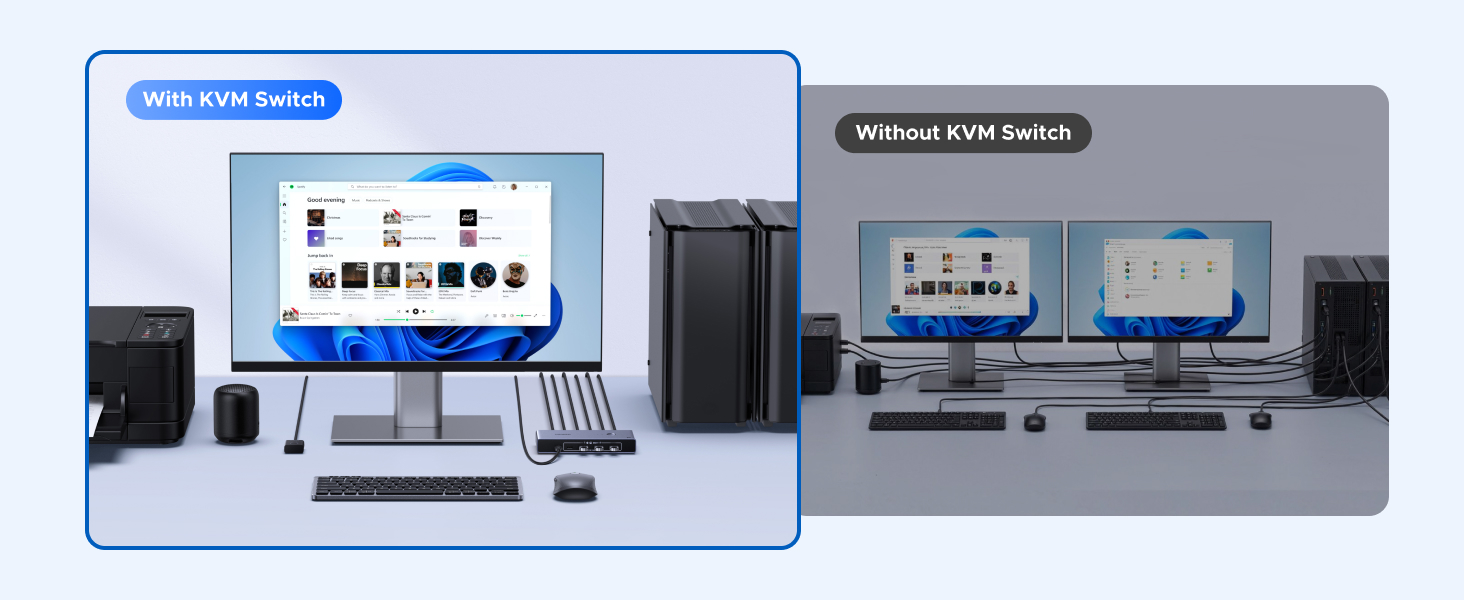
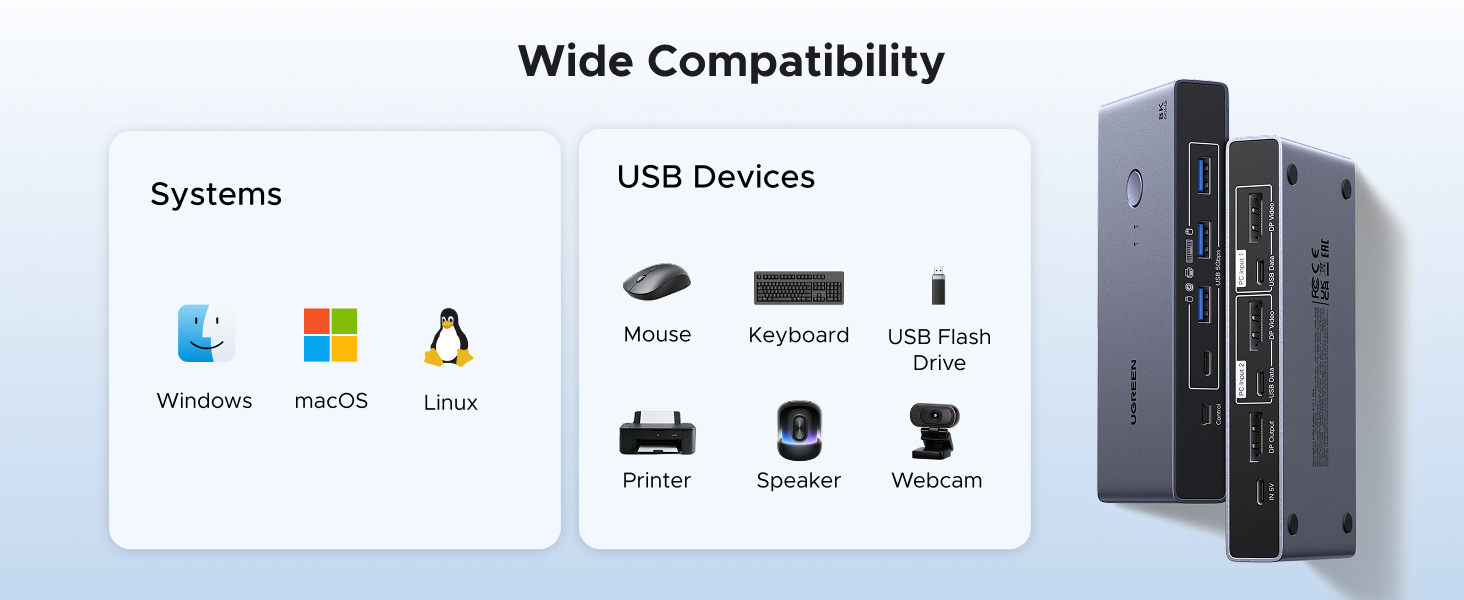
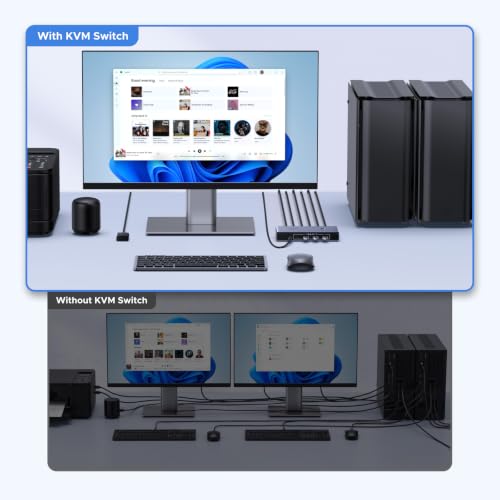
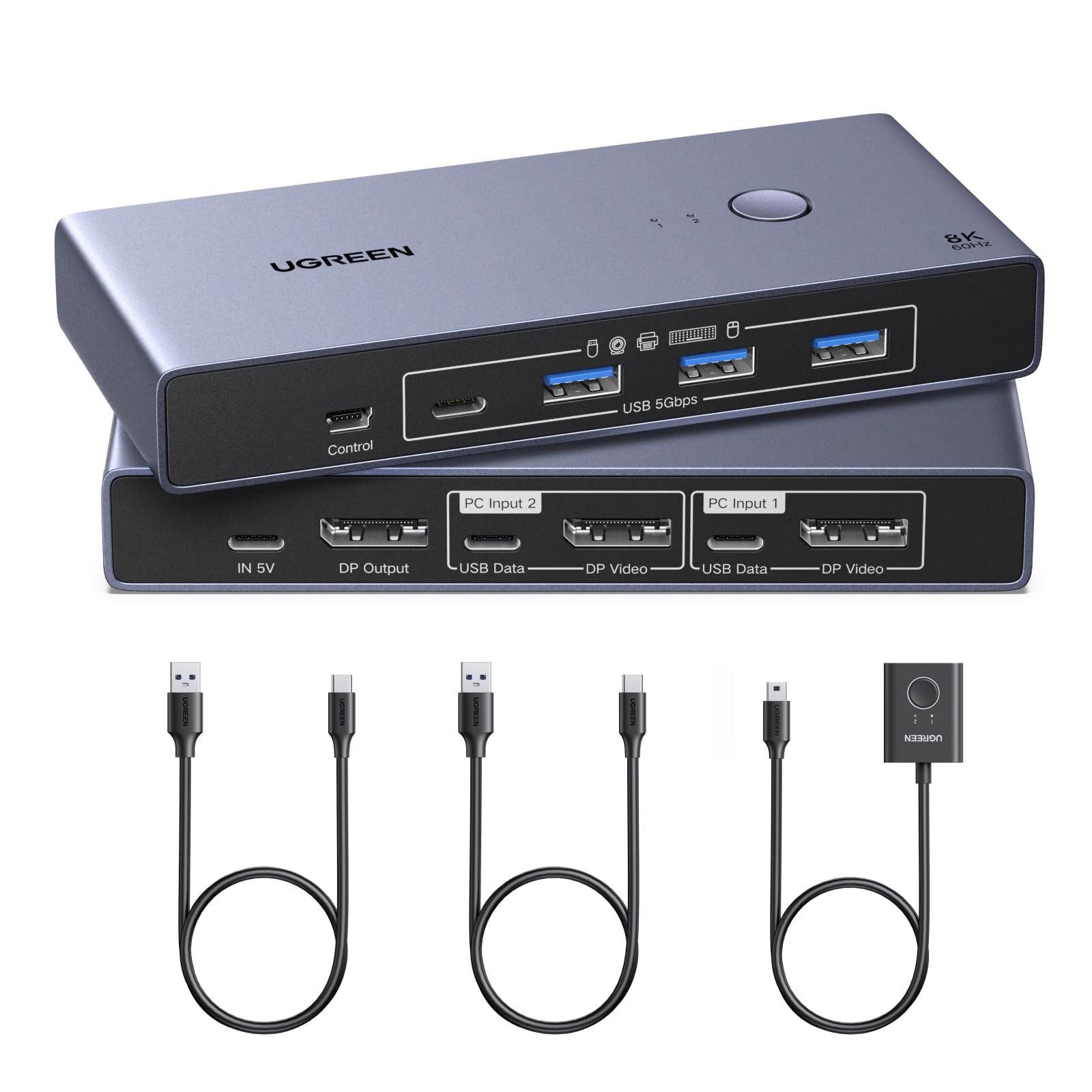
- Displayport KVM Switch 1 Monitor 2 Computers: This DP KVM switch allows 2 computers to share a monitor and 4 USB 3.0 devices such as a set keyboard, mouse, hard drives, webcam, U disk and printer. You can easily switch between two computers on one monitor, which helps to maximize productivity. UGREEN KVM switch is ideal for both professional and home office setups
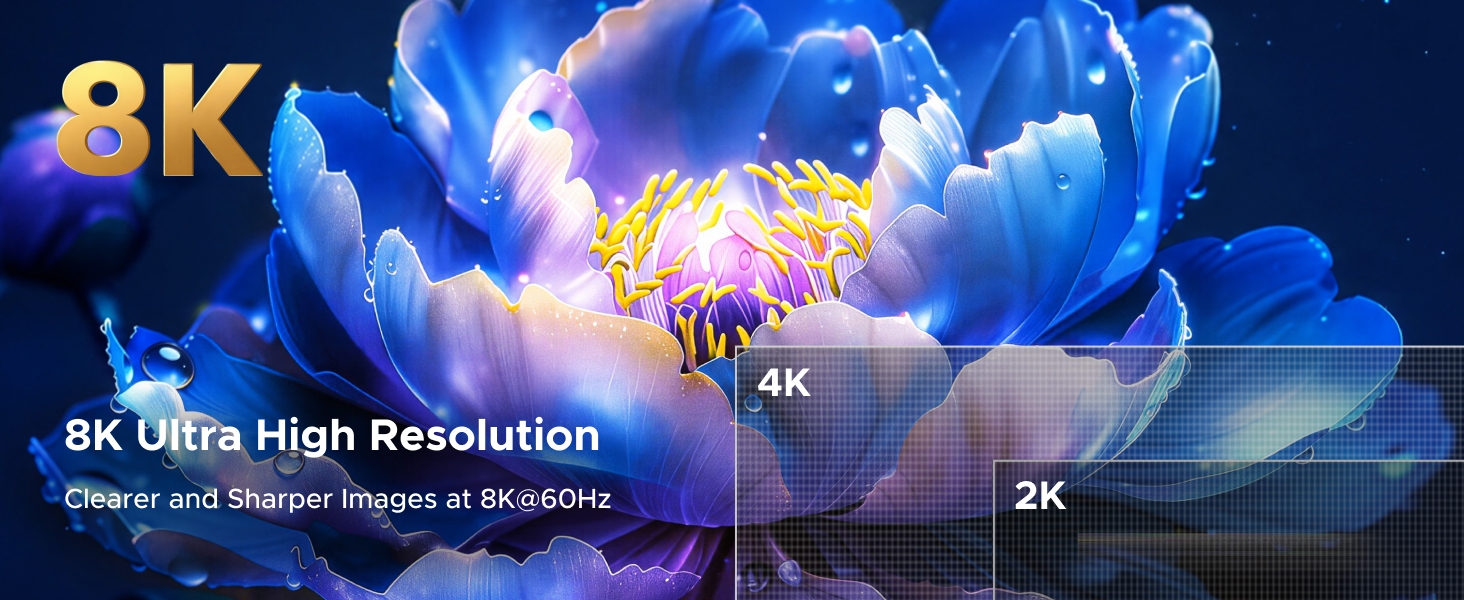
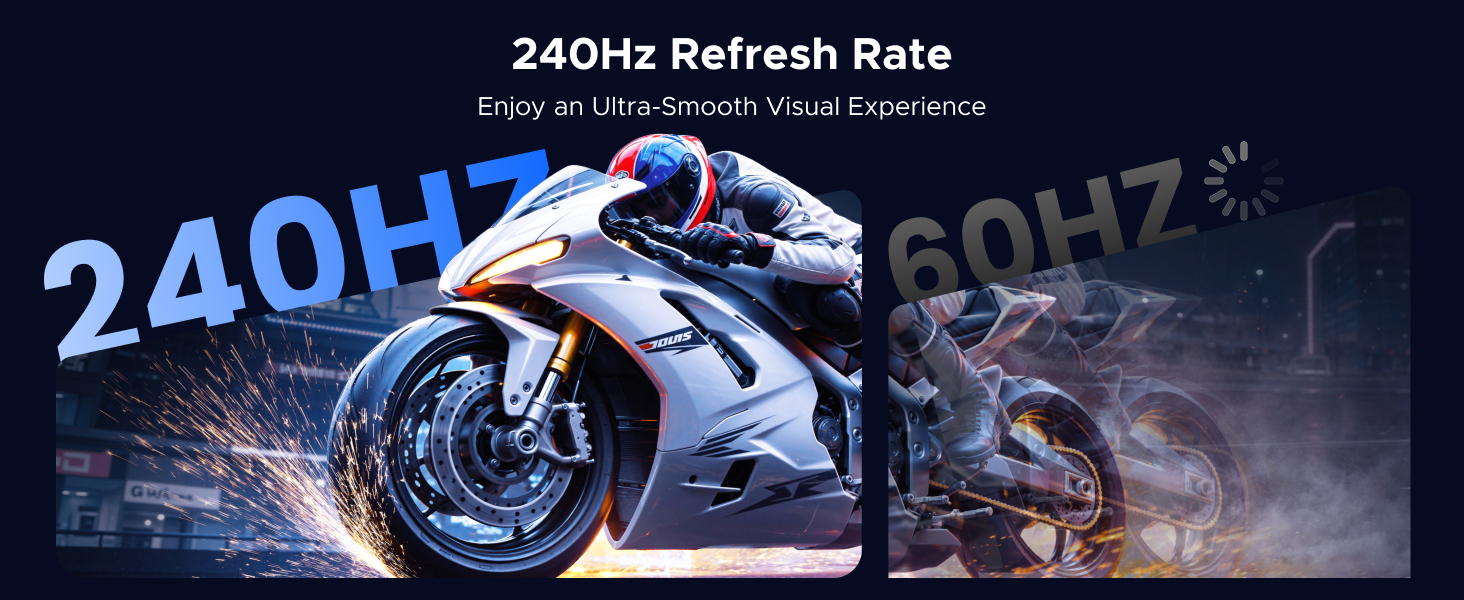
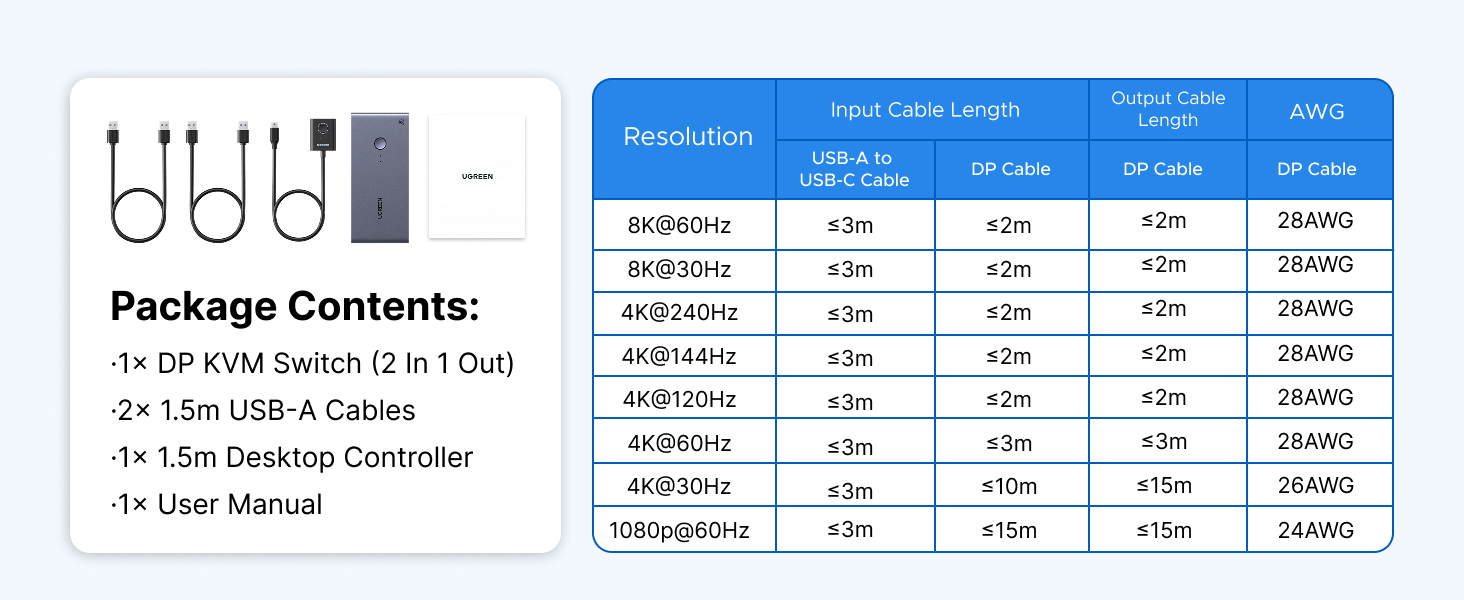
- Ultra HD 8K@60Hz Resolution: This DP 1.4 KVM switch displayport supports resolution up to 8K@60Hz and is backward compatible with 8K@30Hz, 4K@240Hz/144Hz/120Hz/60Hz/30Hz, 1080p and below, ensuring crystal-clear and highly detailed visuals. NOTE: If need to achieve 8K@60Hz resolution, your computers and monitor need to support 8K resolution, and you need to use standard 8K DP1.4 cable input and output should be within 6.6FT/2m 28AWG. (DP cables not included)
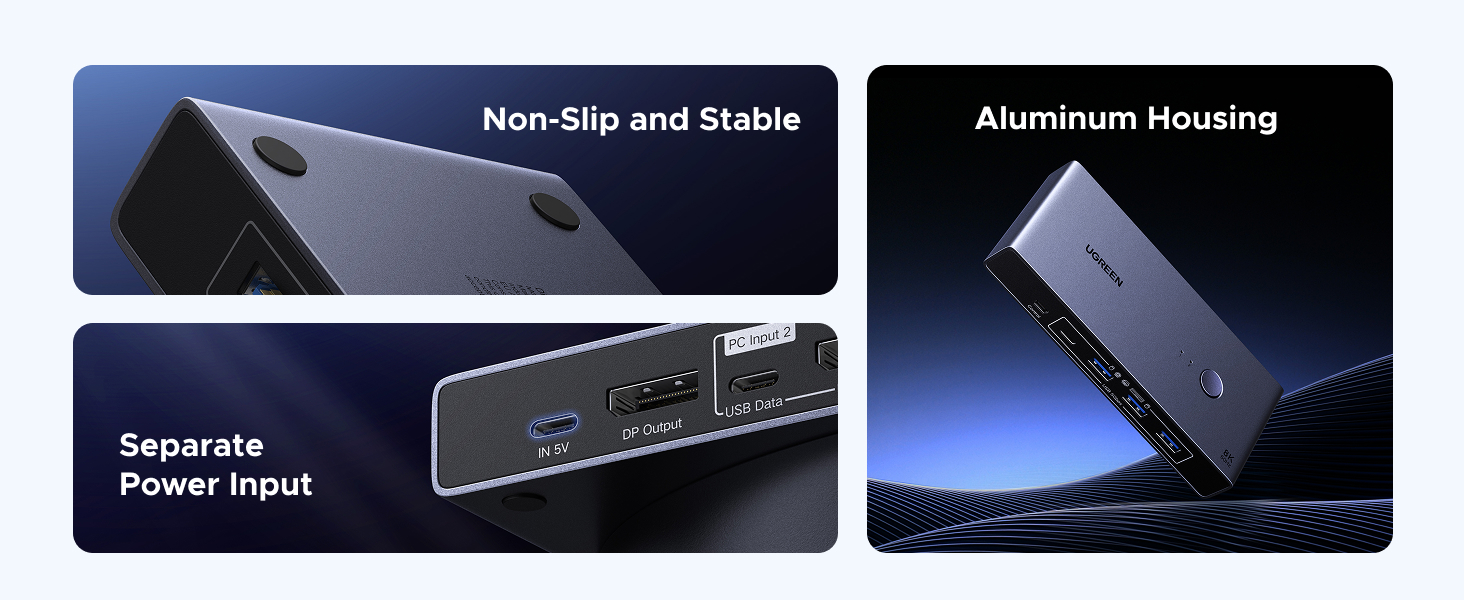
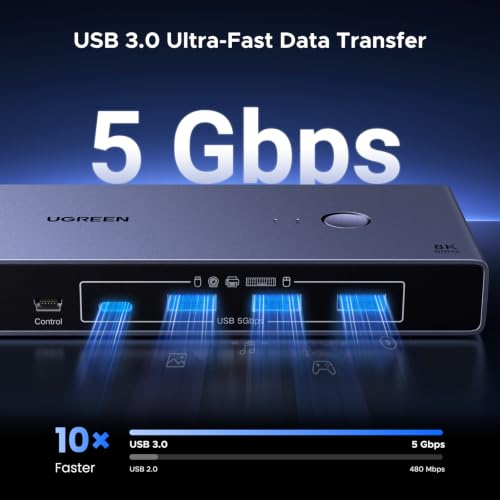
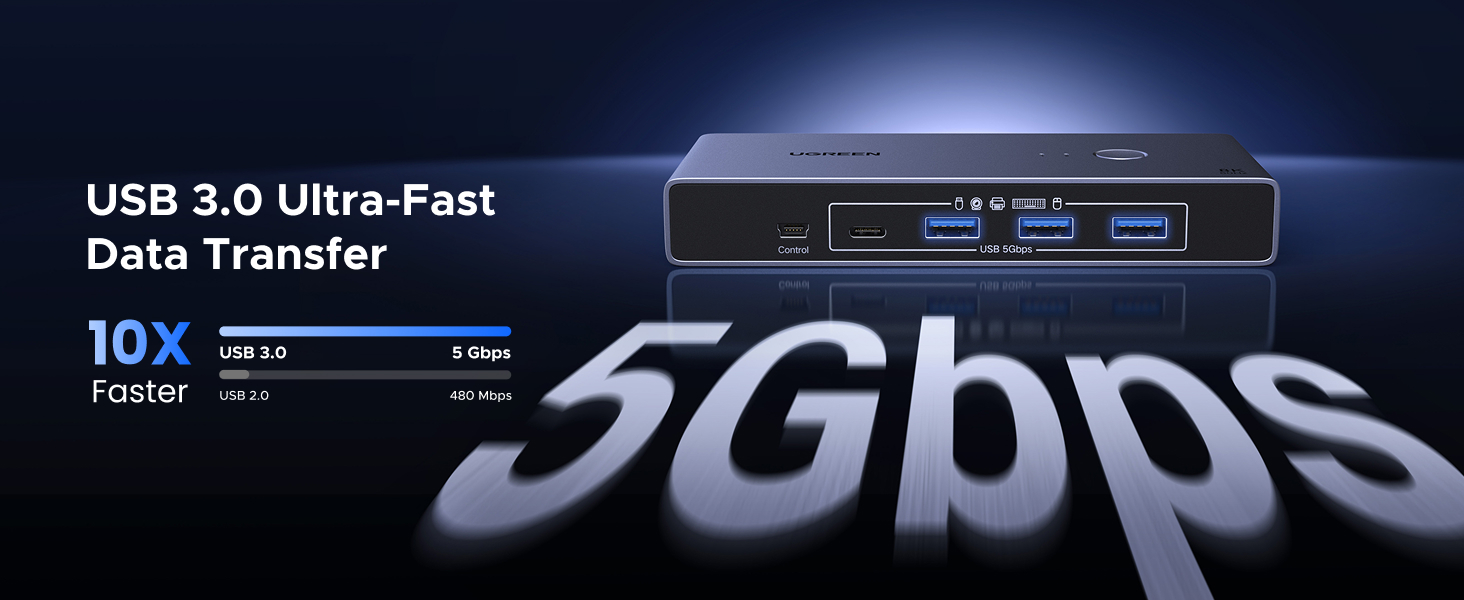
- With 4 USB 3.0 Ports: This usb kvm switch features 4 USB 3.0 ports (3*USB-A+1*USB-C) with ultra-fast data transfer speeds up to 5Gbps for sharing mouse, keyboard, USB flash drives, printer, hard drives, webcams and other USB devices. It allows faster file and picture transfer to make work and life easier and more convenient. NOTE: To ensure normal use, please ensure IN 5V USB C Port Charging to the power source
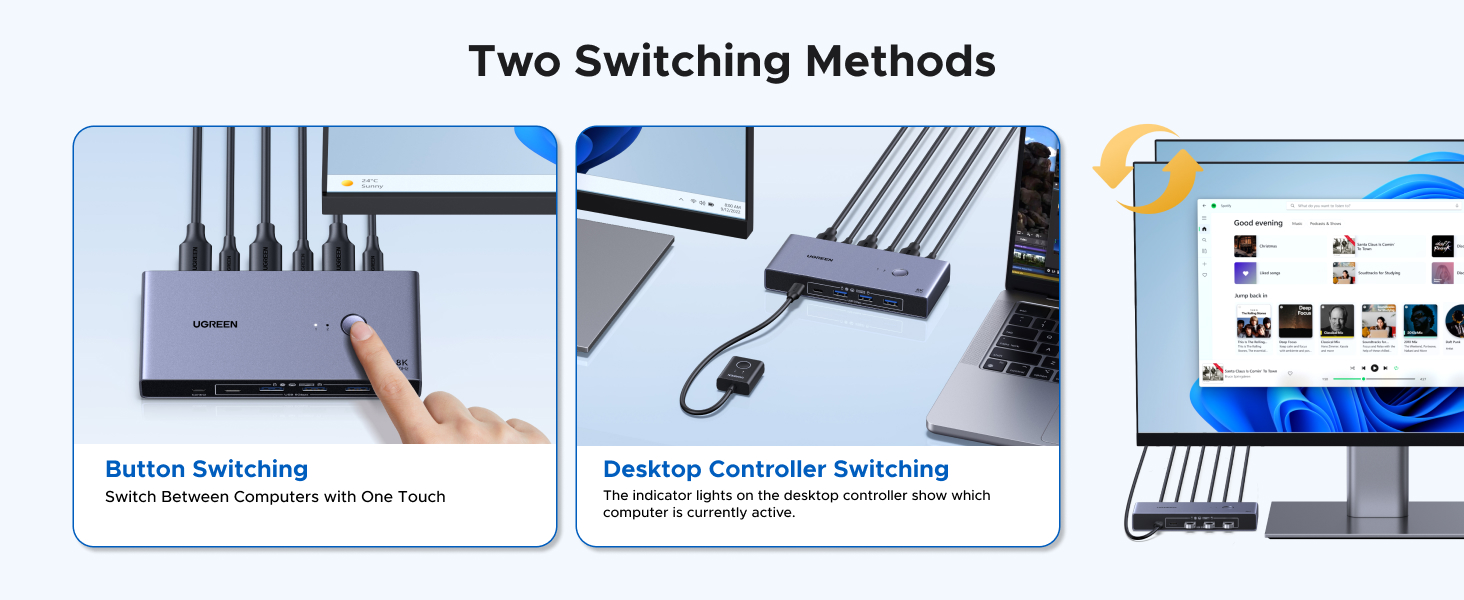
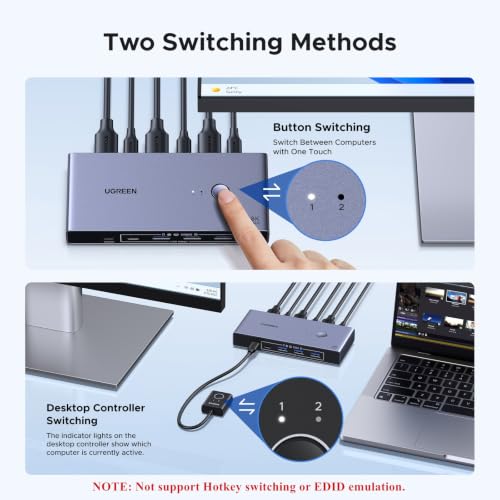
- Two Switching Ways: This KVM switches offers two seamless switching methods, the One-Button switching for direct control and the desktop controller switching to position the unit discreetly (under desks or out of sight) while keeping the controller handy on your workspace. With a single press, switch between computers instantly—reducing desk clutter, and streamlining productivity. NOTE: Not support keyboard shortcuts (hotkeys) toggles and EDID emulation. Switching is not supported in sleep mode, please make sure your computer is not in sleep mode before switching
- Wide Compatibility & Package List: This monitor switch for 2 computers supports Windows 11/10/8.1/8/7, Mac OS, and Linux systems. Just plug and play, driver-free. Package List: 1* DP KVM Switch, 2* USB A to C Cables, 1* Desktop Controller, 1* User Guide. (NOT included DP cables, USB-C power cable and power adapter.)
This is DisplayPort KVM switch. It only supports ONE monitor.

| SKU: | B0GTPW6ZMN |
| Dimensions: | 3.75"D x 2.26"W x 0.94"H |
| Brand: | UGREEN |
Product description
This is DisplayPort KVM switch. It only supports ONE monitor.
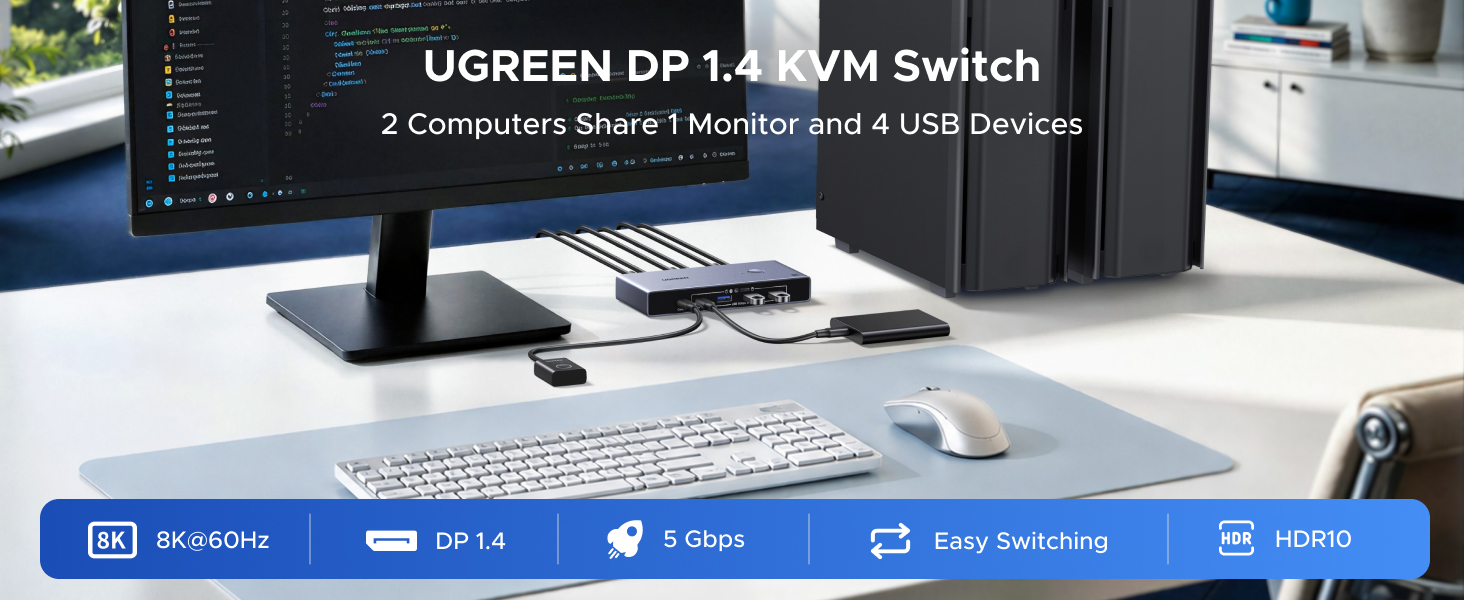
Overall this is a fully functioning DP KVM with couple of things that I feel conpelled to point out…
1: No power supply. It will run off of whatever your usb devices are powered by. This was discovered all the way back in the late 90’s, and technically part of USB’s design spec. So your motherboard or external brick going to your USB hub will work to power the KVM. If you need even moar powa, which is rarely the case these days, you can use any wallwart from your old phone and plug it in (its a usb-c input). Or if you are blessed with deep pockets, you can buy an adapter.
2: Single Monitor. It says so in the description. The bandwidth is typical for DP 1.4 spec, you need short cables 3feet or less if you want 8k@60. DP2.0 would have been better. It works, it’s just something to understand. So in my case with 6foot cables, I just get flickering and lose HDR. I dont know of many people nerding out on design specs though, so just be aware if you get flicker or color loss try a shorter DP cable before you give up. It is because DP 1.4 uses compression and the signal breaks down over distance… remember printers before wifi? My secondary monitor really only hits 3440×1440@75mhz 10bit HDR (the monitors limit not the KVM), but on a 6 foot long DP cable. Which for my use case is plenty. No drop out during video renders and still flips back and forth from the media server and workstation instantly. So 12 feet of cable now…
My main monitor though would not hit 165hz at the same resolution and bit depth. But it works at 100mhz 10bit HDR. Again, pretty standard fare for the design.
The KVM is compatible with anything using display port and USB on my rack. I have no idea what limitations Mac imposed these days, but if it can use DP and USB without pitching a hissy, it should work.
The setup is easy enough, the included cables are just for the PC to KVM USB data connection. Not for your devices. You will need your own extra DP cable.
If you are “efficient” (some might call it lazy) and already have all of your junk plugged into a usb hub you can simply plug the whole thing right into the KVM and share everything. There is one caveat though. This is only USB 3.0 spec switch… so everything will be limited by that 5gb bandwidth. Not a gripe, just something to remember if you have a hi speed DSLR transfering slowly through your KVM for example.
Alright I think that I have disturbed enough electrons to get my point across. This is a solid, nice feeling, handy remote button toting KVM that does what it says on the tin.
I have other Ugreen stuff that has survived travel and lots of use. So probably a safe bet with this as well.
Works perfectly for intended purpose
Great quality. Doesn’t seem to have enough power (or isn’t well insulated enough) to run a DAC so get an externally powered one if you need that to run through it too.
Flssige Frames & sauberer Dual-PC-Docking-Ersatz
Wer zwei Rechner an einem Monitor betreiben und Peripherie wie Tastatur, Maus oder externe Speicher blitzschnell umhalten mchte, bekommt mit diesem KVM-Switch eine extrem elegante Lsung auf den Schreibtisch. Ich habe mir das Teil im Rahmen des Amazon Vine Programms genauer angeschaut.
Optisch und haptisch ist das Gert Ugreen-typisch auf sehr hohem Niveau. Das mattgraue Gehuse sieht super aus, wirkt auf dem Schreibtisch absolut wertig und nimmt kaum Platz weg. Die Anschlsse sitzen stramm, die Umschalt-Taste hat einen angenehmen Druckpunkt und der KVM fgt sich optisch perfekt in mein Setup ein.
Wichtiger Hinweis: Reine DisplayPort-Signalkette!
Ein ganz zentraler Punkt, den man vor dem Kauf unbedingt beachten muss: Der Switch verarbeitet ausschlielich DisplayPort (DP 1.4)! Es handelt sich um ein natives DP-zu-DP-Gert.
Das ist aus zwei Grnden extrem wichtig:
Wer versucht, ein HDMI-Signal von der Grafikkarte mittels einfachem, passiven HDMI-auf-DP-Kabel in den Switch einzuspeisen, wird meist mit einem schwarzen Bildschirm belohnt. Ein DisplayPort-Eingang erwartet native DP-Protokolle (wie DisplayPort AUX Channel fr EDID-Daten). Passt die Signalkette nicht durchgehend von DP zu DP (oder nutzt man aktive Signalwandler), bricht der Display-Handshake ab.
Nur bei durchgngiger DisplayPort 1.4 Verdrahtung greift die volle HBR3-Spezifikation (High Bit Rate 3) inklusive DSC 1.2, die fr ultra-hohe Auflsungen und Bildwiederholraten notwendig ist.
Performance & Messwerte im Praxistest
Einmal korrekt per DP-Kabel an zwei Test-Rigs angeschlossen, luft das Teil absolut schmerzfrei und liefert genau die Performance, die man als Gamer oder Power-User erwartet:
Am Test-Monitor mit 1440p (WQHD) lagen die vollen 240 Hz absolut stabil und ohne Bildaussetzer an. Sogar ein Testlauf in 4K bei 144 Hz mit aktiviertem FreeSync verlief vllig problemlos, kein Screen Tearing, kein Flackern, keine sprbare Signaldmpfung.
Die integrierten USB 3.0 Ports liefern ordentlich ab. Ein Datentransfer-Check ber eine externe USB-3.0-NVMe-Dockingstation an einem der Front-Ports brachte gemessene 412 MB/s Lesegeschwindigkeit und 397 MB/s Schreibgeschwindigkeit. Damit wird die theoretische USB 3.0 Bandbreite von 5 Gbps nahezu ausgereizt.
Der Wechsel zwischen PC 1 und PC 2 erfolgt via Knopfdruck extrem flott. Das Bild ist nach etwa 1,8 bis 2,2 Sekunden wieder voll da, und auch Maus sowie Tastatur melden sich ohne Erkennungsverzgerungen sofort im System zurck.
Fazit
Luft, funktioniert komplett ohne Probleme, sieht klasse aus und gibt mehr als genug Frames fr anspruchsvolles Gaming ab. Wer die Besonderheiten einer reinen DisplayPort-Signalkette beachtet, bekommt einen extrem zuverlssigen, performanten und schicken KVM-Switch fr den Arbeits- und Zockplatz. Keine Mngel, glasklare 5 von 5 Sternen!
PCPCDisplayPort
PCPC
12PCKVM
140 63 20 mm
187g
PC
PC2
DisplayPort 2 8K 60Hz / 4K 240Hz
USBC 2USB 3.0 5Gbps
DisplayPort 1 8K 60Hz
USBC 5V 3A
USBCUSBC
HDDUSBC
USBA 3USB 3.0
USBC 1USB 3.0
Mini USB
USBA3USBA
USBC/A 2USB 3.0
Mini USB
Mini USBDisplayPortUSB12SWLED
4K 240Hz
USBC/A
Windows 2
USB
Another Reliable UGREEN Product That Fits Perfectly Into My Desk Setup
I’ve become a pretty loyal UGREEN customer over the past few years, so I was excited to give this KVM switch a try. At this point I’ve accumulated a decent collection of their products—charging cables, USB-C hubs, chargers, power banks, docking accessories, and other peripherals—and they’ve consistently delivered excellent quality for the price. This KVM switch continues that trend.
Setup was about as simple as I could have asked for. Everything was essentially plug-and-play, and I had both computers connected within a few minutes. The included USB cables were a nice bonus and meant I didn’t have to go hunting through my cable drawer before getting started.
The connectivity options are exactly what I was looking for. Having four USB 3.0 ports makes it easy to share not only a keyboard and mouse, but also other devices like a flash drive or printer without constantly moving cables around. Switching between computers is nearly instantaneous, and I haven’t noticed any display flickering, USB disconnects, or other odd behavior during normal use.
The overall functionality is excellent. It simply works the way a KVM should. Video output remains crisp, peripherals reconnect quickly after switching, and everything feels responsive. The compact aluminum enclosure also gives it a much more premium feel than the plastic KVM switches I’ve owned previously.
I also appreciate the versatility. While I’m currently using it with a single monitor and a fairly standard desktop setup, I can see it being equally useful for anyone juggling a work computer and personal machine, or even mixing different operating systems. Compatibility has been excellent so far without needing to install drivers or perform any extra configuration.
Perhaps the biggest compliment I can give it is that after setting everything up, I haven’t really had to think about it again. That’s exactly what I want from hardware like this. It quietly does its job and lets me focus on what I’m actually working on.
Considering the build quality, dependable performance, premium materials, and straightforward ease of use, I think this offers excellent value for money. UGREEN has earned my trust over the years, and this is another product that reinforces why I continue to buy their accessories whenever I need them.
I bought this KVM switch to manage my work laptop and personal desktop with a single monitor and it does the job pretty well overall. The switching between computers is smooth and I like having both the button on the unit and the separate desktop controller, makes it easy to reach no matter where I put the main box. The USB 3.0 ports work great for my keyboard, mouse, and an external drive, and I haven’t noticed any lag or issues with the peripherals when I switch back and forth. Picture quality is solid too, I’m running 4K at 144Hz on my gaming monitor and everything looks crisp. The one thing that knocked off a star for me is that you have to provide your own power adapter and USB-C cable for the power, which feels like a weird omission for something at this price point. I had a spare lying around so it wasn’t a huge deal, but it would’ve been nice to have everything included in the box. Also just be aware you need displayport cables for both computers, not HDMI, which the description makes clear but could still catch some people off guard.
Excellent Solution for Sharing One Setup Between Two Computers
This has been a great addition to my desk setup.
I have both a personal PC and a work PC, so having to constantly switch my monitor, keyboard, mouse, and other peripherals between the two computers was becoming inconvenient. This KVM switch has been a great solution for me because it allows me to easily share my peripherals between both computers without having to disconnect and reconnect everything manually.
The setup was straightforward, and once everything was connected, switching between the two PCs was quick and convenient. The four USB 3.0 ports are especially useful since I can keep my keyboard, mouse, and other USB devices connected and share them between both computers.
I also really like the aluminum construction. It feels solid and well built, and the compact design doesn’t take up much space on my desk. The included USB cables are also a nice addition, making it easier to get everything connected right out of the box.
For anyone who has a personal computer and a work computer sharing the same desk setup, this is a very practical solution. Being able to switch between two PCs while using the same monitor and peripherals has made my daily workflow much more convenient.
Overall, this KVM switch has worked very well for my needs and has helped simplify my setup considerably. Highly recommended for anyone looking for an easy way to share peripherals between two computers.
UGREEN is a quality product that I already support my home computers with some of their devices already. The UGREEN DisplayPort KVM Switch is perfect for my home office setup since I have multiple laptops, computers and Apple devices. I can keep my keyboard, mouse, and printer connected to the switch, then instantly switch which computer controls them. The UGREEN DisplayPort KVM Switch has 4 USB 3.0 ports (3x USB-A + 1x USB-C) that I share the USB devices between my two computers or my iPad or iPhone. The speed is 5Gbps of fast data transfer speed between computers or my electronic devices. It is a one-button switching. I press the button or use the desktop controller to switch which computer controls the USB devices. I do need the USB-C charging port connected to power when using high-power devices like external hard drives. The UGREEN DisplayPort KVM Switch is driver-free. It’s a plug-and-play device that works with my Windows and Apple systems without requiring any driver installation. The Displayport KVM Switch comes with USBC cables ready to connect my computers and monitor. For the UGREEN DisplayPort KVM Switch, I did need to buy a few cables as they’re not included; get good quality ):
*2x DisplayPort cables — One for each computer to the switch input (DP 1.4 isrecommended)
*1x DisplayPort cable — From the switch output to your monitor
*1x USB-C power cable & adapter — To power the switch (5V minimum)
UGREEN had a good quality website with product downloads, support teams, tutorial videos, etc.
DISCLAIMER: I received this product free via Amazon’s Vine Program. I am not paid to participate in the program nor paid for my review. My goal is to share honest and unbiased review of my experience with this product.
4K 240Hz DP KVM switch, AWESOME!
Another KVM switch review and if you’re a computer hobby builder, work with multiple PC’s, or work between a laptop and a desktop and use a DisplayPort connection, you’ll benefit from a KVM switch. I build enough were I always have a spare monitor, keyboard and mouse but it becomes time consuming to always find the space to setup and the cables to set it up. I also keep a workstation and gaming PC hooked up to one gaming monitor that is 4k and works at 240Hz. This is where this Ugreen DP KVM switch saves me a ton of time and takes advantage of the full capability of my gaming/workstation monitor.
Just like other KVM switches, it allows you to use one keyboard, mouse, monitor, and several other USB peripherals (ie. Hard drives, printers, web cams, etc) with two different PC’s and both can be powered on simultaneously. Perfect if you are running tasks on one PC that takes PC calculating time (ie. Rendering videos) and are working on other tasks simultaneously on another such as office apps (given you could do both on one but possibly you don’t have the programs all on one PC hence two PC’s in use).
Setup is easy but you’ll need your own power brick to power the unit (5V DC via USB-C cable that is included if you hook up to a USB-A slot (2 cables included are USB-C to USB-A) and you could power off of a powered USB-C port on your PC but what if you are not using that one PC so I suggest you get a power brick). The controller switch makes it easy to switch between computers. Older KVM switches relied on keyboard alt keys to switch, this takes the remembering what combination of keys out of the equation. For the price, a 4K 240Hz DP connection and 8K at 60 hz makes this KVM switch an excellent deal. Get it.
Un botier lourd qui regroupe bien mes deux ordinateurs
Ce petit botier mtallique est une excellente solution pour partager un mme cran et un seul ensemble clavier/souris entre deux ordinateurs, comme une tour fixe et un PC portable de bureau. Le botier a du poids, il reste bien stable sur la table et les connexions l’arrire permettent de centraliser tous les cbles proprement pour librer de l’espace sur le plan de travail.
Le signal DisplayPort passe sans aucun problme, la fluidit de l’affichage est prserve et on ne remarque aucune coupure ni aucun ralentissement, mme avec des rsolutions leves. Les quatre ports USB sur le devant reoivent sans souci les cls ou les rcepteurs sans fil, et la petite tlcommande filaire dporte est trs pratique pour basculer d’une machine l’autre en un clic sans avoir manipuler le botier lui-mme. Il convient toutefois de prciser qu’aucun cble DisplayPort n’est inclus d’origine, il faut donc prvoir ses propres cordons pour le brancher aux ordinateurs, mais la fiabilit globale reste excellente.