EPOMAKER X Aula F75 MAX Wireless Mechanical Keyboard
EPOMAKER X Aula F75 MAX Wireless Mechanical Keyboard with TFT Screen and Knob, Gasket Gaming Keyboard in 75% Layout, Hot Swappable, RGB Backlight, for PC/Mac/Linux (Black Gradient)
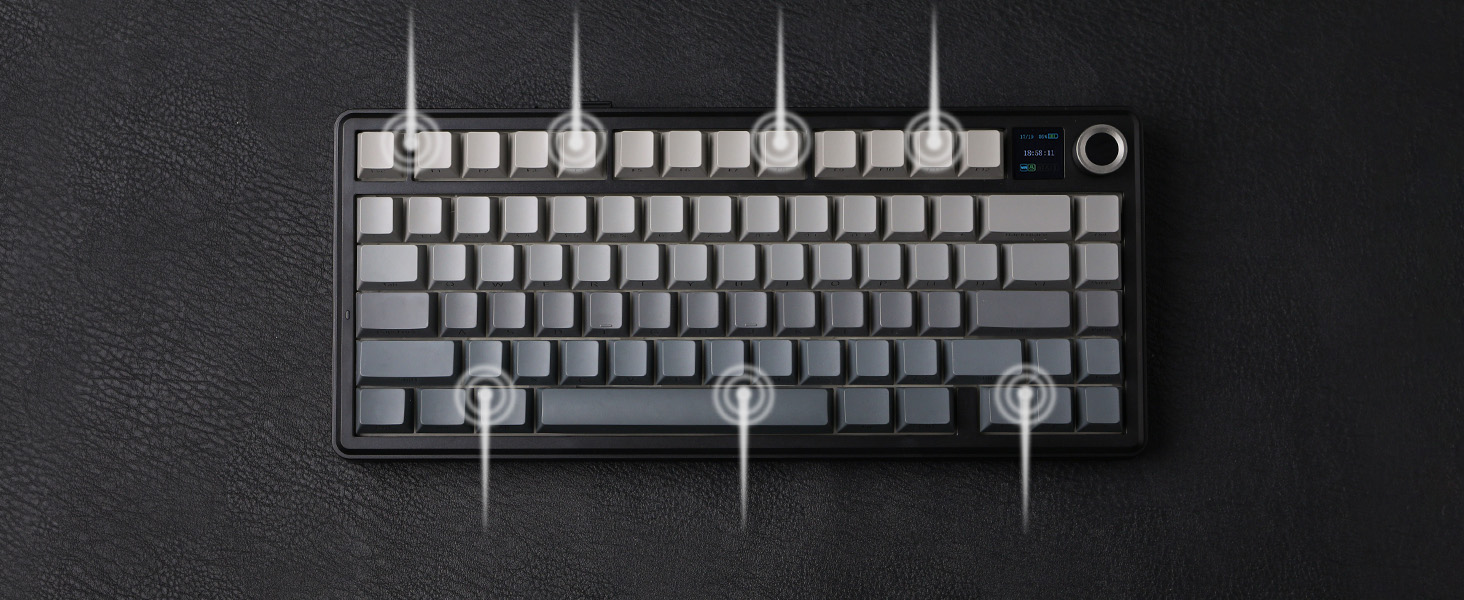
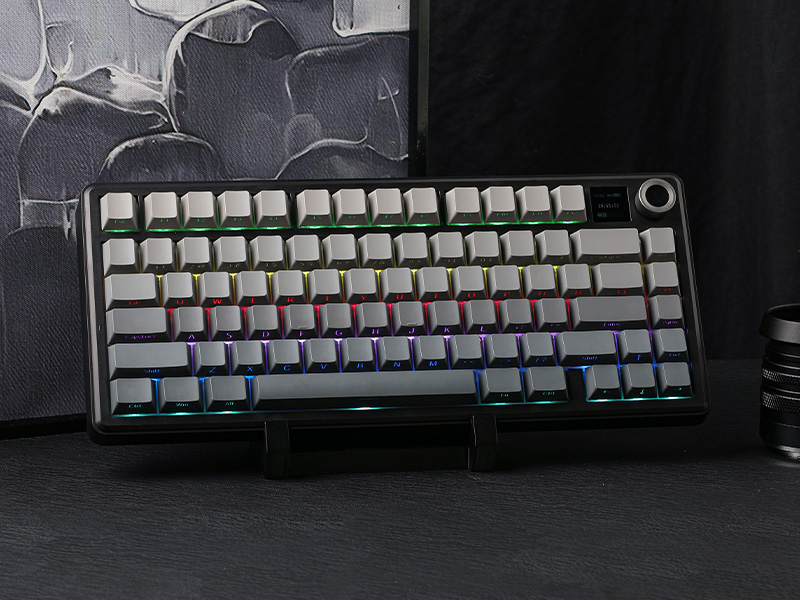
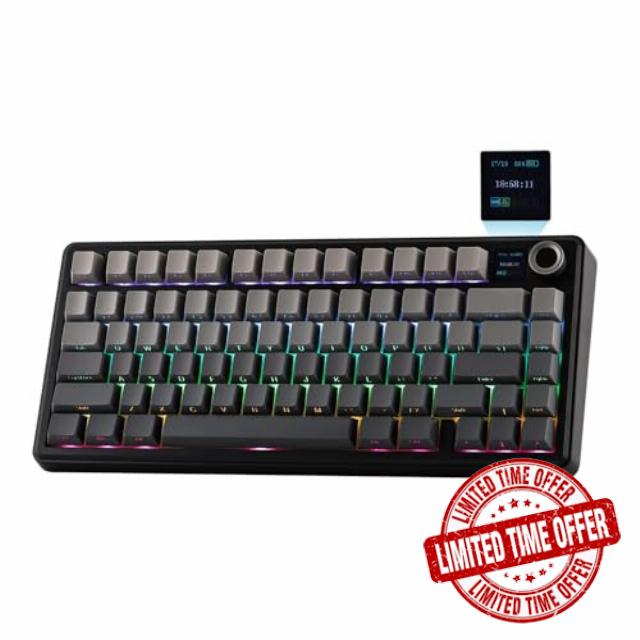
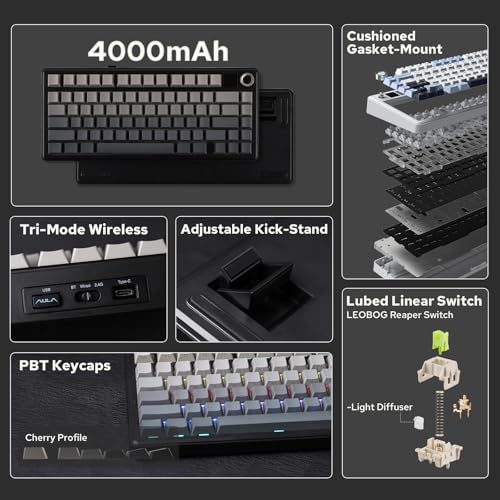
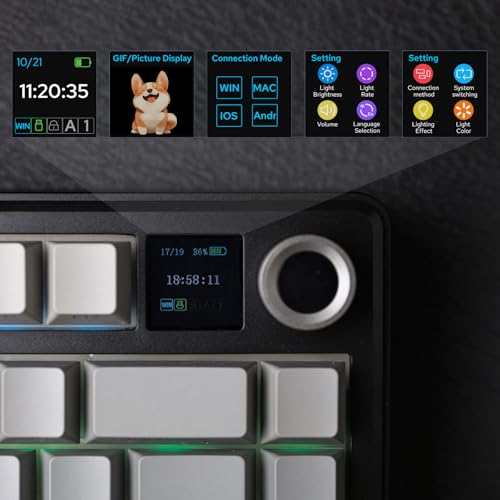
- Compact Size, Function Core: With 80 programmable keys and a customizable screen, the F75 Max upgrades from its successful predecessor EPOMAKER X Aula F75 with equal reliability and incredible new functions. Revel in the convenience the volume knob offers and enjoy the Gif-showing screen that makes Backlight customization fun and easy. With connectivity, battery monitor and indicator lights combined in one, the F75 Max keyboard with TFT smart display will be your inseparable helper and productivity booster in gaming and life
- Stylish and Ergonomic: Say goodbye to wrist strain and finger fatigue, as this Cherry-profile keyboard becomes your ergonomic assistant in browsing the digital world. With the 2cm-low front height and a 2-stage adjustable kickstand, typing angle can be as high or low as your comfort calls for. The Gasket-Mount structure separates F75 Max’s PCB from its shell to rid the harsh bottom-out, while the flex-cut PC plate gives it extra flexibility for soft and soothing typing
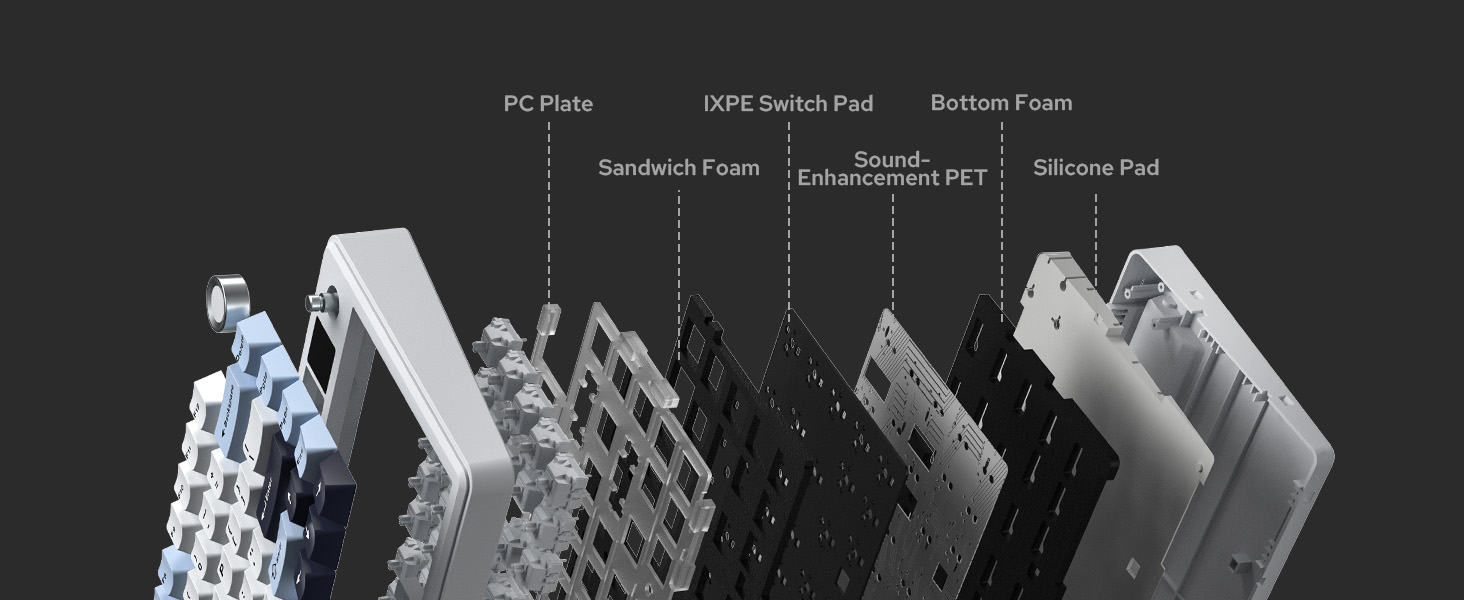
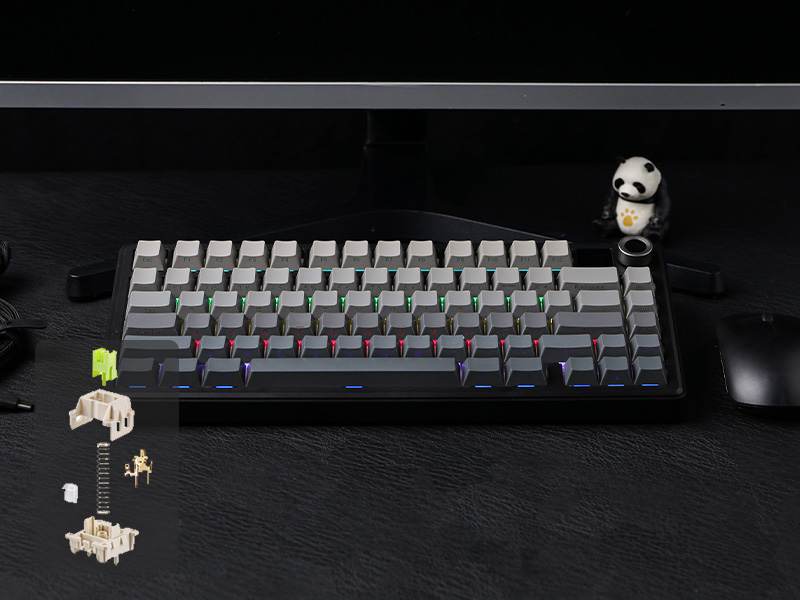
- Satisfying Creamy Sound: Indulge in the creamy smooth melody of F75 MAX, composed by the rhythmic thud of every keystroke. Factory-lubed and tuned, the stabilizers and linear switches sound as incredible as they feel, with the right amount of creamy and thocky combined. Full of foams and silicone sandwiched between plate, PCB and bottom case, noise caused by echo within the keyboard is eliminated, while the IXPE switch pad and PET pad highlight the mellow switch sound that’s rich and pleasant
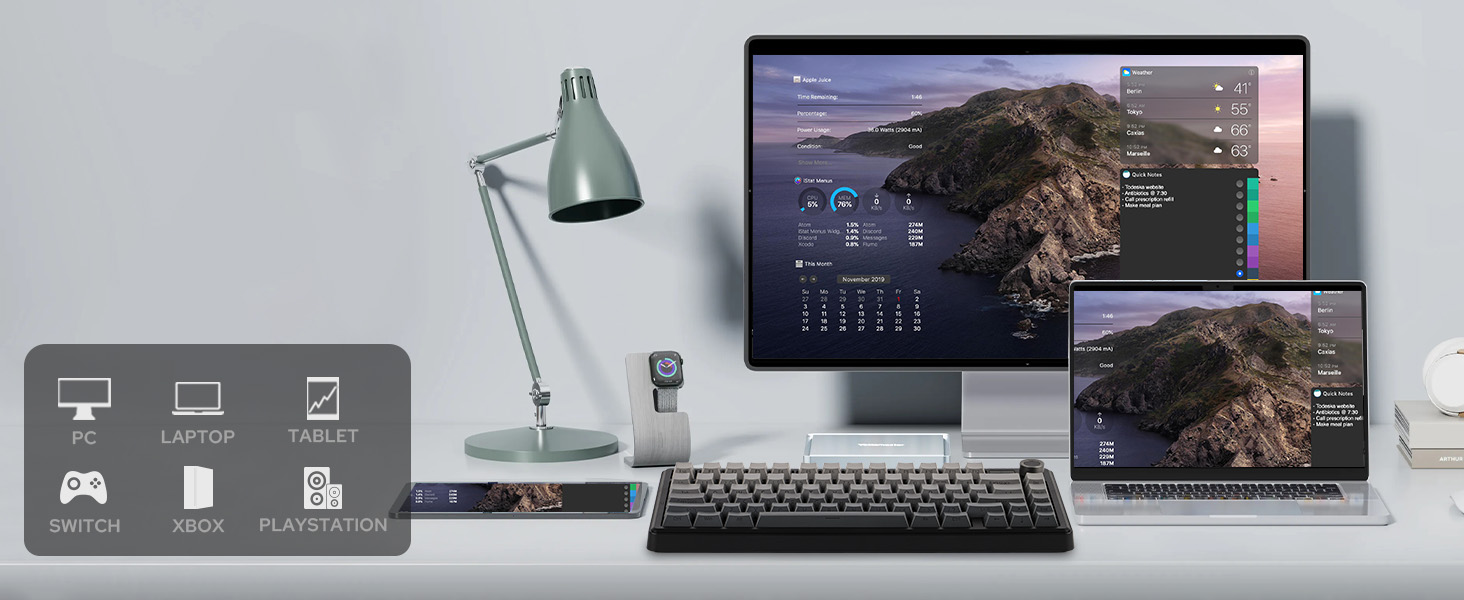
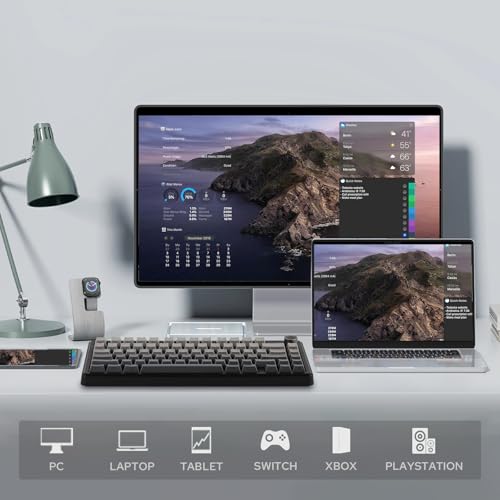
- Versatile Gaming Keyboard: Game in style with this anti-ghosting keyboard that performs stably without double chattering or mistype in BT, 2.4Ghz wireless and cable mode, with 1000hz polling rate in USB and 2.4G modes. Its support of NKRO allows gamers to input multiple keys simultaneously, handy in FPS and Rhythm Games, while its compatibility with Android, Windows, Mac and Linux is valuable for programmers and clerks in the office
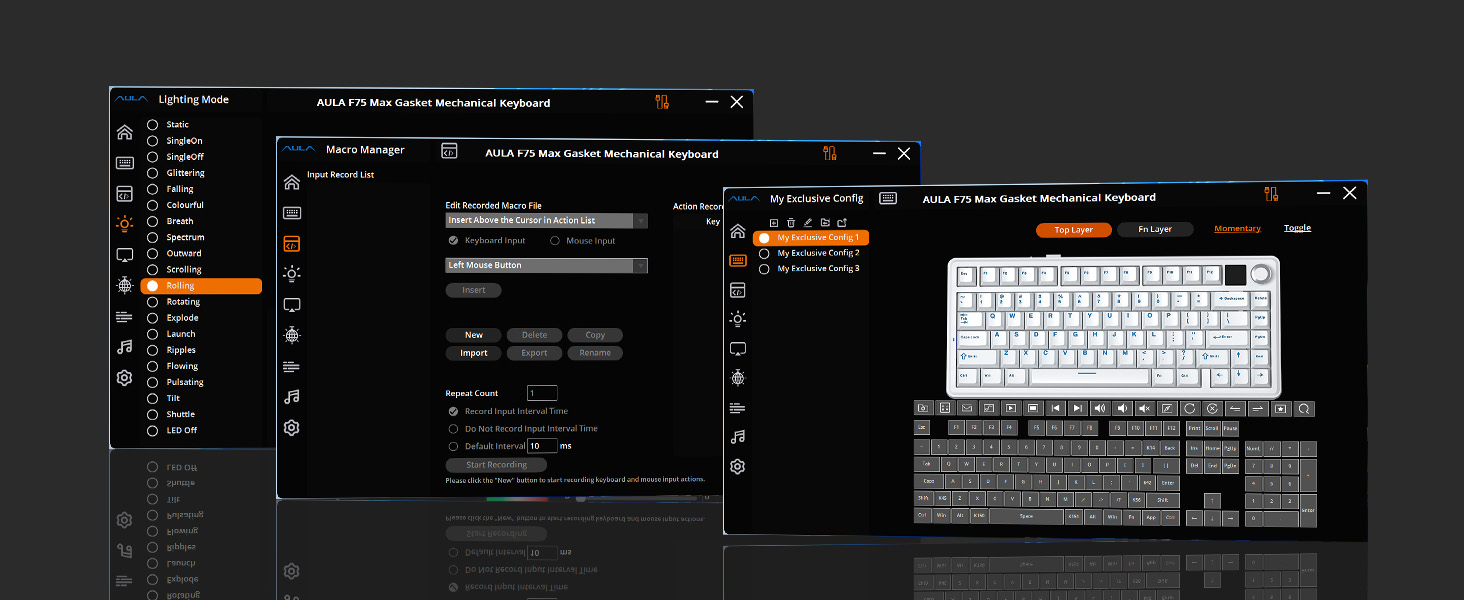
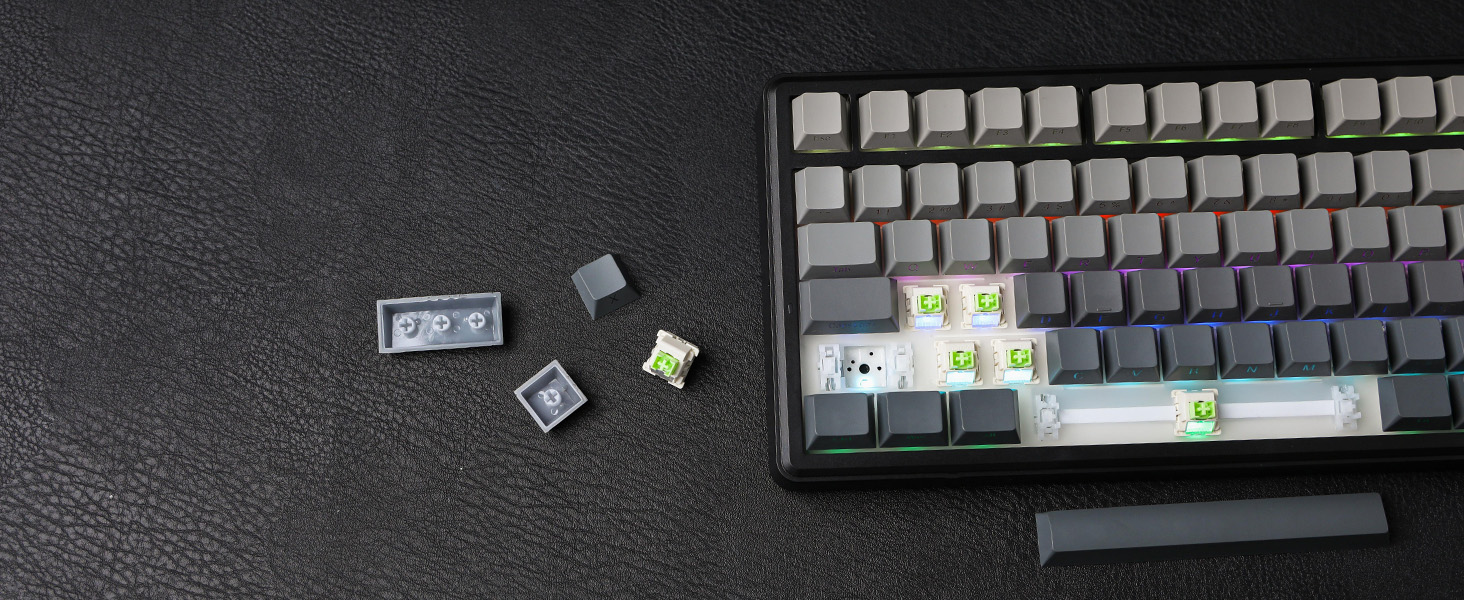
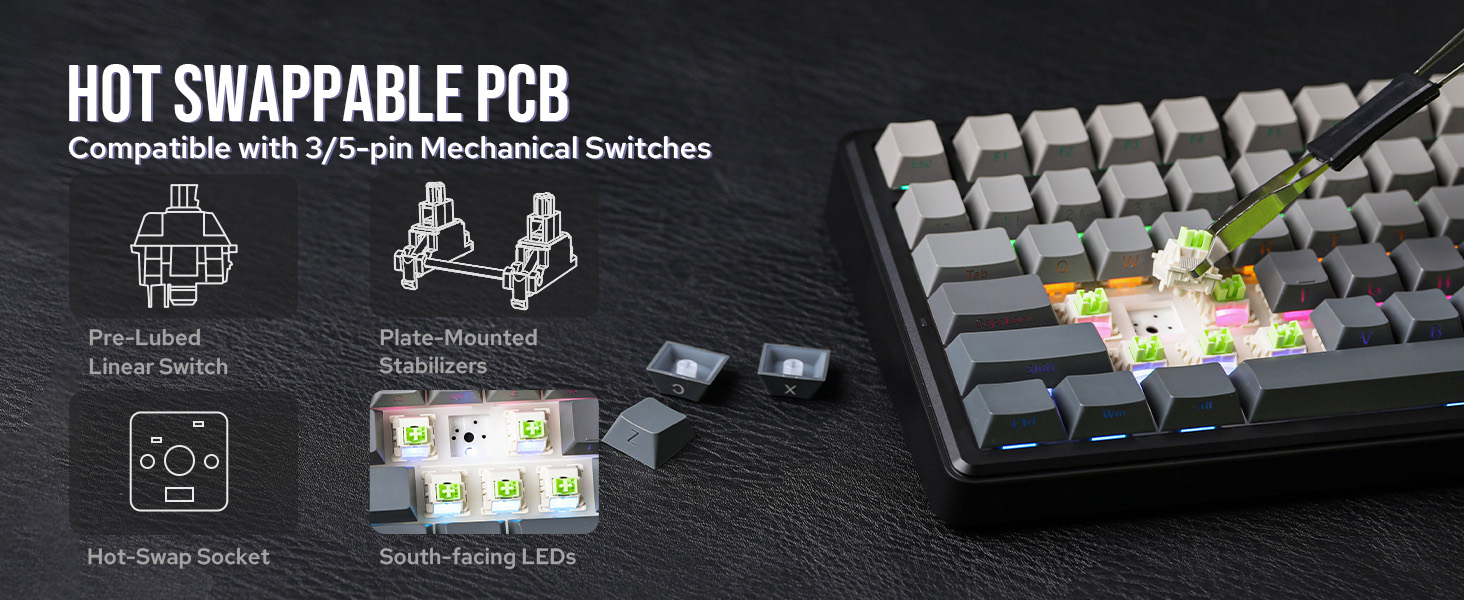
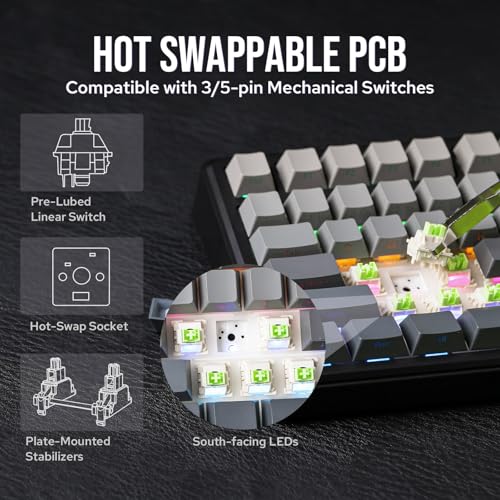
- Custom Keyboard with Compatibility: As personalization being our core branding, our F75 Max isn’t shy in the realm of customization. With south-facing per-key LEDs and light diffusers on the Reaper switches, the RGB Backlight shines brightly with pre-set dynamic effect, adjustable in color and style via software, screen and shortcut. The hot-swappable F75 MAX comes with plate-mount stabilizers but is compatible with 3/5-pin mechanical switches and screw-in stabilizers for experimenting typing feel and sound, while the software offers key remapping and macro editing for efficiency and accessibility
F75 MAX wireless keyboard
The video showcases the product in use.The video guides you through product setup.The video compares multiple products.The video shows the product being unpacked.Teclado inalámbrico para juegos F75 MAX
Tri-Mode
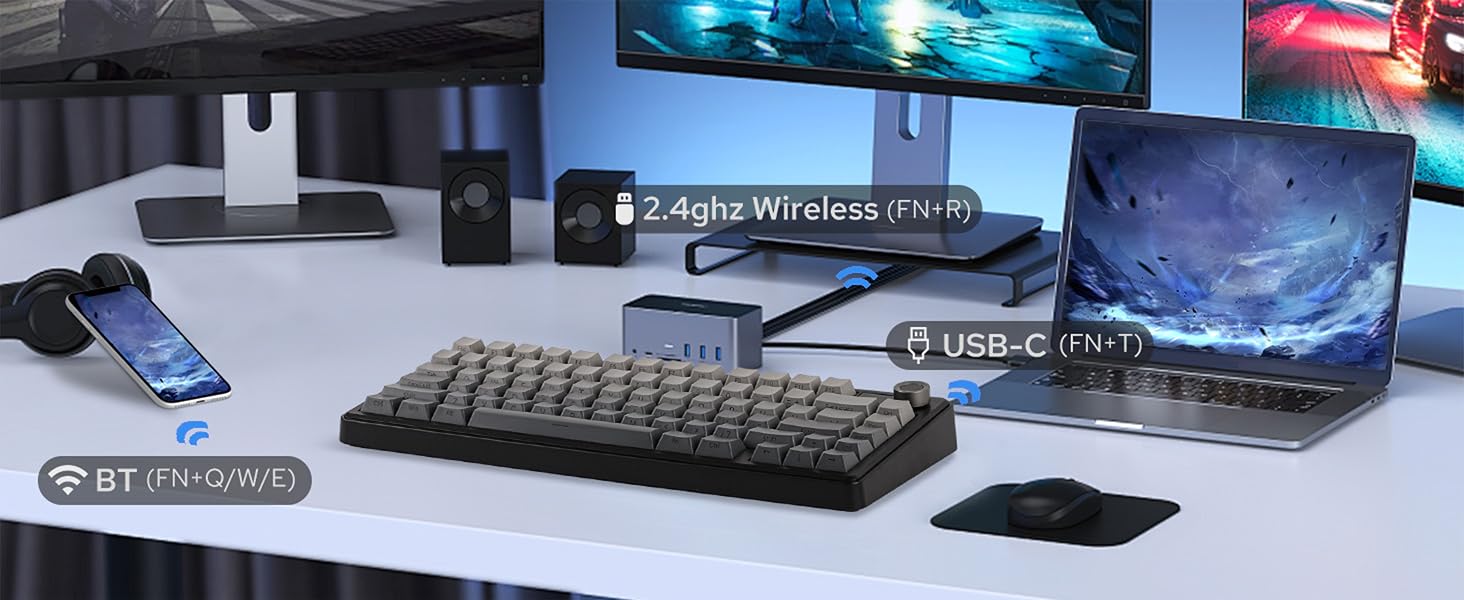
Hassle-free and wire-free, 3 connection style to meet all your needs in gaming and work.
Anti-Ghosting
Register multiple keystrokes simultaneously, to be fast and accurate in the heat of the game.
One-for-All
Compatibility with Android, Windows, Mac, and Linux, built for cross-system gamers or office clerks.
Macro/RGB/Settings
For efficiency or accessibility, the software (WIN only) lets you remap and configure as needed.
Premium Preinstall
Well-lubed Reaper Switch with Light Diffuser and Plate-Mount Stabilizer for buttery smooth typing.
Versatile Wireless Gaming Keyboard with Custom Software
1 2.4GHz/BT/USB 2 Anti-Ghosting 3 PC/Mac/PS4/5/Switch 4 Programming Software 5 Lubed & TunedSatisfying Sound
Rich and pleasant, without shake, shock, hollow or pin-noise, thanks to 5 layers of foams and Pads.
Adjustable KickStand
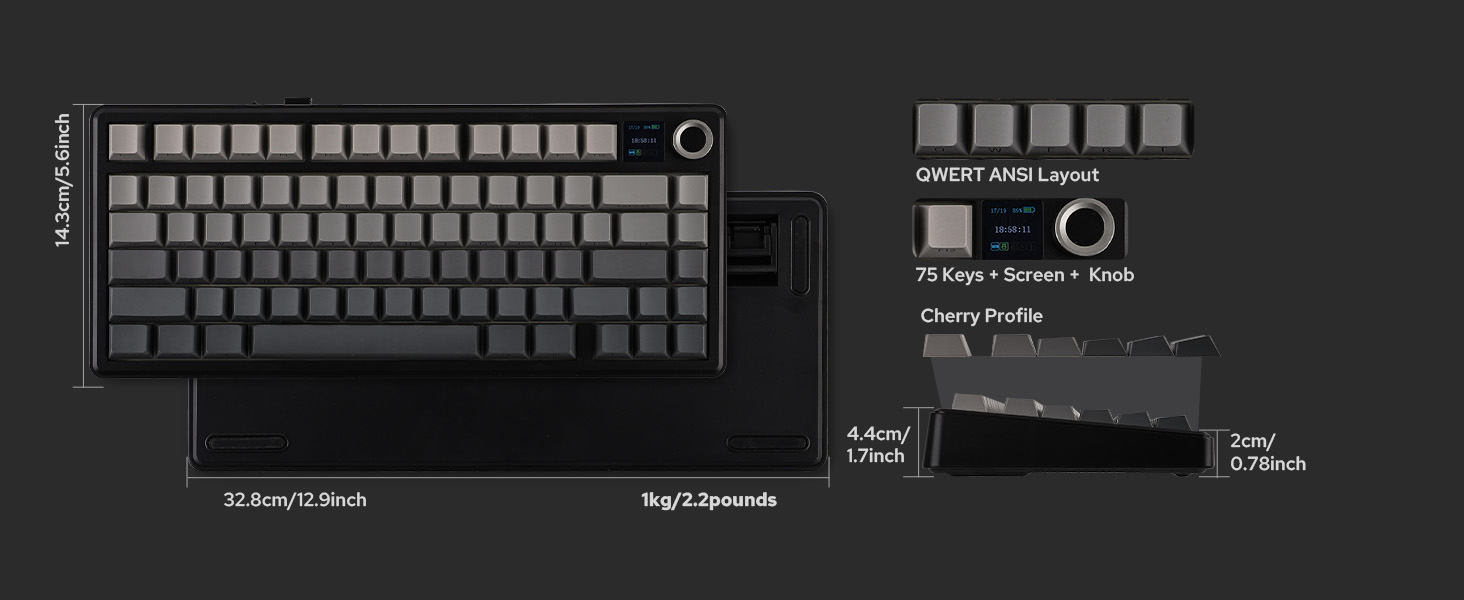
Keyboard Dimensions: 32.8*14.3*4.4cm. Weight: 0.96kg.
Intuitive Indicator
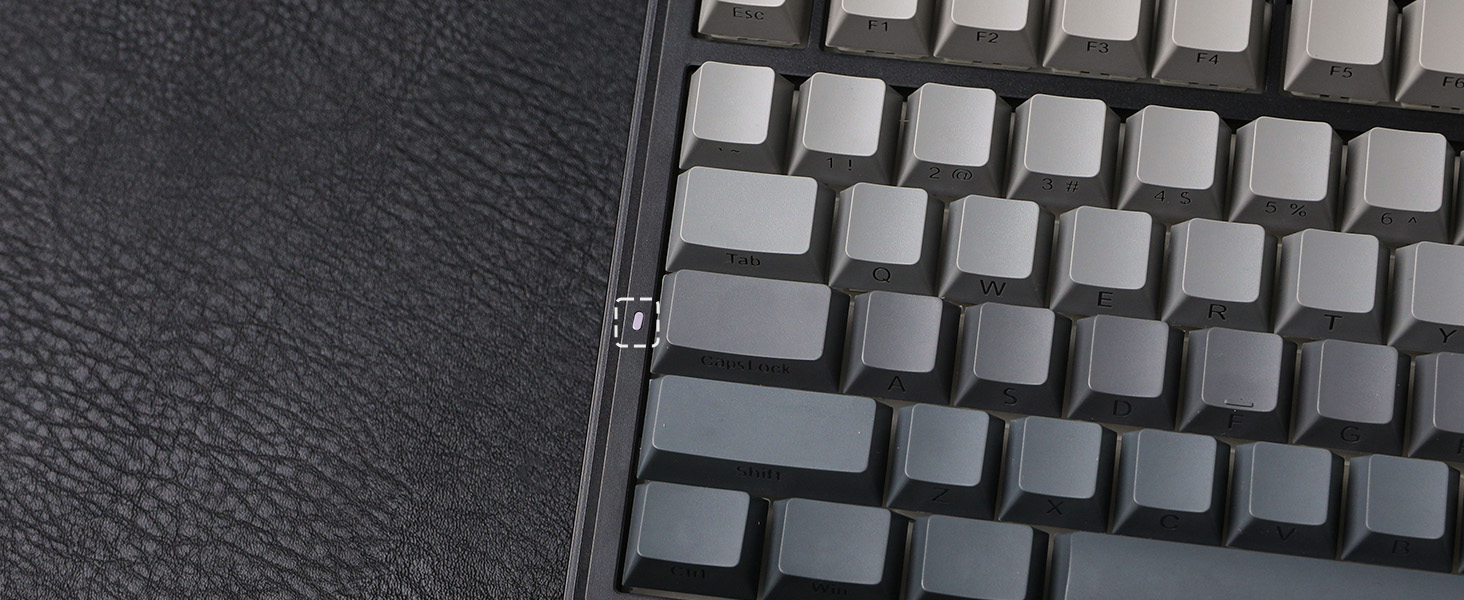
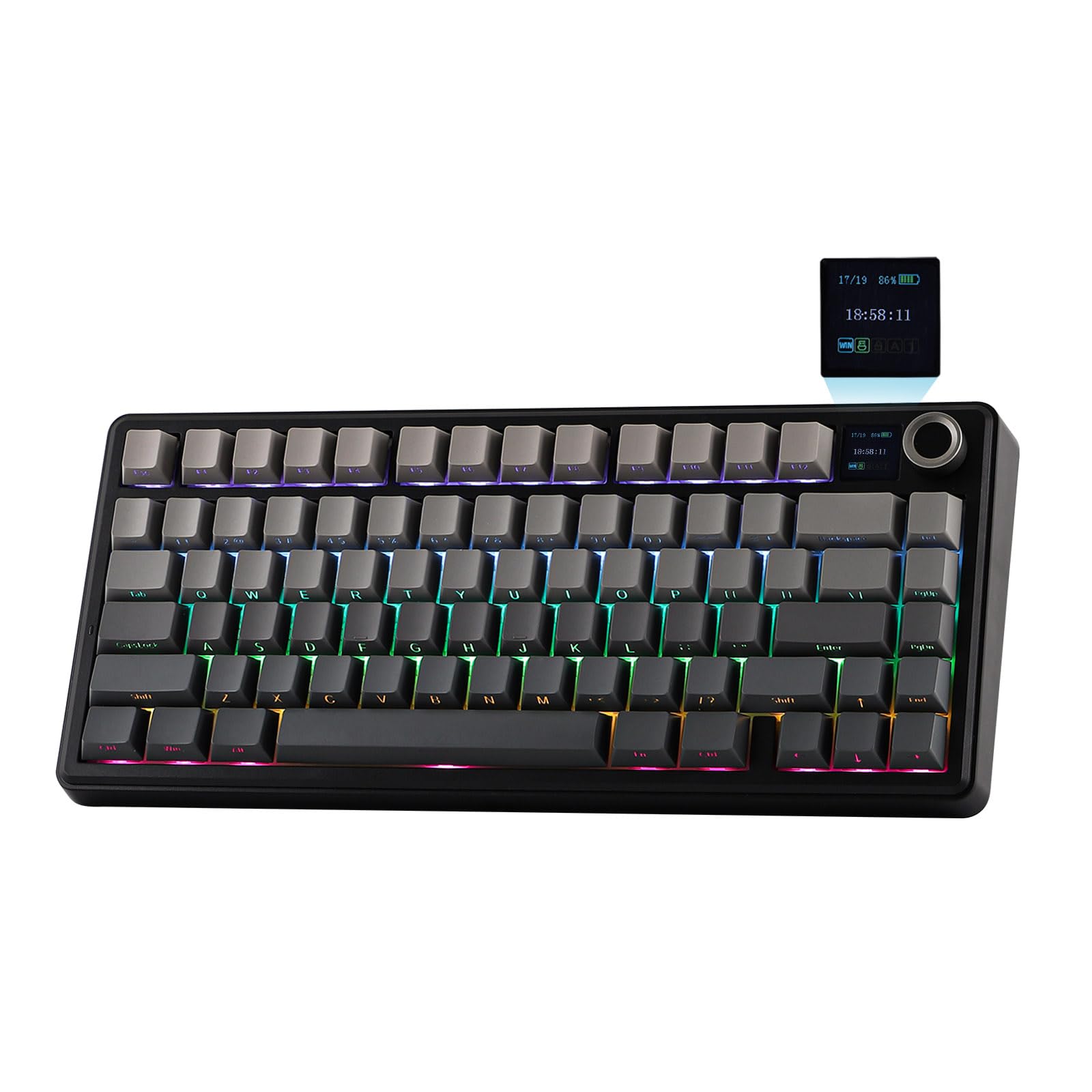
While the screen showcases CapsLock, WINlock, and Numlock, the 2nd Indicator is much more intuitive.
Rechargeable Battery
5 minutes of no activity, the keyboard will sleep to save power. Check the screen for battery info.
Compact in Size, Full in Functions
1 Gasket-Mount 2 75% Form Factor 3 CapsLock 4 4000mAh 5 Hot-SwappableShowcasing Sound, Software, RGB Backlight, Connection & Package
LEOBOG Reaper Switch
Finely Lubed & Tuned
Indulge in the creamy, smooth melody of F75 MAX, composed by the rhythmic thud of every keystroke. Factory lubed and tuned, the stabilizers and linear switches sound as incredible as they feel, with the right amount of creamy and thockey combined.
- LEOBOG Reaper Switch: 5-pin Linear switch with Light diffuser. Force: 45/55gf. Travel: 1.8/3.6mm.
Windows System Only
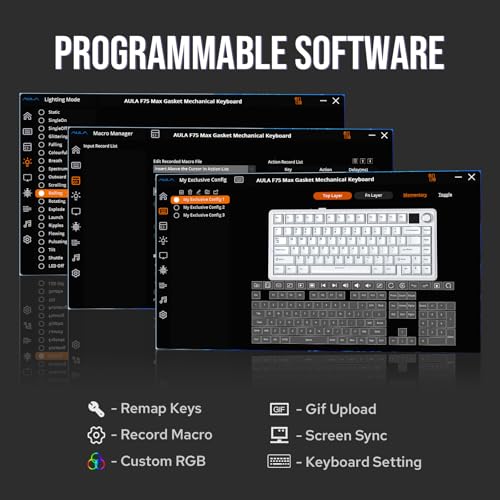
Programming Software
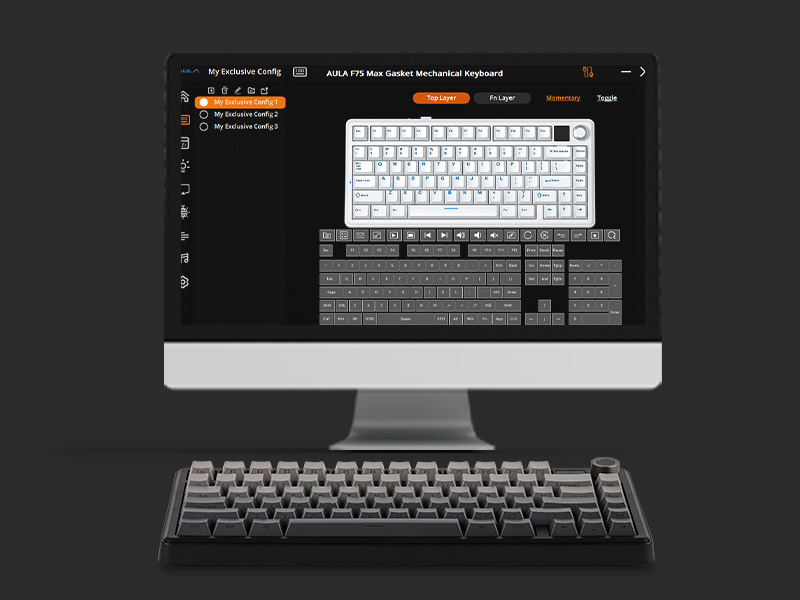
Configure as your needs call for, with the powerful software that supports individual key remaps, macro recording, combo editing, RGB adjustment, sensitivity setting, and more.
- Tips: To connect to the software, please keep the keyboard wired and in USB mode. Search "F75 MAX Software“ to get access.
South-Facing Per-Key LEDs
Custom RGB Backlight
As personalization is our core branding, our F75 Max isn’t shy in the realm of customization. With south-facing per-key LEDs and light diffusers on the Reaper switches, the RGB Backlight shines brightly with dozens of pre-set dynamic effects, adjustable in color and style via software, screen, and shortcut.
- FN+|=Light Effect;
- FN+TAB=Light Color; FN+↑↓←→: Brightness and Speed.
- Or, use FN+Knob to Get Knob into Screen Mode for Customization.
Triple Mode, Triple Convenience
Immerse in continuous gaming sessions with no debuff from low-battery nor interruptions from charging, and relish in the versatile compatibility of the F75 MAX keyboard that connects to up to 5 devices simultaneously.
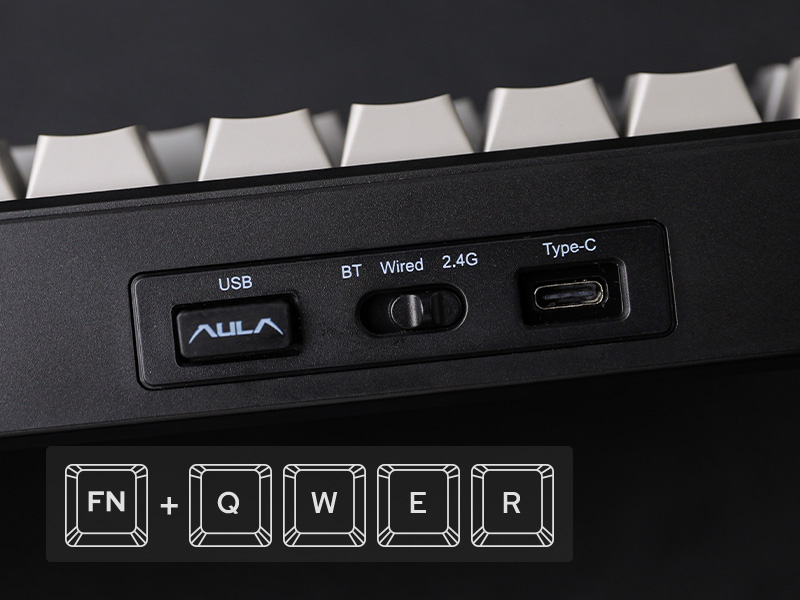
- 1st Time Pairing: 1). Toggle mode switch to BT or 2.4G. 2). Pressing FN+Q/W/E or FN+R until the flash quicken from slow to rapid. 3). Connect on PC or plug dongle to PC.
- Connect to Paired Devices: 1). Toggle mode switch to BT or 2.4G. 2). Tap FN+Q/W/E or FN+R once.
Package Content
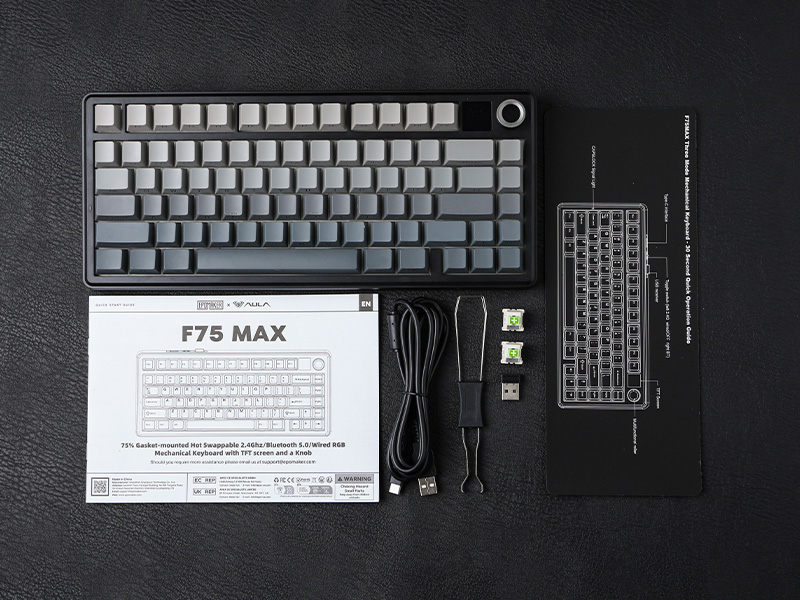
- 1* F75 MAX Mechanical Keyboard
- 1* 2-in-1 Switch-and-Keycap Puller; 2* Extra Switches
- 1* Detachable Cable; 1* 2.4Ghz wireless dongle (stored on keyboard)
- 1*Quick Start Guide; 1*Multilingual Manual
How can I toggle the screen with knob? How to turn the volume up/down with knob?
The dual-function knob can be used to toggle volume or the screen. Press FN+KNOB once to switch between these two modes. Once knob is in screen mode, you can turn the knob to slide through pages and press the knob to confirm.
What're the meaning of all the signs on F75 Max's screen?
The info page on the screen has 5 signs at the bottom telling keyboard's status. From left to right, each of them means: Mac/WIN layout, keyboard's connection status, WIN-Lock, Caps-Lock and Num-Lock status.
Does the F75 MAX keyboard have RGB Backlight?
Yes the F75 MAX Keyboard support dynamic and still backlight in individual colors and RGBs. The White and Purple keycaps are not shine-through, but the Black keycaps are.
Is the F75 MAX keyboard good for Mac?
The F75 MAX keyboard is compatible with WIN, MAC, Android and Linux Systems. The software is only available for Windows system, but keyboard has on-board memory so the settings saved can be used on other systems.
75% Layout Gaming/Office Keyboard from EPOMAKER
| Add to Cart Add to Cart Add to Cart Add to Cart Add to Cart Add to Cart Add to Cart | |||||||
| Customer Reviews | 4.7 out of 5 stars1,624 | 4.7 out of 5 stars41 | 4.4 out of 5 stars110 | 4.4 out of 5 stars78 | 4.7 out of 5 stars71 | 4.1 out of 5 stars231 | 4.7 out of 5 stars1,489 |
| Price | $66.99$66.99 | $67.99$67.99 | $76.99$76.99 | $67.99$67.99 | $73.09$73.09 | $59.99$59.99 | $58.99$58.99 |
| Special Feature | Interactive Screen | Screen & Knob, 10000mAh | Silicone Keycaps,Screen & Knob | TFT Screen & Silent Version | Joystick & Screen | Fully Configurable VIA | 0.85" Screen & Volume Knob |
| Material & Color | Plastic; Black/Purple | Plastic; Black/White/Pink | Plastic; White | Plastic; Black | Plastic; Green/White | Plastic; Black/White/Blue | Plastic; Black/Purple |
| Switch Types | Linear | Linear, Silent Linear | Linear | Linear, Silent Linear | Linear, Silent Tactile | Linear | Linear |
| 75% Layout | QWERTY US | QWERTY US | QWERTY US | QWERTY US | QWERTY US | QWERTY US | QWERTY US |
| Keys+Knob | 80+1 | 78+1 | 81+1 | 80+1 | 82 | 84 | 81+1 |
| PBT Keycap | Cherry Profile | Cherry Profile | Cherry Profile | Cherry Profile | Cherry Profile | Cherry Profile | OEM Profile |
| Connectivity | BT/2.4G/USB-C | BT/2.4G/USB-C | BT/2.4G/USB-C | BT/2.4G/USB-C | BT/2.4G/USB-C | BT/2.4G/USB-C | BT/2.4G/USB-C |
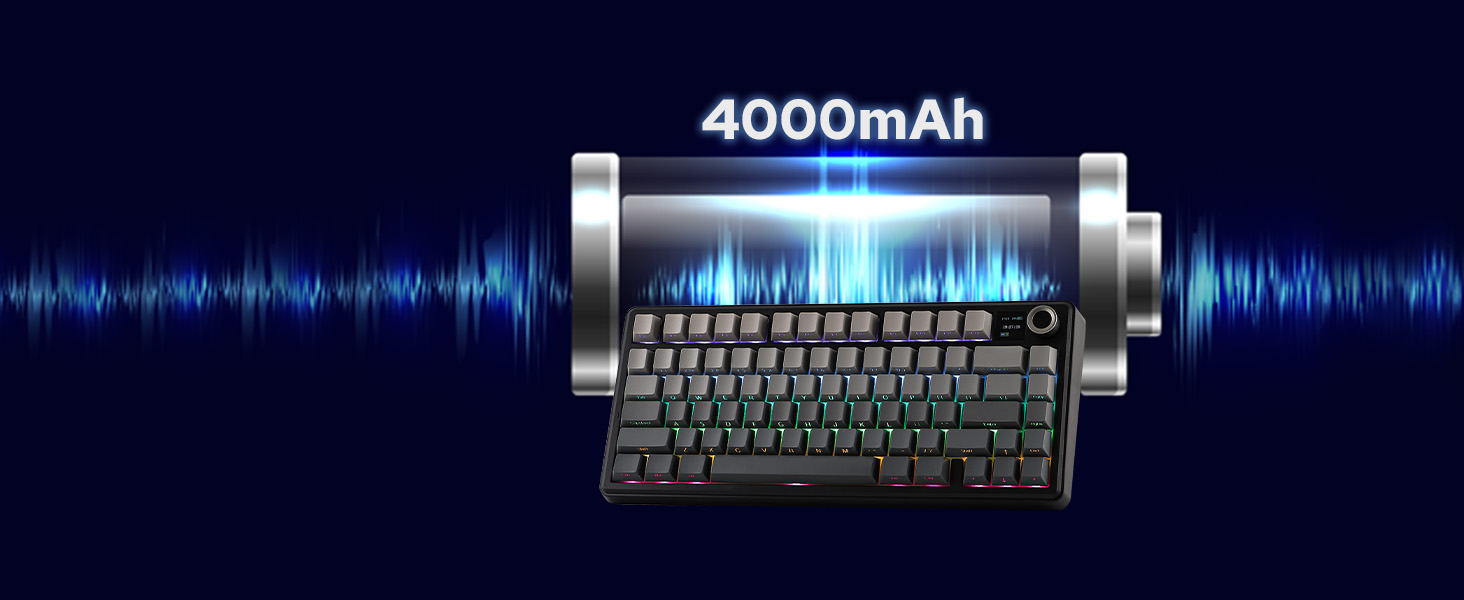
| Battery | 4000mAh | 10000mAh | 8000mAh | 5000mAh | 8000mAh | 4000mAh | 4000mAh |
| Hot Swappable | ✔ | ✔ | ✔ | ✔ | ✔ | ✔ | ✔ |
| Backlight | Per-Key RGB | Per-Key RGB | Per-Key RGB | Per-Key RGB | Per-Key RGB | Per-Key RGB | Per-Key RGB |
| OS System | Win/Mac/Android/iOS | Win/Mac/Android/iOS | Mac/WIN/Android/iOS | Win/Mac/Android | Win/Mac/Android/iOS | Win/Mac/Android/iOS | Win/Mac/Android/iOS |
| Software | F75 MAX Driver (WIN) | bit.ly/4tkzTFB | bit.ly/4tkzTFB | EA75 MAX Driver (WIN) | bit.ly/3O8OFQv | usevia.app/test | AK820 PRO Software (WIN) |

| SKU: | B0DPWX3WTL |
| Dimensions: | 5.62"L x 1.69"W x 12.87"H |
| Brand: | EPOMAKER |
| Model: | F75 MAX |
| Colour: | Black Gradient |
| Manufacture: | EPOMAKER |
| Colour: | Black Gradient |
Product description
F75 MAX wireless keyboard
Teclado inalámbrico para juegos F75 MAX
-

Tri-Mode
Hassle-free and wire-free, 3 connection style to meet all your needs in gaming and work.
-
Anti-Ghosting
Register multiple keystrokes simultaneously, to be fast and accurate in the heat of the game.
-
One-for-All
Compatibility with Android, Windows, Mac, and Linux, built for cross-system gamers or office clerks.
-
Macro/RGB/Settings
For efficiency or accessibility, the software (WIN only) lets you remap and configure as needed.
-
Premium Preinstall
Well-lubed Reaper Switch with Light Diffuser and Plate-Mount Stabilizer for buttery smooth typing.
-
Satisfying Sound
Rich and pleasant, without shake, shock, hollow or pin-noise, thanks to 5 layers of foams and Pads.
-
Adjustable KickStand
Keyboard Dimensions: 32.8*14.3*4.4cm. Weight: 0.96kg.
-
Intuitive Indicator
While the screen showcases CapsLock, WINlock, and Numlock, the 2nd Indicator is much more intuitive.
-
Rechargeable Battery
5 minutes of no activity, the keyboard will sleep to save power. Check the screen for battery info.
-
Compact in Size, Full in Functions
Showcasing Sound, Software, RGB Backlight, Connection & Package
-
LEOBOG Reaper Switch
Finely Lubed & Tuned
Indulge in the creamy, smooth melody of F75 MAX, composed by the rhythmic thud of every keystroke. Factory lubed and tuned, the stabilizers and linear switches sound as incredible as they feel, with the right amount of creamy and thockey combined.
- LEOBOG Reaper Switch: 5-pin Linear switch with Light diffuser. Force: 45/55gf. Travel: 1.8/3.6mm.
-
Windows System Only
Programming Software
Configure as your needs call for, with the powerful software that supports individual key remaps, macro recording, combo editing, RGB adjustment, sensitivity setting, and more.
- Tips: To connect to the software, please keep the keyboard wired and in USB mode. Search “F75 MAX Software“ to get access.
-
South-Facing Per-Key LEDs
Custom RGB Backlight
As personalization is our core branding, our F75 Max isn’t shy in the realm of customization. With south-facing per-key LEDs and light diffusers on the Reaper switches, the RGB Backlight shines brightly with dozens of pre-set dynamic effects, adjustable in color and style via software, screen, and shortcut.
- FN+|=Light Effect;
- FN+TAB=Light Color; FN+↑↓←→: Brightness and Speed.
- Or, use FN+Knob to Get Knob into Screen Mode for Customization.
-
Triple Mode, Triple Convenience
Immerse in continuous gaming sessions with no debuff from low-battery nor interruptions from charging, and relish in the versatile compatibility of the F75 MAX keyboard that connects to up to 5 devices simultaneously.
- 1st Time Pairing: 1). Toggle mode switch to BT or 2.4G. 2). Pressing FN+Q/W/E or FN+R until the flash quicken from slow to rapid. 3). Connect on PC or plug dongle to PC.
- Connect to Paired Devices: 1). Toggle mode switch to BT or 2.4G. 2). Tap FN+Q/W/E or FN+R once.
-
Package Content
- 1* F75 MAX Mechanical Keyboard
- 1* 2-in-1 Switch-and-Keycap Puller; 2* Extra Switches
- 1* Detachable Cable; 1* 2.4Ghz wireless dongle (stored on keyboard)
- 1*Quick Start Guide; 1*Multilingual Manual
-
How can I toggle the screen with knob? How to turn the volume up/down with knob?
The dual-function knob can be used to toggle volume or the screen. Press FN+KNOB once to switch between these two modes. Once knob is in screen mode, you can turn the knob to slide through pages and press the knob to confirm.
-
What're the meaning of all the signs on F75 Max's screen?
The info page on the screen has 5 signs at the bottom telling keyboard's status. From left to right, each of them means: Mac/WIN layout, keyboard's connection status, WIN-Lock, Caps-Lock and Num-Lock status.
-
Does the F75 MAX keyboard have RGB Backlight?
Yes the F75 MAX Keyboard support dynamic and still backlight in individual colors and RGBs. The White and Purple keycaps are not shine-through, but the Black keycaps are.
-
Is the F75 MAX keyboard good for Mac?
The F75 MAX keyboard is compatible with WIN, MAC, Android and Linux Systems. The software is only available for Windows system, but keyboard has on-board memory so the settings saved can be used on other systems.
75% Layout Gaming/Office Keyboard from EPOMAKER
 F75 Max |  TH80 V2 PRO | 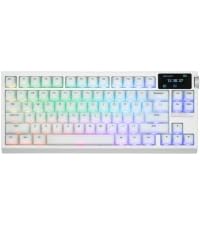 G84 PRO | 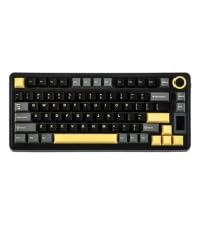 EA75 MAX | 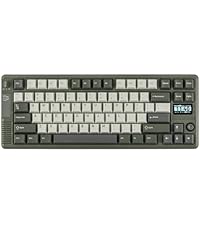 RT85 | 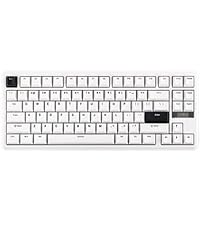 TH85 | 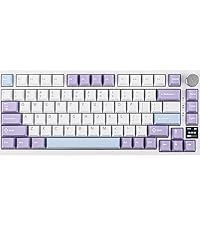 AK820 PRO | |
|---|---|---|---|---|---|---|---|
| Customer Reviews | 4.7 out of 5 stars 1,624 | 4.7 out of 5 stars 41 | 4.4 out of 5 stars 110 | 4.4 out of 5 stars 78 | 4.7 out of 5 stars 71 | 4.1 out of 5 stars 231 | 4.7 out of 5 stars 1,489 |
| Price | $66.99 | $67.99 | $76.99 | $67.99 | $73.09 | $59.99 | $58.99 |
| Special Feature | Interactive Screen | Screen & Knob, 10000mAh | Silicone Keycaps,Screen & Knob | TFT Screen & Silent Version | Joystick & Screen | Fully Configurable VIA | 0.85″ Screen & Volume Knob |
| Material & Color | Plastic; Black/Purple | Plastic; Black/White/Pink | Plastic; White | Plastic; Black | Plastic; Green/White | Plastic; Black/White/Blue | Plastic; Black/Purple |
| Switch Types | Linear | Linear, Silent Linear | Linear | Linear, Silent Linear | Linear, Silent Tactile | Linear | Linear |
| 75% Layout | QWERTY US | QWERTY US | QWERTY US | QWERTY US | QWERTY US | QWERTY US | QWERTY US |
| Keys+Knob | 80+1 | 78+1 | 81+1 | 80+1 | 82 | 84 | 81+1 |
| PBT Keycap | Cherry Profile | Cherry Profile | Cherry Profile | Cherry Profile | Cherry Profile | Cherry Profile | OEM Profile |
| Connectivity | BT/2.4G/USB-C | BT/2.4G/USB-C | BT/2.4G/USB-C | BT/2.4G/USB-C | BT/2.4G/USB-C | BT/2.4G/USB-C | BT/2.4G/USB-C |
| Battery | 4000mAh | 10000mAh | 8000mAh | 5000mAh | 8000mAh | 4000mAh | 4000mAh |
| Hot Swappable | ✔ | ✔ | ✔ | ✔ | ✔ | ✔ | ✔ |
| Backlight | Per-Key RGB | Per-Key RGB | Per-Key RGB | Per-Key RGB | Per-Key RGB | Per-Key RGB | Per-Key RGB |
| OS System | Win/Mac/Android/iOS | Win/Mac/Android/iOS | Mac/WIN/Android/iOS | Win/Mac/Android | Win/Mac/Android/iOS | Win/Mac/Android/iOS | Win/Mac/Android/iOS |
| Software | F75 MAX Driver (WIN) | bit.ly/4tkzTFB | bit.ly/4tkzTFB | EA75 MAX Driver (WIN) | bit.ly/3O8OFQv | usevia.app/test | AK820 PRO Software (WIN) |
An outstanding mechanical keyboard with no compromises
I’ve been using the EPOMAKER x AULA F75 MAX for a while now, and I honestly have no complaints. It has exceeded my expectations in every way and has become one of my favorite peripherals.
The typing and gaming experience is exceptional. Every key press feels smooth, satisfying, and consistent, while the build quality is outstanding. The keyboard feels solid, premium, and much more expensive than it actually is. The wireless connectivity has also been flawless, with a stable connection and excellent battery life.
One of the things I appreciate most is the incredible value it offers. From the factory, it already feels like a custom mechanical keyboard, with excellent acoustics, high-quality keycaps, and an overall refined typing experience that rivals keyboards costing significantly more.
Overall, I genuinely can’t find anything negative to say about it. Everything works exactly as it should, and it delivers an outstanding experience right out of the box. If you’re looking for a premium wireless mechanical keyboard without spending a fortune, the EPOMAKER x AULA F75 MAX is an easy recommendation.
Excellent keyboard with amazing sound and features
This keyboard is very good and the sound of the keys is incredible, they really feel “creamy.” So far I have had a great experience. The key response is excellent and even my wife, who does not know much about keyboards, complimented the sound and the typing feel.
The battery life is relatively good. It is hard to measure precisely since some days I use it more and some less, but with RGB on static at maximum it lasts around three days. The volume knob is very sensitive and it is nice that you can change the keyboard configuration with it and the small screen. I am not very demanding when it comes to settings so I installed the software when it arrived but I do not really use it. I configure everything I need with the knob.
One drawback is that if you leave the screen on any menu other than volume and you want to quickly change the sound, you need to turn the knob to the volume menu, click it and only then adjust. This is not very practical. I prefer to keep the screen on the main page where it shows battery and time, since I like to know if the battery is running low. For volume I usually just use Windows controls or a shortcut.
Another thing I regret is choosing the version with side-printed keycaps. I thought I would like it and adapt, but I did not enjoy it very much. Still, it does not affect the use of the keyboard, especially since I do not need to look at the keys while typing. This is my first time using a keyboard with side-printed legends. I have always used mechanical keyboards from brands like Razer or Logitech. My last one was a Razer BlackWidow that I used for four years and only replaced because I spilled coffee on it and some keys stopped working.
I was hesitant to try a less well-known brand, but I am positively surprised. How long it will last only time will tell. After almost a month of use I am very satisfied and I recommend it. If anything changes I will come back to update this review.
The Aula X75 Max is an impressive keyboard that punches well above its price point. The switches feel buttery smooth with satisfying, clean clicks that make both typing and gaming a pleasure. There’s no harsh rattle here—everything feels well-tuned and solid right out of the box.
The RGB lighting is bright, vibrant, and evenly distributed, with plenty of effects to choose from. It really pops without looking washed out or cheap. The keyboard also has a nice, substantial weight to it, so it stays firmly planted on the desk and feels durable and premium.
A big plus is the accompanying software. The app is easy to use and offers solid customization for key mapping, macros, and RGB settings without feeling bloated or confusing. Setup is quick and painless, even for someone new to keyboard software.
Overall, the Aula X75 Max is a fantastic all-around mechanical keyboard—smooth typing, great lighting, sturdy build, and good software support. Highly recommended for anyone looking for quality without overspending.
Outstanding keyboard with multiple connection options. The keys have a nice feel to them, providing good feedback with a nice sound which will not bother anyone in the area.
The keyboard has a nice weight to it keeping it in place on a sliding keyboard drawer. The lighting options and key programmability are nice pluses, along with the wheel and small screen, but what makes this keyboard great is the solid functionality.
I did find the lack of a dedicated ‘Home’ key surprising, and using the wheel to control speaker volume requires pressing on it first, but these are very minor compared to the solid performance.
The keyboard also looks good and seems very sturdy and dependable.
Recommended and a good value, I like this more than the options from well-known premium brands.
Excellent feel, sound and value
Amazing keyboard. The typing feel is incredibly smooth, the build quality feels premium, and the sound is brilliant, soft, creamy and satisfying without being too loud or harsh.
At first, it took me a little while to get used to the keys, especially because they have a relatively low actuation force compared to what I was used to. But after a short adjustment period, typing on it feels really comfortable and natural.
I also really like the small display. It is a nice touch and makes the keyboard feel more modern and unique.
For the price, the value is honestly unbelievable. So far, I have not experienced any finger pain while using it, which is a big plus for me.
5/5, would absolutely recommend.
Very high quality and has a very nice sound. Charges to 60% in at least 50 minutes to an hour, which seems to go by fast when doing other things and not using it. The screen is also very helpful for being able to tell when I need to charge the keyboard, and the knob for volume makes it very easy to change volumes. I would easily buy this again, 100% worth the price.
I really love this keyboard. it’s a very solid keyboard, with a decent price, that has a nice thocky and milky sound that is so pleasant to listen to while typing. It made me fall in love with the LEOBOG Switches that it comes with.
However, I have one BIG GLARING issue with this keyboard, which makes me not want to buy another AULA keyboard again, and that is the software. EVERY VERSION that i’ve downloaded and tried, it won’t sync to the keyboard or detect it at all. This is including when I have it plugged it with the wire.
Tastiera sorprendente: qualit top, funzionalit complete e perfetta per ogni utilizzo
Ho provato la EPOMAKER x Aula F75 MAX e posso dire senza dubbi che una tastiera davvero completa e ben realizzata. Fin dal primo utilizzo si percepisce che siamo davanti a un prodotto curato sotto molti aspetti, sia dal punto di vista estetico che funzionale.
La qualit costruttiva mi ha sorpreso in positivo: nonostante sia realizzata in plastica, risulta solida, ben assemblata e per niente “cheap”. Non ci sono scricchiolii o flessioni evidenti, e tutto trasmette una sensazione di affidabilit. Anche i keycaps e gli switch offrono un buon feeling, rendendo la digitazione piacevole sia per scrivere che per giocare.
Uno degli elementi distintivi sicuramente lo schermo TFT integrato, che aggiunge un tocco moderno e utile: permette di visualizzare informazioni e personalizzare ulteriormente l’esperienza. La manopola multifunzione un altro grande plus, comodissima per regolare volume, illuminazione o altre impostazioni in modo rapido e intuitivo.
Dal punto di vista della connettivit, la tastiera molto versatile grazie alla modalit wireless, che funziona bene e senza problemi evidenti di latenza nell’uso quotidiano. Questo la rende perfetta sia per una postazione pulita senza cavi sia per chi alterna pi dispositivi.
L’illuminazione RGB ben gestita, con effetti piacevoli e personalizzabili, senza risultare eccessiva. Anche l’autonomia adeguata per un utilizzo normale, considerando tutte le funzionalit integrate.
In conclusione, una tastiera che offre davvero tanto: design, funzionalit avanzate e una qualit costruttiva superiore alle aspettative per la fascia di prezzo.
Buena calidad
Increble producto, lo he probado muy poco an, sin embargo parece ser de muy buena calidad, las teclas se sienten muy agradables, tiene buen sonido al teclear sin ser tan ruidoso. Buen producto por su precio
Great keyboard!
lots of RGB options choose from the typing is very smooth and creamy also silent. I work in an office setting and does not disturb those near me. I’ve also been able to increase my words per minute and it has been soft on my wrist. The size is also been good for my small desk.