EPOMAKER X Aula F75 MAX Wireless Mechanical Keyboard
EPOMAKER X Aula F75 MAX Wireless Mechanical Keyboard with TFT Screen and Knob, Gasket Gaming Keyboard in 75% Layout, Hot Swappable, RGB Backlight, for PC/Mac/Linux (Black Gradient)
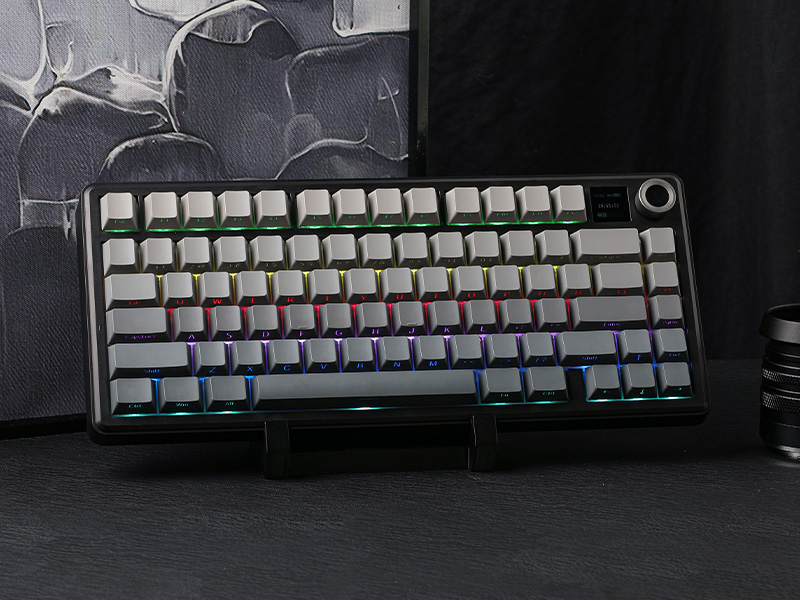
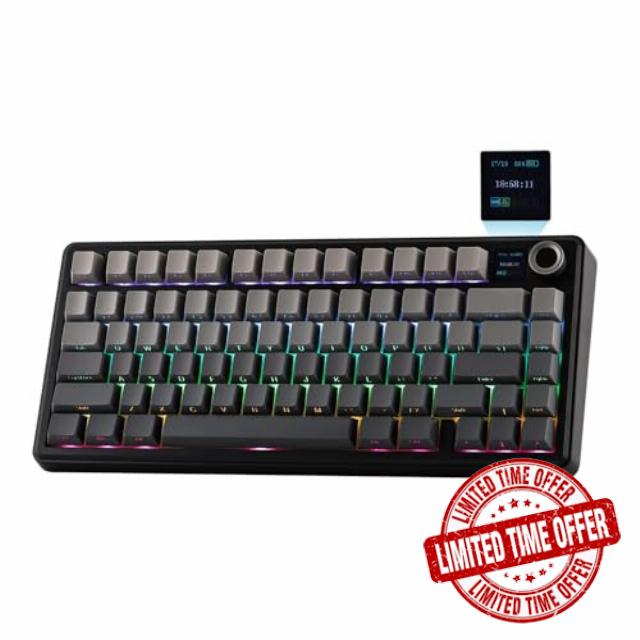
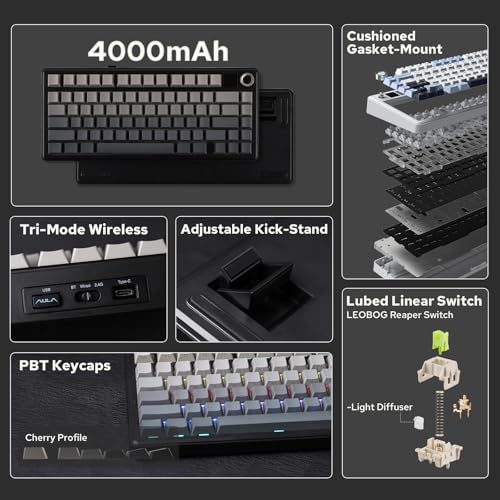
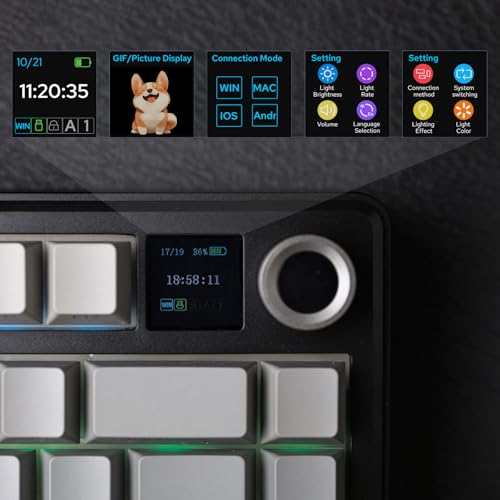
- Compact Size, Function Core: With 80 programmable keys and a customizable screen, the F75 Max upgrades from its successful predecessor EPOMAKER X Aula F75 with equal reliability and incredible new functions. Revel in the convenience the volume knob offers and enjoy the Gif-showing screen that makes Backlight customization fun and easy. With connectivity, battery monitor and indicator lights combined in one, the F75 Max keyboard with TFT smart display will be your inseparable helper and productivity booster in gaming and life
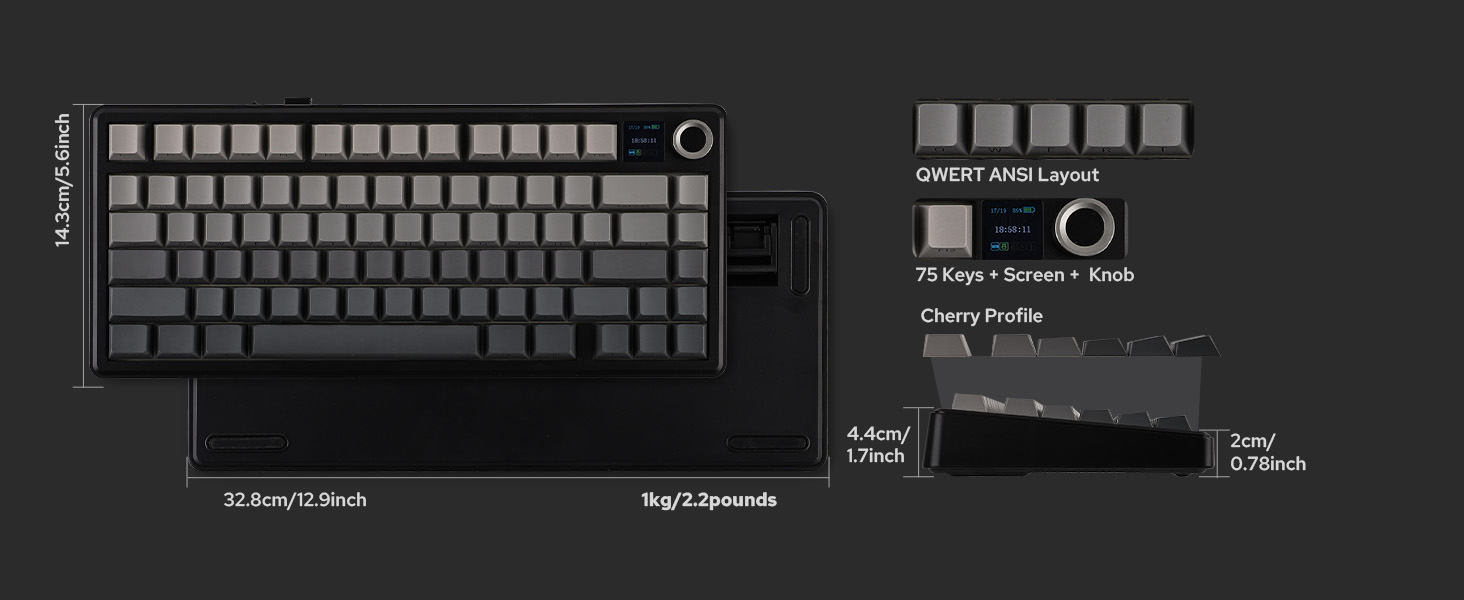
- Stylish and Ergonomic: Say goodbye to wrist strain and finger fatigue, as this Cherry-profile keyboard becomes your ergonomic assistant in browsing the digital world. With the 2cm-low front height and a 2-stage adjustable kickstand, typing angle can be as high or low as your comfort calls for. The Gasket-Mount structure separates F75 Max’s PCB from its shell to rid the harsh bottom-out, while the flex-cut PC plate gives it extra flexibility for soft and soothing typing
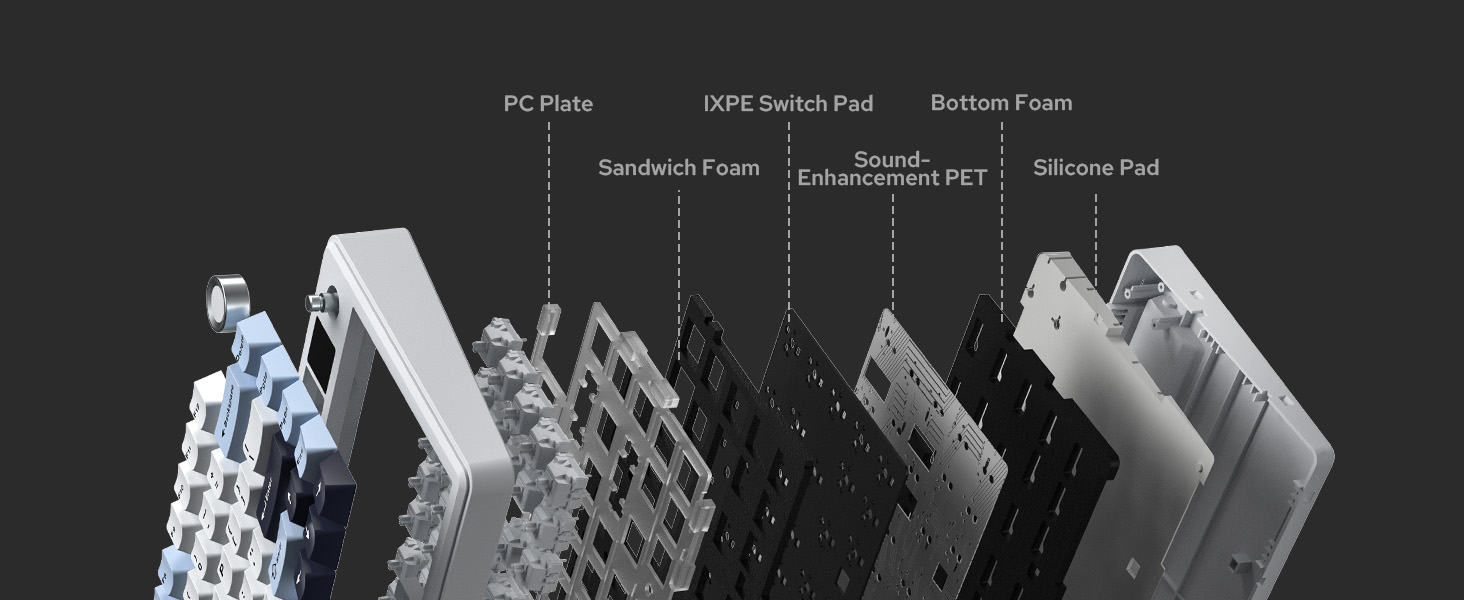
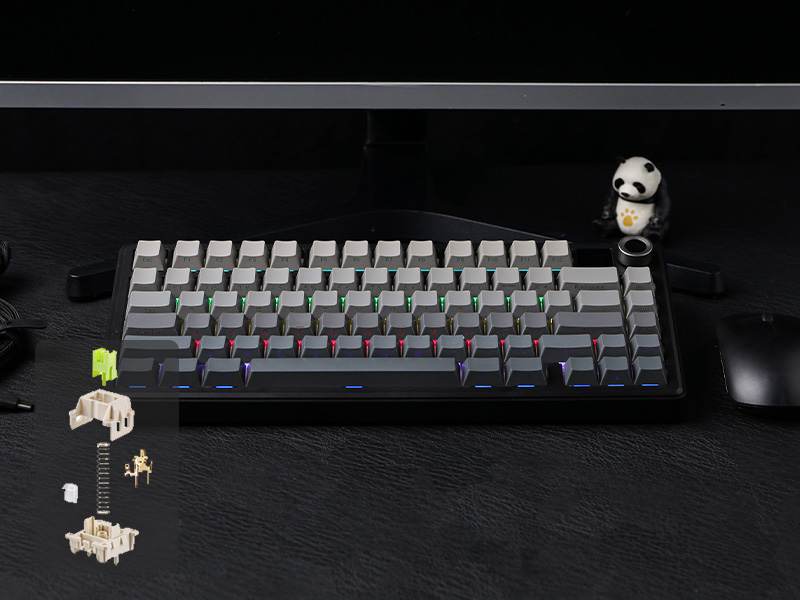
- Satisfying Creamy Sound: Indulge in the creamy smooth melody of F75 MAX, composed by the rhythmic thud of every keystroke. Factory-lubed and tuned, the stabilizers and linear switches sound as incredible as they feel, with the right amount of creamy and thocky combined. Full of foams and silicone sandwiched between plate, PCB and bottom case, noise caused by echo within the keyboard is eliminated, while the IXPE switch pad and PET pad highlight the mellow switch sound that’s rich and pleasant
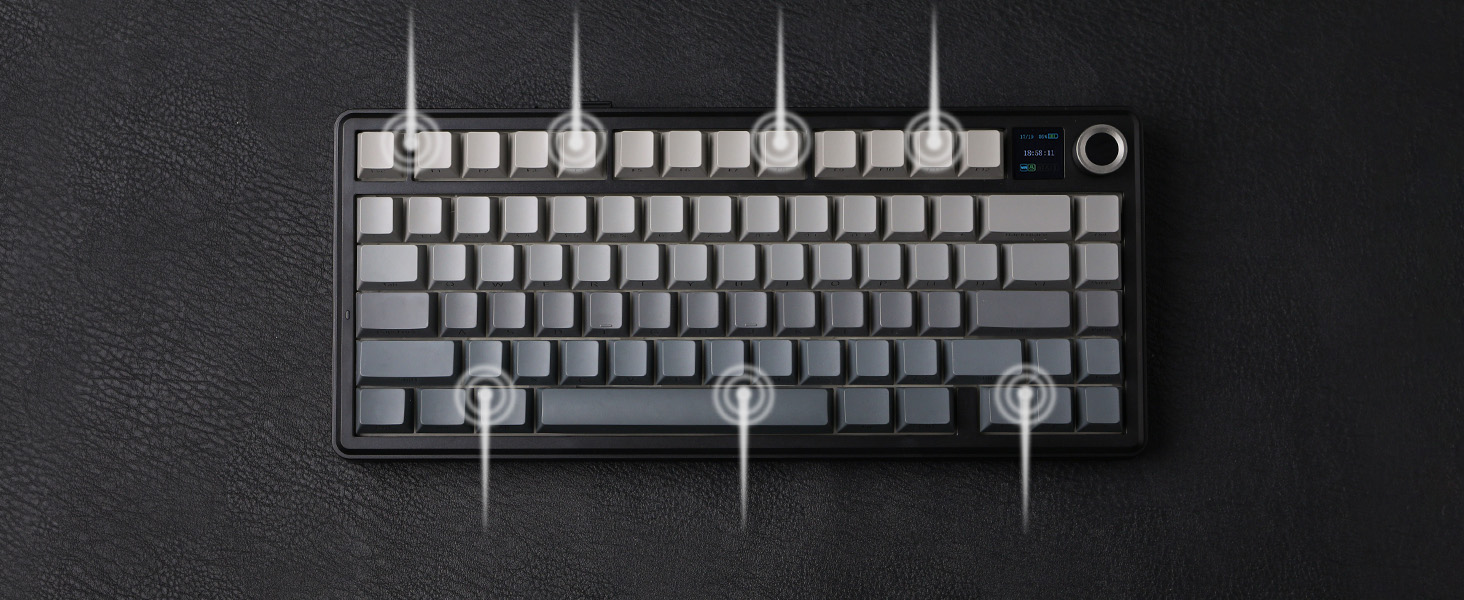
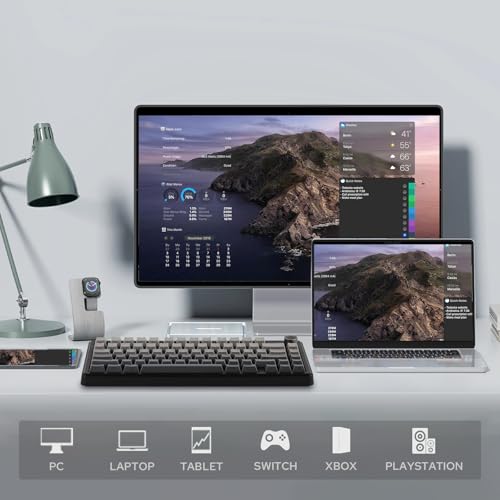
- Versatile Gaming Keyboard: Game in style with this anti-ghosting keyboard that performs stably without double chattering or mistype in BT, 2.4Ghz wireless and cable mode, with 1000hz polling rate in USB and 2.4G modes. Its support of NKRO allows gamers to input multiple keys simultaneously, handy in FPS and Rhythm Games, while its compatibility with Android, Windows, Mac and Linux is valuable for programmers and clerks in the office
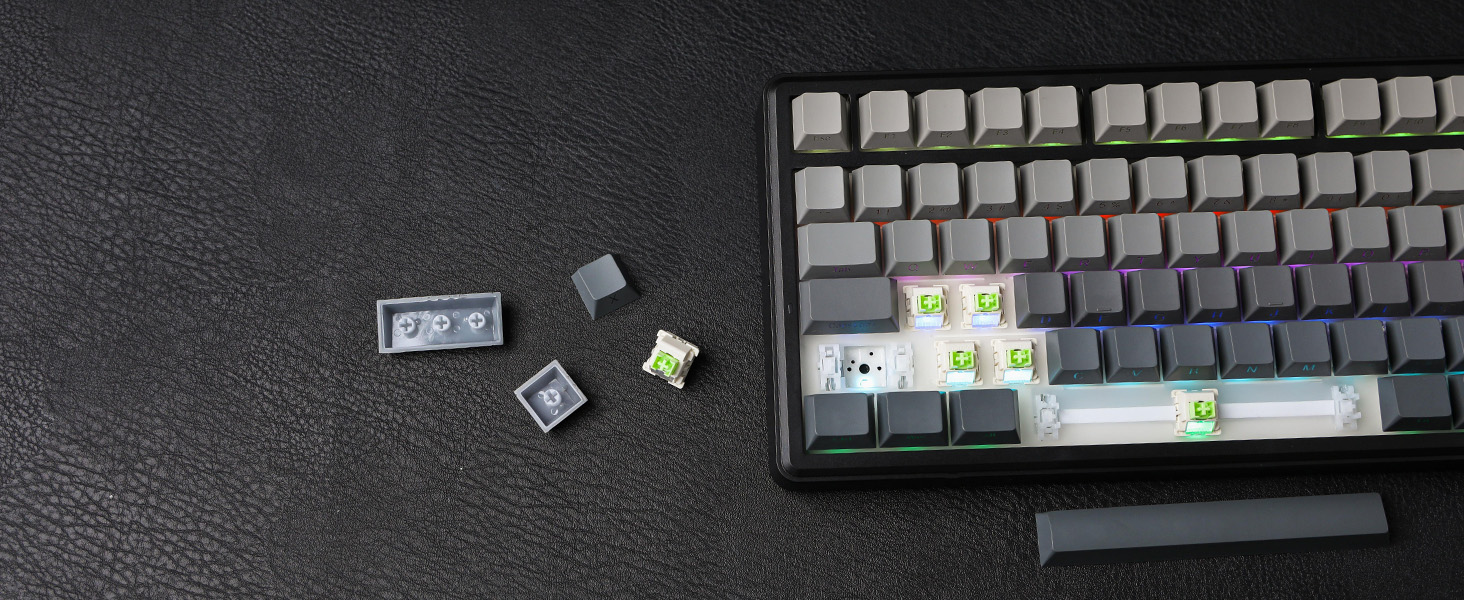
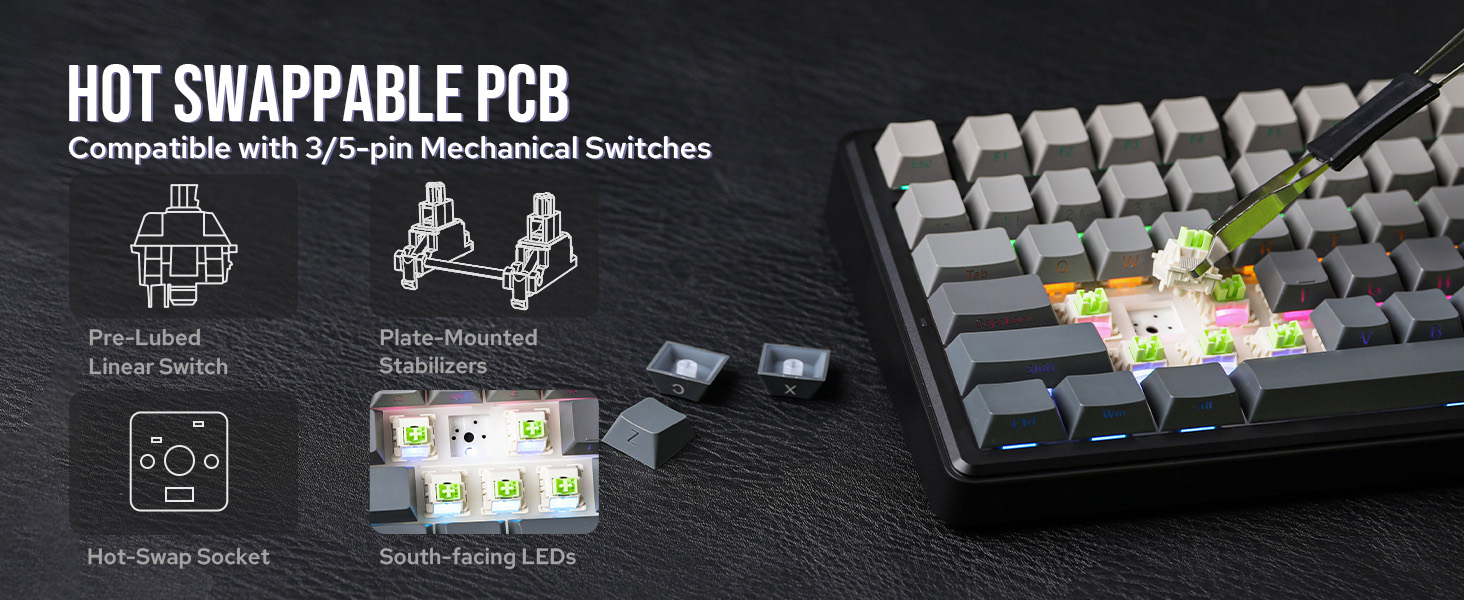
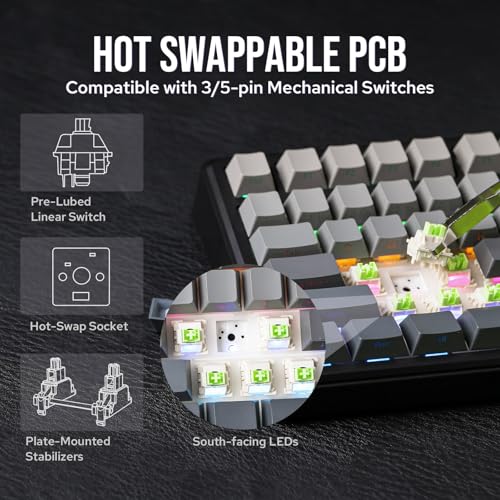
- Custom Keyboard with Compatibility: As personalization being our core branding, our F75 Max isn’t shy in the realm of customization. With south-facing per-key LEDs and light diffusers on the Reaper switches, the RGB Backlight shines brightly with pre-set dynamic effect, adjustable in color and style via software, screen and shortcut. The hot-swappable F75 MAX comes with plate-mount stabilizers but is compatible with 3/5-pin mechanical switches and screw-in stabilizers for experimenting typing feel and sound, while the software offers key remapping and macro editing for efficiency and accessibility
F75 MAX wireless keyboard
The video showcases the product in use.The video guides you through product setup.The video compares multiple products.The video shows the product being unpacked.Teclado inalámbrico para juegos F75 MAX
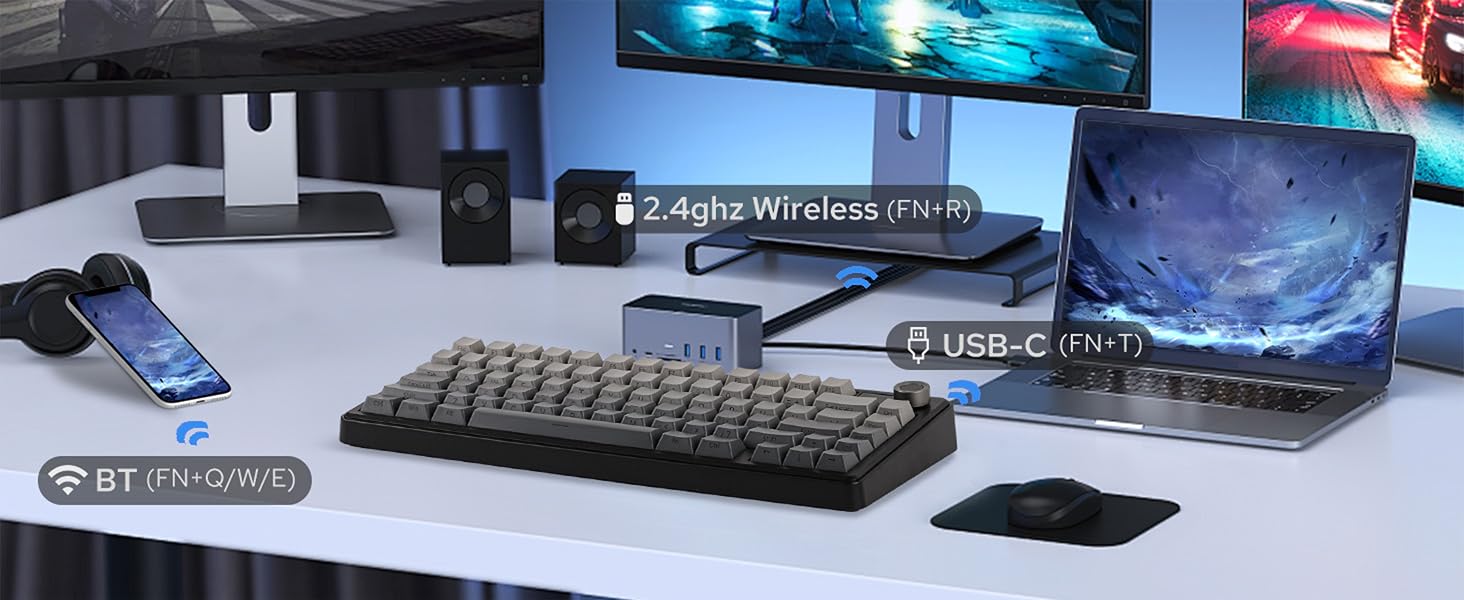
Tri-Mode
Hassle-free and wire-free, 3 connection style to meet all your needs in gaming and work.
Anti-Ghosting
Register multiple keystrokes simultaneously, to be fast and accurate in the heat of the game.
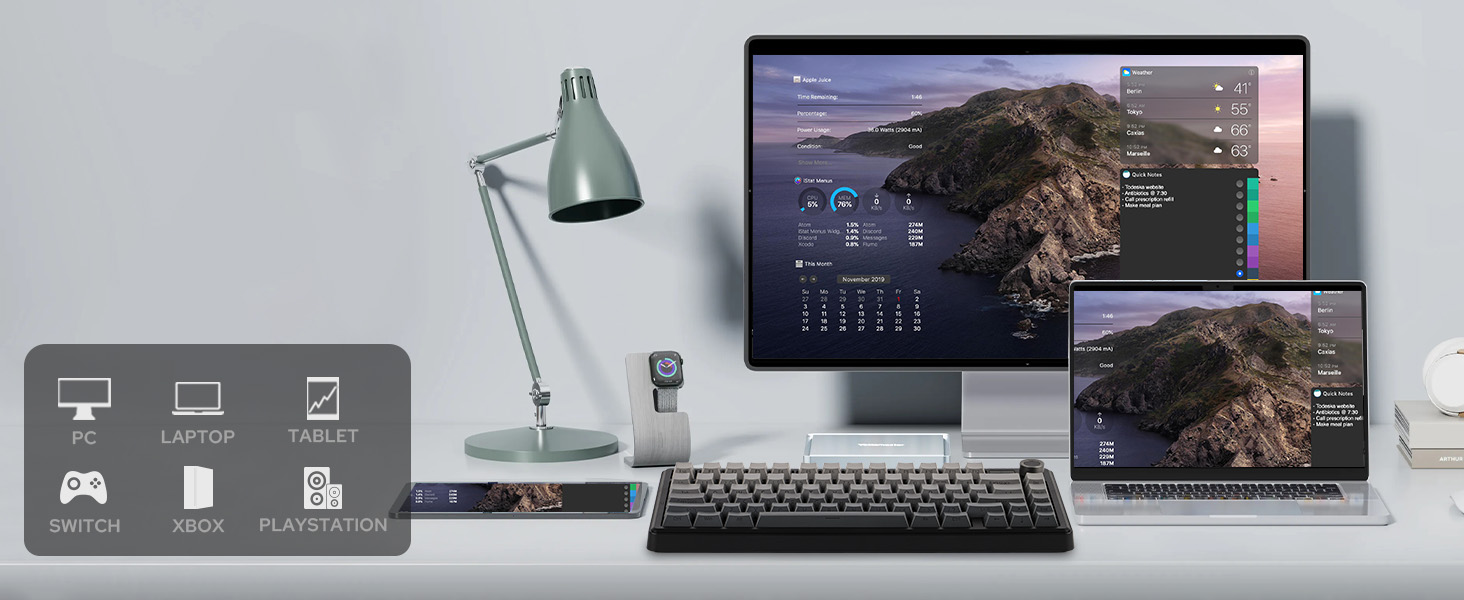
One-for-All
Compatibility with Android, Windows, Mac, and Linux, built for cross-system gamers or office clerks.
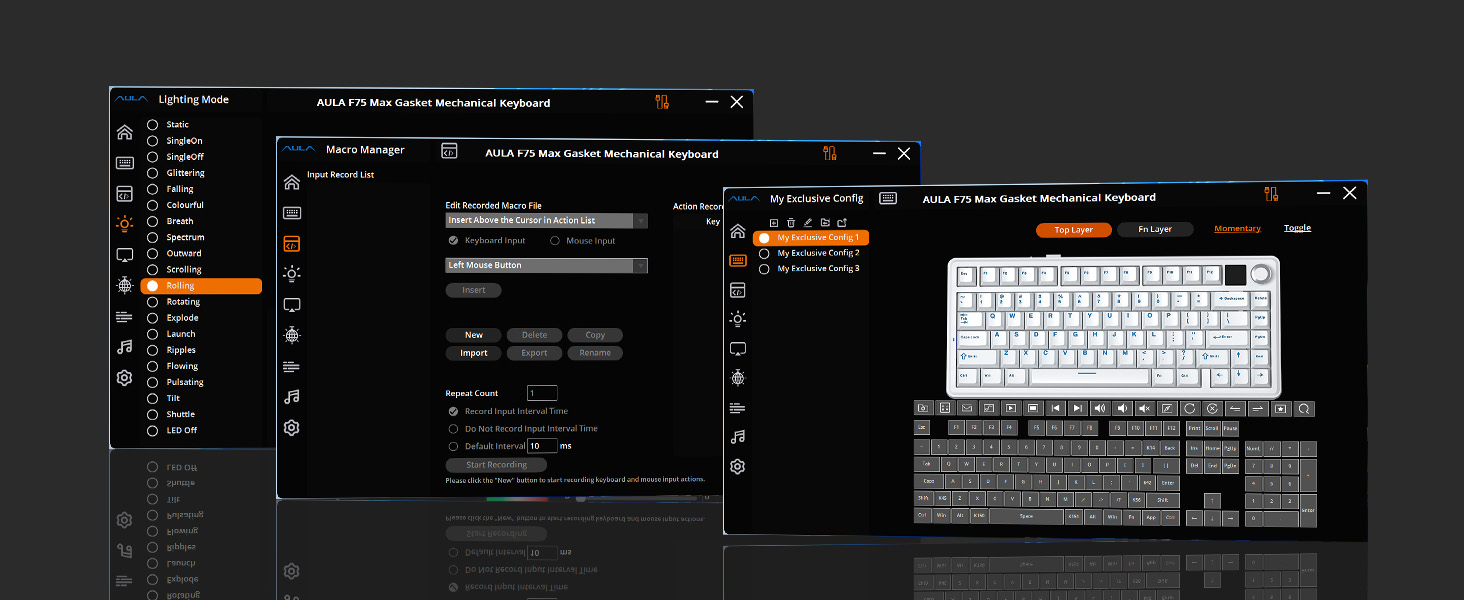
Macro/RGB/Settings
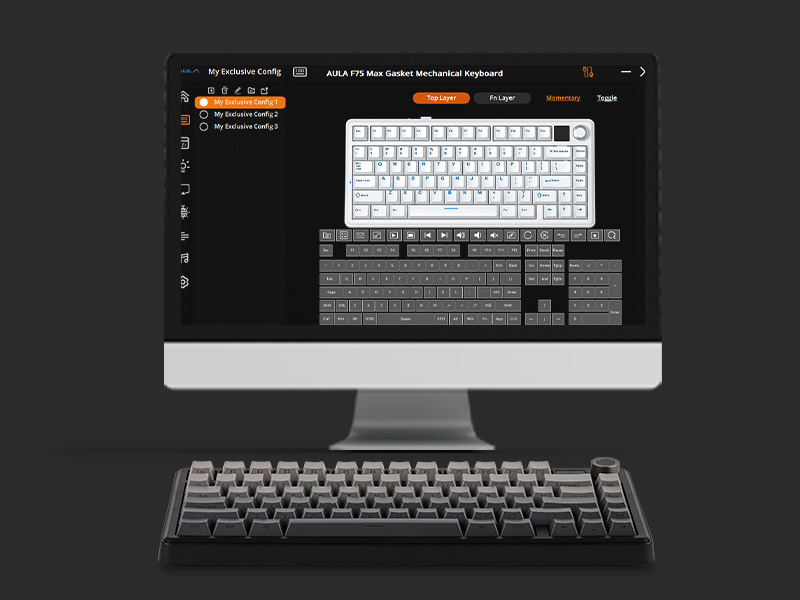
For efficiency or accessibility, the software (WIN only) lets you remap and configure as needed.
Premium Preinstall
Well-lubed Reaper Switch with Light Diffuser and Plate-Mount Stabilizer for buttery smooth typing.
Versatile Wireless Gaming Keyboard with Custom Software
1 2.4GHz/BT/USB 2 Anti-Ghosting 3 PC/Mac/PS4/5/Switch 4 Programming Software 5 Lubed & TunedSatisfying Sound
Rich and pleasant, without shake, shock, hollow or pin-noise, thanks to 5 layers of foams and Pads.
Adjustable KickStand
Keyboard Dimensions: 32.8*14.3*4.4cm. Weight: 0.96kg.
Intuitive Indicator
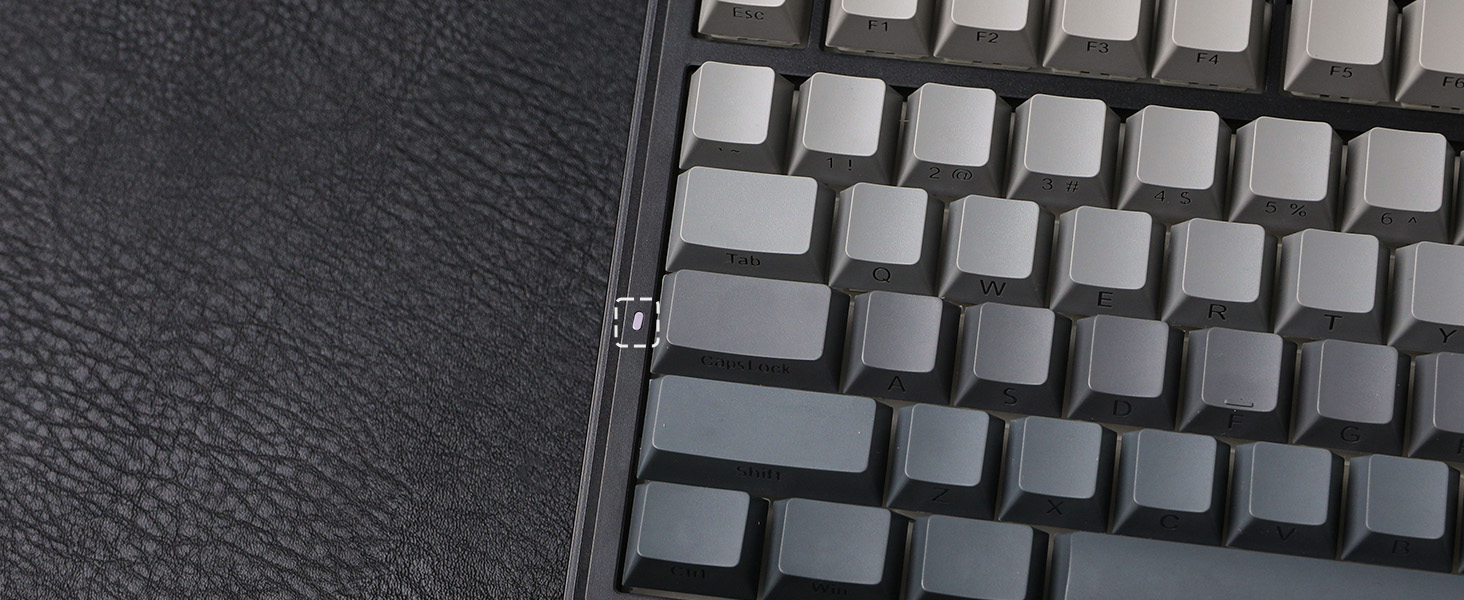
While the screen showcases CapsLock, WINlock, and Numlock, the 2nd Indicator is much more intuitive.
Rechargeable Battery
5 minutes of no activity, the keyboard will sleep to save power. Check the screen for battery info.
Compact in Size, Full in Functions
1 Gasket-Mount 2 75% Form Factor 3 CapsLock 4 4000mAh 5 Hot-SwappableShowcasing Sound, Software, RGB Backlight, Connection & Package
LEOBOG Reaper Switch
Finely Lubed & Tuned
Indulge in the creamy, smooth melody of F75 MAX, composed by the rhythmic thud of every keystroke. Factory lubed and tuned, the stabilizers and linear switches sound as incredible as they feel, with the right amount of creamy and thockey combined.
- LEOBOG Reaper Switch: 5-pin Linear switch with Light diffuser. Force: 45/55gf. Travel: 1.8/3.6mm.
Windows System Only
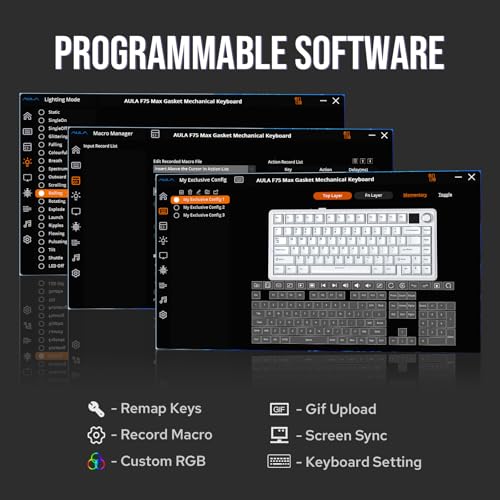
Programming Software
Configure as your needs call for, with the powerful software that supports individual key remaps, macro recording, combo editing, RGB adjustment, sensitivity setting, and more.
- Tips: To connect to the software, please keep the keyboard wired and in USB mode. Search "F75 MAX Software“ to get access.
South-Facing Per-Key LEDs
Custom RGB Backlight
As personalization is our core branding, our F75 Max isn’t shy in the realm of customization. With south-facing per-key LEDs and light diffusers on the Reaper switches, the RGB Backlight shines brightly with dozens of pre-set dynamic effects, adjustable in color and style via software, screen, and shortcut.
- FN+|=Light Effect;
- FN+TAB=Light Color; FN+↑↓←→: Brightness and Speed.
- Or, use FN+Knob to Get Knob into Screen Mode for Customization.
Triple Mode, Triple Convenience
Immerse in continuous gaming sessions with no debuff from low-battery nor interruptions from charging, and relish in the versatile compatibility of the F75 MAX keyboard that connects to up to 5 devices simultaneously.
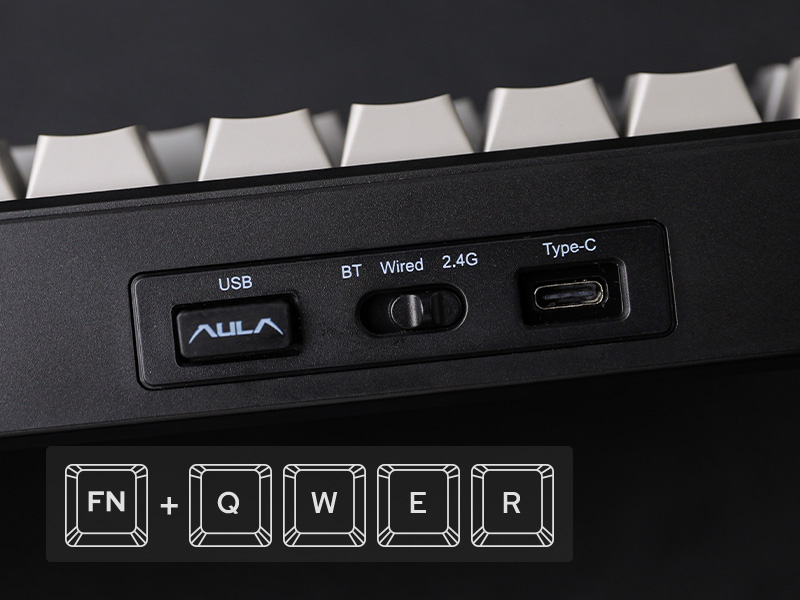
- 1st Time Pairing: 1). Toggle mode switch to BT or 2.4G. 2). Pressing FN+Q/W/E or FN+R until the flash quicken from slow to rapid. 3). Connect on PC or plug dongle to PC.
- Connect to Paired Devices: 1). Toggle mode switch to BT or 2.4G. 2). Tap FN+Q/W/E or FN+R once.
Package Content
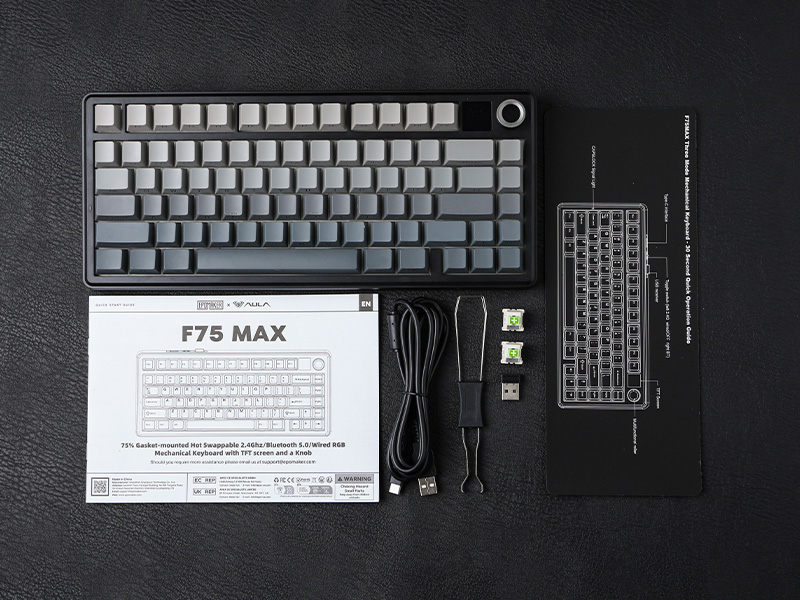
- 1* F75 MAX Mechanical Keyboard
- 1* 2-in-1 Switch-and-Keycap Puller; 2* Extra Switches
- 1* Detachable Cable; 1* 2.4Ghz wireless dongle (stored on keyboard)
- 1*Quick Start Guide; 1*Multilingual Manual
How can I toggle the screen with knob? How to turn the volume up/down with knob?
The dual-function knob can be used to toggle volume or the screen. Press FN+KNOB once to switch between these two modes. Once knob is in screen mode, you can turn the knob to slide through pages and press the knob to confirm.
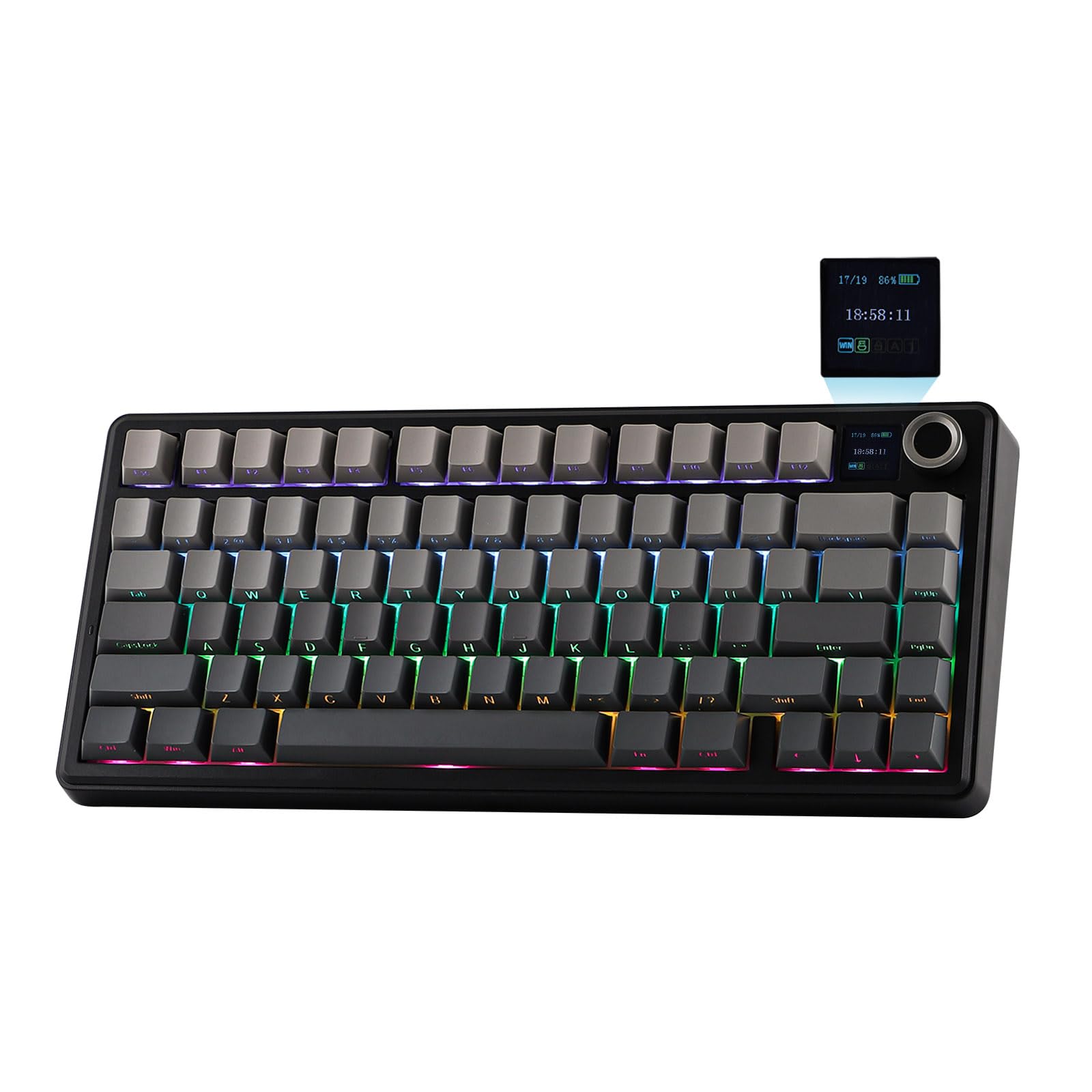
What're the meaning of all the signs on F75 Max's screen?
The info page on the screen has 5 signs at the bottom telling keyboard's status. From left to right, each of them means: Mac/WIN layout, keyboard's connection status, WIN-Lock, Caps-Lock and Num-Lock status.
Does the F75 MAX keyboard have RGB Backlight?
Yes the F75 MAX Keyboard support dynamic and still backlight in individual colors and RGBs. The White and Purple keycaps are not shine-through, but the Black keycaps are.
Is the F75 MAX keyboard good for Mac?
The F75 MAX keyboard is compatible with WIN, MAC, Android and Linux Systems. The software is only available for Windows system, but keyboard has on-board memory so the settings saved can be used on other systems.
75% Layout Gaming/Office Keyboard from EPOMAKER
| Add to Cart Add to Cart Add to Cart Add to Cart Add to Cart Add to Cart Add to Cart | |||||||
| Customer Reviews | 4.7 out of 5 stars1,624 | 4.7 out of 5 stars41 | 4.4 out of 5 stars110 | 4.4 out of 5 stars78 | 4.7 out of 5 stars71 | 4.1 out of 5 stars231 | 4.7 out of 5 stars1,489 |
| Price | $66.99$66.99 | $67.99$67.99 | $76.99$76.99 | $67.99$67.99 | $73.09$73.09 | $59.99$59.99 | $58.99$58.99 |
| Special Feature | Interactive Screen | Screen & Knob, 10000mAh | Silicone Keycaps,Screen & Knob | TFT Screen & Silent Version | Joystick & Screen | Fully Configurable VIA | 0.85" Screen & Volume Knob |
| Material & Color | Plastic; Black/Purple | Plastic; Black/White/Pink | Plastic; White | Plastic; Black | Plastic; Green/White | Plastic; Black/White/Blue | Plastic; Black/Purple |
| Switch Types | Linear | Linear, Silent Linear | Linear | Linear, Silent Linear | Linear, Silent Tactile | Linear | Linear |
| 75% Layout | QWERTY US | QWERTY US | QWERTY US | QWERTY US | QWERTY US | QWERTY US | QWERTY US |
| Keys+Knob | 80+1 | 78+1 | 81+1 | 80+1 | 82 | 84 | 81+1 |
| PBT Keycap | Cherry Profile | Cherry Profile | Cherry Profile | Cherry Profile | Cherry Profile | Cherry Profile | OEM Profile |
| Connectivity | BT/2.4G/USB-C | BT/2.4G/USB-C | BT/2.4G/USB-C | BT/2.4G/USB-C | BT/2.4G/USB-C | BT/2.4G/USB-C | BT/2.4G/USB-C |
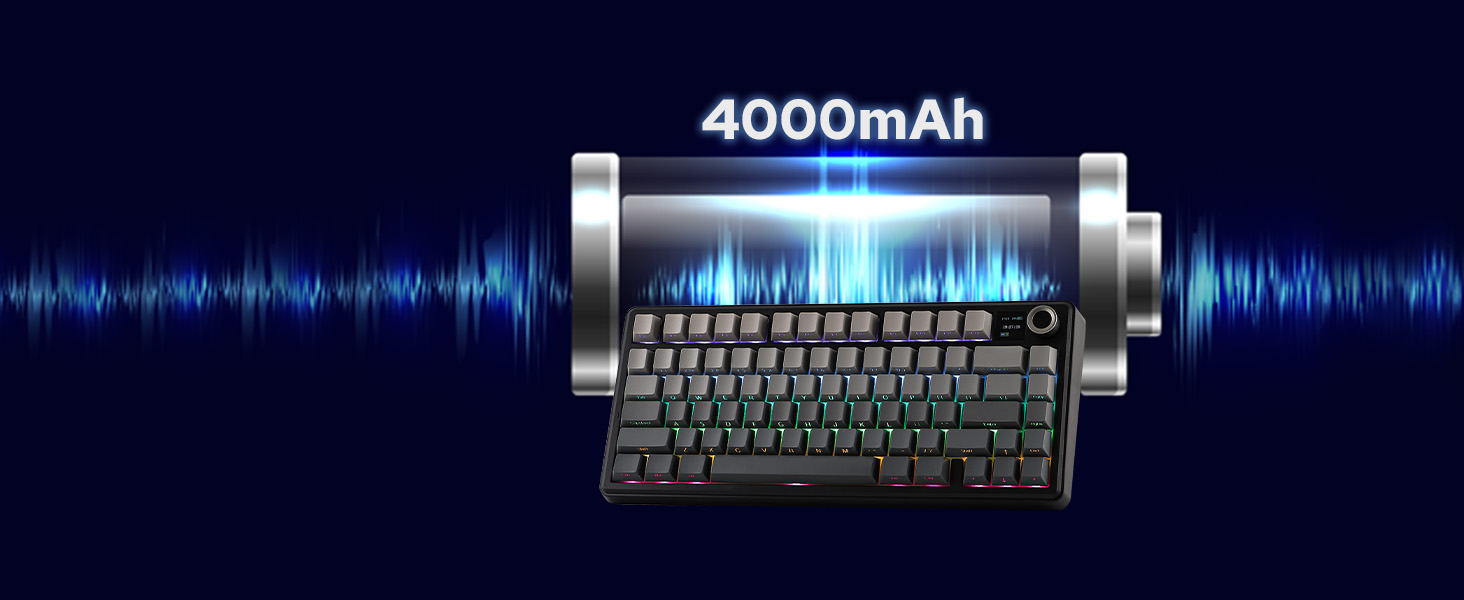
| Battery | 4000mAh | 10000mAh | 8000mAh | 5000mAh | 8000mAh | 4000mAh | 4000mAh |
| Hot Swappable | ✔ | ✔ | ✔ | ✔ | ✔ | ✔ | ✔ |
| Backlight | Per-Key RGB | Per-Key RGB | Per-Key RGB | Per-Key RGB | Per-Key RGB | Per-Key RGB | Per-Key RGB |
| OS System | Win/Mac/Android/iOS | Win/Mac/Android/iOS | Mac/WIN/Android/iOS | Win/Mac/Android | Win/Mac/Android/iOS | Win/Mac/Android/iOS | Win/Mac/Android/iOS |
| Software | F75 MAX Driver (WIN) | bit.ly/4tkzTFB | bit.ly/4tkzTFB | EA75 MAX Driver (WIN) | bit.ly/3O8OFQv | usevia.app/test | AK820 PRO Software (WIN) |

| SKU: | B0DPWX3WTL |
| Dimensions: | 5.62"L x 1.69"W x 12.87"H |
| Brand: | EPOMAKER |
| Model: | F75 MAX |
| Colour: | Black Gradient |
| Manufacture: | EPOMAKER |
| Colour: | Black Gradient |
Product description
F75 MAX wireless keyboard
Teclado inalámbrico para juegos F75 MAX
-

Tri-Mode
Hassle-free and wire-free, 3 connection style to meet all your needs in gaming and work.
-
Anti-Ghosting
Register multiple keystrokes simultaneously, to be fast and accurate in the heat of the game.
-
One-for-All
Compatibility with Android, Windows, Mac, and Linux, built for cross-system gamers or office clerks.
-
Macro/RGB/Settings
For efficiency or accessibility, the software (WIN only) lets you remap and configure as needed.
-
Premium Preinstall
Well-lubed Reaper Switch with Light Diffuser and Plate-Mount Stabilizer for buttery smooth typing.
-
Satisfying Sound
Rich and pleasant, without shake, shock, hollow or pin-noise, thanks to 5 layers of foams and Pads.
-
Adjustable KickStand
Keyboard Dimensions: 32.8*14.3*4.4cm. Weight: 0.96kg.
-
Intuitive Indicator
While the screen showcases CapsLock, WINlock, and Numlock, the 2nd Indicator is much more intuitive.
-
Rechargeable Battery
5 minutes of no activity, the keyboard will sleep to save power. Check the screen for battery info.
-
Compact in Size, Full in Functions
Showcasing Sound, Software, RGB Backlight, Connection & Package
-
LEOBOG Reaper Switch
Finely Lubed & Tuned
Indulge in the creamy, smooth melody of F75 MAX, composed by the rhythmic thud of every keystroke. Factory lubed and tuned, the stabilizers and linear switches sound as incredible as they feel, with the right amount of creamy and thockey combined.
- LEOBOG Reaper Switch: 5-pin Linear switch with Light diffuser. Force: 45/55gf. Travel: 1.8/3.6mm.
-
Windows System Only
Programming Software
Configure as your needs call for, with the powerful software that supports individual key remaps, macro recording, combo editing, RGB adjustment, sensitivity setting, and more.
- Tips: To connect to the software, please keep the keyboard wired and in USB mode. Search “F75 MAX Software“ to get access.
-
South-Facing Per-Key LEDs
Custom RGB Backlight
As personalization is our core branding, our F75 Max isn’t shy in the realm of customization. With south-facing per-key LEDs and light diffusers on the Reaper switches, the RGB Backlight shines brightly with dozens of pre-set dynamic effects, adjustable in color and style via software, screen, and shortcut.
- FN+|=Light Effect;
- FN+TAB=Light Color; FN+↑↓←→: Brightness and Speed.
- Or, use FN+Knob to Get Knob into Screen Mode for Customization.
-
Triple Mode, Triple Convenience
Immerse in continuous gaming sessions with no debuff from low-battery nor interruptions from charging, and relish in the versatile compatibility of the F75 MAX keyboard that connects to up to 5 devices simultaneously.
- 1st Time Pairing: 1). Toggle mode switch to BT or 2.4G. 2). Pressing FN+Q/W/E or FN+R until the flash quicken from slow to rapid. 3). Connect on PC or plug dongle to PC.
- Connect to Paired Devices: 1). Toggle mode switch to BT or 2.4G. 2). Tap FN+Q/W/E or FN+R once.
-
Package Content
- 1* F75 MAX Mechanical Keyboard
- 1* 2-in-1 Switch-and-Keycap Puller; 2* Extra Switches
- 1* Detachable Cable; 1* 2.4Ghz wireless dongle (stored on keyboard)
- 1*Quick Start Guide; 1*Multilingual Manual
-
How can I toggle the screen with knob? How to turn the volume up/down with knob?
The dual-function knob can be used to toggle volume or the screen. Press FN+KNOB once to switch between these two modes. Once knob is in screen mode, you can turn the knob to slide through pages and press the knob to confirm.
-
What're the meaning of all the signs on F75 Max's screen?
The info page on the screen has 5 signs at the bottom telling keyboard's status. From left to right, each of them means: Mac/WIN layout, keyboard's connection status, WIN-Lock, Caps-Lock and Num-Lock status.
-
Does the F75 MAX keyboard have RGB Backlight?
Yes the F75 MAX Keyboard support dynamic and still backlight in individual colors and RGBs. The White and Purple keycaps are not shine-through, but the Black keycaps are.
-
Is the F75 MAX keyboard good for Mac?
The F75 MAX keyboard is compatible with WIN, MAC, Android and Linux Systems. The software is only available for Windows system, but keyboard has on-board memory so the settings saved can be used on other systems.
75% Layout Gaming/Office Keyboard from EPOMAKER
 F75 Max |  TH80 V2 PRO | 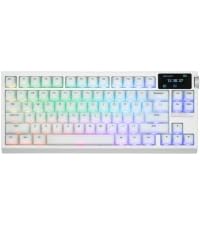 G84 PRO | 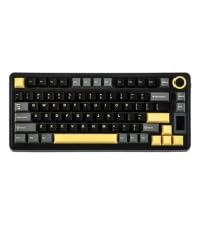 EA75 MAX | 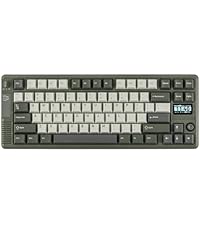 RT85 | 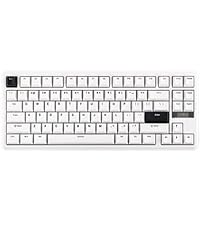 TH85 | 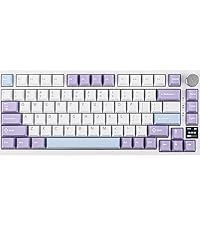 AK820 PRO | |
|---|---|---|---|---|---|---|---|
| Customer Reviews | 4.7 out of 5 stars 1,624 | 4.7 out of 5 stars 41 | 4.4 out of 5 stars 110 | 4.4 out of 5 stars 78 | 4.7 out of 5 stars 71 | 4.1 out of 5 stars 231 | 4.7 out of 5 stars 1,489 |
| Price | $66.99 | $67.99 | $76.99 | $67.99 | $73.09 | $59.99 | $58.99 |
| Special Feature | Interactive Screen | Screen & Knob, 10000mAh | Silicone Keycaps,Screen & Knob | TFT Screen & Silent Version | Joystick & Screen | Fully Configurable VIA | 0.85″ Screen & Volume Knob |
| Material & Color | Plastic; Black/Purple | Plastic; Black/White/Pink | Plastic; White | Plastic; Black | Plastic; Green/White | Plastic; Black/White/Blue | Plastic; Black/Purple |
| Switch Types | Linear | Linear, Silent Linear | Linear | Linear, Silent Linear | Linear, Silent Tactile | Linear | Linear |
| 75% Layout | QWERTY US | QWERTY US | QWERTY US | QWERTY US | QWERTY US | QWERTY US | QWERTY US |
| Keys+Knob | 80+1 | 78+1 | 81+1 | 80+1 | 82 | 84 | 81+1 |
| PBT Keycap | Cherry Profile | Cherry Profile | Cherry Profile | Cherry Profile | Cherry Profile | Cherry Profile | OEM Profile |
| Connectivity | BT/2.4G/USB-C | BT/2.4G/USB-C | BT/2.4G/USB-C | BT/2.4G/USB-C | BT/2.4G/USB-C | BT/2.4G/USB-C | BT/2.4G/USB-C |
| Battery | 4000mAh | 10000mAh | 8000mAh | 5000mAh | 8000mAh | 4000mAh | 4000mAh |
| Hot Swappable | ✔ | ✔ | ✔ | ✔ | ✔ | ✔ | ✔ |
| Backlight | Per-Key RGB | Per-Key RGB | Per-Key RGB | Per-Key RGB | Per-Key RGB | Per-Key RGB | Per-Key RGB |
| OS System | Win/Mac/Android/iOS | Win/Mac/Android/iOS | Mac/WIN/Android/iOS | Win/Mac/Android | Win/Mac/Android/iOS | Win/Mac/Android/iOS | Win/Mac/Android/iOS |
| Software | F75 MAX Driver (WIN) | bit.ly/4tkzTFB | bit.ly/4tkzTFB | EA75 MAX Driver (WIN) | bit.ly/3O8OFQv | usevia.app/test | AK820 PRO Software (WIN) |
I’ve been testing out the EPOMAKER X Aula F75 MAX, and I’m honestly blown away. It “works amazing” right out of the box and feels like a premium piece of tech that should cost way more than it does.
The Highlights: Premium Feel & “Clicky” Satisfaction: The build quality is top-tier. It feels incredibly solid, and the typing experience is a dream. I absolutely love how clicky and responsive it is—it makes everything from gaming to late-night typing sessions feel so much more satisfying. Insane Value for Money: Here’s the kicker—this keyboard is only around 70 bucks. Most other “big name” brands charge well over $100 for these same features. You’re getting pro-level performance without the “brand tax.” It’s easily the best mechanical keyboard you can get on a budget. Cool & Simple Customization: The LED lighting is gorgeous, and more importantly, changing the settings is really simple. You don’t need a PhD in software to make it look cool; it’s intuitive and looks stunning on any desk.
Final Verdict, If you want a keyboard that feels amazing, sounds great, and keeps your wallet happy, this is it. It punches way above its weight class and holds its own against keyboards twice the price. 10/10 would recommend!
This keyboard is everything I never knew I needed
Ive had it over a year now and it has never failed me or even so much as mildly lagged. It sounds so good and feels so nice to type that sometimes I just go on typing practice sites for fun
The volume knob is perfect for a gaming session where I don’t want to exit full screen to adjust volume and the ability to have a gif playing on my keeb has brought unexpectedly immeasurable levels of joy
The size is also perfect to slide under my monitor stand any time I want to use my desk space
Overall 11/10 I would buy this a thousand times ove
I honestly thought I had just lost my favorite keyboard.
bought the AULA F75 MAX back in April, and from the first day I was impressed. The typing feel, the sound, the build quality, the RGB—everything felt way above what I paid for. I use my keyboard every day, so when it suddenly stopped working a few months later, I was pretty disappointed. The RGB still lit up, but the screen stayed black and my PC wouldn’t even recognize it. I genuinely thought, “Well… that’s it.”
I contacted Epomaker expecting a long, frustrating warranty process. Instead, they replied quickly, tried to help me troubleshoot the problem, and when it was clear the keyboard had failed, they didn’t argue or make excuses. They simply arranged a replacement.
I received the replacement yesterday, and it’s working perfectly.
Any company can sell a good product. What really matters is how they treat you when something goes wrong. That’s where Epomaker earned my respect. They stood behind their warranty and made the whole process smooth and stress-free.
Electronics can fail—it’s unfortunate, but it happens. Great customer service is much harder to find, and that’s exactly what I experienced here.
The F75 MAX is still one of the best keyboards I’ve used, and after this experience, I wouldn’t hesitate to buy from Epomaker again. They didn’t just replace my keyboard—they earned my trust.