EPOMAKER HE30 One-Handed Hall Effect Keyboard, 8K Polling
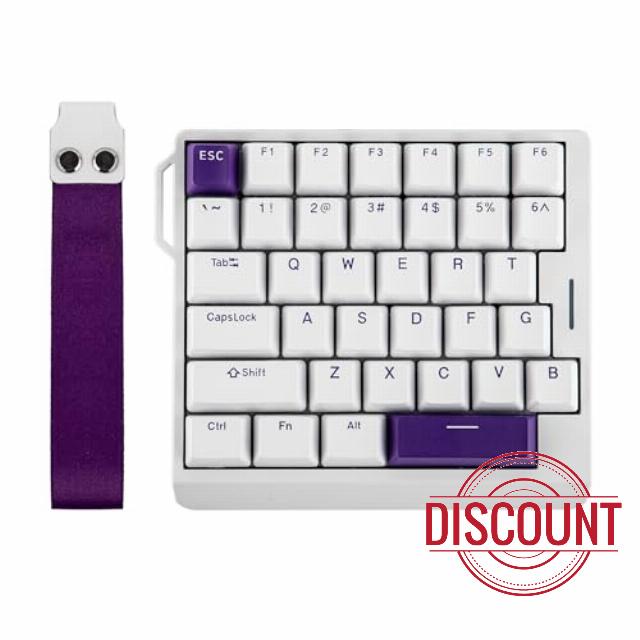
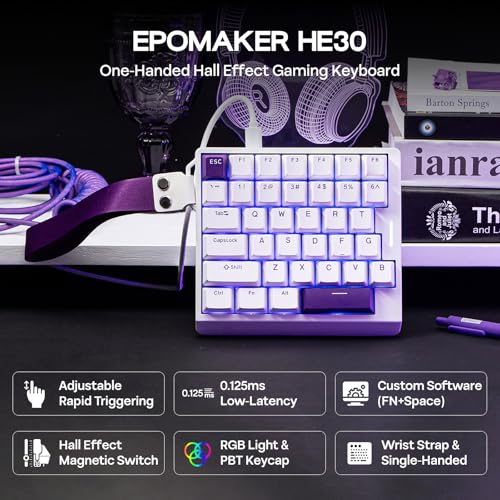
EPOMAKER HE30 One-Handed Hall Effect Keyboard, 8K Polling & 0.125ms, SOCD & Snap Key, Adjustable Trigger, PBT Keycap, RGB, Custom Software, Wired Gaming Keyboard for PC/Gamer (White Purple)
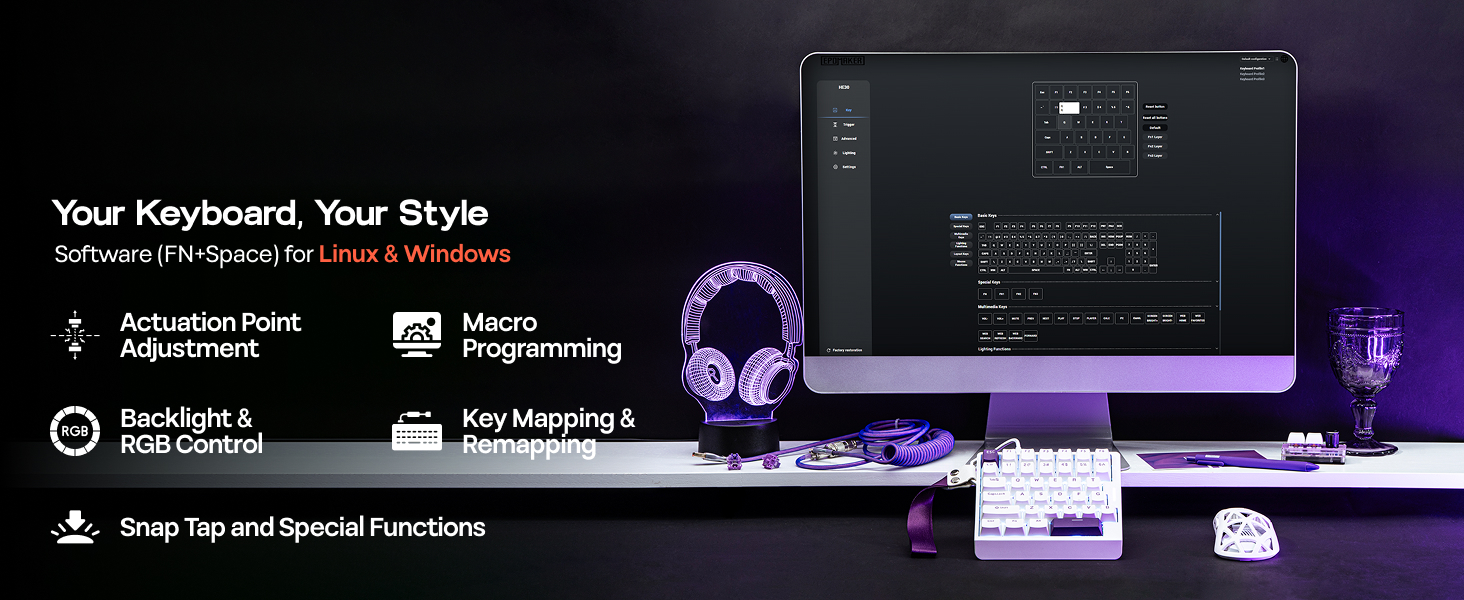
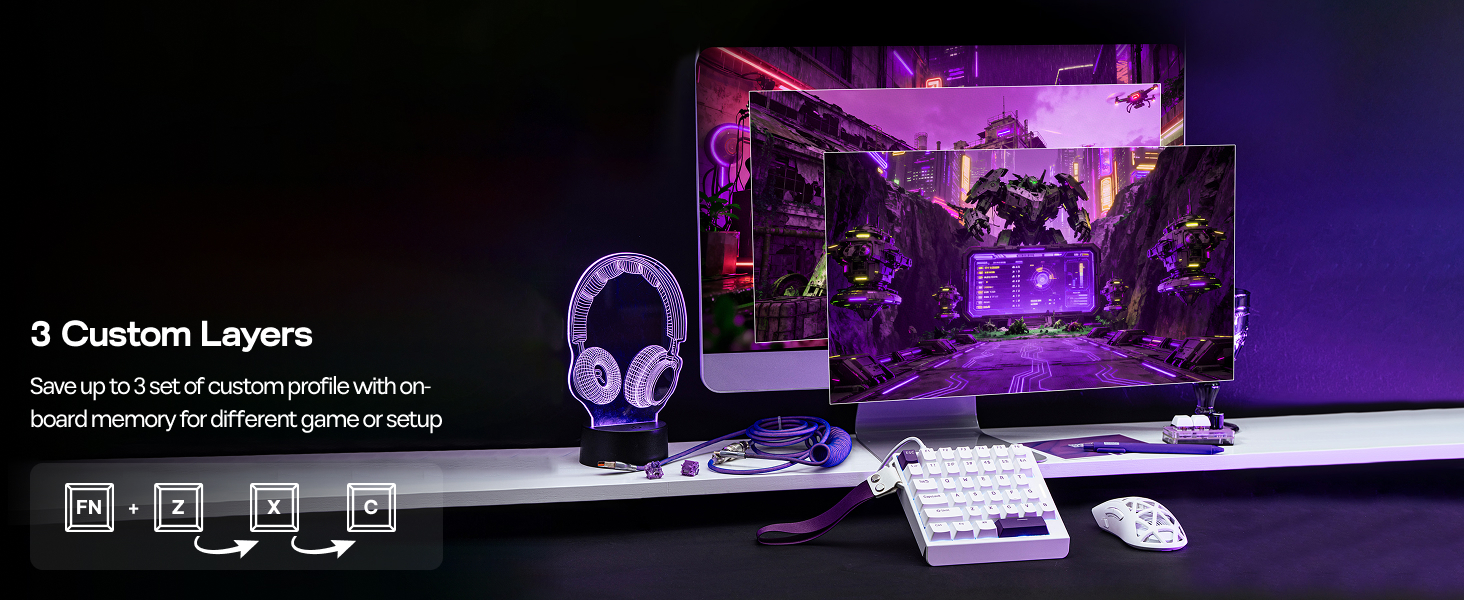
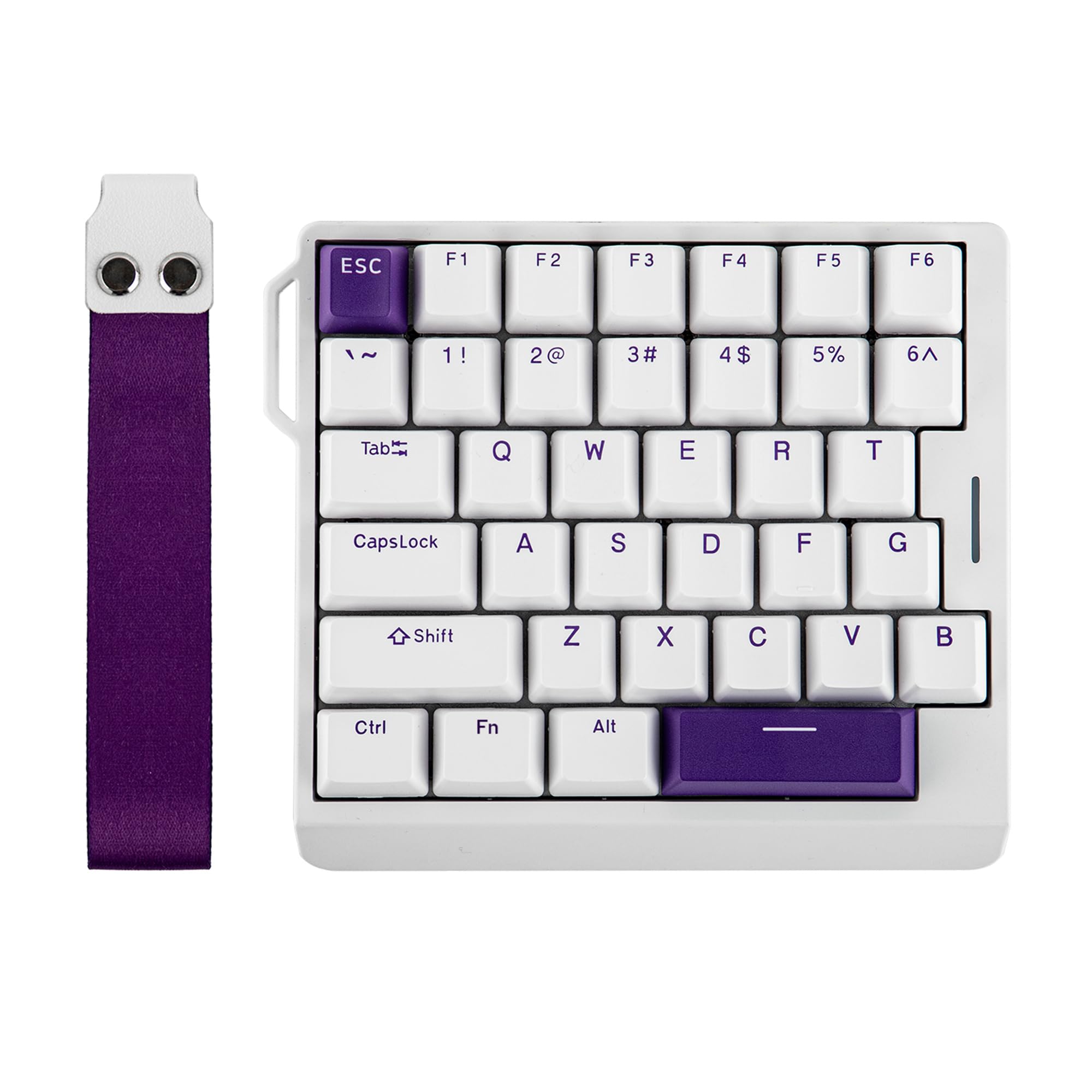
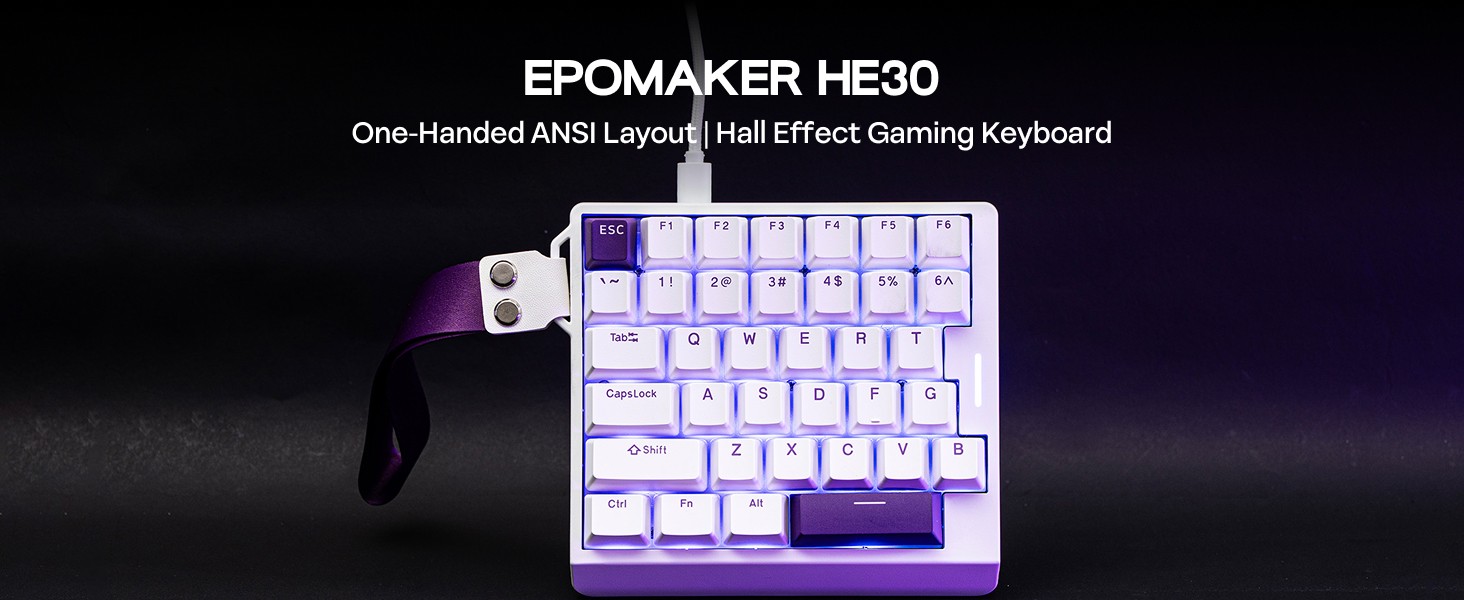
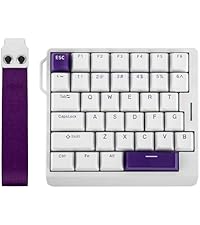
- One-Handed Gaming Keyboard: Meet EPOMAKER HE30, the ultimate one-handed Hall Effect keyboard featuring left-hand layout. The 36 programmable keys, which allow macros binding or modifiers reassigning via web-based software, come with premium PBT keycaps that resist the "greasy" shine and fading. With adjustable trigger, set your movement keys to 0.1mm instantaneous trigger or configure your "Ultimate" to 3.4mm to eliminate accidental activation. Whether you’re dominating tactical shooters or enjoying a leisure building game, the HE30 keyboard delivers the customizability and durability you need.
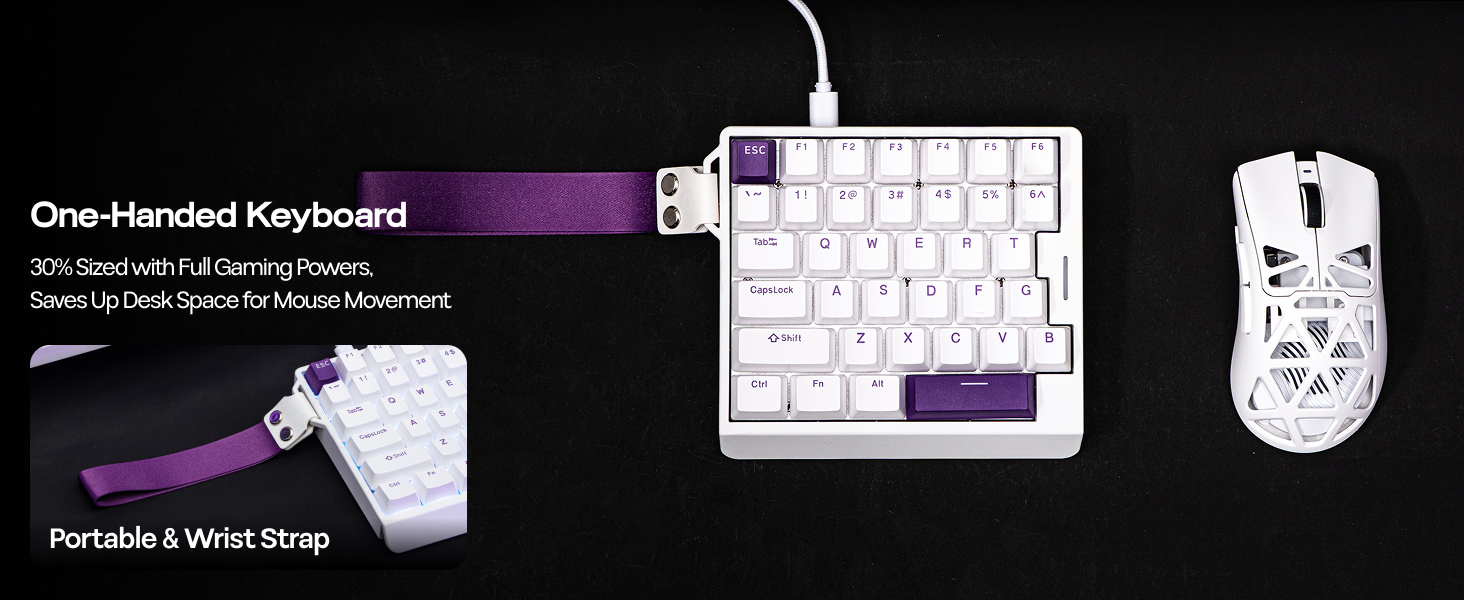
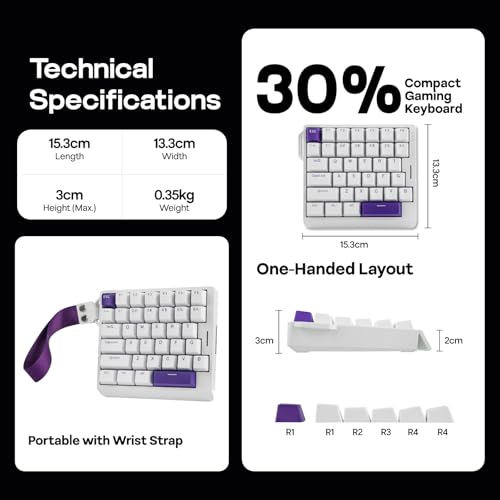
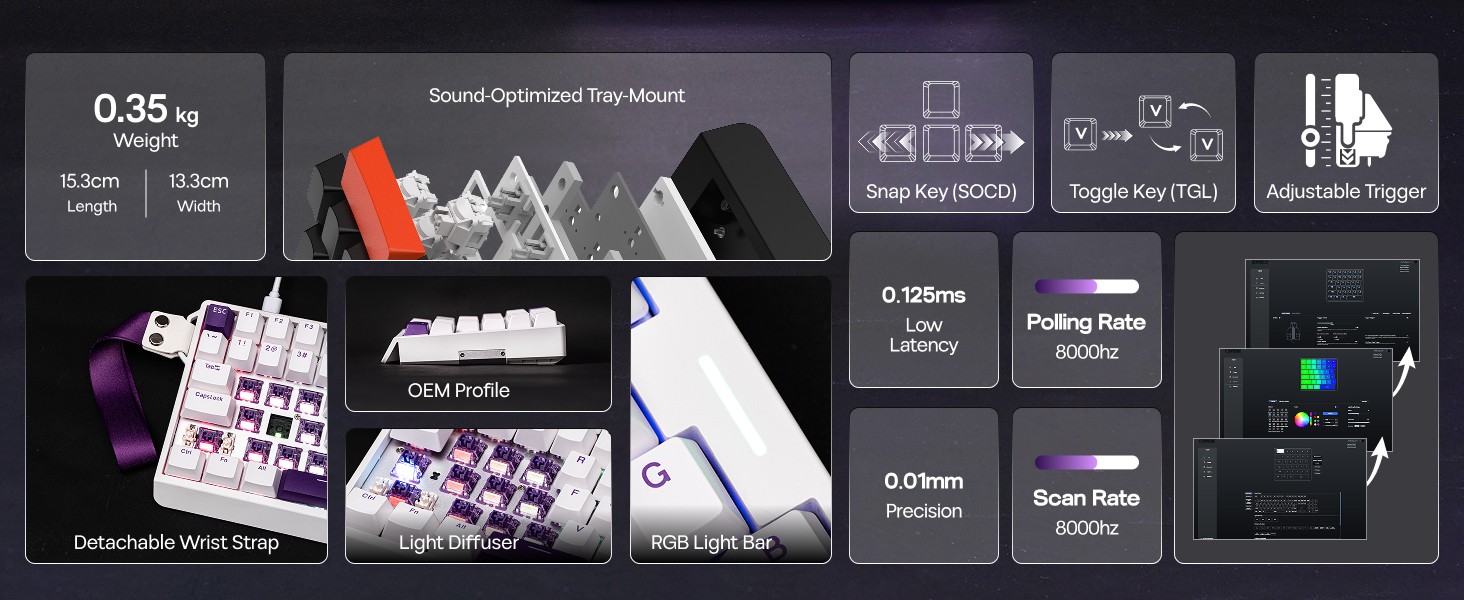
- Portable Gaming Keyboard with Wrist Strap: The compact 30% layout of HE30 keyboard provides massive "swipe room" for those huge, low-sensitivity mouse flicks in FPS or high paced gamings, while the innovative removable wrist strap makes it incredibly easy to secure to your gear bag for your next local gamer party or tournament. Stop compromising on desk space and start enjoying the high-end acoustics and portable agility that the HE30 portable keyboard provides.
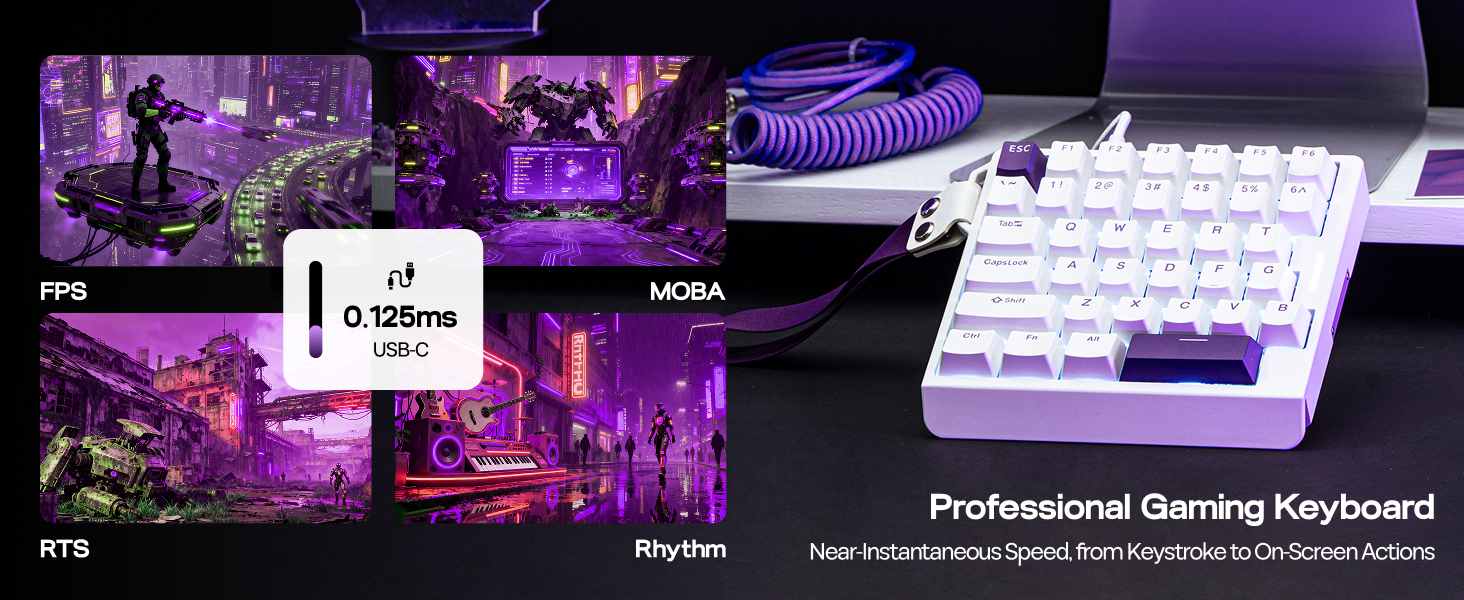
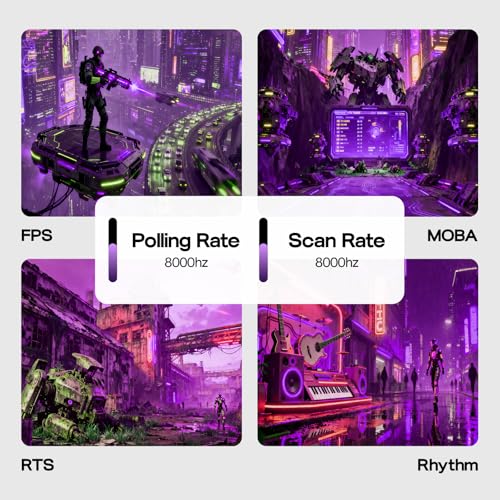
- 8,000 Hz Polling & 0.125ms Latency: Game like a Pro with the HE30 wired gaming keyboard for more precise control. Near-instantaneous key registration of the 8khz polling rate, meaning your commands translate to on-screen actions in the unparalleled 0.125ms speed. Outmaneuver opponents and execute complex strategies flawlessly, with the super high 8khz full-board scan rate where even rapid-fire sequences are accurately captured.
- Dynamic Keystroke (DKS) & MT (Mod Tap): Rejoice in the astonishing speed and accuracy of HE30 Hall Effect Keyboard, for formidable actions in FPS, MOBA, Rhythm, and leisure games. Each keystroke is consistent and creamy smooth, with factory-lubed magnetic switch, for swift delivery of action from fingertip to screen; while DKS and MT function enables true analog input, as one stroke delivers up to 4 actions for common actions and key combos.
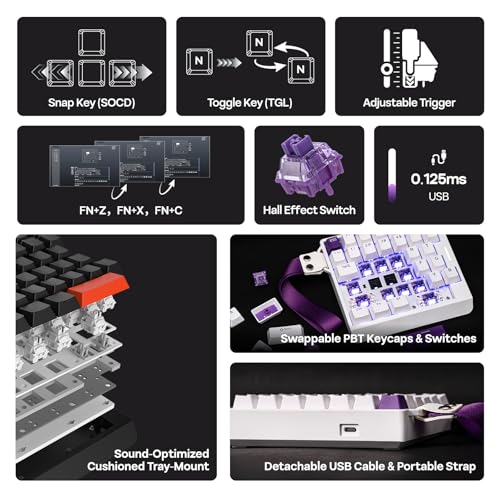
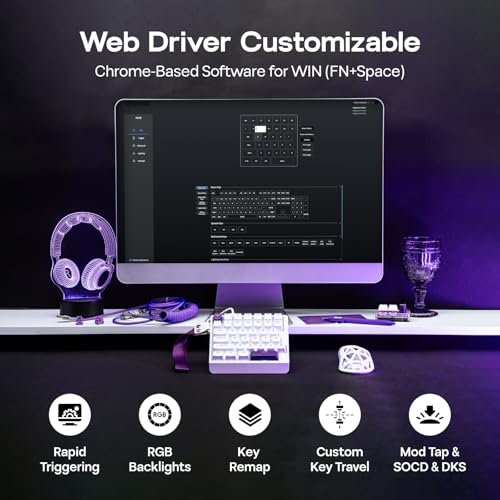
- Snap Key (SOCD) & Macros: Experience the revolution of Snap Key (SOCD), as our HE30 custom keyboard prioritizes your latest input of opposite directions, ensuring every movement is executed in time without your character freezing on the spot. Unleash devastating combos faster by recording and binding macros in the Chrome-based software, which works on Windows and Linux, offline and online, and achieve zero-miss with the anti-ghosting feature for instant execution.
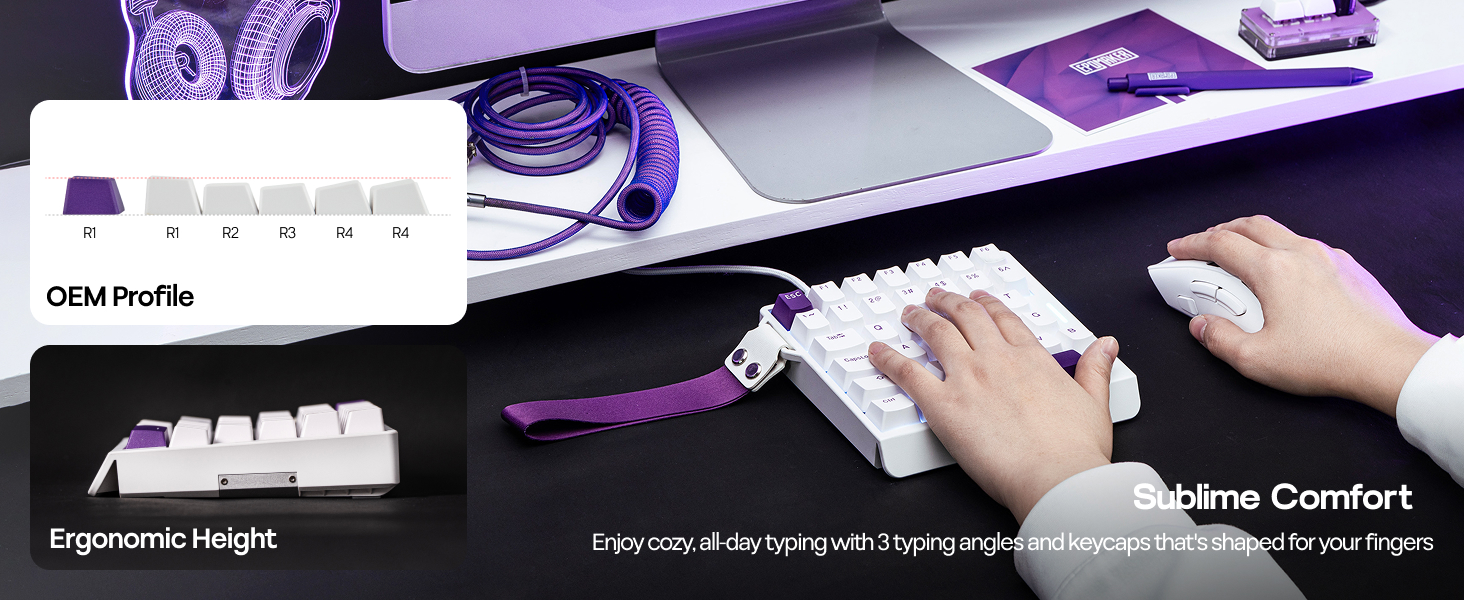
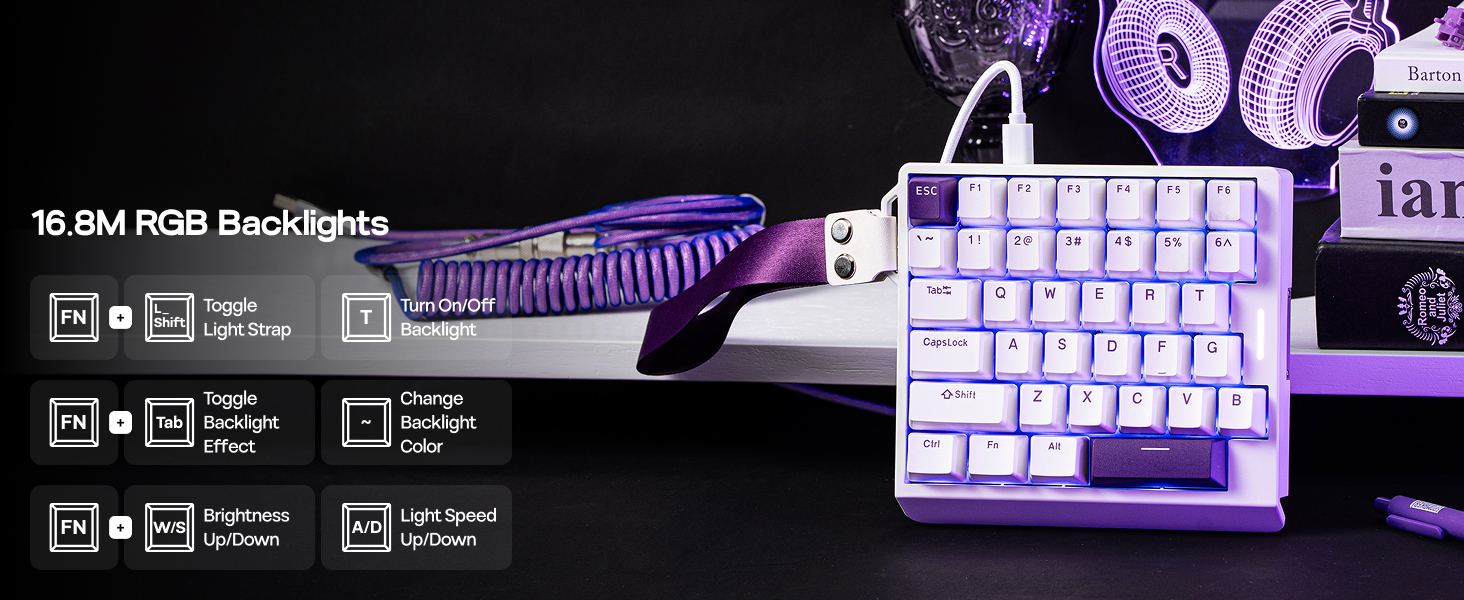
- Creamy Keyboard with RGB Backlight: Engineered with a precision tray-mount design, pre-lubed switches, and multiple sound-dampening layers, the HE30 creamy keyboard delivers that ultra-premium "creamy" sound and buttery-smooth feel that enthusiast gamers crave—perfect for silent, high-stakes late-night raids where you need a premium feel without waking the household. With the south-facing, per-key adjustable RGB and a striking dynamic light strip, ensuring maximum visibility and a futuristic aesthetic that complements any rig.
Snap Key (SOCD)
No more stop, moving in the heat of battle. With Snap Key, only the latter key is prioritized and triggered when two opposing directions are pressed
Custom Rapid Triggering (RT)
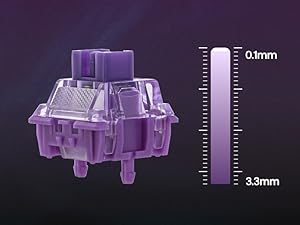
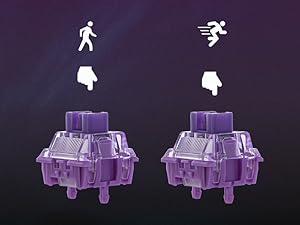
Whether you are competitive for FPS, MOBA and Rhythm games, trigger and release of input can be as precise as 0.01mm (0.1-3.3mm) of finger movement
Toggle Key (TGL)
Set "hold" or "double-click" as the trigger for continuous input and "tap" as termination. Release your finger for operation elsewhere
Dynamic Keystroke & MT
Maximize the keyboard's potential by setting 2-4 functions on 1 key in 1 layout. 4 distances as 4 functions with DKS or hold/tap as 2 with MT
What is Hall Effect Magnetic Switch? Is it the same as mechanical switches?
While mechanical switches require physical connection of circuit to input signals, hall effect switches input signals by translating changes in magnetic flux. The elimination of physical touches reduces latency to a mere 0.125ms.
How can I keep hall effect gaming keyboard in good condition? Why do some keys repeate itselves or won't input anything?
Hall Effect Switches is sensitive to changes in temperature and position. We recommand calibration with software (wired) after shipment, switch swap and as daily maintenance, especially when key appear to be stuck or ghosting.
What are the specs of EP Magnetic Purple Switch? How can I make it more or less sensitive for rapid triggering?
The force of this switch is 37gf to 45gf, and travel ranges from 0.1mm to 3.3mm per 0.01mm, adjustable in software (FN+Space). Set it to short travel for speed, or a long travel to avoid accidental input.
Is the HE30 Gaming Keyboard good for all games? Does it work with consoles?
While connectivity with console works, compatibility is not guaranteed and may vary depending on specific games or third-party controllers. Advanced features such as RT, SOCD or DKS are restricted by certain games as cheating.
Is the HE30 Gaming Keyboard compatible with all PC systems? (Not for Mac)
The HE30 keyboard is compatible with Windows, and most of its function works on Linux. It is not compatible with Mac. The custom software is Chrome-based, which works online and offline, with Windows and Linux, via Chrome-based browser via FN+Space.
EPOMAKER Gaming Keyboard with Magnetic Hall Effect Switches
| Add to Cart Add to Cart Add to Cart Add to Cart Add to Cart | |||||
| Customer Reviews | 4.4 out of 5 stars19 | 4.5 out of 5 stars405 | 4.6 out of 5 stars174 | 4.5 out of 5 stars250 | 4.7 out of 5 stars171 |
| Price | GBP 35.95GBP35.95 | GBP 34.05GBP34.05 | GBP 36.32GBP36.32 | GBP 47.68GBP47.68 | GBP 64.33GBP64.33 |
| Backlight | RGB, Not Shine-Through | RGB, Letters Shine-Through | RGB, Not Shine-Through | RGB, Not Shine-Through | RGB, Letters Shine-Through |
| Polling & Latency | 8K Polling; 0.125ms | 8k Adjustable; 0.2ms | 8K Polling; 0.125ms | 8K Polling; 0.125ms | 8K/125 Polling; 0.125ms/8ms |
| Magnetic Switch Travel | 0.1-3.3mm (per 0.01mm) | 0.1-3.4mm (per 0.01mm) | 0.1-3.5mm (per 0.01mm) | 0.1-3.4mm (per 0.01mm) | 0.1-3.3mm (per 0.01mm) |
| Material & Color | Plastic. White/Black | Plastic; White/Black | Plastic; White/Black | Plastic. Black+Clear Blue | Plastic & Black Shine-Through |
| Layout | One-Handed, QWERTY US | 65% ANSI, QWERTY US | 65% ANSI, QWERTY US | 75% ANSI, QWERTY US | 75% ANSI, QWERTY US |
| Keys+Knob | 36 Keys | 68 Keys | 68 Keys | 82 Keys | 84 Keys |
| Hot-Swappable | EP Magnetic Purple Switch | Epomaker Clear Mag Switch | EP Magnetic Pink Switch | EPOMAKER MagneX Switch | Epomaker Duskrise Switch |
| Keycap Profile & Material | OEM Profile. PBT | Cherry Profile. PBT | Cherry Profile. PBT | Cherry Profile. PBT & PC | Cherry Profile. PBT Plastic |
| Connectivity | USB A-C Wired | USB A-C Wired | USB A-C Wired | USB A-C Wired | BT/2.4Ghz/USB A-to-C |
| Battery | X | X | X | X | 8000mAh |
| OS System | Win/Linux | Win/Mac/Android/iOS | Win/Mac/Android/iOS | Win/Mac/Android/iOS/Linux /PS | Win/Mac/Android/iOS |
| Software | FN+Space (WIN/Linux) | EPOMAKER Software (WIN/Mac) | Epomaker Driver (WIN/Mac) | HE80 Software (Chrome Web) | EPOMAKER 3.0 Driver (WIN/Mac) |

| SKU: | B0GCM27KHV |
| Dimensions: | 6.02"L x 5.24"W x 1.14"H |
| Brand: | EPOMAKER |
| Model: | HE30 |
| Colour: | White Purple |
| Manufacture: | EPOMAKER |
| Colour: | White Purple |
Product description
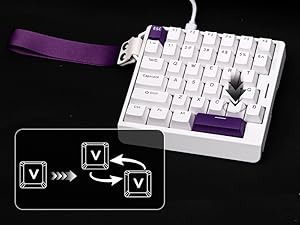
Dynamic Keystroke & MT
Maximize the keyboard's potential by setting 2-4 functions on 1 key in 1 layout. 4 distances as 4 functions with DKS or hold/tap as 2 with MT
What is Hall Effect Magnetic Switch? Is it the same as mechanical switches?
While mechanical switches require physical connection of circuit to input signals, hall effect switches input signals by translating changes in magnetic flux. The elimination of physical touches reduces latency to a mere 0.125ms.
How can I keep hall effect gaming keyboard in good condition? Why do some keys repeate itselves or won't input anything?
Hall Effect Switches is sensitive to changes in temperature and position. We recommand calibration with software (wired) after shipment, switch swap and as daily maintenance, especially when key appear to be stuck or ghosting.
What are the specs of EP Magnetic Purple Switch? How can I make it more or less sensitive for rapid triggering?
The force of this switch is 37gf to 45gf, and travel ranges from 0.1mm to 3.3mm per 0.01mm, adjustable in software (FN+Space). Set it to short travel for speed, or a long travel to avoid accidental input.
Is the HE30 Gaming Keyboard good for all games? Does it work with consoles?
While connectivity with console works, compatibility is not guaranteed and may vary depending on specific games or third-party controllers. Advanced features such as RT, SOCD or DKS are restricted by certain games as cheating.
Is the HE30 Gaming Keyboard compatible with all PC systems? (Not for Mac)
The HE30 keyboard is compatible with Windows, and most of its function works on Linux. It is not compatible with Mac. The custom software is Chrome-based, which works online and offline, with Windows and Linux, via Chrome-based browser via FN+Space.
EPOMAKER Gaming Keyboard with Magnetic Hall Effect Switches
 HE30 (Wired, One-Handed) |  HE68 Lite (Wired) | 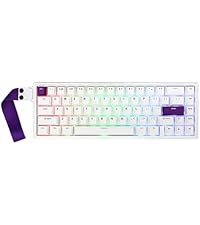 HE68 (Wired) | 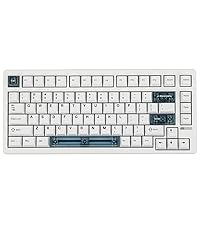 HE80 (Wired) | 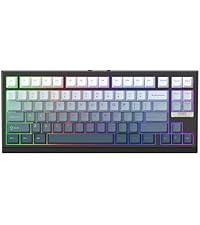 G84 HE (Wireless) | |
|---|---|---|---|---|---|
| Customer Reviews | 4.4 out of 5 stars19 | 4.5 out of 5 stars405 | 4.6 out of 5 stars174 | 4.5 out of 5 stars250 | 4.7 out of 5 stars171 |
| Price | GBP 35.95 | GBP 34.05 | GBP 36.32 | GBP 47.68 | GBP 64.33 |
| Backlight | RGB, Not Shine-Through | RGB, Letters Shine-Through | RGB, Not Shine-Through | RGB, Not Shine-Through | RGB, Letters Shine-Through |
| Polling & Latency | 8K Polling; 0.125ms | 8k Adjustable; 0.2ms | 8K Polling; 0.125ms | 8K Polling; 0.125ms | 8K/125 Polling; 0.125ms/8ms |
| Magnetic Switch Travel | 0.1-3.3mm (per 0.01mm) | 0.1-3.4mm (per 0.01mm) | 0.1-3.5mm (per 0.01mm) | 0.1-3.4mm (per 0.01mm) | 0.1-3.3mm (per 0.01mm) |
| Material & Color | Plastic. White/Black | Plastic; White/Black | Plastic; White/Black | Plastic. Black+Clear Blue | Plastic & Black Shine-Through |
| Layout | One-Handed, QWERTY US | 65% ANSI, QWERTY US | 65% ANSI, QWERTY US | 75% ANSI, QWERTY US | 75% ANSI, QWERTY US |
| Keys+Knob | 36 Keys | 68 Keys | 68 Keys | 82 Keys | 84 Keys |
| Hot-Swappable | EP Magnetic Purple Switch | Epomaker Clear Mag Switch | EP Magnetic Pink Switch | EPOMAKER MagneX Switch | Epomaker Duskrise Switch |
| Keycap Profile & Material | OEM Profile. PBT | Cherry Profile. PBT | Cherry Profile. PBT | Cherry Profile. PBT & PC | Cherry Profile. PBT Plastic |
| Connectivity | USB A-C Wired | USB A-C Wired | USB A-C Wired | USB A-C Wired | BT/2.4Ghz/USB A-to-C |
| Battery | X | X | X | X | 8000mAh |
| OS System | Win/Linux | Win/Mac/Android/iOS | Win/Mac/Android/iOS | Win/Mac/Android/iOS/Linux /PS | Win/Mac/Android/iOS |
| Software | FN+Space (WIN/Linux) | EPOMAKER Software (WIN/Mac) | Epomaker Driver (WIN/Mac) | HE80 Software (Chrome Web) | EPOMAKER 3.0 Driver (WIN/Mac) |
Excellent Performance for Competitive Gamers
A little bit difficult to swallow at around $40 but does come with a competitive performance boost with quality and durability that is expected at this price range.
This keyboard is an incredible with its hall effect switches, making it feel extremely smooth while hitting 8K polling rates for near-instant response times. This gives quite the advantage in fast-paced shooters. I do like love the creamy sound of the pre-lubed switches and the feel of the PBT keycaps. It doesn’t get oily either during when used for a while.
Gamers assemble
As someone who plays a lot of FPS and competitive titles, this one-handed keyboard immediately stood out. The compact 30% layout gives a huge amount of mouse space, which is perfect if you run low sensitivity and need big flicks. My desk feels noticeably less cramped compared to using a full keyboard.
The Hall Effect switches are the real highlight. The adjustable actuation is not just a gimmick — being able to fine-tune movement keys to ultra-short trigger points makes strafing feel extremely responsive. You can also set deeper actuation if you prefer a more deliberate press, which helps prevent accidental inputs. Once dialed in, movement feels crisp and controlled.
The 8,000 Hz polling rate is impressive. Inputs feel instant, especially during rapid key sequences. There’s no noticeable delay, and the board keeps up easily during fast-paced gameplay. The anti-ghosting is solid as well — even with multiple keys pressed in quick succession, everything registers properly.
I also really appreciate features like Snap Key (SOCD handling) and dynamic keystroke functions. Movement priority feels consistent, and complex keybinds are easy to configure through the web-based software. Being browser-based makes setup simple, and it works smoothly without requiring heavy background software.
Build quality is excellent. The PBT keycaps feel durable and resistant to shine. The switches are factory-lubed and give that smooth, slightly muted “creamy” sound that mechanical keyboard enthusiasts look for. It feels premium without being overly loud, which is great for late-night sessions.
The RGB lighting is vibrant and fully adjustable, and the added light strip gives it a nice visual touch without being distracting. The removable wrist strap is also a clever detail for portability — it’s easy to throw into a bag for travel or LAN events.
Overall, this is a highly customizable and performance-focused one-handed keyboard. It’s clearly designed with competitive gamers in mind, but it’s equally enjoyable for casual play. If you want maximum desk space, ultra-fast input, and fine control over actuation, this delivers.
Fast, Responsive, and Customizable
This keyboard is a strong choice for competitive gaming. It’s extremely responsive and the adjustable trigger distance is a cool feature.
The switches feel smooth and consistent, and the keycaps are durable looking. The compact layout frees up a lot of desk space and it can be really useful.
The web-based software makes macros and key remapping straightforward, and features like SOCD (Snap Key) and dynamic keystroke options add flexibility for advanced setups. RGB lighting is bright and fully adjustable, and the build feels solid overall.
One of the best FPS keyboards
Much needed peripheral for travel. Wasn’t a fan of the switches and caps so immediately swapped them out to GeonHEs and ceramics for a thockier sound profile. It was also very easy to adjust to match my wooting’s actuation with the advised software.
Very practical
It’s very practical for being able to travel with a computer.It would be perfect if it were wireless or if it had the USB-C port on the sides instead of on the top, in my opinion.
Quality built and easy to use.
This is a well made unit with great features. For the price point, I was surprised at the quality and options available. Heavy and solid so it does not slide around. The cable is long enough for flexibility of placement. The accompanying software makes it very simple to bind keys and set the keyboard up for whatever you like. The back lights and led lights are easily programed to get the look you want. Keyboard is very responsive and the key strokes can be programmed for sensitivity as well. I plugged those right in and it was compatible with my machine without having to install drivers or other hassles. My only issue is having to run software through translation engine before I could read it. (Default is Chinese).
I really like this half-keyboard. I’m not a fan of linear switches when it comes to typing, but for gaming they do make a bit of sense. Especially since (almost) all hall-effect switches are linear. That said, The switches this come with don’t have the best stability and are aren’t the smoothest. But this product is less than 50 bucks as well, so definitely not in the luxury market. The switches are hot swappable though, and since you only need 36 of them, it’s a lot easier to splurge on really nice ones than if you had a full size hall effect keeb. There are a few things about this board that made me pick it out over other options. I’ve used the G13 in the past, but didn’t care for it’s non standard layout, and the amount of work it took to find/design/and input a custom mapping for each game. Probably not a big deal if you play a single game a lot, but I switch it up frequently. So the standard keyboard layout is a big benefit, no learning curve. This is the only one I found that also has the function row up top, giving you a lot more keys to map. (I’ve moved my quick save and quick load to F5/F6 from F9/F10 where I used to keep them. Also, this doesn’t require any software to use. It’s entirely configurable from the web, which means it works great on Linux. I did swap out the switches, and the keycaps and am now even more happy with it. I do think it’s a shame it didn’t come with shine through keycaps out of the box though. Still for the price, I can’t much complain. Highly recommend it if you don’t want to splurge on a full gaming keyboard, or use linear switches for typing, but still want a high polling rate and hall effect features like Rappy Snappy for gaming. Doesn’t take up that much room on the desk either.
Oh! One thing to note. The switches it comes with are in their REALLY tight. The manufacturer has stated they did this for build quality reasons as they didn’t expect many to actually swap them out. And since it’s not a high-end product I can understand that logic. Still, I ended up destroying most of the switches when pulling them out with the switch puller. So don’t expect to be able to re-use them unless you’re really skilled at it, and/or invest in a nicer puller.
Good for gaming!
I bought this just for the purpose of using it for wasd so gaming . It’s actually very useful only thing I didn’t like was the backlit keys were opaque not its fault though if I had it plainly stated that.
The first order had the shell of the case of the keyboard, but I contacted Amazon and they replaced it right away and the keyboard works well and I like the sound of i
very niche, but works well once dialed i
my husband’s been using this on and off for about a week, mostly for fps-style games, and it’s definitely one of those “right tool for a specific job” things.
this isn’t a full keyboard replacement at all. it’s a left-hand gaming pad, and it really only makes sense if you’re pairing it with a mouse-heavy setup where you want more space.
that part actually checks out. he immediately noticed having more room for mouse movement compared to a full keyboard, especially on lower sensitivity. desk just feels less crowded.
the hall effect switches are the main draw. they’re very smooth, but the bigger thing is the adjustable actuation. he spent some time tweaking the trigger distance on movement keys and ended up liking a shorter actuation for quicker response. once it’s set up, movement feels a bit snappier and more controlled.
there is a bit of a learning curve though. out of the box it’s fine, but you kind of have to commit to adjusting it to get the benefit. otherwise it just feels like a smaller keyboard.
build-wise it’s solid. doesn’t slide around, keys feel stable, no cheap wobble. rgb is bright but pretty standard.
couple things worth knowing:
wired only, so you’re dealing with a cable
you’ll likely need to remap depending on the game since you don’t have the full layout
not that useful outside of faster-paced games
overall, he’s enjoyed using it, but not full-time. more something he swaps in when he wants that extra control and space, not a permanent desk setup.