OTTOCAST Baby Car Camera 1080P with Wireless CarPlay
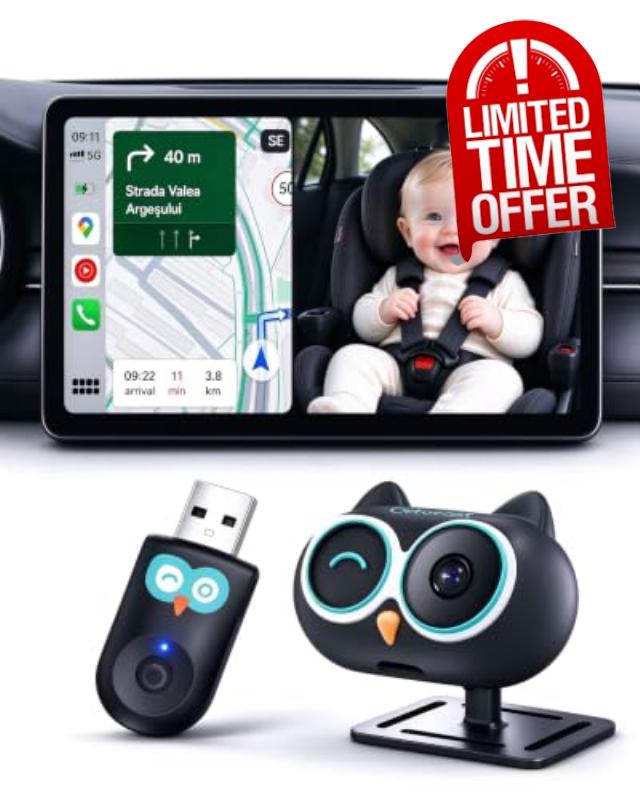
OTTOCAST Baby Car Camera 1080P with Wireless CarPlay Adapter,150°Wide Angle No Extra Screen Needed,For Factory Wired CarPlay Only,4 Viewing Modes,Rear & Forward-Facing,IR-Free Night Vision, No Android
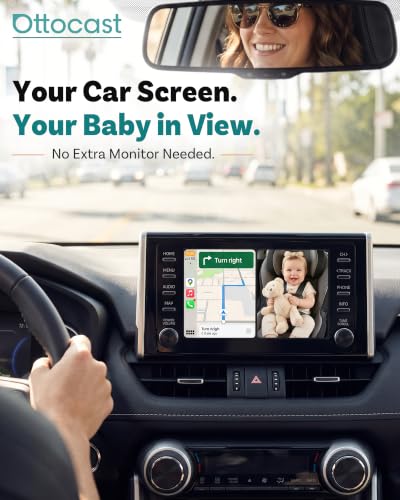
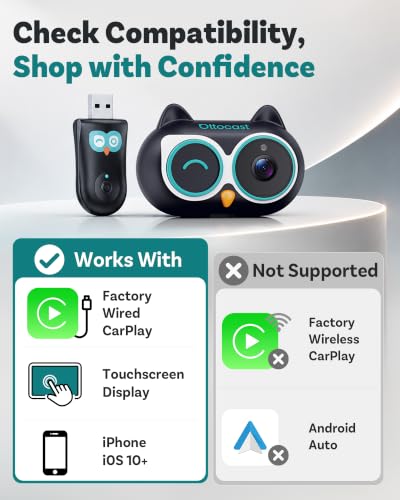
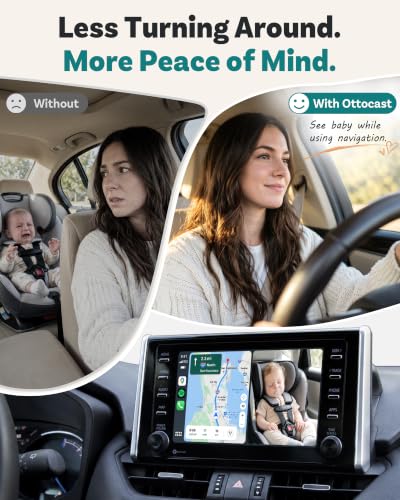
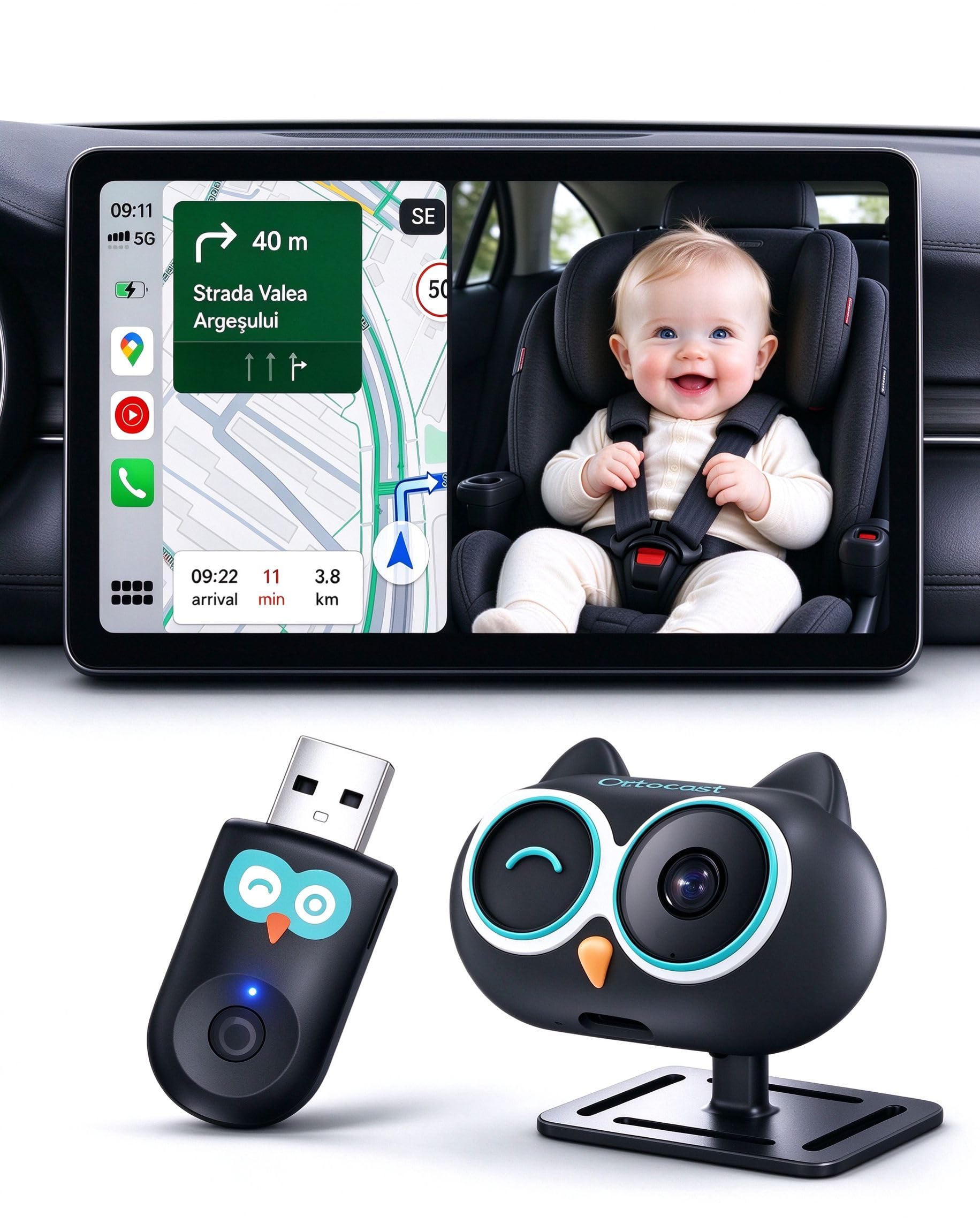
- 【2026 Baby Car Camera Should Be Like This】See your baby in the back seat on the screen your car already has—no extra monitor cluttering up your dashboard. This Ottocast baby car camera displays a live view of your little one on your car's original screen, making it easier to check on your baby while keeping your dashboard clean and tidy. Works only with vehicles equipped with factory wired CarPlay. Cars with factory wireless CarPlay are not supported. Please check compatibility before ordering.
- 【Innovation Inspired by Moms on the Go】 Family trips come with enough to think about. Inspired by the everyday needs of moms traveling with little ones, Ottocast reimagined the traditional baby car camera to make checking on your baby feel more natural and less cluttered. By bringing your baby's view to your car's existing display, we created a more thoughtful way to stay connected with your little passenger on every journey.
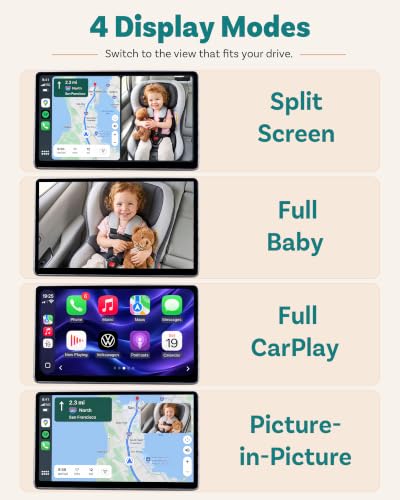
- 【Four Viewing Modes for Every Drive】 Choose full-screen CarPlay, full-screen baby camera, a 50/50 split screen, or picture-in-picture. Follow your CarPlay navigation while keeping your baby's camera view visible, or give either view the full screen whenever you need it. One display, four flexible ways to see what matters to your family.
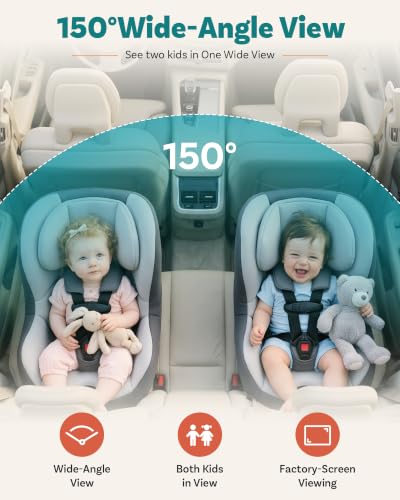
- 【See More of the Back Seat with a 150° Wide-Angle View】Have two little ones sitting side by side? The wide-angle car baby camera helps keep both babies in view at once, so you can check on them with one glance at the screen. Since every car and car seat setup is different, two installation options let you position the camera for forward- or rear-facing car seats, helping you find the view that works best for your family.
- 【Easy Setup, Gentle Night Vision】Simply plug in and pair the wireless CarPlay adapter, then connect the baby car camera to your car's 12V power outlet. Just like magic, your little one's image appears right on your car's factory screen—no extra monitor needed! Inspired by an owl's night vision, this infrared-free camera lets you check on your baby in low light without a harsh red glow shining toward their eyes, helping keep nighttime viewing calm and comfortable for your little one.
- 【Here to Help Every Step of the Way】 Have questions about compatibility, adapter pairing, or camera setup? We're here to help. Simply contact us through Amazon, and our support team will guide you through the process, so you can spend less time figuring things out and more time enjoying your baby car camera.
Tip: Not compatible with Android phones, Android Auto, or wireless CarPlay.
Not compatible with tesla and BMW.
Tip: Plug the wireless CarPlay adapter into the car’s USB port to connect.
Tip:Plug the camera’s power cable into the car charger port to supply power.
Tip: Camera not showing? Hold the adapter button 3s to re-pair & reconnect.
| SKU: | B0HGMGB91B |
| Weight: | 1.6 ounces |
| Brand: | OTTOCAST |
| Colour: | Black |
| Manufacture: | Ottocast |
| Colour: | Black |
Product description
Tip: Not compatible with Android phones, Android Auto, or wireless CarPlay.


Tip: Camera not showing? Hold the adapter button 3s to re-pair & reconnect.


