Bobtot 5.1 Home Theater Sound System Wireless Rear Satellite
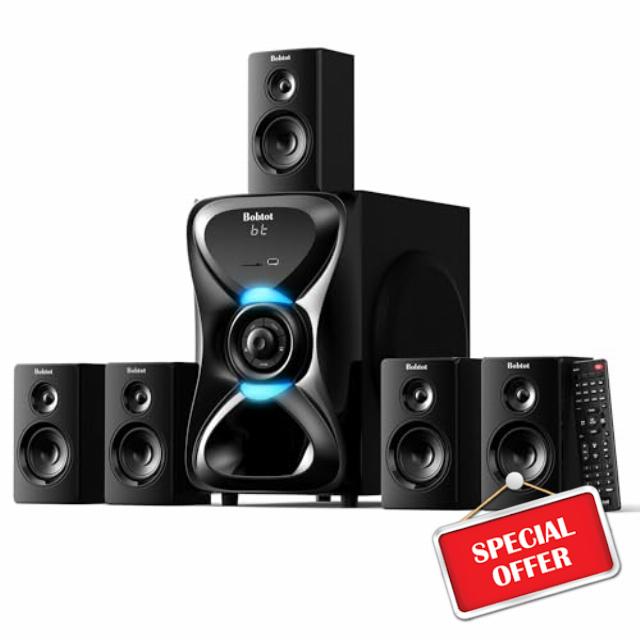
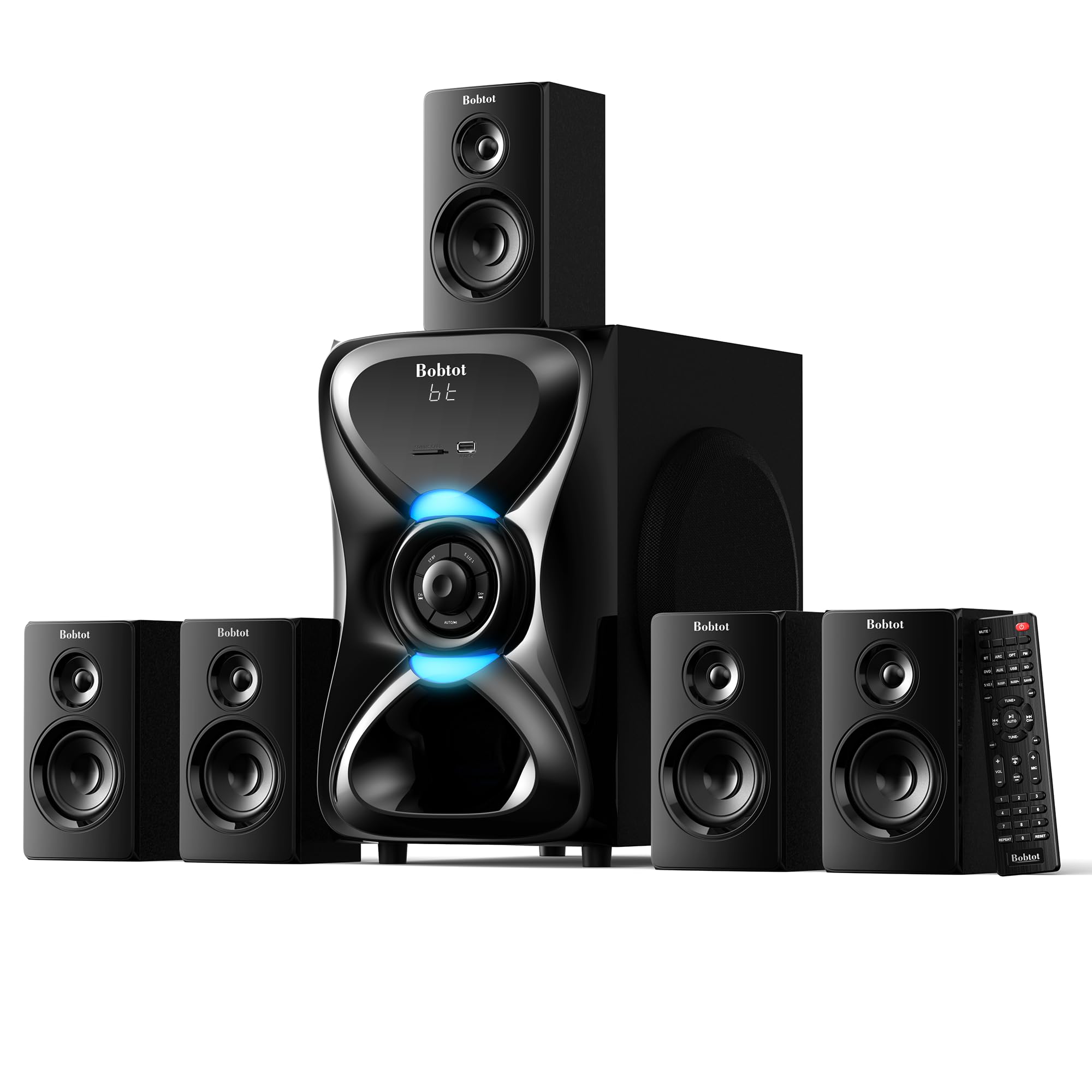
Bobtot 5.1 Home Theater Sound System Wireless Rear Satellite Speakers 1000W Peak Punchy Bass 8 inch Subwoofer Surround Sound Systems with ARC Optical Bluetooth AUX Input for TV
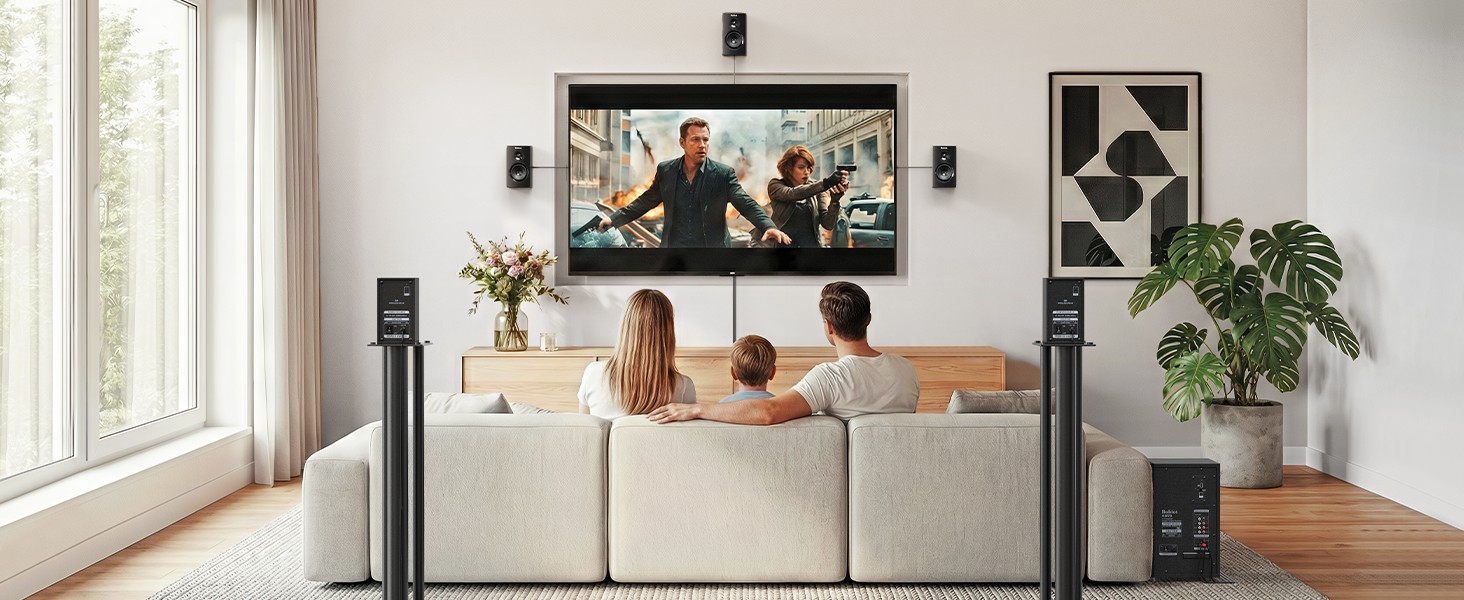
- TRUE 5.1 SURROUND SOUND FOR AN IMMERSIVE HOME THEATER: Experience room-filling 5.1 surround sound that puts you in the middle of movies, sports, music, and gaming. Switch between 5.1 and 2.1 channel modes with the remote or front-panel controls. The 360° surround design helps create an immersive listening experience from every seat in the room.
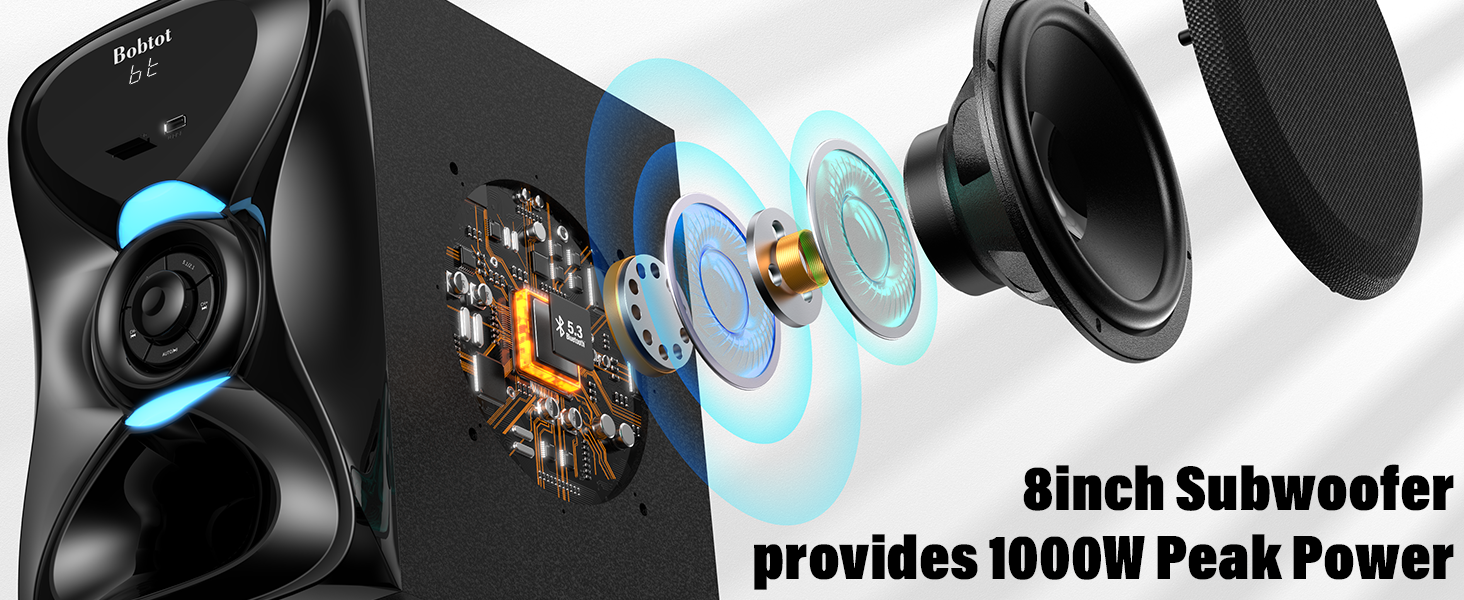
- 1000W PEAK POWER & 8-INCH SUBWOOFER FOR DEEP BASS: Bring the home theater experience home with up to 1000W peak power and a powerful 8-inch subwoofer with built-in receiver. Enjoy deep, punchy bass, clear vocals, and balanced mids and highs for movies, music, football games, gaming, and family entertainment.
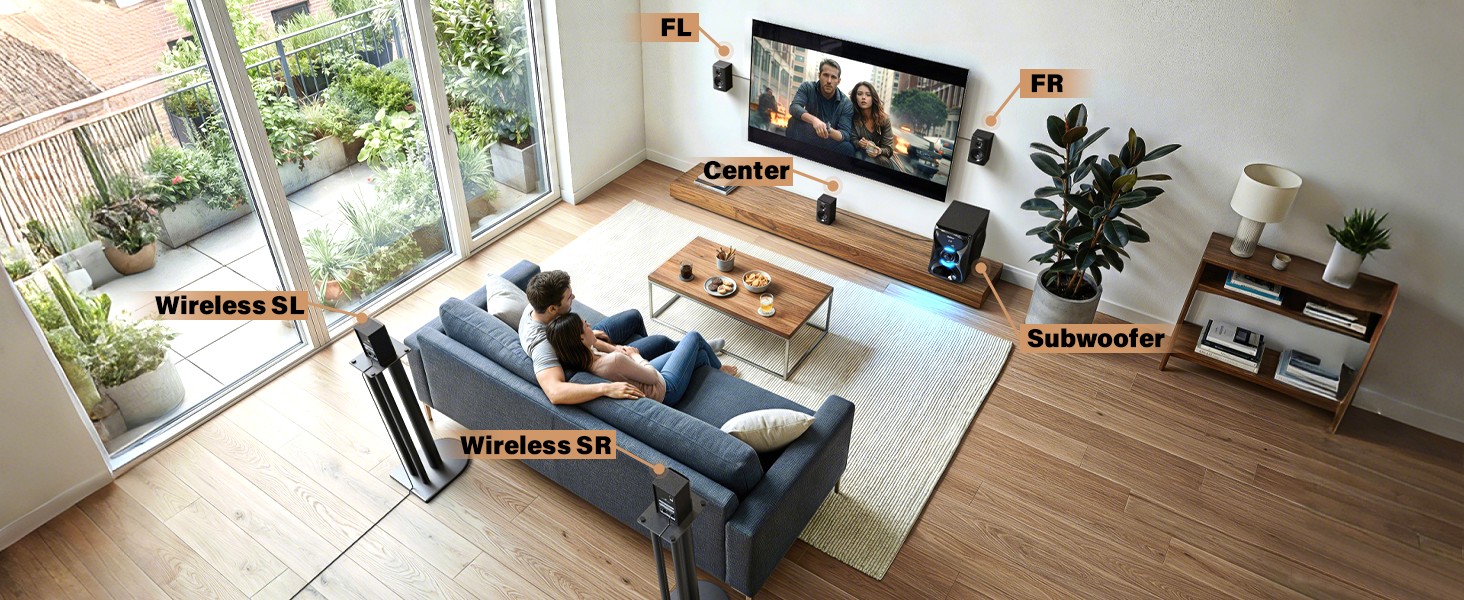
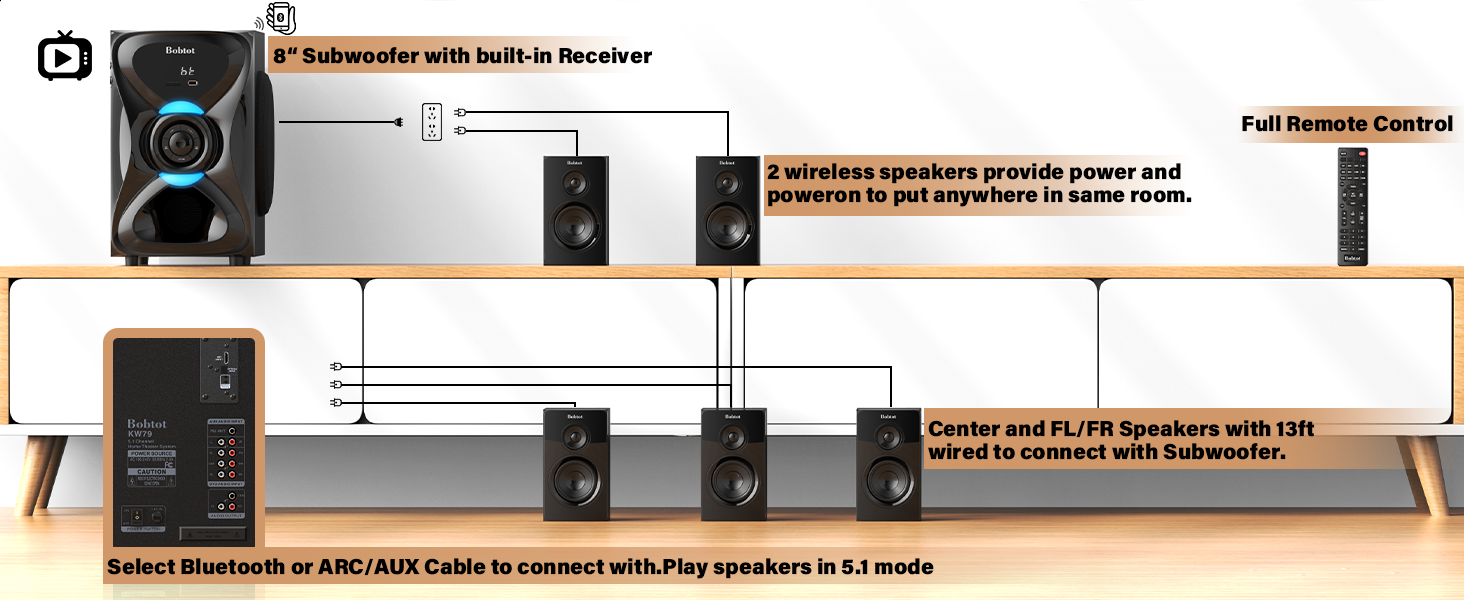
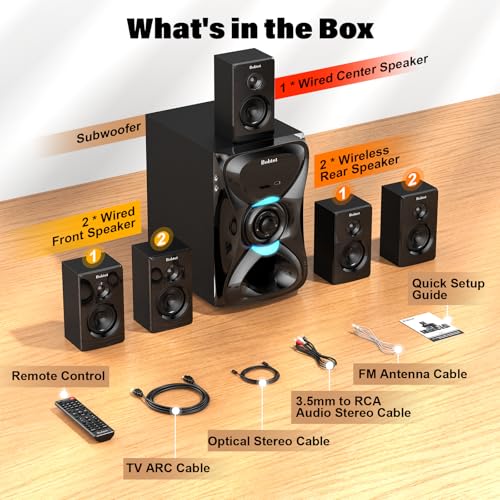
- WIRELESS REAR SPEAKERS WITH 32FT RANGE: Enjoy a cleaner wireless surround sound system setup with 2 wireless rear satellite speakers that automatically pair when powered on. With up to 32 ft wireless range, you can place the rear speakers flexibly around your room. The center speaker includes a 13 ft cable, while the front speakers feature 31 ft cables for flexible placement.
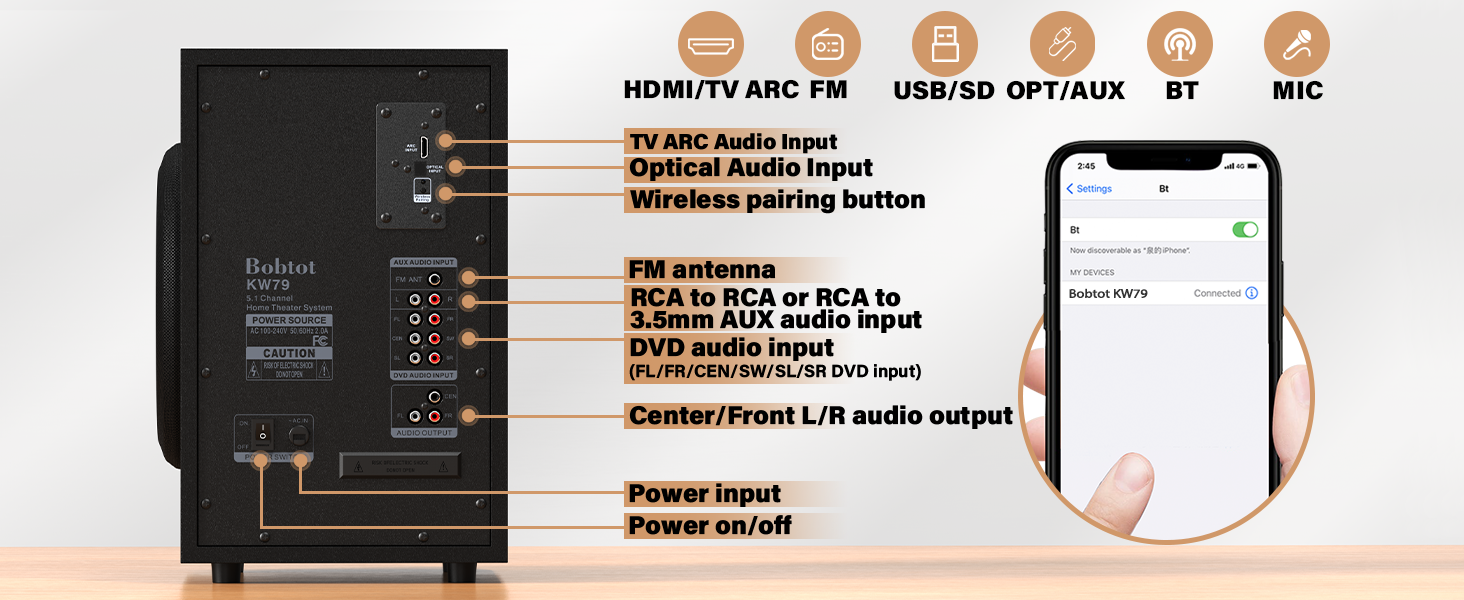
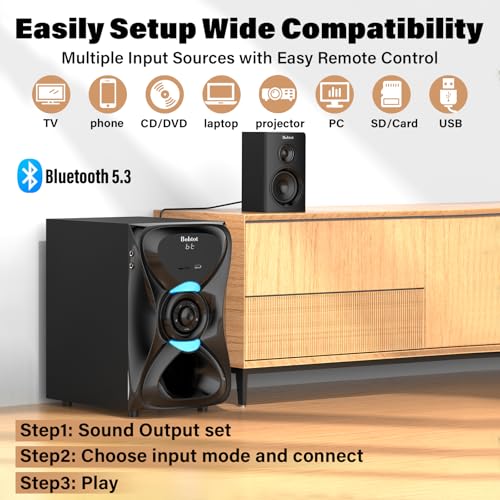
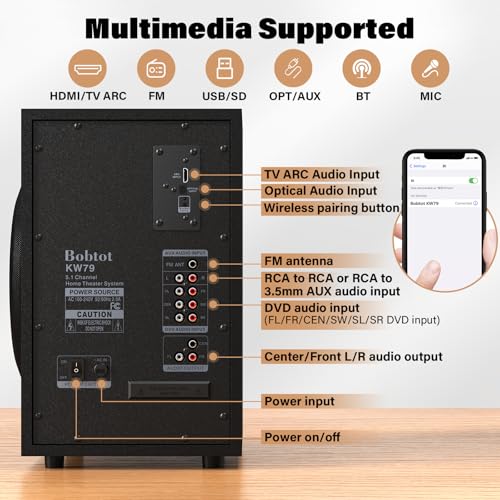
- BLUETOOTH 5.3, HDMI ARC & MULTIPLE INPUTS: Connect your Smart TV, 4K TV, gaming console, projector, PC, laptop, smartphone, DVD player and more. Supports Bluetooth 5.3, HDMI ARC, Optical, AUX, DVD, USB and SD inputs, plus a built-in FM receiver. Two microphone inputs with echo function also make this karaoke speaker system ready for parties and family entertainment.
- FULL CONTROL, EQ MODES FOR MOVIES, GAMING & PARTIES: Fine-tune your experience with the full-function remote, including independent speaker/subwoofer volume adjustment, bass control and 5 EQ modes: Rock, Pop, Classic, Jazz and Country. Premium MDF wood cabinets make it more stable and durable. Plug and play with included cables—ideal for home theater, TV, gaming device, football nights, parties and karaoke.
1000W Home Theater Wireless Surround Sound System Rear Satellite Speakers for TV
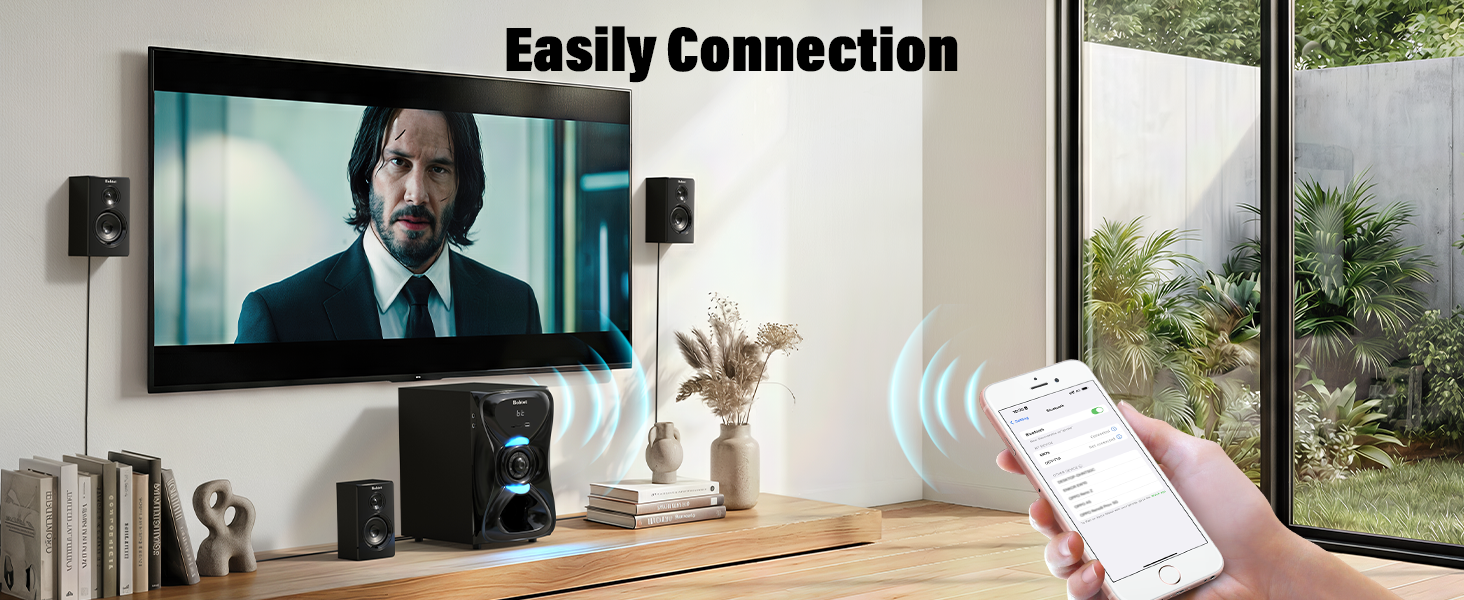
Easily connect and set up the KW79 with your TV or Bluetooth devices, Just follow the detailed user manual or video guide. When you encounter problems, we strongly advise you to send a message to us via Amazon for further assistance. We are always here to service you!
Wireless cover range 32ft
2 Rear Wireless Speakers
Allowing you to easily place the rear speakers wherever you want in your home theater setup.
Support Karaoke at Home With Your Family Friends
Bluetooth name is "KW79"
Faster, Stable, Smarte. Upgraded Bluetooth 5.3 offers faster, Smoother, Smarter, Stable connections.
Each speaker including the subwoofer has its own volume control. Using the remote we could turn down the bass, turn up the center speaker and other satellite speakers. You can also adjust the EQ mode.
8 inch Subwoofer with a built-in receiver, can reach up to 1000W of power, high volume but with professional sound quality and excellent bass sound, with impressive clarity and precise control.
With updated digital amplifier, it supports the Home theater surround system to use with a power voltage range AC 100-240V 50/60Hz, more stable and durable.
Atmospheric Sound Experience Immersive 360° Surround Stereo Sound
1 1. Best Placement 2 2. How to Connect? 3 3. TV SettingWhat's in the Box?
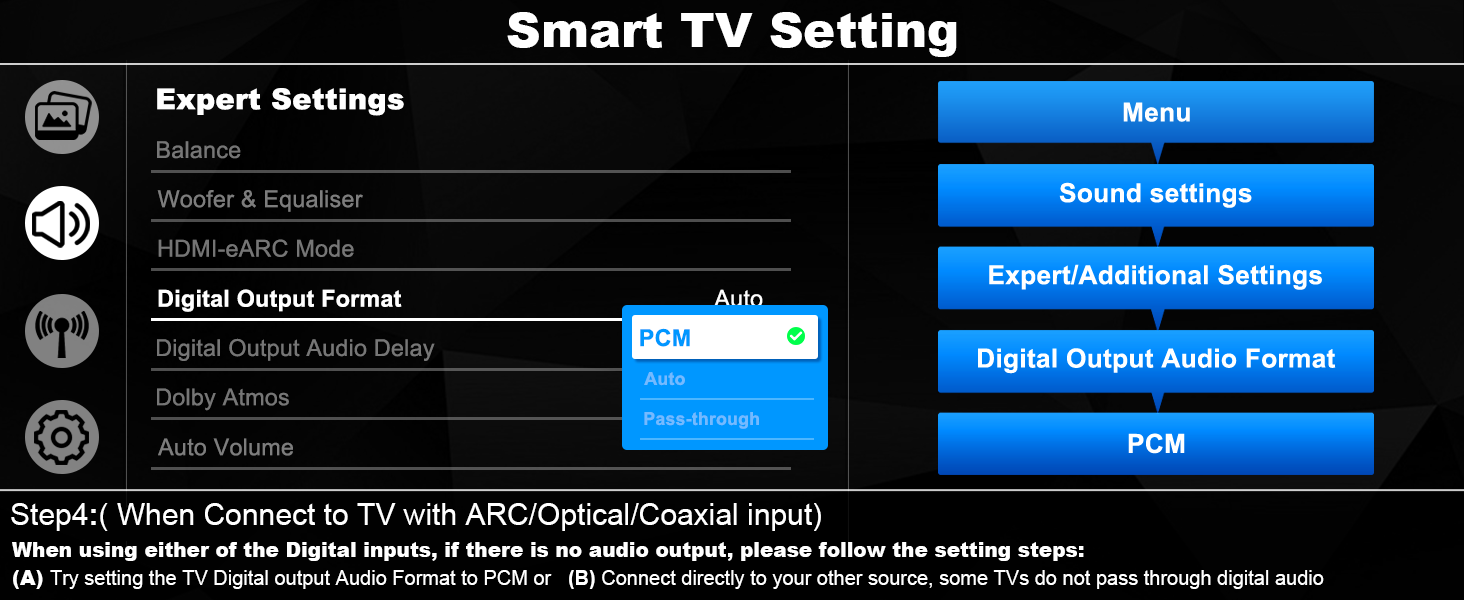
Easily set up in just one minute for 5.1 channel sound. If there is no sound output when connect to your TV. Please check TV setting the sound output: “Sound Output Setting” choose “ARC/Optical/Coaxial” Expert Setting – Digital output format – PCM: When you connect via ARC/Optical/Coaxial cable.
Bobtot KW79 Surround Sound System Wireless Speakers Home Theater Audio System
| Input Voltage | AC 100-240V 50/60Hz |
| Frequency Response | 20Hz – 20KHz |
| Subwoofer Size | (W*H*D) 235 x 370 x 343 mm |
| 5 Satellite Speakers Size | (W*H*D) 104x 180 x 92 mm |
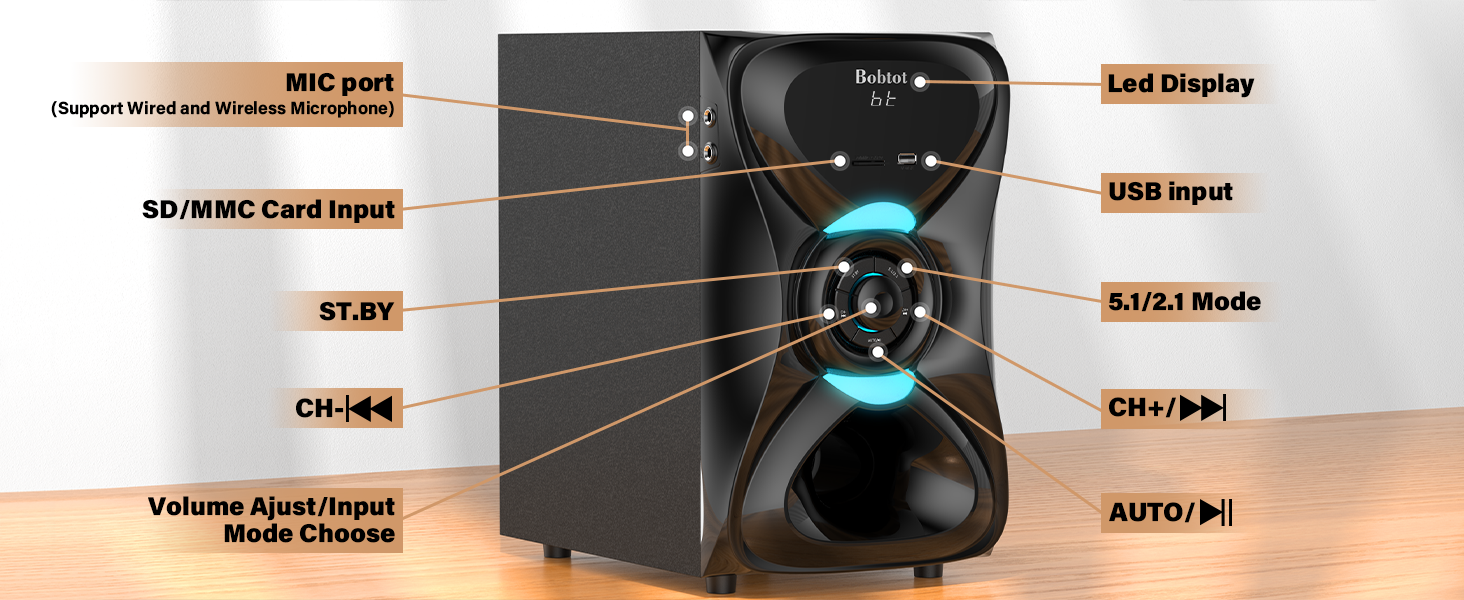
| BT/ARC/OPT/USB/FM/DV/AU Mode | Short press “ INPUT ” on the subwoofer to enter into the function mode (BT/ARC/OPT/USB/FM/DV/AU) or short press it on the remote to enter the function mode. *About ARC mode, just plug the matched ARC cable, the ARC inpu mode will auto be choosed and shows in the led screen. |
| No Sound Output When Setup? | If you're not getting any sound from the system when you connect it to your TV through Optical/HDMI cable, make sure you check the TV setting and have your audio outputting set to PCM mode. One thing you may need to do is turn your TV speakers off and also select PCM mode. That's going to send stereo signal from the TV to the subwoofer through the optical/HDMI cable. |
| How to activate the system | When you see the “ — ” two short lines in the LED screen of the subwoofer, short press “ ST.BY ” on the subwoofer or Power button on the remote to activate this system. Option 1, press ST.BY button on subwoofer. Option 2 press Power button on remote. |



| SKU: | B0FT7K7Z4N |
| Weight: | 11 kg |
| Brand: | Bobtot |
| Model: | KW79 |
| Colour: | Black |
| Manufacture: | MOSWS INTERNATIONAL LIMTED |
| Colour: | Black |
Product description
1000W Home Theater Wireless Surround Sound System Rear Satellite Speakers for TV

Wireless cover range 32ft
2 Rear Wireless Speakers
Allowing you to easily place the rear speakers wherever you want in your home theater setup.
Support Karaoke at Home With Your Family Friends

Bluetooth name is “KW79”
Faster, Stable, Smarte. Upgraded Bluetooth 5.3 offers faster, Smoother, Smarter, Stable connections.
8 inch Subwoofer with a built-in receiver, can reach up to 1000W of power, high volume but with professional sound quality and excellent bass sound, with impressive clarity and precise control.
Atmospheric Sound Experience Immersive 360° Surround Stereo Sound
What’s in the Box?
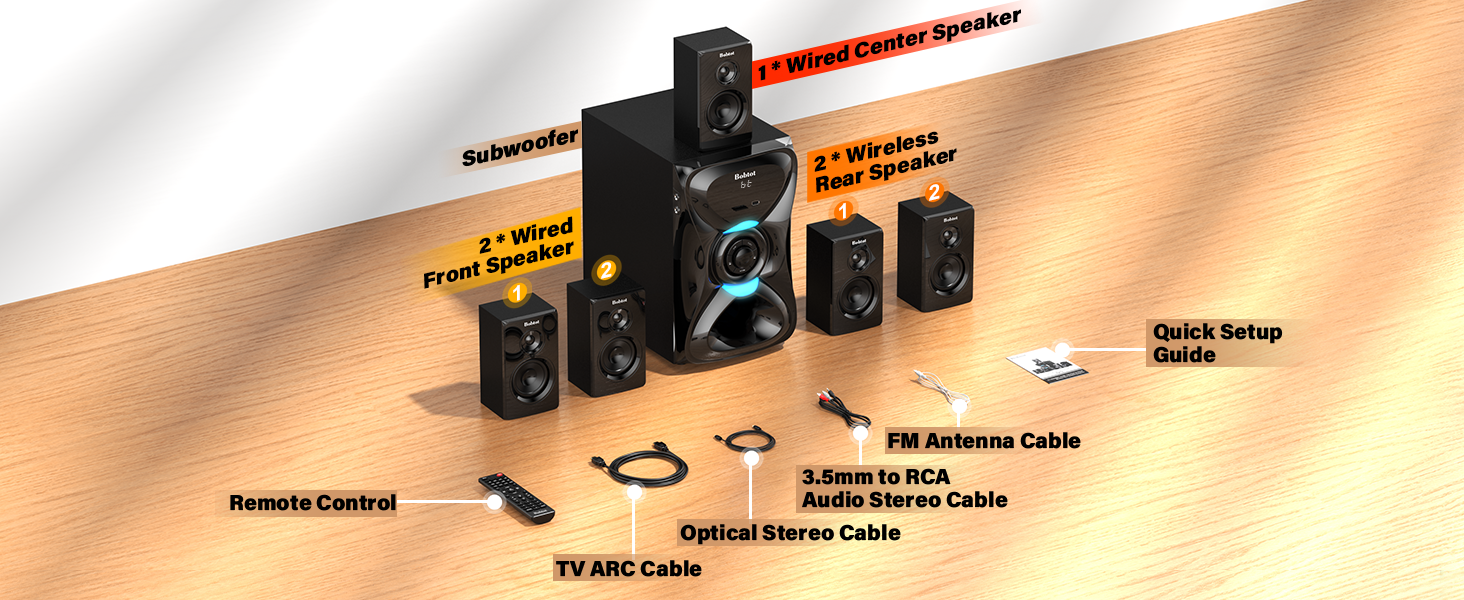
Easily set up in just one minute for 5.1 channel sound. If there is no sound output when connect to your TV. Please check TV setting the sound output: “Sound Output Setting” choose “ARC/Optical/Coaxial” Expert Setting – Digital output format – PCM: When you connect via ARC/Optical/Coaxial cable.
Bobtot KW79 Surround Sound System Wireless Speakers Home Theater Audio System
| Input Voltage | AC 100-240V 50/60Hz |
| Frequency Response | 20Hz – 20KHz |
| Subwoofer Size | (W*H*D) 235 x 370 x 343 mm |
| 5 Satellite Speakers Size | (W*H*D) 104x 180 x 92 mm |
| BT/ARC/OPT/USB/FM/DV/AU Mode | Short press “ INPUT ” on the subwoofer to enter into the function mode (BT/ARC/OPT/USB/FM/DV/AU) or short press it on the remote to enter the function mode. *About ARC mode, just plug the matched ARC cable, the ARC inpu mode will auto be choosed and shows in the led screen. |
| No Sound Output When Setup? | If you’re not getting any sound from the system when you connect it to your TV through Optical/HDMI cable, make sure you check the TV setting and have your audio outputting set to PCM mode. One thing you may need to do is turn your TV speakers off and also select PCM mode. That’s going to send stereo signal from the TV to the subwoofer through the optical/HDMI cable. |
| How to activate the system | When you see the “ — ” two short lines in the LED screen of the subwoofer, short press “ ST.BY ” on the subwoofer or Power button on the remote to activate this system. Option 1, press ST.BY button on subwoofer. Option 2 press Power button on remote. |