seenda COS64-2 Pro Bluetooth Keyboard Mouse Combo for Mac
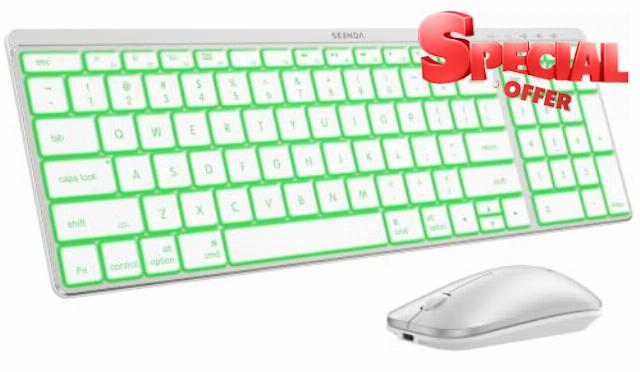
seenda COS64-2 Pro Bluetooth Keyboard Mouse Combo for Mac, 7-Color Backlit 3-device wireless switching, Apple-layout keys & quiet clicks, rechargeable slim set for Mac, MacBook Air, iPad, White Silve
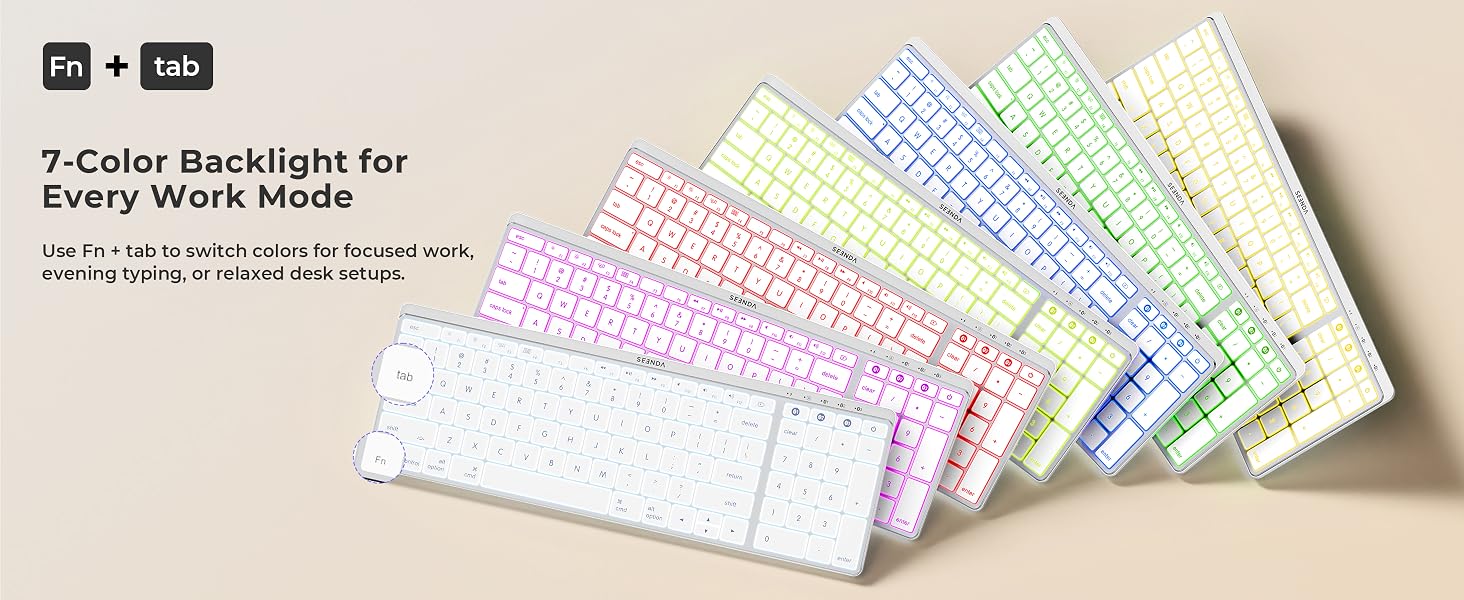
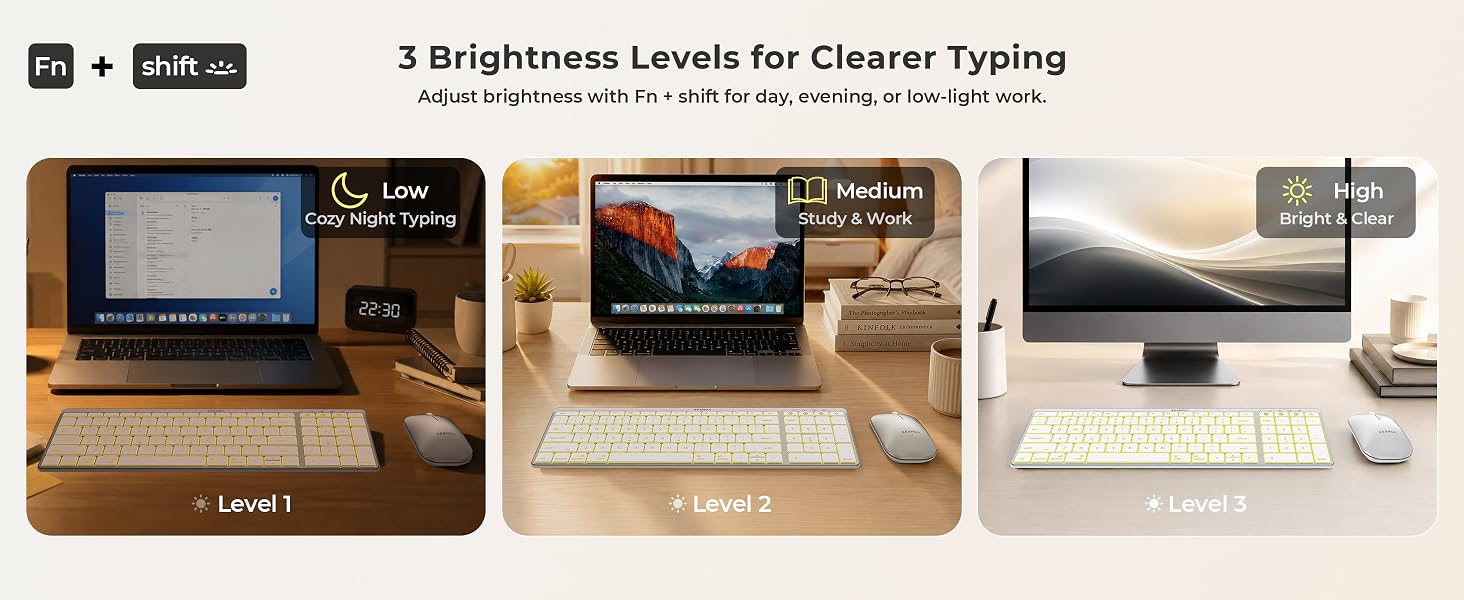
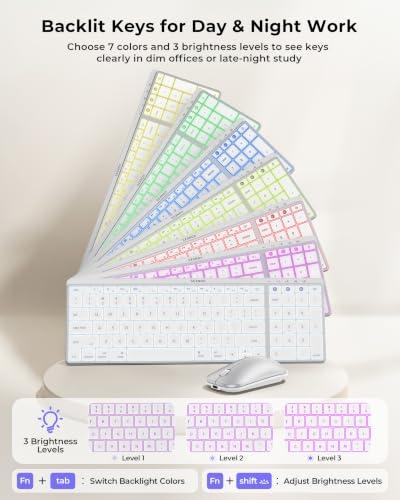
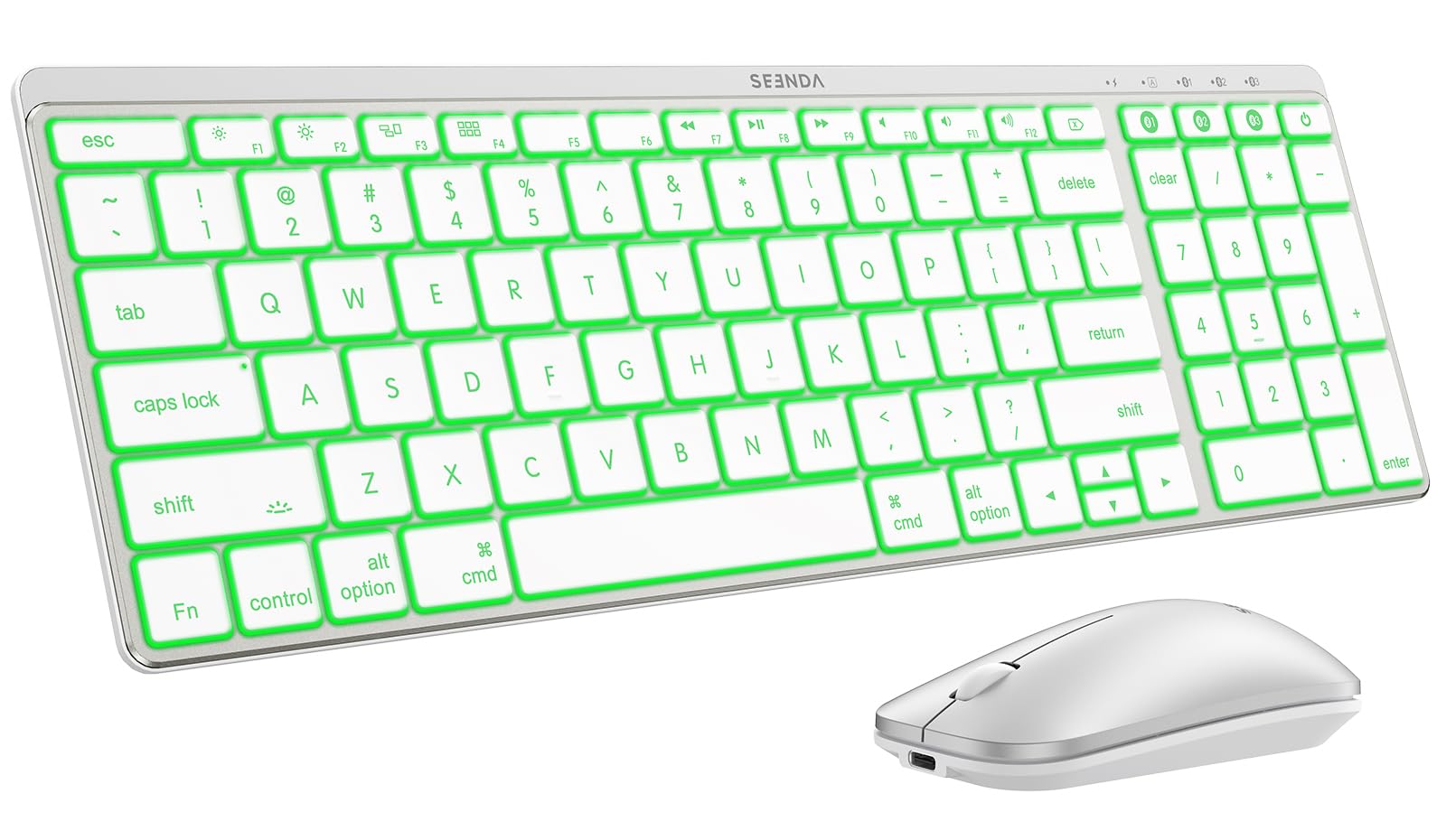
- Backlit Keys for Day & Night Work: Choose from 7 keyboard backlight colors and 3 brightness levels to keep keys easier to see as lighting changes, whether you are finishing reports in a dim home office or studying late at night. The backlight is on the keyboard only and can be turned off when longer working time matters
- Switch Between 3 Apple Devices: The keyboard and mouse each store three Bluetooth channels, so you can move from a Mac or MacBook Pro/Air spreadsheet to iPad notes or iPhone messages. Use the controls on each device to select its channel after pairing. Supports macOS 10.12+, iPadOS 13+, iOS 13+, and Bluetooth 4.0+. Bluetooth only; no USB receiver is included, and Windows is not fully supported
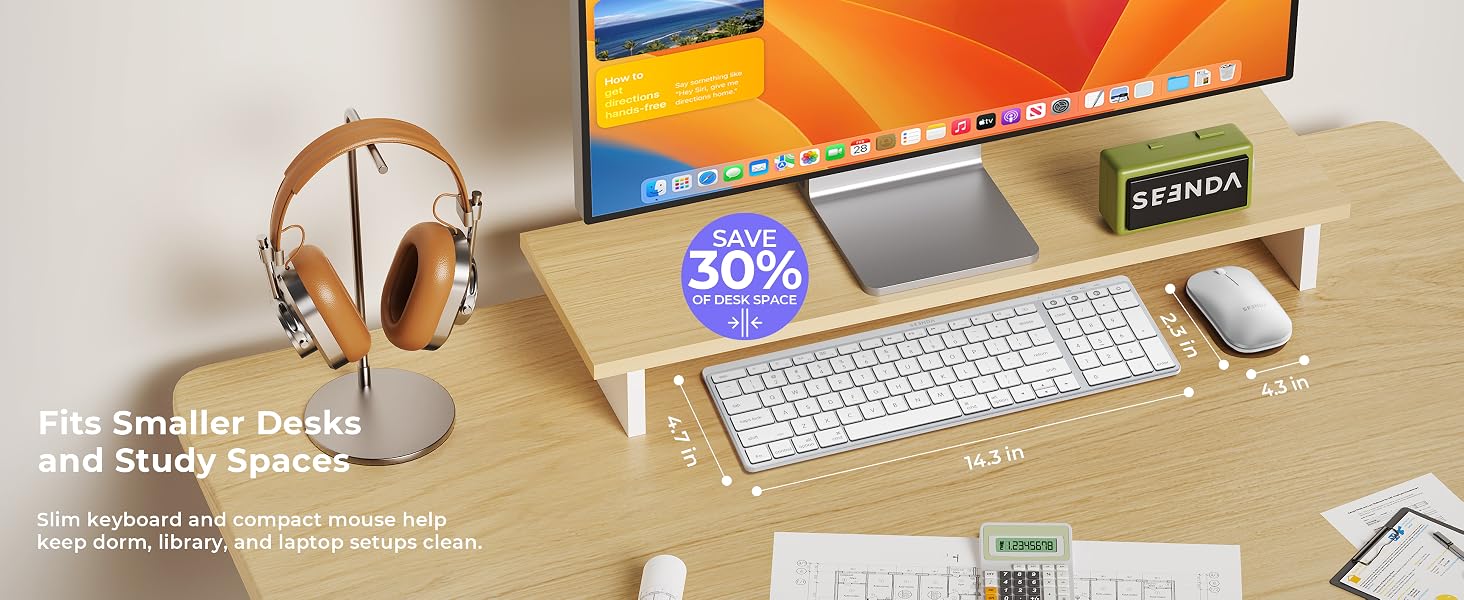
- Number Pad, Smaller Footprint: This compact keyboard with number pad uses a two-section Apple layout that keeps the main typing area and dedicated numeric keypad while integrating navigation controls to reduce extra width. At 14.3 x 4.7 in, it supports spreadsheets, accounting, order processing, and administrative work while leaving more room on home-office, apartment, or compact desks
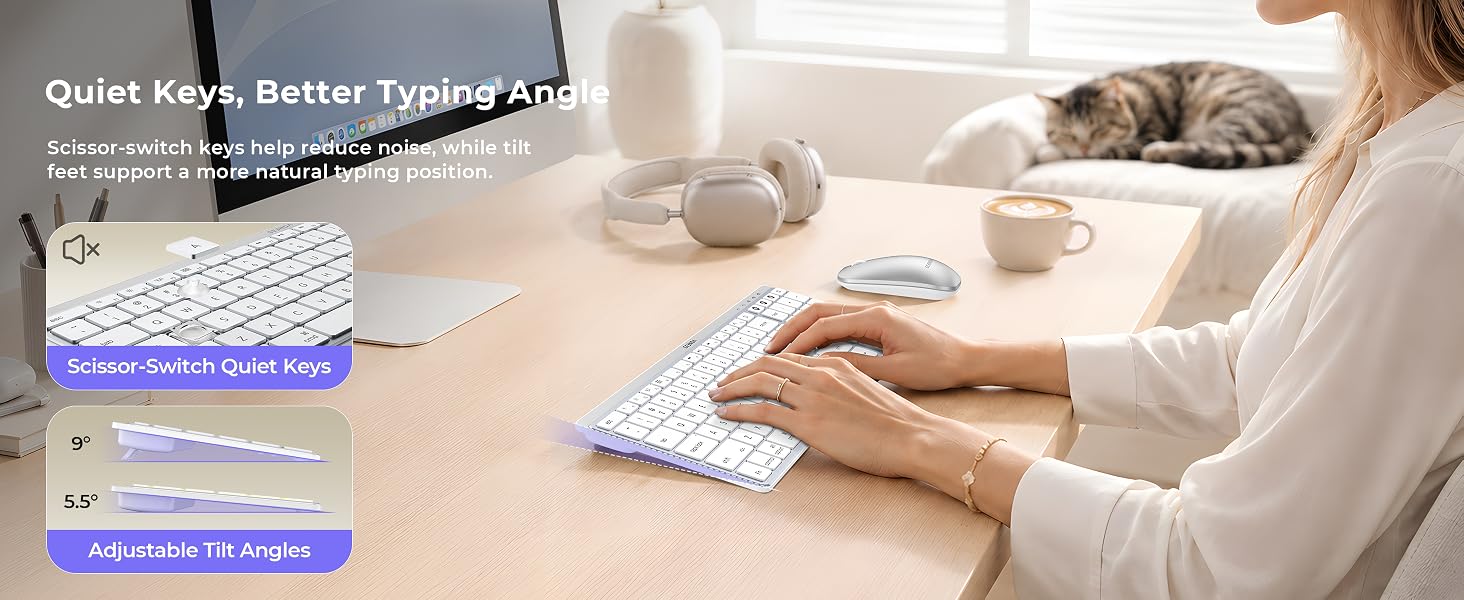
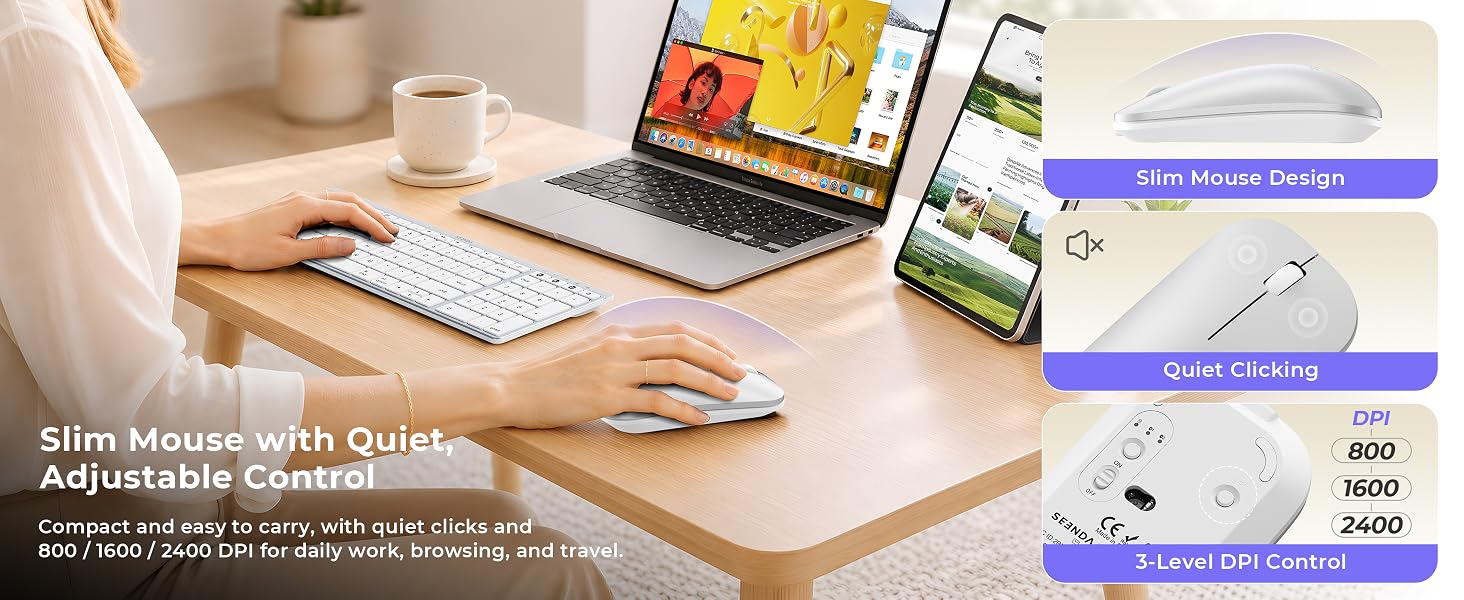
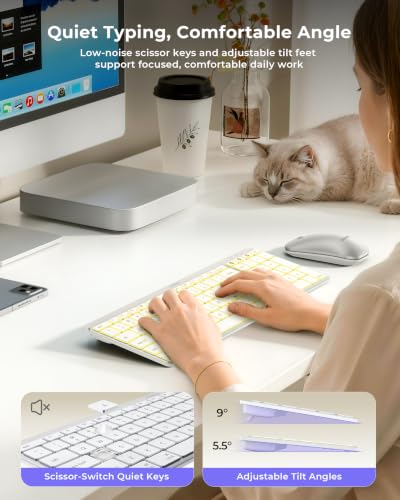
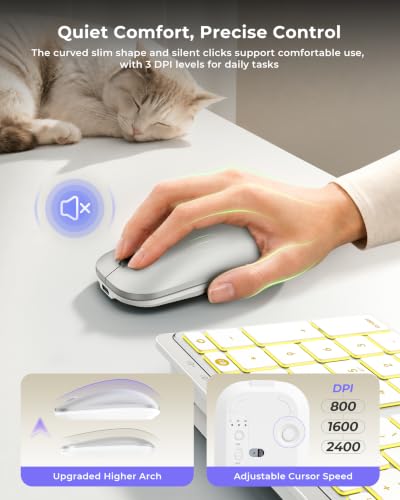
- Quieter Typing, More Comfortable Control: Low-profile scissor keys and quieter mouse clicks help reduce distraction, while 5.5° and 9° tilt settings offer two typing angles. The upgraded mouse has a fuller, higher curve for better palm contact and 800/1600/2400 DPI for browsing, documents, spreadsheets, and multi-screen navigation
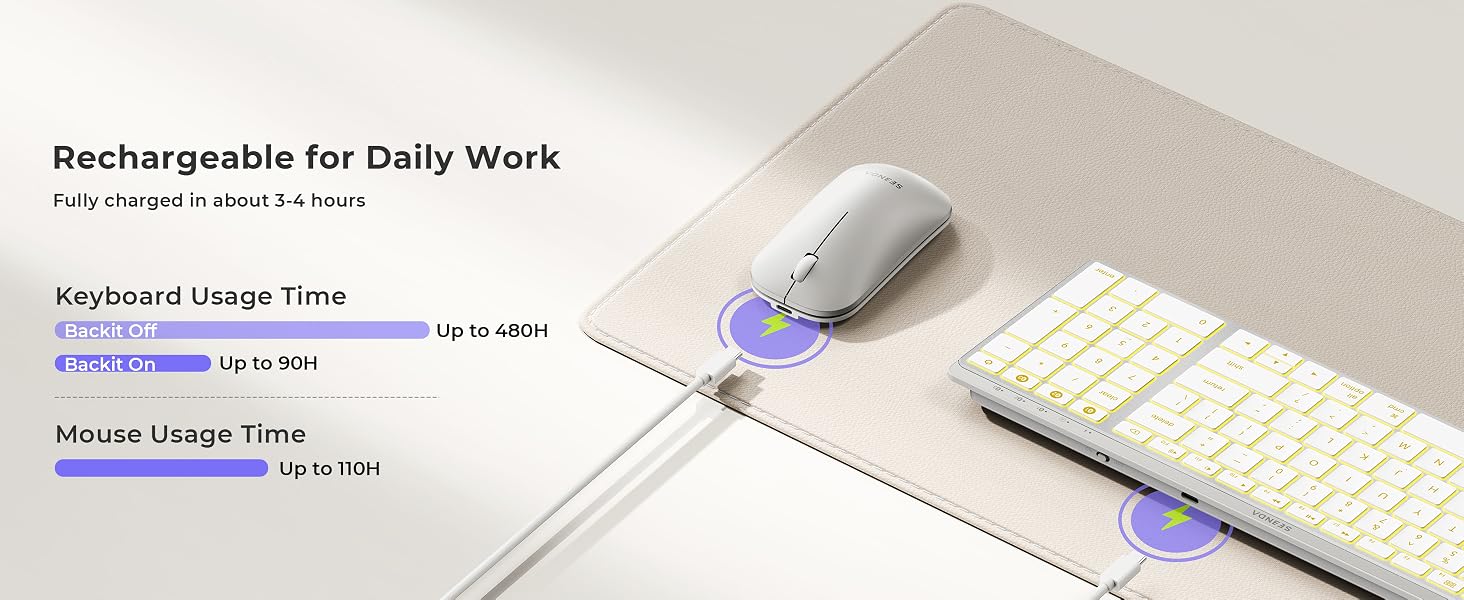
- Slim Style, Rechargeable Power: The ultra-slim keyboard and metallic-look panel complement a clean Apple setup. Charge the keyboard and mouse by USB-C in about 3–4 hours; with the keyboard backlight off, working time reaches up to 480 hours, while the mouse supports up to 110 hours. Includes one USB-C charging cables and a 24-month warranty. USB-C is for charging, not wired connectivity
A Compact Backlit Apple Setup for Multi-Device Productivity
Sleek, minimalist, and built for focus. Meet your new productivity partner. Swipe to see more.
The video showcases the product in use.The video guides you through product setup.The video compares multiple products.The video shows the product being unpacked.Backlit Bluetooth Keyboard Mouse for Mac
Model: COS64-2 Pro
Seenda Bluetooth Keyboard & Mouse – Compact Apple Setup for Multi-Device Work
Switch among a Mac, MacBook, iPad, and iPhone through three Bluetooth channels. The compact Apple-layout keyboard keeps a dedicated number pad, 7 backlight colors, quiet scissor keys, and adjustable typing angles for spreadsheets, study, and daily work. The upgraded mouse adds quiet clicks, a fuller curved grip, and 800/1600/2400 DPI control. NOTE: Bluetooth only, no chip or USB receiver is included, and Windows is not fully supported. Pairing Guide: User Manual.
Triple Bluetooth Connection, Wide Apple Compatibility
Compatible with macOS 10.12+, iPadOS 13+, iOS 13+
Enjoy Backlighting and Lasting Power for Day or Night Work
Enjoy Quiet Comfort, Slim Design, and Adjustable Control
Compact, Portable, and Gift-Ready for Work, Study, and Travel
How does the upgraded mouse feel in daily use?
The upgraded mouse has a higher curve for a fuller, more comfortable grip while staying slim and portable. A short adjustment period may be normal if you are used to a taller ergonomic mouse. A mouse pad is recommended for smoother tracking.
What should I do if the Bluetooth connection is unstable?
Keep devices within 10 m (33 ft) and fully charged. Remove the keyboard or mouse from your Bluetooth list, restart the device, then pair again using the user manual. If the issue continues, test with another device or contact support.
When do the keyboard backlight and mouse enter sleep mode?
The keyboard backlight turns off after 2 minutes of inactivity, and the mouse sleeps after 10 minutes. Press any key or click the mouse to wake them.
Why does the keyboard backlight turn off when the battery is low?
To save power, the backlight turns off automatically when the battery drops below 15%. Recharge the keyboard, and the backlight will return.
Is the keyboard layout suitable for Windows?
The keyboard follows the standard Mac layout. Fn and Control may be positioned differently from some Windows keyboards, and some keys may not work as expected on Windows. Use with Windows is not recommended.






| SKU: | B0H5RHCMZR |
| Brand: | seenda |
| Model: | COS64-2 Pro |
| Colour: | White Silver |
| Manufacture: | seenda |
| Colour: | White Silver |
Product description
A Compact Backlit Apple Setup for Multi-Device Productivity

Sleek, minimalist, and built for focus. Meet your new productivity partner. Swipe to see more.
The video showcases the product in use.The video guides you through product setup.The video compares multiple products.The video shows the product being unpacked.Backlit Bluetooth Keyboard Mouse for Mac
Model: COS64-2 Pro
Seenda Bluetooth Keyboard & Mouse – Compact Apple Setup for Multi-Device Work
Switch among a Mac, MacBook, iPad, and iPhone through three Bluetooth channels. The compact Apple-layout keyboard keeps a dedicated number pad, 7 backlight colors, quiet scissor keys, and adjustable typing angles for spreadsheets, study, and daily work. The upgraded mouse adds quiet clicks, a fuller curved grip, and 800/1600/2400 DPI control. NOTE: Bluetooth only, no chip or USB receiver is included, and Windows is not fully supported. Pairing Guide: User Manual.
Triple Bluetooth Connection, Wide Apple Compatibility

Compatible with macOS 10.12+, iPadOS 13+, iOS 13+
Enjoy Backlighting and Lasting Power for Day or Night Work
How does the upgraded mouse feel in daily use?
The upgraded mouse has a higher curve for a fuller, more comfortable grip while staying slim and portable. A short adjustment period may be normal if you are used to a taller ergonomic mouse. A mouse pad is recommended for smoother tracking.
What should I do if the Bluetooth connection is unstable?
Keep devices within 10 m (33 ft) and fully charged. Remove the keyboard or mouse from your Bluetooth list, restart the device, then pair again using the user manual. If the issue continues, test with another device or contact support.
When do the keyboard backlight and mouse enter sleep mode?
The keyboard backlight turns off after 2 minutes of inactivity, and the mouse sleeps after 10 minutes. Press any key or click the mouse to wake them.
Why does the keyboard backlight turn off when the battery is low?
To save power, the backlight turns off automatically when the battery drops below 15%. Recharge the keyboard, and the backlight will return.
Is the keyboard layout suitable for Windows?
The keyboard follows the standard Mac layout. Fn and Control may be positioned differently from some Windows keyboards, and some keys may not work as expected on Windows. Use with Windows is not recommended.