MoKo for iPad (A16) 11th/10th Gen Case with Keyboard
MoKo for iPad (A16) 11th/10th Gen Case with Keyboard, Multi-Angle Stand Magnetic Detachable Keyboard Case, Portrait/Landscape Modes, Large Precision Trackpad, Backlit Keys, Pencil Holder, Dark Gray
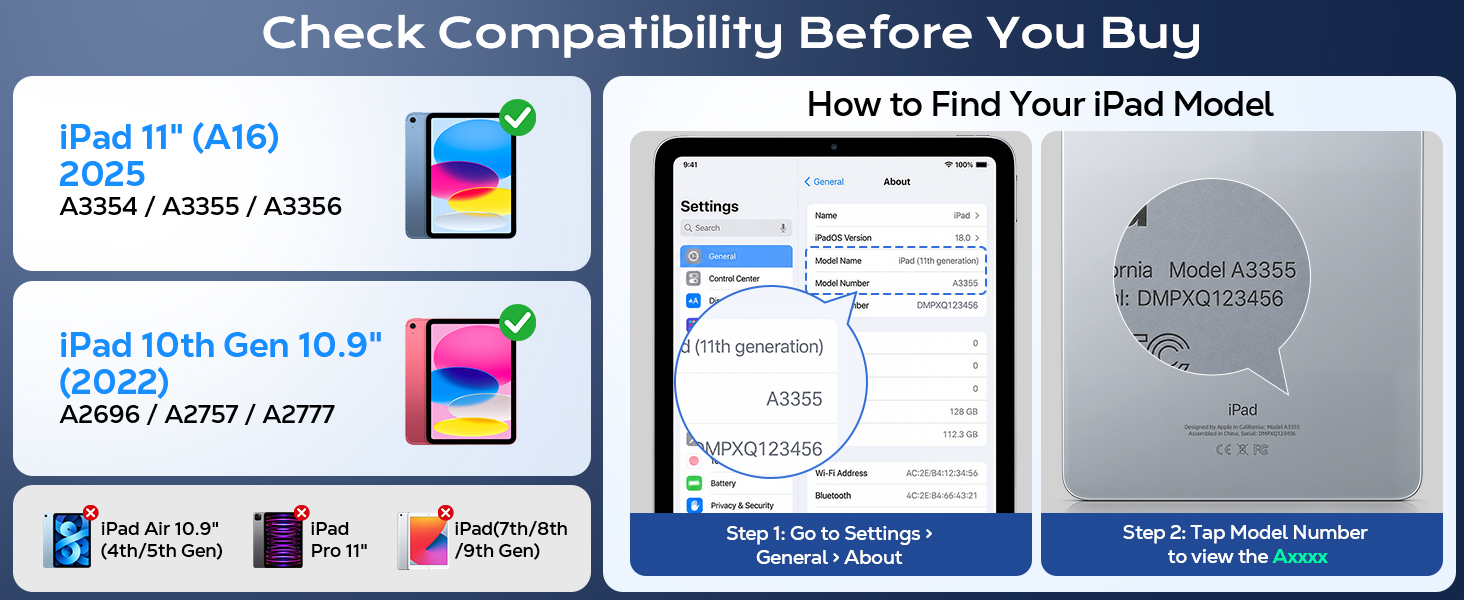
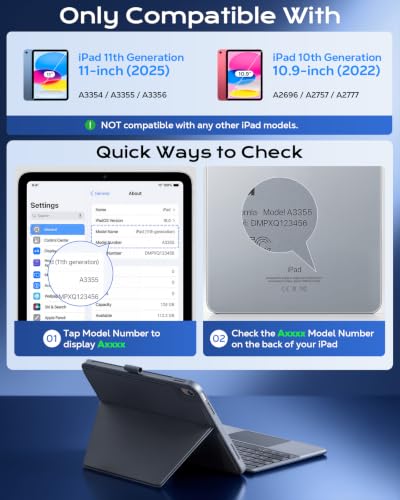
- Compatibility: Only for iPad A16 11th & 10th Generation – SPECIFICALLY designed for iPad 11th Generation 11-inch (2025, Models A3354/A3355/A3356) and iPad 10th Generation 10.9-inch (2022, Models A2696/A2757/A2777). NOT compatible with any other iPad models. Please check your iPad model number before purchase.
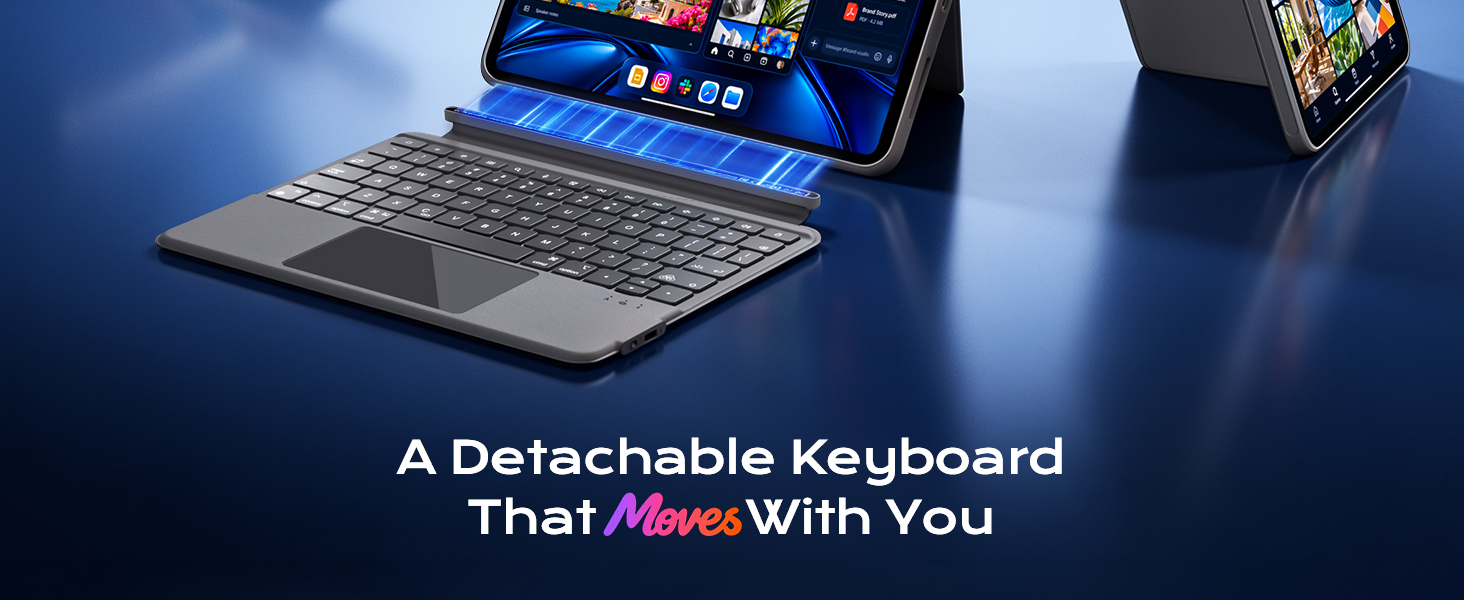
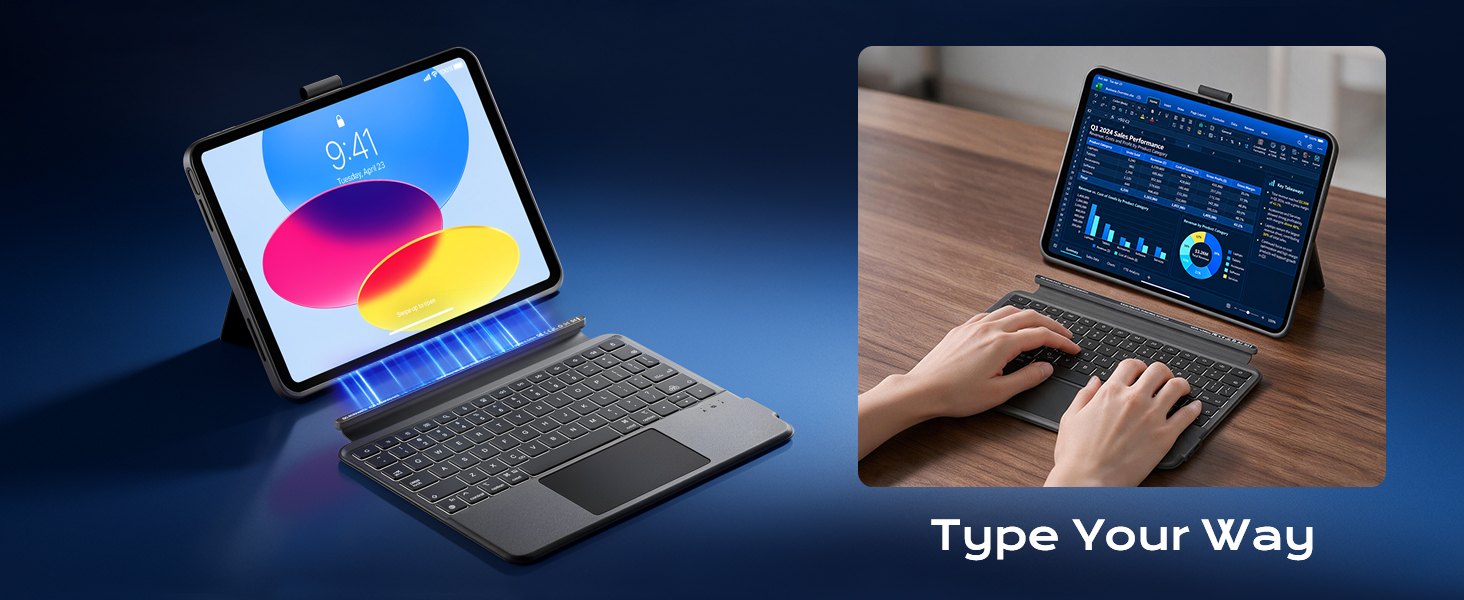
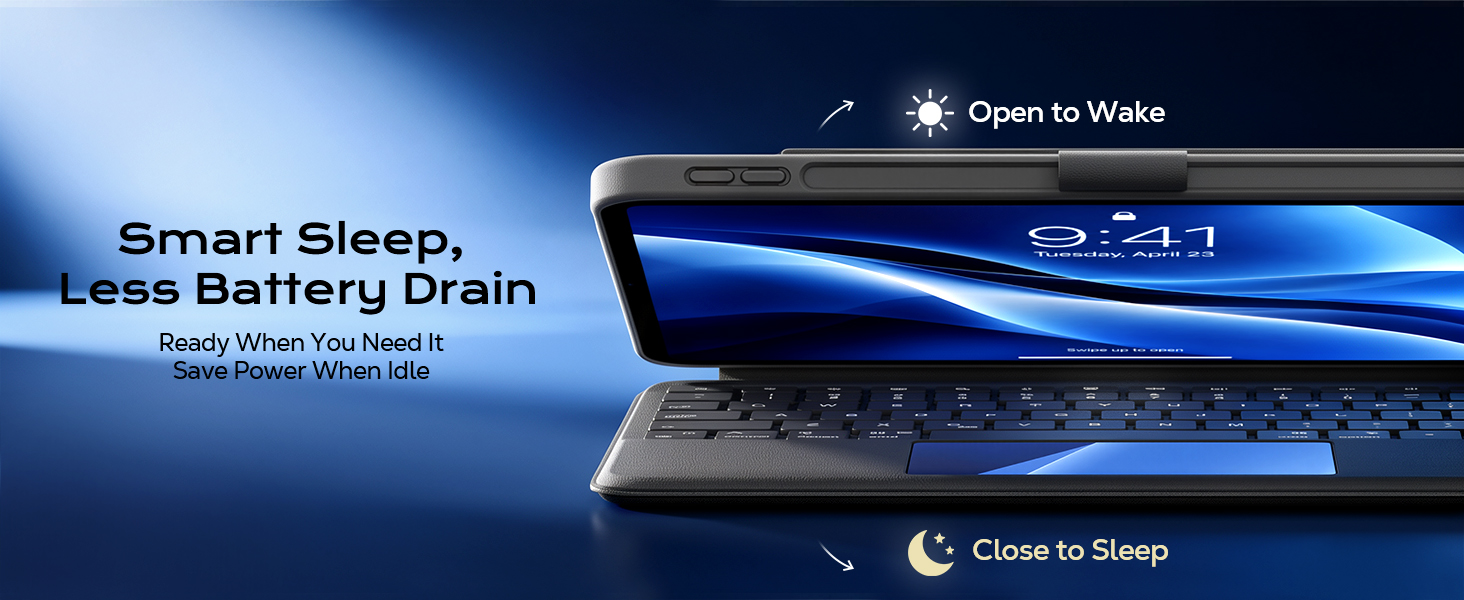
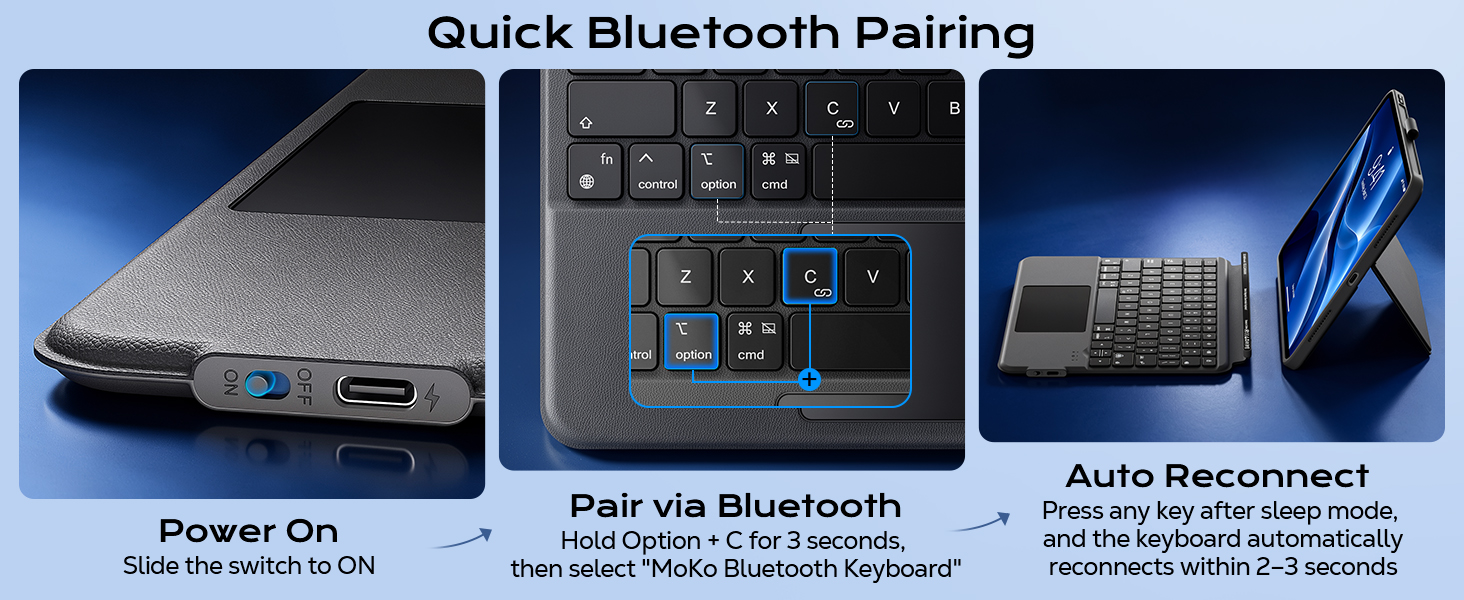
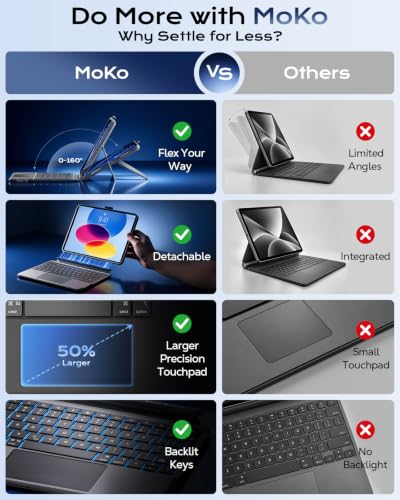
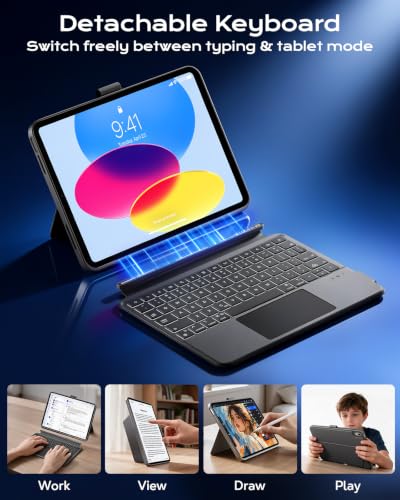
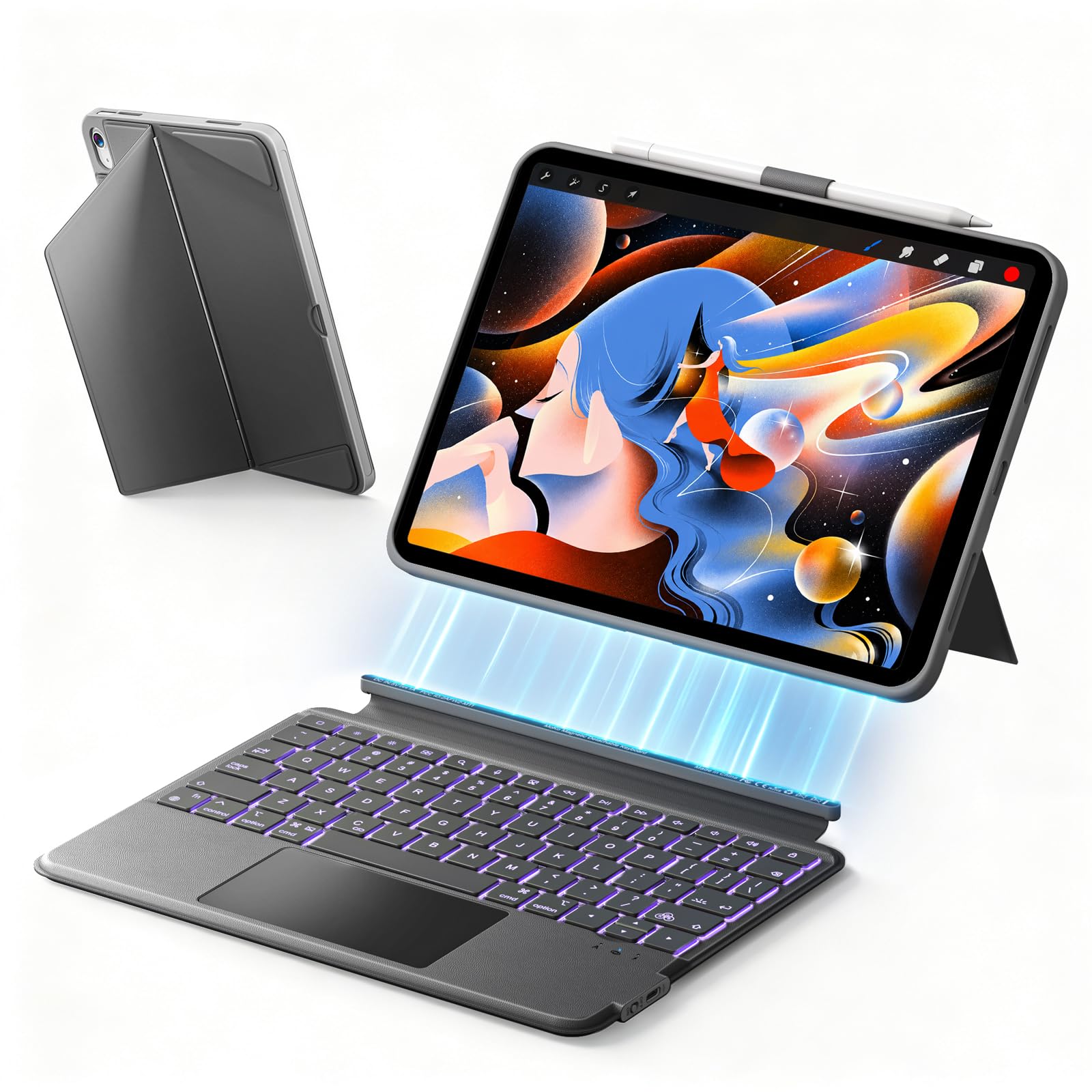
- Magnetic Detachable Keyboard: Attach for confident typing, detach for pure tablet freedom. A strong magnetic connection locks your keyboard in place for emails, documents, or study sessions – then releases instantly when you want to read, watch movies, or sketch. Transform your iPad from a laptop to a lightweight companion in one effortless move.
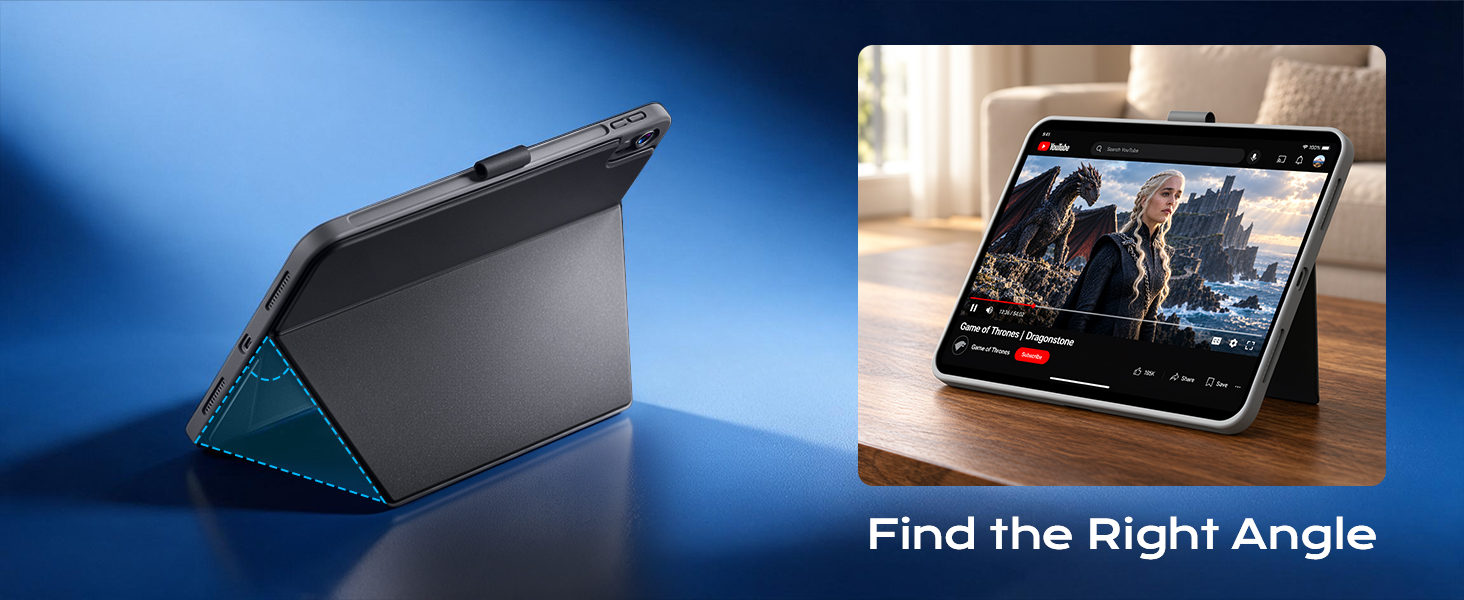
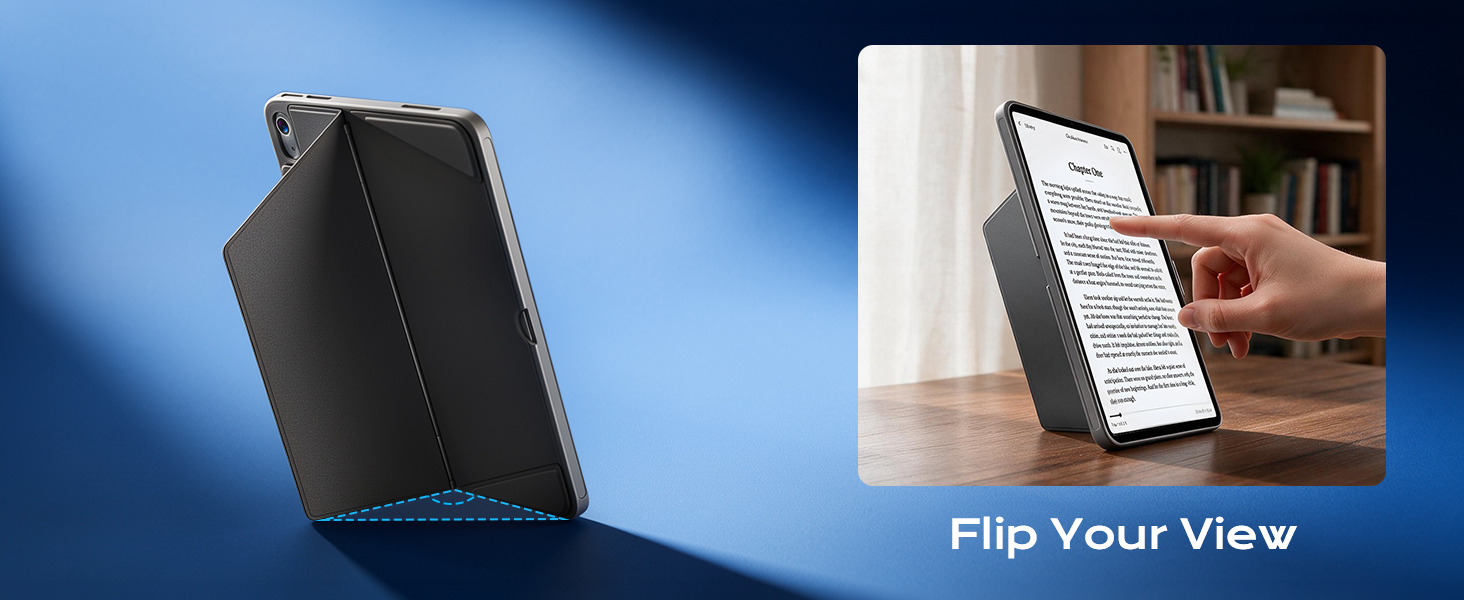
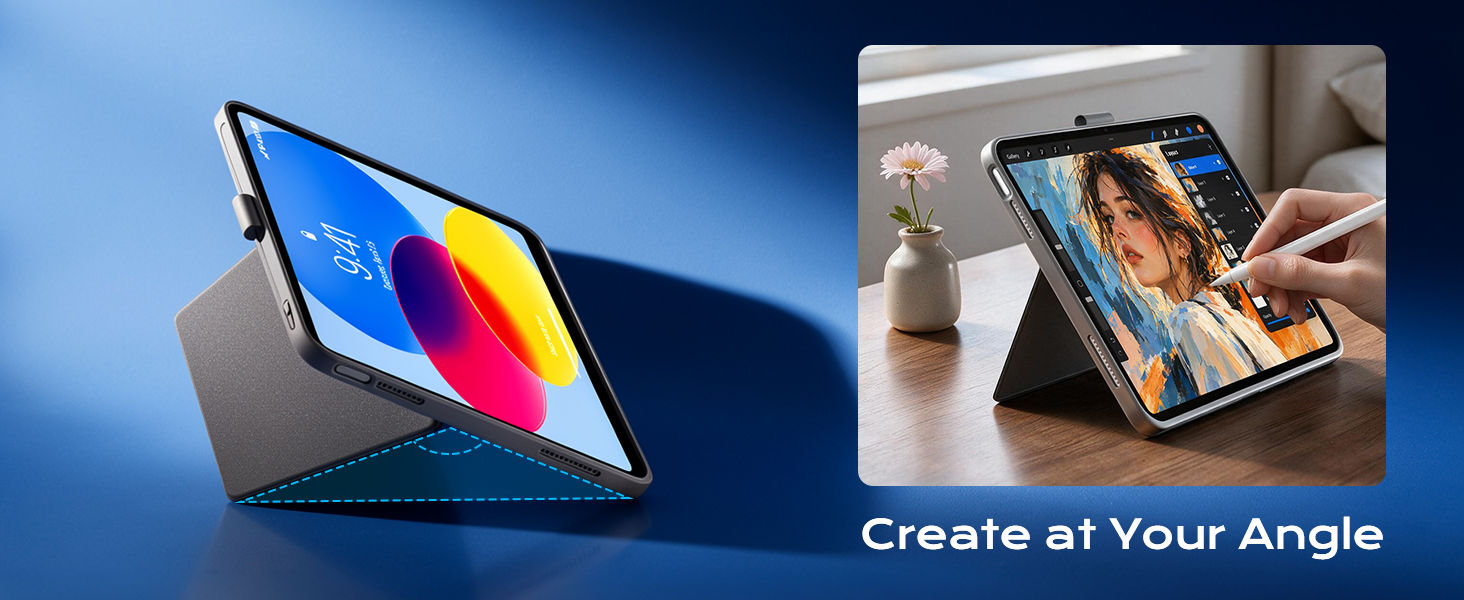
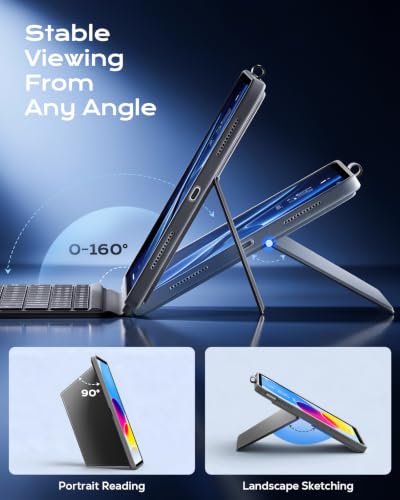
- Flexible Viewing Angles: Effortlessly flip between portrait and landscape to match your task, whether you're working, studying, or streaming; the adjustable stand tilts from 0° to 160° for the perfect viewing angle – from nearly flat for sketching to nearly upright for reading or video calls. Detach the keyboard entirely and use the case alone for gaming or handheld browsing. Enjoy versatility that fixed‑angle cases simply can't match.
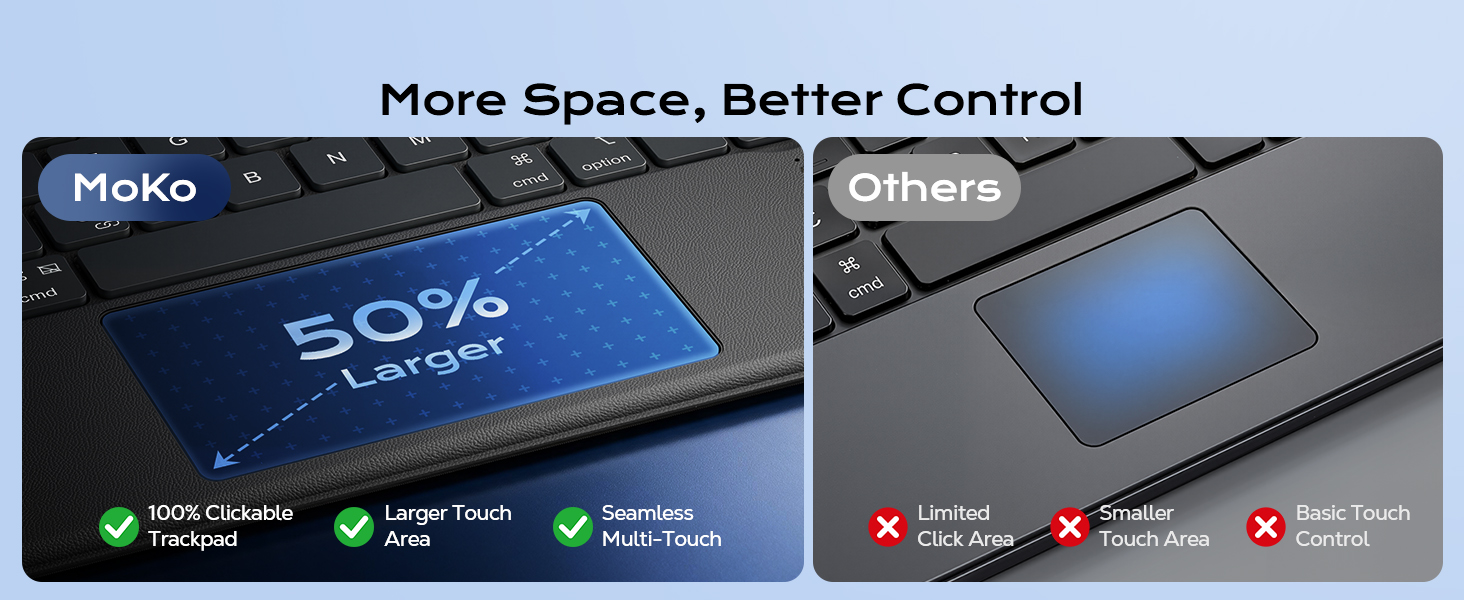
- Larger Precision Trackpad: Full multi‑finger gesture controls let you transform your iPad into a productivity powerhouse – edit documents, browse the web, and build presentations, whether you're at a desk or on the move. Every move feels precise and responsive. It also features a full row of iPadOS shortcuts, to adjust brightness levels, volume or change your music with one tap.
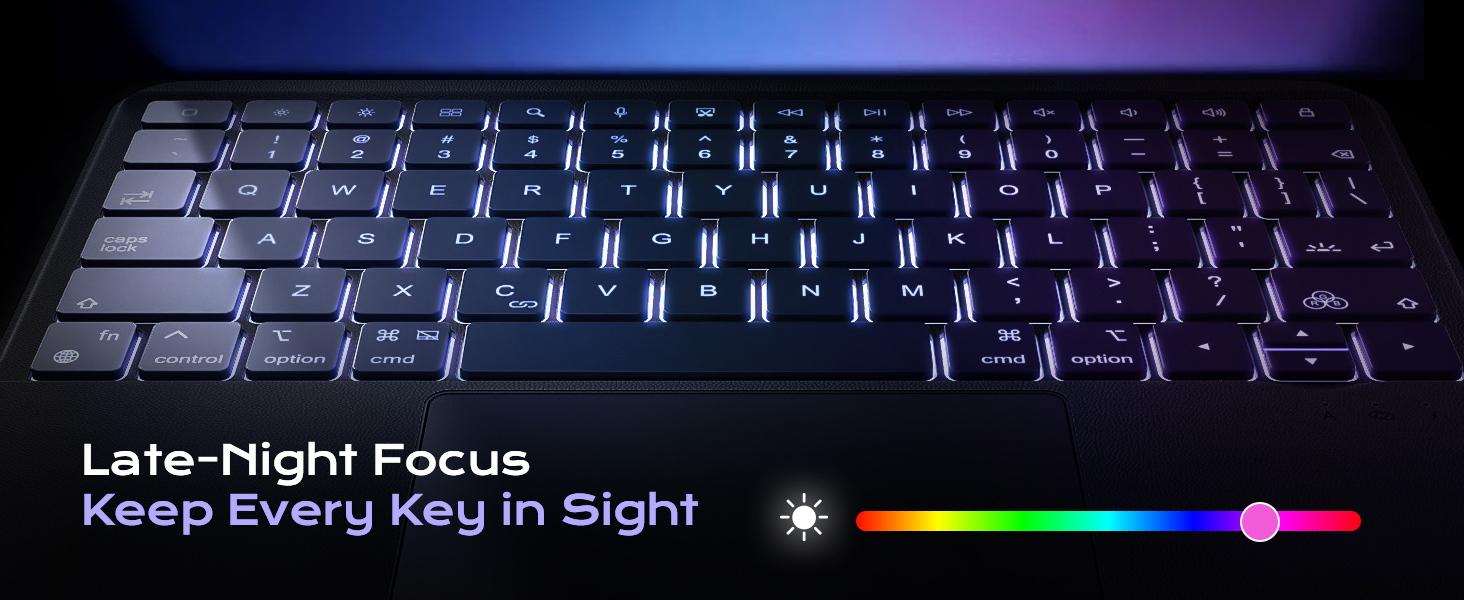
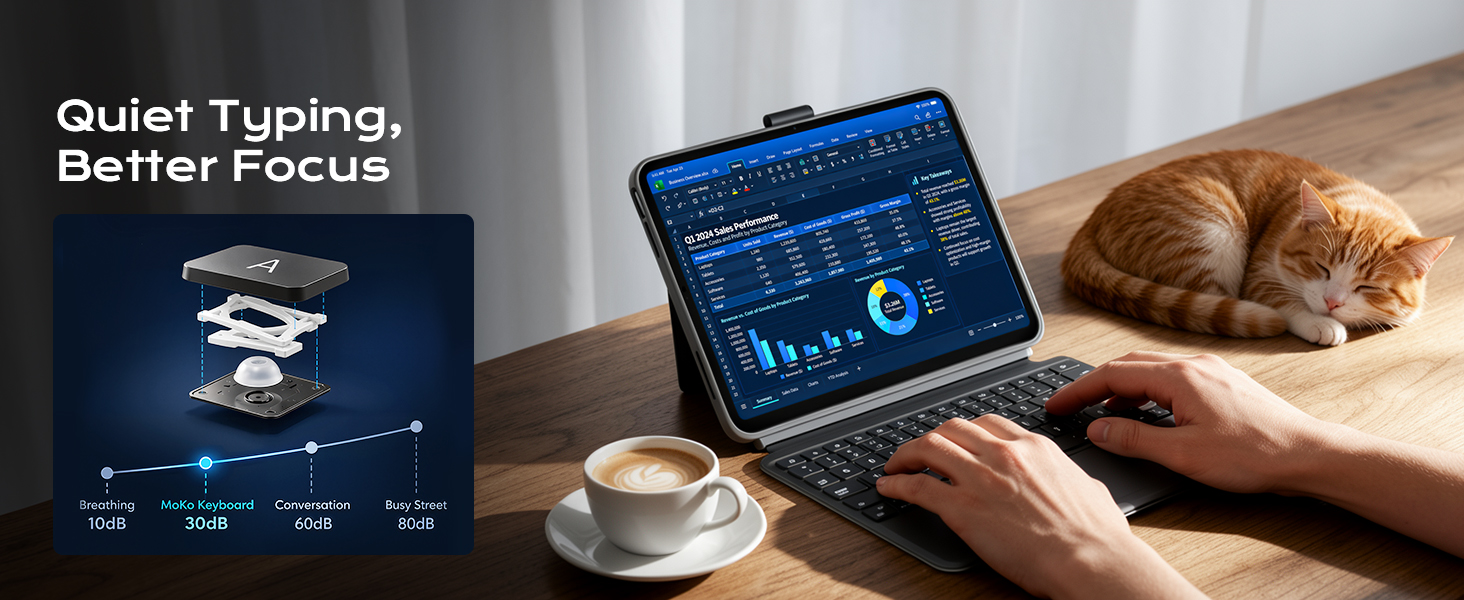
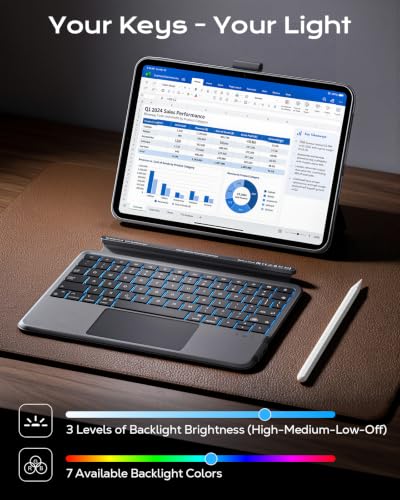
- Type Day and Night: This iPad 10th Gen Case with Keyboard comes with a backlight keys. The 3 brightness levels with 7 vibrant colors let you match the lighting to your space and add a personalized look to your iPad setup, which brings both function and style to your everyday iPad. Also, Scissor-switch keys deliver smooth, stable keystrokes, while helps minimize typing noise in quiet offices and meeting rooms.
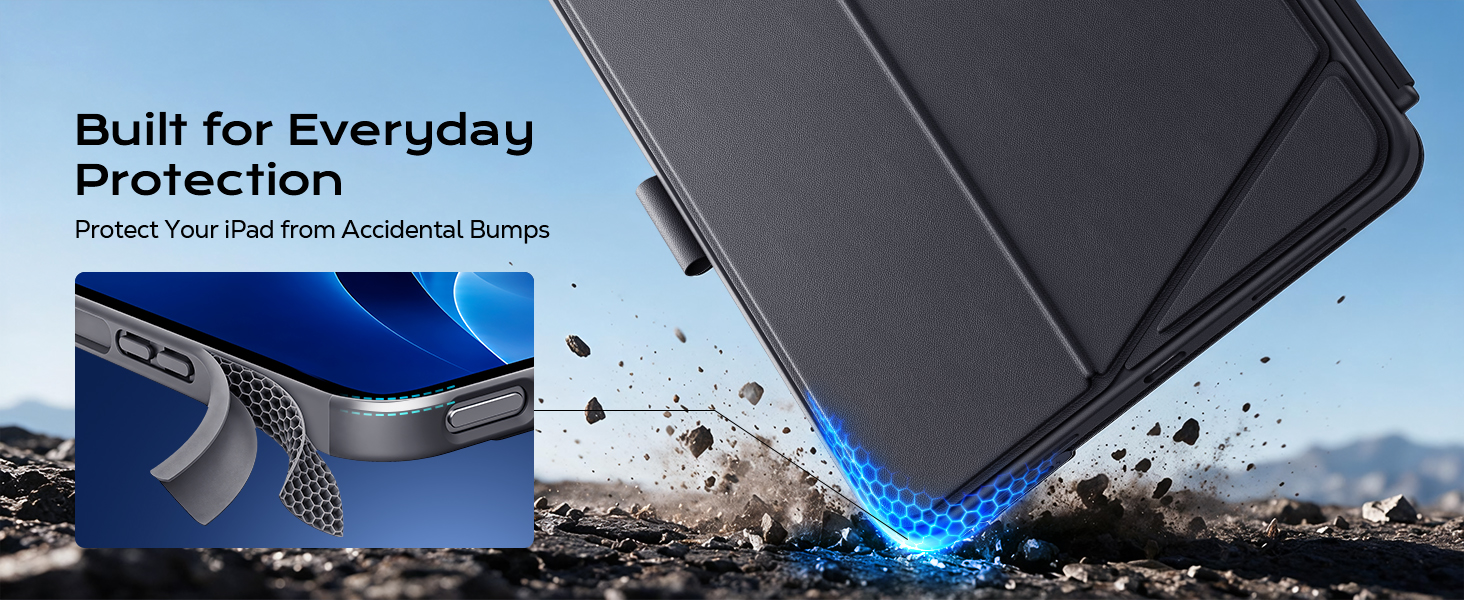
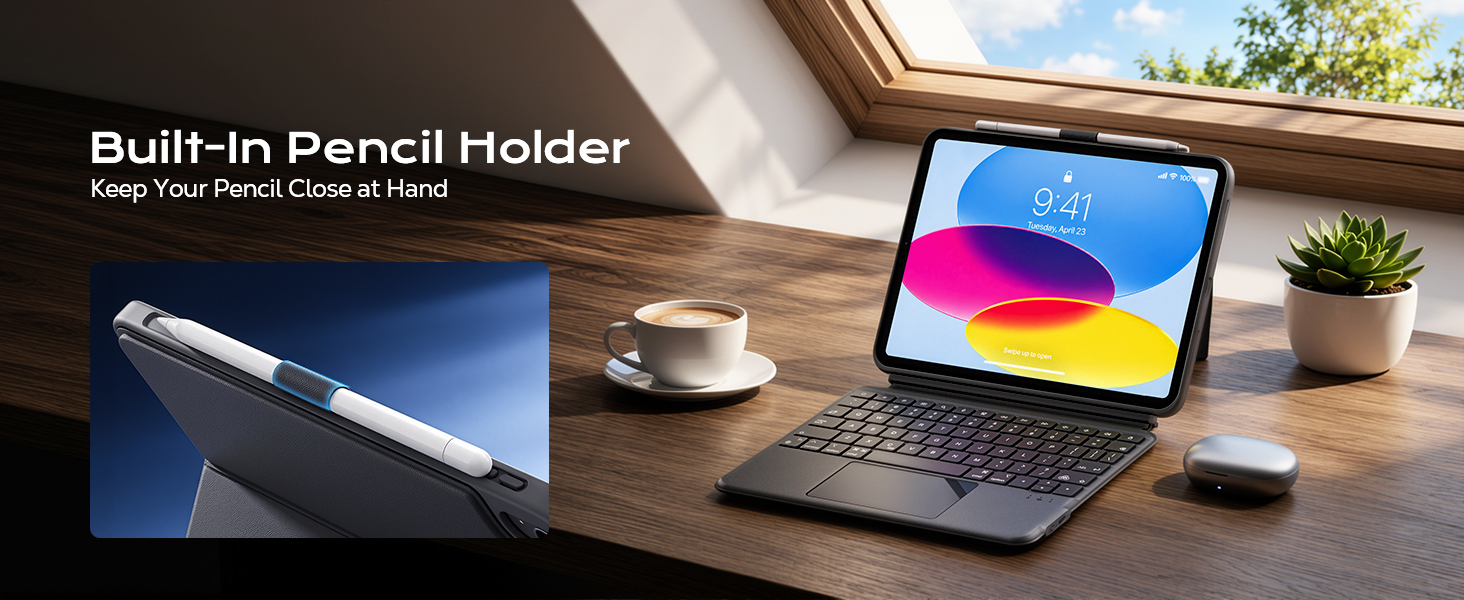
- Full Protection with Pencil Holder: The iPad A16 keyboard case is composed of reinforced Air guard corners and soft microfiber lining which offers unmatched protection to the iPad during use, on the go or in case of accidental knocks/falls; the stylus holder prevents your pencil from being scratched and falling off.
Is this case compatible with other 11-inch iPad Air or iPad Pro models?
Not recommended. The port openings may not align correctly with iPad Air or Pro 11-inch models. Only compatible with iPad 11th Gen 11-inch (A16, 2025) & iPad 10th Gen 10.9-inch (2022)
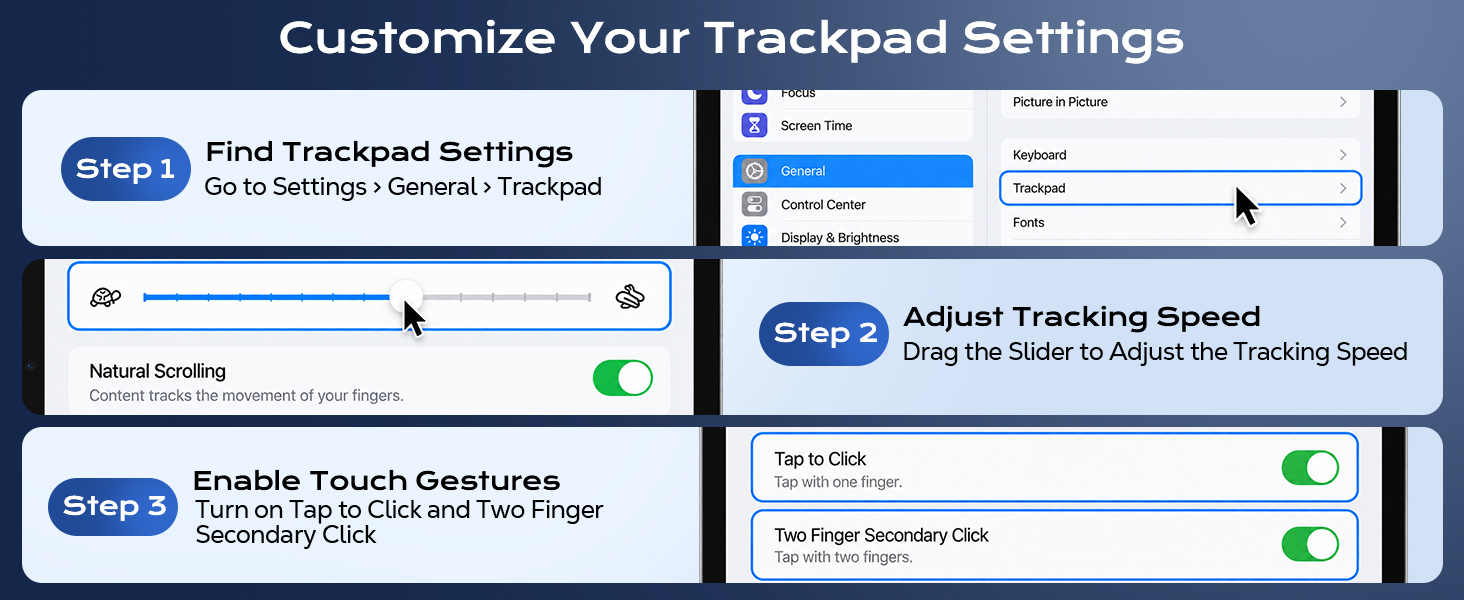
How can I adjust the tracking speed?
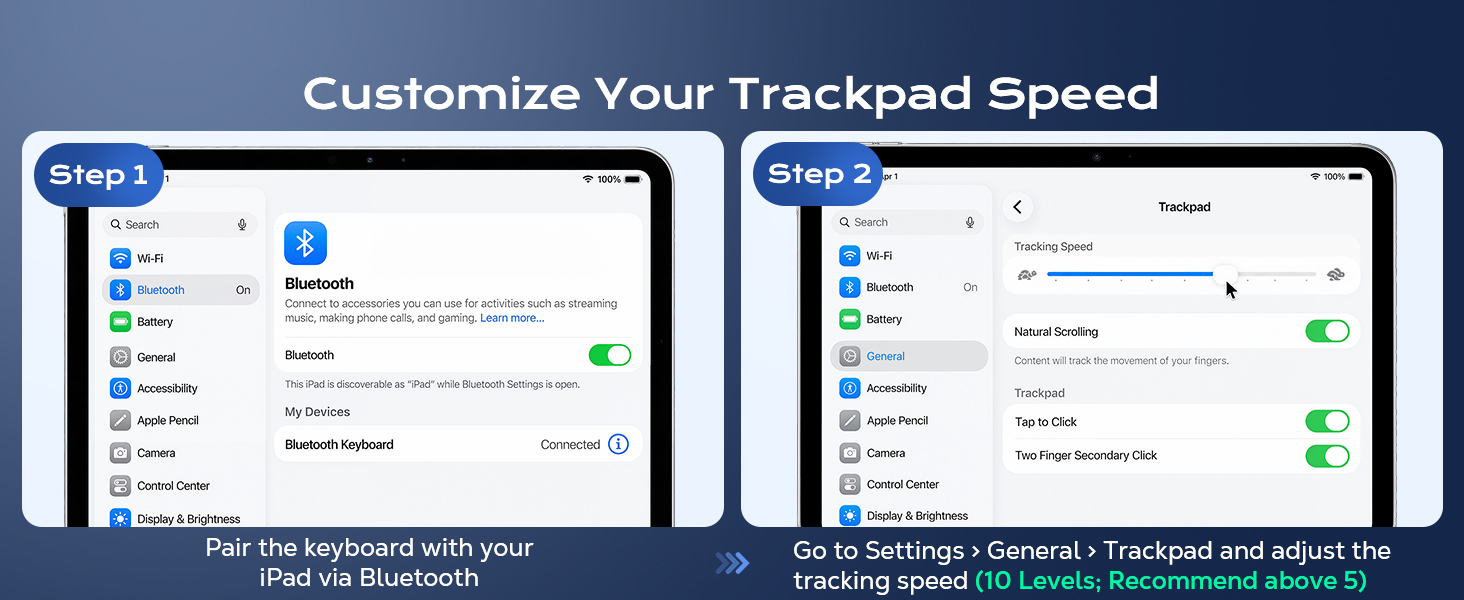
Pair your keyboard with your iPad via Bluetooth, then go to Settings > General > Trackpad and choose your preferred tracking speed. For smoother control, try a setting above 5.
How can I improve trackpad responsiveness?
If the trackpad or iPad screen feels sluggish or doesn’t respond as expected, go to Settings > Accessibility > Touch > AssistiveTouch and turn it off.
How do I enable clicking on the trackpad?
Connect the keyboard to your iPad via Bluetooth, go to Settings > General > Trackpad, and turn on Tap to Click.
Does the case include a stylus?
No. The stylus is not included, and the holder is designed for storage only. It does not support wireless charging.


| SKU: | B0HGFJYDQG |
| Brand: | MoKo |
| Model: | P840401481653 |
| Manufacture: | MoKo |
Product description
Is this case compatible with other 11-inch iPad Air or iPad Pro models?
Not recommended. The port openings may not align correctly with iPad Air or Pro 11-inch models. Only compatible with iPad 11th Gen 11-inch (A16, 2025) & iPad 10th Gen 10.9-inch (2022)
How can I adjust the tracking speed?
Pair your keyboard with your iPad via Bluetooth, then go to Settings > General > Trackpad and choose your preferred tracking speed. For smoother control, try a setting above 5.
How can I improve trackpad responsiveness?
If the trackpad or iPad screen feels sluggish or doesn’t respond as expected, go to Settings > Accessibility > Touch > AssistiveTouch and turn it off.
How do I enable clicking on the trackpad?
Connect the keyboard to your iPad via Bluetooth, go to Settings > General > Trackpad, and turn on Tap to Click.
Does the case include a stylus?
No. The stylus is not included, and the holder is designed for storage only. It does not support wireless charging.