Art Projector for Tracing and Drawing, White, No App Need
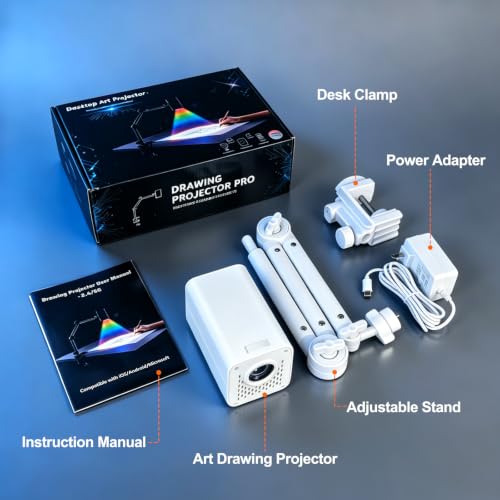
Art Projector for Tracing and Drawing, White, No App Need, Dual-Band 2.4G/5G WiFi, 1080P HD, Sketching for Artists/Beginners, Project Images on Canvas/Wall/Desk/Cake
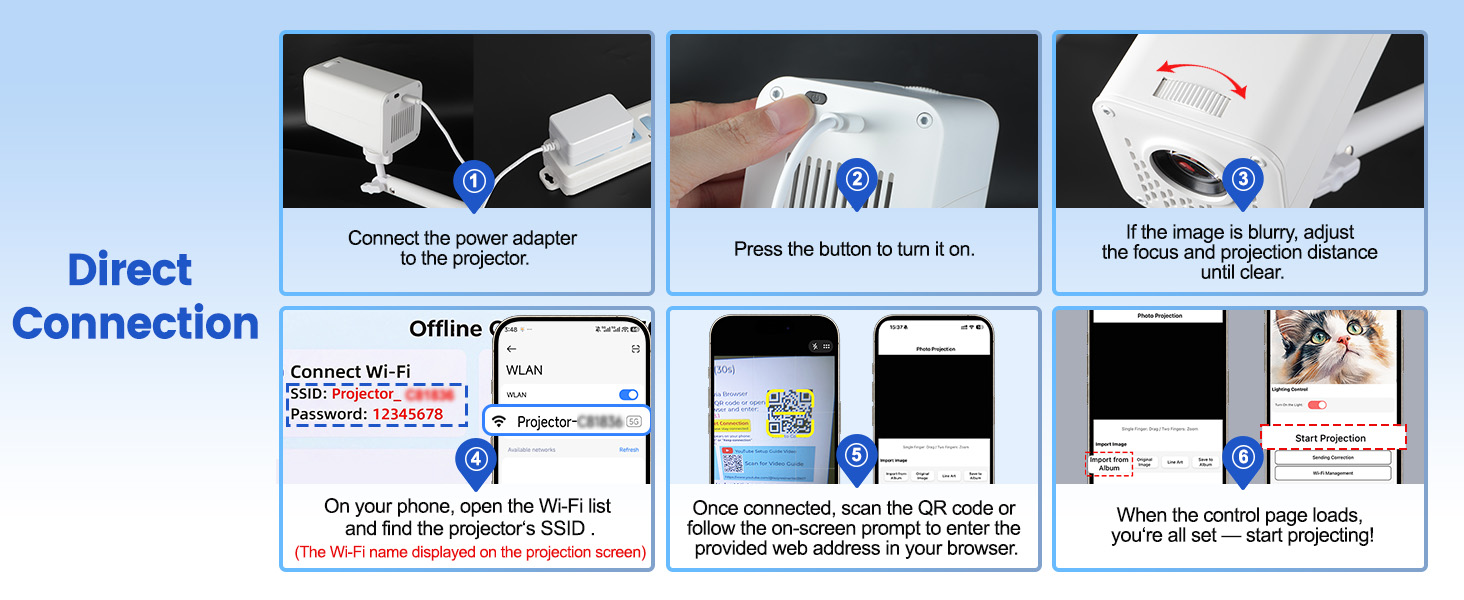
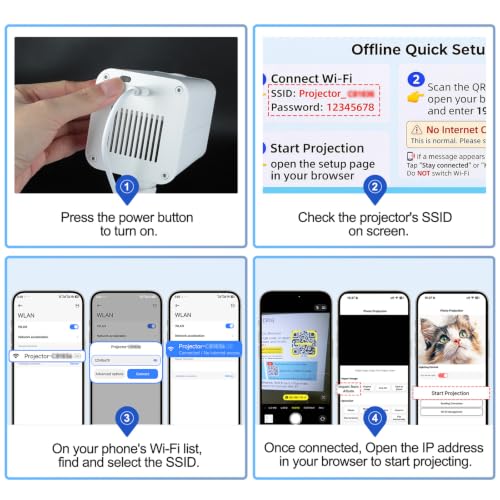
- Some common questions from customers: 1.The projector requires a plugged-in power source.2. After plugging in, press the power button to turn it on. 3.The SSID is the WiFi name — just connect your phone to the WiFi network generated by the projector after startup, and you're all set.
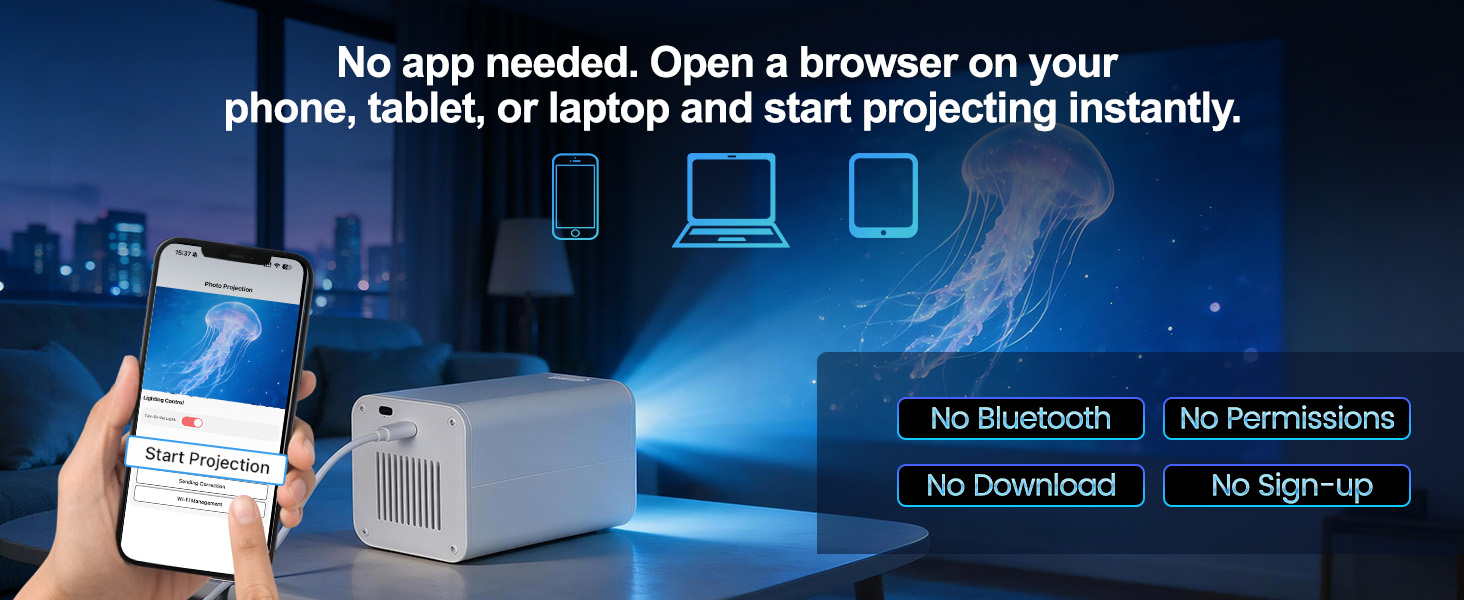
- NO APP NEEDED – WEB-BASED CONTROL IN SECONDS – Skip the downloads, registrations, and storage headaches. Simply open any web browser on your phone, tablet, or laptop, connect to the same WiFi network, and start projecting instantly. The upgraded dual-band (2.4G/5G) chip ensures a stable, lag-free connection
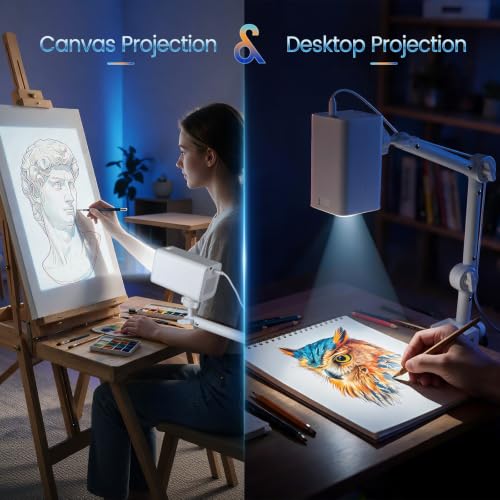
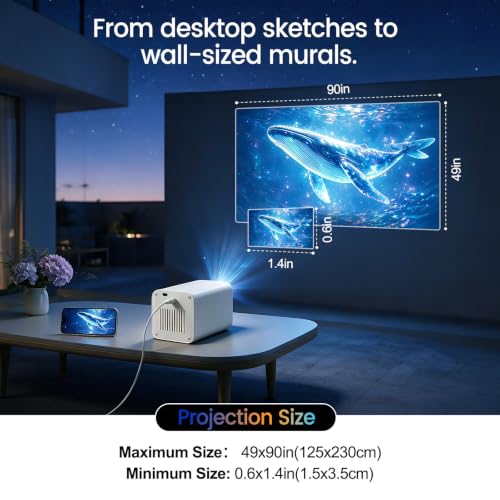
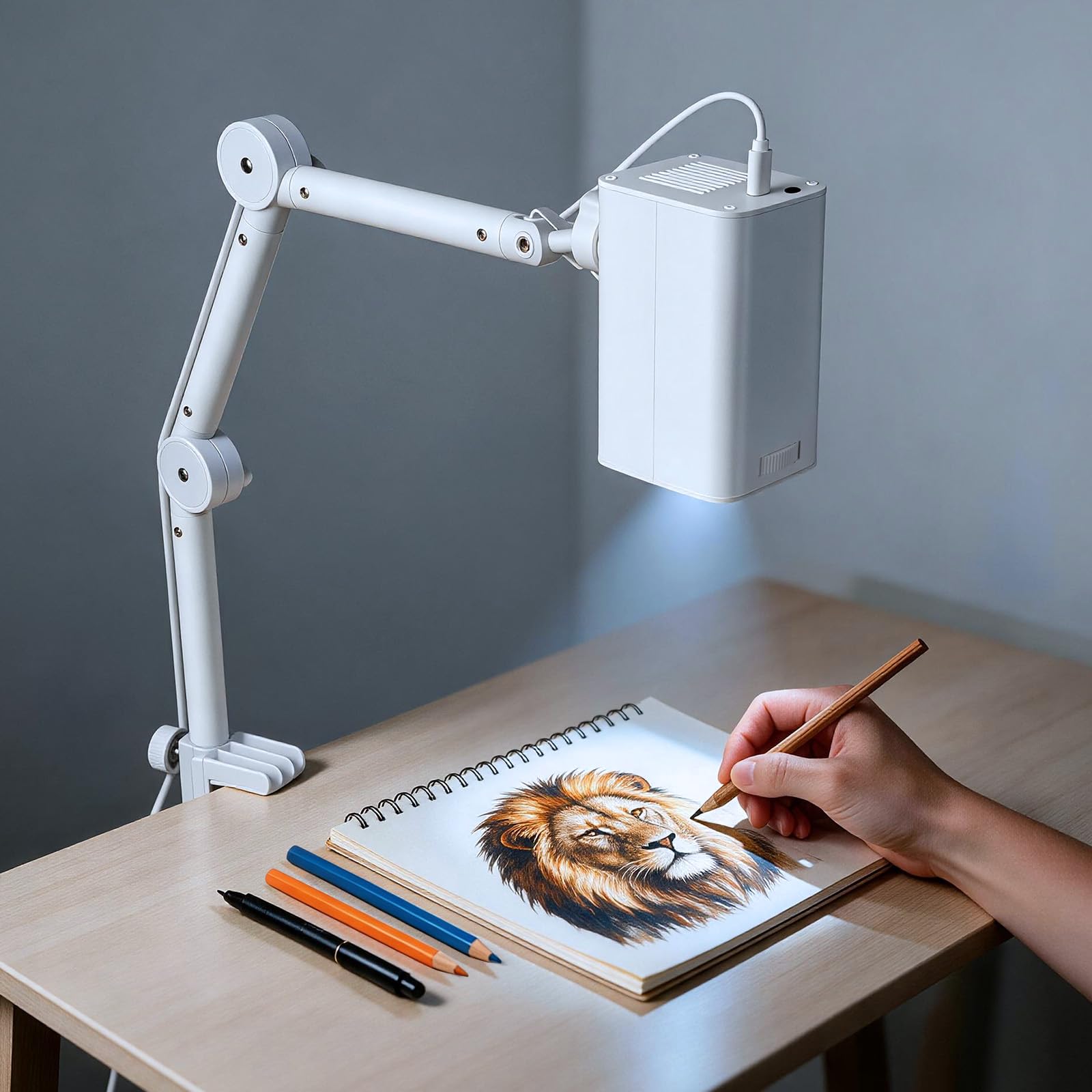
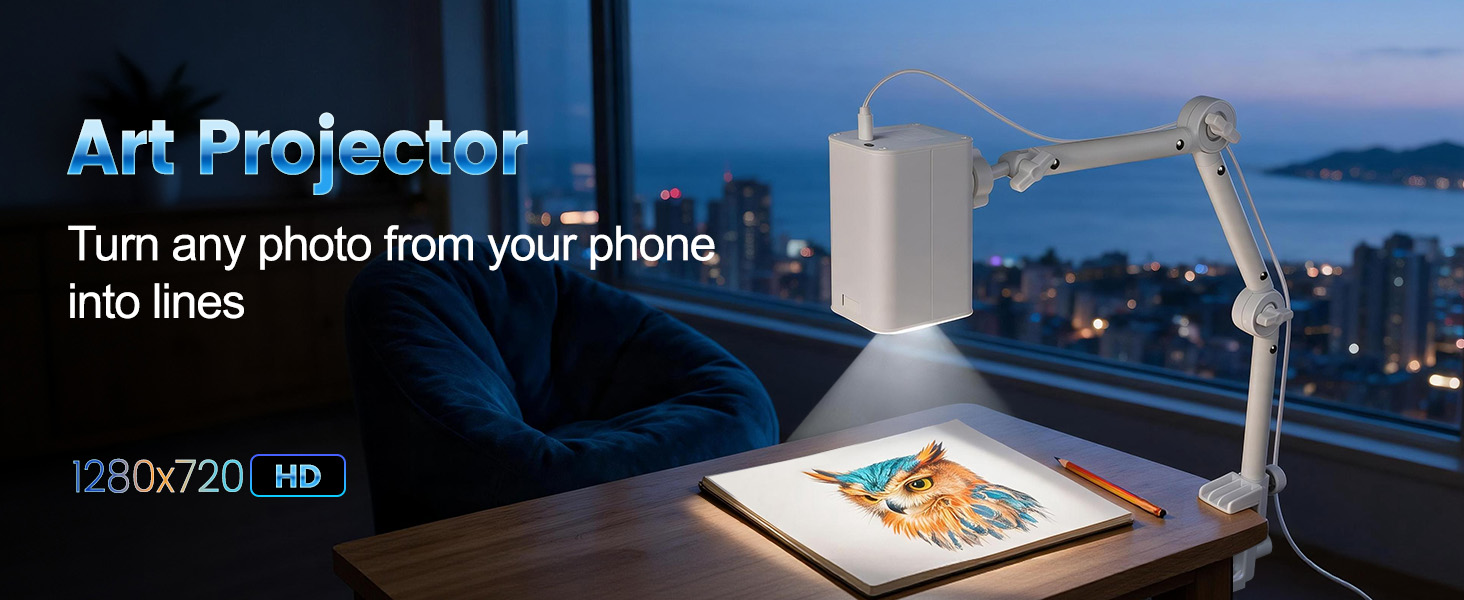
- ADJUSTABLE STAND – PROJECT ON ANY SURFACE – From canvas and sketch paper to desktops, walls, and even cake surfaces, our flexible stand lets you lock in the perfect angle for every project. Whether you‘re tracing fine details for a portrait, scaling up a mural design, or decorating cookies, crisp, clear projection adapts to your workspace.
- WORKS WITH ANY DEVICE – DRAG, ZOOM & ROTATE FREELY – Effortlessly connect with any iOS or Android smartphone or tablet—no pairing, no compatibility worries. Once connected, take full command of your reference image: drag to reposition, zoom in on fine details, or rotate 360° for the perfect alignment. You stay in control, so your creativity never hits a technical wall.
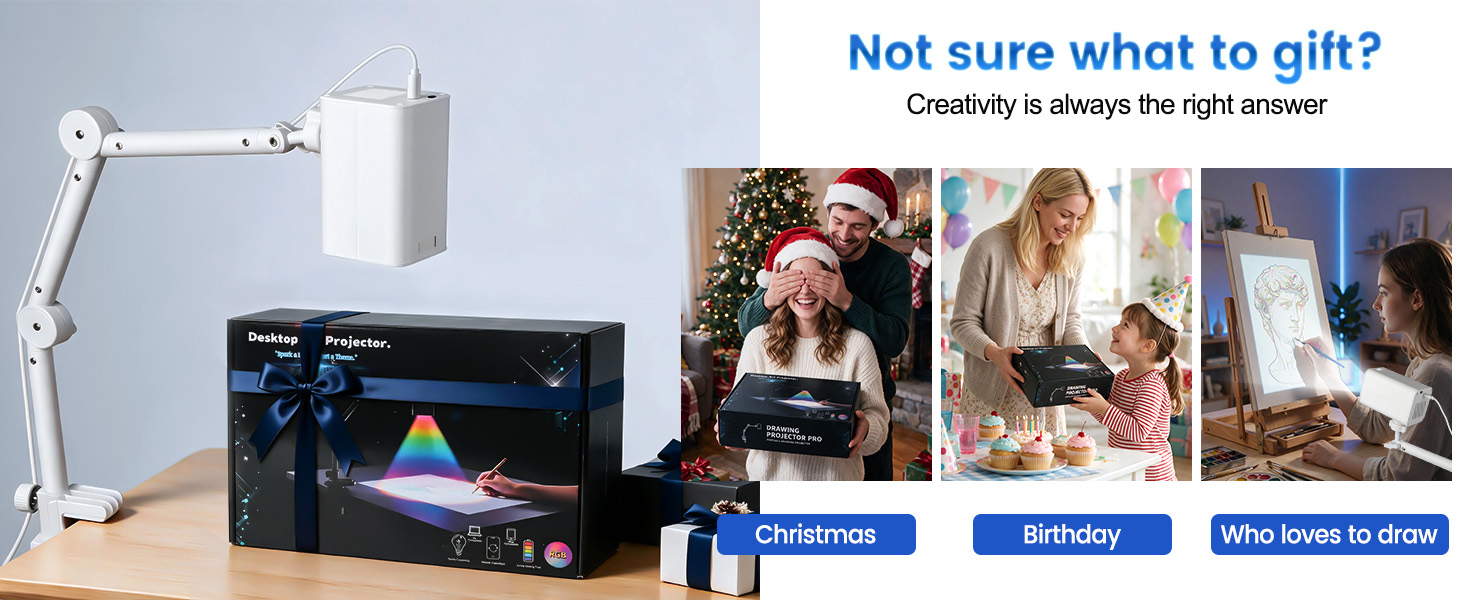
- MADE FOR CREATORS – FROM BEGINNERS TO CRAFT LOVERS – Whether you‘re a DIY enthusiast tackling your next project, a beginner painter learning the ropes, or a parent nurturing a child’s artistic spark, this projector brings your ideas to life with clarity and ease. Beautifully packaged, it‘s the perfect gift for birthdays, holidays, or any moment that calls for creative inspiration.
- PREMIUM WHITE FINISH – Break away from the sea of black projectors with our elegant matte-white edition. The refined surface resists fingerprints during daily use and wipes clean effortlessly with a soft cloth, so your equipment stays studio-fresh with minimal upkeep. It‘s a design statement that brightens any workspace—because the tools you use should inspire you the moment you unbox them.
Art Tracing Drawing Projector
Why cannot I find the projector Wi‑Fi hotspot in my Wi‑Fi list?
Ensure the drawing projector is fully powered on. Wait 30‑60 seconds for its Wi‑Fi hotspot to boot up. If still missing, power‑cycle the projector by unplugging and re‑plugging the power adapter.
Why can’t I project and cannot access the control page?
Failure to access the control page indicates no valid connection. Please make sure your device is successfully connected to the projector’s Wi‑Fi.
Why am I unable to connect to the projector’s Wi‑Fi?
This projector creates a local Wi‑Fi hotspot for device‑to‑device control only. Many smartphones will auto‑drop Wi‑Fi hotspots with no internet. So Do not tap “Switch Network” when the warning pop‑up appears.
What is the difference between Direct‑Connect Mode and Home Wi‑Fi Configuration Mode? Which mode should I use?
Direct‑Connect Mode is great if you operate the projector in different locations. The downside is you need to reconnect to the projector’s Wi‑Fi hotspot every time you want control access.
When should I use Home Wi‑Fi Configuration Mode?
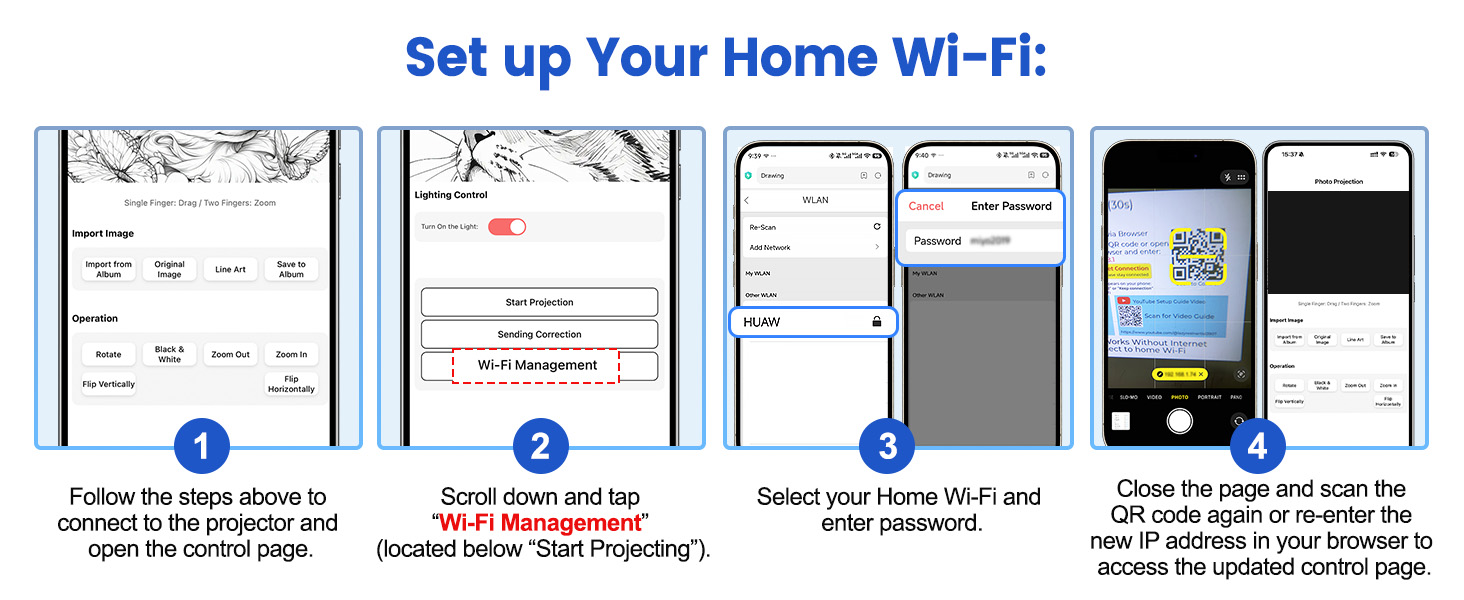
Home Wi‑Fi Configuration Mode works best for fixed‑location use, such as at home or your studio. This mode requires you to have your own home Wi‑Fi network for the projector to join.
Art Tracing Drawing Projector

| SKU: | B0H9XX75J7 |
| Brand: | JosenHoames |
| Colour: | White |
| Manufacture: | JosenHoames |
| Colour: | White |
Product description
 The video showcases the product in use.The video guides you through product setup.The video compares multiple products.The video shows the product being unpacked.
Art Tracing Drawing Projector
Why cannot I find the projector Wi‑Fi hotspot in my Wi‑Fi list?
Ensure the drawing projector is fully powered on. Wait 30‑60 seconds for its Wi‑Fi hotspot to boot up. If still missing, power‑cycle the projector by unplugging and re‑plugging the power adapter.
Why can’t I project and cannot access the control page?
Failure to access the control page indicates no valid connection. Please make sure your device is successfully connected to the projector’s Wi‑Fi.
Why am I unable to connect to the projector’s Wi‑Fi?
This projector creates a local Wi‑Fi hotspot for device‑to‑device control only. Many smartphones will auto‑drop Wi‑Fi hotspots with no internet. So Do not tap “Switch Network” when the warning pop‑up appears.
What is the difference between Direct‑Connect Mode and Home Wi‑Fi Configuration Mode? Which mode should I use?
Direct‑Connect Mode is great if you operate the projector in different locations. The downside is you need to reconnect to the projector’s Wi‑Fi hotspot every time you want control access.
When should I use Home Wi‑Fi Configuration Mode?
Home Wi‑Fi Configuration Mode works best for fixed‑location use, such as at home or your studio. This mode requires you to have your own home Wi‑Fi network for the projector to join.