USB C Laptop Docking Station Dual HDMI Monitor 10in1 Dongle
USB C Laptop Docking Station Dual HDMI Monitor 10in1 Dongle Type-C Hub Dock 2*4K@60Hz,100W PD,Gigabit Ethernet,Card Reader,USB3.0,Multi-port Adapter for Macbook Neo Pro IPad,Dell,HP,Surface,Laptop,USBC
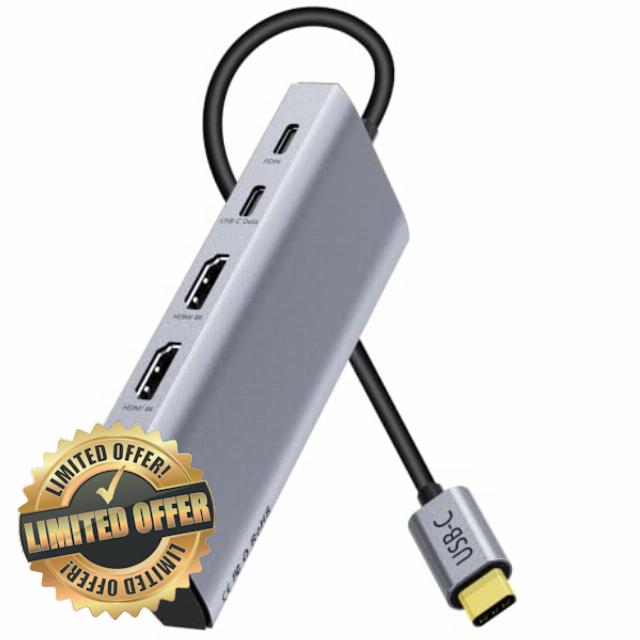
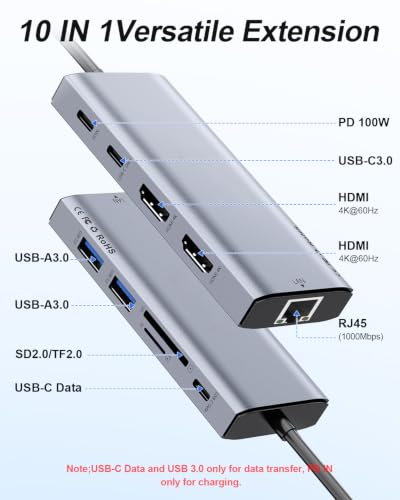
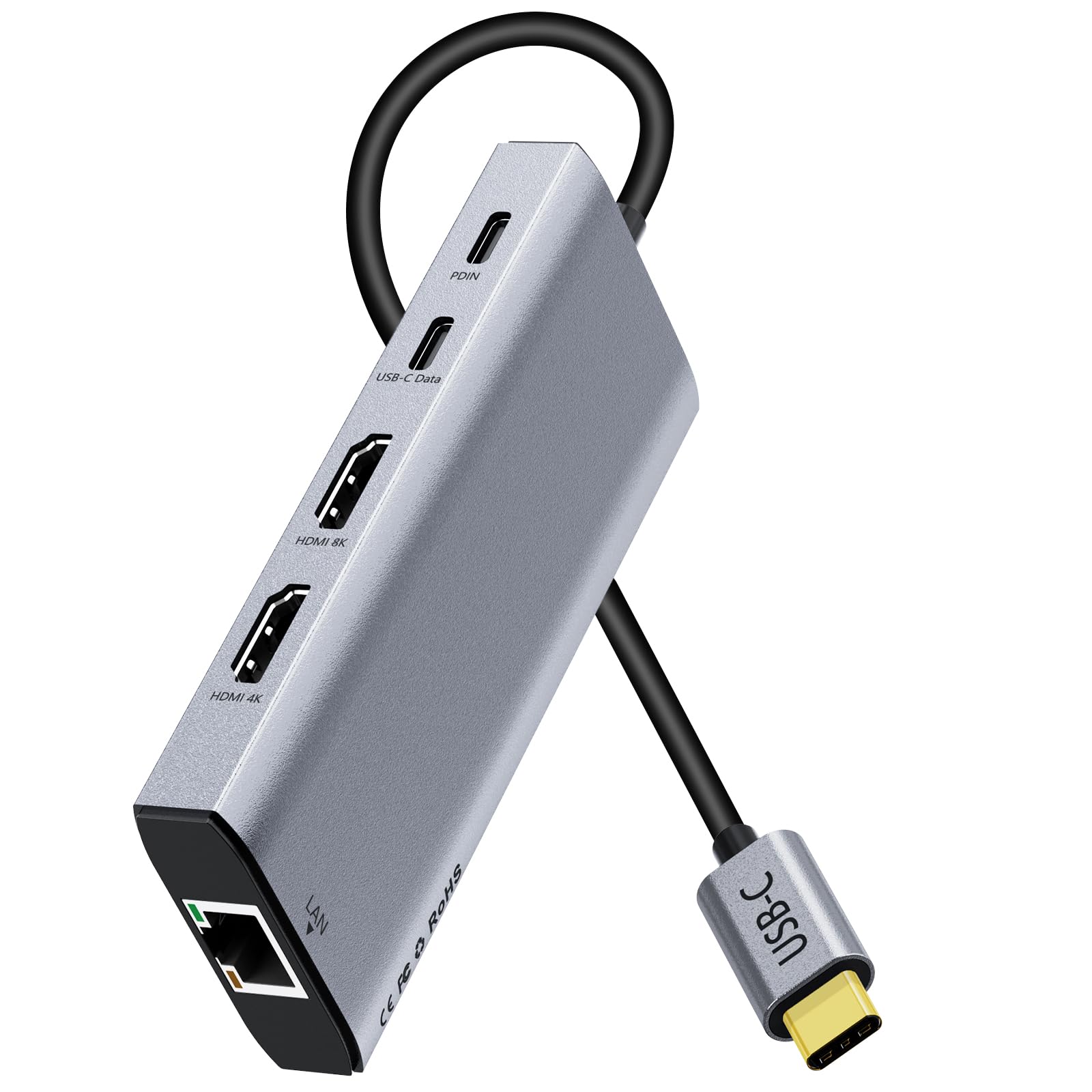
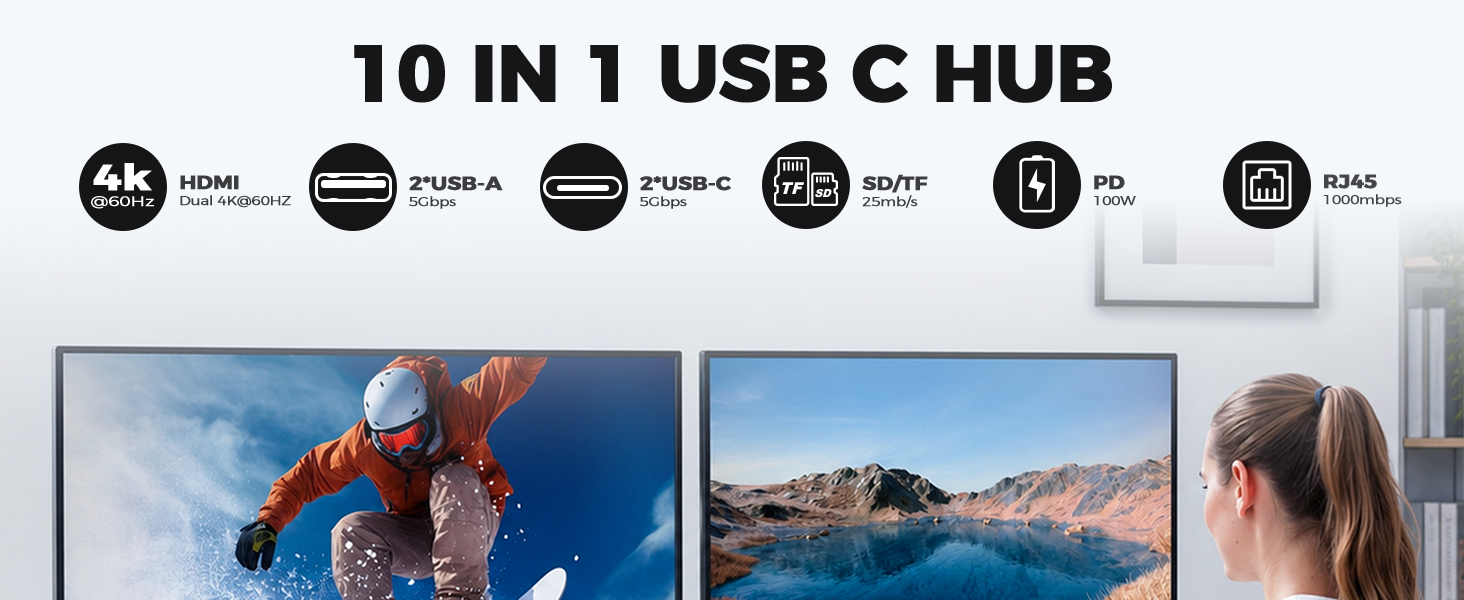
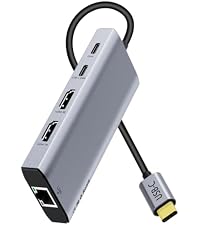
- 10-in-1 USB-C Docking Station: This Thunderbolt dock redefines the efficient office, featuring 2x HDMI-4K@60Hz, 2x USB-A 3.0, 2x USB-C data ports (5Gbps) + 100W PD pass-through fast charging, and an SD/TF card reader, making it a true USB hub and Ethernet powerhouse. Note: Before purchasing the USB-C splitter, make sure your computer’s USB-C port supports audio and video transmission and supports DisplayPort Alternate Mode (such as USB 4.0, Thunderbolt 3, or Thunderbolt 4).
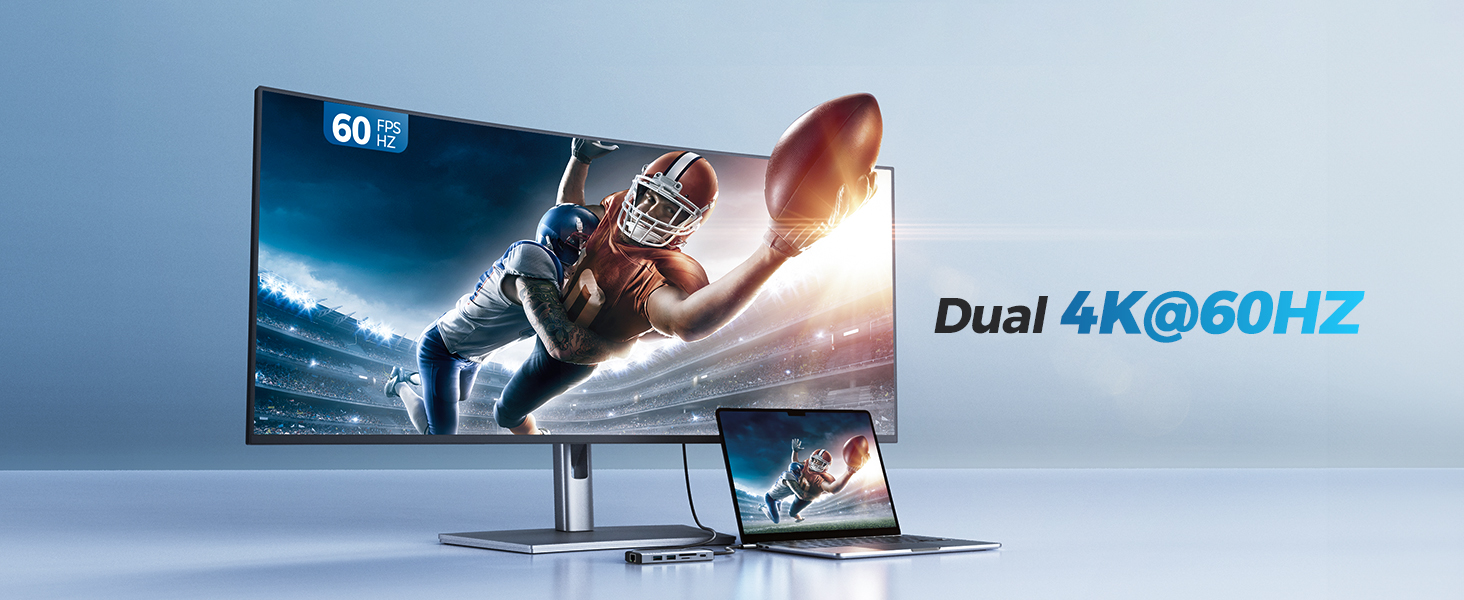
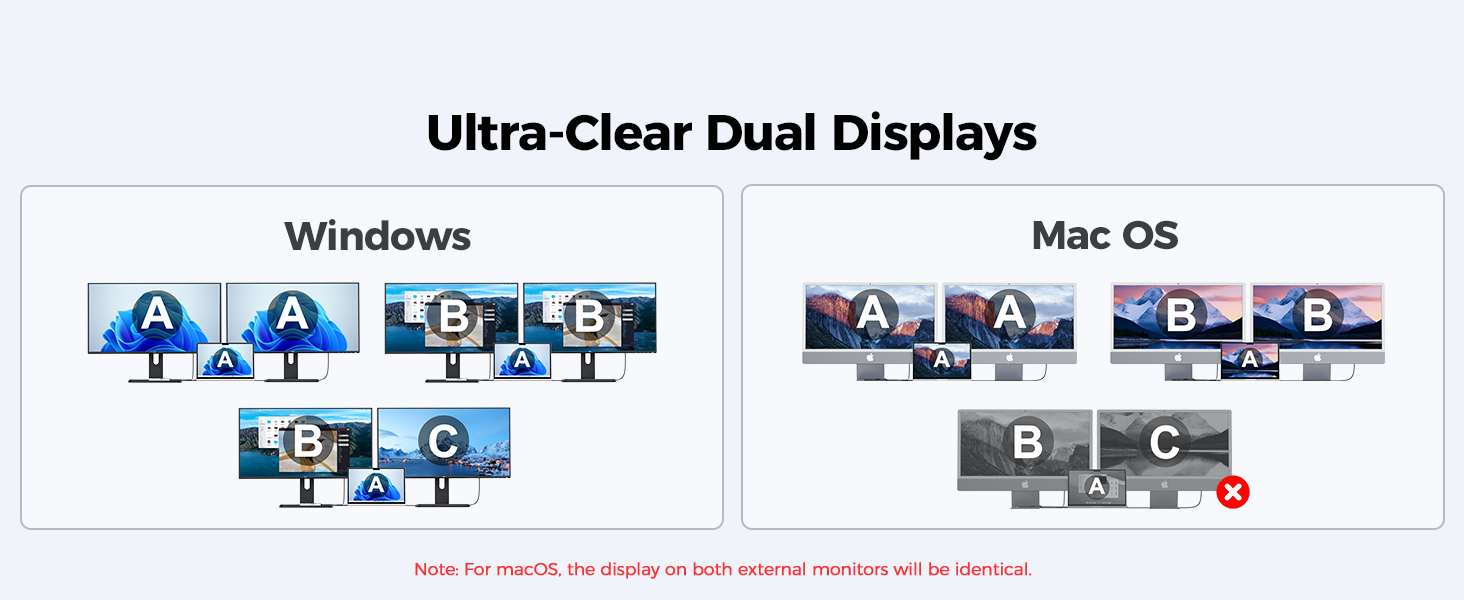
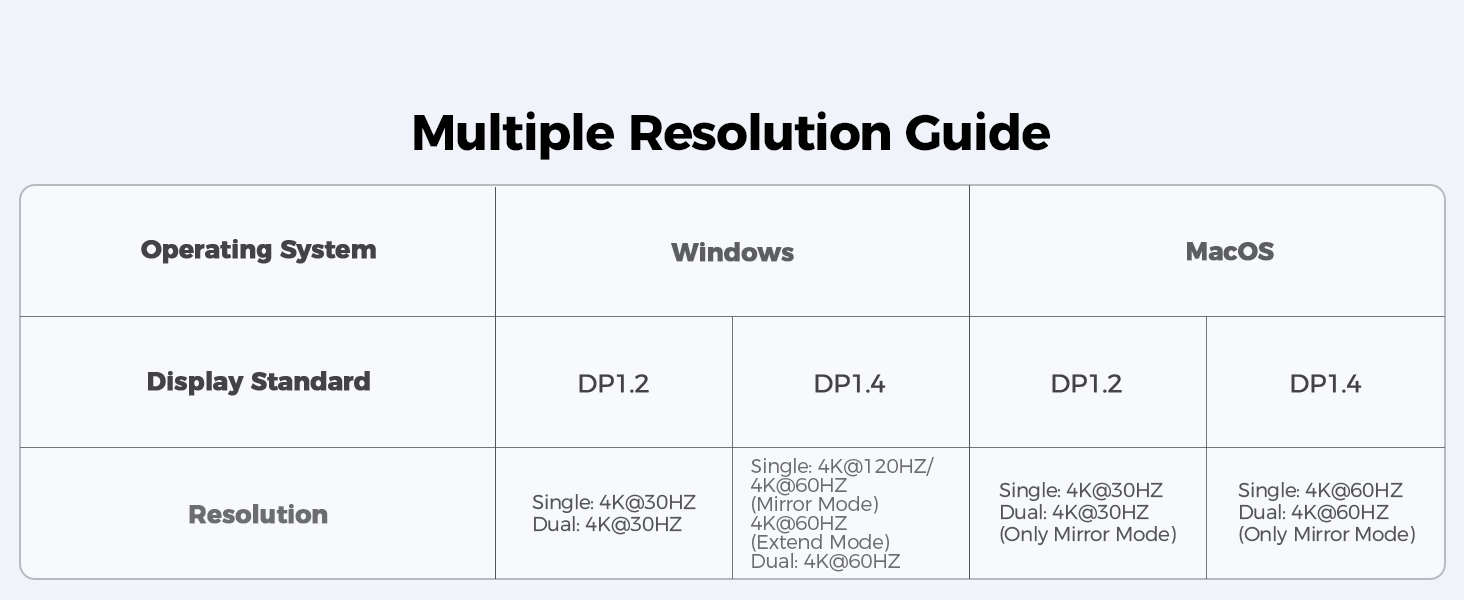
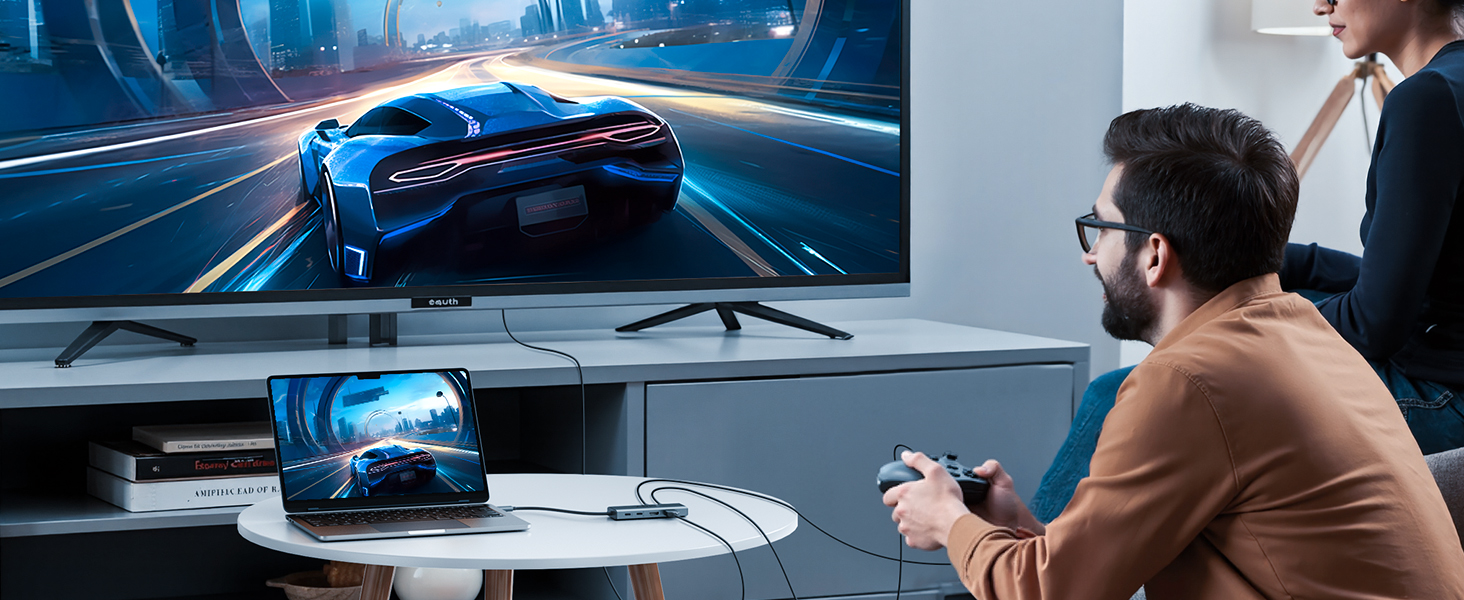
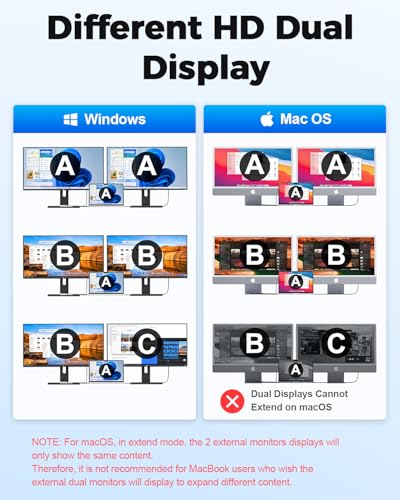
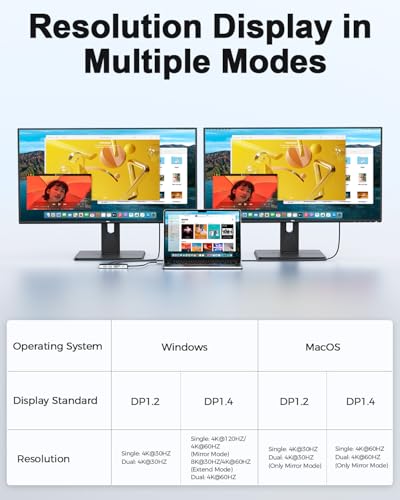
- Dual 4K Ultra HD Output: This dual-HDMI docking station supports dual 4K@60Hz video output, allowing you to freely choose between mirroring or extended display modes to easily meet your multitasking needs. As the ideal USB-C-to-HDMI adapter for MacBook and Windows laptops, it delivers a crisp and smooth visual experience, making both work and entertainment more immersive.(Note: 1. Please ensure your laptop supports DP 1.4. 2,Due to macOS limitations, all extended monitors will display the same content)
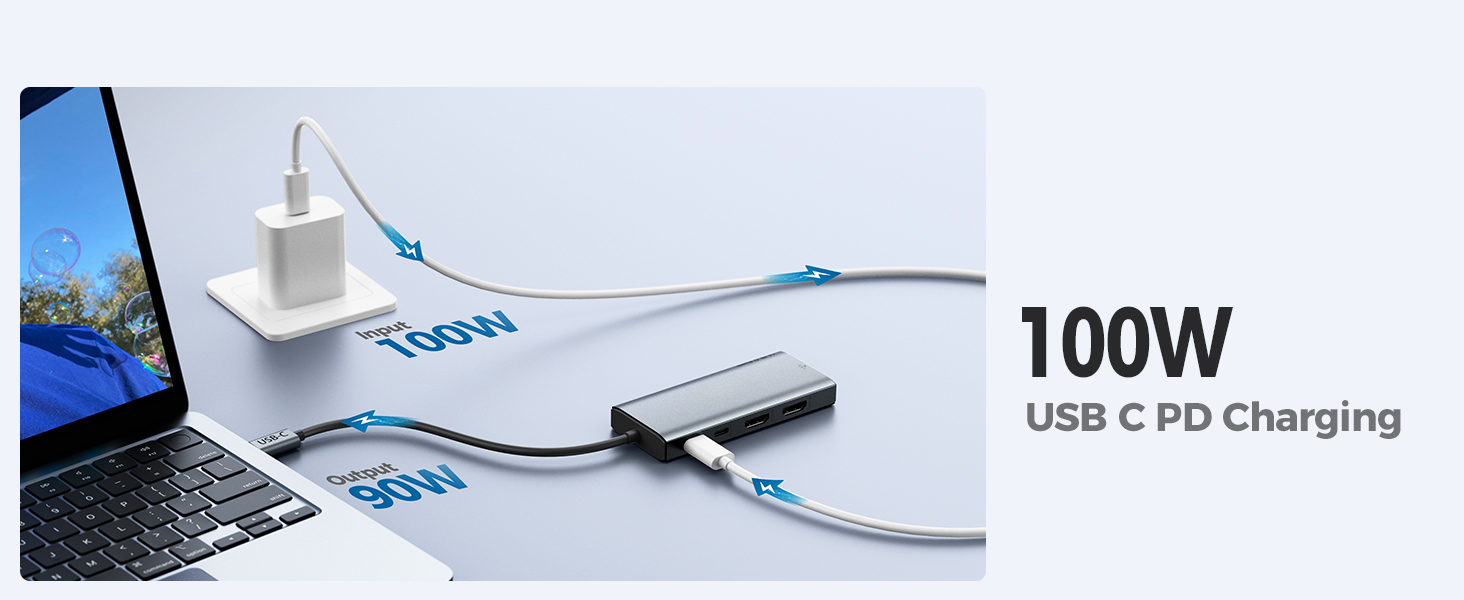
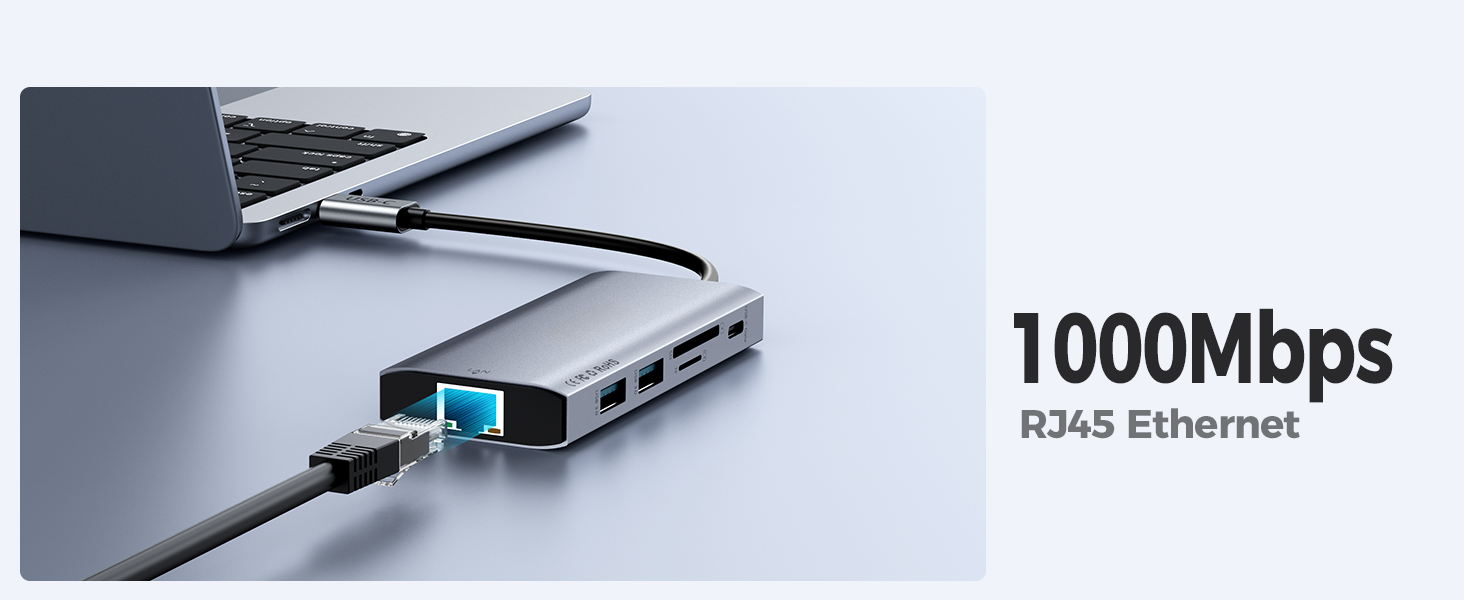
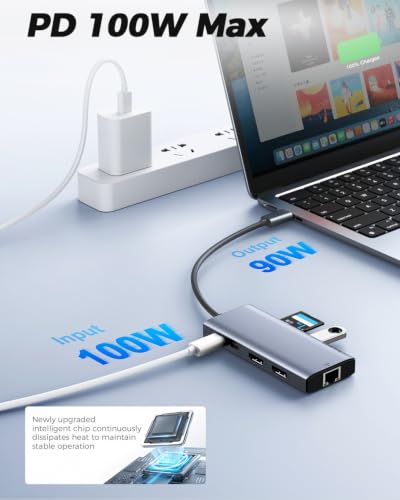
- 100W PD Pass-Through Fast Charging:The usb laptop hub has a USB Type C 100WPD charging port, which can quickly charge your laptop/tablet/phone when you use other ports. When the thunderbolt usb c hub is fully loaded, there is no need to worry about the laptop losing power. And when you work or play, you can connect to the 1000Mbps Ethernet port of the powered usb c to ethernet adapter, providing you with a stable and fast network, ensuring efficient and fast work and ultra fast internet experience.
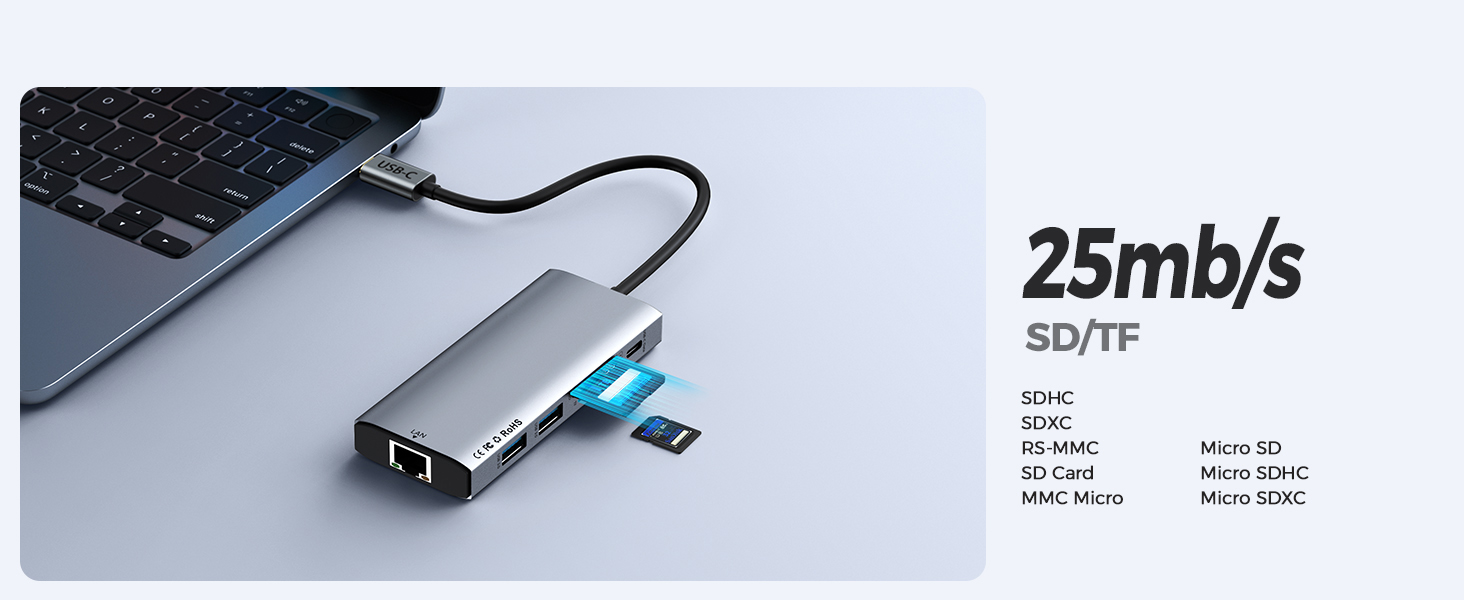
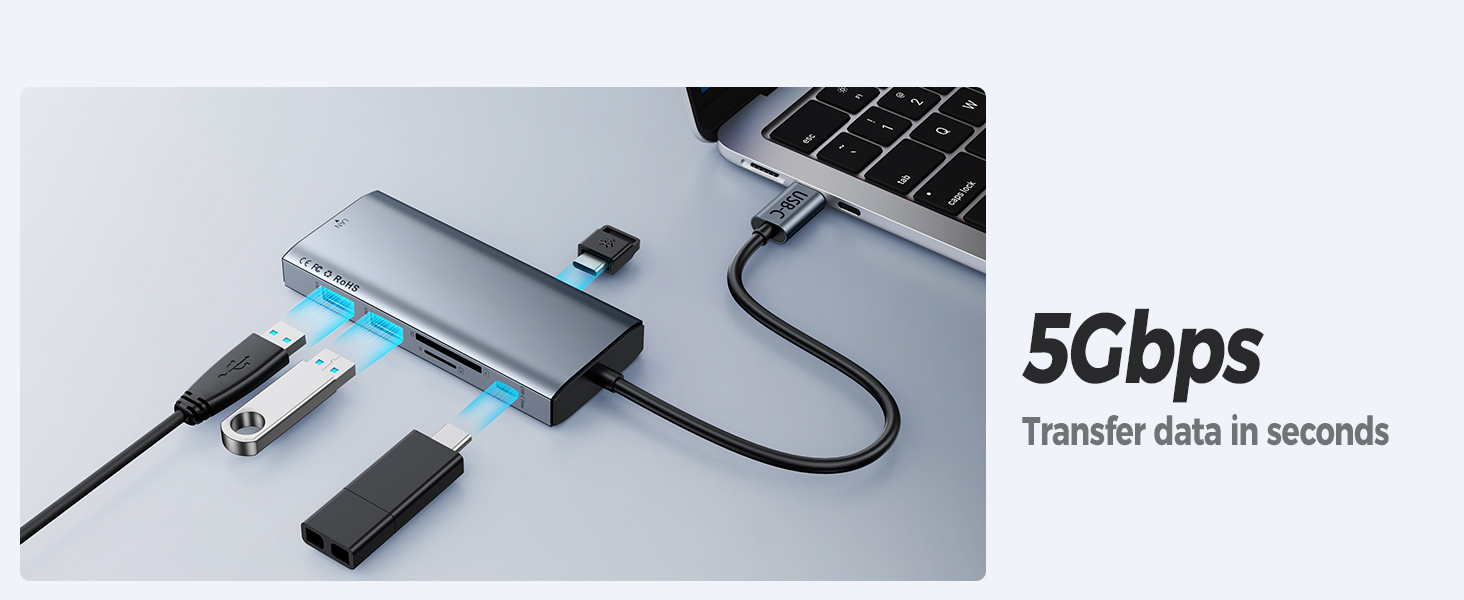
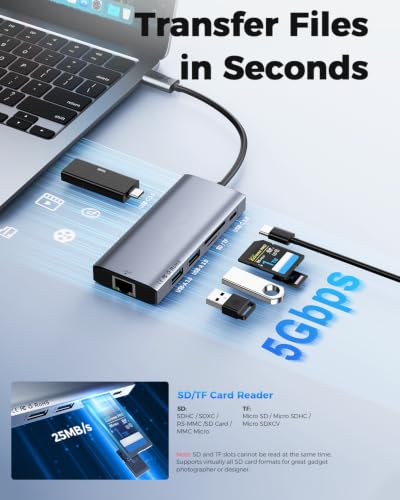
- 5Gbps Efficient Data Transfer :The USB-C dongle dock is equipped with 2 * USB A 3.0+2 * USB C3.0, both support 5Gbps data transfer and can transfer 1G movies within 3-5 seconds. 10 times faster than USB 2.0! In addition, it also has SD/TF card reader, support up to 25MB/s speed to transfer photos to laptops/phones and publish them to ins/Youtube/Facebook in the next second. Very suitable for photographers, designers, or video editors. (Note: SD/TF card cannot be read simultaneously)
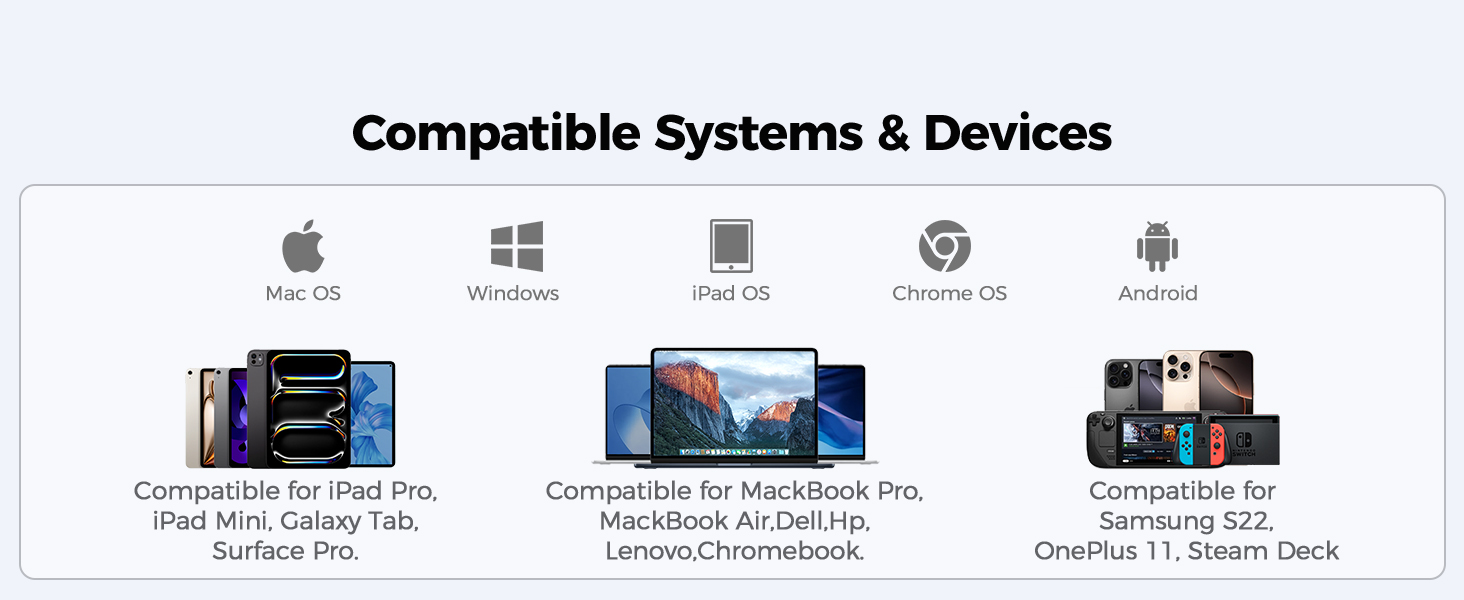
- Universal Compatibility:The usb hub for laptop is plug and play, compatible with almost USB-C devices, Thunderbolt 5/4/3 devices, such as MacBook Air,Asus, Xiaomi, Lenovo, HP, Razer computers; Samsung S10-S25, Iphone 17 and 16 series, and Android phones and tablets that support Type-C interface video and data output. Besides, the macbook docking station is support Windows/MacOS/ChromeOS/UNIX/LINUX systems.
| Model Number | KCH101-NEW |
| USB C Hub,10-in-1 Laptop Docking Station with Dual 4K@60Hz HDMI,100W PD,Gigabit Ethernet,SD/TF Card Reader,USB Data Ports–Type-C Multiport Adapter for Mac M1/M2/M3/M4/M5,Dell,HP,Surface,Steam Deck | |
| 2 Hdmi Displays | The usb c hub supports dual 4K@60HZ video outputs, bringing you a super clear visual feast and an unrivalled experience! |
| PD Charging | The USB C splitter extender provides pass-through charging for your computer with 100W input and 90W output, allowing your laptop to work without losing power, thus increasing your productivity! |
| Data Transfer | The usb c dock transfers movies, photos, and music at up to 5 Gbps via dual USB-A and dual USB-C ports. |
| Stable Network | The usb c to ethernet adapter's RJ45 Ethernet port provides up to 1000Mbps network with super-fast internet speeds for lag-free gaming! |
| Card Reader | The SD and microSD card slots support virtually all SD card formats for seamless access to photos and other media files. |
| Compatible Devices | MacBook Pro Neo(2015 / 2016 / 2017 / 2018 / 2019 -2025) ; MacBook Air (2018 / 2019 / 2020-2025) ; XPS (13 inch / 15 inch) ; Pixelbook (2017-2026);SAMSUNG Galaxy S22-S26;Iphone15/16/17 series etc. |
| Incompatible Devices | Nintendo Switch ; USB SuperDrive ; Original XPS 13 stock adapter etc. |
| Note 1 | To display content, the connected device must support DP Alt Mode. |
| Note 2 | When connecting 2 external monitors, Mac users will mirror the same image on the monitors connected via HDMI. (A+B+B) |
| Note 3 | Connect with computer, tablet, mobile phone. (Mobile phone/tablet need to support OTG, support AIT MODE protocol video output products such as 8K video need to be fully loaded Thunderbolt 4 protocol, Apple computers do not support 8K video for the time being) |
USB Docking station
| Add to Cart Add to Cart Add to Cart Add to Cart | |||||||
| Customer Reviews | 4.4 out of 5 stars2,330 | 4.4 out of 5 stars2,330 | 4.4 out of 5 stars2,330 | 4.4 out of 5 stars2,330 | 4.4 out of 5 stars126 | 4.4 out of 5 stars126 | 4.3 out of 5 stars188 |
| Price | $29.97$29.97 | $67.98$67.98 | — | — | $36.99$36.99 | $36.99$36.99 | — |
| Maximum Resolution | 4K@60Hz | 2K@60Hz | 2K@60Hz | 2K@60Hz | 4K@60Hz | 4K@60Hz | 2K@60Hz |
| Laptop Connection | USB C | USB A or USB C | USB A or USB C | USB A or USB C | USB C | USB C | USB A or USB C |
| USB-A Data Port | 2*USB 3.0 | 2*USB 3.0 | 2*USB 3.0 | 2*USB 3.0 | 2*USB 3.0 | 2*USB 3.0 | No |
| USB-C PD Input | PD 100W | No | No | No | PD 100W | PD 100W | No |
| Ethernet Port | 1 | 1 | 1 | 1 | 1 | 1 | No |
| USB-C Data Port | 2 | No | No | No | 2 | 2 | No |
| Video | 2*HDMI | 2*HDMI+VGA | 2*HDMI+VGA | 2*HDMI+VGA | 2*HDMI | 2*HDMI | 2*HDMI |
| Audio | No | 2 | 2 | 2 | No | No | 2 |


| SKU: | B0H5NDJNPR |
| Brand: | Giq |
| Colour: | 10 in 1 Grey |
| Manufacture: | Shenzhen HongTian Electronics Co.,Ltd. |
| Colour: | 10 in 1 Grey |
Product description

| Model Number | KCH101-NEW |
| Product Description | USB C Hub,10-in-1 Laptop Docking Station with Dual 4K@60Hz HDMI,100W PD,Gigabit Ethernet,SD/TF Card Reader,USB Data Ports–Type-C Multiport Adapter for Mac M1/M2/M3/M4/M5,Dell,HP,Surface,Steam Deck |
| 2 Hdmi Displays | The usb c hub supports dual 4K@60HZ video outputs, bringing you a super clear visual feast and an unrivalled experience! |
| PD Charging | The USB C splitter extender provides pass-through charging for your computer with 100W input and 90W output, allowing your laptop to work without losing power, thus increasing your productivity! |
| Data Transfer | The usb c dock transfers movies, photos, and music at up to 5 Gbps via dual USB-A and dual USB-C ports. |
| Stable Network | The usb c to ethernet adapter’s RJ45 Ethernet port provides up to 1000Mbps network with super-fast internet speeds for lag-free gaming! |
| Card Reader | The SD and microSD card slots support virtually all SD card formats for seamless access to photos and other media files. |
| Compatible Devices | MacBook Pro Neo(2015 / 2016 / 2017 / 2018 / 2019 -2025) ; MacBook Air (2018 / 2019 / 2020-2025) ; XPS (13 inch / 15 inch) ; Pixelbook (2017-2026);SAMSUNG Galaxy S22-S26;Iphone15/16/17 series etc.. |
| Incompatible Devices | Nintendo Switch ; USB SuperDrive ; Original XPS 13 stock adapter etc. |
| Note 1 | To display content, the connected device must support DP Alt Mode. |
| Note 2 | When connecting 2 external monitors, Mac users will mirror the same image on the monitors connected via HDMI. (A+B+B) |
| Note 3 | Connect with computer, tablet, mobile phone. (Mobile phone/tablet need to support OTG, support AIT MODE protocol video output products such as 8K video need to be fully loaded Thunderbolt 4 protocol, Apple computers do not support 8K video for the time being) |
USB Docking station
 10 in 1 USB C Hub-Gray |  USB Docking Station |  USB 3.0 Docking Station | 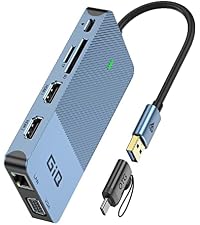 USB-C/3.0 Docking Station | 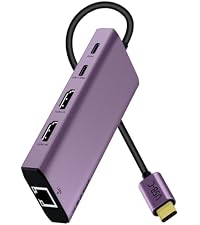 10 in 1 USB C Hub-Purple | 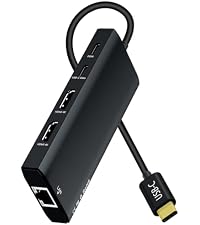 10 in 1 USB C Hub-Black | 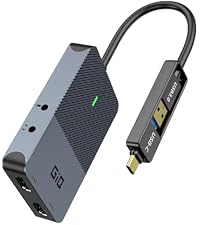 Giq HDMI Splitter | |
|---|---|---|---|---|---|---|---|
| Customer Reviews | 4.4 out of 5 stars2,330 | 4.4 out of 5 stars2,330 | 4.4 out of 5 stars2,330 | 4.4 out of 5 stars2,330 | 4.4 out of 5 stars126 | 4.4 out of 5 stars126 | 4.3 out of 5 stars188 |
| Price | $29.97 | $67.98 | — | — | $36.99 | $36.99 | — |
| Maximum Resolution | 4K@60Hz | 2K@60Hz | 2K@60Hz | 2K@60Hz | 4K@60Hz | 4K@60Hz | 2K@60Hz |
| Laptop Connection | USB C | USB A or USB C | USB A or USB C | USB A or USB C | USB C | USB C | USB A or USB C |
| USB-A Data Port | 2*USB 3.0 | 2*USB 3.0 | 2*USB 3.0 | 2*USB 3.0 | 2*USB 3.0 | 2*USB 3.0 | No |
| USB-C PD Input | PD 100W | No | No | No | PD 100W | PD 100W | No |
| Ethernet Port | 1 | 1 | 1 | 1 | 1 | 1 | No |
| USB-C Data Port | 2 | No | No | No | 2 | 2 | No |
| Video | 2*HDMI | 2*HDMI+VGA | 2*HDMI+VGA | 2*HDMI+VGA | 2*HDMI | 2*HDMI | 2*HDMI |
| Audio | No | 2 | 2 | 2 | No | No | 2 |
Good optio
Good option for connecting accessories to your laptop. I have a keyboard, mouse and portable screens and there aren’t enough ports without this docking station. Helps me be more efficient.
Another great hub for two monitors setup and LAN connection. Doesn’t overheat, works stable with ethernet, 2 monitors and sd card being plugged in. Tons of ports and power – handles keyboard, mouse, flash stick and iPhone charge at the same time without issues (again, this is with 2 monitors and LAN). Great lovely device for traveling and quick connect.
Color perfectly matches imacs!
My new tower only had two HDMI outputs and I was pretty used to my 3-monitor setup. This is working out quite well, seems to draw enough power from my PC. Before I had 2 DVI with DVI->DisplayPort adapters and one HDMI.. now I have one DVI with DVI->HDMI in the computer itself and two HDMI cables going into this. I had thought I might need to use the VGA port, but ended up I didn’t need to. I kept getting wonky colors when I did try it; however I suspect that’s just the name of the game with those old cables. It did work (and colors were fine when jiggled) so know it is an option where needed. I’m docking one store just because I think it’s a bit overpriced for what it is.. I’d give it 4.5 if I could!
I have a relatively new Acer Aspire5 and a four year old HP x360 laptop. I originally bought a different mini-dock that said no additional drivers were needed, and it would not work on either of my machines. This unit works perfectly on both, with all features available from either USB3-A or C ports. I am currently running it with two additional HDMI monitors at 1920×1080 resolution without an external power supply, and the dock’s USB3 ports are also working fine at true SuperSpeed.
The installation of the necessary DisplayLink driver was painless, and no application needs to be started on the laptop before you connect the mini-dock. Connecting and disconnecting the laptop works as simply as it did before
The documentation supplied is very limited and typical poor Chinese translation, but you can get a lot more information by just taking the time to wade through the many pages of questions/answers on this site. Here are a couple of things I gleaned from there that are not at all clear in the documentation:
1. The dock has a USB-C port, but it cannot be used for anything at all except power IN to the dock from an external power source, and that power in is not passed back out to your computer. It is ONLY used to power the dock if you need to attach too many hard drives or other power-hungry devices. You will still need to attach your normal laptop power supply to keep your computer charged. This is a slight negative since it is both confusing, AND you loose all access to a USB-C port if you need to run this mini-dock from a laptop that has only a single USB-C output. The good news is that the mini-docks works perfectly from a USB3-A port, so you can leave your laptop’s single USB-C port available for other devices.
2. If you are connecting multiple monitors, the output resolution to all of them will be limited to 1920×1080, and you might also need that external power supply I mentioned above.
My job bought this adapter so I could attach two more monitors to my third monitor. It works very well. It is lightweight, so I can easily carry it in my purse when I take my work laptop home. I ended up buying one to use at home when I bought a second large wide screen monitor. It has a short cable, so you would need to attach longer cables to it. It doesn’t have a many USB-A ports as I would like, but you can attach a second USB-A adapter to it to add more USB-A ports, if needed. It’s best benefit is the ability to attach two monitors.
Adattatore comodo e funzionale
Ho acquistato questo adattatore per rendere un pochino pi agevole il passaggio cavi sulla mia postazione da smart working.
Una volta ricevuto l’oggetto, la prima cosa che ho notato stato il packaging e l’aspetto esteriore dell’oggetto: la scatola molto gradevole e anche il design e i materiali sono pregevoli anche se avrei preferito un cavetto pi lungo.
Le dimensioni non sono eccessive e il quantitativo di porte pi che adeguato.
All’interno della scatola presente un cavo USB, di cui per non ho avuto necessit in quanto questo adattatore riceve tutta l’energia necessaria dalla porta USB, che pu essere di tipo A oppure di tipo C attraverso l’adattatore contenuto nella confezione.
Prima di collegarlo ho scaricato i driver necessari alla gestione multimonitor dal sito della Synaptics, dato che recentemente ha acquisito la tecnologia DisplayLink. Sul microsoft store presente anche un app per la gestione audio / video dei monitor ma si riesce a fare tutto anche solo col pannello di controllo di windows.
E’ da precisare che per poter utilizzare la modalit estesa dei monitor necessario che entrambi siano collegati tramite HDMI. Altra nota da ricordare che solo la porta 1 dell’HDMI permette anche il passaggio audio.
Non so come si comporti a pi alte risoluzioni ma attualmente gestisce due monitor in fullHD senza particolari problemi, sfarfallii o instabilit della connessione.
Pertanto mi sento di consigliare l’oggetto.
Perfect All-In-One Solution for Dual Displays!
This docking station is exactly what I needed to clear the clutter off my desk. The 4K resolution and the split-screen extension across two different monitors are fantastic and have completely changed my workflow.I can connect all my peripheral devices to this one dock, making my setup look much cleaner. The USB-C dongle on the front is an amazing addition, as it lets me easily switch between my MacBook and Windows laptop without any hassle. The build quality is exceptional….very high-quality aluminum that feels like it will last a long time. Highly recommend for anyone looking for a reliable, multi-display hub!