8K HDMI KVM Switch 2 Monitors 2 Computers, USB 3.0 Dual
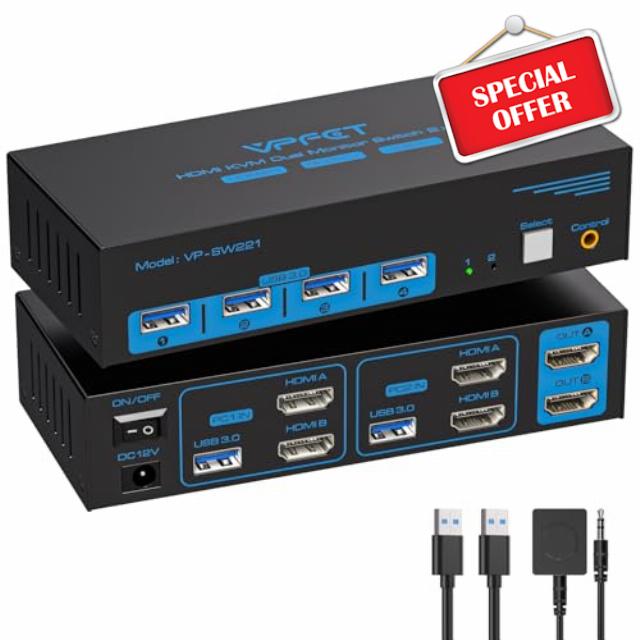
8K HDMI KVM Switch 2 Monitors 2 Computers, USB 3.0 Dual Monitor KVM Switch 4K@120Hz High Refresh Rate, Share Keyboard Mouse and USB Devices, Extended Display for PC Laptop Gaming Workstatio
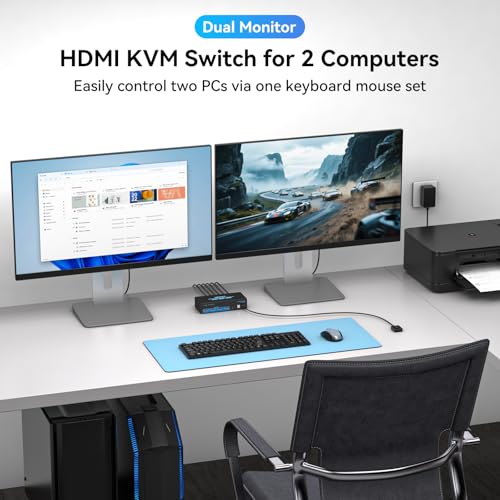
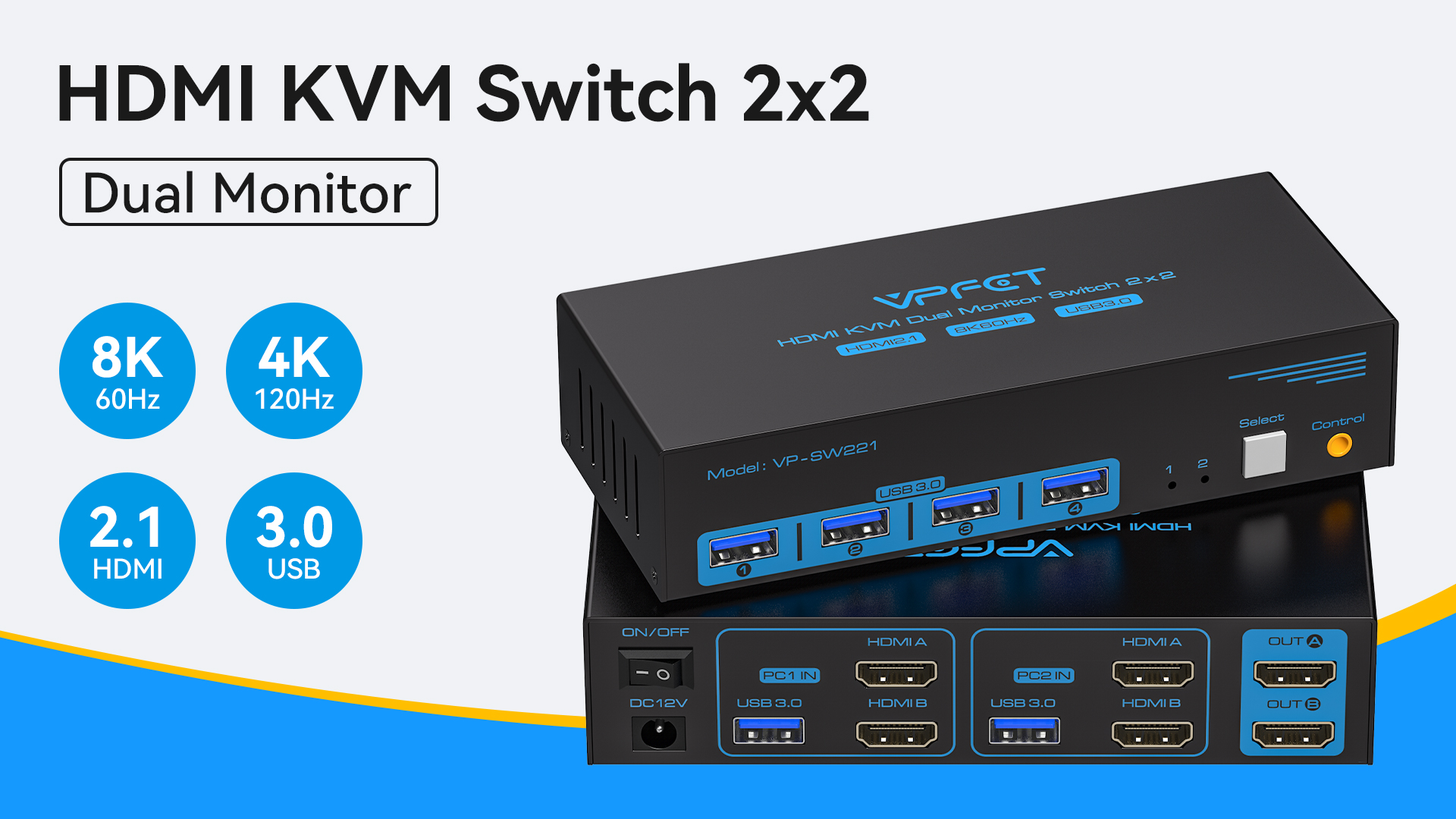
- Control 2 Computers With One Desk Setup: Simplify your workspace with a dual monitor KVM switch that lets you control two computers using one keyboard and mouse. Easily switch between your work PC, personal laptop, or gaming computer without unplugging cables or rearranging your setup. Compatible with Windows, Mac, laptops, desktops, and gaming PCs.
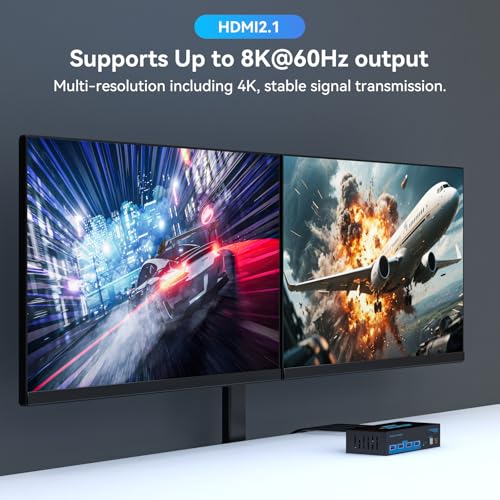
- Ultra HD 8K & 4K@120Hz Performance: Experience crystal-clear visuals with support for up to 8K@60Hz and smooth 4K@120Hz refresh rates. Perfect for gaming, video editing, graphic design, and professional multitasking without sacrificing image quality.
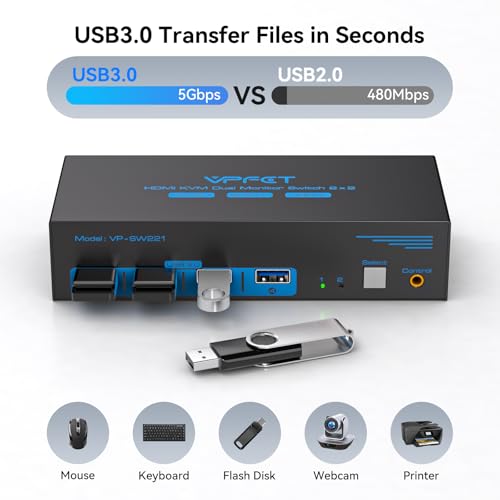
- Share USB Devices: This KVM switch comes with 4 USB 3.0 ports, delivering data transfer speeds of up to 5 Gbps—that's 10 times faster than USB 2.0. It's also backward compatible with USB 2.0 devices. You can use it to share a wide range of USB peripherals, including printers, scanners, webcams, and wired or wireless keyboards and mice. It supports Windows (including Vista and XP), Mac OS, Linux, Unix, and other operating systems.
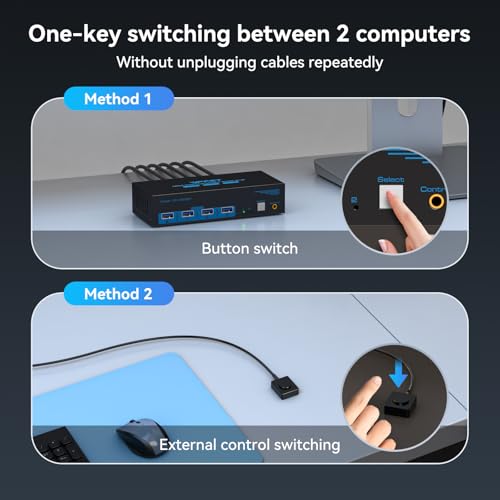
- 2 Switching Modes: This HDMI KVM switch gives you two ways to switch between sources—using the onboard panel button or the included wired controller, both offering one-touch switching. Please also keep in mind: Keyboard hotkey switching is not supported on this model.
- Stable Work: KVM includes 12V power adapter.(the current provided by the PC host is small, and it cannot support USB devices such as hard disks). With the external power design, USB devices can obtain a stable working environment through the switch. If you have any questions during use, please contact us. We have a professional technical team to help you solve your difficulties. Within 12 months,we will replace the switch at no charge
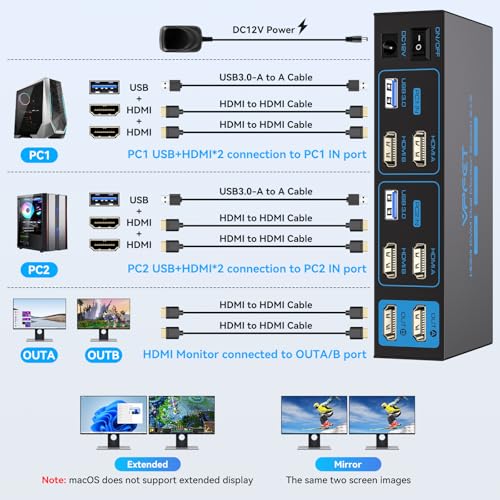
- Important: This dual-display KVM switch requires that your computer be equipped with dual graphics cards (two HDMI outputs) and support both mirrored and extended desktop modes. If your computer only supports a single monitor, this product cannot enable dual-monitor functionality. Please also note that passive adapters or standard conversion cables will not carry video signals when connected through the KVM switch—only an active adapter will ensure proper image transmission.
Product performance comparison
| Add to Cart Add to Cart Add to Cart Add to Cart Add to Cart | |||||||
| Customer Reviews | 4.4 out of 5 stars413 | 4.4 out of 5 stars413 | 4.4 out of 5 stars413 | 4.4 out of 5 stars413 | 4.4 out of 5 stars413 | 4.4 out of 5 stars413 | 4.4 out of 5 stars413 |
| Price | $69.99$69.99 | $69.99$69.99 | $79.99$79.99 | $39.99$39.99 | $79.99$79.99 | — | — |
| USB standard | USB3.0*4 | USB3.0*4 | USB3.0*4 | USB3.0*4 | USB3.0*4 | USB3.0*4 | USB3.0*4 |
| Input | Per PC: HDMI2.1*2+USB | Per PC: DP1.4*2+USB | Per PC: DP1.4*2+HDMI2.1*1+USB | Per PC: DP1.4*1+USB | Per PC: HDMI2.0*3+USB | Per PC: DP1.4*1+USB | Per PC: HDMI2.0*2+USB |
| Output | HDMI2.1*2 | DP1.4*2 | DP1.4*2+HDMI2.1*1 | DP1.4*1 | HDMI2.0*3 | DP1.4*1 | HDMI2.0*2 |
| Quantity of signal sources | 2 Computers | 2 Computers | 2 Computers | 2 Computers | 2 Computers | 4 Computers | 3 Computers |
| Maximum resolution | 8K@60Hz | 8K@60Hz | 8K@60Hz | 8K@60Hz | 4K@60Hz | 8K@60Hz | 4K@60Hz |
| Features | 2 PC share 2 monitor | 2 PC share 2 monitor | 2 PC share 3 monitor | 2 PC share 1 monitor | 2 PC share 3 monitor | 4 PC share 1 monitor | 3 PC share 2 monitor |
| wired control switch | wired control switch | wired control switch | wired control switch | wired control switch | wired control switch | infrared remote | infrared remote |
| Plug and Play | ✔ | ✔ | ✔ | ✔ | ✔ | ✔ | ✔ |
Can KVM switches support up to 4K@120Hz?
Our KVM can support up to 4K@120Hz, but the prerequisite is that the cable and monitor you use must support 4K@120Hz.
Can the two functions of USB Switch and HDMI Switch be used independently?
Yes, you can think of the KVM switch as a USB+HDMI Switch. These two functions not only support simultaneous use, but can also be used separately.
What is the maximum power of peripherals it can drive?
To drive peripherals with a maximum power of 10W, we use a 12V/1A power adapter, which can provide a more powerful and stable drive. Other KVM switches only support 5V/1A adapters. When using high-power
Is it really possible to replace a new product within two years?
Yes, if there are any problems with the product within two years, we will solve it for you, including replacing it with a new KVM.
Do I have to connect the 12V/1A power adapter to use it?
The KVM switch must be connected to a DC 12V adapter to function properly.
| SKU: | B0HGCS3CZ2 |
| Dimensions: | 5.91 x 2.56 x 1.42 inches |
| Brand: | VPFET |
| Part: | FLUS-SW221-Deep Blue-QA1 |
| Material: | Metal |
| Colour: | Deep Blue |
| Manufacture: | VPFET |
| Colour: | Deep Blue |
| Material: | Metal |
Compact and easy to set up
This KVM is half the size as my previous one. A little bummed that I couldn’t find one that had the ports on the back for the keyboard/mouse/camera/mic that I have plugged into it because it left quite the unsightly rats nest on my desk, but I ended up mounting it beneath my desk with some double sided silicone tape and fed the remote up next to the edge of my desk, drastically cleaning up the space. Works as advertised.
Meets the expectations
After a couple of weeks, works as expected. I hope it’s durability also meet the expectations. I like the metallic body and EDID simulation support, but I would like it to have a 3,5mm Jack connector.
Good sensations so far.
Use only DP not DP/HDMI cables.
Solid build. One note, in order for it to work you need to use DP across all inputs/outputs. Meaning you cant have a DP to HDMI cable anywhere in the system, the switch won’t work.
Nice switch to simplify your desktop
I got two computers and two monitors being controlled by my new switch. It is working extremely well and I can share the keyboard, mouse and a usb hard drive between them. I did end up buying some new high speed Display Port cables for one of my monitors cause it was 4k and runs at high refresh rates. I have only had this a few days now, but it is a great addition for me.