Mac mini M4 SSD 1TB for Mac mini M4
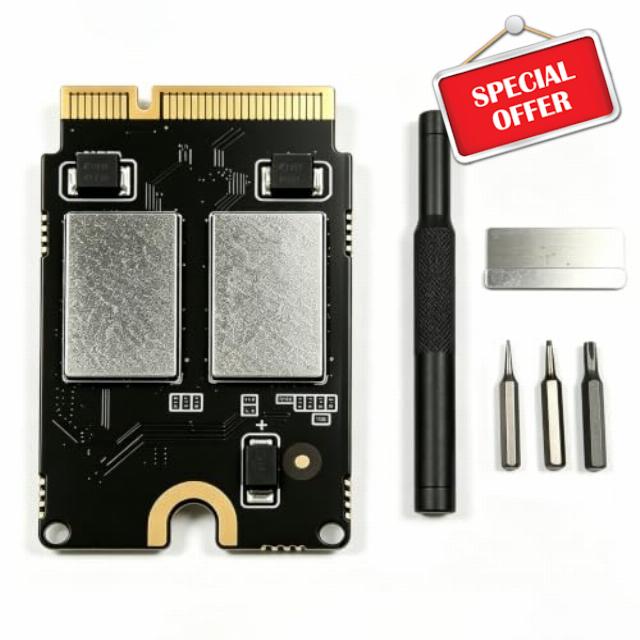
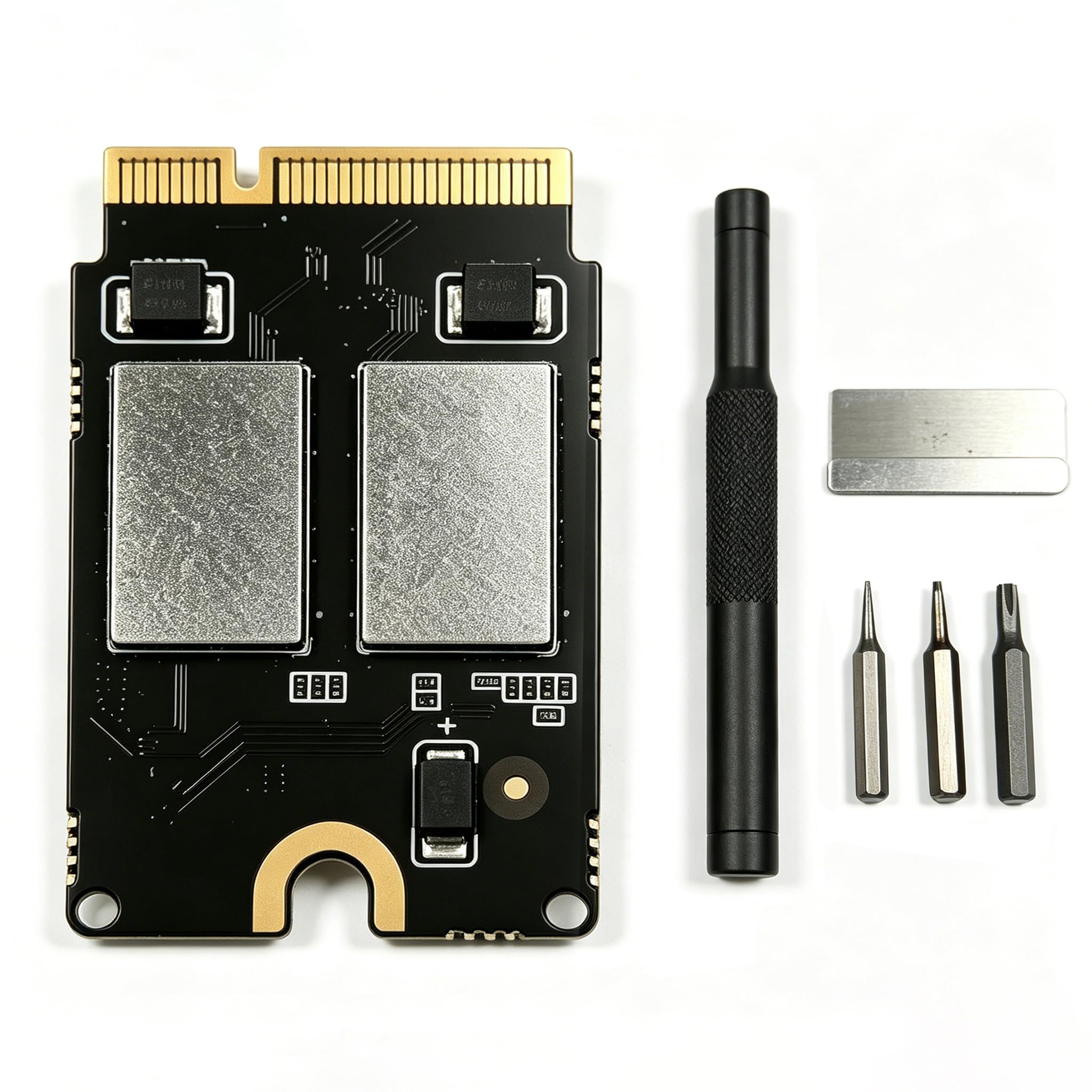
Mac mini M4 SSD 1TB for Mac mini M4 Mac mini M4 Custom SSD — Expand your storage, eliminate space shortages, with speeds up to 3300MB/s.
- Perfect Fit for Mac Mini M4: Exclusively engineered for Mac Mini M4. Simple, fast self-installation lets you upgrade your Mac Mini M4 storage effortlessly.
- Expand Massive Storage Space: Boost your Mac Mini M4 capacity to store countless high-res photos, videos, work files and everyday apps. Say goodbye to frustrating storage limits whether you work or stream for fun.
- 3300MB/s Blazing-Fast Speed: Achieve read and write speeds up to 3300MB/s for snappier overall system response. Cut boot times, reduce app loading delays and speed up large file transfers. Enjoy fluid multitasking, video editing and seamless file management.
- Consistent & Dependable Performance: Every SSD passes rigorous 30-day continuous high-load testing for rock-solid stability. It sustains full-speed performance even during prolonged heavy use, delivering trustworthy storage for your daily work and creative projects.
- Cost-Effective Upgrade Choice: Constructed with premium core chips under stringent production standards. It is an affordable, high-performance internal storage upgrade for Mac Mini M4. Max out your device’s potential without purchasing a brand-new Mac Mini.
Perfect Compatibility with Macmini M4: This internal hard drive is designed specifically for the Macmini m4 and is perfectly compatible with it for easy installation.
Reliability & Stability: Our hard drive has been fully tested for 1 month without any speed drop and maintains a stable performance.
Capacity: With this SSD internal hard drive, you can expand the storage space of your Macmini M4 to store more photos, videos, documents and apps.
High-speed Performance: With read/write speeds of up to 3300 MB/s, this internal hard drive dramatically reduces computer startup time, application launch and file transfer times.


| SKU: | B0H5K7KL8N |
| Size: | 1 TB |
| Brand: | Zinweyton |
| Model: | M4 |
| Manufacture: | Zinweyton |
| Size: | 1 TB |
Learn the procedure first!
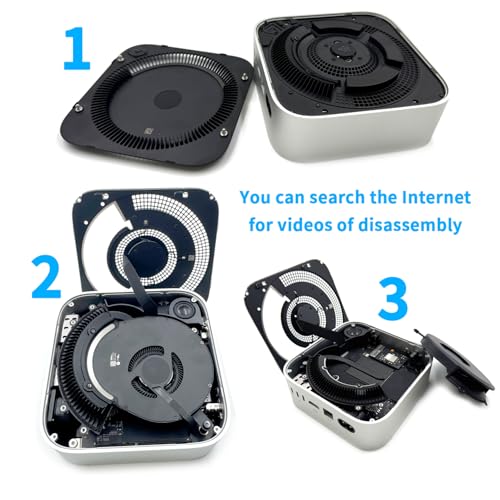
With a YouTube video on how to do this, it was fairly easy. The tricky bit was finding an Apple product with an M4 chip for the restore process. The restore and update process worked fine. Be VERY careful removing the screws, as they have loktite on them, and they may round out the head if the head of the tool doesn’t have positive contact.
I just installed this in my new base model Mac Mini M4. The installation was pretty straight forward with a lot of instructional videos on YouTube. (Hint: Do not uplug ANY connectors). The 2 TB upgrade gives me plenty of internal storage to work with.
The only thing I would complain about is the driver set that came with the memory is not very good. I did not take any stars off because I considerate to be a bonus add on and not the core item. One of the smaller torx drivers was striped on the second screw and was useless after that. I have my own drivers, so I finished the install with my tools.
Installation was fairly simple following the instructions on iFixIt, but no need to disconnect the internal cables (read the comments on the steps before doing anything). The tools inside the kit are helpful, but do yourself a favor and get a real hardened Torx T3 driver (I used the “NEBURORA 10 in 1 Interchangeable Magnetic Torx Screwdriver Set” I had bought here 3 years ago) – the one that comes with the kit is a joke and strips before it can do anything. Get the better driver before starting so you’re not sitting around waiting for a decent T3 to show up, also a magnetic driver makes getting the screws in/out much easier.
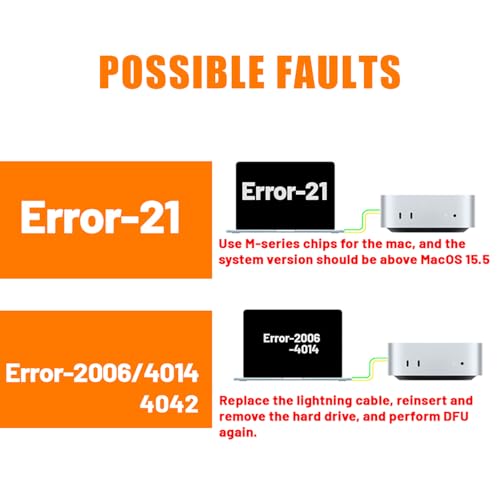
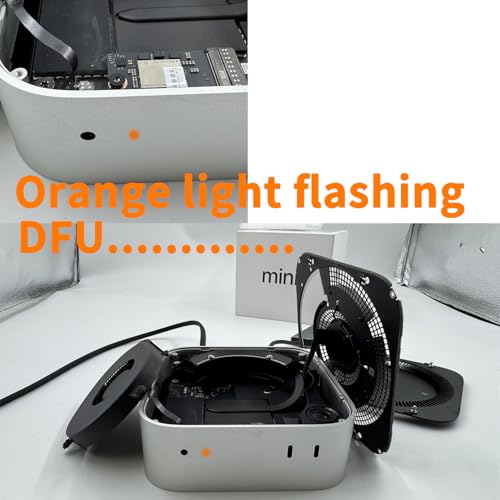
It’s a good idea to avoid snapping the cover all the way back on before restoring the system onto the new drive in case you have to open it back up. For some reason the 2020 13″ M1 MacBook Pro I was trying to update it with couldn’t do it (failing with a DFU error 4042 each time) – I tried 3 different cables, reseating the drive, even putting the original drive back in. Finally switching to a 2020 M1 MacBook Air solved it and it updated without a hitch. I was about to try a new SSD kit but glad a tried the different computer! After opening it and closing it a few times, I could change the drive in under 10 minutes.
This is the exact same upgrade kit (Deep Sea) that everyone is selling. These sellers are fairly responsive to issues.
Read/write speed with BlackMagic Disk Speed Test is a little more variable than on the original drive, but averages the same or higher.
Thumbs up for this SSD for Mac Mini M4
Killer upgrade for Mac Mini M4. The hardest part was keeping track of the screws. I used another Mac to restore the computer and haven’t looked back.
I like having the extra space for working on large files.
Example: I wanted to organize several 100GB+ Apple Photos libraries using PowerPhotos. Previously, these were on a USB 3 external SSD. It was too slow. By putting the libraries directly on the Mac Mini it worked like you would see in a movie. It’s just so much faster, no beach ballz and waiting. Maybe some waiting, but not like before.
So far so good
So far so good, gave it a 5 but I’m between 4 and 5 really. The t3 bit they gave stripped during installation but I had one at home so I was able to finish the install. Other than that everything went smooth with no errors and finished on first try. Will remain sad is very fast, can’t speak of reliability but if it goes bad I’ll come and reuodate this review
Waited 6 months for this review
Bought this to upgrade a new M4 Mac Mini. I purposely waited 6 months to review this in case it failed or something. It’s still going strong. Even if I’m not sitting in front of that computer it gets heavy use running project code for Arduino or GPS positioning.
No one should buy a Mac Mini M4 configured any more than the base model. 2TB upgrades from Apple costs entirely too much.
Finally the installation directions are exceptional and easy to follow.
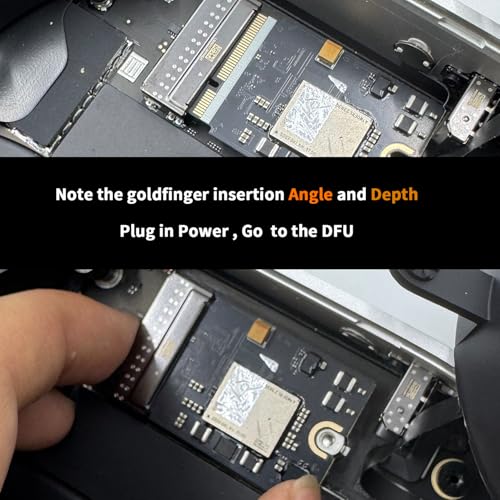
Works great. The instructions and provided tools allowed me to easily and quickly swap the hard drive with this 2TB one. The DFU restoration worked flawlessly after getting the USB cable in the correct port with the lightning bolt. The Apple configuration tool on my other Mac restored the OS and then I used my Time Machine backup to restore everything. I love having more drive space now.