HP LaserJet Pro MFP 3105sdw Wireless Printer, Print, scan
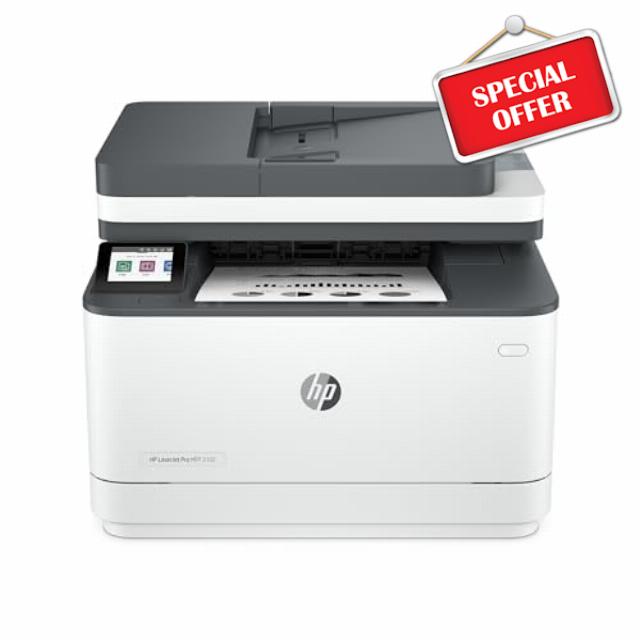
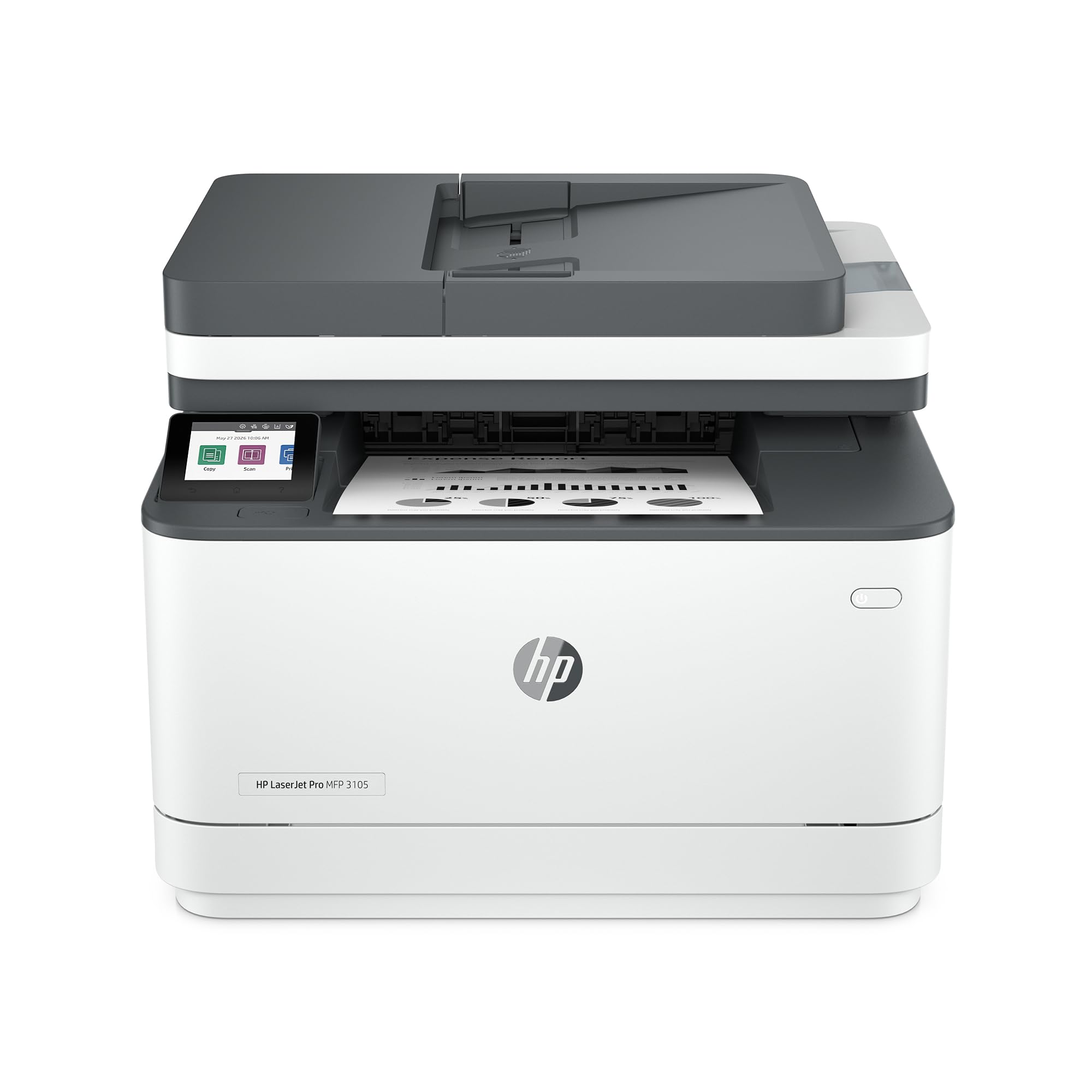
HP LaserJet Pro MFP 3105sdw Wireless Printer, Print, scan, Copy, Fast speeds, Easy Setup, Mobile Printing, Advanced Security, Best-for-Office, AI-Capable (3G646A)
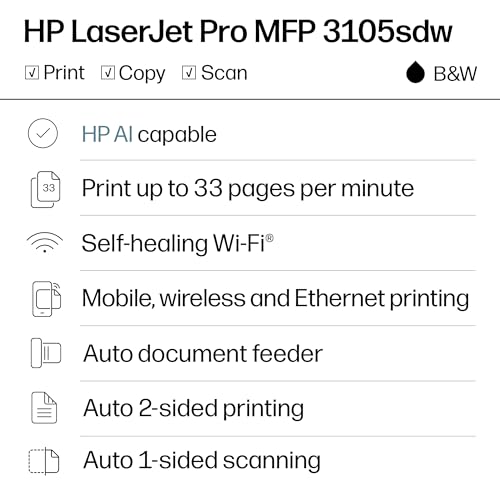
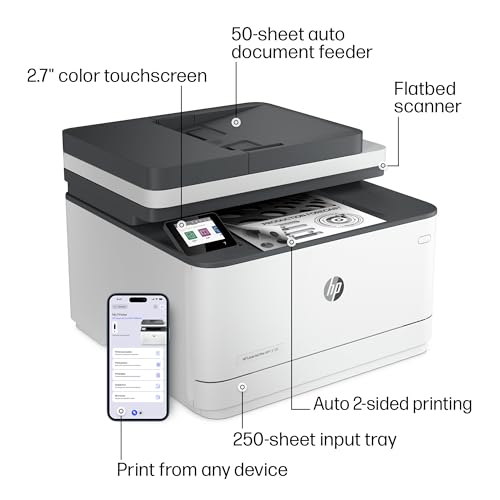
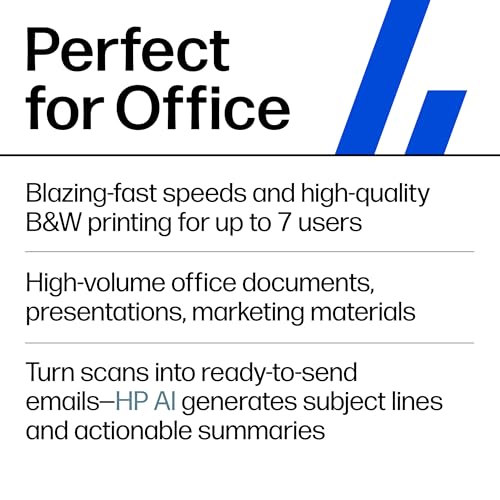
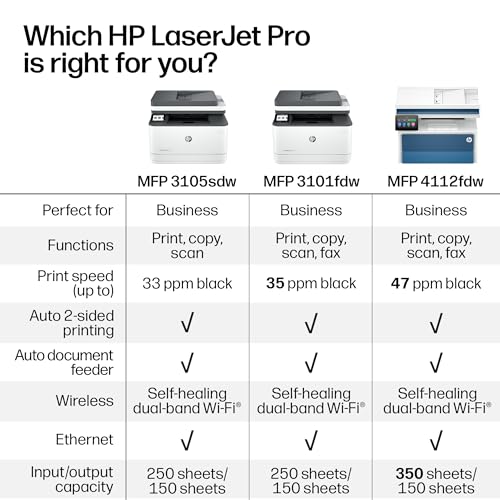
- FROM AMERICA'S MOST TRUSTED PRINTER BRAND – Perfect for office teams printing, scanning and copying professional-quality B&W documents and reports. Auto 2-sided printing, plus auto 1-sided scanning through the document feeder. Perfect for up to 7 users.
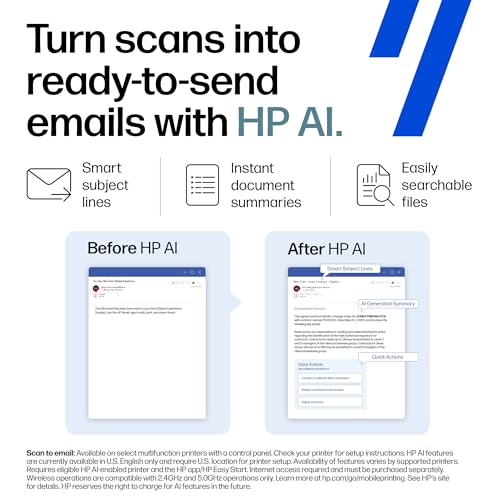
- SIMPLIFY SCAN TO EMAIL – Save time when scanning documents to email. HP AI automatically generates smart subject lines, file names, and actionable summaries to streamline your workflow and find files effortlessly.
- REDUCE WASTED PAGES AND ODD LAYOUTS – Turn web pages and emails into neatly formatted prints. HP AI Precise Print easily removes unwanted content, so your prints are just the way you want.
- SUPER FAST – Blazing fast print speeds up to 33 pages per minute with auto paper jam recovery
- STAYS CONNECTED – Avoid interruptions with Wi-Fi that intelligently looks for the best connection to stay online
- PROTECTS YOUR DATA – Includes HP Wolf Pro Security with customizable settings so your printer and information are always secure
- EASY TO SET UP – Get started fast with easy setup that guides you, step by step. Simply download the HP app, connect to a network, and share your printer across all your devices
- HP APP – Print, scan, copy, or fax right from your smartphone
- This printer is intended to work only with cartridges with original HP chips or circuitry and will block cartridges using non-HP chips or circuitry. Periodic firmware updates will maintain the effectiveness of these measures
Get fastest-in-class two-sided printing and powerful productivity with the multifunction HP LaserJet Pro 3105sdw. Count on professional-quality black & white printing for all your business documents, plus advanced features for office teams up to 7 people. It’s also AI-capable to intuitively adapt to your workflow, with wireless and security features that keep your multifunction printer up to date and secure.
| SKU: | B0GVKM18VC |
| Weight: | 23.1 pounds |
| Brand: | HP |
| Model: | 3105sdw |
| Colour: | black |
| Manufacture: | HP |
| Colour: | black |
This printer is absolutely fantastic, and I couldn’t be happier with it. I’ve been searching for a reliable, high-performance black-and-white laser printer for my home office for quite some time, and I am thrilled to report that this model delivers sharp, crisp, professional-grade prints at impressive speeds. The initial setup process was remarkably straightforward and intuitive; I had it fully operational on both my Windows desktop and my MacBook in just a matter of minutes. Furthermore, it works completely seamlessly with my iPhone 16 Pro Max, making mobile printing incredibly convenient.
A true standout feature is that the device didn’t require any tedious manual driver installations on my macbook or complicated configurations. Once it was joined to my local network, my devices detected it immediately, allowing me to start printing documents with zero friction—it is the definition of a true plug-and-play experience. The paper tray is surprisingly generous for such a sleek machine, holding enough paper to last me about a full month of moderate use. I also appreciate the design of the toner system; replacing the cartridge is a simple, mess-free task, and you have the added benefit of linking it to your HP account for automatic replenishment before you actually run out.
The Wi-Fi connectivity was rock-solid and connected on the very first try without any signal drops. I also love that the unit is compact enough to tuck away neatly without dominating the space on my bookshelf. Overall, this printer offers exceptional value for the price, and I wholeheartedly recommend it to anyone—whether you are a student, a freelancer, or someone working from home—who wants a machine that just works perfectly right out of the box. I truly hope this review provides the clarity you need to make your decision!
It’s a good printer, once setup. I have an android phone that it says it supports. I connected the printer via Ethernet and pressed through the touch screen prompts. Downloaded the HP app, nothing shows up. Downloaded the HP printer plugin app, also not found even by ip. Tried switching to wifi, same thing. The wifi is weird on here, I have an Xfinity x1 router but it won’t accept the wpa password only the easy join button but it looses that connection if it reboots. During troubleshooting I found HP cloud menu option but while clicking it and enabling the feature the printer rebooted and kernel panics. It rebooted again so I turned off wifi and went back to Ethernet. Eventually learned it has a web admin interface. Used that and the printer pin to login, enabled cloud printing there which worked, joined the printer online to the HP app, logged out and into the android app and now printing works. Oddly nothing in the app says these steps… Printing on Mac required manually entering the printer up then it worked fine, didn’t auto show up. So not super easy and intuitive to setup
Pros:
Ultra-Fast Setup: Unboxed, unwrapped, connected to Wi-Fi, and printed a test page in under 10 minutes. The instructions are straightforward and minimal fuss is required.
Seamless Connectivity: Fully wireless with just a single power cord needed. Communicates quickly with home PCs and supports mobile device printing easily.
All-In-One Functionality: Handles printing, scanning, and copying smoothly with a fast response time and an intuitive interface. Prints fast, crisp pages with no jamming.
Legal Paper Support (Correction): Contrary to another review claiming it doesn’t support legal-sized paper, it does. Just press the blue release button inside the paper tray to extend it outward for legal sheets. (Note: You probably won’t want to leave legal paper loaded long-term since the extended tray sticks out, but it handles it fine when needed.)
Practical Design: High paper tray capacity, clean mess-free cartridge replacement, and solid overall value for a quality office laser printer.
Cons:
Monochrome Only: Black and white printing only, make sure you don’t need color before buying.
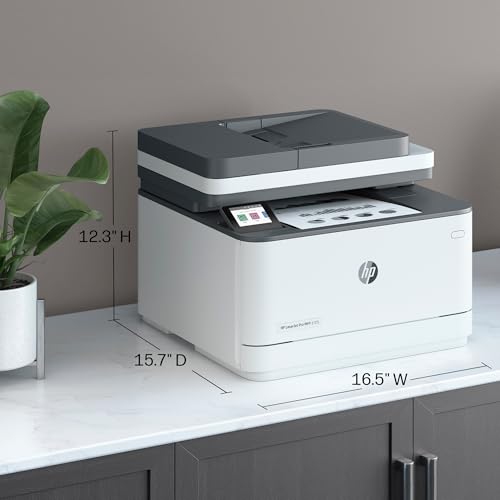
Size: It has a larger footprint. It’s not a massive monster, but it definitely takes up a dedicated chunk of desk space.
Toner Lock-In: Typical HP ecosystem restrictions—the printer actively tries to block third-party aftermarket cartridges. (A little hint to HP: if official replacement toner was priced more reasonably, people wouldn’t be looking for off-brand workarounds!)
Verdict:
If you need a reliable, fast black-and-white laser printer for home or office document work, this HP MFP 3105sdw delivers great performance and effortless setup. Just be mindful of the physical footprint and HP’s strict toner policies.
I had resisted upgrading my HP Laserjet 1200 series printer for literally decades because it just kept printing out beautiful black and white copies. I finally realized I was cheating myself by not upgrading. I don’t print copies that often, so when I do more often than not my computer is not recognizing the printer. Then, I have to go through the unplugging and plugging back in process, and tracking down what is wrong. This new printer is wireless, so I can print from my cell phone as well as my computer with no need to tether a cable. That frees up a port in the back of my Mac desktop, and also frees up space on my desk because I don’t have to put the printer on my desk. It could even go in another room because it is wireless. Scanning is another advance that I don’t have with the old printer and I am handicapped without in today’s business world. This printer comes with a document feeder, prints on both sides of the paper and scans on both sides, too. I still do not need color copies, and this one is also black and white. It prints out 33 copies per minute, a little more than double the 15 copies per minute of my HP 1200-series. These are huge advances, past time to upgrade, yes, but what an exciting addition to my office and I haven’t even gotten into the Ai capabilities. When I think back to the mid 2000’s, I recall I paid over double what this printer costs today. It is such a incredible bargain.
I always wanted a laser printer. The price was right. The WIFI wouldn’t work with my older Mac desktop. I purchased a USB cable and deleted all other printers. It now works perfectly. I love it.