DYMO LabelWriter 550 Turbo Label Printer Bundle, Label Maker
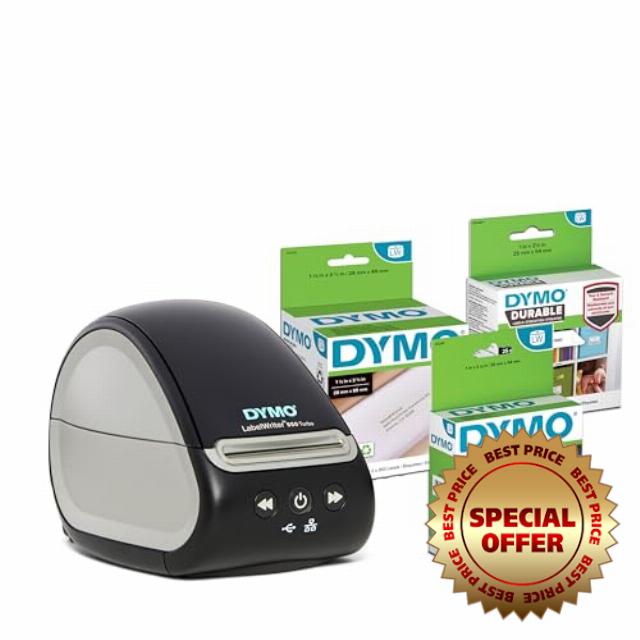
DYMO LabelWriter 550 Turbo Label Printer Bundle, Label Maker with Direct Thermal Printing, Automatic Label Recognition, Includes Address Label, Multipurpose Label, and Durable Multipurpose Label
- EXCLUSIVELY WORKS WITH DYMO-BRANDED LABELS: LabelWriter 550 Turbo printers are carefully calibrated to only work with DYMO-branded labels saving you time, money and effort
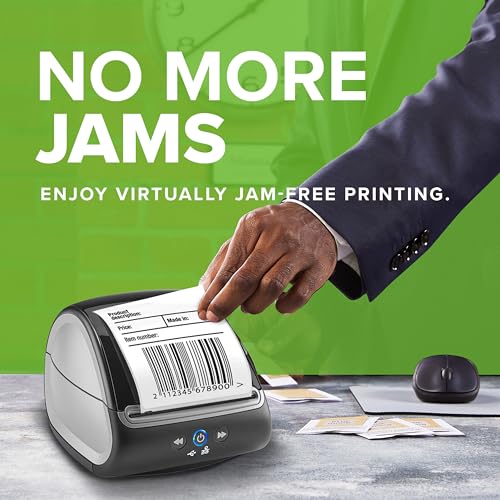
- BETTER EFFICIENCY WITH NO MORE JAMS: Using patented "Automatic Label Recognition” technology, this printer optimizes the alignment of DYMO-branded labels, ensuring jam-free printing.
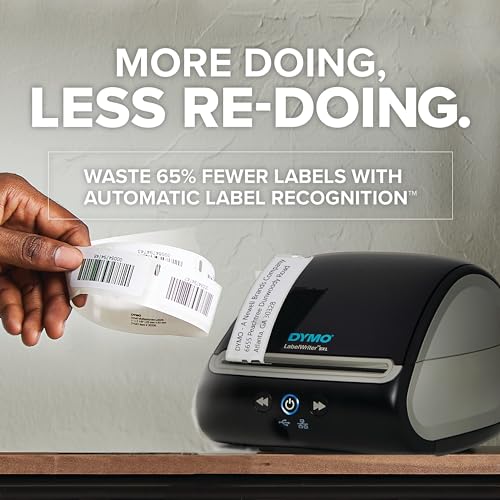
- MONEY SAVINGS WITH 65% LESS LABEL WASTE: This printer uses “Automatic Label Recognition” of DYMO-branded labels to automatically identify and display label size, type, and remaining quantity which reduces misprints, print defects & label waste.
- LESS EFFORT WITH ACCURATE, FAST, HIGH-QUALITY PRINTS – Optimized direct thermal printing technology adjusts to the loaded DYMO-branded label to ensure high-quality barcodes, QR codes, images, and text.
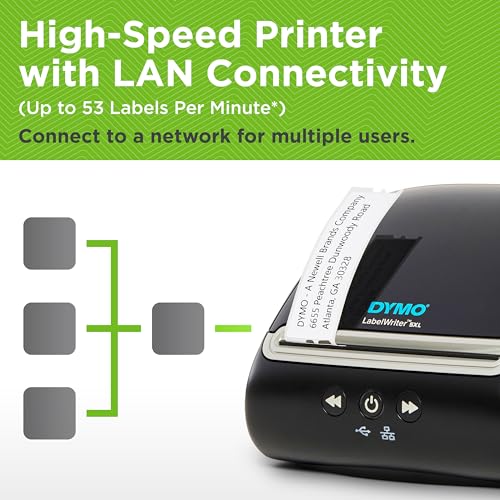
- LAN NETWORK CONNECTIVITY: Connect to a network for multiple user access.
Print super-fast, super-efficient labels for your professional mailing, filing, visitor management, or other labeling needs with the DYMO LabelWriter 550 Turbo label printer. With its unique Automatic Label Recognition, you always know which labels (by size, type, and color) are loaded into the label maker at a glance. You’ll also know how many are remaining, so you’ll never run out mid-job. The direct thermal printer replaces the need to buy costly ink or toner, while its optional LAN network connectivity allows multiple users to access the machine. Plus, this high-speed label printer prints up to 45% faster than the LabelWriter 550 model, printing up to 90 labels per minute.*
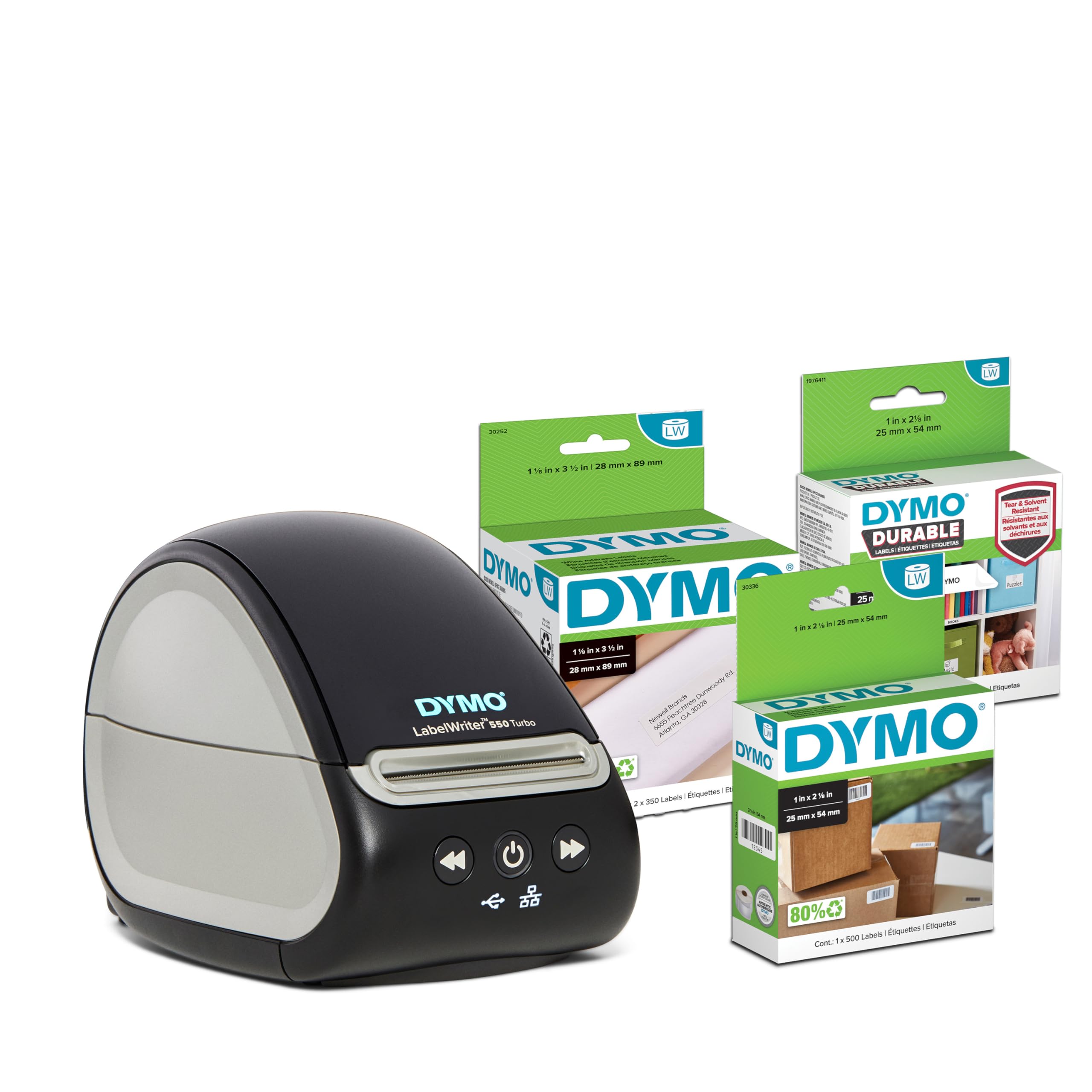
| SKU: | B0GR6ZTGDX |
| Brand: | DYMO |
| Model: | SAP_2213469 |
| Colour: | Black |
| Manufacture: | Newell Brands |
| Colour: | Black |
From the manufacturer
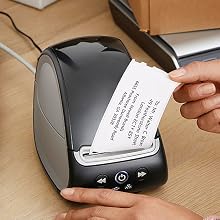
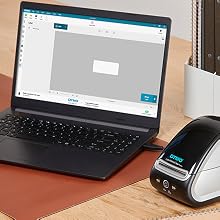
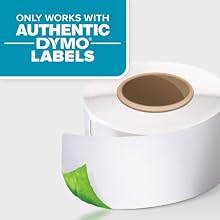
Uses Only Authentic DYMO Labels
LabelWriter paper labels are high-quality, BPA-free, and FSC Certified.
Fast, Reliable Label Printer Thats Great for Shipping
I’ve been very happy with the DYMO LabelWriter 550 Turbo. Setup was straightforward, and once everything was connected, it was easy to start printing labels. The print quality comes out sharp, clean, and easy to read, which is exactly what I want from a label printer.
One of my favorite things about it is the thermal printing, so there’s no ink or toner to constantly replace. It prints quickly too, which makes a big difference when you have several labels to get through at once. The automatic label recognition is also convenient because the printer can recognize compatible DYMO labels and their size.
The printer itself is compact enough that it doesn’t take up a lot of desk space, but it still feels like a solid piece of equipment. It’s especially useful for shipping labels, address labels, barcodes, organization, and small-business use.
Overall, this has been a very convenient and reliable printer. If you regularly print labels and want something faster and easier than using a regular inkjet printer, the LabelWriter 550 Turbo is a great option. Easy to use, fast printing, excellent print quality, and no ink cartridges to worry about.
Very Handy Label Printe
While I will be printing address labels on this printer, I will probably be using it more to print labels for my on-going shop organization and labeling organizer drawers in my shop. This printer offers more flexibility as far as printing capabilities than stand alone label printers. The drawback is that it is not portable and the labels are generated on the computer.
This printer came with three rolls of labels. All three of the narrow type 1-1/8″ but it can print labels as wide as 2.4″ wide. While initially loading the roll on the printer, there was some left over sticky glue from the tape that was holding the roll together and it caused the roll to jam. Lesson learned: remove all labels that have the sticky residue, you will lose several labels but will prevent jamming.
The printer prints one label or as many as you want and it is pretty fast. I have my printer hooked to the network which allows all of the users in my house to use the printer from their computer. It is not WiFi, just Ethernet. It can also be connected directly to your computer via USB.
The software is easy to use and I did not have any issues printing some labels. Addresses labels can be imported from spreadsheets such as Excel.
The printer keeps track of how many labels are left on the roll and also identifies the size of the labels on the roll. There is one caveat regarding this printer, and that is that it will only accept DYMO OEM labels. Apparently, each roll has an RFID chip that helps identify what type of roll is on the printer. So you are stuck with the more expensive DYMO branded labels.
Four stars for the label sourcing limitation.
Fast, reliable label printer that's perfect for home offices and small businesses
I purchased the DYMO LabelWriter 550 Turbo Bundle, and it has been an excellent addition to my workspace. Setup was quick and straightforward, and the printer was easy to connect and start using right away. The direct thermal printing produces crisp, professional-looking labels without the need for ink or toner, and the automatic label recognition feature makes switching between label types simple and hassle-free. The included rolls provide a great variety for mailing, organizing, filing, and general office tasks.
Printing is fast, quiet, and consistently accurate, making it easy to handle everything from shipping labels to address labels and storage organization. The compact design fits neatly on my desk without taking up much space, and the overall build quality feels sturdy and dependable. Overall, the DYMO LabelWriter 550 Turbo Bundle delivers outstanding performance, user-friendly features, and excellent value, making it a fantastic choice for anyone looking for a reliable, high-quality label printer.
Works great, only uses Dymo labels (comes with extra rolls)
We use this in our retail store and overall it’s been a very good label printer. It’s fast, the print quality is nice and crisp, and I really like that it uses direct thermal printing so there’s no ink or toner to replace. It’s also compact enough that it doesn’t take up much room at our counter.
Setup was fairly straightforward, and once everything was connected it has been reliable for everyday labeling. The bundle is nice because it includes a few different label types to get you started.
My main complaint, and the reason I’m giving it 4 stars instead of 5, is that the LabelWriter 550 requires DYMO-branded labels. I would much rather have the option of using compatible third-party labels, especially in a business where we go through labels regularly. The printer itself works very well, but being locked into DYMO labels is definitely something to consider before buying.
Overall, we’re happy with it and use it regularly in our store, but I wish DYMO hadn’t limited the label options.
High-Speed Efficiency for Streamlined Labeling Workflows
Delivering fast and reliable performance, this direct thermal label printer bundle is an ideal asset for busy home offices, mailrooms, and retail operations. The unit eliminates the need for expensive ink or toner cartridges by utilizing heat-based printing technology, producing crisp, smudge-proof address tags, shipping labels, and organizational barcodes in seconds. Integrated automatic recognition technology instantly identifies the exact size, type, and remaining count of loaded labels, helping prevent misprints and wasted supplies during large batch jobs.
Equipped with a comprehensive starter assortment of address, multipurpose, and high-durability labels, the bundle provides everything needed to establish an organized shipping and filing system right out of the box. Its high-speed printing capabilities keep daily administrative tasks moving smoothly without frustrating print queues or jamming issues. Compact enough to sit comfortably on any desk without hogging precious workspace, this printing solution offers a sleek, dependable, and cost-effective way to manage professional labeling needs.
Fast, Clean, and a Huge Time-Saver for Labels
This is a very practical and efficient label printer setup, especially for anyone who prints labels regularly for home organization, office work, shipping, mailing, files, inventory, or small business use. It makes labeling feel much faster and more professional compared to using a standard printer, cutting paper by hand, or dealing with sheets of labels that do not always line up correctly.
One of the biggest benefits is the direct thermal printing. Not having to worry about ink or toner is a major convenience. It keeps the process simple, clean, and low-maintenance, which is exactly what you want from a label printer. You can print what you need quickly without checking ink levels or dealing with smudging from regular printer ink. For labels that need to look neat and readable, that makes a big difference.
The print speed is also a strong point. It is especially useful when printing multiple address labels, barcode labels, file labels, product labels, or general organization labels at once. Instead of waiting around or manually feeding sheets into a regular printer, this gives you a smooth workflow. It feels like the kind of tool that saves a few minutes every time you use it, and that adds up quickly if you print labels often.
I also like the automatic label recognition feature because it makes setup and use easier. It helps take some of the guesswork out of choosing the right label settings, which can be one of the most frustrating parts of label printing. Having the printer recognize the label type helps reduce mistakes and wasted labels, especially if you switch between different label sizes or uses.
The bundle is a nice value because it includes different label rolls right away. That makes it easier to start using it immediately for more than one purpose. The address labels are great for mail and packages, the multipurpose labels are useful for general organization, and the durable multipurpose labels are helpful when you want something that feels a bit more rugged. Having several label types included makes the bundle feel more complete and practical.
This is also a great choice for small businesses or anyone running an online shop from home. It can help make packaging and mailing look more polished, organized, and consistent. A clean printed label gives a better impression than handwritten labels, and it can make order fulfillment feel much more streamlined. It is also useful for labeling bins, shelves, office supplies, storage boxes, cables, folders, product samples, or anything else that needs to be easy to identify.
The size is convenient too. It does not take up much desk space, so it can stay nearby without becoming clutter. That matters because the more accessible it is, the more likely you are to use it. It is a great addition to a desk, shipping station, front office area, craft room, home office, or inventory space.
The labels come out looking crisp and professional, and the whole process feels much cleaner than using a full-size printer for small labeling tasks. It helps reduce wasted paper, saves time, and makes everyday organization easier. For anyone who values efficiency and neat presentation, this is one of those tools that quickly becomes part of the routine.
This is a strong purchase for home, office, or small business use. It is fast, convenient, easy to keep on hand, and useful for many different labeling needs. The included rolls make it even better because you can start printing different types of labels right away instead of needing to buy extras separately.
Fast Thermal Label Printer with Useful Network Connectivity
The DYMO LabelWriter 550 Turbo is a convenient option for regularly printing shipping, address, barcode, and organizational labels. Direct thermal printing eliminates the need for ink or toner, and the printer has a compact footprint that fits easily on a desk or shipping station. Text and barcodes print clearly, while automatic label recognition makes setup easier by identifying the type and size of the installed labels.
The Ethernet connection is particularly useful in an office or shared workspace where multiple computers may need access to the same printer. USB connectivity is also available for a direct connection to a single computer. The included assortment of address, multipurpose, and durable labels provides several options for getting started with different labeling tasks.
An important consideration is that the LabelWriter 550 series is designed to work with compatible DYMO-branded labels. This limits the flexibility to use third-party alternatives, so it’s worth considering the availability and ongoing cost of replacement labels before purchasing. In return, the automatic recognition system can identify installed labels and provide useful information such as the remaining label quantity.
Overall, the LabelWriter 550 Turbo combines fast thermal printing, clear output, a compact design, and flexible USB and Ethernet connectivity. The automatic label recognition is convenient, while the requirement for compatible DYMO labels is the main limitation to consider when deciding whether it fits your labeling needs.
Fast, Easy Shipping Label Printer With One Big Catch on having to use DYMO chipped rolls only
I got this for my sister’s business since she does a fair amount of mailing, and it has made printing shipping labels much faster and easier.
Setup was super simple. Just connect it to the computer and follow the guided setup, and you’re ready to start printing. So far, we’ve had no jams, misprints, or other problems.
The labels themselves aren’t terribly expensive, and several sizes are available depending on what you need. The printer produces clean, easy-to-read labels and has been reliable for everyday shipping.
My biggest complaint is DYMO’s use of security-chipped label rolls. You’re essentially locked into official DYMO rolls, and third-party or custom 2×7 thermal labels may not work correctly. There are third-party chipped rolls available on the gray market, but honestly, I’ve found it easier to use the official DYMO rolls.
It’s frustrating because thermal printers are supposed to be inexpensive to operate, and locking the customer into proprietary consumables feels unnecessary.
Overall, the printer itself works great and has been exactly what my sister’s business needed. But shame on you, DYMO, for trying to lock us into your labels! That’s a star off for the consumable restriction.