Bluetooth Thermal Shipping Label Printer, 4×6, Matte Black
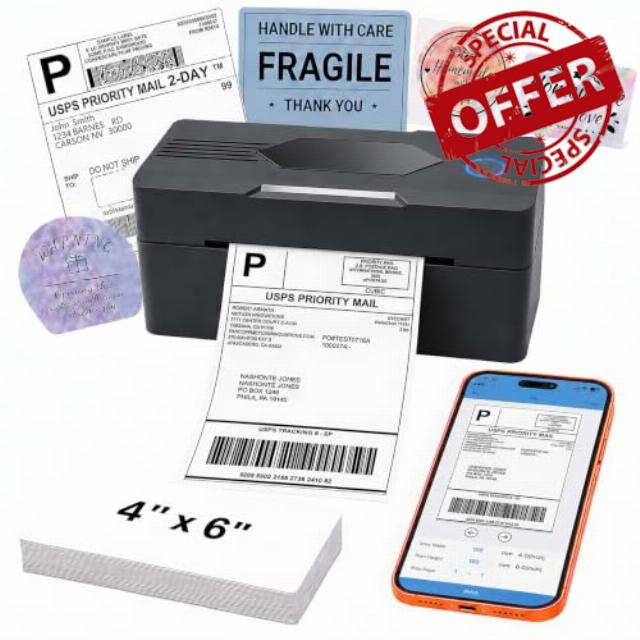
Bluetooth Thermal Shipping Label Printer, 4×6, Matte Black Wireless, For Small Business, Compatible with Android, iPhone, Windows & Mac
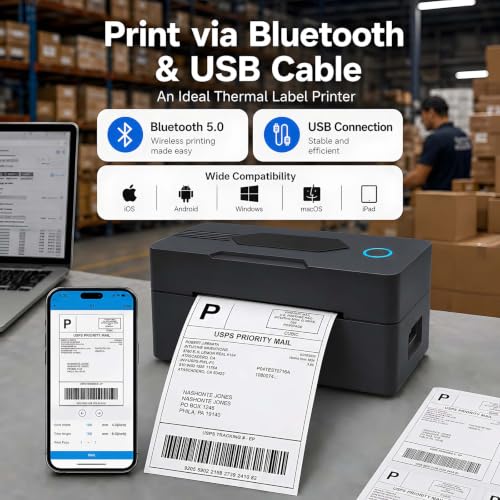
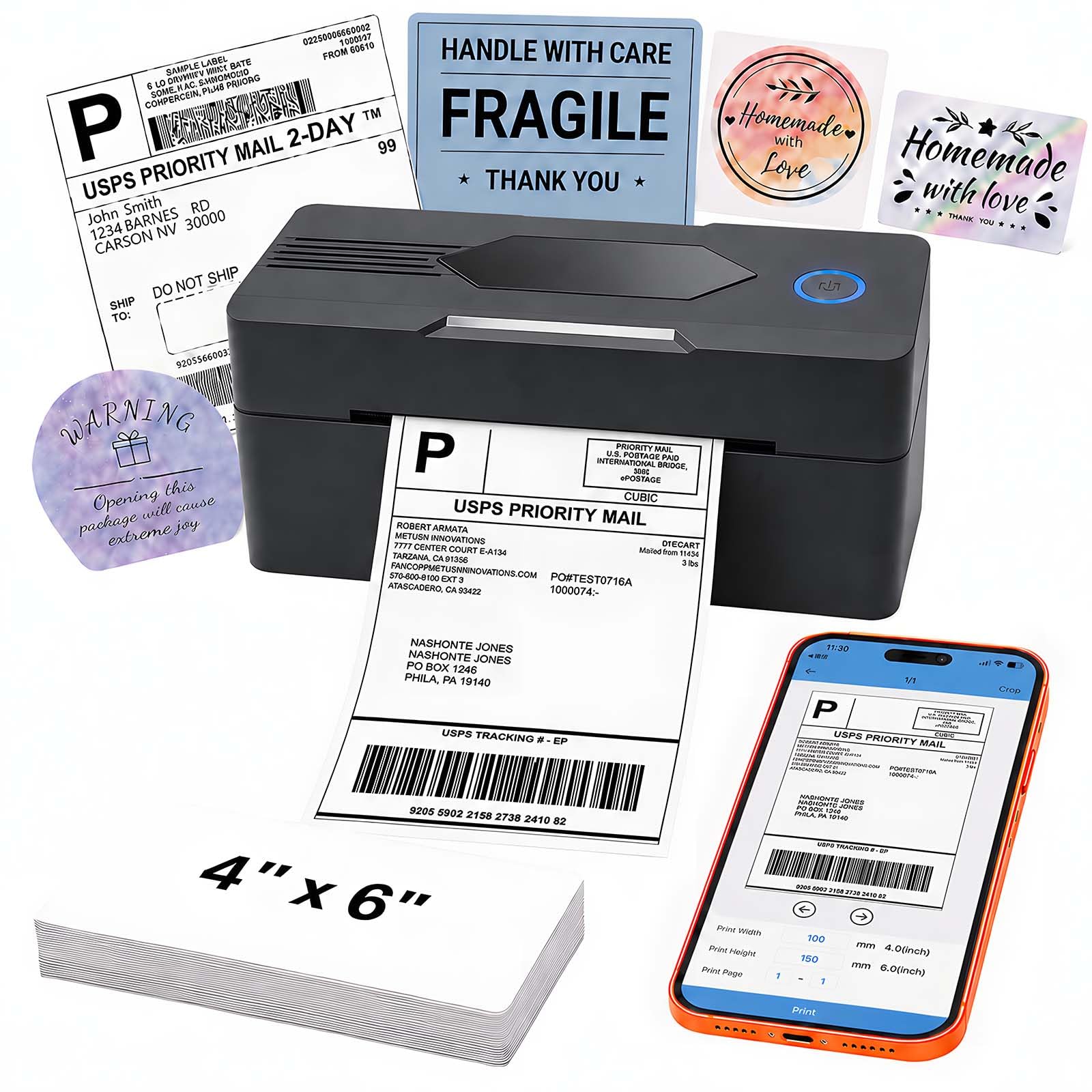
- Print via Bluetooth: The bluetooth shipping label printer supports wireless printing via bluetooth connection. For IOS and Android – need to download the Bluetooth Printing App (Android App: Printed Label, iOS App: Zlabel). Note: Bluetooth only works for Android and iOS, Wi-Fi is not supported
- Print via USB Cable: The shipping label printer for Windows and Mac OS systems via USB cable. For PC printing needs to download the driver. (Note: All devices cannot be directly connected to Bluetooth and need to be used through the driver)
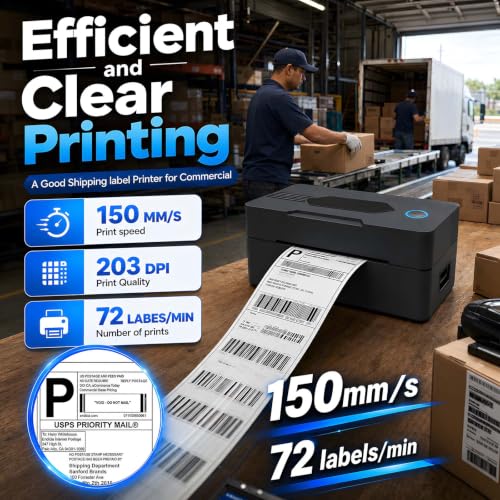
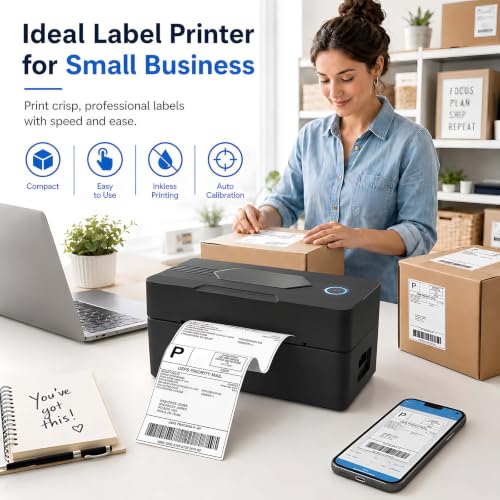
- Premium Thermal Printing: Experience clear and professional label printing with our high-quality thermal printer. With 203 DPI resolution for shipping labels, inventory management and more. Say goodbye to ink and toner, saving you money and eliminating the hassle of replacing cartridges
- Fast & Efficient Printing: Increase productivity with our fast and efficient thermal label printer. With a print speed of up to 160mm/s and support for thermal labels of 35-104mm((1.37-4.1inch)), it is suitable for various labeling tasks. Save time and do more with our fast printing capabilities
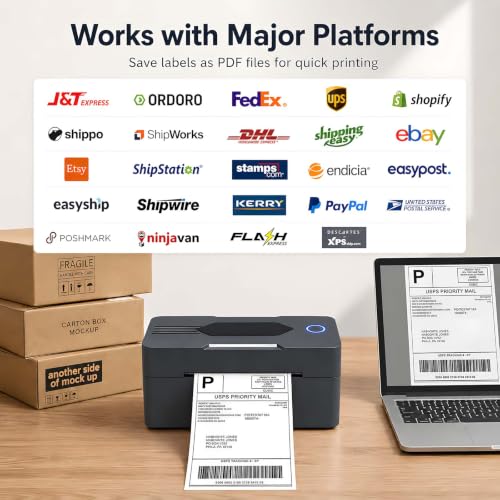
- Multi Platform Label Printing: This thermal label printer is compatible with all major sales platforms(Note: please save and download as PDF format first). Suitable for your small online business to send packages and print labels
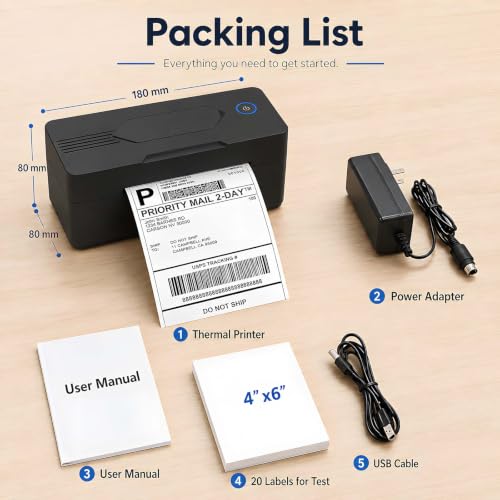
- What's in the Box: Package includes everything you need to get started: 1 x 4×6 label printer, 1 x power adapter, 1x Type-C Cable, 1 x user manual and 30 x test labels. Enjoy easy setup and seamless printing with this all-inclusive kit
- Ink-Free Thermal Technology: Utilizes advanced thermal printing technology that eliminates the need for ink cartridges or toner, reducing ongoing operational costs and maintenance requirements while delivering consistent high-quality prints
1.Phone and Tablet Start Print:
Step 1: Scan QR code download the App (Android App: Printed Label, iOS App: Zlabel).
Step 2: Turn on the blutooth label printer and your phone’s or tablet’s Bluetooth.
Step 3: Click the App to search for the bluetooth signal, connect it via Bluetooth in the App, and select the paper size and file type to start printing.
2.Laptop/PC Starts Printing :
Step 1: Turn on the thermal label printer and connect it to the computer using a USB cable.
Step 2: Go to “This PC”,open the Disk ,double click”Download driver and view User Manual”web page to download the driver and watch the installation tutorial videos,Select your print model to download 9270 driver.
Step 3: Please check your laptop/PC’s operating system (OS) download and install the correct 9270 driver from the website . Select and open your shipping label and print.
3.Package includes:
1xThermal printer
1xUser Manual
1xPower Adapter
1x Type-C Cable
30x Test labels
4.More Cost Effective:
The upgraded thermal printing technology allows the 4×6 thermal label printer no need for ink or toner, making your work more cost-effective. 203DPI high-definition printing, easy to scan and read. Automatic adjustment of label position functionto prevent paper waste.
| SKU: | B0H6ZQ3XPK |
| Brand: | PKMHLXS |
| Colour: | Matte Black |
| Manufacture: | PKMHLXS |
| Colour: | Matte Black |
This Bluetooth label printer is something I use for printing labels around the house.
I wanted this primarily for printing 2×2 circular labels and rectangular 4×2 labels. It turns out that it can do both of those things, but the manual isn’t much help except to warn you that printing off the label can damage your printer.
The manual goes into a lot of detail about how to install drivers, but isn’t very helpful when it comes to printing things. Fortunately the printer is relatively easy to use if you are cautious and do some experimenting first.
With a bit of tinkering I was able to get the zlabel iOS app to print 2×2 labels for baby-changing supplies (see photo).
In summary, I like the hardware of this printer. The iOS app is functional but not the best UI. The manual is poor. I’m going to average those out as a score of 4 stars.
Compact thermal label printer with quick bluetooth setup
I got this so that my Etsy craft packages stopped looking like a kindergarten art project with taped-down paper labels. The solid plastic build quality feels surprisingly dense for such a compact machine. Sitting at barely one pound, the lightweight design takes up almost zero desk space. I plugged the USB into my Mac to run off forty shipping labels for my handmade ceramic mug orders. The quick setup and flawless Bluetooth connectivity with my iPhone saved me hours during my weekend shipping rush. General quality is genuinely impressive because every barcode prints crisp without any ink smudges.
The real value added comes from skipping expensive ink cartridges entirely since thermal technology handles everything. The smooth feeding mechanism handles continuous labels without jams, showing off great durability during heavy batch jobs. Operating the single control button is ridiculously simple, which keeps the daily ease of use extremely high. The power cord and included Type-C cable fit snugly into their ports without feeling flimsy or cheap. Navigating the required mobile app takes two seconds once you learn where the PDF upload button sits. This little machine keeps my small business running smooth without dramatic breakdown moments.
Here is my main caution before you try printing your first batch of shipping tags. You must download your order files as PDFs first or the layout distorts on four by six paper. Make sure you grab the official Zlabel app for iOS because direct system Bluetooth will not recognize the hardware. Material quality on the included test labels is decent, but buying high grade thermal paper gives you darker contrast. Taking thirty seconds to align the paper guides properly prevents misaligned text and wasted sheets. Follow those simple steps and you will get perfect professional shipping labels every single time.
A must have for mailing labels
I have to mail things on a regular basis whether it be envelopes or a box . The problem I have is I do not have the best handwriting . Even when I try I would feel like a number or a letter could be mistaken for another letter or number . So I started looking for a way too print address labels without having to type it into the computer and then print it on the paper and then cut the paper and tape over that and so on and so forth So I was excited when I came across this little thermal printer . I ordered it but I didn’t have high hopes .Once I got it I immediately downloaded the app. It took me a few minutes to figure out the instructions and set up but once I got it working with the app it was a breeze! .It even came with 30 labels!! It prints really well, although some were crooked but that could’ve been operator error! It small and portable and wireless and works via Bluetooth ! What a game changer for mailing !!! And what’s even better if you don’t ever have to worry about running out of ink !!! I have had no issues with mailing anything with these labels and everything gets to where it’s going . If you have to mail a lot of things all the time I highly recommend this little thermal printer.
Wish I Had Invested in a Thermal Printer Sooner!
I love this little label printer! I sell things on several different apps, and until now I have always printed shipping labels on regular printer paper and then had to cut them out and figure out the best way to tape them onto the box. This makes the whole process so much easier.
The printer itself is small and compact, so it does not take up much space. I also love that it is thermal, which means I do not have to worry about buying expensive ink or having the ink run out right when I need to ship something. It even comes with some sample label paper, so I was able to start using it right away.
Setup was surprisingly easy. After plugging it in and installing the app, it connected right to my phone without any issues. It took me a minute to figure out how to properly crop my shipping labels in the app, but once I figured that out, everything worked seamlessly.
This has made packing orders much quicker and more convenient. If you regularly sell and ship items online, this is so much nicer than dealing with printer paper, scissors, and tape to adhere the label.
A Must-Have for Any Home Business I Use It Every Single Day
I honestly don’t write many reviews, but this printer has become such an important part of my business that I felt it deserved one. I run a home-based business and ship packages every single day, and this thermal label printer has been one of the best purchases I’ve made.
Setup was much easier than I expected. I primarily use Bluetooth with my phone, and after getting the app installed, I was printing shipping labels within minutes. The connection has been reliable, and I haven’t had any issues with dropped connections or failed prints.
The print quality is excellent. Every barcode is sharp and easy to scan, and my USPS, UPS, and eBay shipping labels come out looking professional every time. I haven’t had a single package delayed because of an unreadable label.
What I love most is how much time it saves. Instead of printing labels on regular paper, cutting them out, and taping them to boxes, I simply print a 46 label, peel it off, and stick it on the package. When you’re shipping multiple orders every day, that convenience adds up quickly.
The printer is also surprisingly fast and much quieter than I expected. It has been extremely reliable, even during busy shipping days when I’m printing dozens of labels back-to-back. Since it’s a thermal printer, I also never have to worry about buying ink cartridges, which saves even more money over time.
For anyone who sells on eBay, Etsy, Shopify, or ships packages regularly, this printer is an absolute game changer. It has made my shipping process faster, easier, and much more organized.
After using it every single day for my business, I can confidently say this is one of the best investments I’ve made for my shipping station. I would buy it again without hesitation, and I highly recommend it to anyone looking for an affordable, dependable thermal label printer.