ASUS RT-BE59 WiFi 7 Router – Dual-Band, 5 Gbps, 2.5G, Mesh +
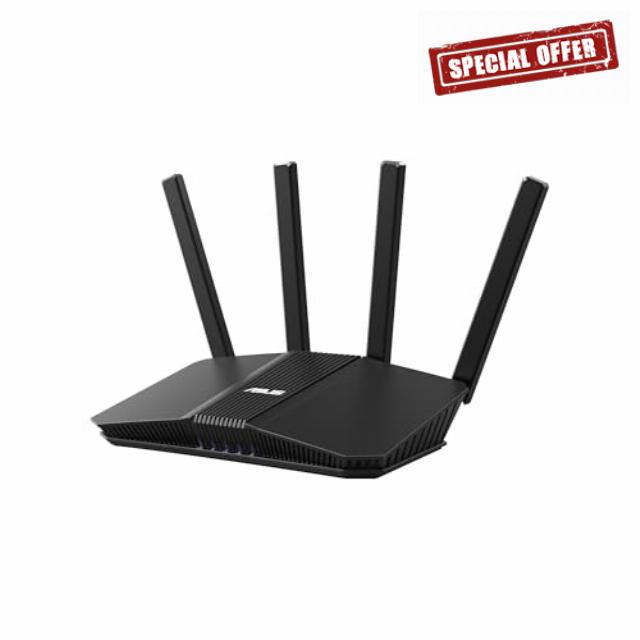
ASUS RT-BE59 WiFi 7 Router – Dual-Band, 5 Gbps, 2.5G, Mesh + VPN Compatible
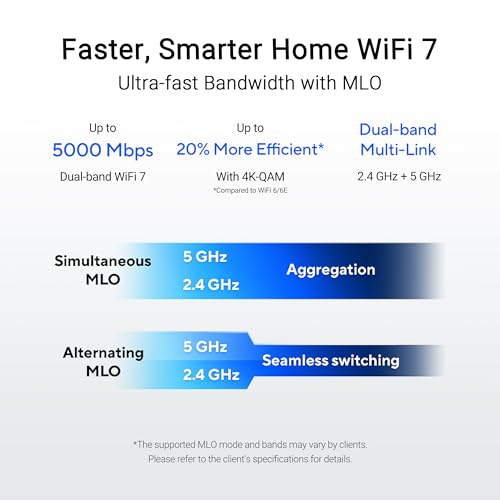
- Dual-band WiFi 7 speeds up to 5000 Mbps with MLO and 4K-QAM
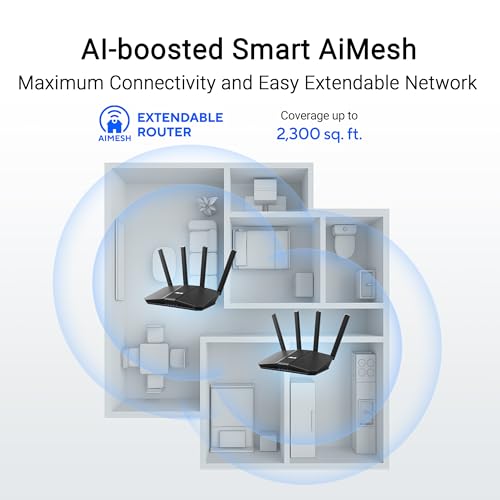
- AI-powered Smart AiMesh boosts coverage up to 2300 ft2 and easy extendibility with compatible ASUS routers for seamless and secure whole home WiFi
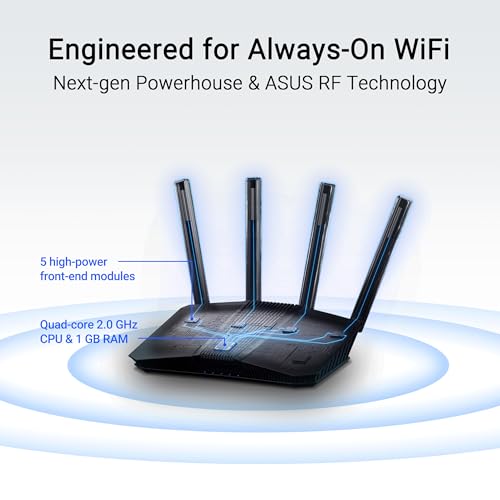
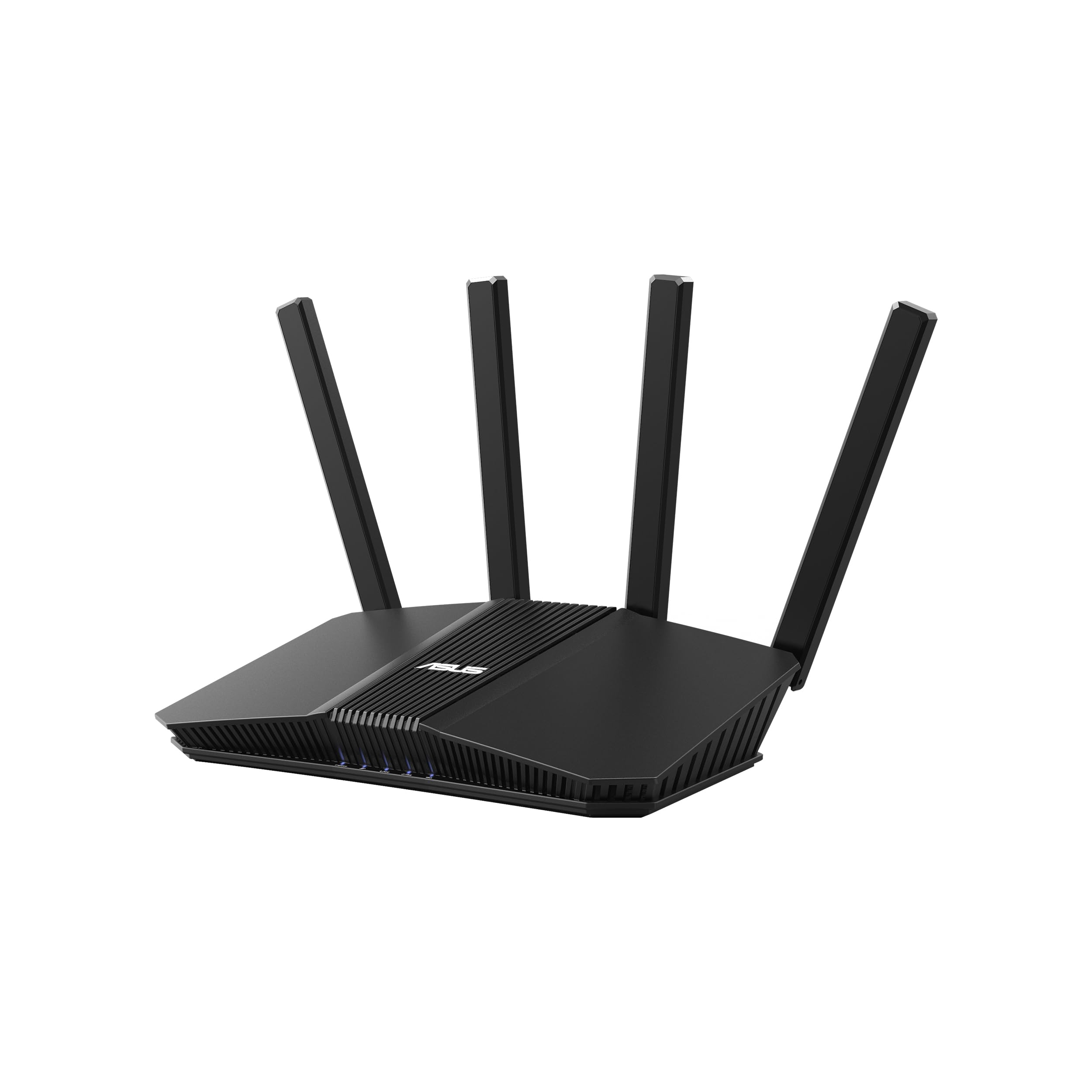
- Four external antennas and one internal antennas eliminate WiFi dead zones
- Establish up to three SSIDs for parental controls and IoT devices with Smart Home Master Network
- Hassle-free AiMesh Extendable Network for whole home seamless roaming
ASUS RT-BE59 Dual-band WiFi 7 (802.11be) Smart AiMesh Extendable Router, 5000 Mbps, 2.5G port, Up to 3 SSIDs for IoT Devices, Parental Controls & VPNs, Advanced Network Security





| SKU: | B0GWNK8VLG |
| Weight: | 1.1 pounds |
| Dimensions: | 7.6″L x 2.32″W x 9.37″H |
| Brand: | ASUS |
| Model: | RT-BE59 |
| Colour: | BLACK |
| Manufacture: | ASUS |
| Colour: | BLACK |
From the manufacturer



Comprehensive VPN Features
Enjoy secure VPN connections with a wide range of VPN protocols, including WireGuard and OpenVPN, and top-tier VPN services integrated.

Powerful Extendable Whole-home Network
ASUS AiMesh technology lets you combine multiple ASUS extendable routers to create a seamless network across your smart home, improving coverage and eliminating dead zones!
Values Beyond Extension
ASUS AiMesh goes beyond just extending coverage or seamless roaming. It works with all compatible ASUS routers, offering easy management and advanced security features across your entire network.
Engineered for Performance
Enhance your smart home with superior network performance via the RT-BE59’s powerful quad-core CPU. Four high-power external antennas and one internal antenna boost WiFi signals throughout your home with broader coverage.
Triple-level Network Protection
AiProtection delivers a comprehensive, always-on security suite built into your router. With router security assessment plus malicious site blocking, tracker blocking and ad blocking handled on the device itself, it helps protect every connected device in your home against today’s online threats, 24/7 .
The video showcases the product in use.The video guides you through product setup.The video compares multiple products.The video shows the product being unpacked.Horizontal_ASUS Network Security video
Ultrafast Extendable Network
ASUS extendable routers create a seamless network throughout your home. Simply add any AiMesh-compatible router to extend coverage with streamlined setup and management. Plus, enjoy comprehensive commercial-grade security and network features across your entire network.
The video showcases the product in use.The video guides you through product setup.The video compares multiple products.The video shows the product being unpacked.AiMesh extendable router
 Internet Activity Dashboard
Monitor kids' internet use with the comprehensive graphical dashboard showing online time, data usage, and device-specific activity at a glance.
” data-position=”triggerHorizontal” />Flexible Time SchedulingSet online and offline hours to ensure kids’ balanced screen time and foster healthy digital habits, and reward good behavior with extra online time.
” data-position=”triggerHorizontal” />
Honestly, this router has me trying to figure out where it fits and whether or not I really like it.
Generally speaking, Asus is my preferred vendor for routers, as I really appreciate their feature set. That said, they can sometimes be a bit higher priced than the competition, but a large percentage of their routers have been Broadcom based, which opens up alternative firmwares for them and allows the user to add features. Unfortunately, this router doesn’t fall under that heading, as it has a MediaTek SOC, rather than Broadcom, which means the feature set it comes with, is what you are essentially stuck with — but, even so, Asus’s default feature set is still way ahead of most other router vendors.
On the good side of things, this router has the full complement of AiMesh compatibility, Asus’s robust VPN offerings, above average QOS capability, and also their debatably useful AiProtection feature. It also has a better than average 2Ghz quad core ARM CPU, that is actually significantly faster than the CPU in some of their Qualcomm SOC based offerings like the BE90/TUF-BE6500.
On the other hand, it is still only dual band WiFi 7 and doesn’t offer 6Ghz support, though personally with the minimal number of 6Ghz client devices currently available and the poor signal propagation of 6Ghz, I don’t consider that a huge failing. That said, its 5Ghz support, while not bad, is only 3×3 and also has slightly lower max throughput than some of their other routers do, though most of them are priced at least slightly higher.
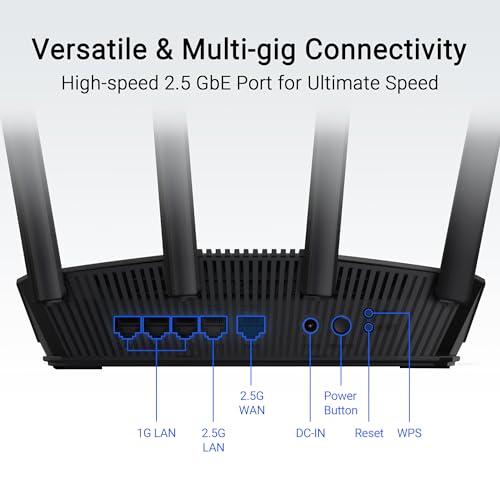
Additionally, it’s wired networking configuration is decidedly behind the times, with only a single 2.5GbE LAN port, and the remaining three being only 1GbE, though at least the WAN port is 2.5GbE. Compared to other Asus routers I typically use, the overall manufacture also just feels a bit cheap and “plasticy”.
So…I am a bit ambivalent in my feelings on this router, as I think there are likely other Asus products that have better WiFi performance available and offer better value for only a few dollars more, and ones available from other name brand manufacturers with similar or better performance, albeit fewer “pro-sumer” features, for somewhat less. As a result, while the price is lower than most of Asus’s other offerings, it still feels just feels slightly overpriced to me.
That said, if your goal is to use it as a 5Ghz AiMesh node using 2.5GbE wired backhaul, that actually might be a pretty good fit for it. Or, if you are interested in using it for a self-hosted VPN like Wireguard (which Asus typically excels at in any case), then the 2Ghz quad core CPU may give it a performance boost over even some of their more expensive products that have slower CPUs. However, if you are just planning to use it as a basic WiFi router…then there are other offerings out there that I think are better options.
So, while by no means a bad router, I’m just not convinced it offers the best value for the money among the wide range of routers that Asus offers.
Has excellent range (covers about 3000 sq ft inside and out for me). Very easy setup. WiFi 7 is wicked fast. My speed tests from my cell phone is over 1gb/sec. For the money, this is an excellent router.
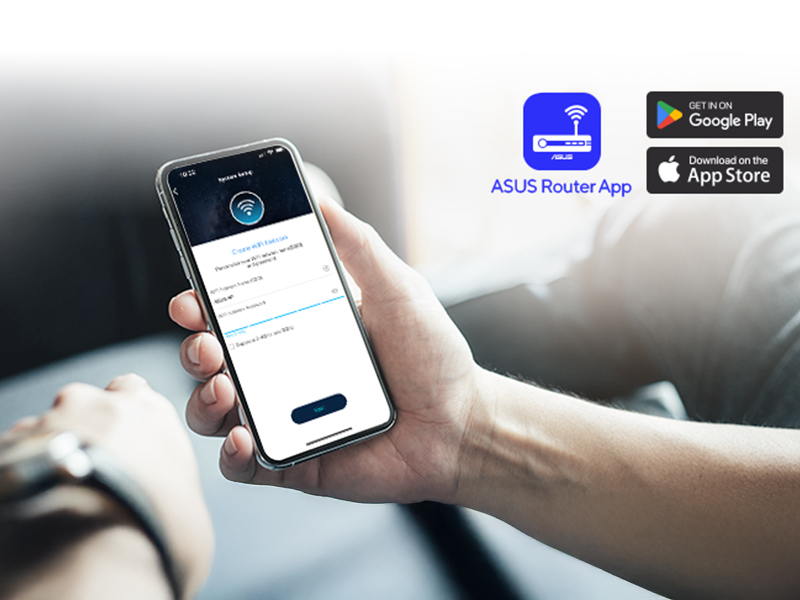
Moving to this ASUS WiFi 7 router after our older Nighthawk Rax80 setup started to struggle with the number of devices we have running at once, and it’s going well so far. Setup through the app was straightforward, and everything came back online quickly without needing much adjustment. Wired speeds are solid, and over WiFi everything feels consistently responsive, even with multiple streams, calls, and background downloads happening at the same time.
The 2.4 GHz band has been the biggest practical improvement for our setup. There are around 64 smart home devices connected, and it handles them without fuss compared to the previous router. Lights, switches, cameras, and other IoT devices stay connected reliably instead of dropping off or causing slowdowns, or bizarre random behavior.
I have Govee lights on the back of my monitor and on the wall of the gameroom, and with the previous Nighthawk router, there was occasional lag and inconsistent response in DreamView lighting that could only be fixed by resetting the modem and router. With this router, everything stays in sync with low latency and reacts much closer to real time. The network overall feels more stable under load, especially in a smart home environment where a lot of small devices are constantly communicating in the background. I’m not sure exactly what’s responsible for this, as there is a lot of overlap between the two routers on paper, but I assume it’s largely due to newer and more efficient components that yield an overall greater level of stability.
We decided it was time to upgrade our home to Wi-Fi 7, and we’re glad we did. There are a lot of features here so this is a bit longer of a review.
Our internet connection was already fast from a fiber connection, but with phones, computers, smart TVs, security cameras, HomePods, Nest devices, and everything else connected these days, it felt like our older router was due for retirement.
Installation was straightforward using the ASUS app on a smartphone. One tip: stay fairly close to the router during the initial setup process, as that seemed to make pairing and configuration go much more smoothly. From there, everything was up and running quickly.
One thing we really appreciate is that Wi-Fi 7 doesn’t require every device in your home to be the latest and greatest. We have a mix of iPhone 15 and iPhone 16 models, along with plenty of older Wi-Fi devices, and everything connected without any issues. The older devices continue to work perfectly while the newer ones automatically take advantage of the latest Wi-Fi 7 technology.
The biggest improvement isn’t just raw speed, it’s how well everything works well at the same time. Streaming, video calls, large downloads, and all of our connected devices seem to be compatible without slowing each other down. Wi-Fi 7 also provides greater network capacity, lower latency, and better efficiency than earlier Wi-Fi standards, making the entire network feel more responsive as more devices come online.
ASUS also includes excellent extra value security features including WPA3 support, guest networks, parental controls, and built-in VPN server/client functionality all at no additional cost. We set up the VPN so we can securely connect back to our home network while traveling, and it’s a feature we really appreciate for user privacy.
Every home has its own quirks, and ours has a couple of predictable weak spots because of the layout. We anticipated that and added an ASUS Wi-Fi 7 AiMesh extender. Together they provide seamless coverage throughout the property without having to switch networks as we move around.
Overall, this has been an excellent upgrade. It feels like one of those purchases you make once and then forget about because everything just works the way it should. If you keep your networking equipment for several years, like we do, this is a worthwhile investment that should be ready for both today’s devices and tomorrow’s!
Recommended.
Another quality router from Asus
This ASUS RT-BE59 has been a solid router so far. I wanted something newer with WiFi 7 support, good wired connectivity, and enough flexibility to work in a more advanced home or RV network setup, and this checks those boxes well.
Setup was straightforward, and the connection has been stable. The 2.5G port is a nice feature, especially if you have faster fiber or a multi-gig internet connection. I have seen some complaints that it only has a single 2.5G port and that it is on the WAN side, so you are not necessarily getting a full 2.5G wired connection all the way to one final endpoint. That is fair to understand before buying, but I also think it misses part of the benefit.
Even with only one 2.5G WAN port, the router can still let your overall home network take better advantage of a faster 2Gbps+ internet connection. Multiple devices across WiFi and wired connections can share that larger internet pipe instead of being capped by a slower WAN input. For a lot of real-world home setups, that is still a meaningful upgrade even if one single wired client is not getting the entire 2.5G connection by itself.
I also like that it supports AiMesh, so it can be used as part of a larger ASUS mesh setup instead of being limited to a single-router installation. The ASUS interface gives a good amount of control over wireless settings, guest networks, VPN options, parental controls, and security features without requiring a subscription for the basics.
Otherwise, this is a solid and good performer, as with most of Asus routers. Been a long time user of Asus networking gear and they tend to look good and perform well, and this one does that also. The OS and hardware seems like it’s well made and stable and not worried about unexpected failures of the gear.
Overall, this is a good value WiFi 7 router if you want something more capable than a basic ISP router. Just understand the 2.5G port layout before buying. For me, the single 2.5G WAN port still makes sense because it lets the network as a whole benefit from faster internet, while keeping the router compact, affordable, and feature-rich.
ASUS RT-BE59 WiFi 7 Router - Dual-Band, 5 Gbps, 2.5G, Mesh, VPN Compatible 5.0 Gbps | 2.5G Port)
Upgrading my home network to the ASUS RT-BE59 has been a massive step forward in terms of speed and reliability. Transitioning to WiFi 7 felt like a big jump, but the performance gains are immediately obvious, even with my older devices. The 5 Gbps dual-band capacity ensures that my 4K streaming is completely buffer-free and my large file downloads finish in a fraction of the time they used to. It handles the dozens of smart home gadgets I have connected without any of the “congestion” or drop-outs I experienced with my previous WiFi 6 setup.
The inclusion of the 2.5G port is a huge win for me, as it allows me to actually take advantage of the high-speed fiber internet I pay for. I’ve noticed a significant improvement in latency during online gaming, and the wired connection to my PC is rock-solid. I also appreciate the robust software features ASUS provides; the app-based setup was incredibly intuitive, and having built-in VPN compatibility gives me an extra layer of security for every device in my house. I even paired it with another ASUS router using AiMesh, and the transition between nodes is now completely seamless. Good compatibility with old and new devices.
Overall, the RT-BE59 is a fantastic “future-proof” investment for anyone looking to modernize their workspace or gaming den. It’s surprisingly compact for such a powerful router, yet it doesn’t sacrifice range or features like advanced parental controls and security. If you want the benefits of the latest WiFi standard without the astronomical price tag of some tri-band flagship models, this router hits the sweet spot of performance and value. It has truly transformed my daily internet experience from a utility into a high-speed luxury.
Good home router without spending a fortune
I replaced an older Asus with this newer version. Nice upgrade and similar dashboard. I feel like the wi-fi doesn’t reach as far as my old unit, but it still covers the who house pretty well.