512GB Flash Drive for iPhone/iPad, USB-C Photo Stick
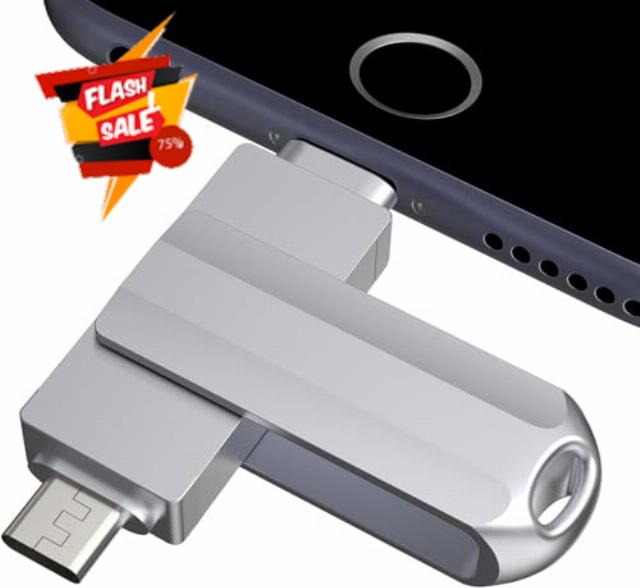
512GB Flash Drive for iPhone/iPad, USB-C Photo Stick with USB-A Adapter Free Up iPhone Storage;No Cloud Subscription Required;Transfer Across Multiple Devices;Privacy-Focused Local Storage
- [Flash Drive for iPhone Photo Backup] This flash drive for iPhone helps back up photos, videos, and files through the MFlash app. Free up iPhone storage and keep your memories saved on a portable photo stick without relying only on cloud storage.
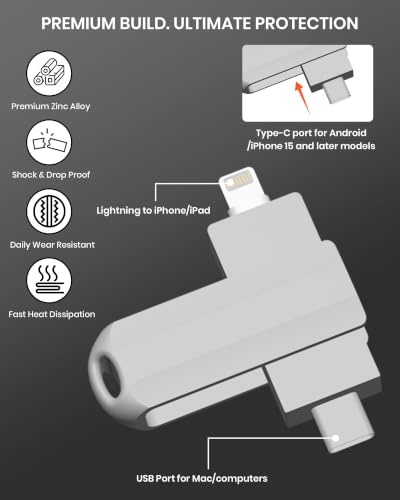
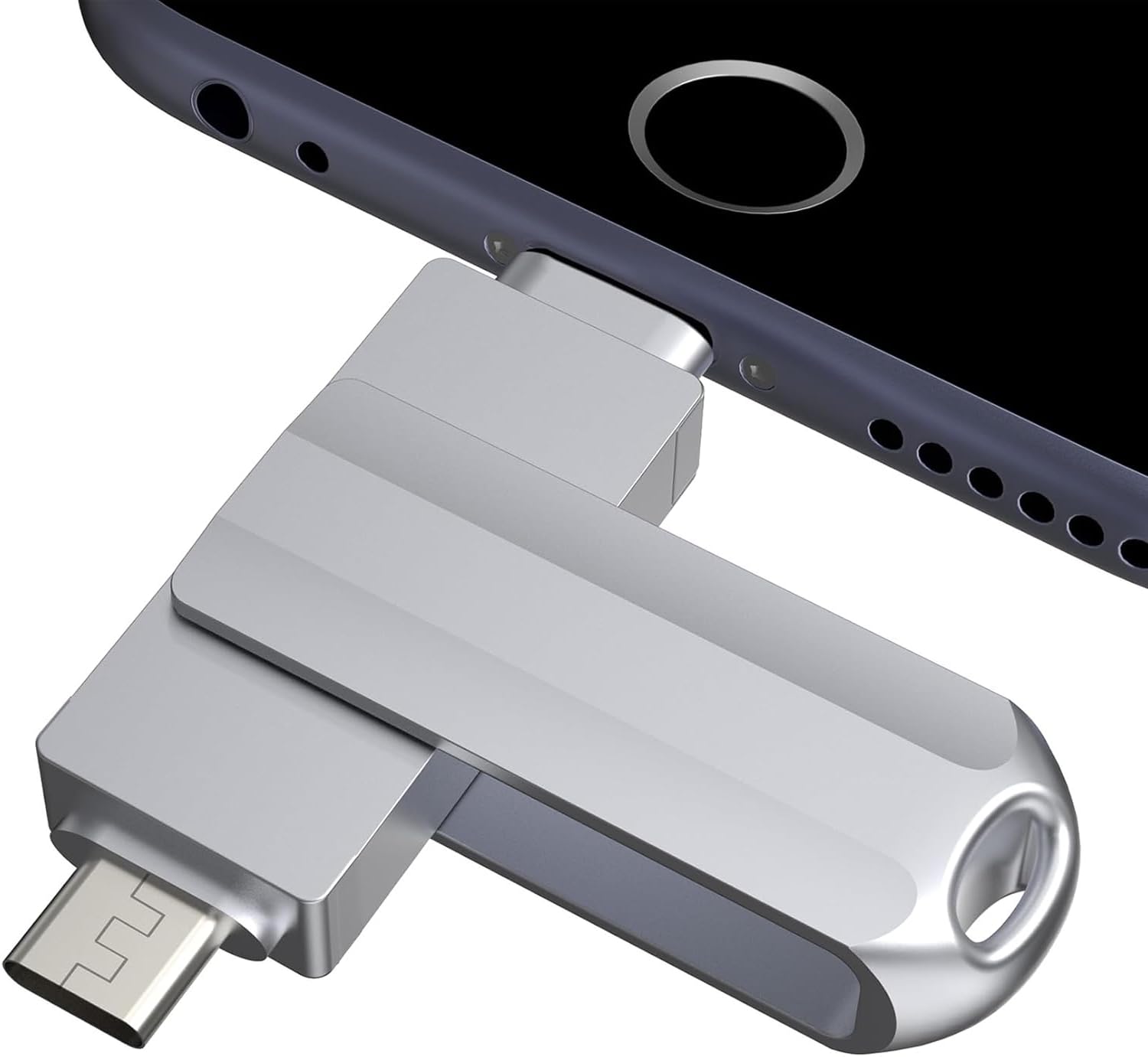
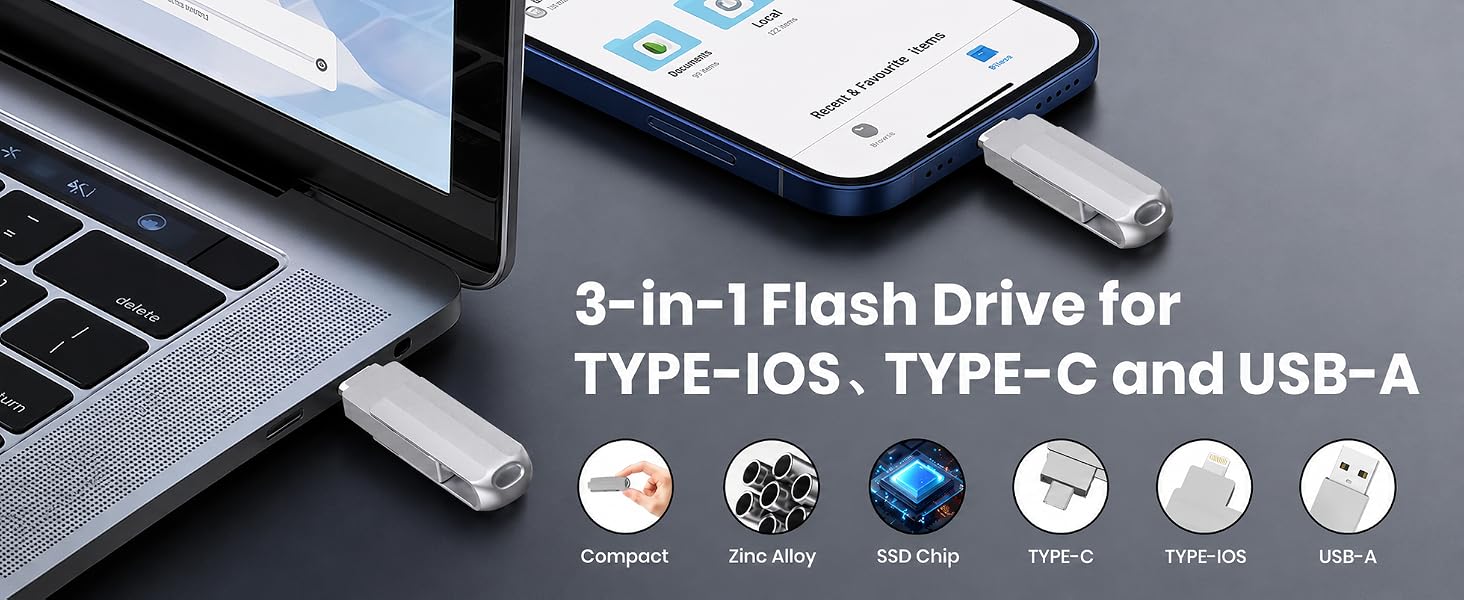
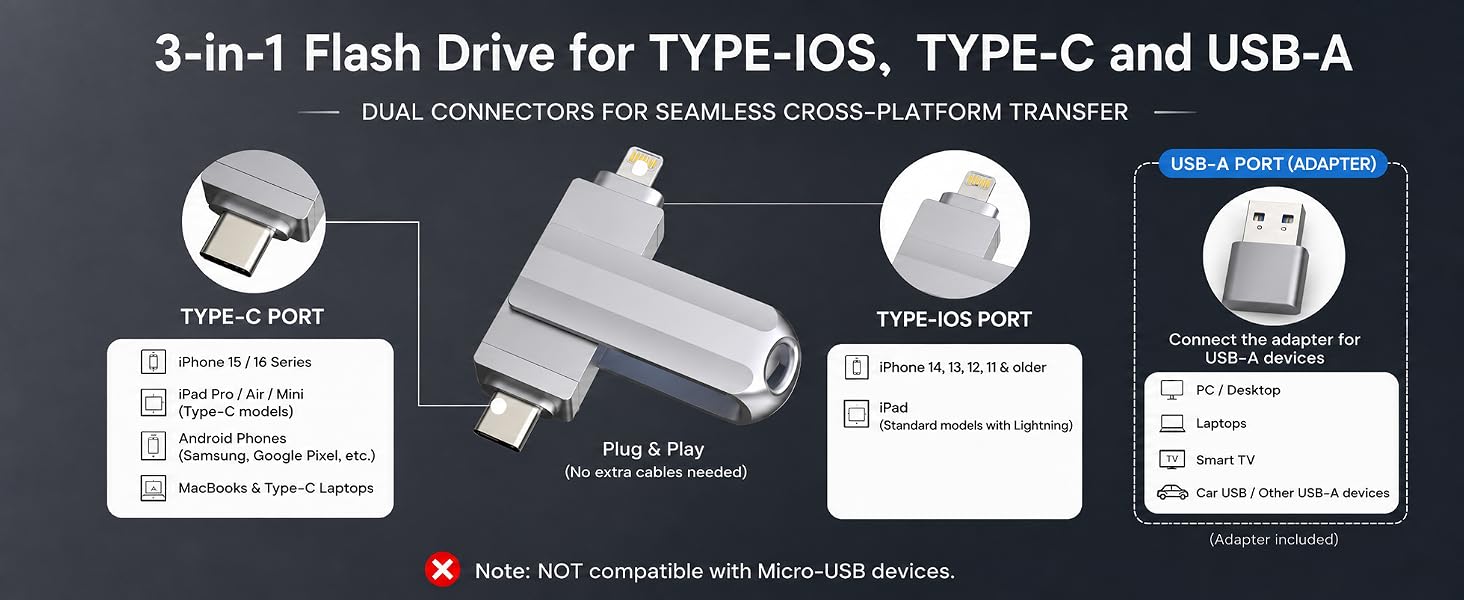
- [USB-C & Type-iOS Dual Connector] Designed with a USB-C connector and Type-iOS connector for compatible phones, tablets, and computers. Easily move photos, videos, music, and documents between iPhone, iPad, USB-C phones, laptops, and more.
- [USB-A Adapter Included] Comes with a USB-A adapter for connecting to computers, laptops, and USB-A devices. Transfer files between your phone, tablet, and computer without needing multiple storage devices.
- [Easy File Management with MFlash App] Download the MFlash app from the App Store to manage, copy, and transfer photos, videos, music, and documents on compatible iPhone and iPad devices. Great for travel, daily backup, school, work, and extra phone storage.
- [Compatibility Note Before Purchase] iPhone/iPad backup requires the MFlash app and photo/file access permission. Android and PC do not require the app and work as external file storage when OTG or USB storage is supported. Not compatible with Micro-USB devices.
Can this flash drive work with iPhone?
Yes. This 3-in-1 flash drive works with iPhone models using Type-IOS and Type-C, including iPhone 15/16 series, iPhone 14, 13, 12, 11 and older compatible models.
Can I use this flash drive to free up iPhone storage?
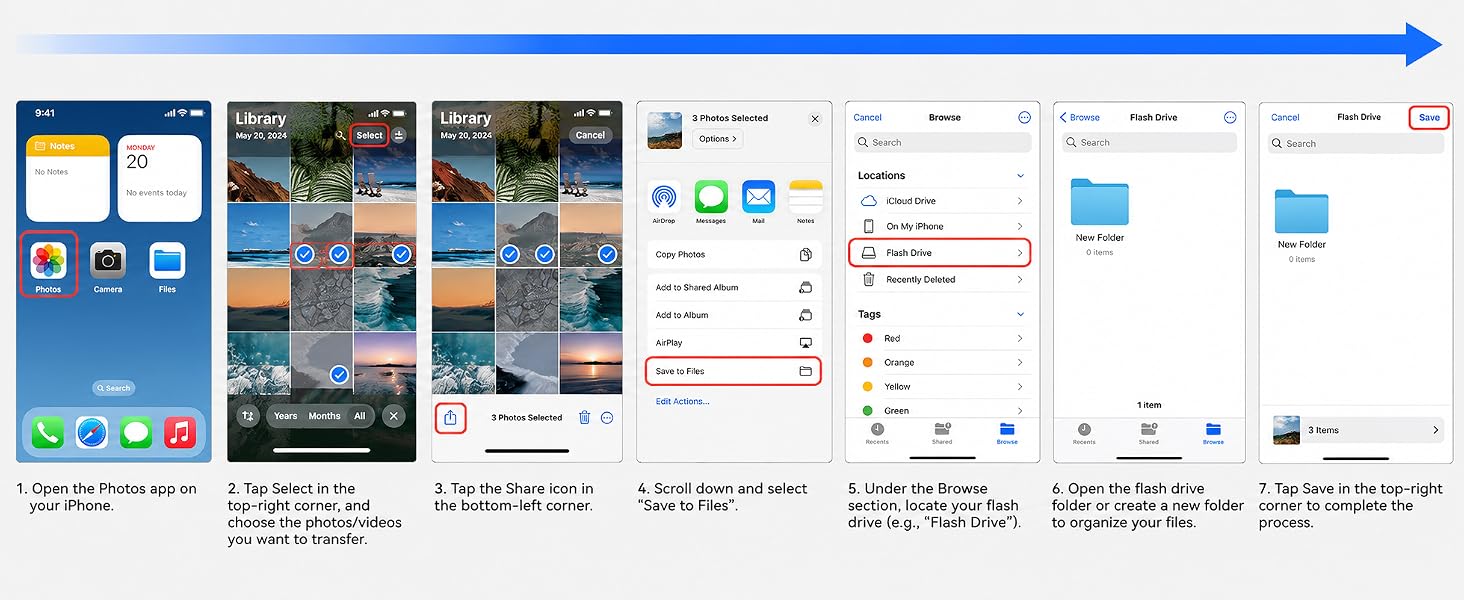
Yes. You can transfer photos, videos and files from your iPhone to the flash drive to quickly free up phone storage without relying on cloud storage.
Will the app access my private data?
The app only requires permissions necessary for photo and file transfer. Files remain stored on your device and flash drive.
Does this USB flash drive need Wi-Fi or iCloud?
No. This flash drive does not require Wi-Fi, mobile data or iCloud for file backup and transfer. You can save, move and access files directly from the drive.
Does it work with iPhone 15, iPhone 16 and Android phones?
Yes. It supports Type-C devices, including iPhone 15/16 series, many Type-C Android phones, iPad Pro, iPad Air, MacBook and Type-C laptops. Android phones need to support OTG function.
| SKU: | B0H2VFYC4C |
| Brand: | OG O2G Flash |
| Model: | BLA2508 |
| Colour: | Metallic Silver |
| Manufacture: | OG O2G FLASH |
| Colour: | Metallic Silver |
Product description
Can this flash drive work with iPhone?
Yes. This 3-in-1 flash drive works with iPhone models using Type-IOS and Type-C, including iPhone 15/16 series, iPhone 14, 13, 12, 11 and older compatible models.
Can I use this flash drive to free up iPhone storage?
Yes. You can transfer photos, videos and files from your iPhone to the flash drive to quickly free up phone storage without relying on cloud storage.
Will the app access my private data?
The app only requires permissions necessary for photo and file transfer. Files remain stored on your device and flash drive.
Does this USB flash drive need Wi-Fi or iCloud?
No. This flash drive does not require Wi-Fi, mobile data or iCloud for file backup and transfer. You can save, move and access files directly from the drive.
Does it work with iPhone 15, iPhone 16 and Android phones?
Yes. It supports Type-C devices, including iPhone 15/16 series, many Type-C Android phones, iPad Pro, iPad Air, MacBook and Type-C laptops. Android phones need to support OTG function.
Performs fast on Android, exceeds advertised speeds, but included adapter is only USB 2.0
The metal housing of this drive feels sturdy and well built.
I primarily tested this 64GB USB C flash drive on my Android device (a rooted OnePlus 7 Pro) as I anticipate most people will be using this with their phones. My approach involved utilizing Linux’s native utility within a Termux terminal, which gives a direct measure of raw speed, bypassing any potential abstractions of third-party apps that claim to measure performance. I put together a quick one-liner command that calculated the average of three read and write operations on a 1GiB data payload.
The results were quite solid actually, giving me an average of around . / and . / . These numbers technically the speed claims provided in the manual. But when I upped the ante to a 4GiB payload for a sustained transfer, I did observe a dip in performance for both reads and especially writes. This indicates that while it performs admirably with burst transfers or smaller files, it may not maintain peak speeds over very large continuous data movements.
Just to get a more comprehensive picture, I also plugged the drive into a Type-C port on my main PC. I fired up CrystalDiskMark and performed a quick sequential test there. What I saw were even faster speeds, with sequential reads peaking around . / and sequential writes at about . /. I’m largely attributing these higher figures to the different underlying file systems at play here.
My only gripe, and this is ultimately why it’s not getting a full 5-star rating, is the included USB C to USB A adapter. It’s clearly a USB 2.0 adapter as indicated by my PC. This means that if your computer doesn’t have a native Type-C port and you have to rely on that adapter for connectivity, you won’t be able to achieve the higher speeds I documented. Using it with a standard USB 2.0 port, you’ll be looking at speeds closer to / , which, to be fair, is around what was advertised in the description.
Considering its $38.26 price point for 64GB and the inherent convenience of its dual Type-C and Lightning connectors, the overall performance was better than I’d initially anticipated.
I’ve used this with several different devices and it has been dependable so far. Connecting it and moving files around has been straightforward, and I haven’t had problems with devices recognizing the drive.
The transfer speed is adequate. I wouldn’t put it in the same category as a faster, higher end flash drive, especially if you regularly move very large files, but for transferring photos, documents, and everyday files it works fine. For occasional backups or freeing up space on a phone or tablet, I haven’t found the speed to be a problem.
I like having USB C on the drive along with the USB A adapter. It makes it easier to move files between newer phones and tablets and devices that still use a traditional USB port without needing to keep another adapter around.
The 64GB capacity gives you a useful amount of storage while the drive itself stays small enough to carry easily. The compact size is convenient for keeping in a bag or with other phone accessories.
I wouldn’t call it a top tier flash drive based on speed or build, but I also wouldn’t expect that at this price. It has been reliable through normal use, gives you several connection options, and offers a decent amount of storage. For the price, I think the value is fair.
Convenient way to back up photos and free up storage
I bought this USB-C flash drive because I was running out of space on my phone and wanted an easy way to back up photos and videos without relying on cloud storage. The dual connectors make it very convenient since I can transfer files between my phone and computer without needing extra adapters. It has made organizing and saving my files much simpler.
The transfer speeds have been fast enough for my everyday use, and the drive was recognized quickly by both my phone and laptop. The compact design is easy to carry in my bag or pocket, and the build quality feels sturdy enough for regular use. Having 64GB of extra storage is perfect for backing up pictures, videos, and important documents.
Overall, this flash drive has been a great purchase. It’s simple to use, portable, and provides an easy solution for managing storage across different devices. If you’re looking for a convenient way to back up your files or free up space on your phone, this is a reliable option that I would definitely recommend.
Amazing, works well, easy to use.
I’ve always struggled with trying to get the photos off my phone and onto my computer. it feels like a few years back they changed the way the files were formatted, and it became even more difficult. it even got to the point where I ended up using cloud storage just to be able to move things across. so I was excited to try out this USB-C flash drive as it promised that it could store things from my phone and allow me to move into my computer.
The setup was fairly simple: just take out the flash drive, remove the protective gaps, and plug it into your phone. You’ll also need to download an app that allows you to choose where the items are going to move to or from. I was a bit concerned about maybe some kind of data breach, but the app says that it does not store or take any of your personal information, so that’s awesome. Once I had the software installed on the phone, it was fairly simple to go to my photos, grab what I wanted, and tell it to download it to the stick itself.
It did take a little while, but to be fair, there were a lot of photos, over 3,000, that I was trying to move at the time. Once it had moved them all across it was very easy to unplug from there and plug into my computer. Once I had it on my computer, the drive showed up right away, and I was able to see the photos, so the problem was solved.
I think this is a win all the way around. Even if you’re not using it to move things from your phone, it will still function as a normal flash drive, and at 64 gigs other than really high-intensity items, you should be able to get by with this. For the price that it’s at, I highly recommend.
Convenient for Phone and Computer Transfers
I got this because I wanted an easy way to move and back up files from a phone without having to rely entirely on cloud storage or transfer everything through a computer first. The 64GB capacity gives me a decent amount of space for photos, videos, and other files, and I really like having multiple connection options in one small drive. The USB-C connection makes it useful with newer devices, while the included USB-A adapter means I can still plug it into computers and other devices with traditional USB ports without hunting down another adapter. It’s compact enough to keep with my other electronics or toss into a bag, which makes it convenient when I need to transfer something away from home. File management on compatible iPhones and iPads does require the app, but having the drive physically available means files can be backed up or moved without depending on an internet connection. Having USB-C and USB-A compatibility together makes this particularly useful for transferring files between newer mobile devices and computers that still use standard USB ports.
Drive
Content genre and having to store everything in the device is very heavy that’s why I bought this drive that apart from being elegant has its two connection inputs for normal iPhone and type C and an adapter included to be able to transfer that information from the cell phone to your computer or another quick and easy layout I loved i
My favorite hobby is taking photos, and I finally found a reliable USB drive for my iPhone. I’m always running out of storage space, and this is the perfect solution for keeping all the photos and videos I don’t want to lose. Transferring files and photos is easy, and it’s designed to be compatible with both USB Type-A and Type-C. It’s an excellent option—highly recommended (10/10
Sturdy metal build with 255MB/s burst speed, but throttles on very large transfers
Included: USB-C dual connector flash drive, USB-C to USB-A metal adapter, printed manual, PDF manual on device
Build quality is really nice, all-metal body with a loop on the end for a keyring. The rotating connector part clicks into place with a solid detent when you switch it around. Mechanically, it’s a bit larger than all the other metal case USB sticks I have in this form factor, but it is still comparable in size to older USB drives.
The included manual is actually much more impressive than expected for something like this. It’s around 50 pages with color images and step-by-step instructions for using the app and transferring files. It feels like older electronics manuals with the level of detail. The printed version has very small text though, hard to read comfortably for some, but the included PDF version is fine since you can zoom it.
There is also an app, as mentioned before, for file transfers on iOS. I didn’t test it extensively, since I already have tools that I use for these tasks, but from reading the manual and playing with the app, it seems to be quite useful.
I did reformat the drive before testing since it had a PDF copy of the manual already on it. After formatting, it showed about 59.6 GB free on exFAT.
Speed tests on smaller transfers were around 255 MB/s read and write. With larger files in the 16–32 GB range, it started at full speed eventually dropping to around 90 MB/s. When doing a full fill transfer to fill the drive, it started slowing down progressively and stabilized at around ~60 MB/s once it got past roughly the halfway filled point. It does get warm during long sustained writes, not uncomfortable but noticeable after a while.
I would have preferred a Lightning and USB-A setup in place of USB-C for practicality reasons, but it also includes a good quality metal USB-C to USB-A adapter.
Excellent for freeing up phone space
Very practical for storing and transferring photos and videos without needing a cloud subscription. The 512GB capacity is quite ample, and the design with various connections makes it easy to use with different devices. I find it especially useful for those who have a lot of photos and videos on their iPhone and need to free up space.
Classy looking, solid performance
This is a 64 GB silver flash drive with a double plug-in: Apple lightning and USB-C, with a USB-C to USB-A adapter. The flash drive has a cover that only covers one plug-in at a time, which has a stylish raised center down its length. The half-cover makes a distinct click sound when it’s parallel or perpendicular to the stick, but I can set the position quietly by holding it and moving it in place slowly. This memory stick feels heavier than all the other memory sticks I use. It’s 21 g. The stick and USB-A adapter combined are 27 g. The silver color, the weight, the click, and the raised platform on the cover make this memory stick feel high end.
The two plug-ins (USB-C and Apple lightning) come with clear plastic caps. I took the USB-C cap off when I received it, and I’ll keep it off because it will get in the way. For some, it could be a disadvantage of the design to have protective caps that can be easily lost. One or both plug-ins can be exposed to dust or dirt and possibly damaged. I don’t use Apple devices, but I have an old Apple phone that this drive plugs into. Someday if I get access to the phone, I can try this drive with it. In the meantime, I’ll keep the cap on the Apple connector all the time, so for my usage, both plug-ins should stay in good condition. The cover has a hole, so the memory stick can be attached to a lanyard.
Another possible disadvantage of the design is the smooth edges of the USB-A to USB-C adapter. Depending on the port I’m removing it from, I might have trouble getting a grip on it.
When I ordered this, it occurred to me that all my desktop and laptop computers have USB-A ports and no USB-C ports, and I thought I would have to order a cable in order to use it. I didn’t realize that this flash drive came with a USB-A male to USB-C female adapter. I also have a Samsung Galaxy Tab S8, which has a USB-C port. I tried to get it to talk with my computer a while ago and didn’t try too hard, so my method of transferring data from my tablet to desktop was to push the case up, poke a pinhole, remove the microSD card, and use a card reader on my desktop to read the microSD card. It was inconvenient. After ordering this, I was finally motivated to find an app that allows my tablet to connect to a desktop or laptop through cables or to this memory stick.
Like all memory sticks, it’s a little short of the reported memory. My main OS (Linux Mint) tells me I have 62.5 GB of free space, after deleting all the files except the ones that came with the drive. I’m happy with it. I’ve been using this memory stick to transfer files between a Samsung Galaxy Tab S8 (Android), a Linux Mint Cinnamon desktop, an MX Linux laptop, and a Windows 10 desktop. It transfers files quickly and without errors. I wanted something specific to say about transfer speed, so I tested this in Windows 10 using a program called H2testw. This was the result:
H2testw —
Warning: Only 59601 of 59635 MByte tested.
Test finished without errors.
You can now delete the test files *.h2w or verify them again.
Writing speed: 19.8 MByte/s
Reading speed: 31.4 MByte/s
H2testw v1.4
I like the look, feel, and performance of this memory stick. The 64 GB capacity is plenty for transferring files between my systems. Most importantly, this memory stick has helped me drastically speed up how quickly I can move files on and off my tablet. My tablet has become a lot more usable.