TobenONE 18-in-1 Triple 4K@60Hz Monitor Docking Station with 150W Power Supply, USB C Laptop Docking Station Stand(Single 4K@144Hz), 2.5Gbps Ethernet, 2 HDMI & DP, 8 USB, for Windows&ChromeOS
REGULAR PRICE: £169.99
About this item
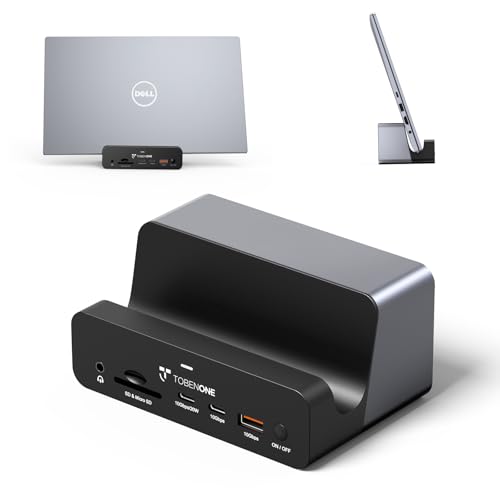
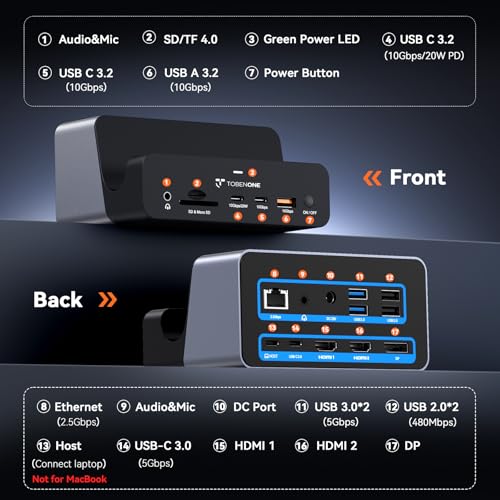
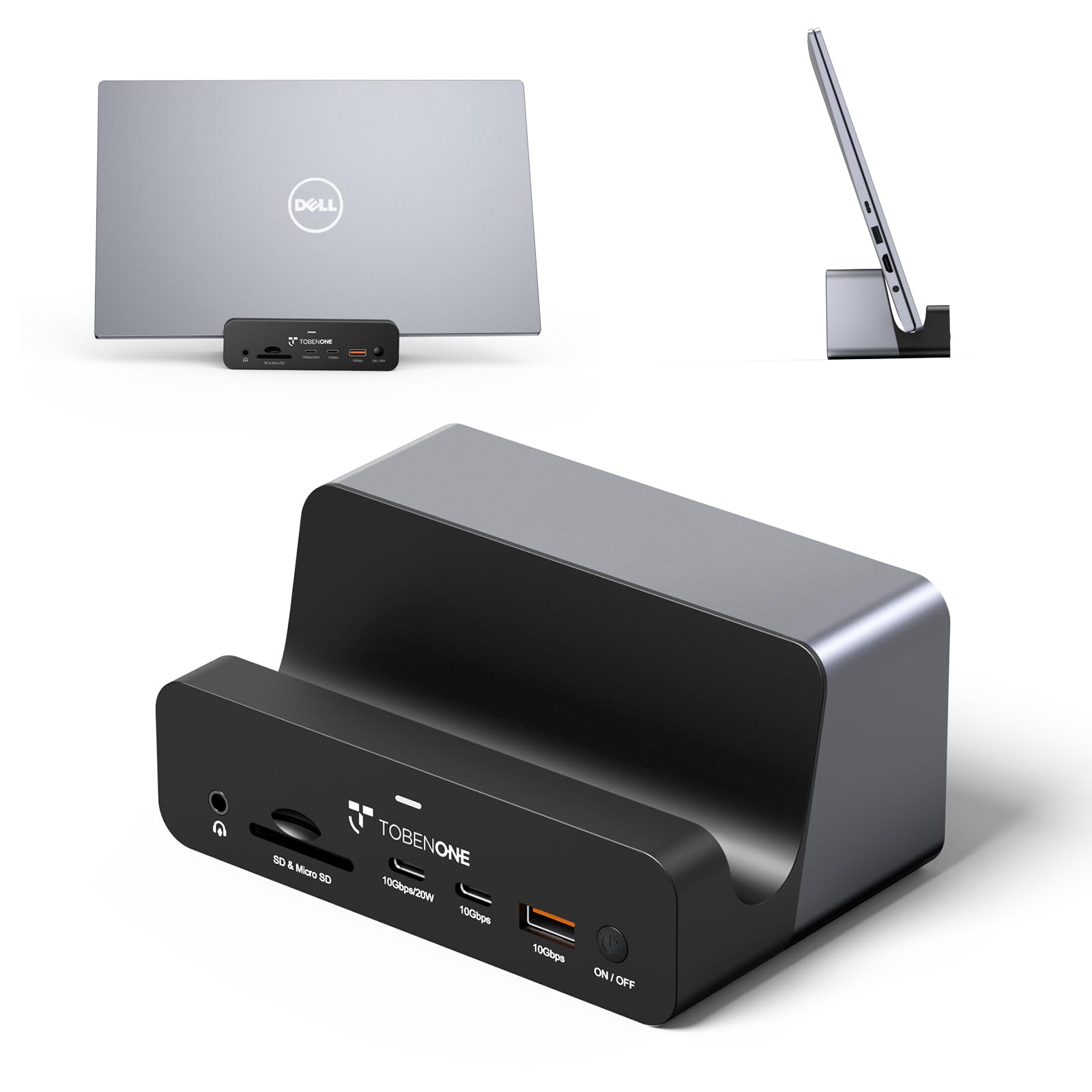
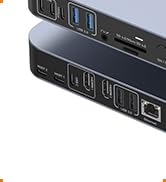
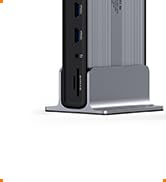
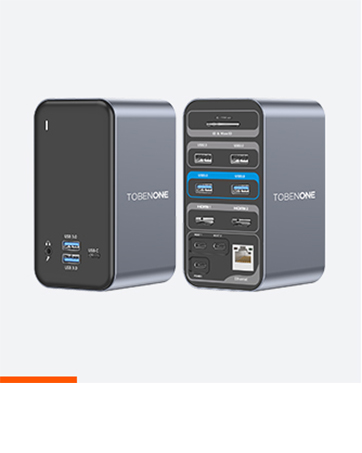
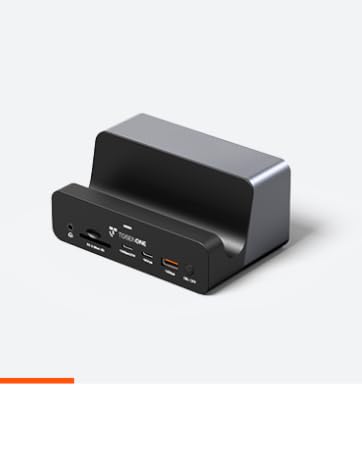
- All-in-One Solution: UDS040W is a powerful and multifunctional docking station. Designed with the needs of office professionals and remote workers in mind, this dock feature multi-ports including 2 HDMI, DP, 8 USB C/A, 2.5G Enternet, SD/TF 4.0, HOST, DC and 2 audio ports. In addition to acting as a device with many ports, there is a slot as a holder. You can plug in a variety of devices into dock and put your laptop/tablet/phone on the slot so that your workspace is more organized and efficient
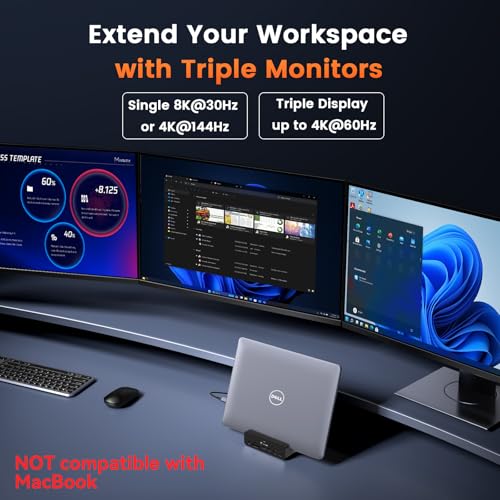
- Triple /Dual 4K Monitor Support: This USB C laptop docking stations stand allows for connecting up to three external monitors simultaneously. Dual HDMI ports and one DP offer flexible configuration for different monitor setups. Single monitor max up to 8K@30Hz or 4K@144Hz, Dual/Triple monitor max up to 4K@60Hz(DP1.4 and DSC source). Ideal for multitasking(movies, spreadsheets, coding, writing, etc), presentations, and improving productivity with extended multi-displays
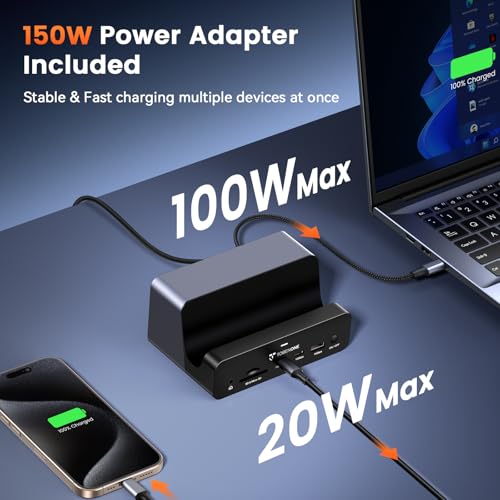
- 150W Power Supply Included: More docks only go with 65W power supply which isn't enough to charge laptop. This dock has a 150W power adapter, it will offer up to 100W of charging power for your laptop, which is more than enough to keep it powered during heavy use, never have to worry about battery life, even during intensive tasks. It also provides up to 20W charge your phone or tablet via the front USB C port. This is a game-changer for those who need to keep devices charged and ready to go
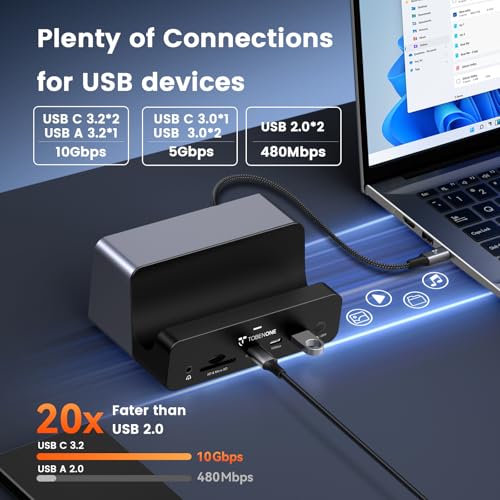
- Wide Range of USB Connectivity: This usb c dock equipped with 8 USB ports(2*USB C 3.2, 1*USB 3.2 A, 1* USB C 3.0, 2*USB 3.0, 2*USB 2.0). It has more than enough ports to connect everything that you have, such as external drives, webcam, printer, smartphone, keyboard, mouse, and other accessories. Also support lightning-fast 10Gbps data transfer speeds with multiple USB ports. Transfer files of up to 10Gbps in just seconds so you can respond to work demands quickly and stay productive
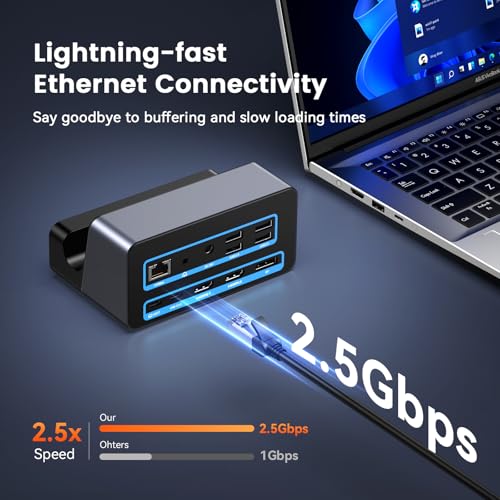
- Upgrade Your Ethernet Connectivity: Enhance your Ethernet connectivity with this laptop hub that boasts a 2.5Gbps Ethernet port. Access stable and lightning-fast network speeds with ease, which is especially important for remote work, online gaming, or large file transfers. Perfect for busy professionals and multitaskers, this dock ensures quick responses and seamless performance for all your needs, from streaming to file transfers, so you can stay productive without any delays or interruptions
- Designed for Windows& ChromeOS Laptop, Plug-and-Play: This computer docking station 3 monitors is broad compatibility with Thunderbolt 4/3, USB4, and full-featured USB-C Windows&ChromeOS laptop(support Power Delivery, Data Transfer and Display Alt mode), making it a flexible option for various users(Dell, HP, Lenovo, Surface, Google Pixelbook, and more). Not sure? Confirm with us! All ports work out of the box, no driver required. This feature will greatly improve your productivity and workflow
From the brand
Founded in 2016, TobenONE is a technology innovation brand dedicated to providing professional office connectivity solutions.
TobenONE not only continuously explores users' needs, but also optimizes the appearance of its products to create a comfortable and efficient ideal office environment for customers. TobenONE makes professional work more simple power and elegant.
-
Programmable Docking Station
-
Knob dock for Windows
-
Docking Station 5 Monitors
-
18-in-2 Mac Docking Station
-
Triple 4K Dock for Windows
-
13-in-1 Laptop Docking Station
-
20-IN-1 Triple 4K@60Hz Dock
-
4 Monitor Docking Station
-
USB C KVM Switch
-
USB C Wireless Display Adapter
-
Best Selling Docking Station
Designed for MacBook
Designed for Windows
Designed for Chromes
Displaylink Docking Station
| SKU: | B0DDBT875C |
| Weight: | 12.3 Ounces |
| Dimensions: | 4.92"L x 3.2"W x 2.3"H |
| Brand: | Tobenone |
| Model: | UDS040W |
| Colour: | Grey-150W power adapter |
| Manufacture: | TobenONE |
| Colour: | Grey-150W power adapter |
From the brand



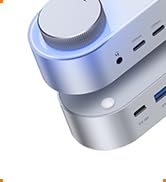
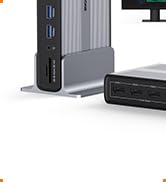

Fixed my many replacements of the small versions.
Expensive. But was compatible with both my HP and Lenovo, ethernet port connects instantly, its big but is now stable , unlike the other small ones, that I needed to buy. It is sleek. Looks expensive. And it is.
Great product and customer service.
I purchased this docking station in February 2025 for my Microsoft laptop, and it worked flawlessly for about a year. It powered my laptop while projecting to two monitors at the same time with no issues. Recently, my laptop stopped projecting to the monitors, even after trying different cables and troubleshooting on my end.
I contacted customer service and received a prompt, professional response. They asked for detailed photos of the setup and a description of the issue. After reviewing everything, they sent me a replacement docking station, and it works perfectly.
The customer service was quick, courteous, and extremely professional. I’m very impressed with both the product and the company’s support. I highly recommend this brand and will continue to use and recommend it to friends and family
This is the third dock now for my Surface Pro 11 snapdragon computer. I started out with the Surface Dock 2, which worked for a week or to then started being flakey. I figured OK, it was a few years old since I got it with the Surface Pro 9 I used to have. So I saw people say that the 49″ ultrawide monitor I had worked well with the Surface Thunderbolt 4 dock. That was an utter disaster that lasted about 3 days, suddenly one morning the gigabit RJ45 was no longer visible to the computer. Multiple power cycles and disconnects / reconnects it worked, but I didn’t realize it also stopped providing power through the USB and my battery died in the middle of work.
I hit a forum for the Surface devices, and found somebody had good things to say about this one.
I like the lip to hold the device. I’d never use it for a real laptop since I use laptop screens in addition to external monitors, but it works great to hold my Surface Pro right where I’d have it with the stand anyway.
All the ports seem to work that I use, my USB dongle for keyboard/mouse, my ethernet, and I had to get an actual display port cable since everything else I had was USB C to display port, but it worked fine. I’m getting a good picture on my 49″ OLED, HDR and 120hz (it supports 240 but my Surface can only support it at 120).
I’m holding off on calling my issues solved for the moment since each dock I used worked for a few days to a week and then stopped working. If I have issues with this one, I’ll update the review accordingly, but if it continues as it, solid 5 star product and better price than the failing Surface Docks…
I use a variety of mobile devices.
Sometimes I need to connect a device to a monitor, so I bought a docking station.
The UDS040W docking station features a space where you can place laptop, tablet, or UMPC. Connect laptop with the included USB-C cable, close the screen, and place it on the docking station for convenient clamshell mode, and I can also organize your desk space.
This product is stated to support Windows PCs and Chromebooks, but I also connected other devices to check if they could output to an external monitor and charge.
(I only have one monitor at home, so I couldn’t test connecting multiple monitors.)
1. Microsoft Surface Pro 7
Charging and output to external monitor 4K@60hz were possible. Internet connection via the Ethernet port of the docking station was also connected normally without installing a separate driver.
2. ASUS ROG Ally
Charging and normal output to external monitor 4K@60hz were possible. Internet connection via the Ethernet port of the docking station was also connected normally without installing a separate driver.
3. Apple MacBook Pro 13 (M2)
It was not on the support list in the manual, but I checked to see if it was connected. Charging and normal output to external monitor 4K@60hz were possible. Internet connection via the Ethernet port of the docking station was also connected normally without installing a separate driver.
4. Apple iPad Pro 12.9 M1 (5th Gen)
It was not on the support list in the manual, but I checked to see if it was connected. Charging and normal output to external monitor 4K@60hz were possible. Internet connection through the Ethernet port of the docking station was also connected normally without installing a separate driver.
5. Apple iPhoen 16 Plus
Although it was not on the support list in the manual, I checked to see if it was connected. Charging and mirroring output to an external monitor 4K@60hz were possible. Internet connection through the Ethernet port of the docking station was also connected normally without installing a separate driver.
6. Lenovo Pad Pro 12.7 (2022)
This is an Android tablet that supports DP-Alt via the USB-C port. Charging was normal, but external monitor output was only possible up to 4K@30hz. When the monitor and tablet are directly connected, 4K@60hz is possible, so it seems to be a compatibility issue with the docking station. There were no particular issues with Internet connection via the USB port or Ethernet port.
The included 150W power adapter allows to quickly charge various mobile devices. Based on the MAC system information apps, it appears to be capable of charging up to 100W.
It looks like a convenient product to install near monitor and connect various mobile devices.
Great compact, versatile dock
Get this dock if:
1. you have a business laptop that can open up a full 180 degrees, so that you can use your laptop as a secondary side monitor while taking up minimal space
2. you have a business laptop that can open up a full 180 degrees, so that you can use your laptop as a primary screen, but a little bit higher up
3. you have a folding laptop that can open up a full 360 degrees, so that you can use your laptop as a secondary monitor right under your main monitor
4. you just want your laptop closed while docked, but take up minimal space, this way you don’t need to buy a second dedicated vertical laptop stand
For me, I use the dock for purposes 1 and 4. For work, I’m able to use my laptop as a secondary screen on the side. For personal use, I can just fold my laptop up and put it in the laptop slot to use with external keyboard and mouse, or just use the laptop unfolded, and use the laptop’s keyboard.
Pros:
– This works just as well for my M-series MacBooks even though this dock specifically says it’s only for Windows and ChromeOS laptops
– All the ports work as advertised
– 2.5Gb networking! Couldn’t test it as I don’t need 2.5Gb networking at home
Cons:
– Not specific to this dock, but on my Dell Latitude 5540 16″, if my battery is below 80%, and I’m docked and trying to use the computer, the USB A ports basically don’t work, presumably because there is not enough power being supplied to the laptop. I also had the same issue when using my Caldigit TS3+ dock, which is rated for 87W of charging.
This isn’t an issue with any of my other laptops
Powerful, reliable, and a great laptop stand!
I have been wanting to replace my work docking station that was provided because it has been having issues connecting in the morning when I return to work. This forced me to do a reboot every morning which isn’t a big deal but does stall my ability to answer timely on TEAMs, outlooks, etc. I have a folding laptop at work that I use as a display as well so this was a perfect solution for my docking station issues and a new stand. Once I plugged everything in and did a few hard reboots of my laptop everything worked perfectly. For those who are curious I have the awesome Microsoft sculp keyboard and mouse combo, 2 philips monitors (Brilliance 241B), a logi HD webcam, an auxiliary audio linked Bose speaker, a usb card reader for work, and mini desk fan. All my peripherals work perfectly. As you can see in the image my HP EliteBook fits perfectly in the stand. What sets this apart is the on/off button which sometimes is not included on docking stations but is clutch when you need it. If you are looking for a powerful docking station with lots of I/O and a nice stand this is the one! My only qualm is unrelated to the docking station and is a limitation of my monitors. I have one plugged in via displayport and one via HDMI. The monitor can only support HDMI 1.4 so the colors aren’t as rich as the displayport monitor (which is 1.2). Just a heads up if you are using older monitors as I confirmed with TobenONE that the outputs on the docking station support HDMI 2.0. Hope that extra info helps out future owners as this is a great docking station!
I purchased this dock when I bought my new laptop and immediately loved it. My desk has and nice clean look and I have access to my laptop for extra monitor space. There are certainly enough ports to meet my needs (external HD, speackers, etc). I use a standing desk unit and this really helps with cable management as most of the connections are on the desktop, so they easily move when raising the unit.
TobenOne Customer service was also fantastic. After using it for a few months, I realized that the ethernet port was not working because I usually connect via WiFi. I contacted them via email and received a response by the next morning. Anita worked with me through the whole process. It was a great balance of being thourough and not making me feel like I was wasting time. When we clearly established it was a problem with the unit, I ordered a new one, they refunded my cost and now I’m up and running in less than a week.