Samsung Galaxy S26 Ultra, Unlocked Android Smartphone
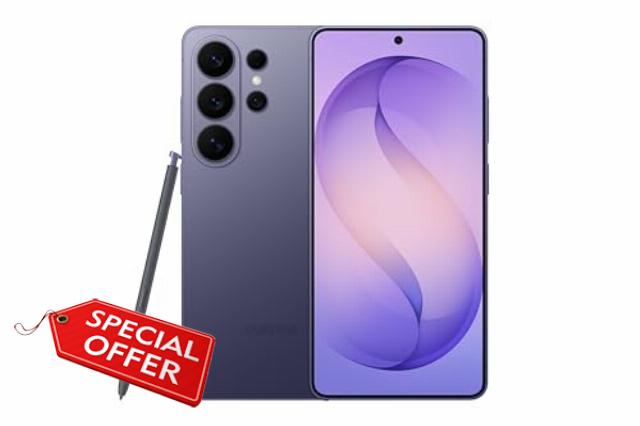
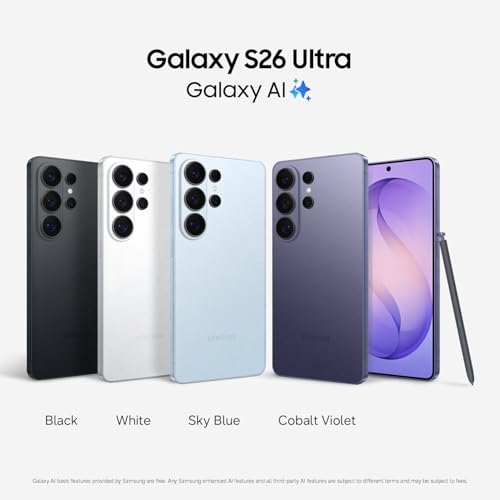
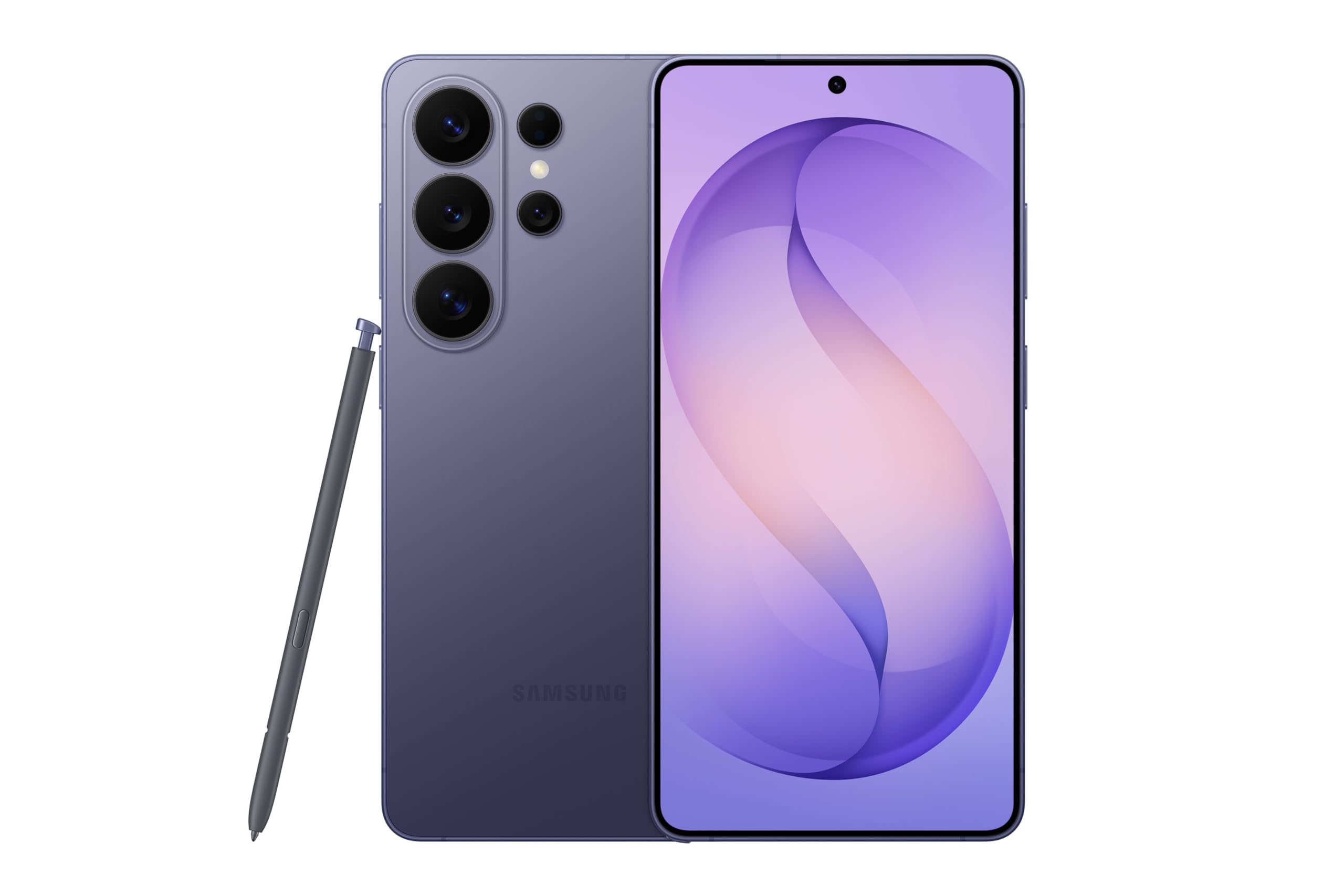
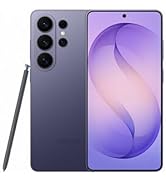
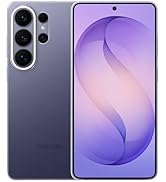
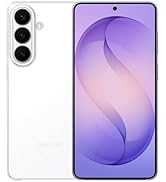
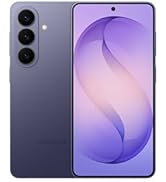
Samsung Galaxy S26 Ultra, Unlocked Android Smartphone, 256GB, Cobalt Violet | Privacy Display, Galaxy AI, AI Camera, Super Fast Charging 3.0, Durable Battery, 2026, US 1 Year Warranty
- PRIVACY DISPLAY: Automatically hide your screen from those beside you. The built-in privacy display can be preset¹ to turn on when receiving notifications, typing passwords, or using specific apps
- TYPE IT IN. TRANSFORM IT FAST: Enhance any shot in seconds on your smartphone by using Photo Assist² with Galaxy AI.³ Add objects, restore details, or apply new styles by simply typing or tapping
- NIGHTS, CAPTURED CLEARLY: From gigs to city lights, record and capture moments after dark with clarity using Nightography so your photos and videos stay crisp and clear on your Samsung Galaxy
- MAKE IT. EDIT IT. SHARE IT: Turn everyday moments into something personal with creative tools built right into your mobile phone, whether it’s a special contact photo, custom wallpaper, an invitation or more⁴
- HELP THAT KEEPS UP: Stay in the moment while Now Nudge with Galaxy AI helps you respond faster and stay organized with smart suggestions⁵ that appear exactly when you need them on your phone
- FIT EVERYONE IN THE SHOT: Group selfies are easier on your Samsung phone with a wider front camera⁶ that captures more of the scene, so no one gets left out of the moment
- FAST. POWERFUL. AI-READY: Power through your day with AI-accelerated performance from our fastest, smoothest and most powerful Galaxy processor yet, built to keep up with everything you do
- CHARGE FAST. MOVE FASTER. Galaxy S26 Ultra is Super Fast Charging 3.0 ready⁷ – so you can get back to capturing, scrolling and steaming without missing a moment
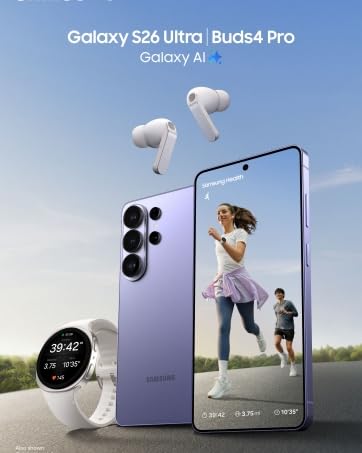
- PAIR BEAUTIFUL SOUND: From small reverbs to subtle textures, catch new details with Hi-Res Audio⁸ when you pair your cell phone with Galaxy Buds4 Pro
- THE WALLET MADE FOR YOUR GALAXY: With Samsung Wallet, easily access your debit and credit cards⁹, membership cards, boarding passes¹⁰ and more. All securely stored in your phone
From the brand
-
Explore more
-
Explore more
-
Explore more
-
Explore more
| SKU: | B0G4SX79VJ |
| Brand: | Samsung |
From the brand
I’m nearing 60 and pacing myself a bit more these days, so I appreciate it when technology just works. The Galaxy S26 Ultra does not disappoint.
The internet performance is instant. In areas with a good signal, I’ve never seen anything so incredibly quick—absolutely no lag whatsoever. But my favorite feature might actually be the call quality. The volume is loud and clear enough for my somewhat hard-of-hearing ears. It’s nice to have a phone that excels at actually making phone calls, even if the kids these days seem terrified to use it for that!
On top of that, the camera is stunning. It has features that make your photos look gallery-ready instantly. I’ve even printed out a few large canvas prints from my photos, and they look spectacular. Highly recommended!
1)The phone is expensive for sure. It’s nice though. The phone was new new
2) It arrived in a timely manner and it was easy to set up.
3)The camera is my favorite part.
4)I didn’t realize there is no way to expand the phones memory. That said, if you have an external hardrive, move old stuff there to have more space.
5)I’ve you play games on your phone and have a lot of apps like me, you will drain the battery quick. The fast charging is helpful though.
6)The finger print is annoying because it won’t read my thumb when it is sideways, so I had to set it with my thumb upright ot about 30.
7) the phone was unlocked, so it made for an easy set up.
8)I don’t know how about the Durability of the device is because I refused to use it until I got a case and screen protector on it.
I have been a long-time buyer of Samsung Galaxy series of smartphones for decades. Over the years, I have experienced mostly a good experience with some design flaws in the earlier models such as screen pixelation and poor battery utilization. But for the most part my Samsung phones have lasted well over 3 years until I decide to upgrade and not because the phone has malfunctioned.
I purchased the new Samsung Galaxy s26 Ultra to replace my 3 year old Samsung Galaxy s21 FE. I am really pleased with my s26 Ultra. This phone is lightening fast, snappy, and incredibly responsive–the user environment snaps smoothly in front of you so fast there is no time to see anything in between the transition except incredible speed. The display is easy to see in direct sunlight . The biometrics–face and fingerprint unlock are accurate and function seamlessly–face unlock works really great even when I am walking outside in direct sunlight.
My s26 Ultra is very comfortable holding it in my hand. I purchased a premium $17 clear case that is perfect to protect it. The s26 Ultra has a remarkable display that is so clear and realistic in color depth. The battery utilization is by far the best user experience that I have ever had to date with a Galaxy series phone. I can use my s26 Ultra all day–talk on the phone, use lots of apps, and still the battery meter hardly shows any battery loss and I can keep it unplugged for more than a 48 hours and it still has plenty of battery charge.
The S-Pen is amazing. The S-Pen is very nicely housed inside the phone same as it was for my previous Samsung series note phone that I owned several years ago. When using it to write “S notes” the user experience is fantastic–you can feel the pen against the screen that mimics the feeling like a real “pen to paper” experience with the strokes of the virtual pen having the same precision as a real pen.
My s26 Ultra is running incredibly cool and does not get overheated. The CPU in this phone is fantastic.
I was very fortunate in that I was going to buy the phone through my cellular carrier for about the same price as Amazon but it was only going to come with 256GB of storage and the color was limited to black, so I purchased my phone on Amazon and got a limited time deal that included 512GB of storage and I got to select the Sky Blue color from all the available colors that Samsung offers for this series. And Amazon let me spread the payments interest free for 5 months, so that was just perfect for my budget.
Aesthetics of the phone are great too, I purchased my s26 Ultra in Sky Blue color and I love this color and the shape of the phone and design are very appealing too.
I give the Samsung Galaxy s26 Ultra a well deserved 5 out of 5 stars. Thank you Samsung and Amazon.
The Samsung Galaxy S26 Ultra packs premium hardware with a beautiful display, fast performance, and a versatile camera system. The new Galaxy AI features make photo editing quick and intuitive, while Nightography helps produce clearer photos and videos in low-light conditions.
The 6.9-inch display is vibrant and smooth thanks to its 120Hz refresh rate, and the built-in Privacy Display is a thoughtful addition for anyone concerned about viewing sensitive information in public. Performance is excellent, with the latest processor handling multitasking, gaming, and AI-powered features with ease.
Fast charging, long battery life, an unlocked design for all major carriers, and Samsung’s polished One UI software make this a compelling flagship smartphone. For users looking for a premium Android experience with advanced AI capabilities and excellent cameras, the Galaxy S26 Ultra offers a well-rounded package.
This phone is awesome!!! I love the additional features that regular standard phones don’t have, such as the S pen, ai features, extreme camera features, and a 6.9 inch screen. There is just one small thing about this phone that I am not 100% satisfied with, which is the camera quality compared to my Samsung Galaxy A56. On that phone, the camera is much more crisp and colors don’t look too “greyed out”. Whereas on this phone, the pictures can sometimes come out washed up, or the picture doesn’t look too true to it’s color, even when I adjust the settings on it. I want nice crisp clear looks whenever I’m taking my photos and videos. Now some pictures and videos that I had taken already doesn’t look too bad, but whenever I compare it to my A56, the A56 in my opinion surpasses when it comes to clearer photos and videos. But overall this is a nice phone to have and I think it’s worth the investment!
Samsung Galaxy S26 unlocked: Phone is a little heavy, but navigation is easy. Was simple to transfer information from my previous account to the new phone. Great features, quick recharge and battery literally lasts all day, even when using Social media. Got it during Prime Sale. Great quality and price. I recommend for my Samsung family
The Samsung Galaxy S26 Ultra has exceeded my expectations with its fast performance, beautiful display, and impressive camera quality. The 512GB of storage provides plenty of space for photos, videos, and apps, while Galaxy AI features make everyday tasks easier and more efficient. The battery lasts all day with regular use, and Super Fast Charging 3.0 quickly gets it back to full power. The Cobalt Violet finish looks elegant and premium, and the phone feels durable and well-built. Overall, it’s an outstanding smartphone for anyone looking for top-tier performance, excellent photography, and a smooth user experience.
SUMMARY: BUY IT! My S21 Ultra was considered “End of Life” when its OneUI/Android OS updates ended in January. The S26 Ultra is an excellent phone with a solid set of features.
* The S26 Ultra display looks great, better than the S21 Ultra, if viewed straight-on and up to maybe 30% off-axis with the privacy display off. I use my phone like this most of the time and have no need for the “privacy” feature, so a win. Farther off-axis though, or with the privacy display “on”, the nicest thing I can say is “it will do the job until the S27 Ultra is released with hopefully Privacy Display V2.0”.
* The display’s dithered (Frame Rate Control) 8-bit (16.7 million colors) to simulate 10-bit looks OK visually. The S21U used the same, and so does the iPhone 17. I’m hoping for a true 10-bit display (1.07 billion colors & no visual artifacts) in the S27 or S28 Ultra (with maybe FRC to 12-bit, like Xiaomi phones) with a much higher-than-existing 480 Hz PWM display-dimming frequency to reduce eye strain, and at least a 7000 mAh silicon-carbon battery – all 3 things as in current Oppo phones. :/ I had been holding out for a larger battery than the S21U in my next S-Series phone and skipped the S25 Ultra mainly for that reason, figuring surely the S26U would have a larger one. :/
* The 25 watt wireless charging works so well that I can see I won’t be using a wired charger much. Same 25W rate as my wired S21U charging, but the S26U battery fills faster at 25W for some reason. The wireless charger puck’s magnet ring strongly locks right onto my Otterbox Defender Pro XT case’s (Amazon B0GD2KS743) opposite-pole magnet ring. The Samsung 25W wireless charger kit is labeled “Magnet Wireless Charger | 45W Power Adapter”, a 25 watt wireless puck AND a 45 watt charger in the same box (EP-P2900TBEGUS, Amazon B0FXHJTGNN). The puck requires the 45W charger (EP-T4511NBEGUS by itself, Amazon B0DQFJKP4B), it says, even though it puts out just the 25W of charging power. You can simply unplug the 25W wireless charging puck from the 45W adapter it comes with (USB-C), then use the wired charging cable in the S26U box to get a full 45W charging rate, about 2x as fast (real-world tested) as 25W! 2 charging rates in one box. The 15 watt wireless charging on the S21U was nearly useless with no magnets for coil alignment.
* The S26U display shows: “Super fast wireless charging” for 25W from the puck; “Super fast charging” for the S21U’s 25W wired adapter; “Super fast charging 2.0” for 45W wired charging; & “Super fast charging 3.0” for a wired connection with the 60W wall charger. I’m finding the 60W (EP-T6010NBEGUS, Amazon B0GXGMCQYJ) & 45W wired chargers are charging at nearly the same rate if the battery is already mostly full. Seems the 60W rate would only happen for a while if the battery is very low and not too warm, since the charging rate is also thermally limited. The 25W wireless & 45W wired cable S26U charging is really all many people would likely need, unless their battery gets full-cycled (mostly discharged) often, then the 60W would help. The 60W adapter is heavy! Best to use it in a fairly tight-fitting wall socket.
* The S26U uses higher 15 Volt and 20 volt charging voltages than some past phones, such that it only needs 3 amps vs 5 amps of current, resulting in requiring less bulky (than 5A) 3A charging cables. 5 amp cables will still work perfectly, passing only 3A, just less flexible. S26U 25W (S21U charger) = 2.77A*9V; 45W = 3A*15V; 60W = 3A*20V. Some older phones used 45W = 5A*9V. Their “45W” wall adapter wouldn’t give 45W S26U charging if they can’t produce 15V. The Samsung S26U 3A charging cords have nice rubber strain reliefs at the ends and can transfer data at a reduced USB 2.0 480 Mbps rate (a minimum 5 Gbps rated cable is needed for full speed data transfers): 3ft 3A = EP-DA705BBEGWW (Amazon B07T99CGDF); 6ft 3A = EP-DX310JBEGU (Amazon B09QQKPPJK).
* The 45 watt USB-C port on the Samsung EP-L5300 (Amazon B089RD7F71) car charger works with the S26U 25W wireless puck (puck w/o adapter EP-P2900BBEGUS [Amazon B0FXHJQJ81]) AND wired 45W charging (tested!). Plus it has a 15W USB-A port for something else.
* The S26U’s 5000 mAh lithium battery is lasting much longer for a given time period than the same in the S21U, even though small by today’s standards, likely thanks to the higher efficiency of the 3nm Snapdragon SoC CPU and Adreno 840 GPU vs 5nm in the S21U. The charging battery-life-extender “stop %” setting in the S26U is adjustable from 80–100%, vs. fixed at 80% or 100% in the S21U. Mine is set at 90% now. I can go to bed with 90% showing on the S26U, then wake up with 85% – and that is with the two cell carriers running (see below). Awesome!
* App start-up & switching between apps is much faster and smoother on the S26U than the S21U, given the 2X faster performance SoC CPU with better vapor-chamber & graphite sheet cooling. App & OS updates (and phone restarts) go fast! The S26U has UFS V4.0 storage vs. the latest V4.1 (higher efficiency), but no loss since they both transfer data at the same speed. The 2nm Snapdragon 8 Elite Gen 6 Pro SoC expected in the S27 Ultra is slated for UFS 5.0, twice the bandwidth of V4.0, and for LPDDR6 memory which will also used by the new Adreno 850 GPU & its 50% wider memory bus. Will be a beast! For gaming, the S26U’s Adreno 840 GPU is 3x as fast as the S21U’s Adreno 660 and has hardware ray tracing, while consuming much less power.
* The dual SIM radios in the S26U work well! I’m now running Cricket (AT&T towers) on physical SIM IMEI1 and Spectrum Mobile (Verizon towers) on eSIM IMEI2. The S26U is fully set up for switching the call, messages, and data independently between carriers, sim1 and sim2 in the quick panel. The upper left of the lock screen shows “cricket * Spectrum” for carriers, and the signal strength bar adds a new row of dots underneath to show the signal strength of the other carrier too, plus showing both strength bars when the quick panel is pulled down. If you travel to different parts of town where one carrier’s signal is much weaker, and/or has a “full tower load” signal drop-out, and/or only one carrier has 5G mmWave antennas in an area (“5G+” display), and/or you want to use your data quota on a specific carrier, this is great. Two chances at getting a good connection. I’ve found that certain carriers (Total Wireless) won’t sell a second line eSIM unless they also have the physical SIM on line 1, so they couldn’t be used for different dual carriers. Given your IMEI2 number, a carrier will know who the carrier for IMEI1 is.
* Better weight/size distribution. Only 1 oz less (9 oz vs 10 oz), with cases, than the S21U, but the S26U literally feels 25% lighter being slightly larger. Kind of a magic trick!
* The Wi-Fi 7 works well as does the 6 GHz band. In my TP Link BE 550 Pro router/AP (from Amazon! B0DM6RF34J) I had to change the 6 GHz bandwidth from the default 160 MHz to “mixed 160/320 MHz” (or just 320 MHz) to have that band show as Wi-Fi 7 on the S26U vs Wi-Fi 6E (symbols for both on the display). I’ve read that iPhones don’t even have a 320 MHz bandwidth option on 6 GHz, so those users are apparently left with 6E on 6 GHz. The bandwidth setting in your router on the 5 GHz band might have to be lowered to 80 MHz max (20/40/80) from 160 MHz if you are experiencing lag. A bug there with some routers it seems, from reports out there.
* The S26U Wi-Fi switches between SSIDs VERY well, automatically, based on signal strength, when walking around a spread-out house with different wired Wi-Fi AP’s, as is my case. The S21U usually didn’t, requiring frequent manual SSID changes walking around. I’ve noticed the S26U even turns the Wi-Fi back on when I get home (SSID recognition), after I’ve turned it off while gone in the car.
* The “3D” fingerprint reader on the S26U works very well! Nearly every time. That is without even turning on the new “improve accuracy” additional 10x scan option, too. The “0D” (lol) fingerprint reader on the S21U was useless, at least with my worn and scarred fingerprint. I gave up early-on with the S21U reader and used PIN codes ever since. The “Samsung Pass” app is usable now with its required fingerprint bio-ID.
* I’ve shot some 4K and 8K video and it looks fantastic! Samsung’s new APV encoding standard, a modern competitor to the older Apple Pro Res, is good with claimed 10% better storage efficiency. The phone will record 4:2:2 internally, supports Log recording, and can record to external SSD storage on USB via the port (there is a video setting to enable it). 4K60fps APV 422HQ generates 12GB/min; 422LQ = 6GB/min. Hoping for a full 1″ camera sensor on the S27 Ultra! I love Samsung’s change to natural “true/accurate” colors with the S26U cam vs. the processed “happy bright” colors of past Samsung phone cams. The S25 Ultra doesn’t have APV, or the amazing new video Horizon Lock feature, so right there along with true color are 3 good reasons to get the S26U if you are a video fan.
* The low light camera ability of the f/1.4 wider-aperture S26U main cam (vs. S25U’s f/1.7) is also quite good. I wind up with a *lot* of low light situations where I need to take photos. Couldn’t do it with the S21U much of the time. I would have to use my large Lumix GH7 & GH5 MFT cameras with a fast lens. Hoping for the rumored return (from the S10!) to a variable-aperture main cam on the S27, matching similar iPhone 18 rumors.
* Be sure to download & install the Samsung “Good Lock” and “Camera Assistant” apps from the Samsung Store! The “Good Lock” app has all sorts of useful camera customization options with even more being added by the upcoming One UI 9.0 phone OS. Then go to “advanced resolution options” and enable “24MP” photo mode (adds to the existing modes), which is a very useful point-and-shoot AI processing of multi-frame stacked images using various cams: main cam for 1x-1.9x; ultrawide cam for 0.6-0.9x; and telephoto for 5x-9.9x. The 3x cam doesn’t participate in the fun and is rumored to be gone in the S27 Ultra. Excellent 40% resolution improvement over 12MP, with noise reduction and reasonable file sizes. The S21U didn’t have 24P at all, while the S25U only has it in Expert Raw mode (see next). I’ve taken a *lot* of photos recently in 24MP mode and love it. Toggle-on “keep 24MP resolution” to keep it permanently in the camera’s list between 12MP and 50MP. Note that while the 24MP shutter “snap” is instant, the phone then processes the photo in the background for up to 10 seconds – or longer if several shots in a row. Shows up in the top status bar. If you are transferring the image file out to a PC using “Link to Windows” or a cable, give it that time for the images to show up in the list.
* The S26U, like the S21U, can take *photos* in RAW mode (unprocessed sensor data) with the Samsung Expert Raw app for external processing on a PC/Mac with Lightroom, etc. The S26U isn’t able to shoot *video* in true RAW mode though like the iPhone17 Pro Max can, but I don’t view this as a problem at all. RAW video with its massive files is really best shot with a dedicated camera like the Lumix GH7 that has a bigger sensor, lower noise, and large glass lenses to collect more light with less processing, IMHO.
* The camera lenses do stick out in the back though, unlike the S21U where they were flat (and recessed with the S21U Otterbox Defender case). The S26U Otterbox Pro XT case mitigates that to some extent by having a plastic ring around the lens area that is slightly taller to help keep the lens from scraping on things when the phone is set down on its back. Lens protectors are a good idea (Amazon B0G7STMFKY).
* The speakers/audio on the S26U can go a bit louder (and clearer) than the S21U, which was needed. Hopefully the S27U will support 32-bit float audio recording, like the Lumix GH7 cam and iPhone 17 Pro Max support, for zero concern over recording levels! Samsung really needs to update their new APV codec to support 32-bit float audio, like Pro Res can — this is a big Samsung omission, IMHO. :/
* The Bluetooth V6.0 in the S26U works better (stable, less lag, faster connect, longer range) than the S21U BT V5.2 with my car entertainment link (Lexus RX350) and PreSonus Eris 4.5BT desktop speakers. I can be 6 car-lengths away from a storage unit’s BT entry gate (uses an app) now vs just 3 ft with the S21U. Unfortunately the S26U’s SoC chip doesn’t support the latest (Nov 2025) low-latency BT V6.2. Hoping for that in the S27U.
* The S26U 5 Gbps USB 3.2 Gen 1 port, same as the S21U has, still supports DisplayPort Alt Mode & HDMI, using an adapter cable to an external monitor. Useful for Samsung Dex (PC-like environment independent from the phone’s display) or screen mirroring. As with the S21U, Smart View in the quick panel is Samsung’s version of Miracast which works wonderfully (with a bit more lag vs. a cable) through things like a Roku box, Amazon Fire Stick TV, or a smart TV for wireless screen mirroring. I use that a lot! For wired data, *very* important though to use a USB-C data cable rated for the 5 Gbps (even better use a 10 Gbps Gen 2 rated cable [Amazon B0DZP2S6F9]), not just a charging cable which are usually only USB 2.0 480 Mbps rated, for connecting to things with 5 Gbps USB ports like an external NVMe SSD for storing video or a PC for file transfer. Otherwise the USB port won’t handshake properly and fall back to USB 2.0 speeds, and Windows 11 File Explorer might show “external device failure” mid-way if transferring files/photos. Be sure to run Win11 Windows Update with: a proper 5 Gbps data cable in place, the S26U pull-down set for USB file transfer, and phone unlocked – the PC might download a couple of new Samsung S26 high-speed drivers (did for me). I’m hoping for a 10 Gbps USB 3.2 gen 2 port in the S27 Ultra, like the iPhone17 has.
* The S26U adds Google Messaging via satellite connection to the emergency SOS satellite feature in the S25U, both only operational when no cell or Wi-Fi service exists. Spectrum Mobile does have satellite service via Skylo that comes included with the plans. I haven’t been able to test since I always have cell & Wi-Fi signals around here. T-Mobile apparently offers S26U satellite via Starlink. The S26U allows up to 7 additional eSIMs to be stored & swapped out with the 2 active SIMs as needed. Future satellite-only monthly add-on plans – maybe from Starlink or even Amazon’s Leo 396-satellite network (Kuiper) & their ongoing Globalstar purchase (both currently geared toward Apple iPhone satellite) – could be added as a (stored) eSIM 2.
* Samsung is just now phasing out their wonderful messaging app in favor of Google messages due to universal (vs. carrier-specific) RCS. An alternative without RCS (typing and read indicators), but with the usual SMS and MMS, is Textra (free & paid versions). After install go to settings->apps->default apps->SMS app and set to Textra. Samsung also recently reduced the max number of email accounts that can be set to IMAP immediate-receive (push) in their Samsung email app. If you have many email accounts, like I do, and the app is suddenly crashing on startup, change a few to 15 minute (fetch) receive. Same with Thunderbird – defaults to just 10 email accounts as immediate receive. Be sure to go into battery settings for ANY of your messaging, email, and social media apps and change from “optimized” to “unrestricted”. Otherwise the phone OS will randomly cut off their battery access when it thinks they are idle, delaying incoming messages.
* The Samsung Smart Switch transfer app – the default that comes up when you power up the S26U – from the S21U took about 45 minutes to transfer 72GB of apps and data using the cable in the S26U box. The S26U had 69% battery out of the box, then the 45 transfer took it down to 55%. Keep in mind the SSS app completely re-installs the latest version of the phone’s apps from Google Play & Samsung Store, not just copying them over, then re-loads their data. Works extremely well! ZERO problem with the transfer, but of course passwords have to be re-entered everywhere since they are phone-specific encrypted. Any discontinued apps (I had one) or side-loaded apps have to be handled later, manually.
* Can’t comment about the AI/Bixby and stylus. I don’t use either (well, except for 24MP mode & Horizon Lock in the camera which use AI ^^), maybe in the future. The S26U has a 40% faster NPU than the S25U, if you do use the phone’s AI. Remember that Claude & ChatGPT AI do all their computes in the cloud, at data centers. They don’t use a phone’s (or PC’s) NPU at all, at least currently.
* The upcoming new One UI V9.0/Android 17 OS release with some useful updates is now in beta test for the S26U! Release expected in late August. The S26U gets a full seven years of operating system updates, through 2033, making this phone a solid value to keep or trade in years to come.
* And *great work* Amazon in getting the pre-ordered phone to me right on the promised March 11 release date! Updated 7/7/26.