Yubico – YubiKey 5C NFC – Multi-Factor authentication (MFA
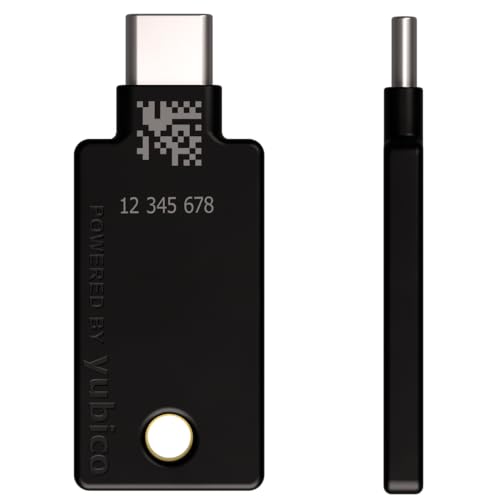
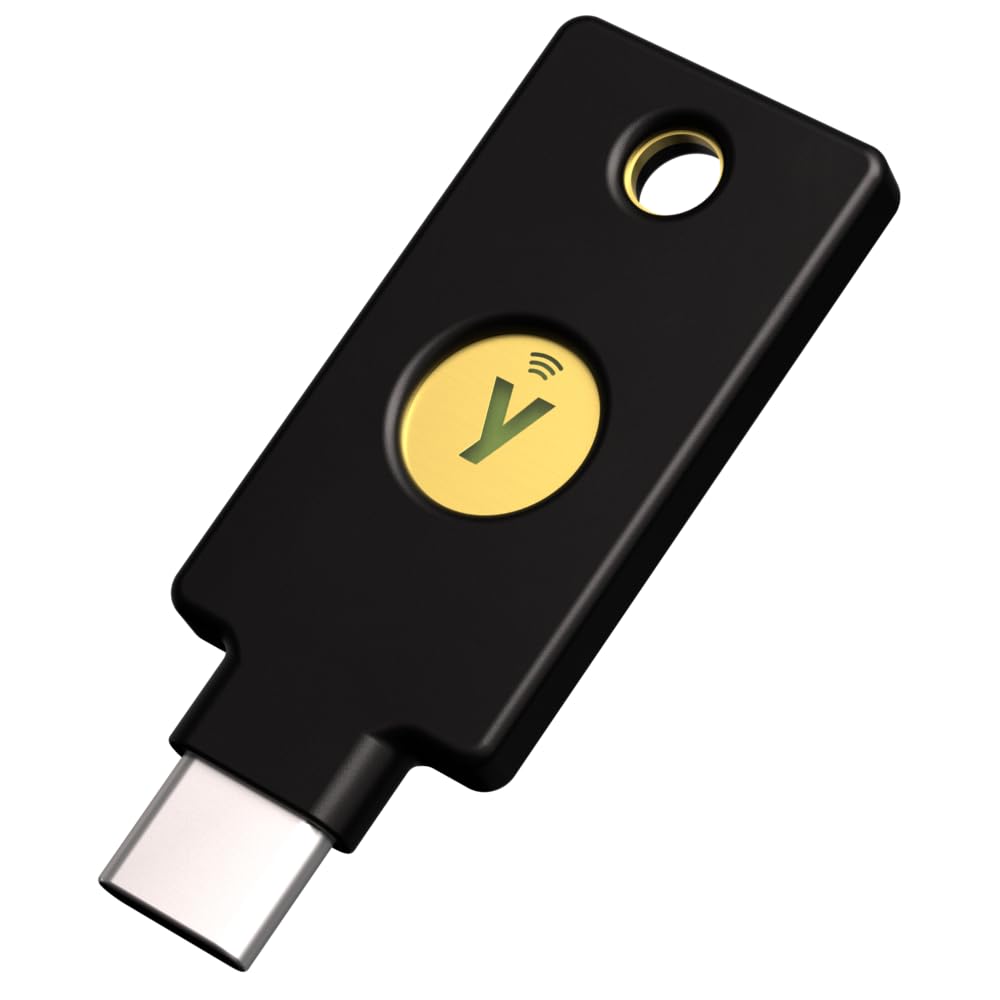
Yubico – YubiKey 5C NFC – Multi-Factor authentication (MFA) Security Key and passkey, Connect via USB-C or NFC, FIDO Certified – Protect Your Online Accounts
- POWERFUL SECURITY KEY: The YubiKey 5C NFC is the most versatile physical passkey, protecting your digital life from phishing attacks. It ensures only you can access your accounts.
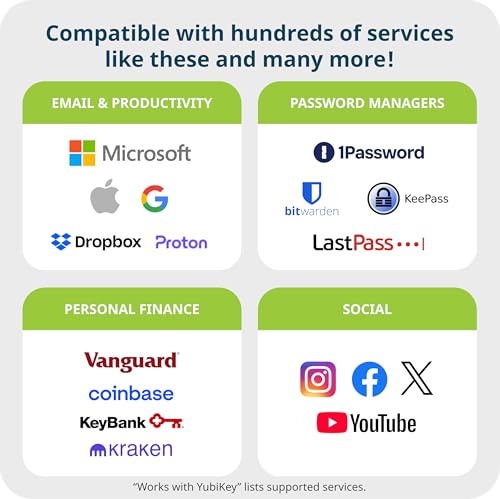
- WORKS WITH 1000+ ACCOUNTS: Compatible with popular accounts like Google, Microsoft, and Apple. A single YubiKey 5C NFC secures 100+ of your favorite accounts, including email, password managers, and more.
- FAST & CONVENIENT LOGIN: Plug in your YubiKey 5C NFC via USB-C and tap it, or tap it against your phone (NFC), to authenticate. No batteries, no internet connection, and no extra fees required.
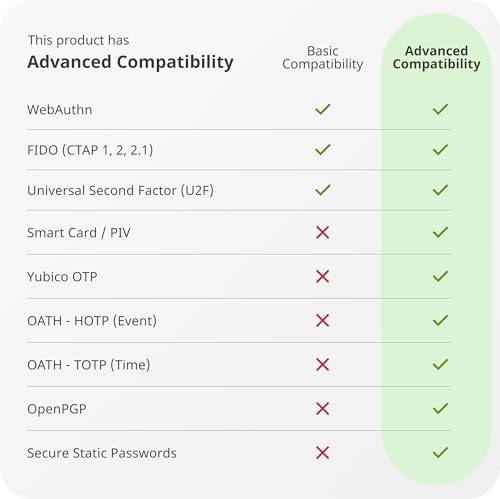
- MOST SECURE PASSKEY: Supports FIDO2/WebAuthn, FIDO U2F, Yubico OTP, OATH-TOTP/HOTP, Smart card (PIV), and OpenPGP. That means it’s versatile, working almost anywhere you need it.
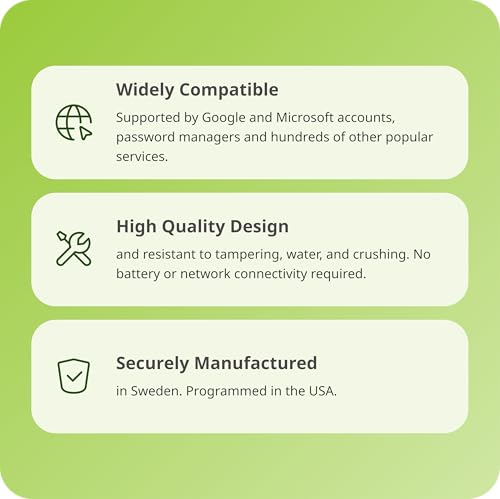
- BUILT TO LAST: Made from tough, waterproof, and crush-resistant materials. Manufactured in Sweden and programmed in the USA with the highest security standards.
- PRIMARY & SPARE KEYS: Just like having a spare house key, we recommend buying two YubiKeys – one for daily use and one as a spare. That way you’ll never get locked out of your accounts.
- YUBICO AUTHENTICATOR APP: Compatible with the safest authenticator app experience across mobile and desktop.
- Note: Latest firmware is not assured when purchasing via Amazon.
From the brand
Meet Yubico, the creator of the YubiKey: the #1 security key that works with your favourite applications and services.
Usernames and passwords are not enough to protect your accounts. Using a security key as two-factor authentication is a simple and proven method for protecting your identity, accounts and devices.
The YubiKey is loved by the world’s largest brands and millions of users.
YubiKey works with hundreds of services and applications
What accounts can I secure with YubiKey?
YubiKey works with hundreds of services and applications. Search for "Works With YubiKey" for list of compatible services.
How do I get started using YubiKey?
1. Log in to the service you want to secure and check if it supports security keys.
2. Look for the option to add two-factor authentication or security keys. Setup instructions may vary.
3. Follow the instructions to register your YubiKey by plugging it in or tapping it on your device.
4. You're now ready to use your YubiKey. Remember to register a spare key in case of loss or theft.
What is the difference between YubiKey and Security Key by Yubico?
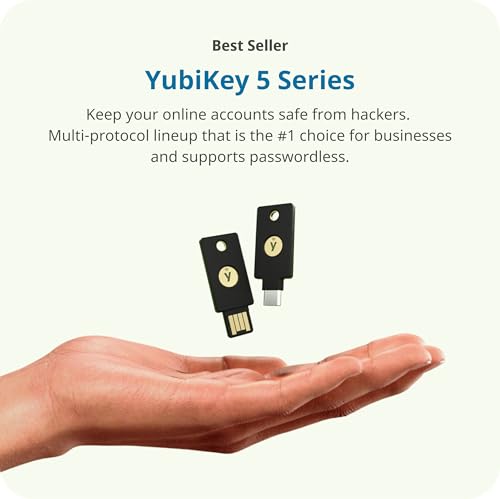
YubiKey 5 is our most versatile security key supporting authentication to a wide range of services and applications using not only FIDO protocols but also OTP, OATH and Smart card/PIV. It also comes in additional form factors incl. Lightning and Nano, and can be used with the Yubico Authenticator app.
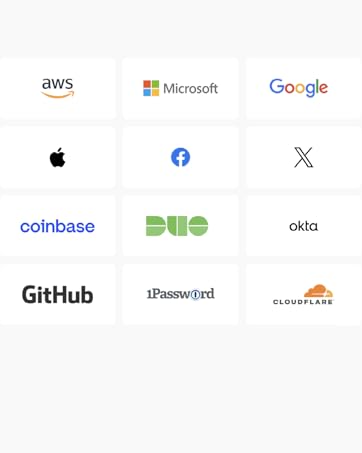
The Security Key by Yubico is the more affordable option that supports FIDO2/WebAuthn and FIDO U2F protocols only. Some common services that use these are Google and Microsoft accounts, Dropbox, X, Coinbase and 1Password.
| SKU: | B08DHL1YDL |
| Weight: | 10 Grams |
| Brand: | Yubico |
| Model: | Y-335 |
| Colour: | Black |
| Manufacture: | Yubico |
| Colour: | Black |
From the brand

YubiKey works with hundreds of services and applications
What accounts can I secure with YubiKey?
YubiKey works with hundreds of services and applications. Search for “Works With YubiKey” for list of compatible services.
How do I get started using YubiKey?
1. Log in to the service you want to secure and check if it supports security keys.
2. Look for the option to add two-factor authentication or security keys. Setup instructions may vary.
3. Follow the instructions to register your YubiKey by plugging it in or tapping it on your device.
4. You're now ready to use your YubiKey. Remember to register a spare key in case of loss or theft.
What is the difference between YubiKey and Security Key by Yubico?
YubiKey 5 is our most versatile security key supporting authentication to a wide range of services and applications using not only FIDO protocols but also OTP, OATH and Smart card/PIV. It also comes in additional form factors incl. Lightning and Nano, and can be used with the Yubico Authenticator app.
The Security Key by Yubico is the more affordable option that supports FIDO2/WebAuthn and FIDO U2F protocols only. Some common services that use these are Google and Microsoft accounts, Dropbox, X, Coinbase and 1Password.
La référence absolue pour sécuriser ses comptes sans prise de tête
Je voulais franchir le pas pour scuriser srieusement mes accs et cette YubiKey 5C NFC est vraiment l’outil parfait pour a. Ce qui surprend au dbut, c’est sa taille : elle est minuscule et ultra lgre, mais on sent tout de suite que c’est du solide. Elle est faite pour rester sur un trousseau de cls sans craindre les chocs ou la poussire, c’est du matos quasi indestructible.
l’usage, c’est d’une simplicit dsarmante. Sur l’ordi, on la branche en USB-C et un petit contact tactile suffit pour valider la connexion. Sur smartphone, c’est encore mieux : avec le NFC, il suffit de l’approcher du tlphone pour que a soit reconnu instantanment. a change la vie par rapport aux codes SMS qu’on attend ou aux applications d’authentification qu’il faut ouvrir toutes les deux minutes.
C’est vraiment rassurant de savoir qu’on a une cl physique pour protger ses mails ou ses comptes les plus sensibles. C’est propre, hyper pro et surtout a fonctionne partout sans bugger. Un petit investissement pour une tranquillit d’esprit totale au quotidien.
Seguridad física simple y eficaz – imprescindible para protección de cuentas
He estado usando la Yubico YubiKey 5C NFC durante varias semanas y ha sido una mejora clara en mi forma de gestionar la seguridad de mis cuentas. La configuracin es directa: conectas la llave a un puerto USB-C o la acercas al telfono con NFC, sigues unos pasos cortos con cada servicio compatible y listo. La integracin con servicios populares como Google, Microsoft, GitHub y administradores de contraseas como 1Password es muy slida.
Lo que ms valoro es que elimina la incertidumbre de los cdigos SMS o las autenticaciones basadas en aplicaciones que dependen de una red o batera. Es una seguridad de segundo factor real y fsica, que simplemente funciona. La construccin es robusta, compacta, fcil de llevar en un llavero y no requiere bateras ni conectividad activa.
Para quien prioriza proteger sus cuentas crtico (correo, finanzas, nube, contraseas), esta YubiKey aporta paz mental y fiabilidad. Si ests dispuesto a invertir en tu propia seguridad digital, es difcil encontrar una opcin ms fiable y estndar en la industria.
Best product to protect your accounts online
So far so good. Remember to buy a backup so you don’t lock yourself out from your account
2FA works perfectly with services that allows FIDO 2 and passkey authentication (like Google or Microsoft)
In case the app you’re setting up with 2FA doesn’t support any of those methods simply use Yubico Authenticator, it’s a good as passkey auth
Love how it provides hack proof experience on social media and my email accounts. It took me few days to figure out how to use it on the app and web browser but afterwards it worked like a champ.
Using the YubiKey effectively requires some familiarity with and study of security protocols as well as the YubiKey documentation. Each of the following security technologies can be used: Yubico OTP, Challenge-Response, Static Password, OATH-HOTP, FIDO2, FIDO U2F, PIV, OpenPGP, TOTP Authenticator and YubiHSM Auth. Some of these, especially FIDO2 (Passkeys) require an additional YubiKey for backup. Apple actually requires 2 YubiKeys for this reason. Some require PINs others do not. It is best to focus on using one or two protocols in the beginning and learning all the related settings.
The password manager KeePassXC/Strongbox requires configuring a Challenge-Response secret, which actually can be backed up separately without additional YubiKeys. Each site has different configuration options and usually merely adds the YubiKey as an additional 2FA option, alongside less secure methods such as SMS, which should be disabled.
Multiple apps are used on the desktop: YubiKey Manager, YubiKey Authenticator, and the legacy YubiKey Personalization Tool, together with an additional app for mobile devices and driver utilities that are required when using YubiKey on Android.
Currently, the apps have different, but partially overlapping features. Everything works as expected, but there is a large amount of complexity hidden behind relatively simple looking user interfaces. Which new user would know the difference between OTP, FIDO2 and PIV on the Applications menu of YubiKey Manager? Challenge-Response is hidden behind the OTP menu. Once configured in Slot 1, for example, the current settings (or purpose) cannot be seen any more.
Yubico needs to create one integrated app that covers all technologies, and that is consistent across operating systems. Less common features should be hidden behind an advanced mode switch. A first-run setup wizard should cover the most important options, including PIN codes.
The various prompts for Passkeys/Hardware Security Keys in different browsers (Firefox, Brave, Safari) are somewhat unpredictable and sometimes buggy. This is more of a symptom of an immature Passkey/FIDO2 ecosystem, than a fault of the YubiKey, but it adds to the learning curve. After FIDO2 Passkeys are configured on various sites, some are shown in the Yubico UI (Apple,…), but others (Facebook, …) are shown only on the configured websites. To know why, a user needs to read up on the technologies used and how different websites implement them.
I think, that a YubiKey is recommended for those who are well versed in computer technology with a willingness to learn about security protocols. There are ways to configure a YubiKey wrongly or insecurely, and one YubiKey is not enough, as users could lock themselves out. For the average user, an authenticator like Ente Auth is probably the better alternative.
Pros:
– Provides strong and reliable two-factor authentication
– Works seamlessly with USB-C devices
– Supports various authentication protocols and services
– Durable and well-built design
Cons:
– May not be compatible with all devices or platforms
– Initial setup and configuration can be slightly complex for some users
Summary:
The YubiKey 5C offers secure and convenient two-factor authentication, providing strong protection for your online accounts. With its compatibility with USB-C devices, it ensures seamless connectivity. The YubiKey 5C supports a range of authentication protocols and services, enhancing its versatility. While it may not be compatible with all devices or platforms, and the initial setup can be slightly complex for some users, its overall performance and reliability make it a top choice for enhanced online security.
One of the standout advantages of the YubiKey 5C is its ability to provide strong and reliable two-factor authentication. It offers an additional layer of security by requiring physical presence and interaction for authentication, reducing the risk of unauthorized access to your online accounts.
The YubiKey 5C’s compatibility with USB-C devices ensures seamless connectivity and ease of use. It can be plugged directly into USB-C ports, making it convenient for a wide range of modern devices.
Additionally, the YubiKey 5C supports various authentication protocols and services, including FIDO2, U2F, and password managers, making it compatible with a wide range of applications and platforms. This versatility allows users to secure multiple accounts across different services using a single YubiKey.
However, it’s worth noting that the YubiKey 5C may not be compatible with all devices or platforms, so it’s essential to check for compatibility before purchasing. Additionally, some users may find the initial setup and configuration slightly complex, requiring a learning curve to fully utilize its features.
In summary, the YubiKey 5C offers secure and convenient two-factor authentication for enhanced online security. With its compatibility with USB-C devices, support for various authentication protocols, and durable design, it provides reliable protection for your online accounts. While compatibility limitations and initial setup complexity may be factors to consider, the YubiKey 5C remains a top choice for those seeking enhanced authentication security.
TL;DR:
The YubiKey 5C provides strong and reliable two-factor authentication, offering secure protection for online accounts. Its compatibility with USB-C devices ensures seamless connectivity, and it supports various authentication protocols and services. While compatibility limitations and initial setup complexity may exist, the YubiKey 5C remains a top choice for enhancing online security.
This has become an essential part of my digital security setup and I couldn’t be happier with the purchase. The build quality is exceptional – it feels solid and durable, yet remains compact enough to fit comfortably on my keychain without adding bulk. Setting it up was incredibly straightforward, just plug it in and tap when prompted, no complicated configuration needed. I’ve been using it across multiple devices including my laptop and phone, and the experience has been absolutely seamless every time. The dual connectivity options give me flexibility depending on what device I’m using, and everything works instantly without any lag or connection issues. What really impressed me is how much peace of mind it provides knowing my accounts are protected with such reliable authentication.
If you are looking for the ultimate way to protect your digital life, the YubiKey 5C NFC is it—but specifically, you want the new 5.7.4 firmware version. I’ve been using this with my MacBook, Windows PC (via an HID 5022 reader), and my phone, and the experience is absolutely flawless.
The Power of Firmware 5.7.4
I bought this specific version because the internal storage has been massively upgraded. You now get:
100 Passkeys: (Up from only 25 in older versions).
64 TOTP Accounts: (Double the previous capacity for 2FA codes).
Seamless Flow: Whether I’m tapping it via NFC on my phone or using it as a “Smart Card” in my USB reader, it works instantly without any lag.
The “8-Try” Security Kill Switch (Important!)
I’ve attached a screenshot from the Yubico Authenticator app showing the 8-attempt limit for FIDO2/PIN. This is one of the best security features, but you need to understand how it works:
The Fail-Safe: If an unauthorized person tries to guess your PIN 8 times, the YubiKey permanently wipes the FIDO2/Passkey application.
The Result: Your passkeys are deleted for your own protection. To use the key again, you have to factory reset the FIDO2 module and manually re-create and re-register your passkeys. This ensures that even if you lose your key, a thief can never brute-force their way into your accounts.
The “Rule of Two”: Why You Need a Pair
Because the security is so tight (8 strikes and your data is wiped), you MUST buy these in pairs. 1. Primary Key: This stays with you for daily use.
2. Backup Key: This stays in a safe at home.
If you lose your primary key or accidentally trigger that “8-try” wipe, you aren’t locked out of your life. You simply use your backup key to log in and then set up a new replacement. Buying just one is a huge risk—buy two for total peace of mind!
Summary
The app interface (see my screenshots for the Passkey and 2FA layouts) makes managing your security incredibly easy. This isn’t just a gadget; it’s professional-grade security that anyone can use. Look for the 5.7.4 firmware—accept no substitutes!
I’ve been using this key for a while now, and it’s honestly a great little device. It’s compact, lightweight, and fits perfectly on my keychain without getting in the way. The build quality feels solid, and the button is easy to press when needed.
What I like most is how simple it is to use—just plug it in and tap, no complicated setup. It gives me extra peace of mind knowing my accounts are more secure with two-factor authentication.
The design is clean and durable, and I haven’t had any issues with connectivity so far. It works quickly every time, which is exactly what you want from a security key.
Overall, I definitely recommend this to anyone looking for an easy and reliable way to protect their accounts. Worth