USB C Laptop Docking Station Dual Monitor HDMI
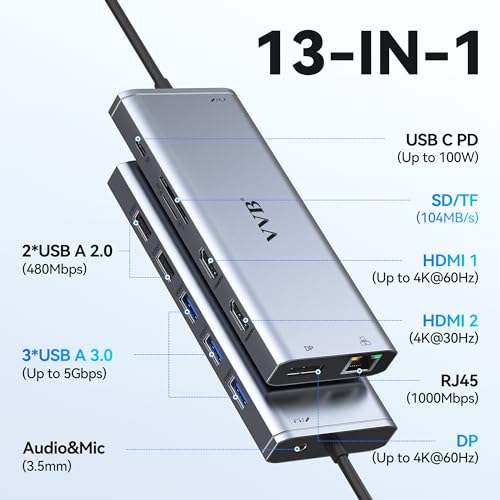
USB C Laptop Docking Station Dual Monitor HDMI for Dell/HP/Lenovo Laptop Type C Hub Multiport Adapter Dongle Dock,USB C to 2 HDMI+DisplayPort DP+Ethernet+100W USB C Power Charge Port+5USB+SD/TF+Audio
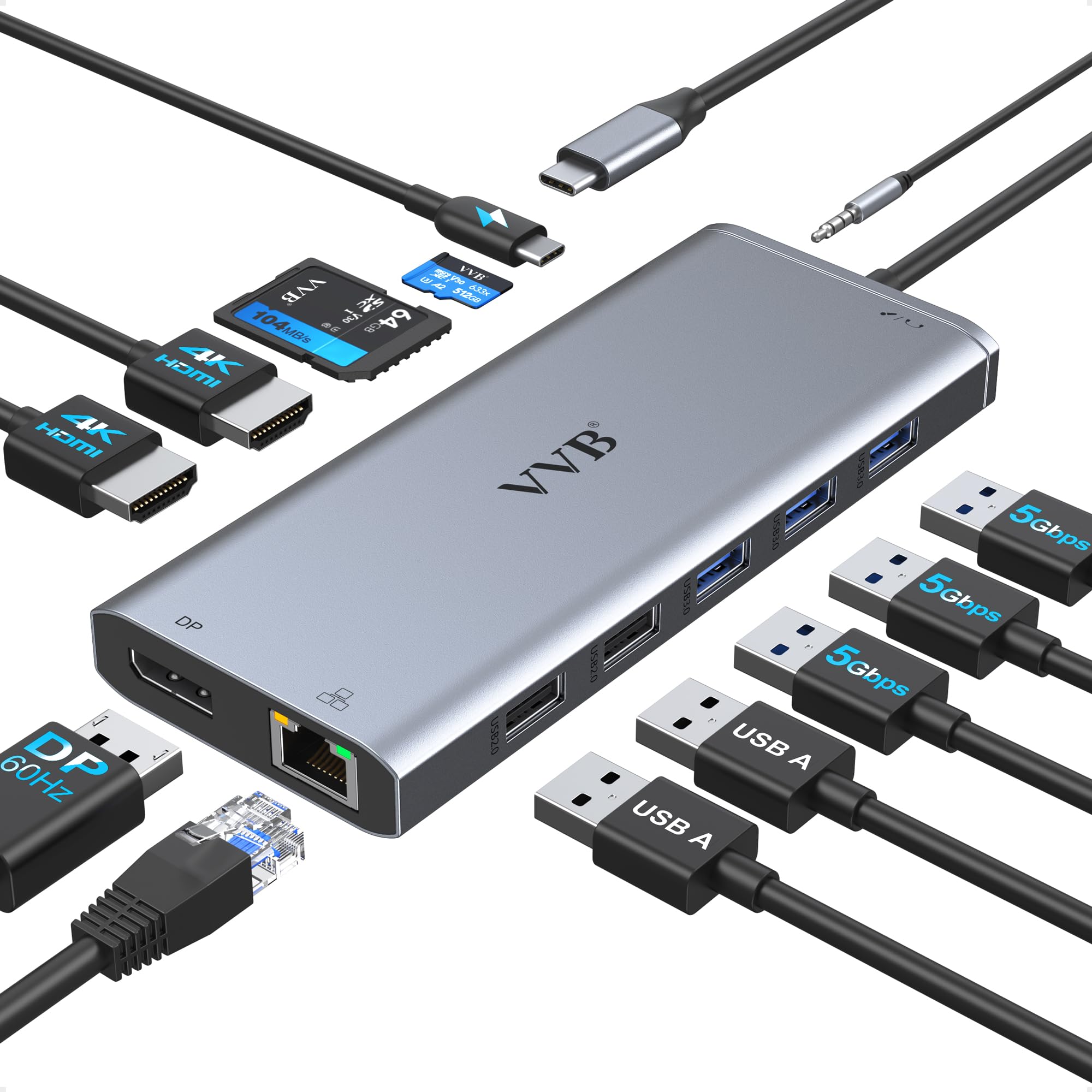
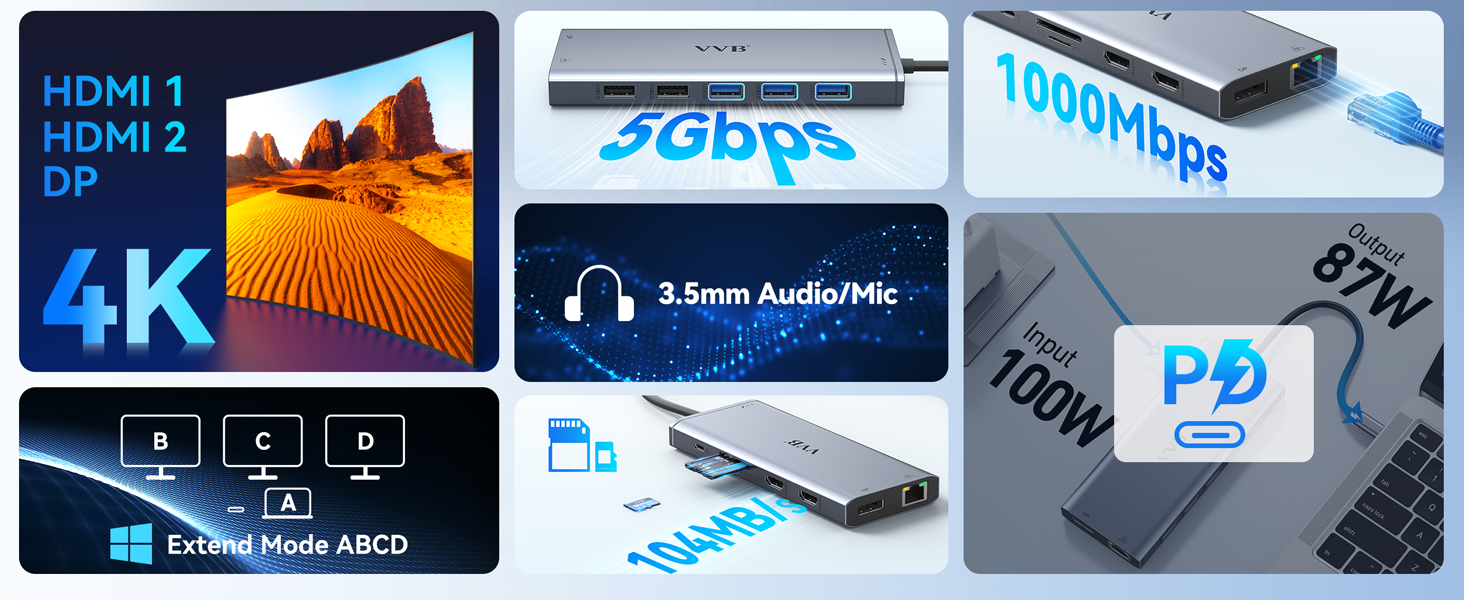
- USB C Docking Station(13 in 1): This docking station easily convert your laptop’s USB-C/thunderbolt 3/Type C Port into 13 Ports: HDMI 1 (4K@60Hz), HDMI 2 (4K@30Hz),Display Port(4K@60Hz),100W USB C Power Delivery port,Gigabit Ethernet(1Gbps) ,3 USB 3.0, 2 USB 2.0,SD/Micro SD card readers,3.5mm Mic/audio port. This laptop docking station is a great gadgets that makes your work more effective
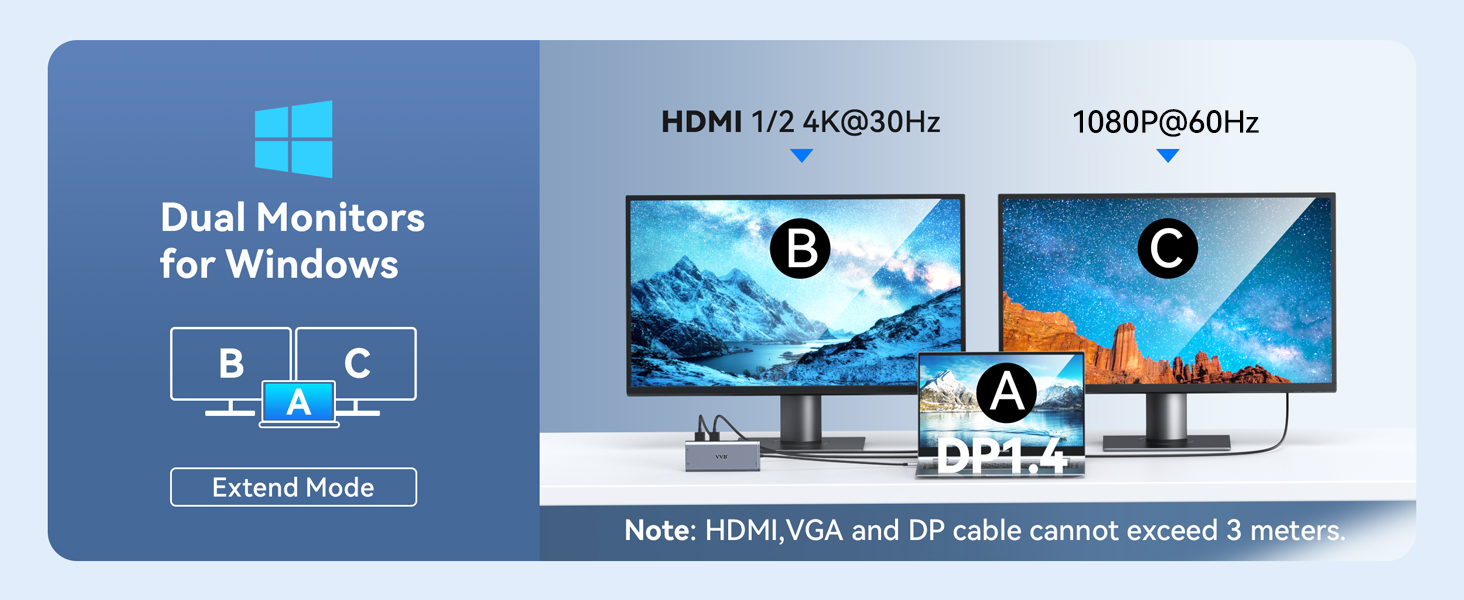
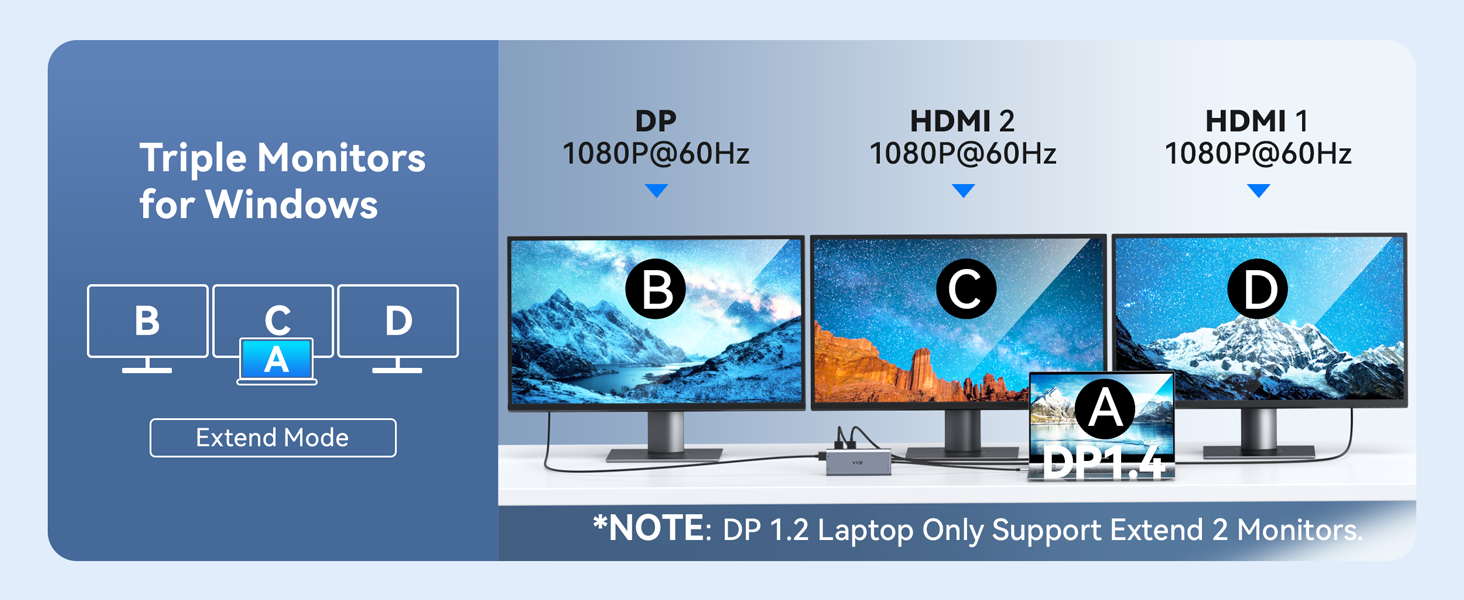
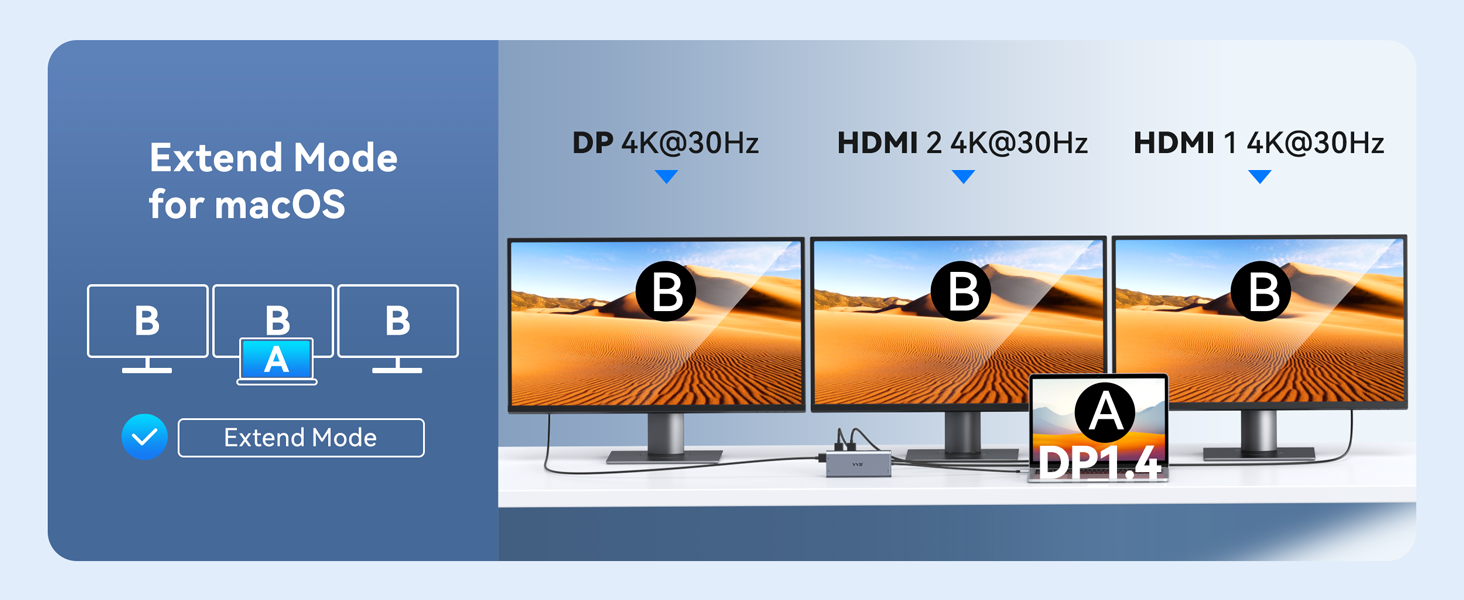
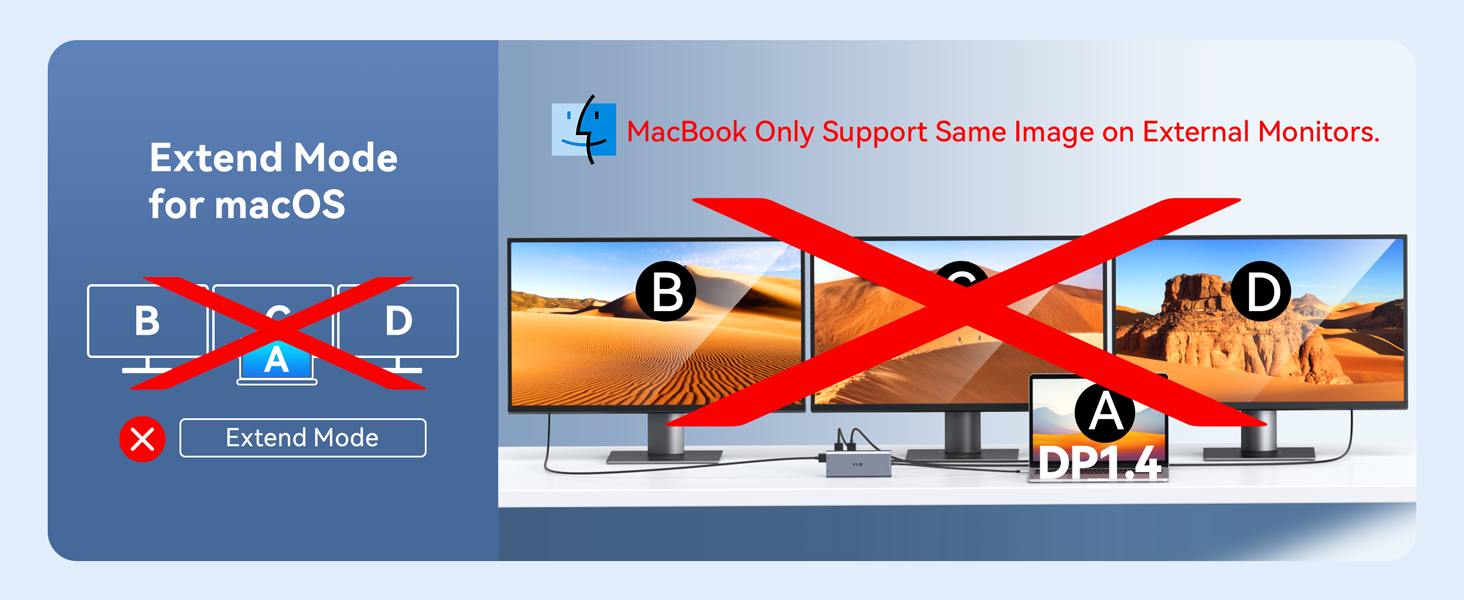
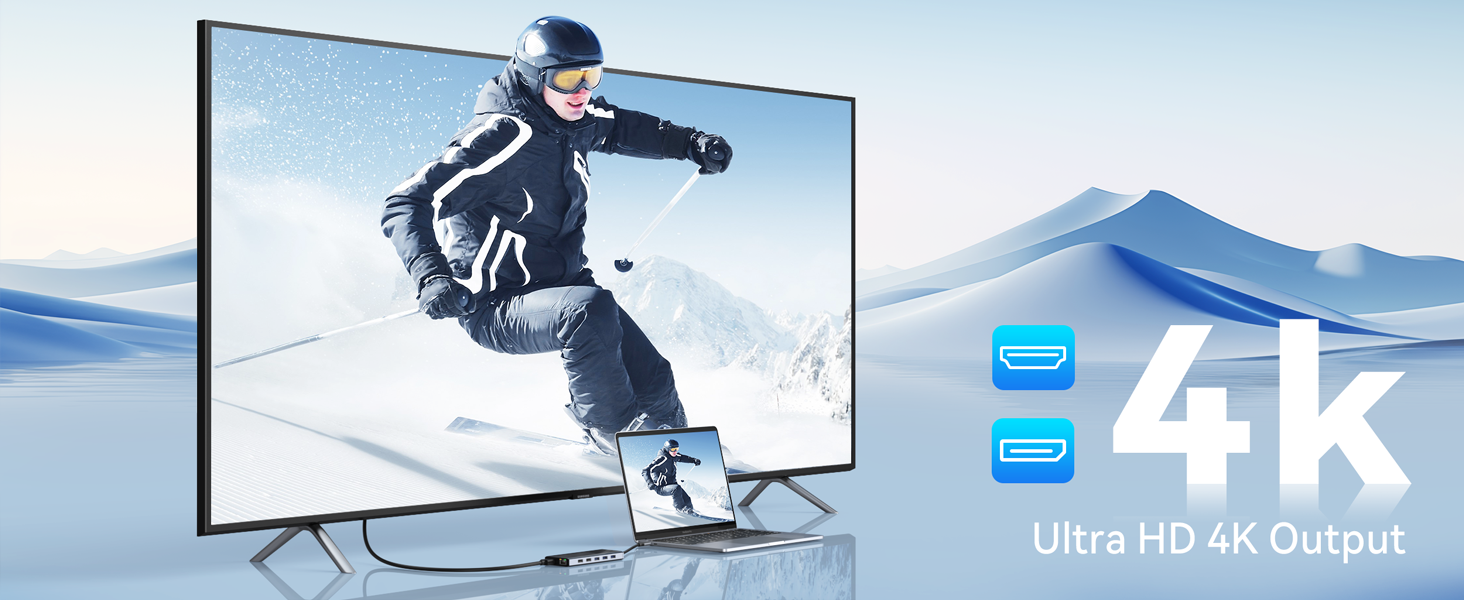
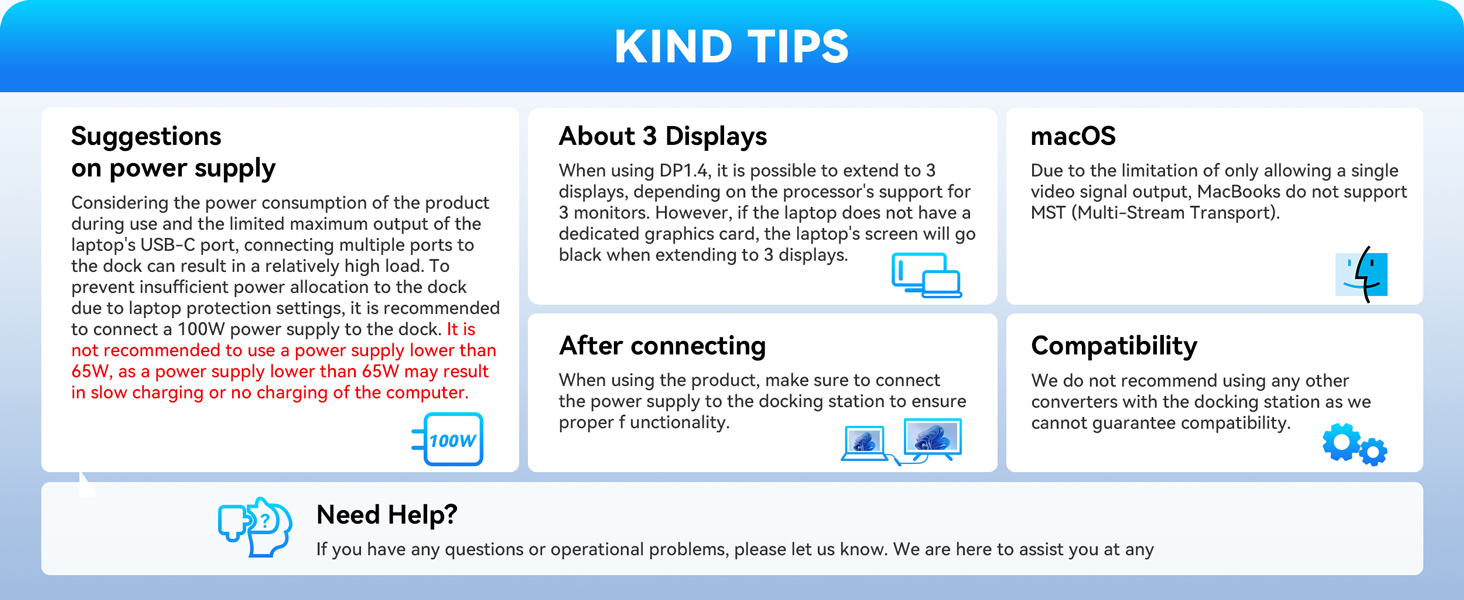
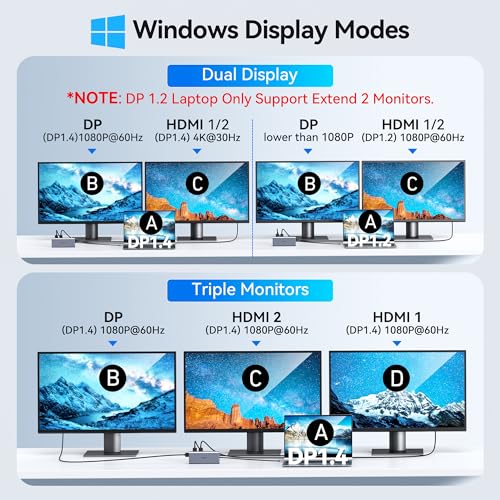
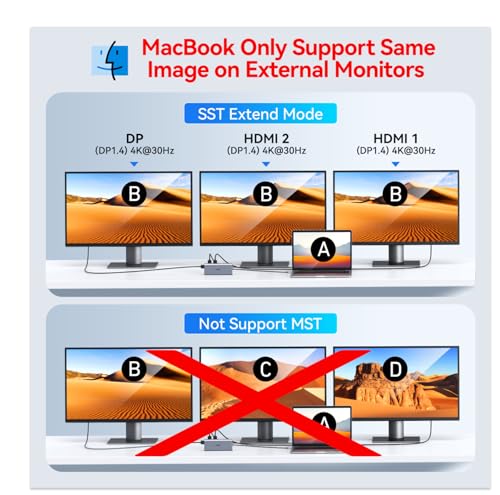
- Extend more laptop monitor workspace for your laptop projects with Ultra High-definition 4K output : This docking station dual monitor support dual monitors and triple displays for Windows. While single use HDMI 1 port or displayport resolution up to 4K@60Hz, single use HDMI2 resolution up to 4K@30Hz. Dual monitors will be 4K@30Hz and 1080P@60Hz(DP1.4). Triple monitors will be 1080P(DP1.4). Note:MacBook laptops only support same image on external monitors. (The hub Not Support Using Converter)
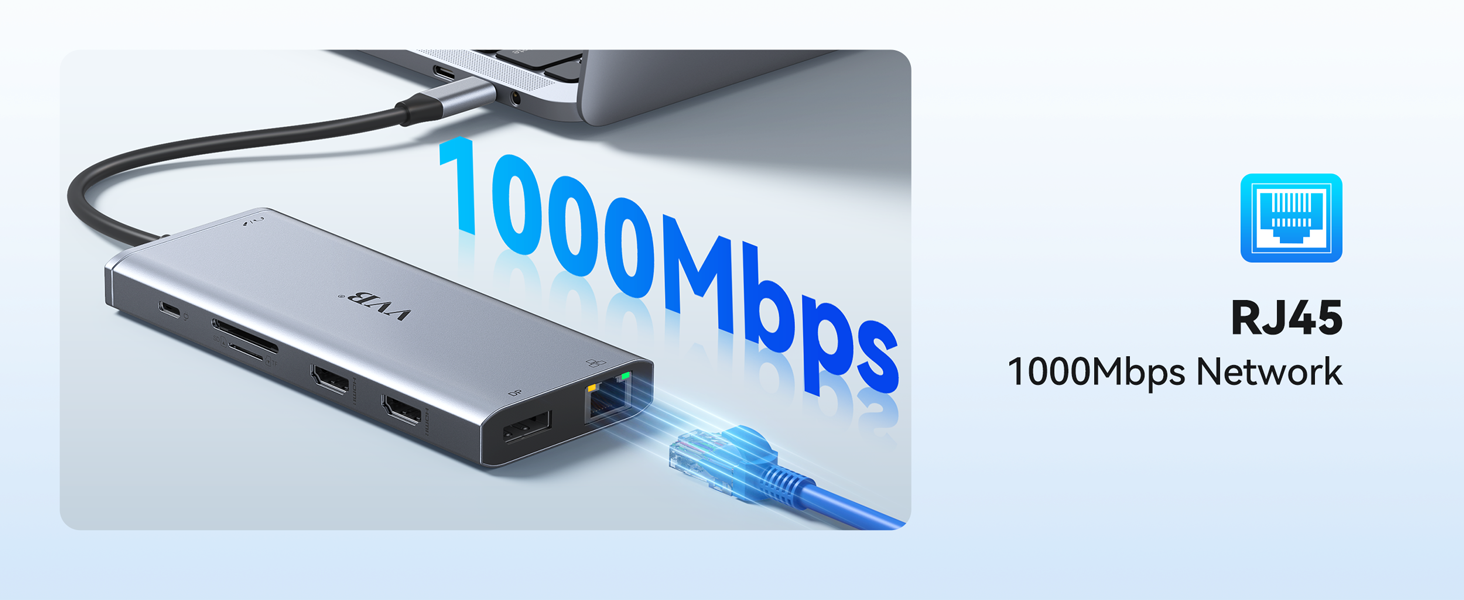
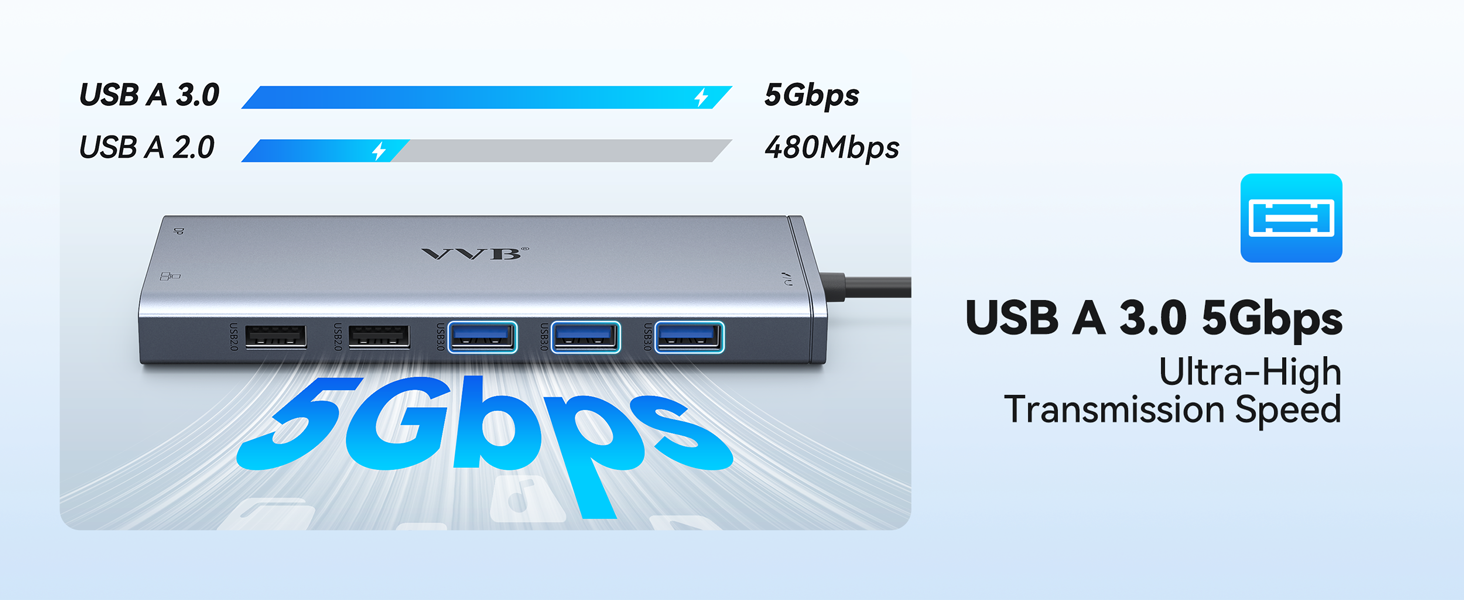
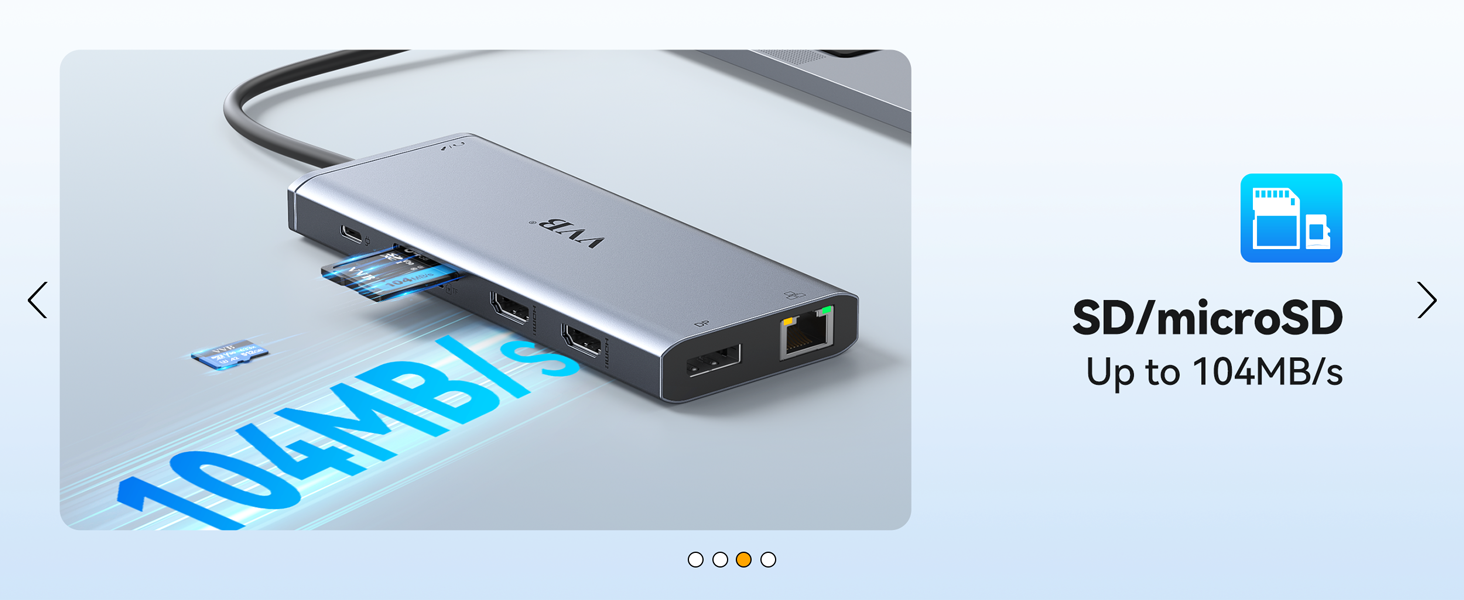
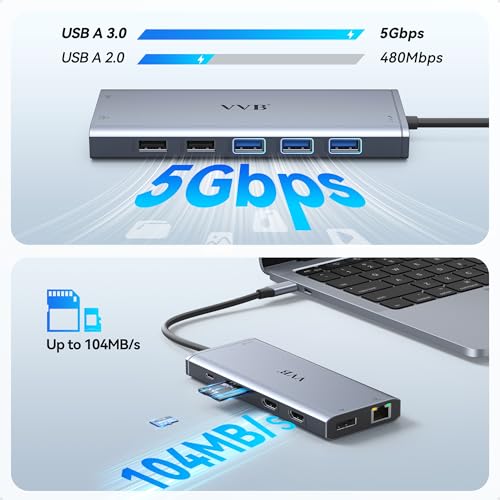
- More Stable Network Connection and Fast Data Transmission: The hp docking station’s ethernet lan port provides up to 1000Mbps, just plug and play. And this dell docking station equipped with 3 USB 3. 0 ports(speed up to 5Gbps) that allows you transfer files in seconds,2 USB 2. 0(speed up to 480Mbps) that special for you to connect to the mouse/keyboard without any lags,and Convenient USB C to SD/TF card reader(speed up to 104Mbs) that allows you to quickly view your photos or videos
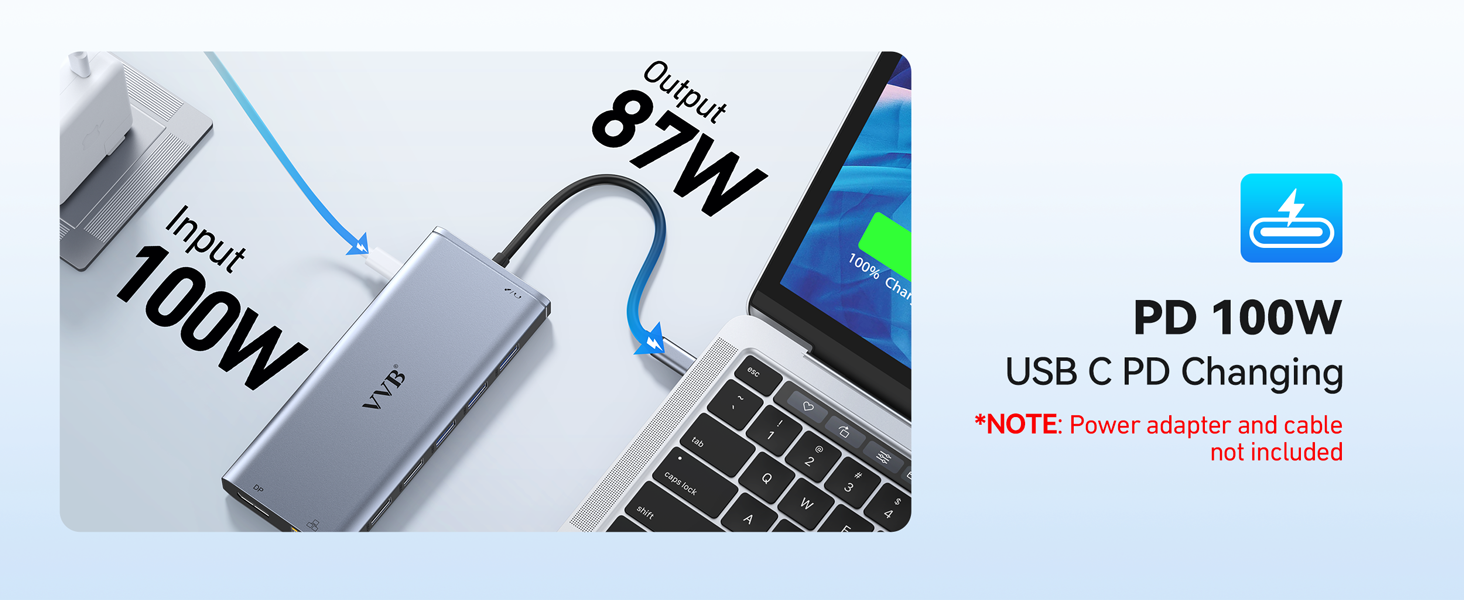
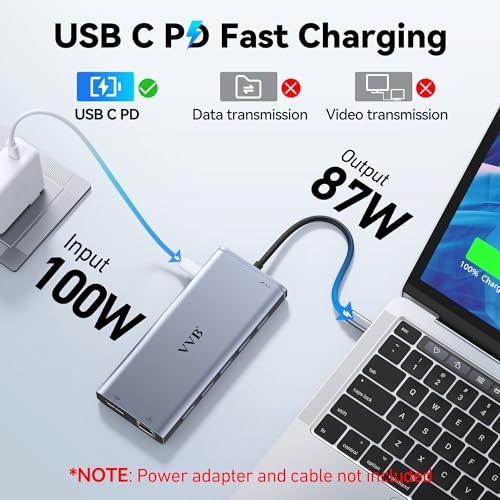
- Fast and Safe USB C Power Delivery 100W Charging Port: This lenovo docking station support power delivery up to 100W, and safe power out (charging) is limited to 87W, Beacuse about 8W of power will allocated to the hub to keep its ports work. Note: Please use at least 65W power adapter to charge your laptop via this hub,and make sure your device support power delivery protocol,otherwise it won’t charge for your laptop
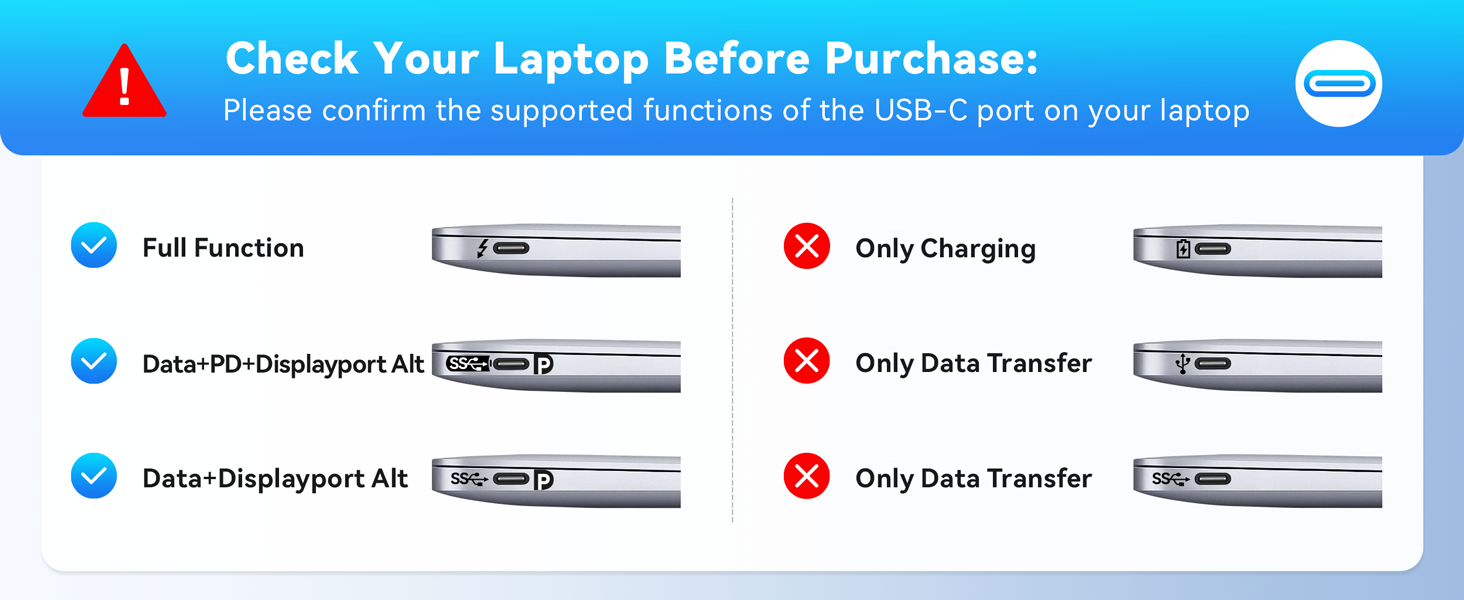
- Strong Compatibility: This usb c dock dongle hub multiport adapter compatible with all laptops with thunderbolt3/4/usb-c/type c(with vidieo out put function ), such Dell Latitude 5330,5420,5430,5530,5431,5531,7330,7420,7430,7530,9420,9430,Dell Inspiron,Dell Vostro,XPS 13/15/17;HP Elitebook Zbook g7,g8, HP Probook,Lenovo t14s,Yoga 720/910/920/930,Thinkpad;Surface Pro 8/7/X/Go/Laptop 3,etc
USB C Docking Station

| SKU: | B0BM49XNJ3 |
| Weight: | 0.14 Kilograms |
| Dimensions: | 2.2"L x 0.6"W x 5"H |
| Brand: | VVB |
| Model: | VVB013-6 |
| Colour: | Gray |
| Manufacture: | VVB |
| Colour: | Gray |
Product description
The video showcases the product in use.The video guides you through product setup.The video compares multiple products.The video shows the product being unpacked.USB C Docking Station
Really good after sale service
I purchased the hub a few months ago. After some time, it became more and more unreliable and turned out to be unusable. Fortunately, I was able to contact the VVB support through Amazon messaging. I got really rapid service and a replacement unit was sent to me, thanks to VVB’s representative Michael. I am really satisfied with the product so far. After a few weeks of use, no trouble with the new unit.
Parfaitement compatible et tellement pratique
Je disposais dj d’une station d’accueil au bureau, mais avec le tltravail, j’avais envie d’une solution similaire la maison, pratique et ergonomique (et surtout beaucoup moins chre que la station d’accueil vendue par Lenovo) pour brancher mon pc portable via un unique cble pour la fois le recharger, utiliser mes crans externes, me brancher en rseau filaire (c’est quand mme confortable le gigabit), avoir le disque USB externe toujours accessible, … et ce hub USB fait tout a merveille, tout est fonctionnel et compatible avec mon ThinkBook 14 ! Seul petit bmol, le cble USB C qui sort du hub et doit tre branch au PC est un peu court et avoir le paquet de cbles proche du PC est moyennement esthtique, mais pour quelques euros vous trouverez sur Amazon une rallonge USB C parfaitement compatible et capable de faire passer tous ces signaux lectriques sans le moindre problme !
Unverzichtbar fr Multitasking
Dieser Hub erweitert meinen Laptop-Anschluss perfekt: HDMI/VGA fr Dual-Monitor, Ethernet stabil, USB-Ports schnell (5 Gbps), SD-Leser top und 100W PD-Laden. Kompakt, stabil und hitzebestndig — ideal fr Business in Zrich mit Reisen. Alles funktioniert reibungslos, tolle Verarbeitung!
I’m a graphic designer who works from home most of the time. I just replaced my desktop computer with an Acer Nitro 5 laptop in order to have the option to work somewhere other than at my desk. However, at my desk I have the laptop connected to 2 monitors, a wired keyboard and wired mouse, ethernet cable, an external camera, and wired headphones with mike. Bluetooth is great in theory, but when it doesn’t work well, I get angry, so I tend to use wired peripherals. But that is a lot of stuff to unplug from the laptop in order to take it to another room! I bought the VVB 13 in 1 Hub to give me freedom of movement without all the unplugging. So far (I just received it today) it is working as expected. I’m using 4 USB ports, ethernet, the display port, an HDMI port, and the audio jack. The monitors lit up right away and I adjusted my display settings to extend them. All the USB ports are working fine. The audio jack worked with my headphones and the mike tested fine. I did have to restart the computer and go into settings to find my external camera, but it’s working fine. The ethernet was not showing as connected until after I restarted the computer, and then it showed a different ethernet than it uses when plugged directly into the laptop (see photo), which is puzzling. However, it is working so I’m happy. The wi-fi is not great in my office so ethernet is a must. Another strange thing is that while I’m working, if I touch the hub for any reason, like to plug in or unplug something, my screens go dark. Then all is well once I stop touching the hub. The laptop and my monitors are plugged into a relatively new surge protector, so that is another mystery. It makes me a bit nervous. All in all, the hub is doing its job and I get to take advantage of its convenience tomorrow when I travel with my laptop.
Has everything you need to connect peripherals (old and new) to a modern laptop
I always hate upgrading my work machine, as :
-Connectors change, both USB-style, external monitor, and charging ports
-New operating systems can’t support a lot of older software, etc.
I have a lot of devices that use USB-A style conneections, but of course those are almost non-existent on newer laptops. This docking station connects to the laptop through a single USB-C port. It gives you a BUNCH of USB-A style ports (at various data rates), a couple of HDMI ports (for external displays), and a Gigabit Ethernet port. Exactly what I needed. It worked perfectly with every one of my older devices: HP monitor (HDMI), wired Ethernet, external hard drives, external optical drives, etc. I added an external power supply so that there is sufficient power for all of these devices, and doesn’t rely on power from the laptop. It made for a seamless transition from my old (2011 vintage MacBook Pro) to my new 2024 M3 MacBook Pro.
Lots of connectivity for a great price
For me this USB hub is the center of a music studio – I’ve connected:
– A fader controller (USB-A)
– Stream deck (USB-A)
– USB audio interface (USB-C)
– Midi Keyboard (USB-A)
This way all my devices connect with just one cable to my Macbook Pro (M1 Pro).
The dongle has just the right amount of inputs and outputs. Also I must say that I’m happy to see my Streamdeck working – I’ve had other USB dongles where the Streamdeck does not turn on (I think because it doesn’t get enough power). On this USB dongle all the devices work really good.
The dongle does get quite warm – but it should not be a surprise given how much electricity is going through it.
The only thing I wish would have worked is that I could use my USB-C cable from the monitor in the power slot to power my laptop and connect to the screen with one cable – the power did connect from the screen to the laptop, but the screen didn’t work from the PD slot (but to be honest, I wasn’t expecting it to work either). So I am using the power connector with a regular power adapter and the screen is connected with HDMI – the 4K screen works perfectly.
Great value, especially headphone jack, also works for Samsung Dex
I use my Samsung Galaxy S20 a lot and Samsung Dex is a convenient way to turn it into a desktop. My current hub only had the bare minimum USB-C, HDMI, and a couple USB-A ports, so I needed to upgrade. I was mostly interested in this hub because it had a headphone jack, and the VGA and ethernet ports were a bonus, so I knew I found what I was looking for. This hub provides great value with its capabilities, and the service I received was excellent too!
This docking station has everything I need to connect to my Mac mini M2 pro. It is compatible with Thunderbolt 3 & 4. It was hard to find a hub that was compatible with enough USBs to connect my external drives and other things to, but this is perfect!
I have 2 external hard drives, my phone charger and a check scanner hooked to it, currently and it works good. There are 2 USB 2.0, 3 USB 3.0, 2 HDMI ports, 2 card readers, 2 USB C’s, a headphone jack, a VGA port and a port to hook your internet to. I don’t need the HDMI ports for another monitor, but if I’d want to hook my laptop to it, I’d be able to. The download speed is pretty fast when I’m backing up to the external hard drives. I purchased another brand hub and it lasted for about 2 months and quit working, so I decided to purchase this one and I’m very happy with it. I haven’t had to use technical support, so I can’t say anything about that pa
Product works great. I use it to have more USB ports, it has 3 USB 3.0 ports and 2 USB 2.0, and I have one external monitor. It has three video ports, 2 are HDMI, one is the DP style square in one corner of the plug. I wanted to just have to unplug the power (USB C port) and not the other ports I use when I disconnect and take my laptop with me. Now there’s only one cord from the VVB USB hub to my laptop. It’s charging it fine and connecting fine to my devices. Cheaper than the Thinkpad base station and doing the same thing.
I had one issue with microphone not working in Teams and Zoom. I have external speakers but had to use my laptop microphone so in settings in zoom and teams I selected the Realtek microphone and it works.
I personally use it for my laptop. It only has one HDMI port and with a typical HDMI splitter it does not allow me to have more than 2 screens. (The laptop lid screen and 1 external monitor.) But since my laptop has a USBC port it allows me to have up to four screens! (including my laptop lid screen) It also makes it so much easier to transport my laptop as the only thing I have to unplug is my power cord and the USBC docking station. It seems to have no latency and my external mouse and keyboard also plug into the hub so it really lessens the hassle. It seems sturdy enough as far as I can tell, and really helps with cord management. Furthermore it allows me to use a Display Port that my laptop doesn’t have! Which is a feature I was really excited about. So I can just change the input from my work laptop to my Xbox without shuffling any cords around. And it isn’t too hard on the wallet either for the quality and performance. The only thing I have noticed is that if I forget to turn off my computer over night the hub gets just a little warm. (No where close to hot) So that may be something to keep an eye with extended use. I was a bit worried that it may not work just plugging in using USBC but it seems like if you have a USBC port it works without issue. But what I find really amazing that I think should be noted, I tried plugging my Ipad Air into it. And it works! I can use my Ipad with my mouse and keyboard on a monitor! So it opens up possibilities for those on a budget 🙂