Laptop Docking Station Dual Monitor, 14 in 1 USB C Hub
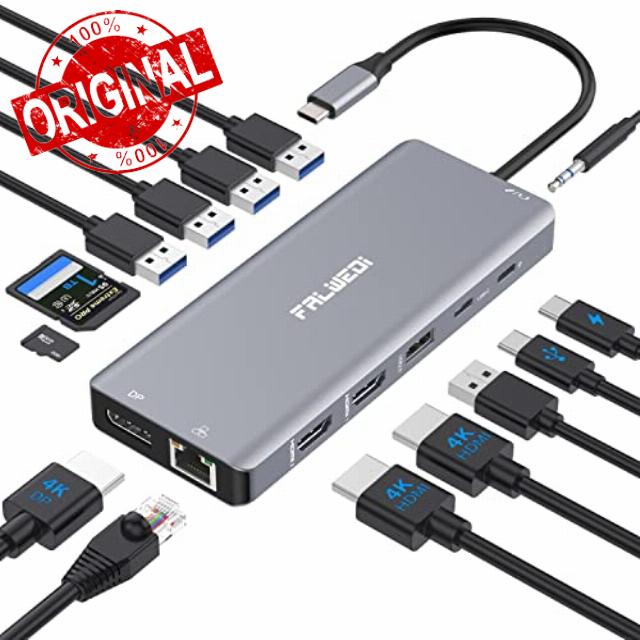
Laptop Docking Station Dual Monitor, 14 in 1 USB C Hub Multiport Adapter Dongle with 2 HDMI, DisplayPort, Ethernet, SD/TF, USB C/A Ports, PD, Mic/Audio, Compatible for MacBook Dell HP Lenovo
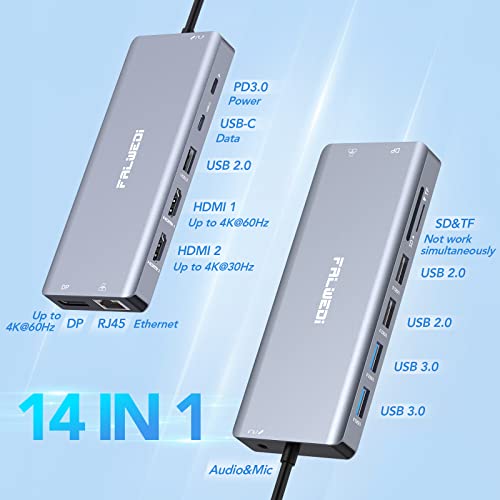
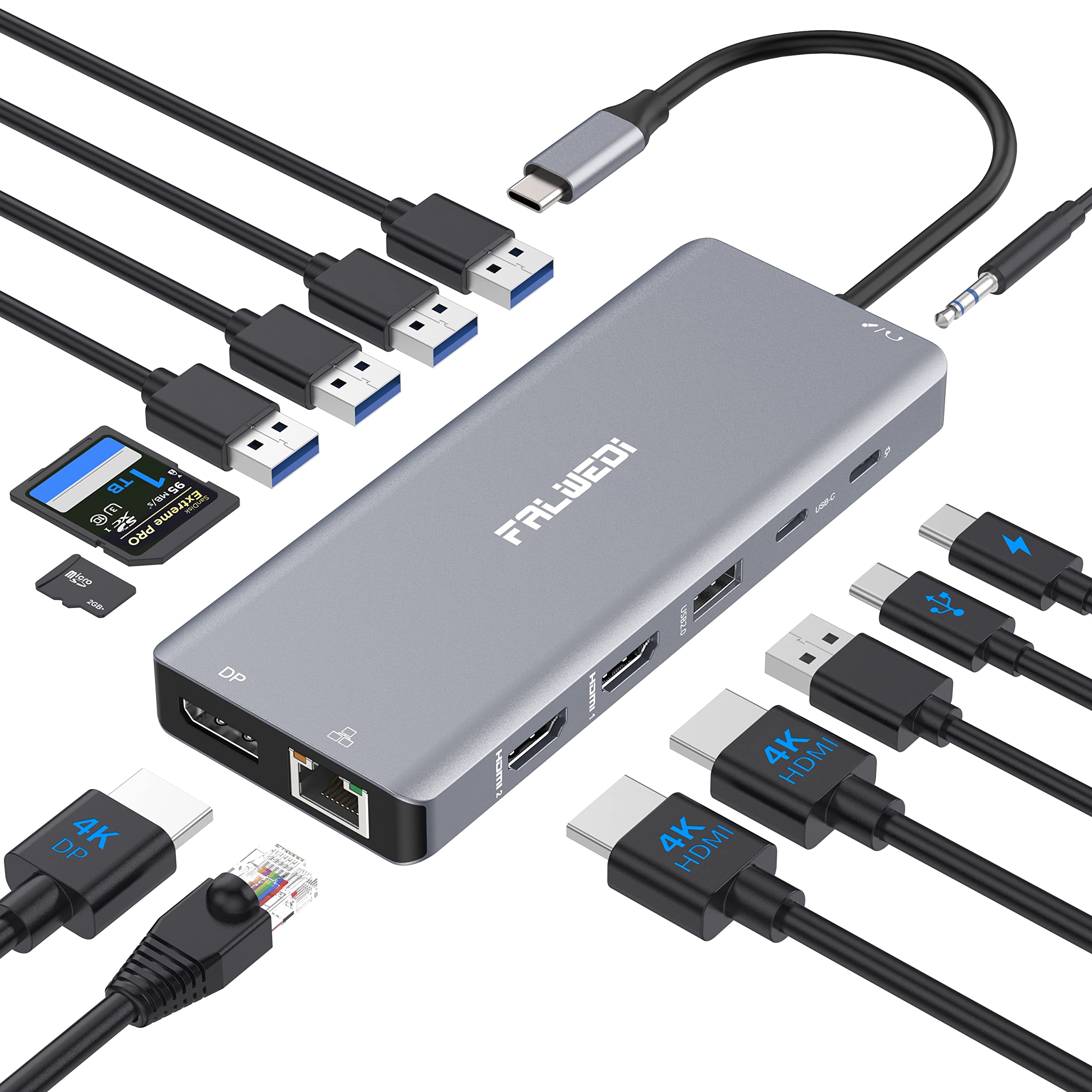
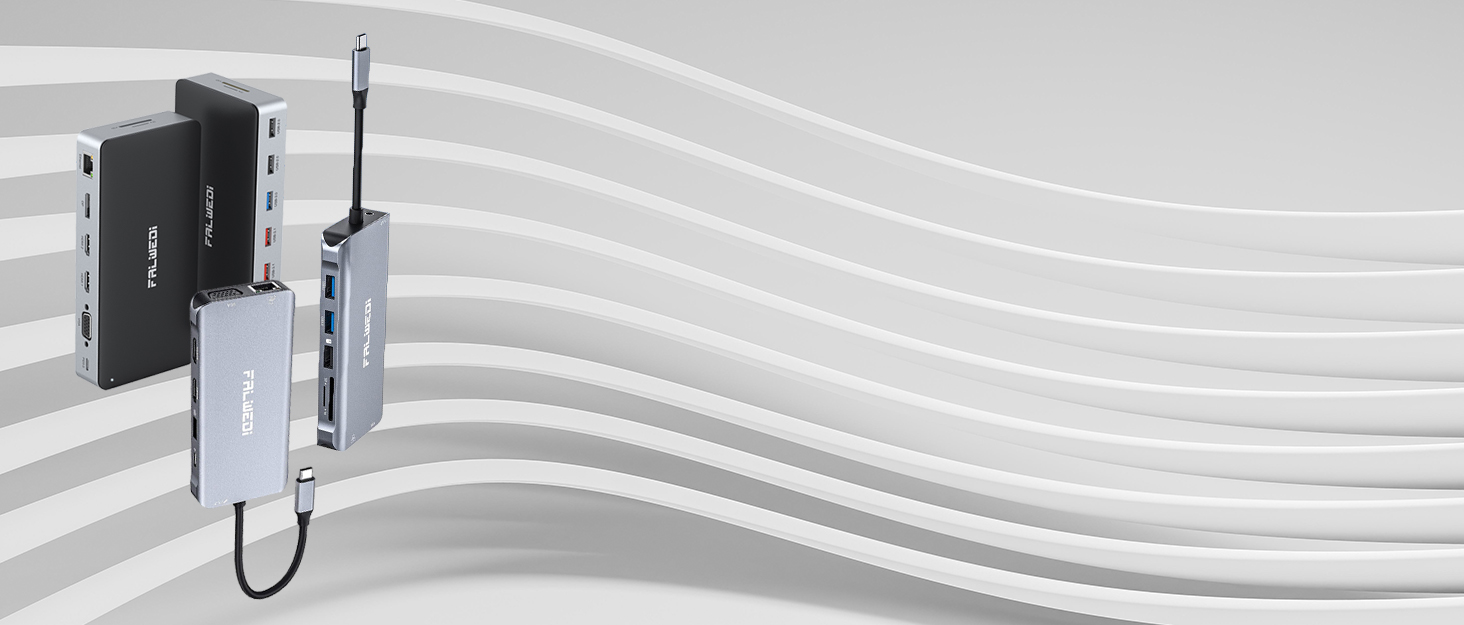
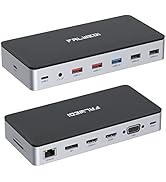
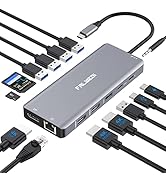
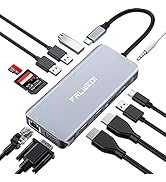
- Multi Function Included— FALWEDI 14 in 1 docking station come with 2 x HDMI, 1 x DP, 1 x RJ45 Ethernet, 1 x USB-C Data transfer, 1 x PD3.0 charging, 2 x USB3.0, 3 x USB2.0, 1 x 3.5mm Audio&Mic, 1 x TF &1 x SD card reader. Feature more ports, unlock more abilities
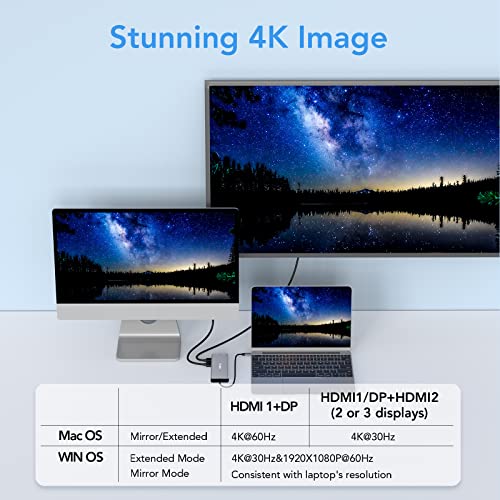
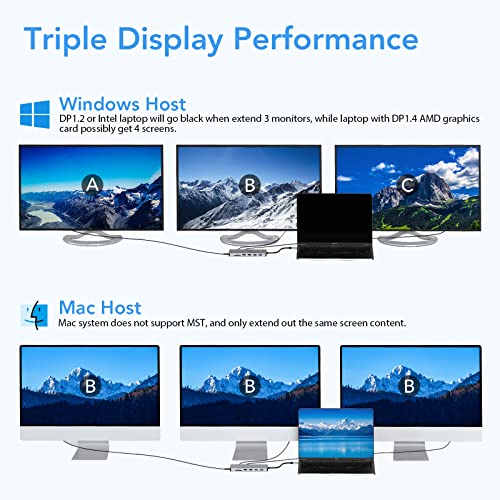
- Stunning 4K UHD Output— Our dock can mirror or extend laptop screen to external large screens to present 4K@60Hz, 4K@30Hz Ultra-High-Definition and High-Refresh Rate image. MacOS itself does not support MST, only get 2 different contents (laptop+monitors) with dock, while 4 different contents are AT MOST under WinOS(DP1.4). REMARKS: WinOS in Mirror mode, monitor resolution is consistent with laptop, if in Extend mode connecting 2 or 3 monitors, one will show 4K 30Hz and others will be 1080P
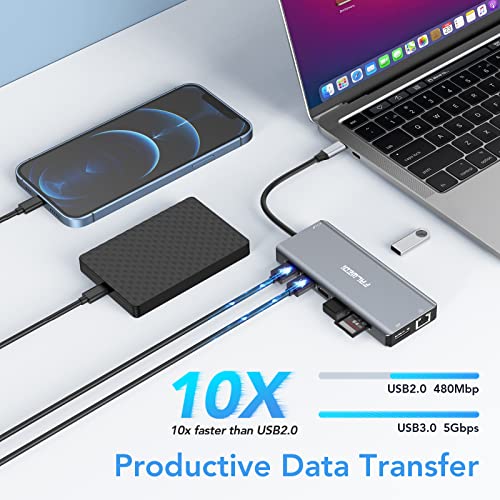
- Productive Data Transmission— Supplying 5 USB interface, our docking station is even equipped with a USB-C, especially for data, 5Gbps high transfer rate as same as USB 3.0 ports, and USB 2.0 ports are mainly designed for connecting a keyboard and other computer peripherals without lag and interference, it is also plus TF&SD card reader, quickly and efficiently read and backup your large files and stock photos
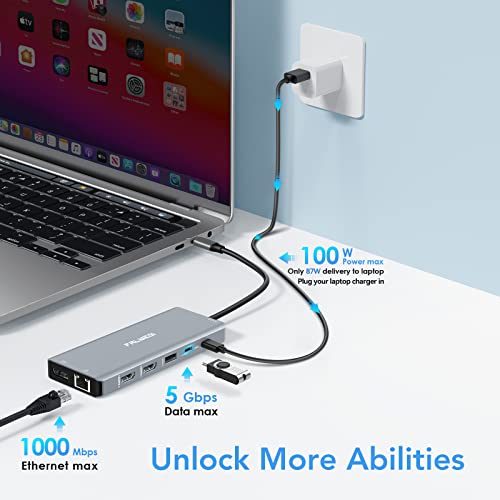
- Fast Gigabit Ethernet and Power Input— It supports up to 1000Mbps networking rate, capable of your online multitasking and watching UHD films. Our dock with an input maximum of 100W power, and 87W output for safety. It is better to plug the laptop's charger into the PD3.0 port to ensure all ports are functioning properly. This fancy solid-aluminum docking station with a suitable size for commuting and traveling, creates a more convenient and fashionable working vibe
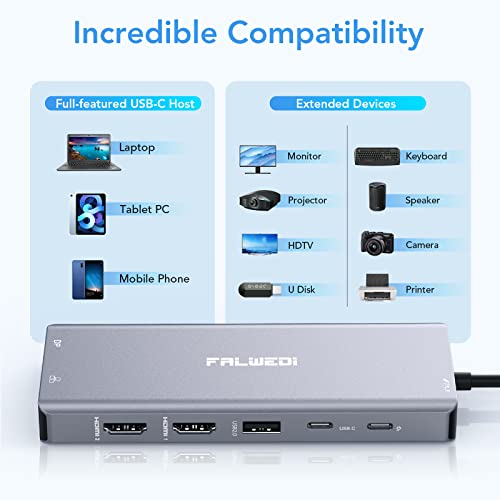
- Incredible Compatibility— This dock is compatible with Mac and Windows system, and requires no extra drivers, all you need is to plug it into laptops/mobiles/tablet PCs coming with a full-featured Type C port and connect the devices(monitors/U disks/keyboard/microphone/SD card)as needed and start your work. More details and a compatible host list are attached below, check it before you place an order please. Any questions, you are welcome to chat with us
From the brand
We are committed to developing more convenient and efficient electronic products, allowing you to enjoy life and improve your quality of life.
-
FALWEDI USB C Docking Station
| SKU: | B0B9BG7K1Z |
| Dimensions: | 6.3"L x 3.94"W x 0.71"H |
| Brand: | FALWEDI |
| Model: | 0419H |
| Colour: | Grey |
| Manufacture: | FALWEDI |
| Colour: | Grey |
From the brand
It’s been about a year since I’ve bought this and it’s working great. The only issue is that it was starting to overheat a bit because of everything I plug into it, but I found that if I plugged in an additional power source to support it versus plugging it into only my computer for the power source. It does phenomenal. It has enough ports for everything that I need. I plug in everything from external screens, external mouse, keyboard camera, and so on and it does a great job, easy and portable and cheaper than a full docking station.
Dock works very well. $34.99 is a very good price, a competitors dock with similar features sells for $214.99.
I use the USB-C PD input from a 150W USB-C PD charger and since the laptop supports USB-C PD charging there’s only a single connection to the laptop to connect a monitor, mouse, keyboard, and external camera. A laptop will last a lot longer, and run cooler, when it’s used at home with external peripherals
This dock:
2x HDMI (1 x 4K@60Hz, 1 x 4K@30Hz)
1x DisplayPort
1x Gigabit Ethernet
1x USB-C data transfer
1x USB-C PD charging input
2x USB-A 3.0
3x USB-A 2.0
1x x 3.5mm TRRS (Audio & Mic Combined on a 4 conductor socket)
1x x SD card reader
1x x TF (MicroSD) card reader
$214.99 dock
3x HDMI ports
2x DisplayPort
5x USB-A ports
1x USB-C port
1x Gigabit Ethernet
1x 3.5mm Audio In
1x 3.5mm Audio Out
Integrated USB-PD input power cable
No card readers
Fantastic produc
Great product – solved my issue and allowed me to connect an additional HDMI monitor, keyboard, mouse, USB monitor and with so many other ports available . Ports on this include 2 x HDMI, 1 x DP, 1 x RJ45 Ethernet, 1 x USB-C Data transfer, 1 x PD3.0 charging, 2 x USB3.0, 3 x USB2.0, 1 x 3.5mm Audio&Mic, 1 x TF &1 x SD card reader. It is easy to use, lightweight and compact so I can travel with it also. Does not need an external power source either.
HDMI stooped working, but overall high quality
The device is stopped working after 4 weeks! I cannot find anyway to contact the manufacturer or warranty.
…….
I also contacted the seller and they offered me a full refund or replacement which is promising!
Worked perfectly for me
Bought this for my HP Envy x360 15-es0xxx. Usb power passes through. Two 1080P HDMI monitors work perfectly. Also a wired keyboard and wired mouse. Finally ethernet works too.
The USB port on my computer is a Thunderbolt 4.
So far ( about 1 hour of use) I’m really pleased.
I recently bought a mini desktop computer to replace my old desktop system that failed. The mini system will operate two monitors and I have four monitors. I was looking for a simple solution to drive all of my monitors. This docking station was the perfect solution with a bonus of several more “usb 3” and “usb 2” ports. I plugged the docking station in and plugged the 2 monitors in, within seconds I had all four monitors working seamlessly! In Windows 11, I quickly set up the orientation. The docking station correctly set up the resolution for both monitors. I was afraid that I might notice a delay in the extra monitor functioning. There was no delay. It has been and is working flawlessly. This docking station is the perfect solution, if you want 1 or 2 extra monitors on your laptop or other computer solution.
I did not get to try the Ethernet connection or the display port, but everything works great.
This docking station does require that you have a “usb c” port on your computer. It will not work if you get an adapter and try running it from a “usb a” port. There is also a “usb c” port on the docking station, but it can only be used for data, you cannot daisy-chain docking stations to drive more monitors.
This device is easy to install and works flawlessly. I certainly recommend this device.
A great docking station with a lot of ports: USBs, Display port, HDMI, Ethernet, etc. Works well for my home office setup connecting my laptop extending the screen to the monitor. Currently using only one monitor but having extra port will allow me to add anothe rone the future. Works well even with different resolution and refresh rate of my laptop screen vs monitor screen. Also it is very small and light, which makes it easy to bring when travelling.
At first, I had problem with the keyboard keeps connecting and disconnecting but the problem was later solved by plugging the keyboard to the USB 3.0 port instead of 2.0.
Overall, great value for money.
I was able to set this up with my two monitors, laptop, and keyboard very easily, with more outputs to spare. It does the job, and I don’t notice any lag for both work and personal use.
However, because I switch between my work and personal laptop, there is frequent changes to input. I would say about 1-2 times a week, when I plug in a laptop it makes a high pitched humming noise. This is usually resolved by unplugging and reinserting my usb keyboard. I’m pretty sure it is not a keyboard issue, since I’ve had my keyboard in other docking stations with no issue.
The docking station also gets pretty warm, but its not a big enough issue for me to buy something else. Overall, there are a couple of inconveniences that mean it probably won’t last long, but so far it’s holding up. I am happy with the product for the price.