HUANUO FlowLift Pro Dual Monitor Mount for 13–32″ Screens
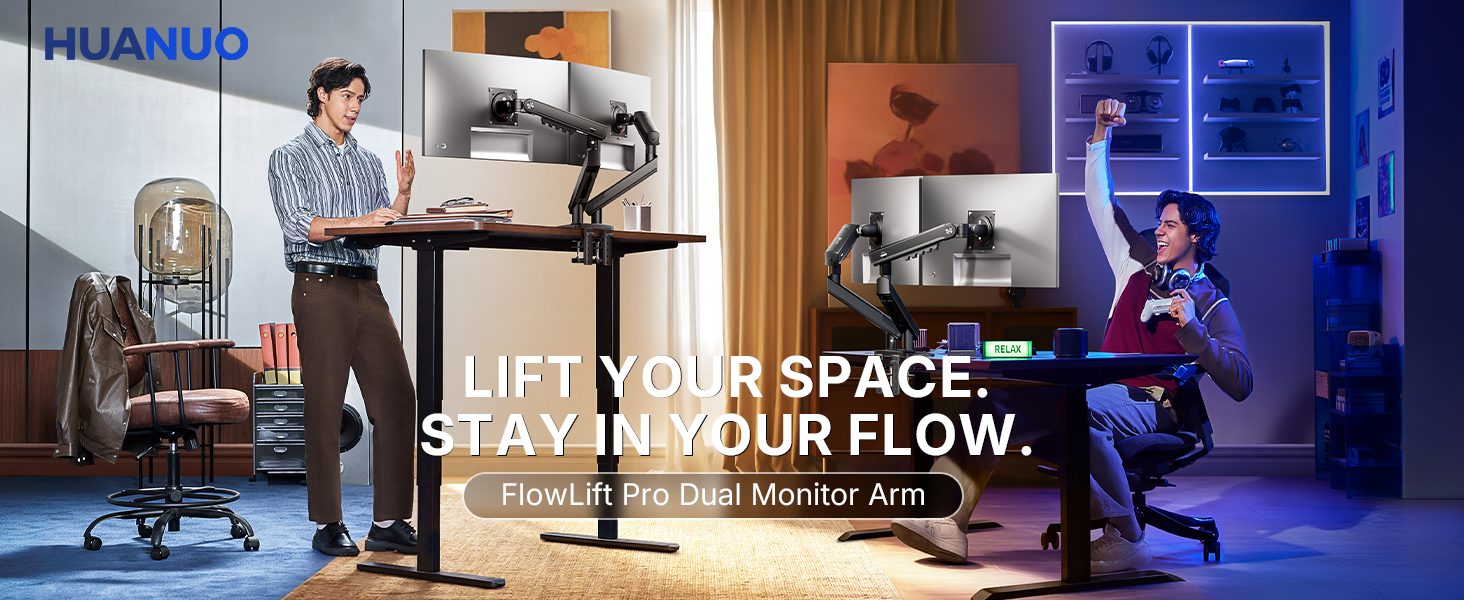
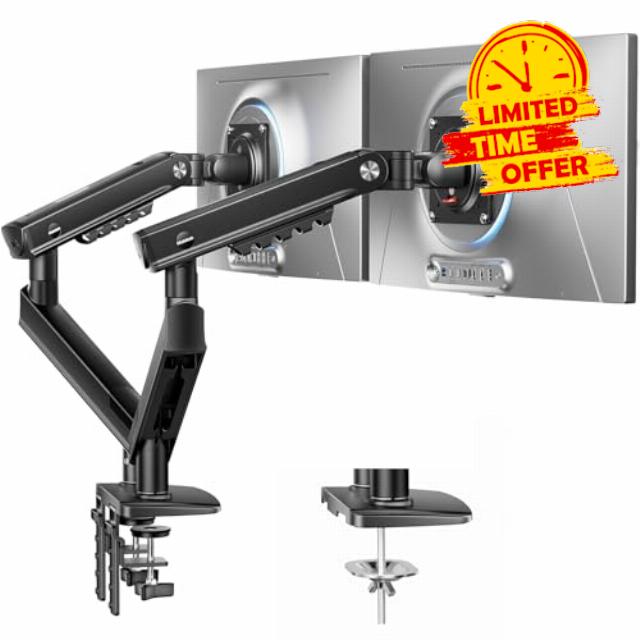
HUANUO FlowLift Pro Dual Monitor Mount for 13–32″ Screens, MechaSpring Monitor Stand, Adjustable Monitor Arms for 2 Monitors with Tilt/Swivel/Rotation, Tool-Free VESA Mount, Max Load 19.8 lbs
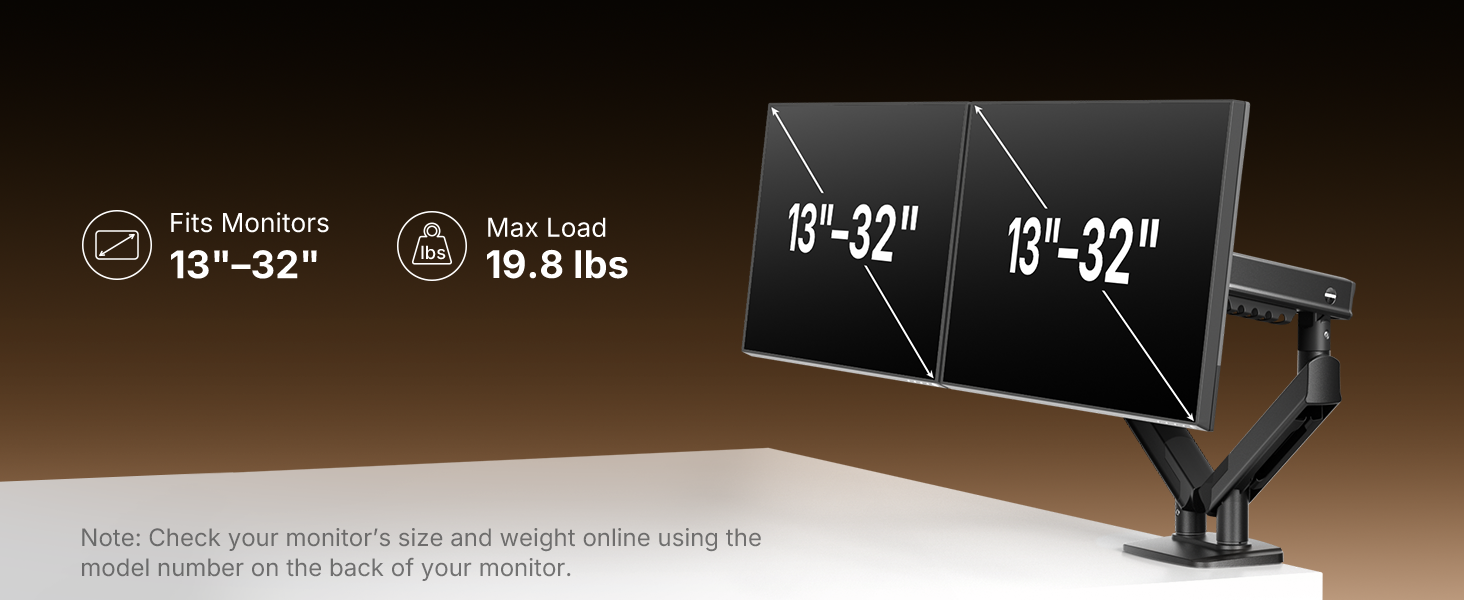
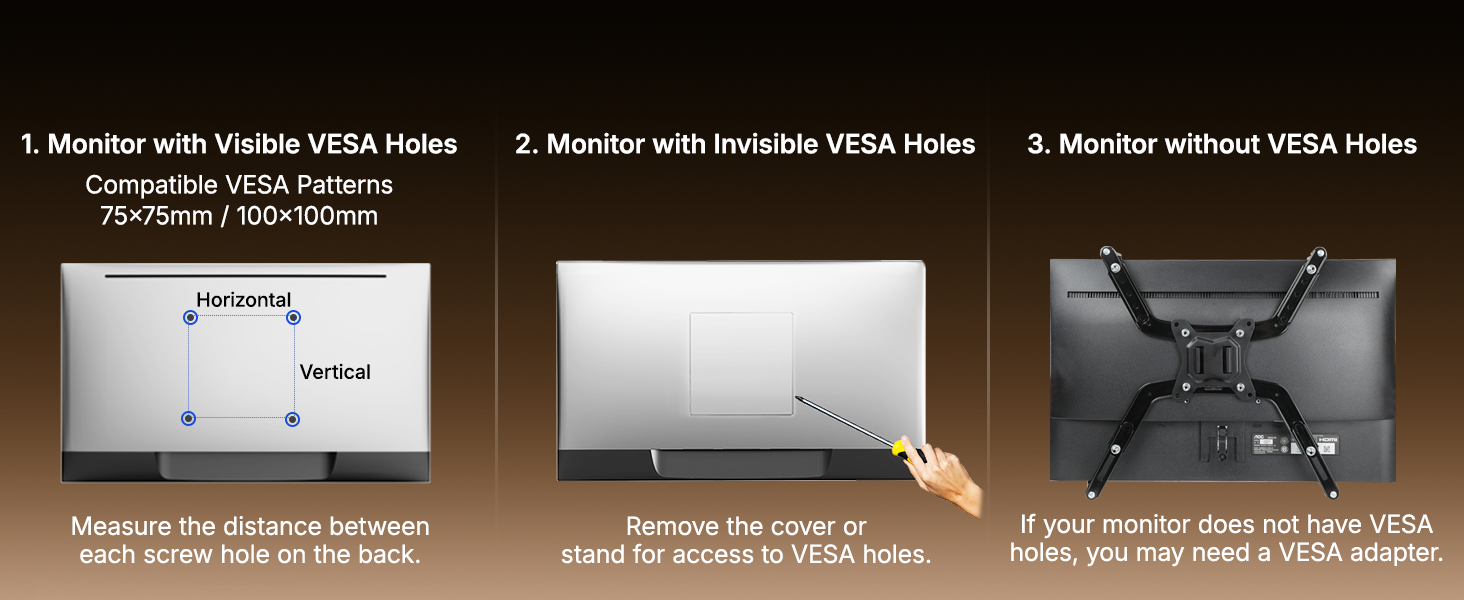
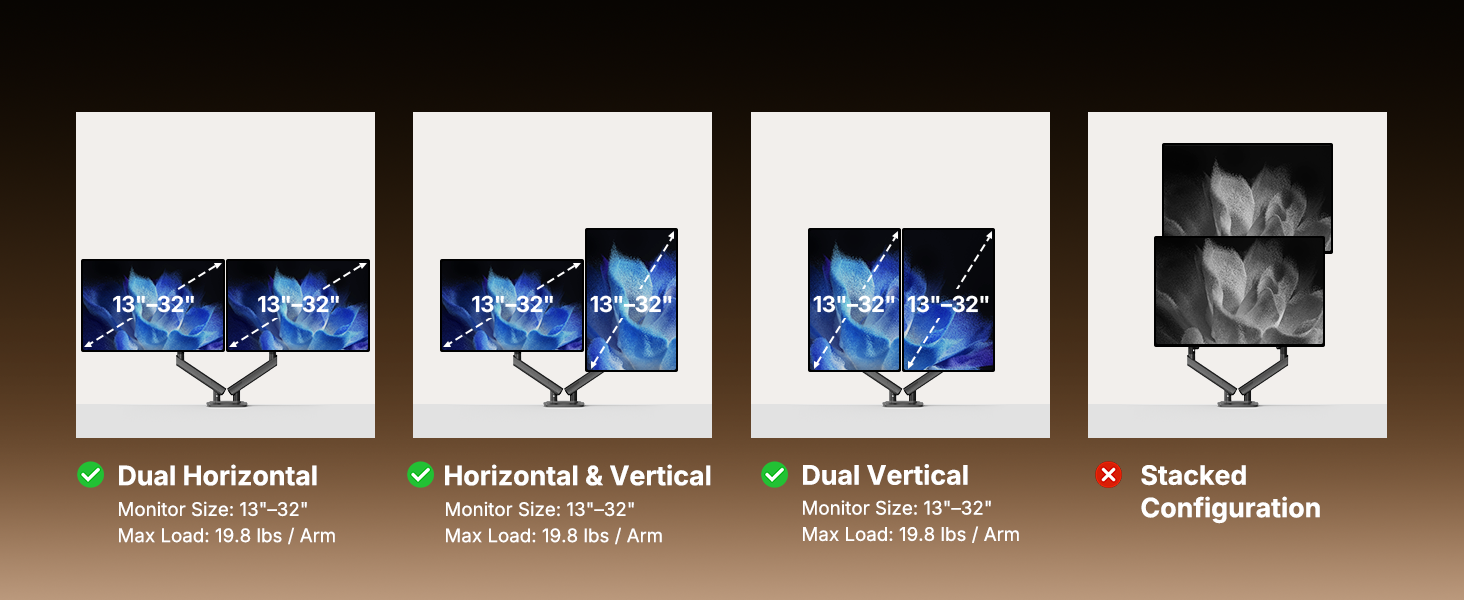
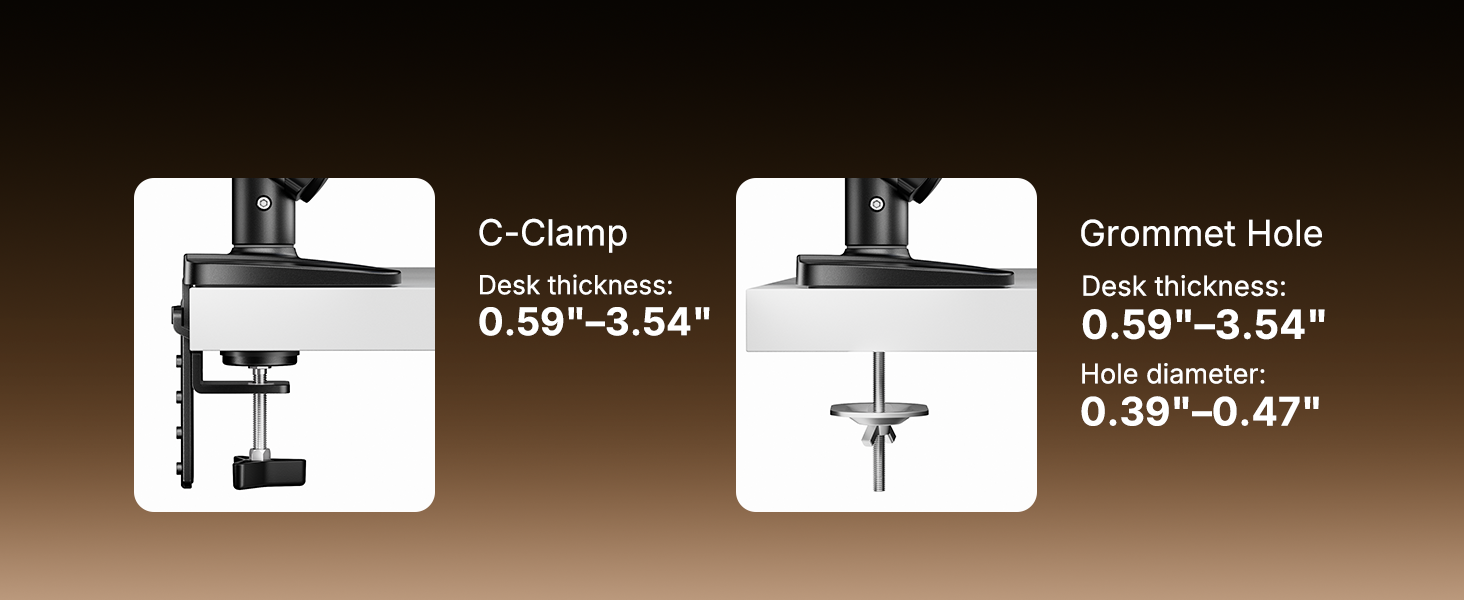
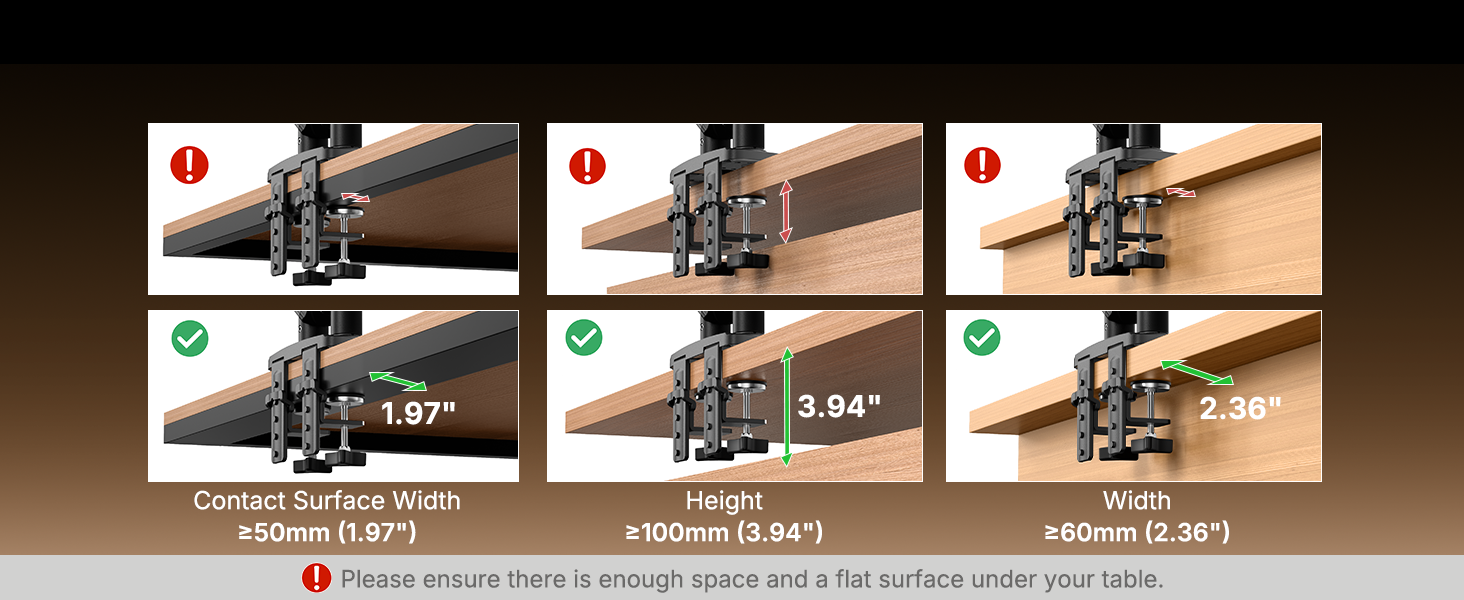
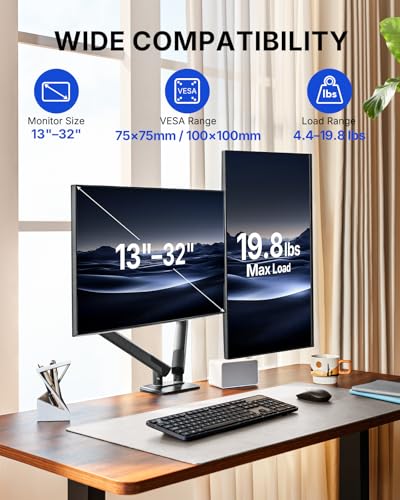
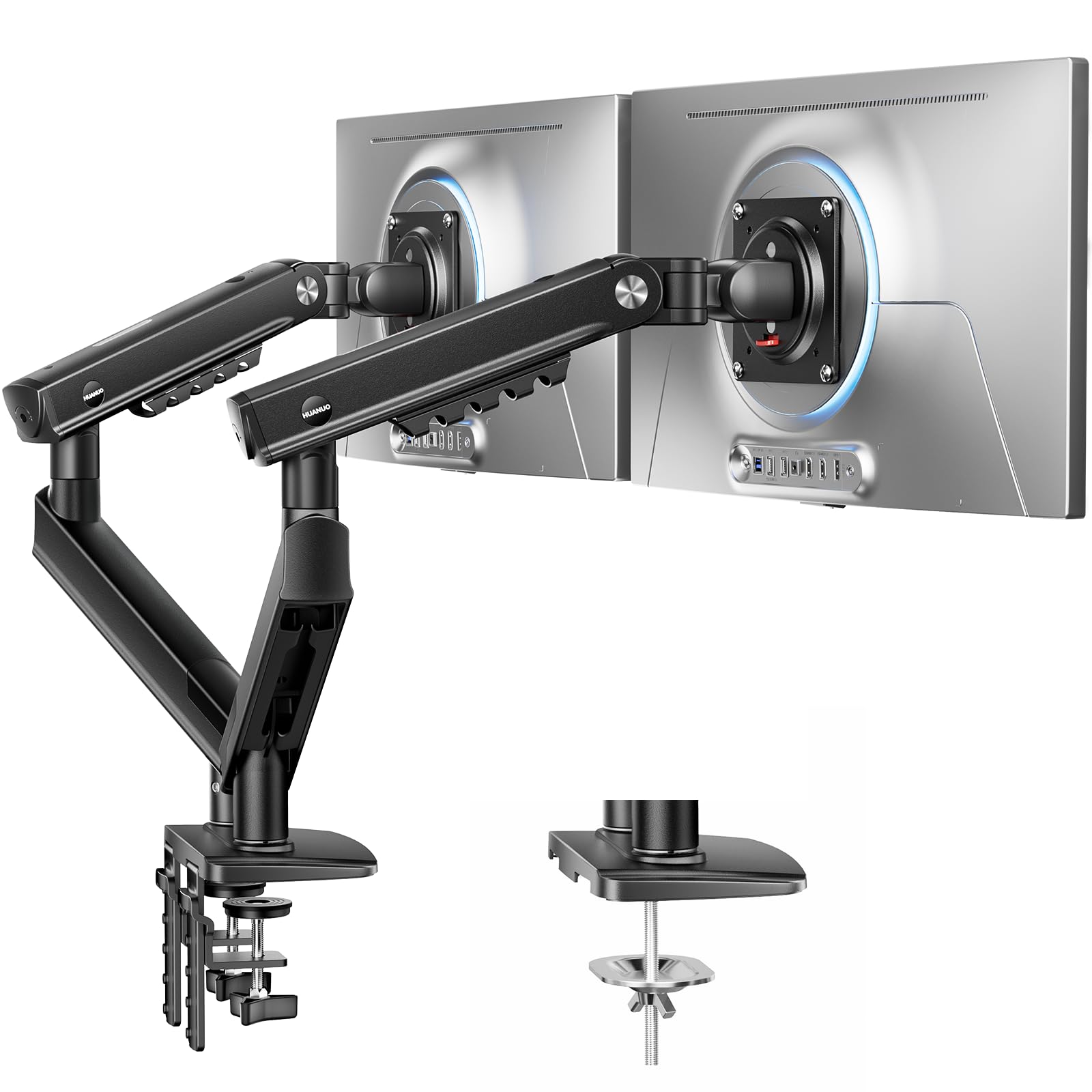
- Check Monitor & Desk Compatibility: Your monitors must meet the following 3 conditions at the same time for a perfect fit: First, screen size ranges from 13" to 32". Second, each monitor must weigh between 4.4 and 19.8 lbs. Third, it must support VESA patterns of 75×75mm or 100×100mm. Meanwhile, we recommend mounting this dual monitor arm only on wood desks 0.59"–3.54" thick (other desk types are not recommended). Note: If your desk has an irregular edge, use caution when choosing this double monitor stand.
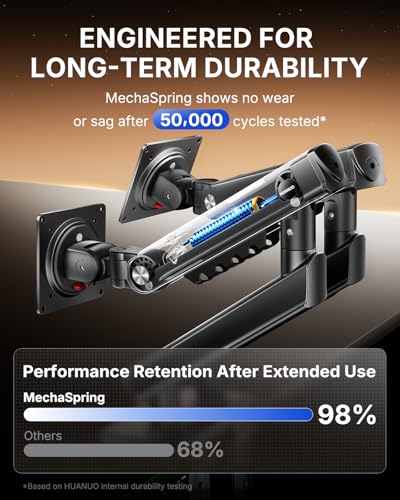
- Engineered for 2× Longer Life: Featuring the MechaSpring arm and dual C-Clamp, this dual monitor mount delivers consistent support over time for dependable, long-lasting performance. Unlike some mounts that can lose pressure over time, this monitor arm helps keep your monitor steady through everyday adjustments, offering up to 2× the service life of other mounts. Moreover, with 90% professional-grade metal construction, the double monitor stand delivers rock-solid reliability, day after day.
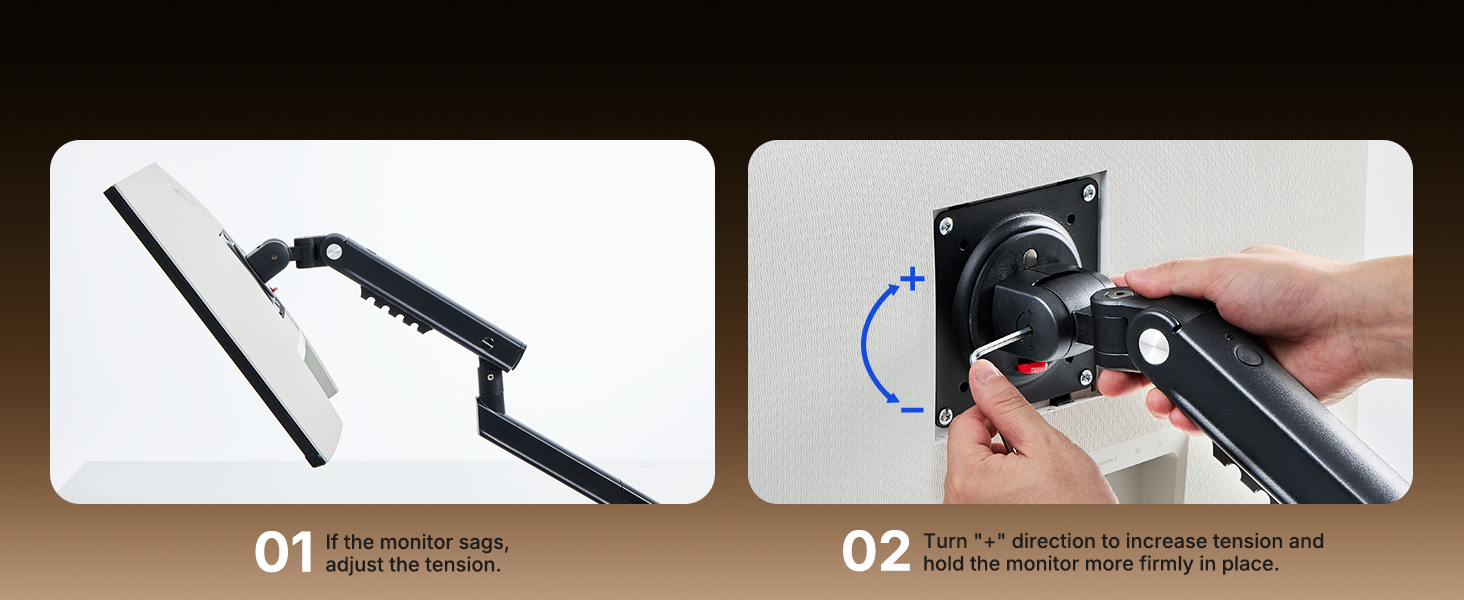
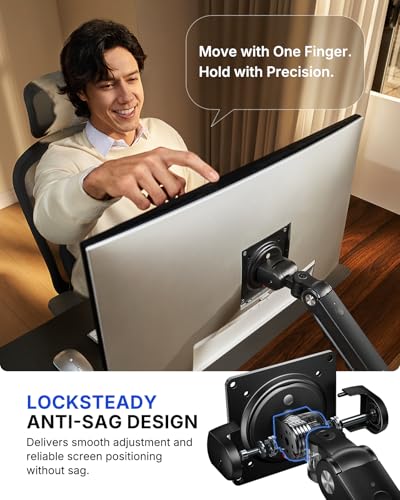
- Adjust with Ease, Hold with Strength: With the upgraded LockSteady system, the dual monitor desk mount helps resist screen sagging and moves smoothly with one finger if you adjust screens often. For set-and-forget setups or deep focus work—like designing, coding and data analysis—where the monitor stays in place most of the time, it holds steady right where you leave it for reliable viewing. This dual monitor stand is also TÜV Rheinland certified and tested at 3x its load for added safety.
- Trusted by ACA, Built for Comfort: Backed by the American Chiropractic Association (ACA), the monitor arm for 2 monitors helps reduce neck & back strain by raising your monitor to eye level and fine-tuning it. It transitions smoothly between focused coding, intense gaming and screen sharing during meetings, creating a more comfortable setup for both work and play. Not only does it transform your desk into a professional workstation, but it also supports your health as much as your productivity.
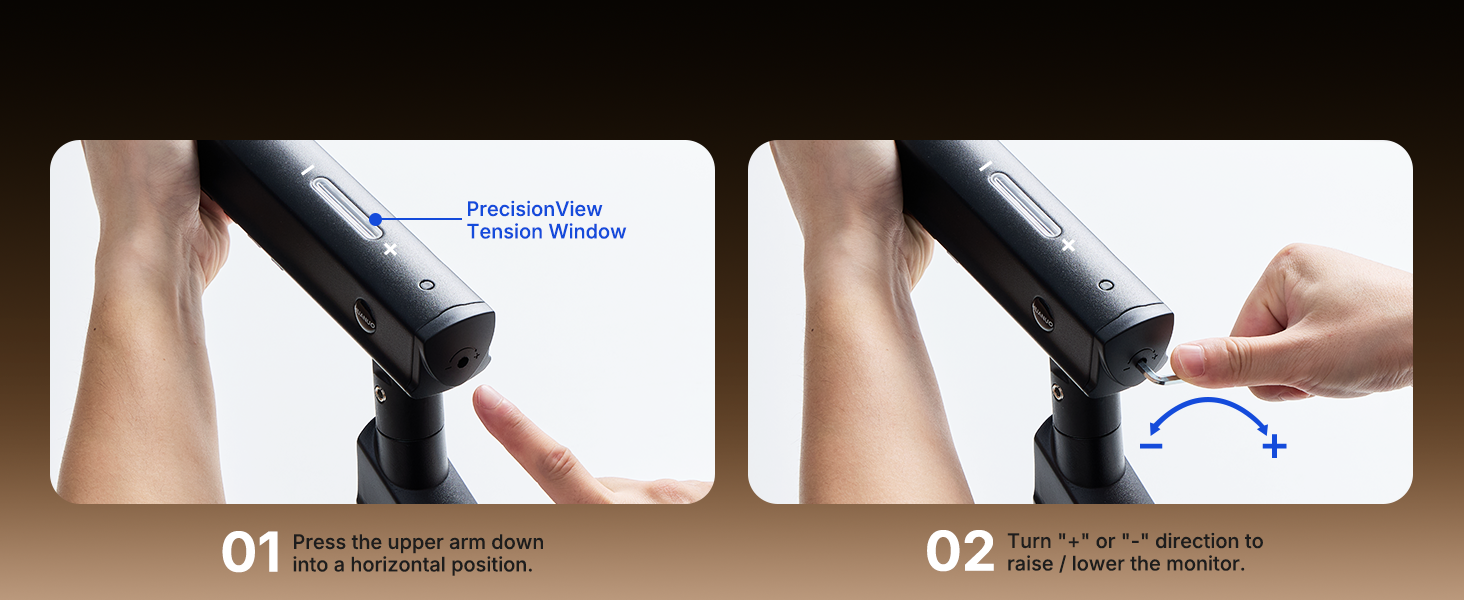
- Precise Tension Adjustment at a Glance: Stop guessing. Start seeing. Unlike a traditional dual monitor mount where tension is adjusted by feel alone, our integrated PrecisionView window provides instant visual feedback through the yellow indicator movement. You'll know exactly when the tension is perfectly calibrated for your monitor's weight — no more over-tightening or endless trial and error. This professional-grade precision puts you in full control from the first turn.
- InstaMount — Attach or Detach Your Monitor in Seconds: Assembles in minutes — get from box to a stable dual monitor arm faster than you expect. Thanks to the tool-free InstaMount VESA plate, you simply snap your monitor into place with a secure click — no more struggling to align screws while holding a heavy screen. With the simplified main parts, you'll go from box to brilliant in minutes. The frustration-free installation is designed for everyone — helping you create a minimalist desk and hide messy wires.
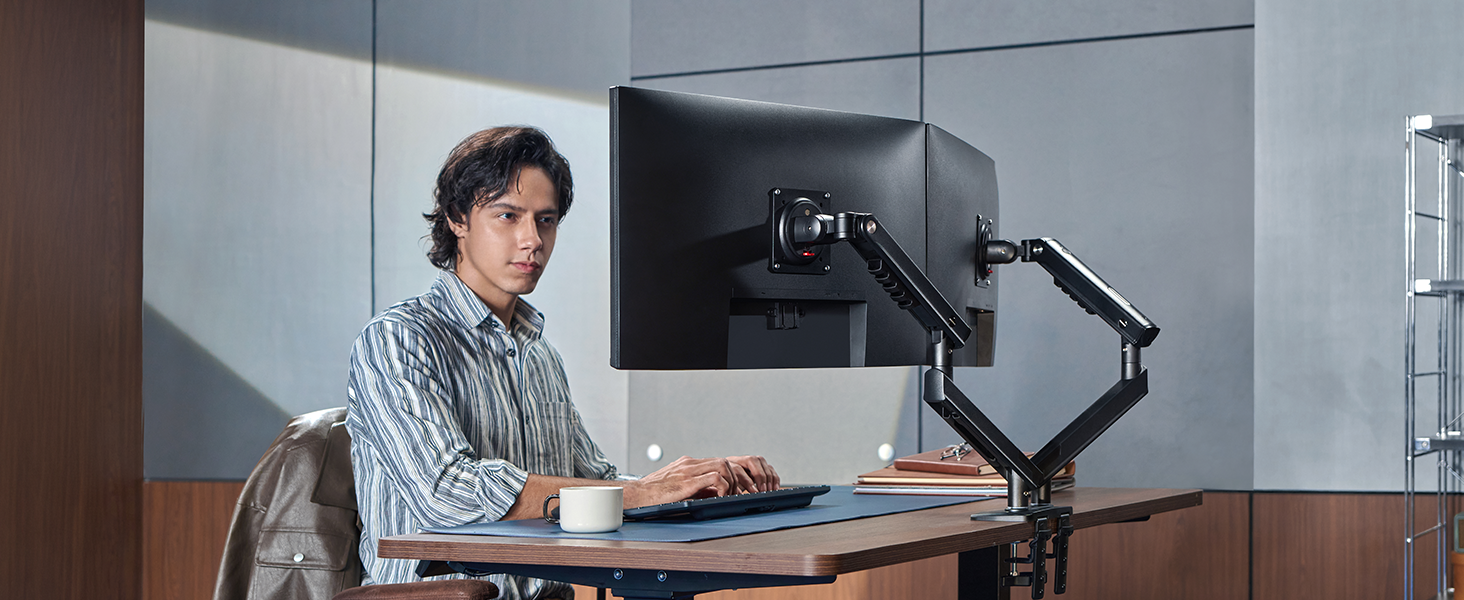
ACA-Endorsed Ergonomics: HUANUO FlowLift Pro Dual Monitor Stand
The FlowLift Pro monitor arms for 2 monitors creates a cleaner, more ergonomic workspace with smooth adjustments, stable support, and easy setup—helping you stay comfortable, focused, and in your flow all day.
Engineered for Strength, Built for Lasting Stability
Behind that everyday ease, the dual monitor desk mount is backed by 3x rated load safety testing and a 90% professional-grade metal build to deliver no-sag performance even with 32" screens, providing the strength and stability you can count on every day.
Four Innovations. One Effortless Experience.
Engineered for Long-Term Durability
MechaSpring monitor arm
Featuring the MechaSpring arm, this monitor mount delivers reliable, long-lasting support. Unlike common designs that can lose pressure over time, it keeps your monitor steady through daily adjustments and lasts up to 2× longer than conventional mounts.
The video showcases the product in use.The video guides you through product setup.The video compares multiple products.The video shows the product being unpacked.HUANUO FlowLift Pro Dual Monitor Arm
Adjust with Ease, Hold with Strength
LockSteady anti-sag design
Just one finger. That's all it takes. Adjust even a heavy monitor into perfect position with the silky smoothness of our LockSteady system. No stiffness. No sudden drops. Just effortless precision, then rock-solid hold the moment you let go.
The video showcases the product in use.The video guides you through product setup.The video compares multiple products.The video shows the product being unpacked.HUANUO FlowLift Pro Dual Monitor Arm
Tension Adjustment Made Visible
PrecisionView tension window
No more guessing by feel. With our PrecisionView window, the yellow indicator tells you exactly when the tension is right for your monitor's weight. Our FlowLift Pro monitor arm gives you instant visual feedback — so you get the setting right on the first try, every time.
The video showcases the product in use.The video guides you through product setup.The video compares multiple products.The video shows the product being unpacked.HUANUO FlowLift Pro Dual Monitor Arm
As Flexible as You Want It to Be
Full-motion arm. Ergonomic comfort.
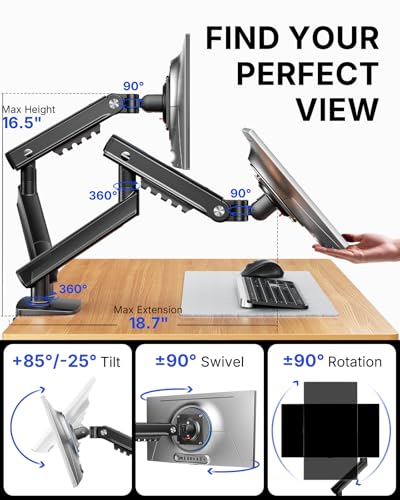
Raise your monitor to eye level and fine-tune it with up to 18.7" of extension, 16.5" of height adjustment, +85°/-25° tilt, ±90° swivel, and ±90° rotation — so your neck and shoulders stay comfortable all day.
The video showcases the product in use.The video guides you through product setup.The video compares multiple products.The video shows the product being unpacked.single monitor arm
Quick & Easy Monitor Mounting & Detaching
Tool-Free InstaMount VESA Plate
With our InstaMount design, simply snap your monitor into place — a secure click tells you it's locked. No more struggling to turn bolts while holding a heavy screen. Detaching is just as easy: release and lift. Experience the fastest, tool-free monitor setup on the market.
The video showcases the product in use.The video guides you through product setup.The video compares multiple products.The video shows the product being unpacked.HUANUO FlowLift Pro Dual Monitor Arm
Proven Stability, Smoothness & Durability
Rigorously Tested. Uncompromisingly Built.
The mount stand is validated through various rigorous tests — covering everything from the arm joints and materials to packaging. It's proven for stability, safety, smoothness, and durability — so you can install with confidence and use with peace of mind.
The video showcases the product in use.The video guides you through product setup.The video compares multiple products.The video shows the product being unpacked.HUANUO FlowLift Pro Dual Monitor Arm
Seamless Flow for Any Moment
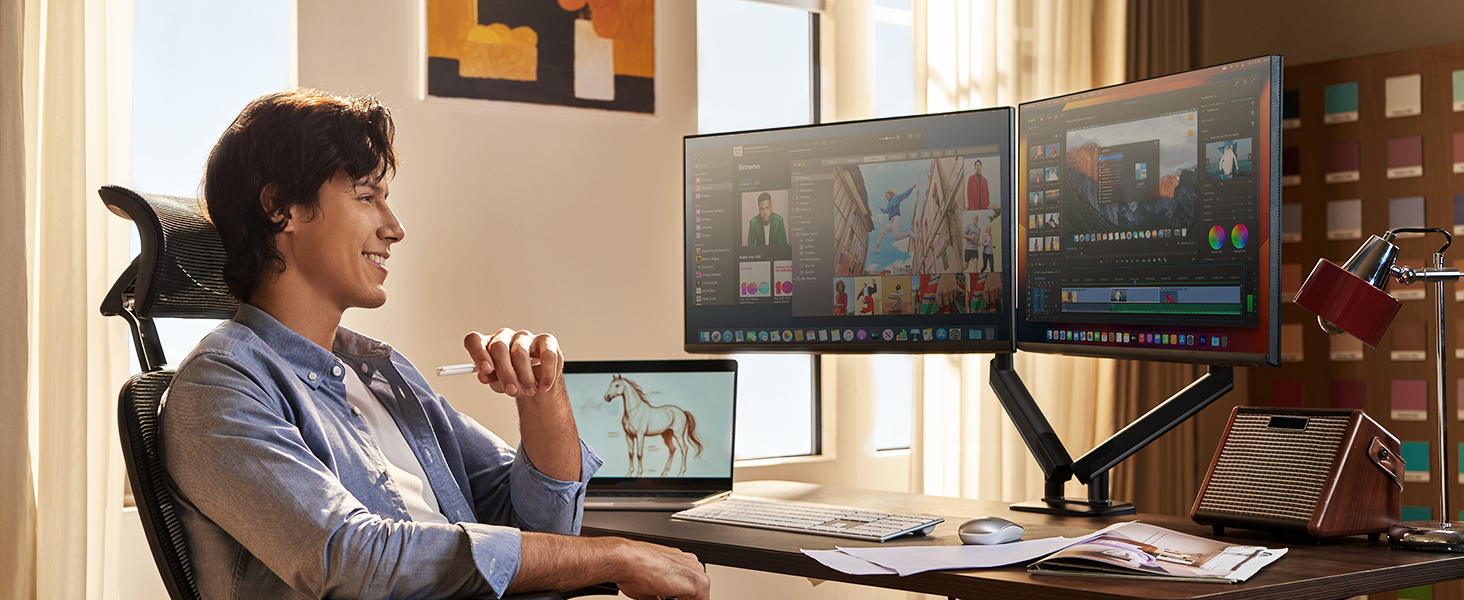
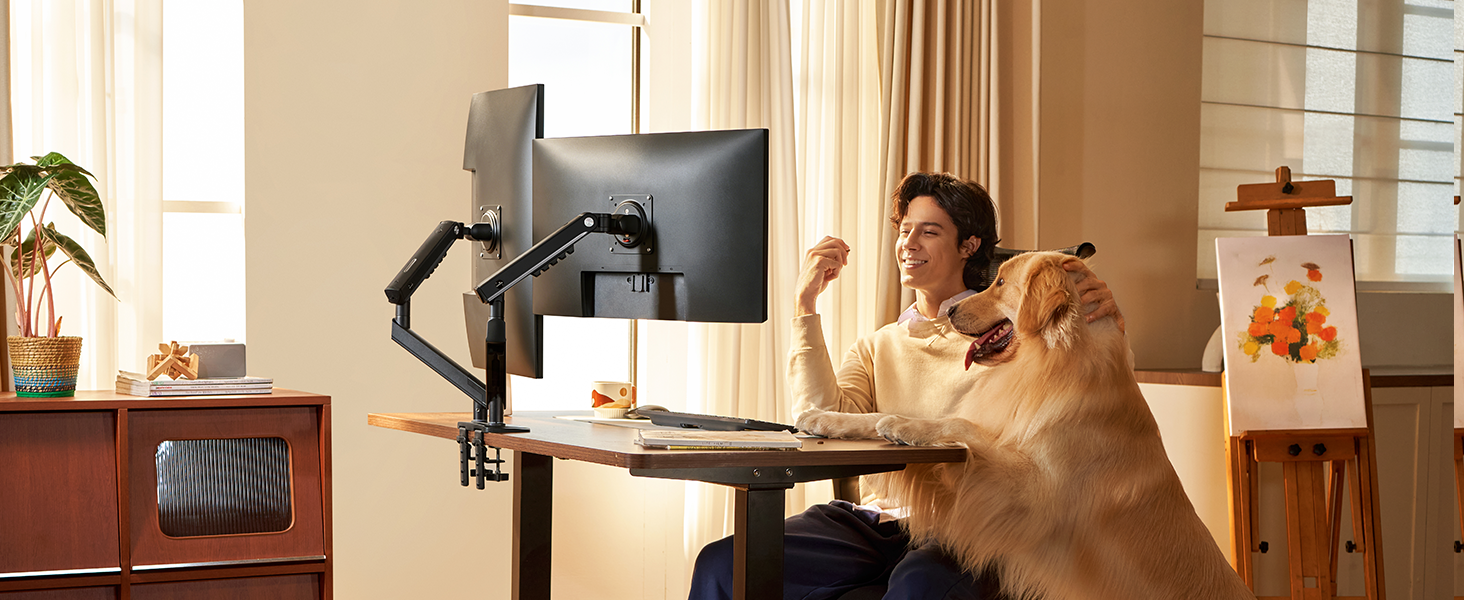
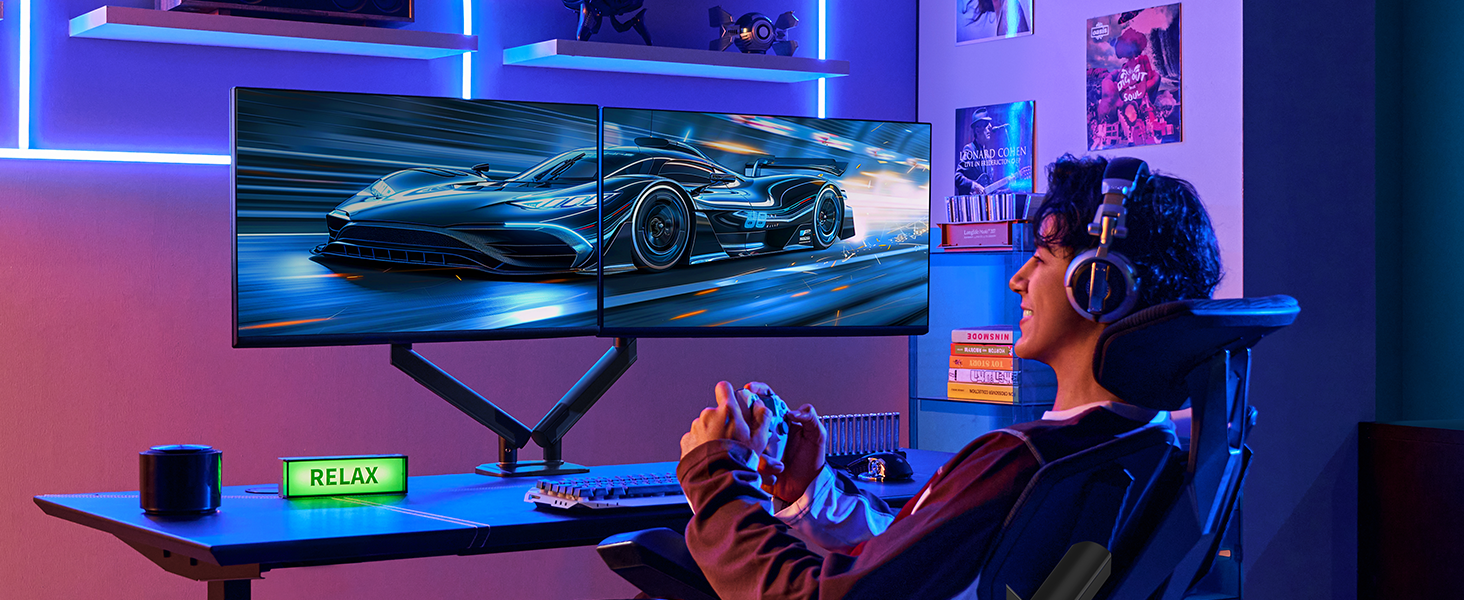
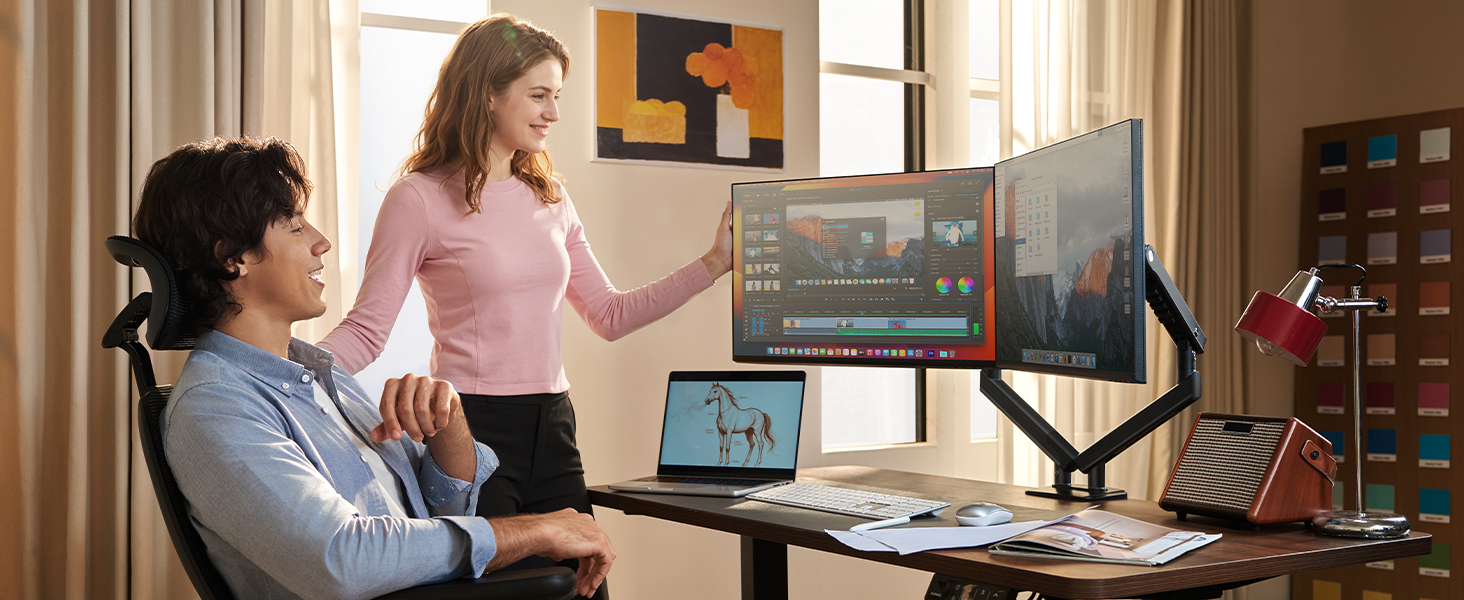
Whether you're a professional switching between vertical coding and horizontal meetings, a gamer needing maximum desk space for free mouse movement, or a designer sharing your screen for real-time feedback, the FlowLift Pro adapts to your workflow.






| SKU: | B0GK6DT5SF |
| Weight: | 9.26 Pounds |
| Brand: | HUANUO |
| Model: | HNDMA119B-DS |
| Colour: | Black |
| Manufacture: | HUANUO |
| Colour: | Black |
Product description
ACA-Endorsed Ergonomics: HUANUO FlowLift Pro Dual Monitor Stand
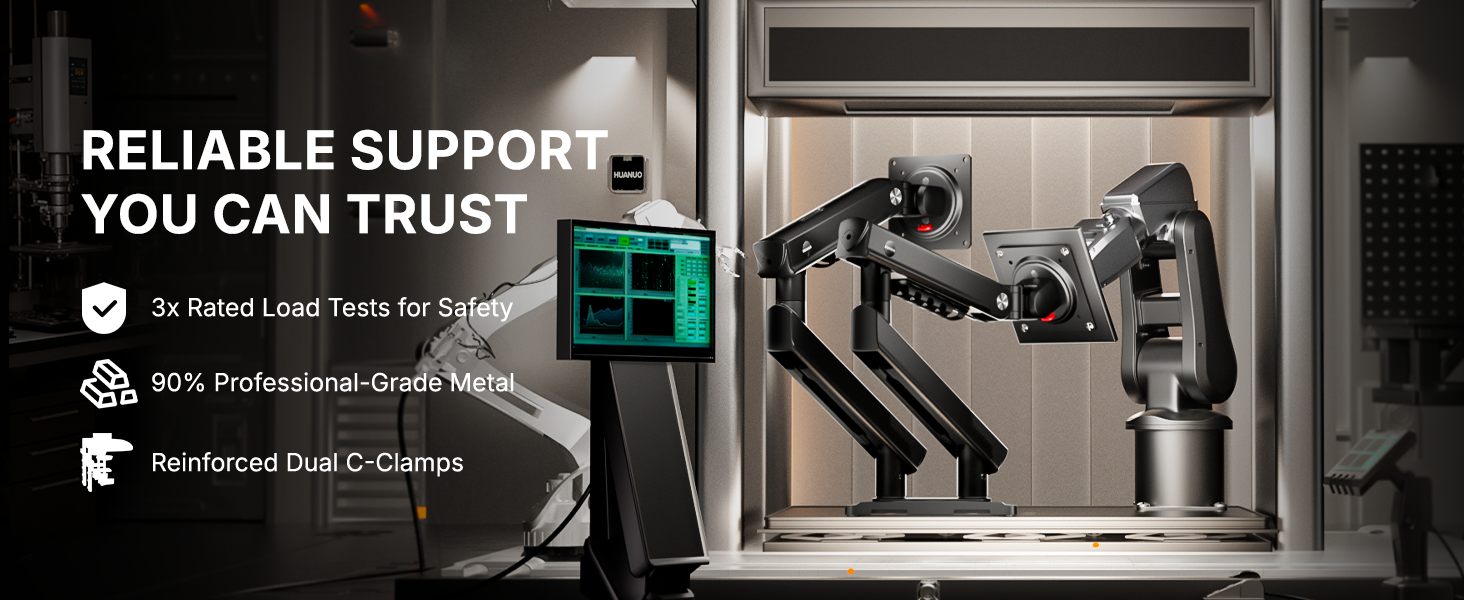
Behind that everyday ease, the dual monitor desk mount is backed by 3x rated load safety testing and a 90% professional-grade metal build to deliver no-sag performance even with 32″ screens, providing the strength and stability you can count on every day.
Four Innovations. One Effortless Experience.
Engineered for Long-Term Durability
MechaSpring monitor arm
Featuring the MechaSpring arm, this monitor mount delivers reliable, long-lasting support. Unlike common designs that can lose pressure over time, it keeps your monitor steady through daily adjustments and lasts up to 2× longer than conventional mounts.
The video showcases the product in use.The video guides you through product setup.The video compares multiple products.The video shows the product being unpacked.HUANUO FlowLift Pro Dual Monitor Arm
Adjust with Ease, Hold with Strength
LockSteady anti-sag design
Just one finger. That's all it takes. Adjust even a heavy monitor into perfect position with the silky smoothness of our LockSteady system. No stiffness. No sudden drops. Just effortless precision, then rock-solid hold the moment you let go.
The video showcases the product in use.The video guides you through product setup.The video compares multiple products.The video shows the product being unpacked.HUANUO FlowLift Pro Dual Monitor Arm
Tension Adjustment Made Visible
PrecisionView tension window
No more guessing by feel. With our PrecisionView window, the yellow indicator tells you exactly when the tension is right for your monitor's weight. Our FlowLift Pro monitor arm gives you instant visual feedback — so you get the setting right on the first try, every time.
The video showcases the product in use.The video guides you through product setup.The video compares multiple products.The video shows the product being unpacked.HUANUO FlowLift Pro Dual Monitor Arm
As Flexible as You Want It to Be
Full-motion arm. Ergonomic comfort.
Raise your monitor to eye level and fine-tune it with up to 18.7″ of extension, 16.5″ of height adjustment, +85°/-25° tilt, ±90° swivel, and ±90° rotation — so your neck and shoulders stay comfortable all day.
The video showcases the product in use.The video guides you through product setup.The video compares multiple products.The video shows the product being unpacked.single monitor arm
Quick & Easy Monitor Mounting & Detaching
Tool-Free InstaMount VESA Plate
With our InstaMount design, simply snap your monitor into place — a secure click tells you it's locked. No more struggling to turn bolts while holding a heavy screen. Detaching is just as easy: release and lift. Experience the fastest, tool-free monitor setup on the market.
The video showcases the product in use.The video guides you through product setup.The video compares multiple products.The video shows the product being unpacked.HUANUO FlowLift Pro Dual Monitor Arm
Proven Stability, Smoothness & Durability
Rigorously Tested. Uncompromisingly Built.
The mount stand is validated through various rigorous tests — covering everything from the arm joints and materials to packaging. It's proven for stability, safety, smoothness, and durability — so you can install with confidence and use with peace of mind.
The video showcases the product in use.The video guides you through product setup.The video compares multiple products.The video shows the product being unpacked.HUANUO FlowLift Pro Dual Monitor Arm
Sturdy Dual Monitor Stand with Easy Setup and Great Control!
I have been using this dual monitor stand to organize my workstation with two screens for daily tasks. After installation, I adjusted both monitors to a comfortable height and angle. The arms moved smoothly and held position well. It also freed up desk space and made my setup more organized.
This dual monitor stand is a practical and ergonomic solution for multi-screen setups. It is designed to improve comfort and desk organization. It supports a wide range of monitor sizes and setups.
The build quality feels strong, with solid construction and mostly metal material. The design is clean and modern, giving a professional appearance. The monitor arm system is sturdy and provides good strength to hold monitors securely without sagging.
The stand is compatible with 13–32 inchmonitors with VESA mounting. Installation is simple with both C-clamp and grommet base options, making it flexible for different desk setups. The tool-free VESA mount makes attaching monitors quick and easy.
The adjustability is excellent, with smooth tilt, swivel, and rotation for better ergonomic positioning. The arms move easily and stay stable once positioned. The stand improves comfort by allowing proper screen height and viewing angles.
The unit is slightly heavy, which adds stability but still manageable during setup. It saves desk space by lifting monitors off the surface. The cable management also helps keep the setup clean. The overall performance is reliable, durable, and practical for everyday use.
Maintenance is minimal, with occasional adjustments as needed. It offers strong functionality, versatility, and long-term reliability. Overall, it provides good value for money for improving workstation setup.
Pros:
+ Strong build quality with durable construction
+ Smooth and stable adjustable monitor arms
+ Supports wide monitor compatibility
+ Easy installation with C-clamp and grommet base
+ Tool-free VESA mount for convenience
+ Saves desk space and improves organization
+ Good ergonomic support for comfort
+ Reliable and sturdy performance
Cons:
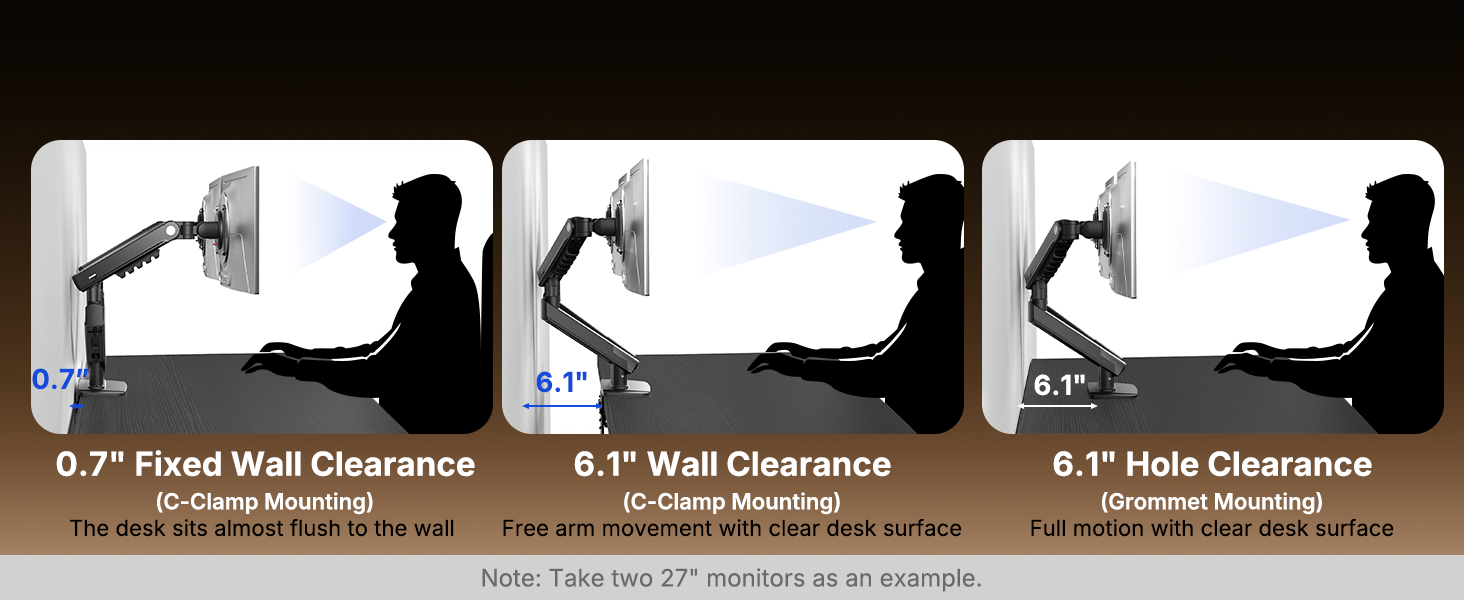
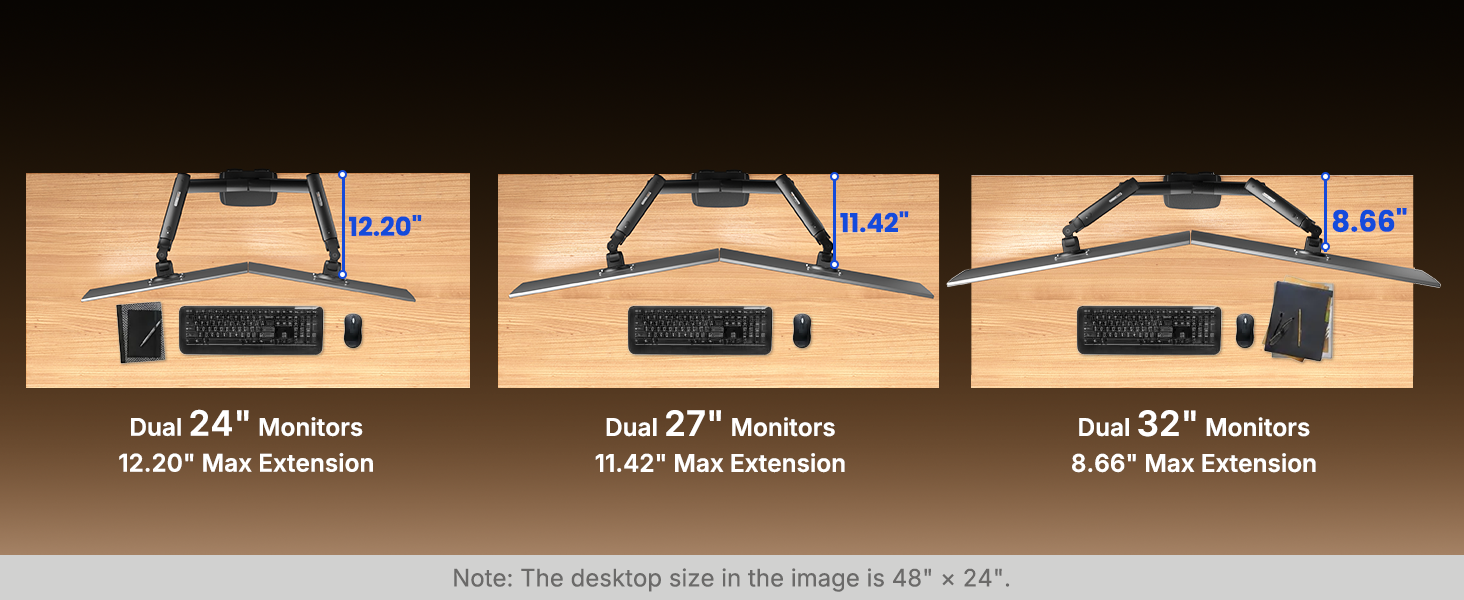
– Requires space behind desk for arm movement
– Slightly heavy during installation
– Initial setup and tension adjustment may take time
– Cable management is basic, not fully enclosed
– Not ideal for very thin or non-wood desks
Overall, this dual monitor stand is a reliable and well-built option for improving desk organization and ergonomic comfort. It offers strong support, smooth adjustability, and flexible installation options. It is a great choice for users looking to upgrade their workstation. I highly recommend!
Support de moniteur double robuste et de grande qualité
Mme avant d’ouvrir la bote on se doute que ce sera un item robuste et de grande qualit car c’est trs lourd. On n’aurait pas utilis autant de mtal pour un item de basse qualit. Et effectivement, ce support double pour moniteur est trs robuste et se fixe trs solidement tous types de bureau. Deux mthodes d’installation sont possibles, soit sur le bord du bureau avec deux serres, ou travers un trou avec une vis papillon. La description spcifie que a convient pour une paisseur de bureau de 0,6 3,5 po, mais les mesures relles montrent que a peut faire pour un bureau entre 0,5 et 5.0 po, c’est encore plus polyvalent que ce qui est annonc.
L’installation est facile et bien explique dans le manuel d’instruction. Une fois install c’est trs solide. Je l’ai utilis pour deux moniteurs de 23 po, un ancien trs lourd et un moderne trs lger. Initialement le lger tait toujours en haut et l’autre toujours en bas, a m’a permis de vrifier que l’ajustement des ressorts de compensation est trs facile faire. Une fois les ressorts ajusts il est trs facile de positionner la hauteur des moniteurs et ils restent l’endroit dsir sans problme. Une quincaillerie de montage des moniteurs contient une plaque avec des trous pour un montage VESA de 75 mm et 100 mm, et des vis M4 de diffrentes longueurs et des rondelles de plastique pour s’adapter sur diffrents types de moniteur. a ne convient possiblement pas tous les cas possibles mais a s’adaptait bien sur mes deux moniteurs. Il faut prendre soin de placer les ouvertures la verticale, c’est bien indiqu par une flche up sur la plaque de moniteur.
Les moniteurs peuvent tre tourns sur 270 degrs sur eux-mmes pour une rotation en mode paysage/portrait dans les deux directions partir du mote paysage. On peut aussi faire une inclinaison vers le haut de 0 90 degrs et vers le bas de 0 45 degrs. Et, bien sr, on peut les tourner latralement trs facilement dans presque toutes les directions. La finition de la peinture est trs belle, trs uniforme et de bonne qualit. Sur chaque bras il y a un support pour les cbles. Ce support est seulement sur la partie haute de chaque bras, un support de cble sur la partie qui descend vers le bureau aurait t utile mais il n’y en a pas, c’est le seul petit dfaut que je constate sur ce support de moniteur et c’est un dfaut mineur. Alors je donne une valuation 5 toiles pour cet item.
This monitor stand is true heavy duty. I have two 32″ monitors mounted on this stand. The stand holds them well and no wobbling at all. The monitors are very easy to adjust. The movement of two monitors are silky smooth. I can easily align the two monitors perfectly side by side with no gap in the middle. The material and the build quality is great. The stand itself is very heavy. That helps with the stability but does require the desk to be strong and thick enough. I am very satisfied with this stand. Highly recommend.
Perfect size; easy to install; works great.
Perfect. I needed something I could use to help me with all my monitors and saw this and realized it was exactly what I needed. It is very sturdy and heavy. Easy to install and attach monitors to. Like that it can be adjusted in many different ways to fit whether I want landscape, portrait, or a combination for the two monitors. Attaches easy to my desk. Definitely a great buy.
Excellent Upgrade for a Dual-Monitor Workspace...
Running two monitors can quickly consume desk space, and this mount does a great job of reclaiming that area while creating a much cleaner setup. Once installed, both monitors felt secure and were easy to position exactly where I wanted them.
The MechaSpring arms move smoothly and hold their position well without sagging. Adjustments for height, tilt, swivel, and rotation are easy to make, which is especially useful when fine-tuning monitor placement for long work sessions.
One feature I particularly appreciated was the tool-free VESA mounting system. Attaching the monitors was straightforward and much less frustrating than some monitor arms I’ve used in the past. Cable management also helps keep the workspace organized and reduces clutter behind the desk.
The construction feels solid, and the mount handled my monitors confidently without excessive movement or wobble. Whether positioned side-by-side, angled inward, or adjusted for different tasks, the arms remained stable.
For anyone building a home office, gaming station, or productivity-focused workspace, this mount provides a substantial improvement in ergonomics, desk space, and monitor positioning flexibility. It has worked well and gives the setup a much more professional appearance.
**Title: Very Clean Dual Monitor Mount with Smooth Adjustment**
**Rating: 4.5 stars**
This HUANUO FlowLift Pro dual monitor mount is a solid upgrade for a two-monitor desk setup, especially when trying to free up desk space and get both screens positioned more comfortably. The arms feel sturdy, and the MechaSpring adjustment system makes it much easier to raise, lower, tilt, swivel, and rotate each monitor compared with a basic fixed stand.
The tool-free VESA mounting design is one of the better convenience features. Getting monitors attached and adjusted feels more straightforward than older mounts that require awkward screw alignment while holding the screen in place. The support for 13–32 inch monitors and up to 19.8 lbs per arm gives it enough flexibility for most common home office, gaming, and productivity setups.
The range of motion is useful for aligning two screens side by side, stacking one vertically, or rotating a secondary display into portrait mode for documents, chat, coding, or monitoring dashboards. Cable management also helps keep the desk looking cleaner, although thicker display and power cables may still require a little extra effort to route neatly.
Overall, this is a well-designed dual monitor arm that feels sturdy, adjustable, and practical. It is especially worthwhile for anyone trying to improve ergonomics, reclaim desk space, or create a cleaner multi-monitor workstation.
A+
We received this item as part of the Amazon Vine program.
Please note that although Vine program items are often perceived as free, members are required to report them as taxable income (34% of the item’s MSRP cost). Consequently, we refrain from ordering any product unless we have a genuine intention to use it. We believe it is vital for readers to understand this distinction, as it underscores that we do not participate in reviewing items solely to provide inflated ratings. If a recommendation is made to a product, it is because it has met its intended purpose or is genuinely impressive. Conversely, items that fail to meet expectations will be reviewed with equal honesty and transparency.
Pro,
+simple design
+well made
+easy to assemble
+easy to use
+stable and easy to adjust
+quick release plates
Cons,
-none
Overall, 5/5.
This dual monitor mount is pretty good. I’ve tried a bunch of monitor arms over the years, and most of the cheaper ones feel cheap. Yeah, I know, and this one really stands out. The biggest difference is the spring system, which uses a steel coil instead of a gas piston. The adjustment feels completely different when moving the arm, and it stays smooth while holding the monitor firmly in place. Setup was easy, about 30 minutes at most. The quick-release plates are great; just snap them into place. Build quality is solid, with mostly metal parts and a sturdy clamp that keeps everything secure. Overall, this is a great mount. No complaints.
A solid dual monitor arm that finally got my ergonomics righ
TL;DR: The mount does its core job very well and the build quality feels solid. The cable management limitation is a real consideration for anyone with thicker cables, and the PrecisionView window could use better documentation. Neither is a dealbreaker, but both are worth knowing going in.
I picked up this mount because I’d been struggling with neck pain and wanted more control over my monitor positioning. My OEM stands had gotten me partway there, but they were bulky and ate up a lot of desk real estate. I was hopeful this would solve both problems at once.
My setup: two identical 27″ Samsung monitors weighing 15.65 lbs each, mounted on a sit-stand desk with a 7/8″ solid wood top and square edges. Both monitors are well within the stated weight and size limits, and the C-clamp attached without any issues.
Assembly went smoothly, though it was a two-person job that took us about an hour from start to finish, including figuring out how to remove the OEM stands from the back of my monitors. A screwdriver was the only tool needed beyond that. The VESA plates screwed on without trouble, and I did need the larger spacers that were included in the box, which was a nice touch.
Out of the box, the arms moved very fluidly, much too freely for monitors this weight. We tightened the tensioners until each screen held its position, and they’ve stayed put since. I noticed the PrecisionView indicator windows but didn’t realize what they were for at the time. Tightening by feel worked fine, so the windows may be more useful for people who want a more precise setup process.
Range of motion is excellent. Tilt, swivel, and rotation all work well, and the two arms operate completely independently. The main constraint on my positioning isn’t the mount at all but the length of my monitor cables, which run to a UPS on the floor. That’s on me, not the mount.
Cable management is functional but has some limitations. I was able to thread a USB-C cable through the slot easily to power my webcam, but I’m not sure how you’d route a thicker DisplayPort or power cable through the same path. It works for lighter cables, but heavier ones may need to be managed differently.
One thing I especially appreciate is how much clearer my desk surface is now. Not only do I have more flexibility with where things can sit, but it’s also just easier to clean. I confirmed compatibility before ordering as the listing recommends, and everything fit perfectly with no surprises.
The result is exactly what I was after. My monitors are now at the right height for my posture, I can move them closer or farther away from me much more easily, my desk has noticeably more open space, and the whole setup looks much cleaner. If you’re dealing with neck strain or just tired of chunky OEM stands hogging your workspace, this mount is worth a serious look.
I decided to try the HUANUO FlowLift Pro Dual Monitor Mount because I needed a sturdy setup for two completely different monitors, and in my experience, this is a massive upgrade to standard consumer-grade monitor arms from the past few years. At $59.99, or even lower if you catch the coupon, it is an incredible value for the build quality you get. HUANUO has proven to be a very reliable brand when it comes to these types of mounts.
First, I have to give a warning about the weight during assembly. Because of the 90% metal construction, most of the weight is concentrated in the spring arm part. It is a lot heavier than it looks; it feels like a dense 5 to 10-pound dumbbell. For any gym-goer, it is not that heavy at all, but for the average person, I highly advise being careful when handling and maneuvering it onto your desk.
Once installed, the MechaSpring system is fantastic. I found that the mechanical spring over a traditional gas cylinder is a lot better for smooth adjustments. The company claims a two-times longer lifespan compared to other mounts, and honestly, even if it is only 1.2 or 1.5 times longer in actuality, the stability is well worth it. The LockSteady system holds the screens firmly without sagging. The mount also features a viewable PrecisionView window to help set the tension. It helped a little bit at first, but since I am used to adjusting tension by guesswork and I am mounting two completely different monitors, I ended up not using the visual indicator as much.
What I really love above everything else is the tool-free InstaMount quick-release design. I will soon be moving, and having this feature is an absolute lifesaver. Being able to just snap the monitors in and out of place securely is a massive timesaver compared to unscrewing traditional VESA plates while trying to balance a heavy screen.
With that, this is a total upgrade over the average dual monitor arm. If you are searching for a dual monitor mount and it falls within your budget, I definitely suggest getting this one. It provides professional-grade stability and makes adjusting your workspace completely effortless.
I have used a few different desktop monitor mounts over the years. Most options in the budget tier are completely identical because you get basic gas struts and you have to guess at the tension adjustments blindly. This breaks that mold completely. The price point on this unit is fantastic for the sheer amount of engineering upgrades included.
The Mechanical Spring Upgrade:
Instead of standard pneumatic gas pistons that slowly leak air pressure and cause screens to sag over a couple of years, this arm uses a physical steel coil spring. You can immediately feel the structural difference when moving the arms. It is smooth, has a rock-solid hold, and will not degrade over time like gas shocks do.
Frustration-Free Calibration and Mounting:
Two specific features make installation easy compared to standard mounts. The visual viewing window is a massive help. It has a physical yellow indicator needle that moves as you tighten the arm, showing you exactly when the tension matches your monitor’s weight. This eliminates endless trial and error. Additionally, the quick-release plates allow you to screw the VESA mount to your monitor safely on a table first. From there, you simply slide and click the monitor onto the desktop arm in seconds. It completely eliminates the awkward balancing act of holding a heavy screen while trying to start small screws.
Build Quality:
The unit is comprised of 90 percent metal, giving it a heavy, durable presence on the desk. It clamps down securely, handles modern 13 to 32 inch screens effortlessly, and the integrated cable channels keep the workspace looking clean.
Pros:
Steel coil spring design will not lose pressure or sag over time.
Visual tension indicator window takes the guesswork out of setup.
Snap-in VESA plates make mounting heavy monitors a one-person, tool-free job.
High-quality metal construction with an absolute bargain of a price tag.
Cons:
None. The design updates solve the biggest pain points of desktop monitor arms.
The Final Word:
They built an excellent design with the FlowLift Pro. They took high-end features from commercial-grade studio arms and brought them down to an accessible price point. If you want a clean, dual-screen setup that is built to last and easy to install, this is a top-tier option.