GMKtec Mini PC, G3 PRO Intel Core i3-10110U (Beats
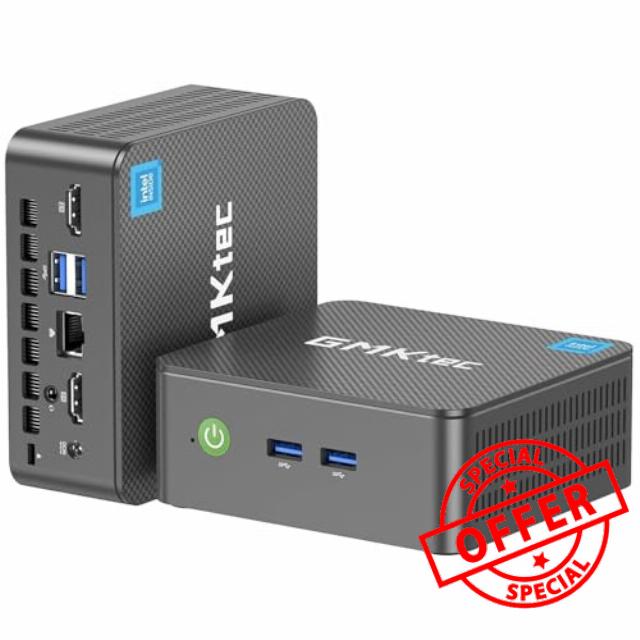
GMKtec Mini PC, G3 PRO Intel Core i3-10110U (Beats 4300U/N150), 16GB DDR4 RAM (Dual Channel) 512GB Storage Drive, Desktop Computer 4K Dual HDMI/USB3.2/WiFi 6/BT5.2/2.5GbE for Office, Business
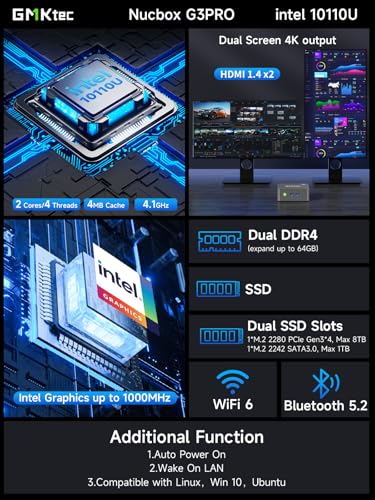
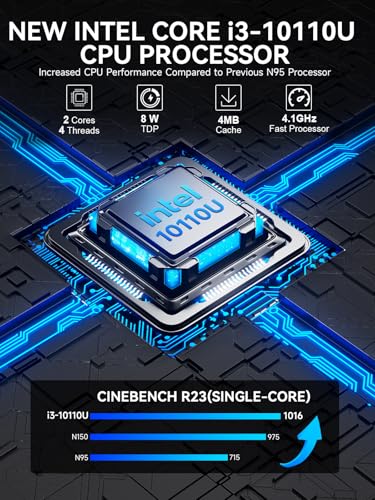
- WHY CHOOSE CORE I3-10110U – Better single-core performance: The Core i3-10110U has a higher peak boost clock (4.1 GHz) compared to the Ryzen 3 4300U and the Intel Alder Lake N150 series, making it better for tasks that rely on fast single-core performance (e.g., web browsing, office apps). Better multi-thread performance via Hyper-Threading: the Core i3-10110U offers better performance in multi-threaded workloads compared to the Ryzen 3 4300U, especially for light productivity work and multitasking.
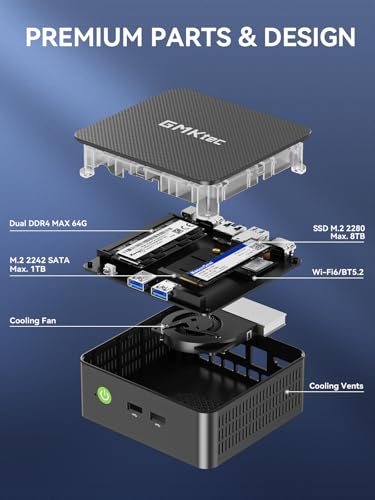
- 16GB RAM MEMORY & 512GB SSD STORAGE – GMKtec Nucbox G3 PRO mini pc is prebuilt with 16GB DDR4 RAM SO-DIMM DUAL CHANNEL, you will enjoy a speedier experience with Built-in 512GB M.2 Hard Drive. Our mini desktop pc boots up in seconds, work on multiple browser tabs, software applications and quickly transfers files. There is a primary slot and secondary expansion storage. Primary slot is M.2 2280 PCIE/SATA and secondary slot is M.2 2242 SATA .
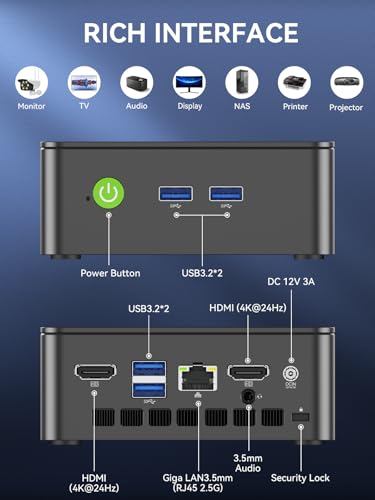
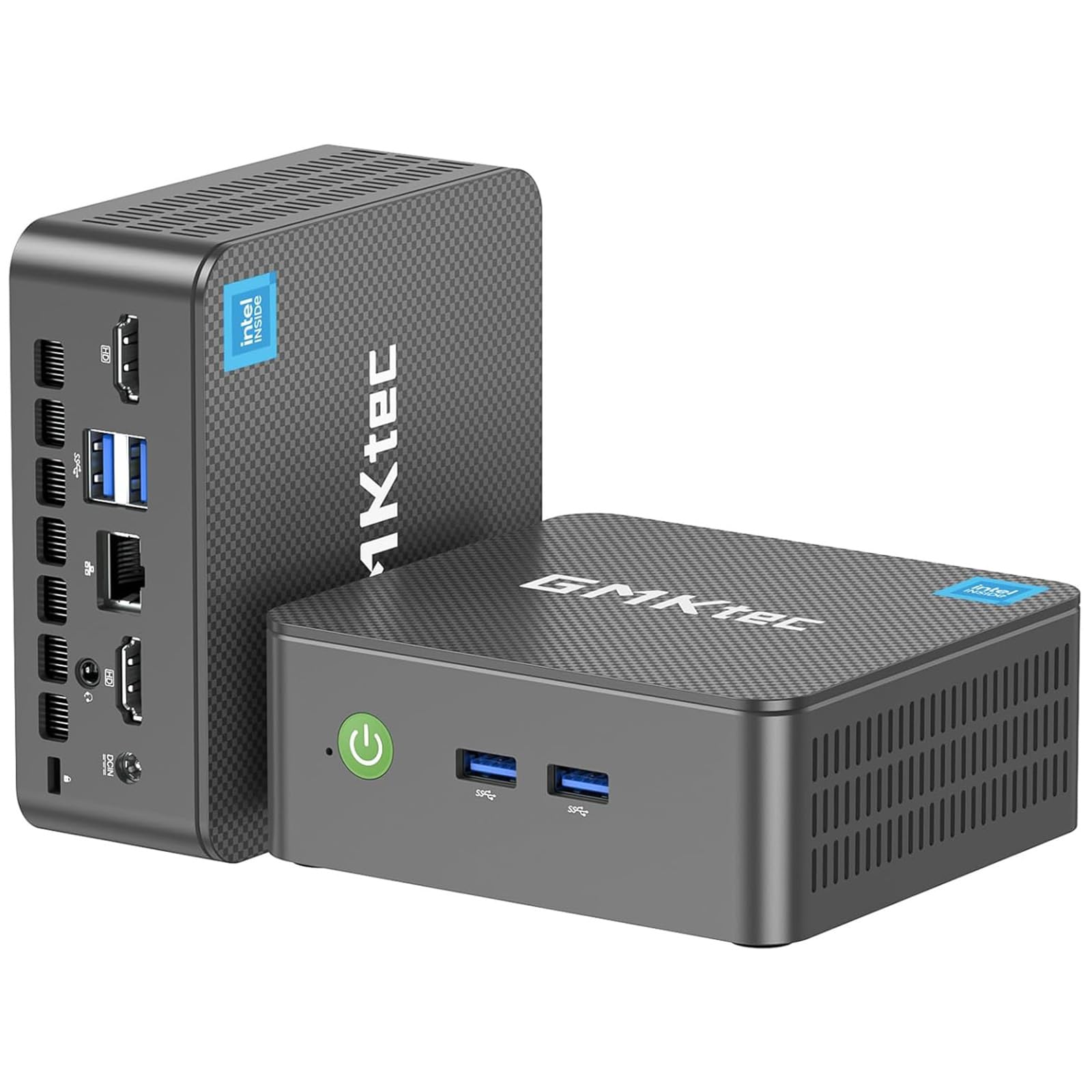
- RICH INTERFACE – Nucbox core i3 mini computer is equipped with USB 3.2*4,up to 5Gbps/S, HDMI(4K@60Hz)×2, 3.5mm Audio Jack. Supports WiFi 6, and Gigabit Ethernet RJ45 2.5GbE network connectivity, Bluetooth 5.2. This Mini PC supports multiple device connection and can be used with servers, monitoring equipment, office equipment, displays, projectors, televisions, etc.
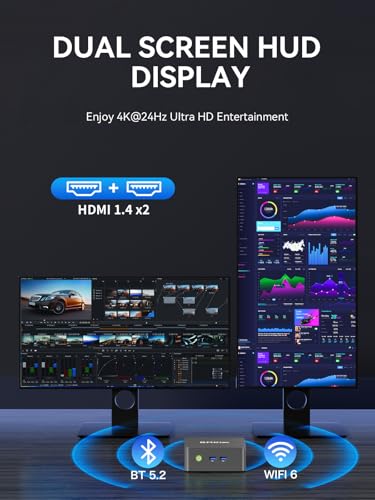
- 4K DUAL SCREEN DISPLAY – Mini desktop computer is equipped with upgraded Intel Graphics(max 1000MHz), supports 4K video playback and AV1 decoding, connect the pc with a projector as a home theatre, enjoy a variety of entertainments. Two HDMI 2.0 ports allows you to multi-task efficiently on two 4K@60Hz displays.
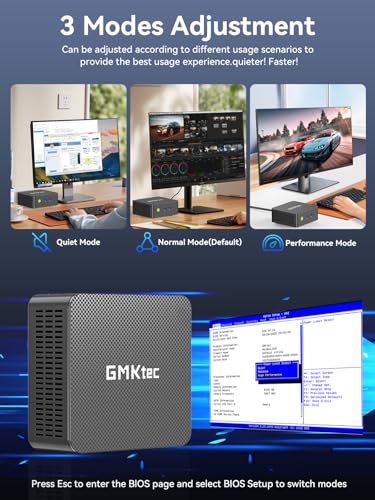
- UPGRADED COOLING FAN – The G3 PLUS has upgraded the cooling fan to reduce fan noise and thermals. We are using an upgraded thermal paste as well to help reduce heat on the CPU.
- WiFi6 & BT5.2 – Features the latest wireless connectivity with 802.11ax which offers speeds up to 600Mbps. Built-in Bluetooth 5.2 enables you to connect multiple wireless devices such as mice, keyboard, monitoring equipment, printer and monitor. High-speed wireless connection technology, reliable and efficient transmission speed, providing a faster internet experience for browsing and streaming. Small pc supports Wake On LAN, PXE Boot, RTC Wake and Auto Power On, ideal to use as a server.
- 2.5GbE LIGHTNING FAST ETHERNET SPEEDS – Intel i226 2.5 Gigabit Ethernet up to 2.5x faster than 1.0GbE Gigabit Ethernet. Compatible with Linux, Proxmox, Firewall Server, Unbuntu, ESXI VMware.
- GMKtec WARRANTY – GMKtec offers a 1-year limited warranty for each mini PC, starting from the date of the purchase. All defects due to design and workmanship are covered. With a professional after sales team always ready to attend to your needs, you can simply relax and enjoy your mini PC.
From the brand
GMKtec Mini PC
1 Year War~ranty, 24Hr Support.
Amazing discounts for Business Buyers.
Follow our brand for deals and updates.
-
Nucbox G Series Entry Mini PC
-
Nucbox M Series Office Mini PC
-
Nucbox K Series Gaming Mini PC
Shenzhen GMK Technology Co., Ltd is a high-tech enterprise integrating scientific research, development, production and sales of Mini PC and Computer Accessories.
Our company was established on June 6, 2019 and our core team is composed of engineers with 20 years of experience in consumer electronics. It was our shared dream that brought us together as GMKtec.
GMKtec manufactures professional Mini PC computers.
How did we get our start?
GEEK | We aim to provide the ultimate product experience for users around the world.
MODERN | We aim to provide users with cutting-edge technology products.
(K) Creative | We always adhere to the innovative spirit of keeping pace with the times.
The GMKtec mini PCs are widely used at office, home theater and bussiness. All computers support customer customization.
Why are prices increasing monthly?
Due to global market constraints, DDR4/DDR5 RAM and SSD storage prices are on the rise. If you have been planning a PC build or storage expansion, now is the time to buy. Current inventory is still available at existing rates, but forecasts indicate costs will continue climbing. Don't wait until it costs more—lock in your savings today and upgrade with confidence.
Premium Gaming Mini PC
Equipped with the latest AMD Ryzen & Intel Processories. Built-in GPU for smooth framerate and gameplay.
| SKU: | B0GHDTHM53 |
| Brand: | GMKtec |
| Model: | G3 PRO |
| Colour: | Black |
| Manufacture: | Shenzhenshi Jimokekejiyouxiangongsi |
| Colour: | Black |
From the brand
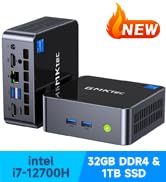
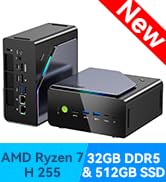
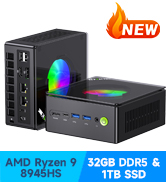


Grea
This is a fantastic device. Bought for elderly relative who had a monitor already and just wanted a simple PC for emails and Internet. Perfect. He didn’t need office so we just plugged everything in and we were ready to go
Small form factor Windows 11 desktop with great energy efficiency.
I received this package from Amazon last Monday, superfast delivery even without Prime. The packaging was sealed and already small, and the box is even smaller, all the content is shown on the photo. The G3 is very light weight and there’s a metal clamp, I believe this is to attach and hide it behind a screen, however the box takes so little space that I simply place it even on a really small desk.
The box’s plastic material feels like good quality and the colour is a nice, maybe dark-olive green, I prefer that over white which often gets yellowish over time, black collects dust and grey looks boring. It is replacing a bulky old Omen gaming PC in the living room area that was 8 time more in height and about the same difference is true for the surface area, the photo gives you an idea. The old PC was used mainly for internet researches, some homework related uses, some attempts in coding and writing emails etc. A Steam client was running on it with quite a collection, but more casual games. One issue was that the old PC was on 24/7 and a gaming PC is drawing a fair bit of power and I don’t need the heat it produces now in summer, the Omen must have used at least 10x more energy than this G3. The tiny charger that came with the box says in small font I believe 36W, but I suppose the G3 is running on a lot less on average, so at 20 Watts it costs just about 3 cents a day to run permanently. The box is slightly warm but definitely not hot. The other issue with the Omen was that it didn’t allow an upgrade to Windows 11 although the specs on that gaming PC are not bad. The G3 comes with Windows 11 preinstalled and that was very is easy to set-up. I recommend to take a backup with a 16/32 GB USB stick immediately once you’ve installed your browsers and any additional software. It takes about a night to run a Windows backup but it is just good practice because you don’t want to be forced to buy an expensive Windows licence if ever something happens, even if it feels unlikely with a fresh Windows 11, which in my experience is a stabile OS and has become fairly secure, make sure you don’t disable the updates.
I’ve been running the G3 now for a week with three different browsers (Edge is preinstalled), countless tabs open. I had no problems connecting the Samsung screen via HDMI, a USB keyboard (even has French has second layout), a USB mouse and a headphone (cinch). My Wifi printer worked without much hassle, very easy to add it in Windows 11. This purchase fully meets my expectation and use case.
I bought this for use in my now far too small Ham Radio “shack” – my old home office that I don’t use that much anymore. The corner for radio doesn’t have much room so this seemed perfect. It was easy to set up and worked well, until I had a problem with a significant app that is necessary for digital radio communication. I tried several things to fix the problem, and none of them worked. it may have been operator error that I couldn’t fix the problem, but that didn’t make the computer work any more, so I returned it. My guess is that, unless you are using it for Ham Radio and digital, and you don’t also try to do SSB at the same time, this computer will work quite well and in a small space.
I have various Windows 10 devices that are not upgradeable to Windows 11 so I purchased this with the intention of making this my new anchor Windows PC (I’m primarily a Mac user) and I plan on only using it for basic word processing, web browsing, and activities better suited to the Windows world.
This is a preliminary rating as I received this device just yesterday. Packaging was professional and set up/personalization straight forward using a USB wireless Logitech Key/Mouse. Bluetooth setup for my Harman Kardon speaker and other bluetooth devices failed (wouldn’t recognize anything discoverable) so I next began the lengthy process of Windows updating (actually still happening) and the bluetooth issue resolved itself somewhere along the way. So, beyond the bluetooth issue, this mini PC has been flawless, speedy, quiet, and has gotten only mildly warm during operation. I ran 5 YouTubes videos simultaneously as a test without issues. The system says it is running Windows 11 Pro, it has 475GB of storage (512 was advertised), 16GB memory, and the N150 chip. I’m on Google Fiber and my speed check was something like 400+ down/300+ up from the opposite side of the house from the router. I have NOT yet checked the other ports (USBs/HDMI/LAN).
I’m not a computer geek so I can only share my ‘user’ experience as I compare this with my other devices (Macs/Chromebooks/Windows) and there have been no discernible performance issues.
Wrapping up, so far, and comparing price vs. performance, I am happy with my purchase.
Because I work from home, I require something with slightly a bit more power. Will this unit be good for most casual users? Absolutely. It’s a great unit, but because of the intensity of my WFH VMware and other virtual desktops, this little guy just didn’t have enough power.
However, this is to no fault of the unit, and most likely the fault of the programs I have installed, so I am currently in the process of working with GMKtec to resolve this issue.
Even though this item didn’t meet my specific needs, I wasn’t upset about it – I was more frustrated with myself for not doing a bit more research.
Bright side? Working with GMKtec (if you’ve ever emailed their support, you know the guy I speak of! J is probably the reason for most of the 5 star reviews on here!) has resolved this issue, in a seamless, hassle-free way.
I recommend this unit for those who don’t need a lot of power, and are more of a casual PC user – You’ll enjoy this unit. But if you, like me, are a tech guy who does a LOT of work on his pc, this may not be the best for you.
I’m already looking forward to my next purchase from GMKtec! If you’re looking for an amazing pc that doesn’t take up a lot of space, and can keep up with larger, more bulky desktops, and even outperform them, you won’t find anything better than GMKtec.
Thanks to assistance from GMKtek, I was currently in the process of ordering the M5 unit. This one is more ideal, as it has a larger RAM capacity, and can keep up with my virtual desktops! Having researched the 16 GB of ram this unit has, I am confident that it will allow me to resume my work with ease.
Users may also enjoy the fact that the M5 unit is Ryzen based, not Intel, which removes some of the limitations that Intel has on their PCs. While the M5 is not a heavy-duty gaming unit (It’s unlikely it will play the latest AAA games) but casual gamers will find the Nucbox M5 unit’s Radeon Vega will definitely be enough for older games. The price is affordable, and the Nucbox M5 unit currently has a rating of 5 stars. Almost unheard of for technology! But this is GMKtec we’re speaking of here. Quality items with incredible support plus a 1-year warranty = Massive win for their customers!
Note: This is not a paid endorsement for GMKtec – Just the honest words of a true fan of this business.
I recently had a hardware issue with my GMKTEC G3 Plus Mini PC, and I want to highlight both the product and the customer service. GMKTEC’s support team, especially Lara, handled my case with patience and professionalism. They walked me through verification, arranged a prepaid return, and ultimately provided a brandnew replacement in the exact configuration I originally purchased.
The new G3 Plus arrived exactly as specified — black model, Intel Inside, 16GB RAM and 1TB SSD — and Bluetooth now enumerates properly. The device is compact, quiet, and powerful enough for everyday computing, streaming, and productivity tasks.
I appreciate the followthrough and the willingness to ensure I received a fully functioning unit. Overall, the G3 Plus is a solid mini-PC backed by responsive customer service.
Got this for only one day. Price seems to be very good for a decent quality. Unit is around the same size of a NUC13 which I own, but is substantially lower in weight, and of course also in price and performance. With that said, it provides sufficient performance to be used as a TV box. It works fine in my older HD TV, but it seemed to struggle with my 4K monitor running at 60 Hz. At this point I still don’t know if it was a problem of my monitor or the unit itself.
Although not specifically mentioned in the product description, unit comes with Windows 11 Pro pre-installed. I’m a Linux person but since Windows is already there, I plan to keep it there for a while. However, I’ve tried running Remote Desktop to a Linux machine to play some videos, but the video and sound got so choppy that it was not workable. The dilemma is that I have some videos in a format that would require me to login to my MS account and perhaps buy or subscribe to some licenses if I were to play these videos in Windows, but I hate doing that, so sooner or later I might just install Linux on this PC.
Update: After more use and testing, I’ve come to the conclusion that this PC is under-powered even for 4K videos, but it suffices for lower resolutions. It consistently struggles and stutters while my 6 year old PC with an i5 CPU had no trouble. I have since switched to Linux and upgraded the RAM to 16G, but the conclusion is the same.
Great low power PC that’s small, quiet, and powerful enough for basic tasks all day! I love using this PC as a HTPC for my 85 inch TV. Plays movies and TV shows on Emby over wifi perfectly. I can even use it for light gaming. Bridge Constructor Portal plays quite nicely, especially when using a Bluetooth controller with the built in Bluetooth. This is almost always whisper quiet but occasionally the fan can spin up and it can be noticeable if there’s silence. It seems like they thoughtfully designed this thing too. The internals are user friendly to swap out or add to. NVME drive, or wifi chip, RAM, all quite easy to change if needed. It works perfectly with its current condition for my needs however.
I got this for my clone hero setup. I occasionally use it for minor computer functions but mostly just clone hero. I should’ve gotten the one with bigger storage for barely more money but overall this works really well, I was easily able to navigate everything to add the games, and all the songs from the original games with lots of space left. Haven’t used it for other games because I’d quickly run out of space. Overall works perfect for clone hero though.
Edit: I’ve now had it for several months. When playing clone hero don’t expect crazy high fps. Fps with everything else turned off and settings good is 250-300. That’s with no video background also. With a video background it’s 150-200 fps. It also randomly slows down and then fast forwards or straight up skips a little. It’s usable but a little frustrating when you start to get really good. Id definitely like to have something with more storage and definitely ram because this RAM is showing that just having CH open uses 100% of RAM. Now to the computer aspects. It works totally fine as a normal computer, but gets slow when you start adding other apps. I couldn’t use high power computer games and even mobile ones sometimes froze. It also really slowed down opening tabs and stuff and just navigating anything is a little slow. It still works fine but it could definitely use a little more space and processing power.
Second edit: I recently started sim racing and was running it on my laptop since I don’t have an actual PC, and just for the heck of it I downloaded raceroom on this thing and hooked up my g29 and… It’s running pretty much as well as it does on my $1k laptop. I have switched over my setup to this instead because it’s easier and runs it basically as well, and basically never crashed, whereas my laptop crashed frequently. This mini PC is way too good for its price.
Overall still a good little PC you can use anywhere, and for the price really is remarkable. Yes I have complaints but I will not be reducing my stars because for the price it performs better than I expected. My update is more to let other clone hero players, or people buying this to game, that you probably want a little more than what this has. Although the price is unbeatable if you get it on sale. I got mine for about $120. (After second update this is less true. For most games this does underperform and you’ll want something better. But it randomly is really really good at certain games. It runs clone hero AND raceroom better than my main computer. Originally was 4 stars but will now be 5 stars)
For the first 24 hours, I was really impressed. Really snappy performance, 8 GB of RAM was plenty for simple tasks, and the SSD was capacious at 256 GB, considering the price. The inclusion of Windows Pro made the box almost free! However, after updating to Windows 11 Build 22H3, during the process of applying updates, the computer locked up. After 60 minutes with the computer no longer visible on the network and the keyboard and mouse non-responsive, pulled the power cord. Upon restoring power and turning on the computer, the PC was stuck for hours at the spinning circle during boot.
Two more power-cycles and Windows repair interface appeared. Selected Windows Reset, Local Source (wouldn’t work with cloud source), Windows began resetting. However, after a restart, computer back to the infinitely spinning circle. 🙁
If this had proved reliable, I’d have bought a dozen or more as remote monitoring PCs for client networks. But given that I’ve had good luck with the similarly priced AWOW models, I will not be investing any more money or time in the GMKTek offerings.
Update 01-07-2024
———————–
Fortunately, GMKTek provides a download for a Windows 11 re-installation ISO. With this and leveraging a fair amount of knowledge of Windows installation options, was able to re-image the SSD. Unfortunately, the product key is invalidated and I had to use a spare Windows 10 product key to re-activate Windows. Unfortunate the GMKTek hasn’t worked out the same relationship with Microsoft that Dell has, whereby any Windows 11 ISO used to load Windows onto a Dell OptiPlex results in an automatically activated Windows 11 installation.
Bottom line is that after recreating and updating all apsects of the re-installed Windows 11 OS, the PC is back to running normally. I know to steer clear now of some driver updates. The PC has been running for about 36 hours and I’ll post an update if that changes in the near future.
When this PC works, it represents a great value for the money in terms of hardware specs and a Windows 11 license. However, taking into account the time issue remediation takes and the expertise required, the TCO (total cost of ownership) rises significantly. If I never have to do brain surgery on this device again, I’ll still feel the cost was justified based on the performance of this sub-$200 device.
P.S. I now make a complete image backup before running/installing ANY updates so I can simply restore the image backup rather than running into yet another Windows 11 re-installation process and the requirement to use/purchase another Windows product key.
P.P.S. The WIndows 11 re-installation ISO download was 11 GB and was not a standard Windows 11 installation ISO. This had to be burned to a flash drive (I used a 16 GB USB3 model; I used Rufus to create the bootable UEFI flash drive) and then the GMKTek PC booted with it. Upon boot, I was faced with a terminal window and a couple of choices. The one I chose led to an image/sysprep process that fortunately got the PC bootable once again with Windows 11 Pro.
P.P.P.S. Highly recommended –> As soon as you boot the device for the first time, find a tool such as ProduKey by NirSoft and extract and save the Windows 11 product key. Ideally (although I didn’t have a chance to test), this key would work if a re-install was ever required. The other option, that I was waiting for until the PC was fully updated, is to create an image backup using any number of tools, including the image backup tool in Windows. Thus, if any of your update processes results in a non-bootable PC, you can simply re-image from the backup and avoid having a non-activated instance of Windows 11.
Update 01-12-2024
———————–
Vendor reached out proactively and offered some assistance, although I’d resolved the corrupt Windows 11 issue independently. However, that level of customer support is remarkable considering the price of this product and the lack of such support from other vendors with much pricier offerings. Due to this, upgrading the rating to four stars.
Update 01-13-2024
———————–
Customer support proactively reached out and provided a product key so I could activate Windows 11 and free up my personal product key. GMKtec’s proactive reaching out to a customer with issues is almost unparalleled in my experience over 40 years, so despite the issues I encountered, I’m raising my review to five stars. For a product this inexpensive but with excellent performance, providing this level of customer support is laudable.