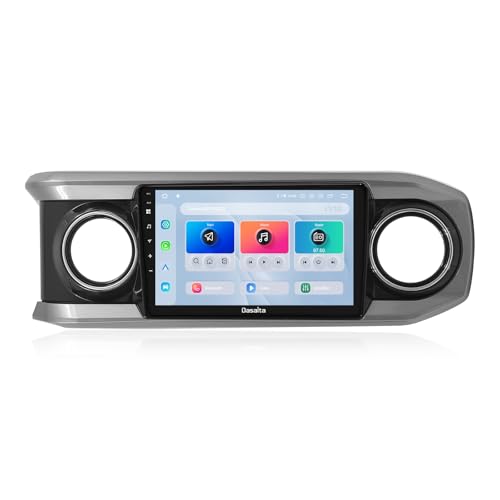
Dasaita Head Unit for Toyota Tacoma 2016-2023, 10.2'' Android 13 Car Stereo, 8GB+256GB Wireless CarPlay & Android Auto Car Radio, Plug and Play Off-Road GPS Navigation, Voice Control, 4G LTE/5G WiFi
REGULAR PRICE: £558.98
About this item
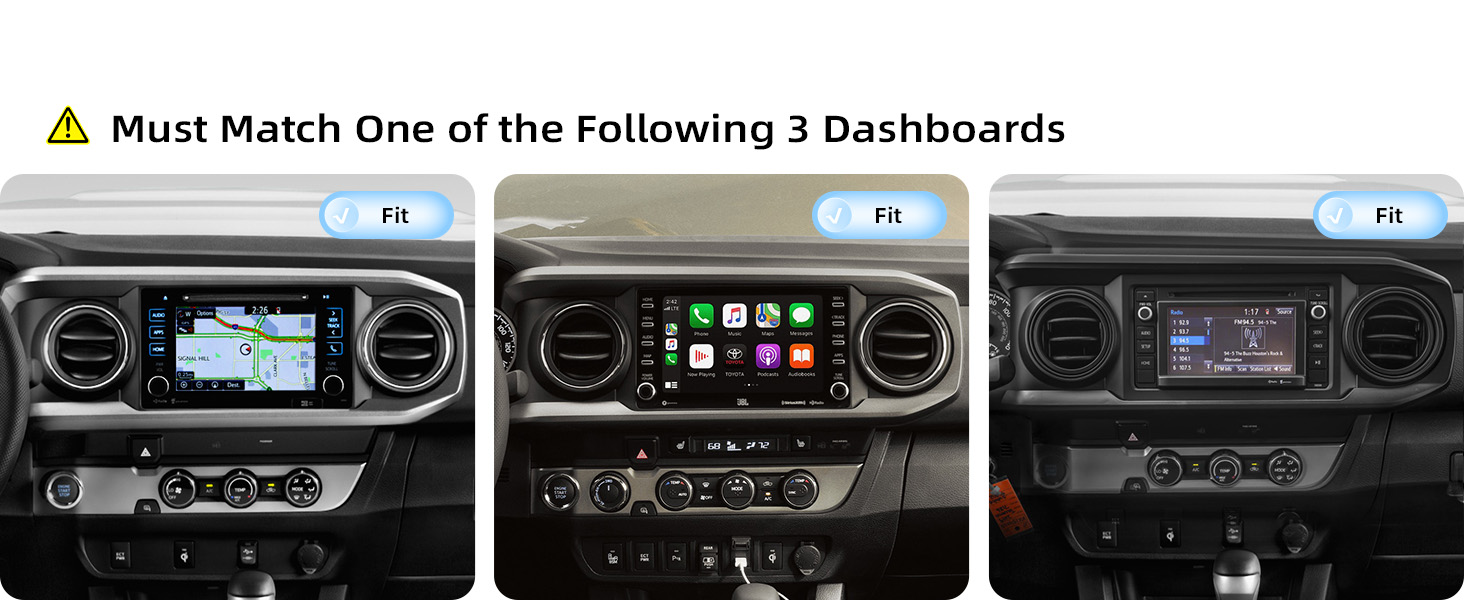
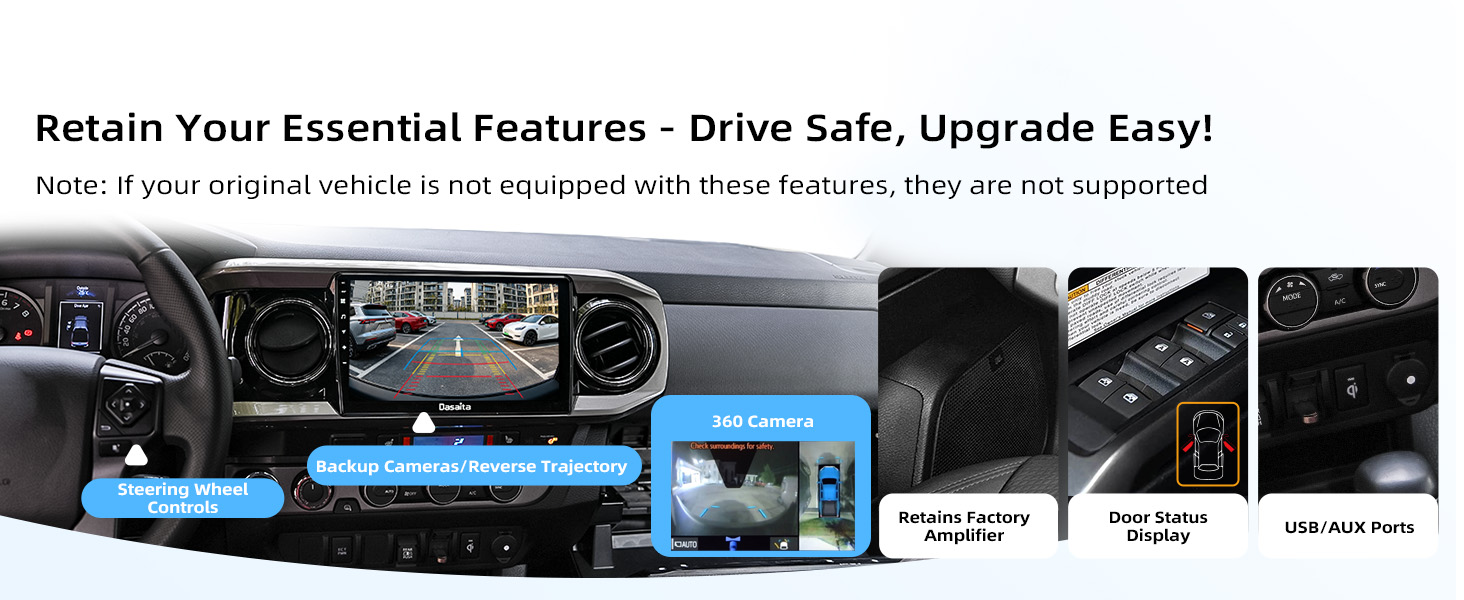
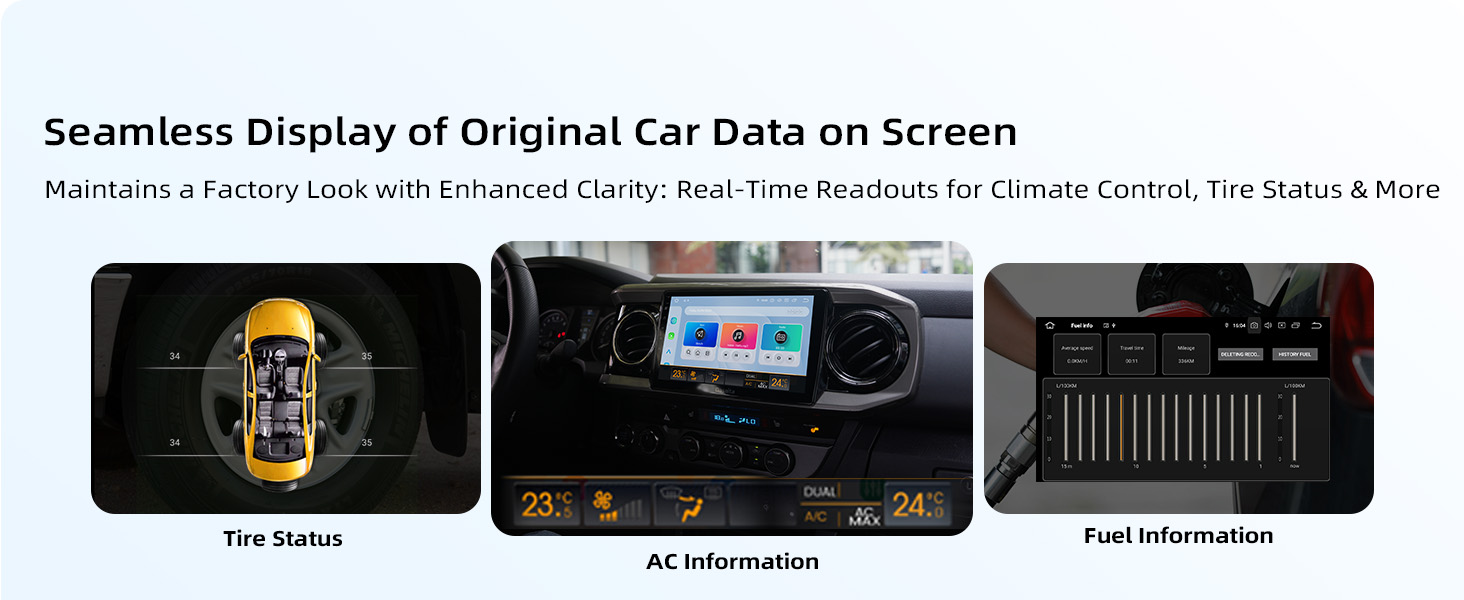
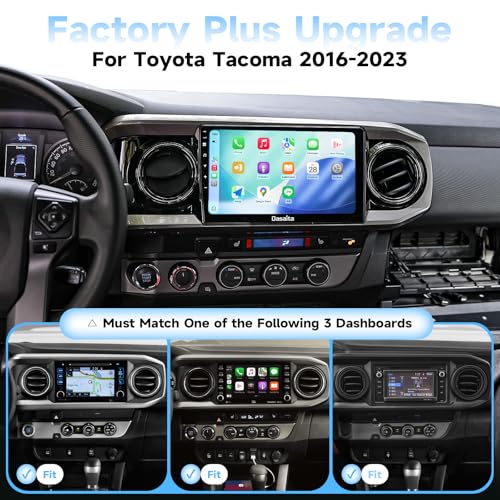
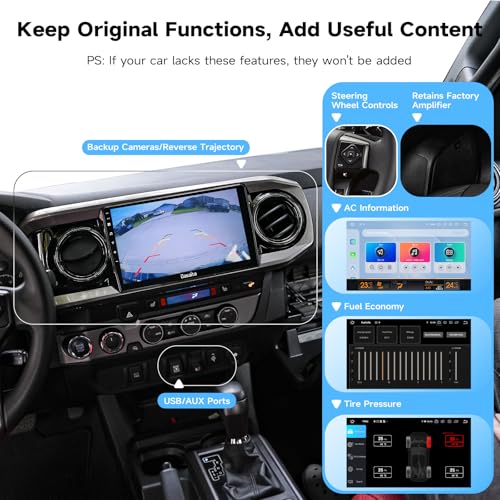
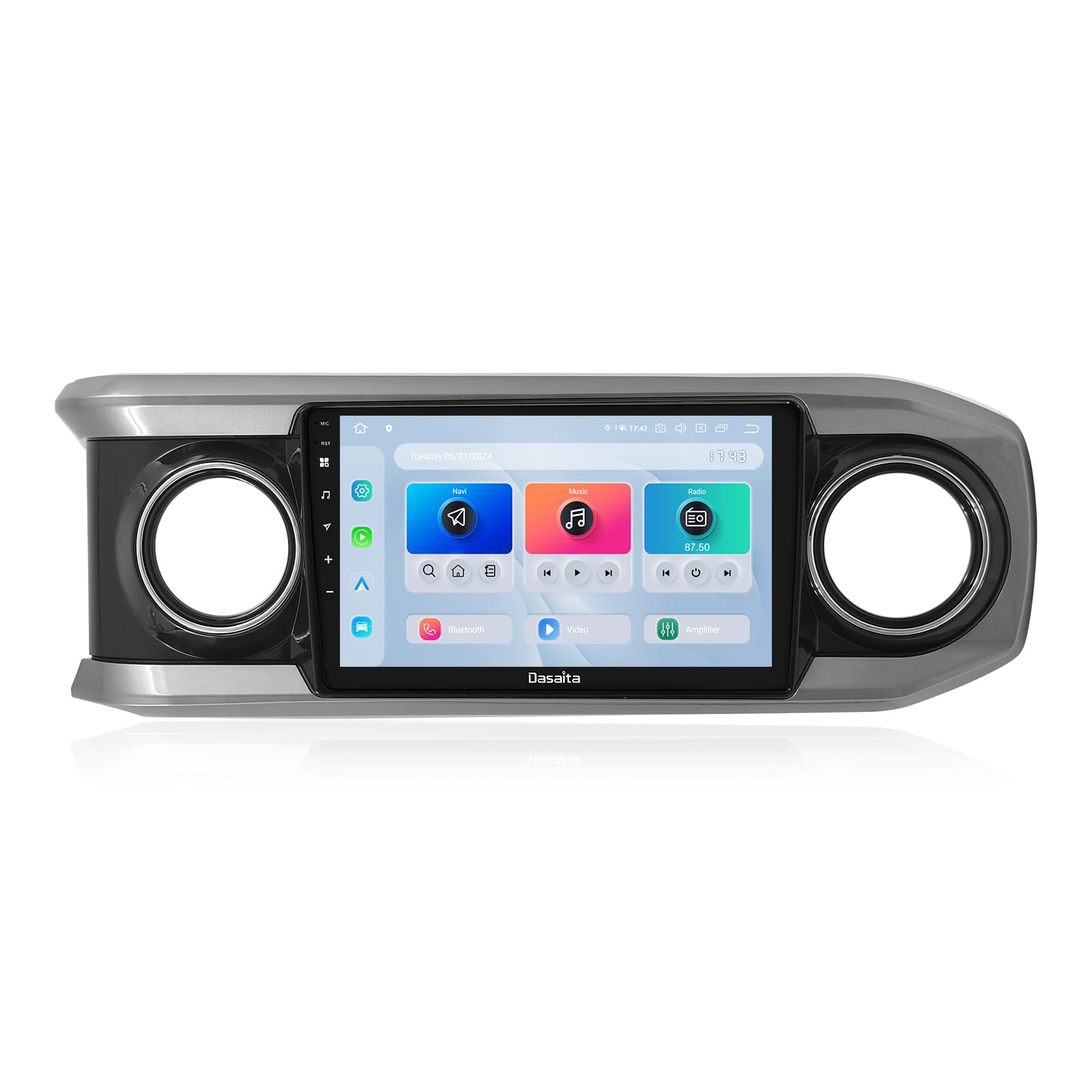
- 【Fit for 2016-2023 Toyota Tacoma – 10.2" Snapdragon Android 13 Radio】Transform tiny factory screen to premium 10.2-inch HD display with high-performance Snapdragon Android 13. Plug-and-play, zero wiring modifications. Retains OEM steering wheel controls, backup camera (360° camera support), parking sensors, JBL Amp, USB/AUX & auto door lock; displays real-time vehicle data (door status, AC info, fuel economy) for factory-integrated, ultra-modern driving experience.
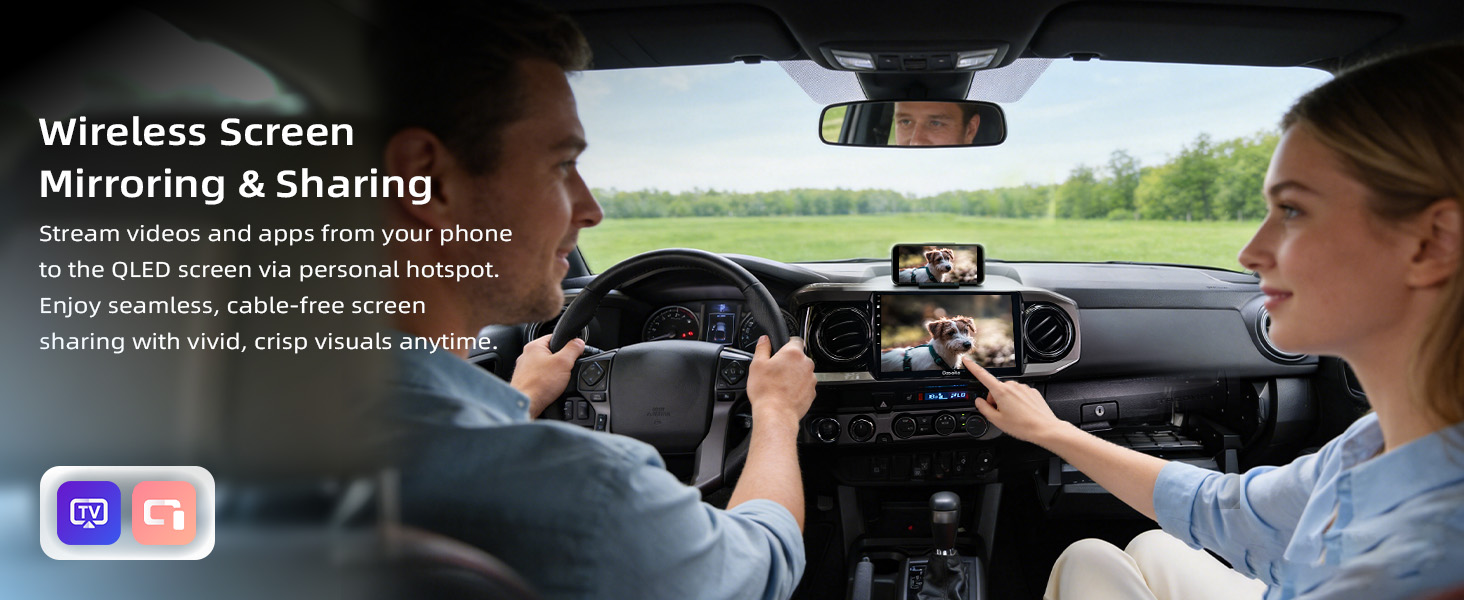
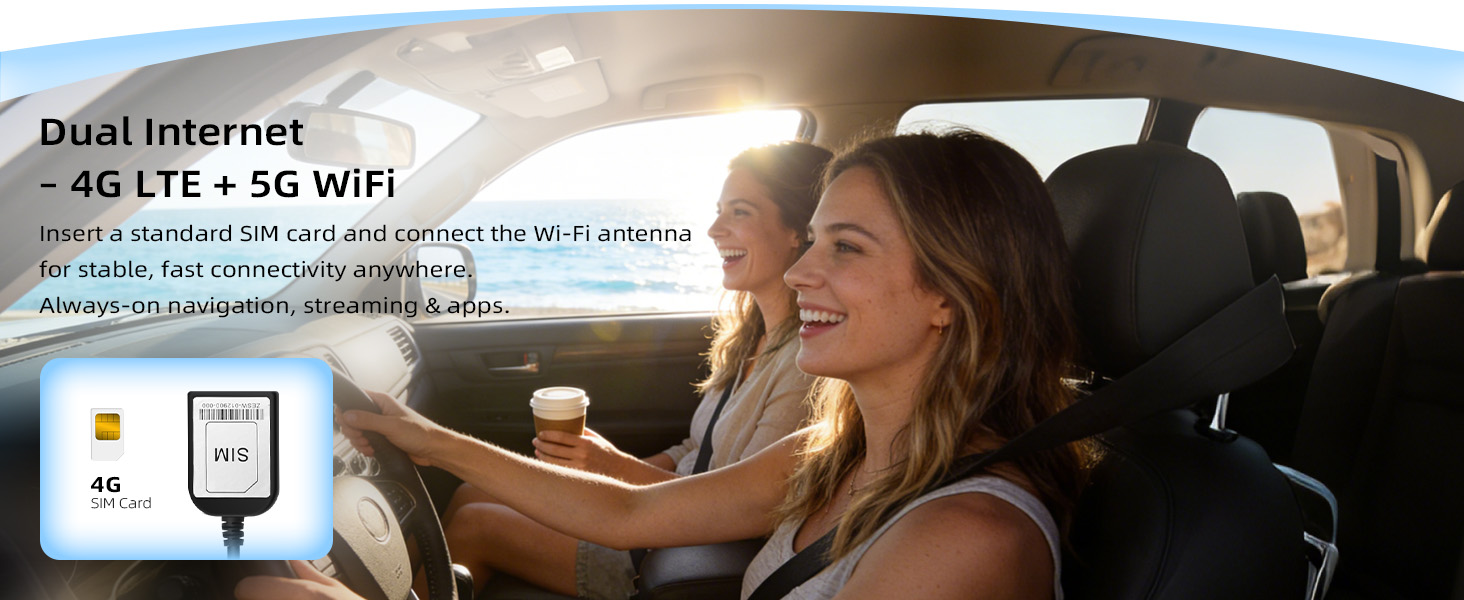
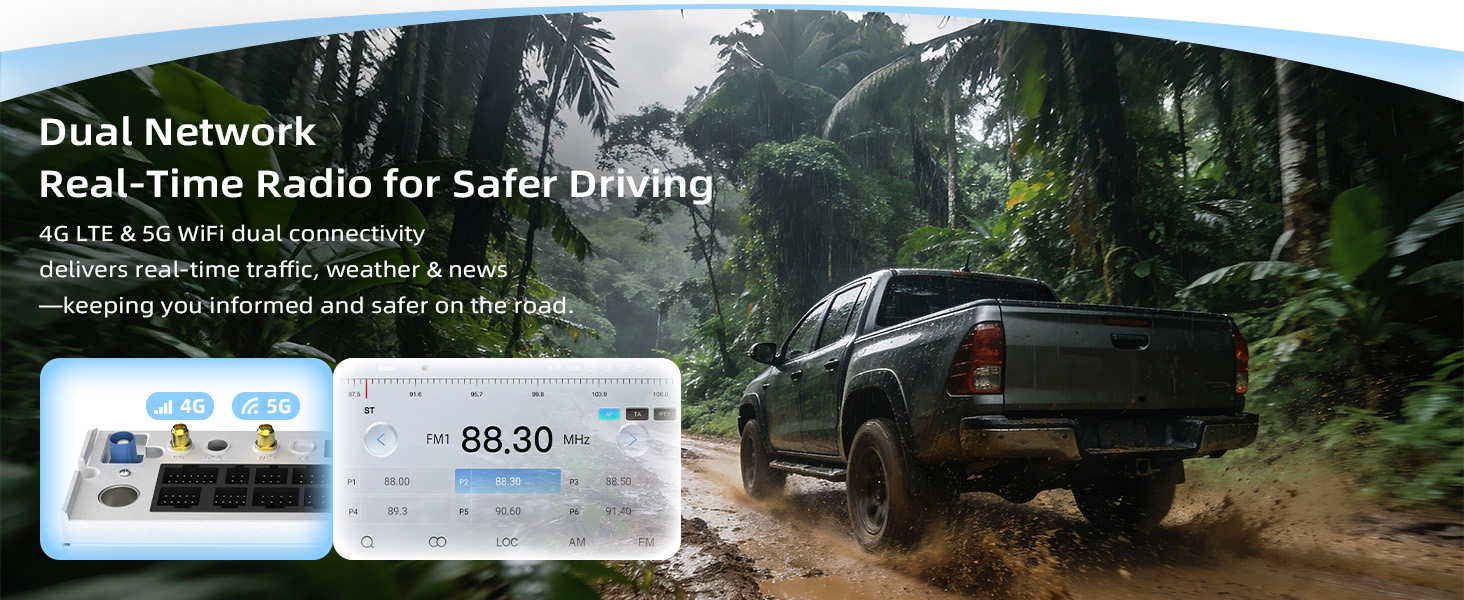
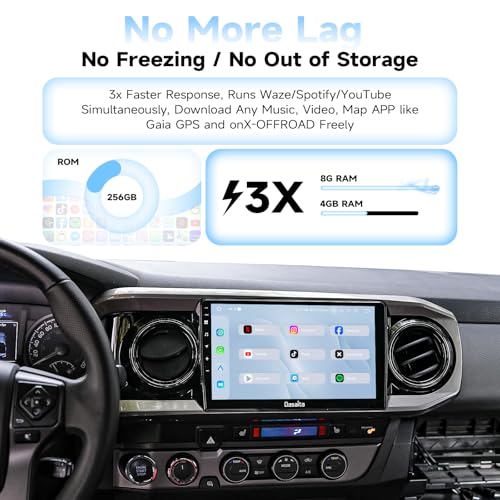
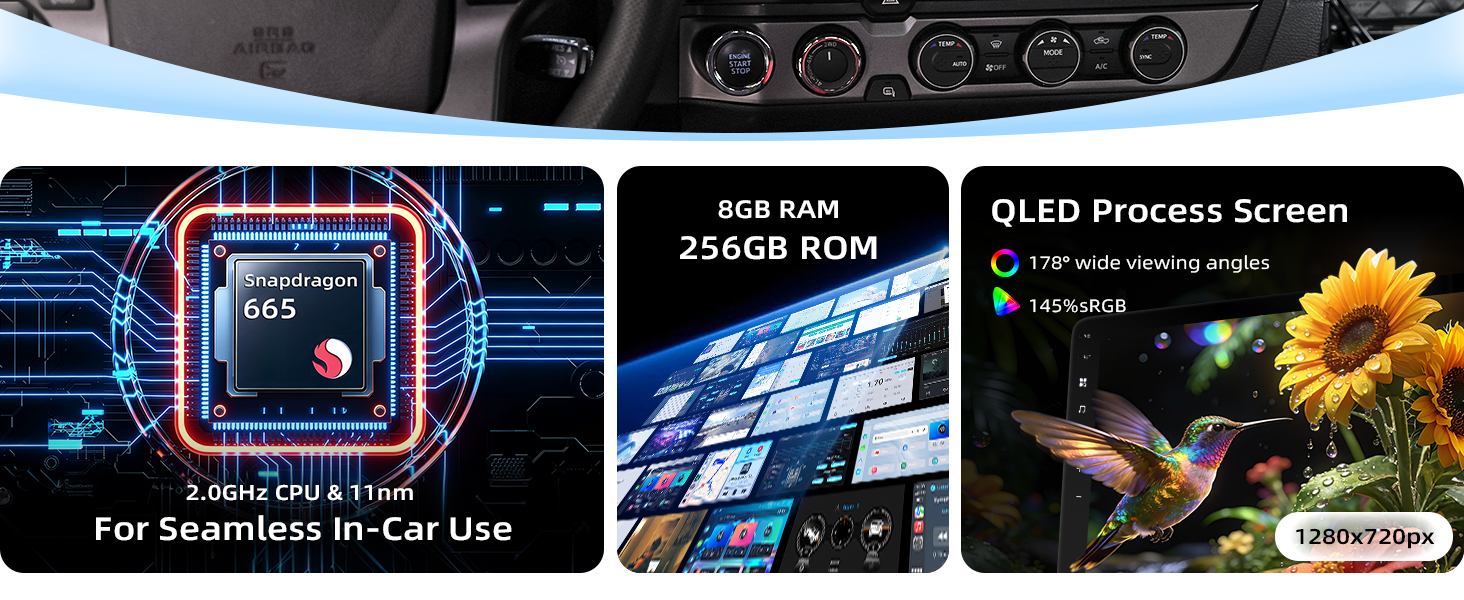
- 【Experience PC-Like Speed & Massive 256GB Storage】Tired of a sluggish head unit? Dasaita head unit runs on genuine Android 13 powered by a flagship Qualcomm 8-core processor and 8GB RAM, delivering PC-like speed for smooth, simultaneous navigation, music, and calls. Store everything with massive 256GB ROM. Stay online anywhere via the built-in 4G LTE (use your local SIM) or ultra-fast 5G WiFi hotspot for buffer-free streaming and real-time traffic.
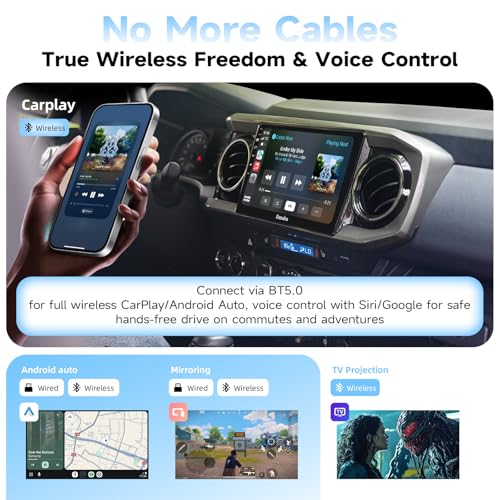
- 【True Wireless Freedom & Voice Control】Tired of cables? Connect instantly with full wireless Apple CarPlay & Android Auto via Bluetooth 5.0. Command your drive with just your voice. Use “Hey Siri” or “Hey Google” for safe, hands-free calls, music, and navigation—perfect for daily commutes or adventures.
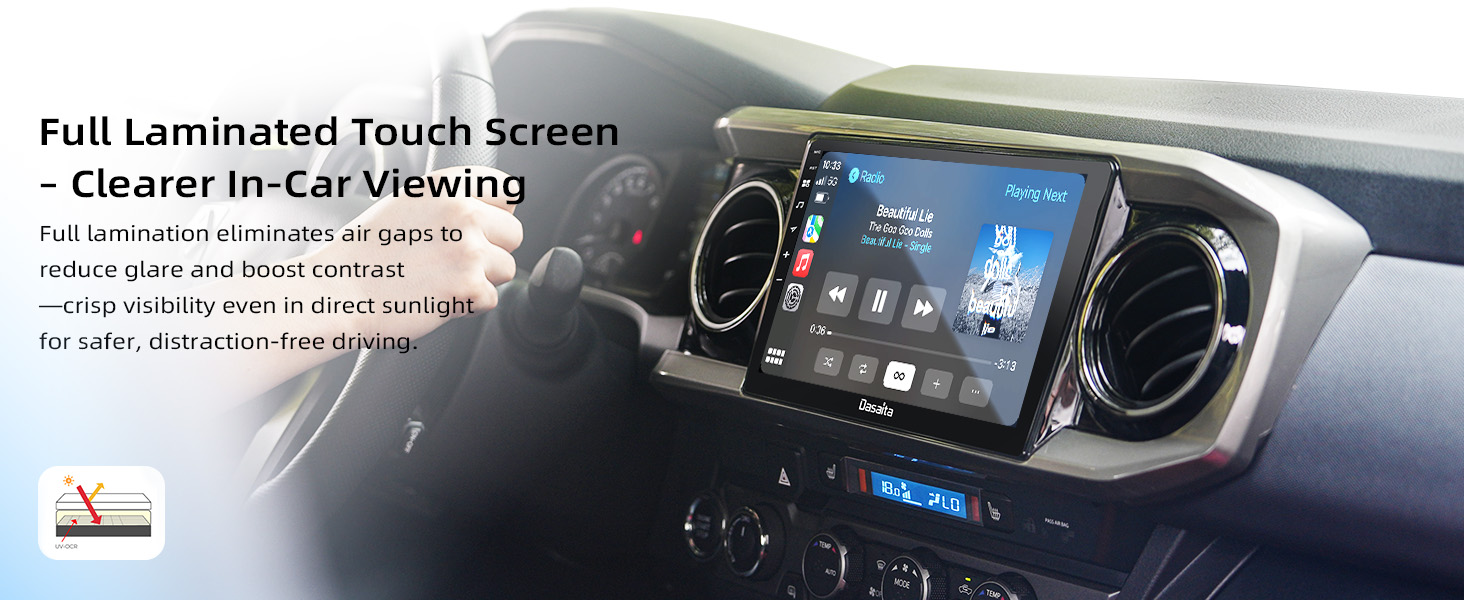
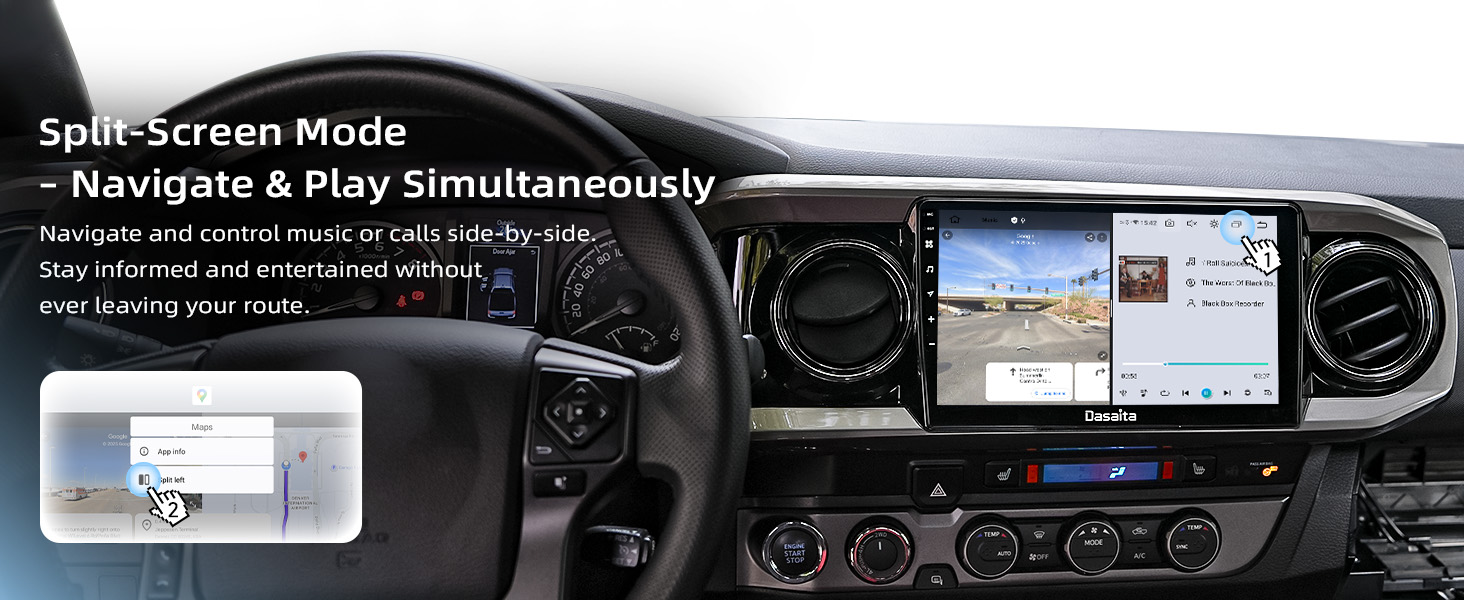
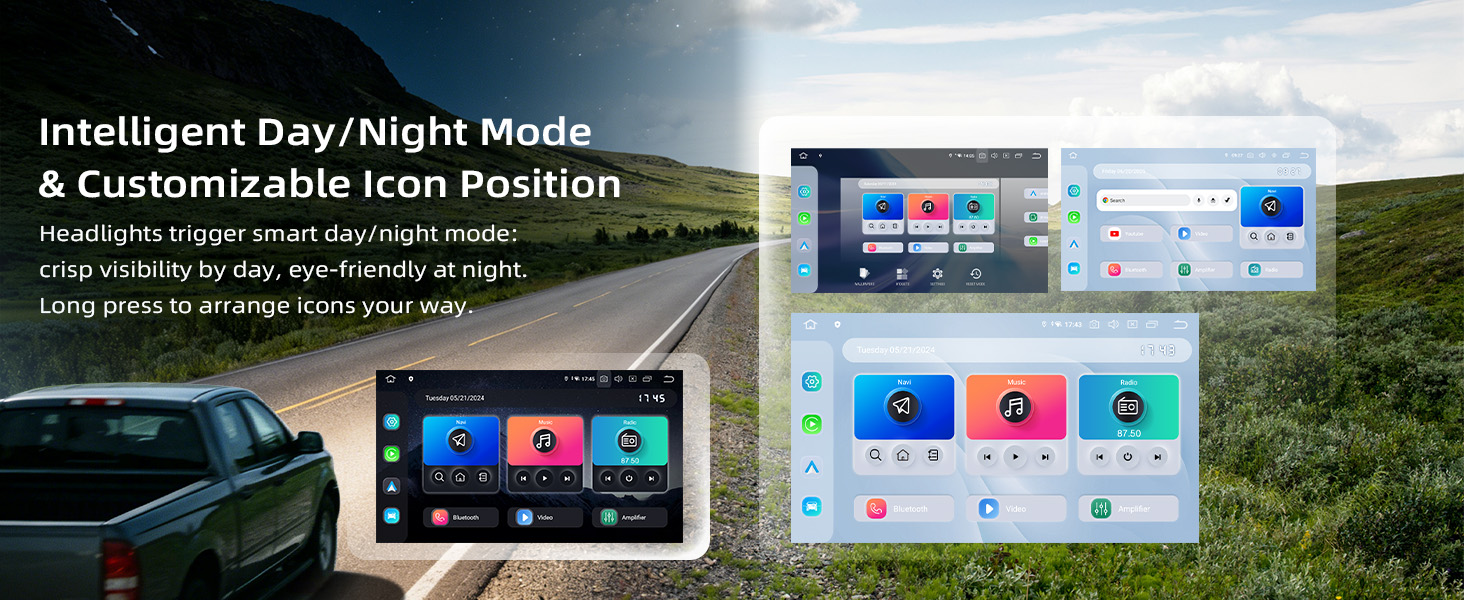
- 【10.2" QLED Touchscreen | Anti-Glare & Eye-Friendly】Dasaita head unit features a 1280×720 fully laminated QLED capacitive touchscreen with superior anti-reflection for sharp, vivid visuals even in direct sunlight. Split-screen supports simultaneous navigation & music for safer, focused driving; auto-syncs with headlights (bright day/dim night) to reduce eye strain, paired with ultra-responsive touch for effortless daily use.
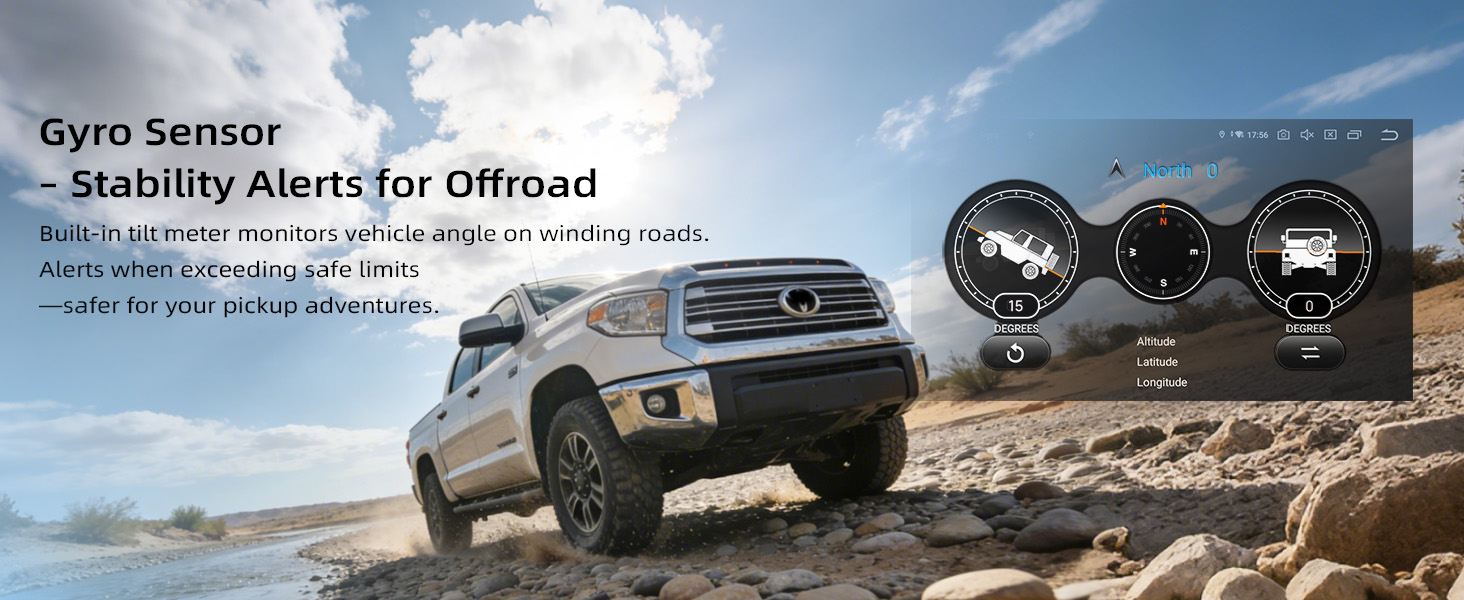
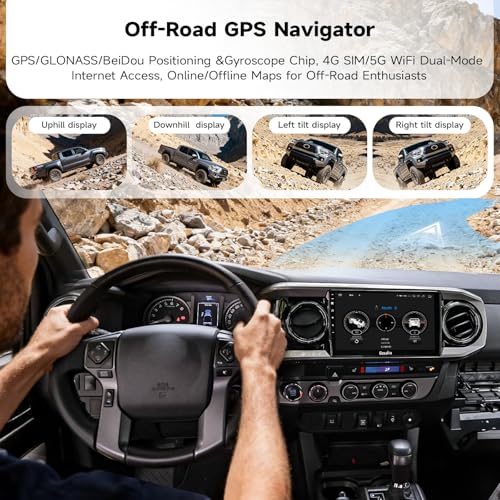
- 【Your Off-Road Navigator】Go off-grid with confidence. Dasaita head unit’s built-in inclinometer uses a precision gyro sensor to monitor your vehicle's real-time tilt and pitch angles. It provides intelligent stability alerts and driving assistance on winding trails, warning you if angles exceed safe limits for added security. Paired with tri-system GPS (GPS/GLONASS/BeiDou) and pre-loaded North America maps, you have the tools to explore further—and return safely.
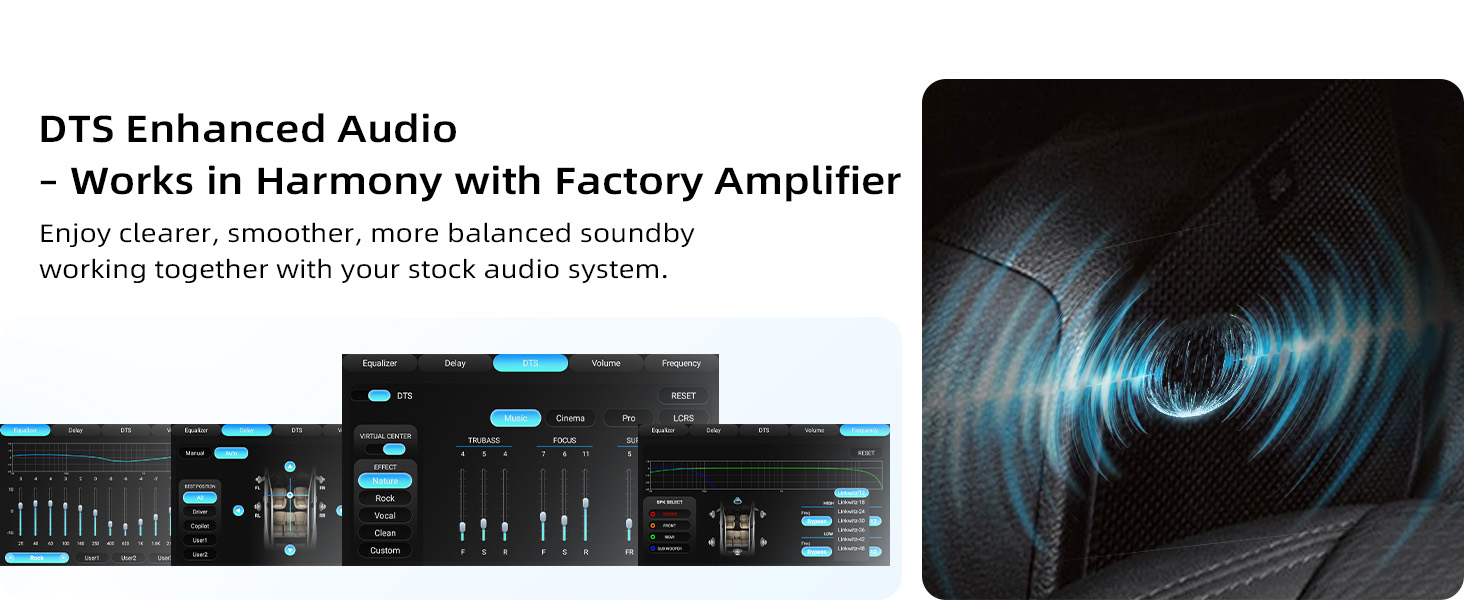
- 【Immersive 3D Surround Sound】Feel the music, not just hear it. Our advanced audio system features DTS technology and a high-power TDA7808 amp for rich, dynamic sound. Take control of your soundstage with Independent Time-Delay Adjustment—fine-tune the audio from each speaker so it reaches your ears in perfect sync. Create a customized, balanced acoustic environment tailored to your Toyota Tacoma's interior.
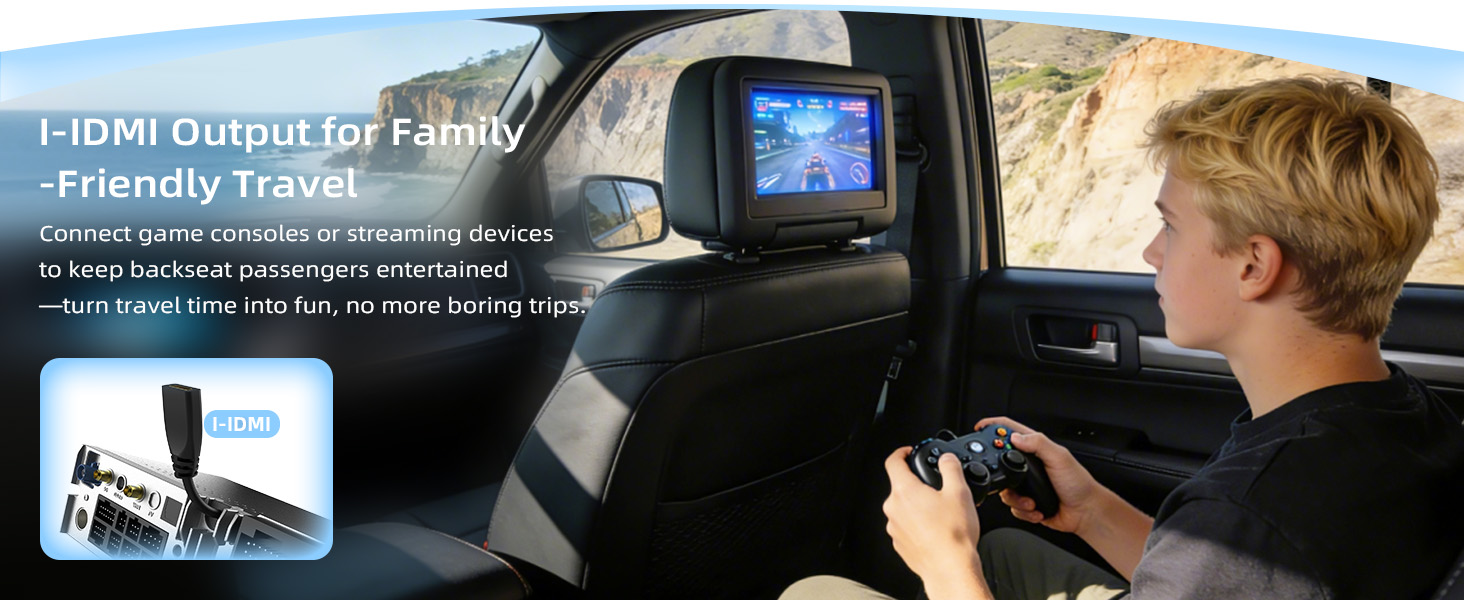
- 【Expand Your in-Car Experience】Transform every drive into a rolling theater with dasaita GPS car navigation head unit. The HDMI port connects gaming consoles and streaming sticks to entertain backseat passengers, making long journeys peaceful for all. Elevate your audio with built-in Optical Output, delivering pristine, lossless sound. For an immersive concert-like experience, connect directly to an external amplifier with a fiber optic cable.
Product description
Dasaita Head Unit for Toyota Tacoma 2016-2023, 10.2'' Snapdragon Android13 Radio
The video showcases the product in use.The video guides you through product setup.The video compares multiple products.The video shows the product being unpacked.dasaita tacoma head unit upgrade for 3rd gen
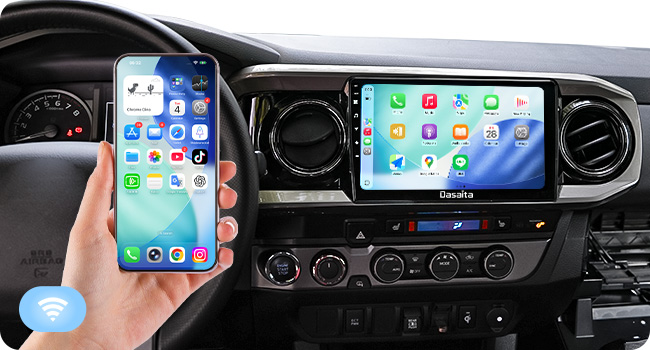
Wireless Apple CarPlay
Fast connection via WiFi & Bluetooth 5.0—stream music, get directions, and take calls wirelessly the moment you start the car.
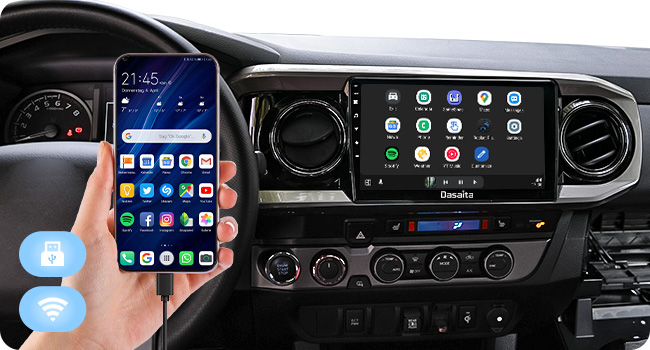
Wireless/Wired Android Auto
Connect your phone via Wireless/Wired to access maps, music, messages, and calls.
How to connect Wireless Apple CarPlay?
1. Turn on CarPlay on the head unit.
2. Turn on WiFi and Bluetooth of your iPhone.
3. Find Bluetooth "CAR-KIT" and enter the PIN "0000" to connect it.
4. Click "Use CarPlay" on the popping of "Use CarPlay with the Zlink" on your phone.
How to connect Wireless Android Auto?
1. Turn on Android Auto app on the head unit.
2. Enable WiFi and Bluetooth on your phone.
3. Connect to the "CAR-KIT" Bluetooth using PIN "0000".
4. Once connected, Android Auto will launch automatically.
How to customize LED lights?
Settings → CAR → LED Settings
My SIM card isn't recognized. What should I do?
Use a standard-size SIM card (not micro or nano) and insert it exactly as illustrated in the manualto avoid connection issues. Always insert the SIM card with the vehicle power turned off.
Why is my backup camera not displaying?
First, make sure the yellow "CAMIN" plug is securely connected to the yellow "CAMERA" plug. If the camera still doesn't work, swap the white plug as shown in the manual.

| SKU: | B0CLZVNDXQ |
| Brand: | dasaita |
| Model: | Dasaita 10.2'' Head Unit |
| Batteries Included: | No |
| Manufacture: | Dasaita |
Product description
Dasaita Head Unit for Toyota Tacoma 2016-2023, 10.2'' Snapdragon Android13 Radio
The video showcases the product in use.The video guides you through product setup.The video compares multiple products.The video shows the product being unpacked.dasaita tacoma head unit upgrade for 3rd gen
Wireless/Wired Android Auto
Connect your phone via Wireless/Wired to access maps, music, messages, and calls.
How to connect Wireless Apple CarPlay?
1. Turn on CarPlay on the head unit.
2. Turn on WiFi and Bluetooth of your iPhone.
3. Find Bluetooth “CAR-KIT” and enter the PIN “0000” to connect it.
4. Click “Use CarPlay” on the popping of “Use CarPlay with the Zlink” on your phone.
How to connect Wireless Android Auto?
1. Turn on Android Auto app on the head unit.
2. Enable WiFi and Bluetooth on your phone.
3. Connect to the “CAR-KIT” Bluetooth using PIN “0000”.
4. Once connected, Android Auto will launch automatically.
How to customize LED lights?
Settings → CAR → LED Settings
My SIM card isn't recognized. What should I do?
Use a standard-size SIM card (not micro or nano) and insert it exactly as illustrated in the manualto avoid connection issues. Always insert the SIM card with the vehicle power turned off.
Why is my backup camera not displaying?
First, make sure the yellow “CAMIN” plug is securely connected to the yellow “CAMERA” plug. If the camera still doesn't work, swap the white plug as shown in the manual.
I installed this unit in my 2017 third gen Taco a couple days ago. The hardest part of the installation was fishing the extra USB ports and SIM card runs under the dash. If you subtract that from the overall time for install the rest of the process took less than 30 minutes. Seriously, if you’ve ever replaced a head unit in a car before and unless you are a pro installer this is just amazing. No pain, no fuss, and the only trouble shooting I had to do was switching connectors on the backup camera that I got wrong in the wiring. After that it was off to the races!
I was initially hesitant to buy this unit because of the gloss trim and was waffling back and forth between this and the g13 11.6″ with the physical dial and all matte black trim. In the end I decided I preferred the silver trim even though it was gloss because the all black on the other model felt like it would take away from the look / feel of the interior. Honestly I’m very happy I went this way and not only do I not mind the gloss, but I find that I actually like it. Once installed the Dasaita head unit looks amazing and fits right into the interior without looking like you just used some velcro to slap an ipad on your dashboard. The display is bright and I have no trouble seeing it even with my polarized sunglasses (something I had been really worried about since I couldn’t see squat on the original head unit with the glasses). I was also worried I’d miss having the physical dial for volume but with an android head unit there’s only like 20 useable volume levels and that’s easy enough to manage from the steering wheel controls.
As far as user experience goes I’ve had very little time to get to know the new unit but I’m not sure how deep I’m going to dive after getting the initial setup done and getting android auto connected. I’ve had a few units in other cars that had wired Android Auto/Carplay but it felt a little gimmicky and was a pain to plug in every time you get in the car and even then it was a little buggy. Wireless is a game changer! My Android auto is connected and running automatically within 15 seconds of getting in the car and it just WORKS! I’m not sure what else I really need even though there’s plenty of bells and whistles on this thing.
Overall this was a great investment to get a huge tech upgrade in my truck! I would totally recommend this unit and brand!
This had to be the most simple stereo swap I have ever done. Between the way it’s made and how easy it is to swap out it didn’t take very long. The only issue I ran into was the designated harness, based on the pics that came with it, was incorrect. My previous unit had a cd player. After swapping harnesses the install went smooth. The maps for offline use are outdated 2023, I am waiting to hear back on that from customer service. Otherwise I figured it all out and my steering wheel controls work perfectly.
The sound is great and once I figure out how to change a few of the menus to my liking it will be even better. It is better than any name brand stereo in my opinion based on the value for the dollar. I downloaded Magic Earth for offline maps and run podcasts from my phone. I honestly don’t like giving Google any more info than they already have! Besides, it saves my data and battery on my phone using Magic Earth and is by far the best I have found for offline usage.
The screen is a nice upgrade and very bright and clear. And honestly it look amazing in my Tacoma.
Pros:
– Beautiful, much larger screen than the OEM display.
– Improved sound quality.
– Great native features, plus Android Auto and CarPlay for older models.
Cons:
Instructions are convoluted and easy to misinterpret:
– Packaging includes two sets of wires for different head units. The CANBUS (switchboard) is attached to one set, but instructions don’t specify its importance and to transfer it depending on which set of wires you’re using. Ignoring this can prevent OEM parts (camera, steering wheel controls, etc.) from working.
– OEM vents need to be transferred (not difficult, but not mentioned in instructions).
– Red “latches” from OEM molding must be transferred for the unit to snap into the dash (not difficult, but not mentioned in instructions).
The CANBUS issue made me think the unit was defective. Support identified the problem quickly, and now it works great. Clearer instructions would have prevented confusion and frustration, which they responded to and seem to be correcting quickly.
The BEST Upgrade I’ve Ever Made To My Tacoma!
I rarely leave reviews, but this head unit deserves all 5 stars and more. The Dasaita head unit completely transformed my 2016 Tacoma — it’s like driving a brand-new truck.
First off, this thing does even MORE than the description says. The audio quality is insane — I didn’t change my factory speakers, but somehow they sound twice as loud and 10x clearer. It’s like Dasaita secretly hid an amplifier in this thing. Bass hits harder, vocals are crisp, and everything just sounds ALIVE.
But what really blew me away was the media capability. I can watch YouTube and even stream Netflix directly from the unit — no lag, no buffering, and the picture quality is stunning. Whether I’m parked at a trailhead or chilling during lunch, I’ve got full entertainment right at my fingertips.
Touchscreen is buttery smooth, the UI is fast and easy to use, and wireless Apple CarPlay connects instantly every single time. No glitches, no frustration. It also fits perfectly and looks like it came straight from the factory.
If you’re on the fence, this is hands-down the best mod you can do for your Tacoma. It’s not just an upgrade — it completely elevates your whole driving experience.
Buy it. You won’t regret it.
I have a 2023 Tacoma and hesitated to order this unit for several months. But now I wish I had just ordered it right away. This unit has delivered above my expectations, and I love using it.
First is the unit itself. I was concerned about how well it would fit, but it fits perfectly with no rattles or looseness. Except for a slight trim color difference, someone who doesn’t know what the stock unit looks like cannot tell this one isn’t OEM.
Other commenters have mentioned that the gray trim doesn’t exactly match, and that is true. But the match is close, and what it needs to match is on the other side of the steering wheel. This was my biggest concern, that I would not like looking at this mismatch every time I drove, but I find I don’t even notice (and I am picky about these things).
The screen navigation is crisp and easy to use. The screen is bright and so much easier to read than the OEM unit, and I love the increased size. I now have wireless Android Auto (and would have the same with CarPlay if I used an Apple phone) which is so nice – no plugging the phone in, I just start the truck and it connects.
I’ve had it installed for several weeks now and just admire the entire setup every time I go anywhere.
As much as I like the unit itself, their service is outstanding too. When I first got it installed there were a few things that didn’t work, such as the steering wheel volume controls (the other steering wheel controls did work). I checked in the Dasaita support forum and saw someone else had the same problem, and a firmware update solved it for them. So I did the same and it worked for me too.
My truck also has the 360 camera view (with cameras on the front grill and both mirrors in addition to the backup). This was not working and I didn’t see anything in the forum about it, so I posted my question. After asking for an image of my CanBus, Dasaita support determined that I needed a new CanBus, so they are shipping that to me at no charge. I am looking forward to that arriving and will update this as to the result.
Again I am very impressed with their support. They are fast, friendly and helpful.
My score would be 4.5 so I rounded up. I have been using unit for over 3 months now.
First my OEM unit was basically a radio and music player with a clock. GPS was worthless because it was not based on live traffic like Waze or Google Maps. There were other aftermarket units for less money but was concerned about memory, load speeds and cable harness compatibility without manually having to wire some connections. Name brands were two or three times more expensive and looked like they needed professional installation to complete non-harness wiring. I watched 4 or 5 installation videos before I purchased and felt confident I could install. Installation went smoothly except for some reason I had a problem running USB wires thru dash. Videos also pointed out you will have extra OEM wires that do not need to be connected (Super helpful). Biggest surprise was that I could not run Android Auto and have an internet connection for other apps/browsing. You could add a sim card but would have to pay a monthly fee to hookup. Customer support said I could plug phone into USB input but that was sporadic and not automatic. I tried to tether phone and it worked but I had to manually turn on every time and Android Auto could not be used at same time. The addition of an internet connection outside of Android auto basically made the unit seem like a laptop with the ability to use other apps and programs. Nice but what I really wanted was an Android Auto hookup so it wasn’t a big deal.
Pros:
1. Android Auto, as well as, other apps thru Internet connection.
2. Plenty of flash memory for music, photos and video.
3. Large display screen with excellent detail. There are two sample music videos and they are stunning to watch on the screen. My wife watches Youtube videos while I’m driving.
4. Flash memory to store music, photos and video. My OEM unit I had to use phone, CD or a USB flash drive to play music. I could still use USB port like the OEM but flash memory in unit is the way to go.
5. Easy Installation. Influencer installation videos are great.
6. Improved Audio. When I was messing around trying to get a separate internet connection the audio level would sometimes be lower. When I went with Android Auto and set up my equalizer the sound quality was improved. Apparently the OEM unit limited the volume but this unit can be cranked and gave my bass a huge lift with great quality sound.
7. Quallcom Chip. I assume it is better quality than other units but I just may have been suckered.
Cons:
1. Clock size on screen is small. Didn’t make sense for me to have to look at my wristwatch while driving. Customer support said I could increase the size of the font but 1/4 inch font is too small. Need a window in corner with one inch font.
2. Sometimes it takes 30 seconds for unit to load Android auto so I have to wait before I can use Waze or Google maps.
3. Unit looks like it is geared to a global audience more than the US. For instance the inclinometer is neat app for offroad driving but the altitude is in meters not feet. Customer support says that it cannot be changed but it’s a good suggestion for future versions.
4. Seems like too many bells and whistles. I have 4 different GPS apps that can be used. Waze, Google Maps, Dasaita GPS mapping and I added OnX Maps. There are 20 or so Apps preloaded and I’m not sure or care what they do. You might but I don’t care.
5. Sim card needed to get Android Auto and a separate internet connection. When using phone tethering I had to turn the phone tether on when is started driving.
At first the cons especially the internet connection difficulties really bothered me but once I realized I really only wanted Android Auto I am more than happy with it.
After 3 months I have settled in to using features I like but compared to the OEM unit this unit is amazing.