Car Radio for GMC Sierra 1500/2500/3500 2007-2013, Chevrolet
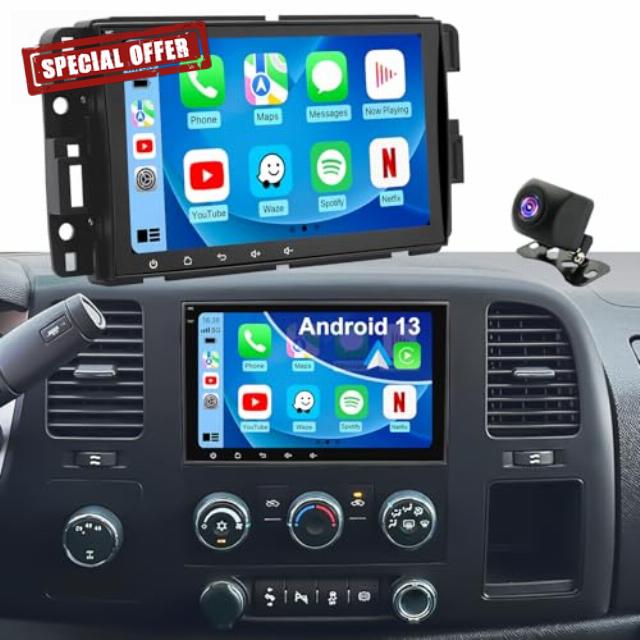
Car Radio for GMC Sierra 1500/2500/3500 2007-2013, Chevrolet Chevy Silverado 1500/2500/3500 2007-2013, Yukon 2007-2014, Impala 2007-2013, 8'' Carplay Touch Screen Android Auto Stereo, GPS FM BT Camera
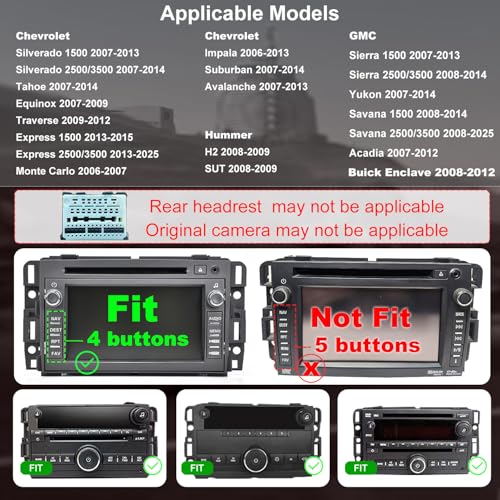
- 【Car Stereo Compatible Models】 The carplay android auto screen for car GMC: Sierra 1500 2007-2013; Sierra 2500 3500 2008-2014; Yukon 2007-2014; Savana 1500 2008-2014; Savana 2500 3500 2008-2025; Acadia 2007-2012. For Chevy: Silverado 1500 2007-2013; Silverado 2500 3500 2007-2014; Tahoe 2007-14; Express 1500 2013-2015; Express 2500 2013-2025; Impala 2006-2013; Suburban 2007-2014; Avalanche 2008-2013; Traverse 2009-2012; Equinox 2007-2009; Monte Carlo 2006-2007. For Hummer H2/SUT 2008-2009, etc.
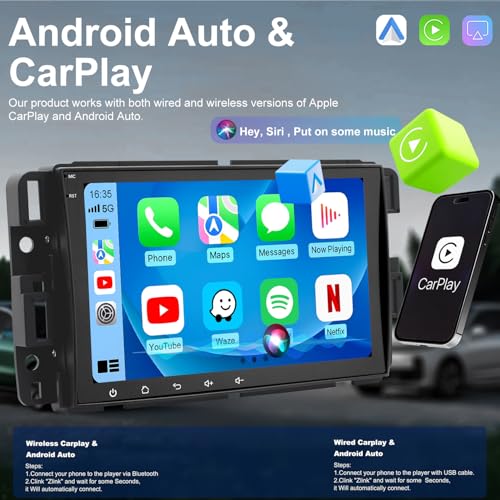
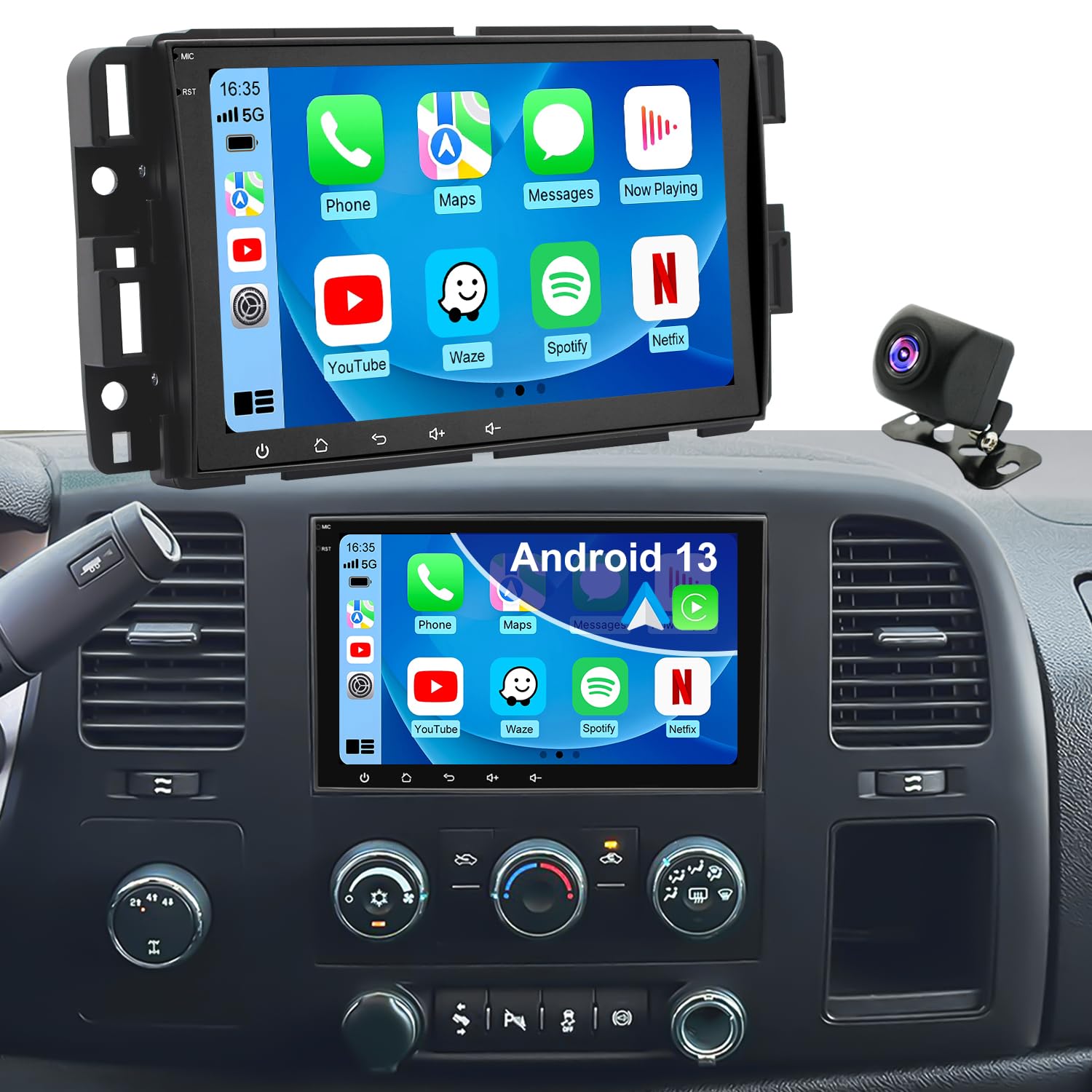
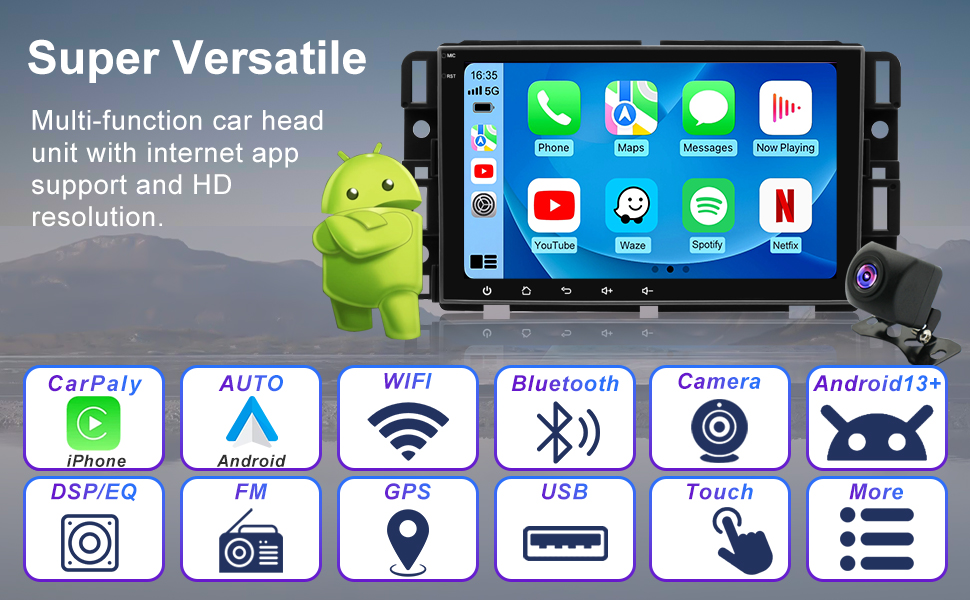
- 【Wireless CarPlay & Android Auto】 Enhance your Chevrolet Chevy Silverado 1500/2500/3500 radio with wireless CarPlay and Android Auto—no wires required! Get real-time navigation, stream your favorite music, and control calls and routes with voice commands. Enjoy hands-free calls for a safer, more focused drive.
- 【Updated Android 13 System】 Powered by Android 13 and a 4-core CPU with 2GB of RAM, this GMC Sierra 1500/2500/3500 radio head unit offers smooth, lag-free performance. Enjoy hassle-free navigation, music streaming, and app usage. With 32GB of storage, there's plenty of space for your favorite apps, games, and offline maps. Ideal for long drives, it keeps you connected and entertained on the road.
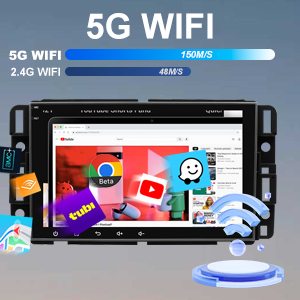
- 【Built-in Bluetooth & Faster 5G WiFi Hotspot】 Keep your drive connected with this Yukon radio with bluetooth. The built-in Bluetooth offers hands-free calling and wireless music streaming. The 5G WiFi hotspot ensures fast internet, letting passengers stream, browse, and video call for a more engaging and productive experience on the road.
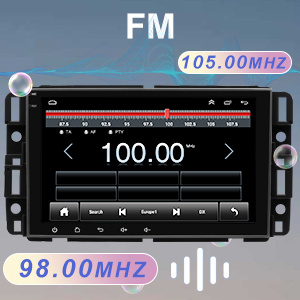
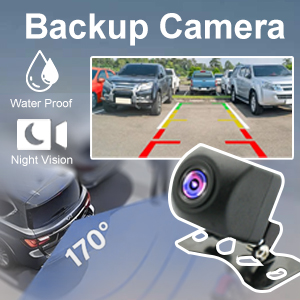
- 【Rearview Camera & FM Radio】 Take your drive to the next level with the Chevrolet Chevy Silverado radio & Silverado setero system. Featuring a 170° wide-angle backup camera, it ensures you have a clear view for smooth parking and reversing. Tune in to up to 18 FM radio presets for reliable reception and easy access to music, news, and traffic updates while you drive.
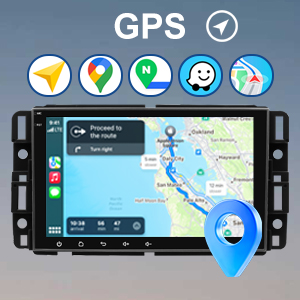
- 【GPS Navigation & Steering Wheel Control】 Experience seamless navigation in your double din Impala Savana radio stereo. With GPS, offline maps, and real-time updates via WiFi, you’re always on track. Keep your hands on the wheel with Steering Wheel Controls for music, calls, and voice navigation. Upgrade to smarter, safer, and more connected driving.
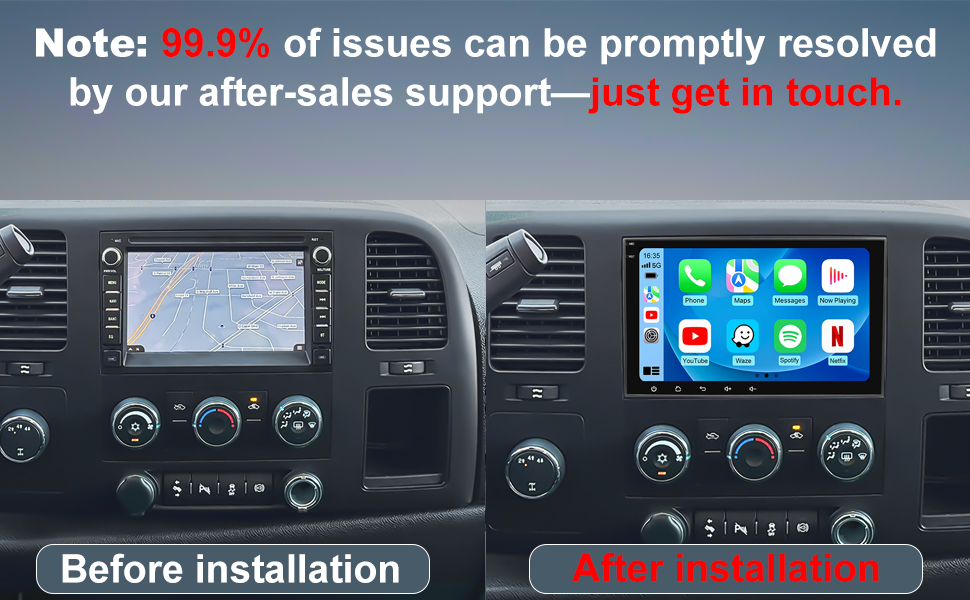
- 【Lifetime Support & Easy Installation】 Upgrade your Chevrolet Chevy Silverado & GMC Sierra radio in minutes with our plug-and-play accessories kit—no cutting or tools needed. Just use the included adapters for easy installation. With Lifetime Support, we’ll provide step-by-step setup help and ongoing assistance for updates or questions, ensuring your investment is always protected.
8 Inch Car Stereo Radio for Chevrolet Chevy Silverado 1500/2500/3500 2007-2013, GMC Sierra 1500/2500/3500 2007-2013, Yukon 2007-2014, Impala 2007-2013
For Chevy Chevrolet Car Radio Stereo:
- Silverado 1500 2007-2013; Tahoe 2007-2014;
- Silverado 2500 3500 2007-2014; Impala 2006-13; Suburban 2007-2014;
- Express 1500 2013-2015; Express 2500 3500 2013-2025;
- Avalanche 2008-2013; Traverse 2009-2012; Equinox 2007-2009; Monte Carlo 2006-2007;
For GMC Car Radio Stereo:
- Sierra 1500 2007-2013; Sierra 2500 3500 2008-2014;
- Savana 1500 2008-2014; Savana 2500 3500 2008-2025;
- Yukon 2007-2014; Acadia 2007-2012;
For Hummer Car Radio Stereo: H2 SUT 2008-2009;
For Buick Car Radio Stereo: Enclave 2008-2012;
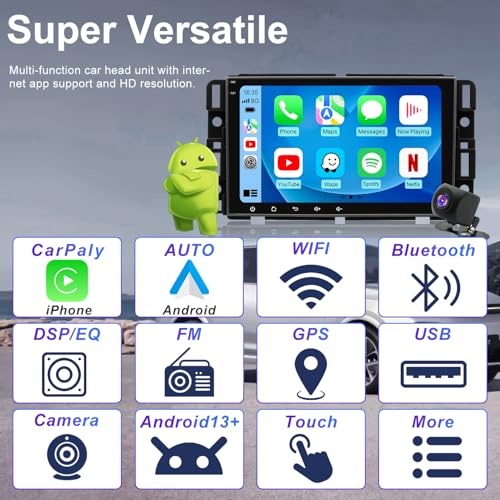
- Android 13.0 with 2GB RAM + 32GB Storage: Experience fast and seamless performance with Android 13, ensuring smooth operation and swift app transitions.
- CarPlay & Android Auto (Wireless/Wired): Connect your smartphone effortlessly for navigation, hands-free calling, and music streaming, all while staying safe on the road.
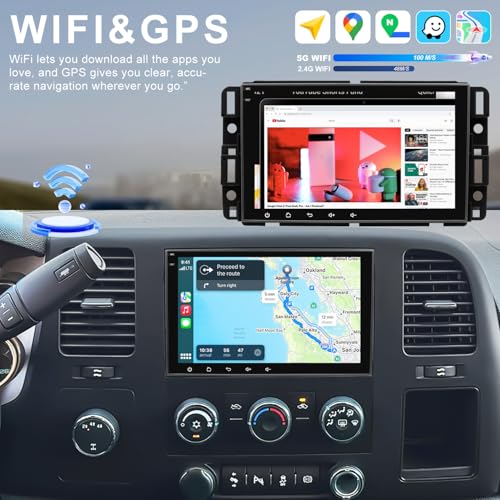
- Integrated GPS Navigation: Navigate with ease using free, pre-installed maps, available both online and offline.
- 5G WiFi Connectivity: Stream and browse faster with stable, high-speed 5G connectivity.
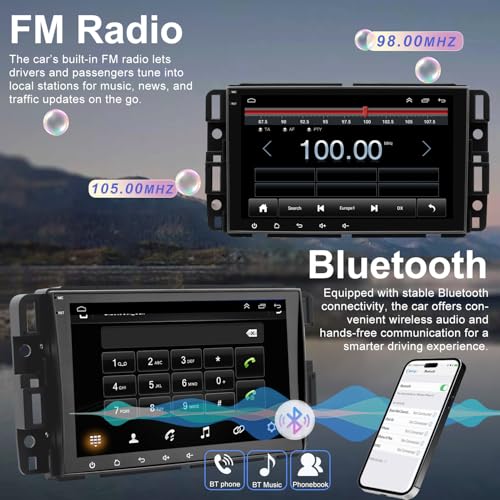
- Bluetooth Connectivity: Make hands-free calls and stream your favorite tunes with Bluetooth.
- High-Resolution Rearview Camera: Get a clear, wide-angle view when backing up, giving you added peace of mind.
- 8 Inch HD Split Screen Display: See maps and music controls simultaneously on the sharp 8-inch HD display for easy use.
- FM Radio + RDS Features: Enjoy FM1/2/3 stations (87.5–108 MHz) with live updates like track info and traffic alerts.
- Built-in USB Ports: Charge devices and play media from the built-in USB ports.
- Advanced Sound with DSP: Enhance your audio experience for a more immersive listening session.
- Steering Wheel Control Integration: Control music, volume, and more directly from your steering wheel for safe and easy operation.
- Easy Plug & Play Setup: Simple installation with no modifications needed for your car’s wiring.
Wireless/Wired CarPlay & Android Auto
Effortlessly connect your Chevy Silverado 1500/2500/3500 radio to access Google Maps, Spotify, and more. Enjoy hands-free calls, smooth navigation, and music streaming for a more enjoyable, safer driving experience.
High-Speed 5G WiFi Hotspot
Stay online with built-in 5G WiFi, delivering low-latency streaming, fast map updates, and reliable internet access—perfect for your Chevrolet Silverado 1500 setero and any road trip.
Bluetooth Connectivity
Pair your phone to your GMC Sierra 1500/2500/3500 radio for easy hands-free calls and crisp music streaming. Enjoy a safer, more convenient driving experience with wireless connectivity.
Built-in GPS Navigation
Navigate with ease using the built-in GPS system. Whether you're in the city or off-roading, offline maps ensure you stay on course—ideal for your GMC Sierra 1500 stereo.
EQ/DSP & HD Display
Enhance your audio with DSP noise reduction and EQ tuning for clear, rich sound. The Impala Savana radio stereo features an HD touchscreen for effortless control and sharp, vibrant visuals.
FM Radio & Split-Screen Mode
Stay informed with FM radio for news, music, and traffic updates. The split-screen feature lets you view both navigation and entertainment simultaneously on your double din car stereo.
Steering Wheel Control Compatibility
Control your music, navigation, and calls directly from the steering wheel with the Chevy Silverado stereo accessories, keeping your hands on the wheel and your focus on the road.
HD Rearview Camera
The GMC Sierra stereo accessories comes with an HD rearview camera for a clear, wide-angle view when reversing, making parking and backing up safer and easier.
Easy Plug & Play Installation
Easily upgrade your Chevy Silverado & GMC Sierra head unit with no tools needed. Simply connect it to your vehicle’s existing connectors for a smooth, hassle-free installation.
Regarding some issues of installation and use, we have summarized the following questions and answers (QA) for your reference:
1. Why Bluetooth cannot connect? Why are the Bluetooth and WiFi signals poor?
- Connect the reversing cable to the Bluetooth and Wi-Fi signal enhancer.
- Go into the Bluetooth settings, and then use the car radio to search for your phone's Bluetooth.
- Go to "Car-BT", enter the password "0000" to connect. If needed, delete previous connection records and try again.
2. How do I connect and disconnect CarPlay?
- Connect to Bluetooth, and Zlink will automatically connect to CarPlay.
- Close the Background connection and then will not automatically connect.
- Go to iPhone Settings > General > CarPlay > Zlink to enable or disable CarPlay.
3. Wireless Mirroring.
- iOS: Zlink5 – Wireless Mirroring – IPhone enable hotspot – Car radio Connect Wifi – select zj-airplay.
- Android: Zlink5 – Wireless Mirroring-install Zlink app – Connect Bluetooth & Turn on Personal Hotspot.
4. Why is the WiFi not working?
- When CarPlay is working, the Wi-Fi connection will be disconnected. Please Close the background connection and then will not automatically connect Carplay.
5. No signal for Rear Camera?
- Ensure the reverse parking sensor wires are properly connected.
- Select the correct camera format: Car Setting-Factory Setting(password 8888) – Camera And Protocol Parameter settings – Reversing video resolution settings – NTSC/PAL Or AHD720/25.
6. Remove Camera trajectory lines.
- Car settings – Factory Settings (Password 8888) – Protocol parameter settings – Reverse track settings & Reverse lay the auxiliary line Both Close.
7. Why is the radio screen black?
- Check the Canbus box is properly connected or not.
- Try pressing the small round RST hole with a toothpick. Check the blue/red fuse at the back to ensure it's not burnt out.
8. Why is the touch screen unresponsive?
- Use five fingers to re-calibrate the touch screen, following the instructions in the instructional video.
9. Why is there no sound?
- Check if the speaker cables are connected incorrectly or reversed. Make sure the Canbus box is properly connected.
10. Why isn't the steering wheel control working?
- Check if the protocol serial port wire is reversed or missing. Also, ensure SWC cable connected. Check that the correct protocol is selected.

| SKU: | B0G5Q4J6YG |
| Brand: | Fancywind |
| Batteries Included: | No |
| Manufacture: | Fancywind |
Product description
8 Inch Car Stereo Radio for Chevrolet Chevy Silverado 1500/2500/3500 2007-2013, GMC Sierra 1500/2500/3500 2007-2013, Yukon 2007-2014, Impala 2007-2013
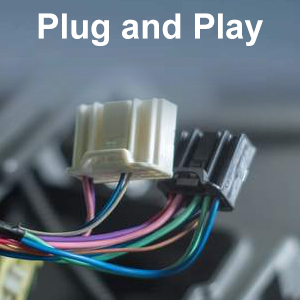
Easy Plug & Play Installation
Easily upgrade your Chevy Silverado & GMC Sierra head unit with no tools needed. Simply connect it to your vehicle’s existing connectors for a smooth, hassle-free installation.
Regarding some issues of installation and use, we have summarized the following questions and answers (QA) for your reference:
1. Why Bluetooth cannot connect? Why are the Bluetooth and WiFi signals poor?
- Connect the reversing cable to the Bluetooth and Wi-Fi signal enhancer.
- Go into the Bluetooth settings, and then use the car radio to search for your phone's Bluetooth.
- Go to “Car-BT”, enter the password “0000” to connect. If needed, delete previous connection records and try again.
2. How do I connect and disconnect CarPlay?
- Connect to Bluetooth, and Zlink will automatically connect to CarPlay.
- Close the Background connection and then will not automatically connect.
- Go to iPhone Settings > General > CarPlay > Zlink to enable or disable CarPlay.
3. Wireless Mirroring.
- iOS: Zlink5 – Wireless Mirroring – IPhone enable hotspot – Car radio Connect Wifi – select zj-airplay.
- Android: Zlink5 – Wireless Mirroring-install Zlink app – Connect Bluetooth & Turn on Personal Hotspot.
4. Why is the WiFi not working?
- When CarPlay is working, the Wi-Fi connection will be disconnected. Please Close the background connection and then will not automatically connect Carplay.
5. No signal for Rear Camera?
- Ensure the reverse parking sensor wires are properly connected.
- Select the correct camera format: Car Setting-Factory Setting(password 8888) – Camera And Protocol Parameter settings – Reversing video resolution settings – NTSC/PAL Or AHD720/25.
6. Remove Camera trajectory lines.
- Car settings – Factory Settings (Password 8888) – Protocol parameter settings – Reverse track settings & Reverse lay the auxiliary line Both Close.
7. Why is the radio screen black?
- Check the Canbus box is properly connected or not.
- Try pressing the small round RST hole with a toothpick. Check the blue/red fuse at the back to ensure it's not burnt out.
8. Why is the touch screen unresponsive?
- Use five fingers to re-calibrate the touch screen, following the instructions in the instructional video.
9. Why is there no sound?
- Check if the speaker cables are connected incorrectly or reversed. Make sure the Canbus box is properly connected.
10. Why isn't the steering wheel control working?
- Check if the protocol serial port wire is reversed or missing. Also, ensure SWC cable connected. Check that the correct protocol is selected.
Good mix of connectivity and usability with wireless CarPlay and a clear, easy-to-use display
When using this daily, the phone integration stands out the most. Wireless CarPlay makes it easy to jump into navigation or music without thinking about it, and it reconnects reliably after the first setup. Voice control works well for quick changes, so you’re not digging through menus while driving.
The system keeps up fine when moving between apps, and Bluetooth stays steady for calls and streaming. It doesn’t feel overloaded, even with a few things running at once, and switching sources is straightforward.
The display is a good size for this style of setup. Maps are easy to follow and media controls are clear enough at a glance. It’s responsive to touch and doesn’t take much effort to get where you need to go within the interface.
Audio can be adjusted to suit different types of music, and FM radio still comes through clearly when you want local stations. The backup camera is a helpful addition for visibility when reversing if you choose to use it.
It comes across as durable and consistent with regular use.
Currently listed for sale at $142.49, this is a good value for adding modern features and improving usability in older GM vehicles.
Good looking radio
Works great, works like an android touch pad with some limitations. It does what it needs to as a radio. Install was easy, all plug and play. Fitment was exact.
Great aftermarket radio!
Very easy to install. Fit perfectly in 2007 Chevy Silverado 1500 C model.
The quality is great, responds quickly to touch, has great sound, and works perfectly. We are very satisfied with this purchase. Great price point for what you receive!
Nice Tech Upgrade for a 2010 Chevy Silverado
I installed this stereo in a 2010 Chevy Silverado 1500, and it’s a big improvement over the factory radio that originally came in the truck. The Silverado is still a solid truck, but the original infotainment system definitely feels dated. This unit adds modern connectivity, great sound, and a larger display that makes everyday driving more convenient.
The 8-inch touchscreen fits well in the dash and gives the interior a more updated look. The display is bright and clear, and the touchscreen responds well when switching between apps and menus. Navigation and music controls are easy to read at a glance while driving.
Wireless CarPlay has been the feature I use the most. After pairing my phone once, it reconnects automatically whenever I start the truck. I usually run Google Maps and stream music through it, and voice commands make it easy to control everything without needing to handle my phone.
Bluetooth pairing was quick, and calls come through clearly. Music streaming has also been stable during everyday driving. The system connects to WiFi as well, which allows you to run navigation apps and download updates if needed.
I also installed the included backup camera, which is a really helpful upgrade for a truck like this. The screen automatically switches when shifting into reverse, and the wide-angle view makes backing into parking spots or lining up with a trailer much easier.
Overall, installing this stereo in my 2010 Silverado made the truck feel much more modern. The larger touchscreen, wireless phone connectivity, navigation capability, and backup camera add a lot of everyday convenience while still keeping the truck simple and practical to use. It’s definitely worth getting.