Wireless Headset with Mic for Work, AI ENC Noise Cancelling
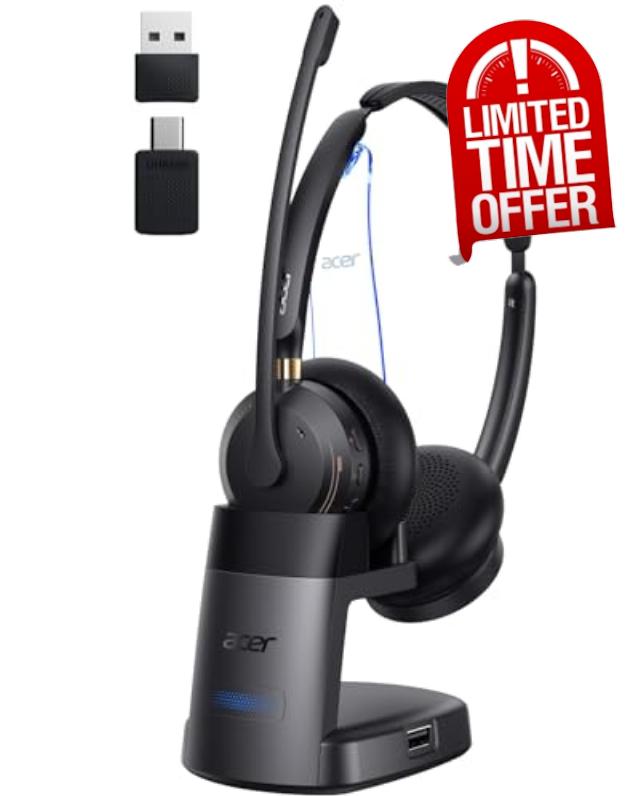
Wireless Headset with Mic for Work, AI ENC Noise Cancelling for Clear Call & Meeting, Work Headset with Charge Stand for Remote & Office, Bluetooth 5.3 & 2.4G Dongle Headset for PC, Phone, Teams, Zoom
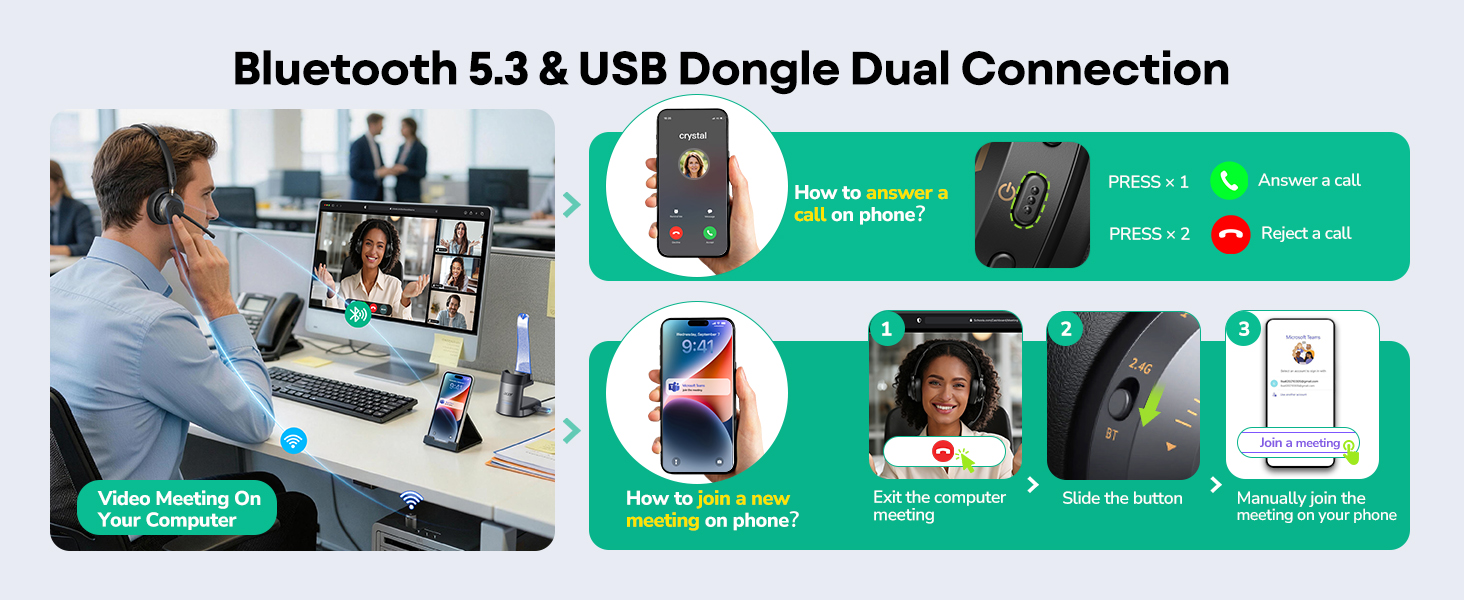
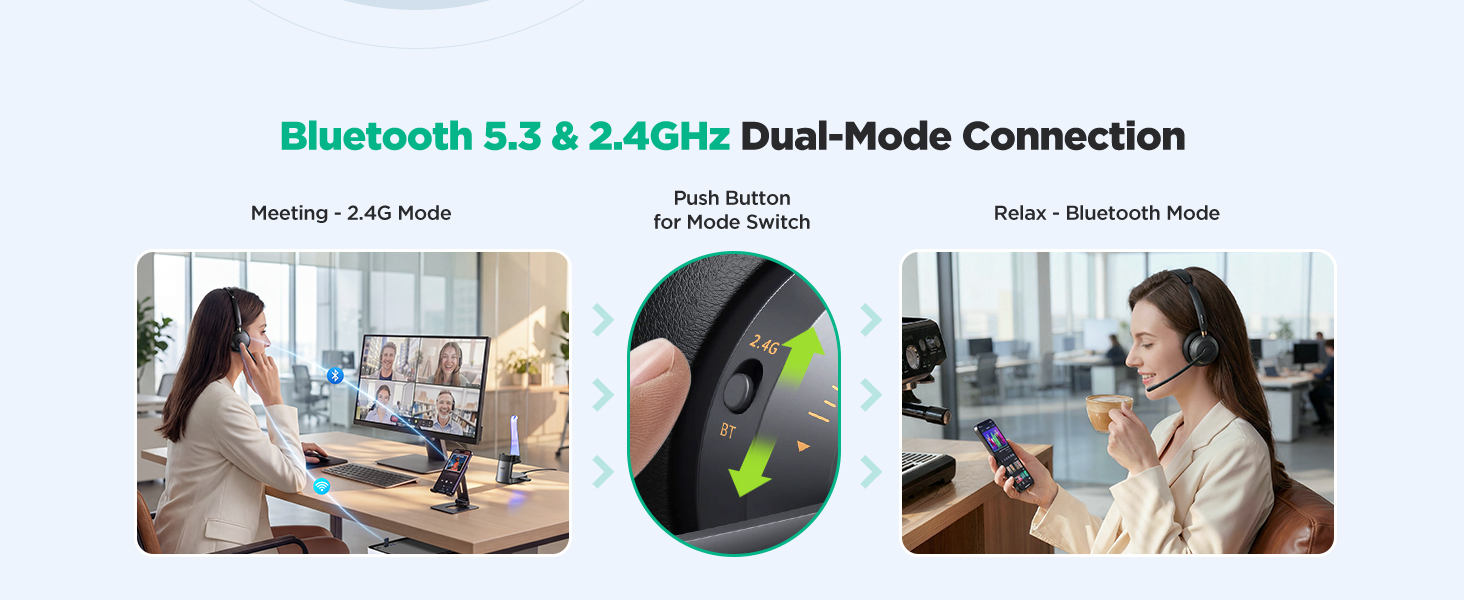
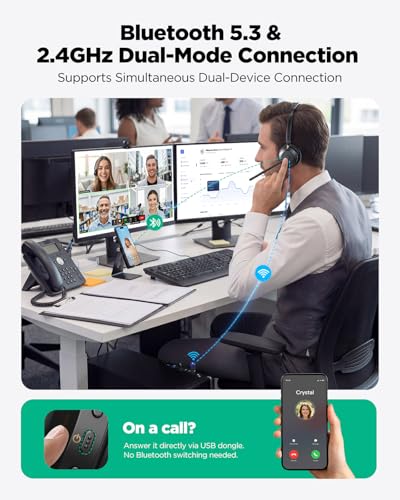
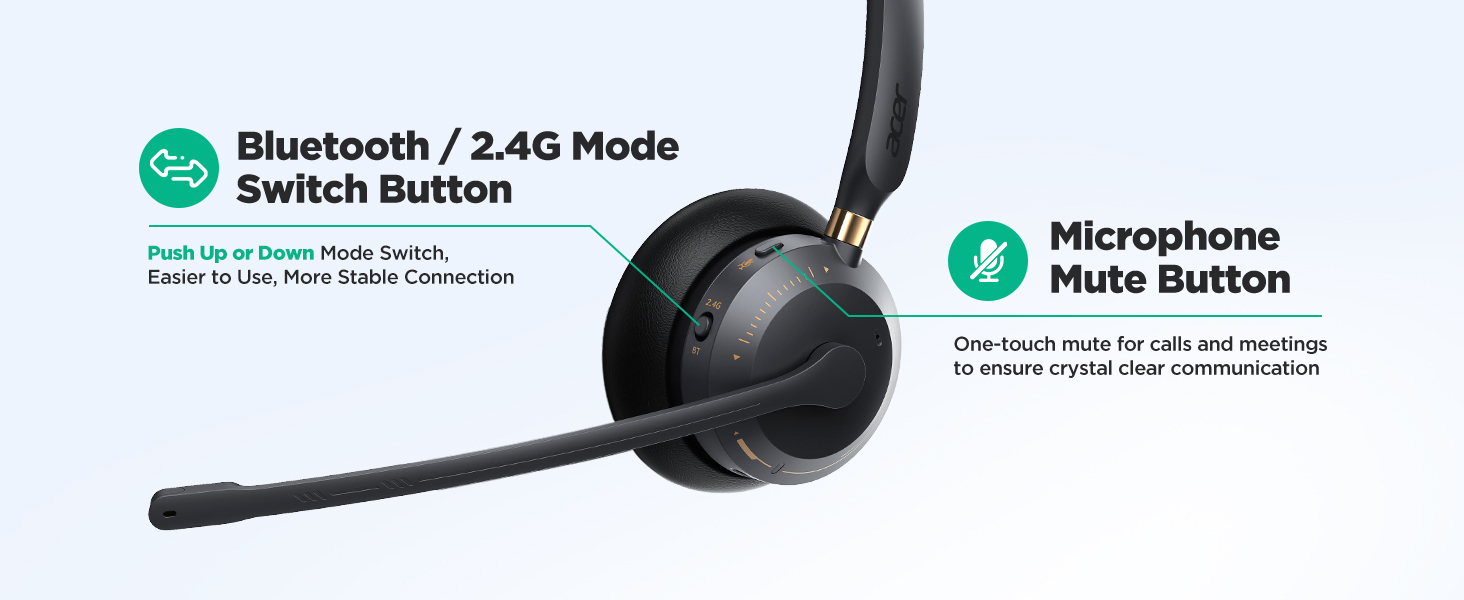
- 【More Stable Dual Connectivity Bluetooth 5.3 & 2.4G 】 acer OHR689 wireless headset with mic for work, supports Bluetooth 5.3 and 2.4G dongle wireless connection.This bluetooth headset with microphone lets you seamlessly switch between PC and phone. Connect to PC via USB dongle (plug-and-play) and to mobile via Bluetooth simultaneously. Never miss a call while in a video meeting—press the power button to answer instantly.
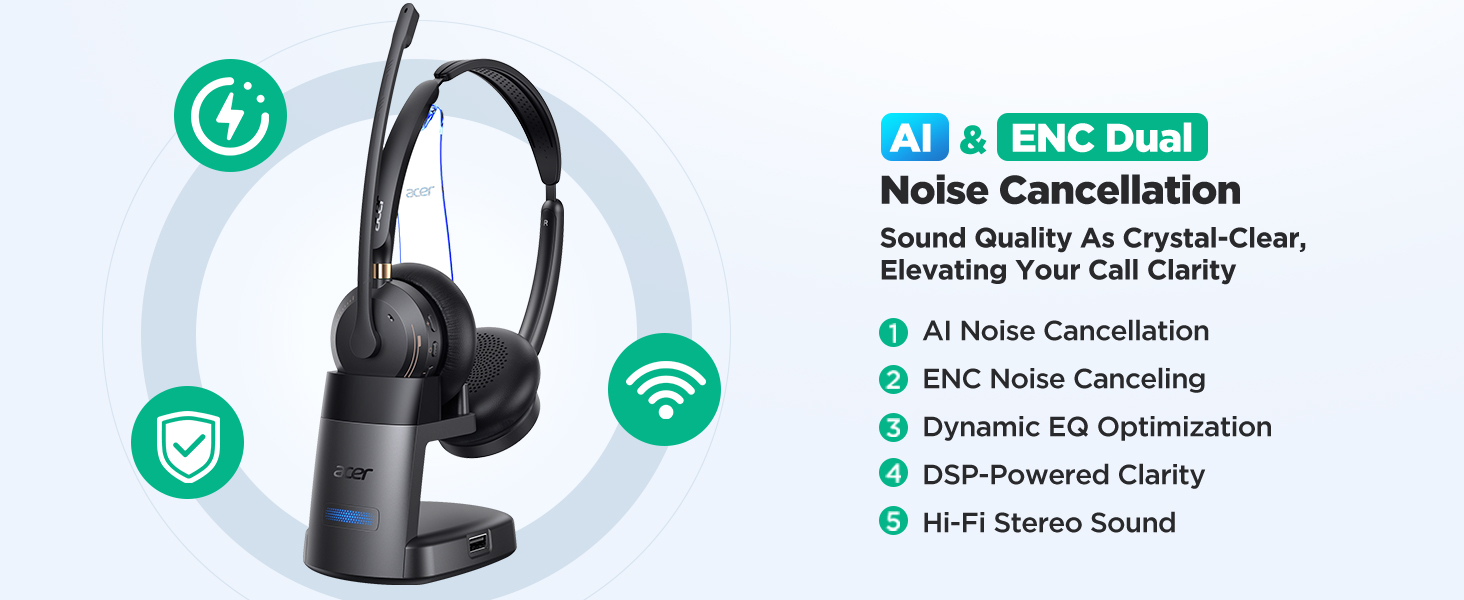
- 【Clear Calls with AI + ENC Dual Noise Cancellation】 acer OHR689 wireless headset with charging stand advanced AI algorithm and Environmental Noise Cancellation technology filter out background noise (keyboard typing, office chatter, traffic). noise cancelling headset for work Ensures your voice comes through crystal clear on Zoom, Teams, or phone calls—even in noisy environments.
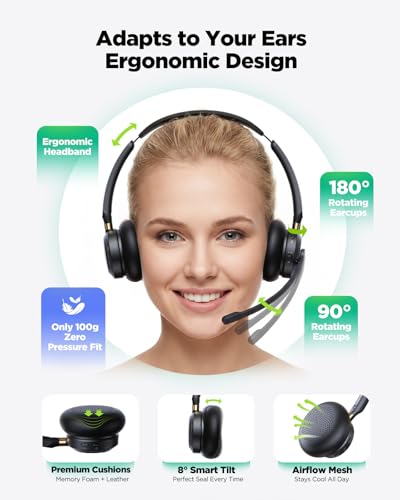
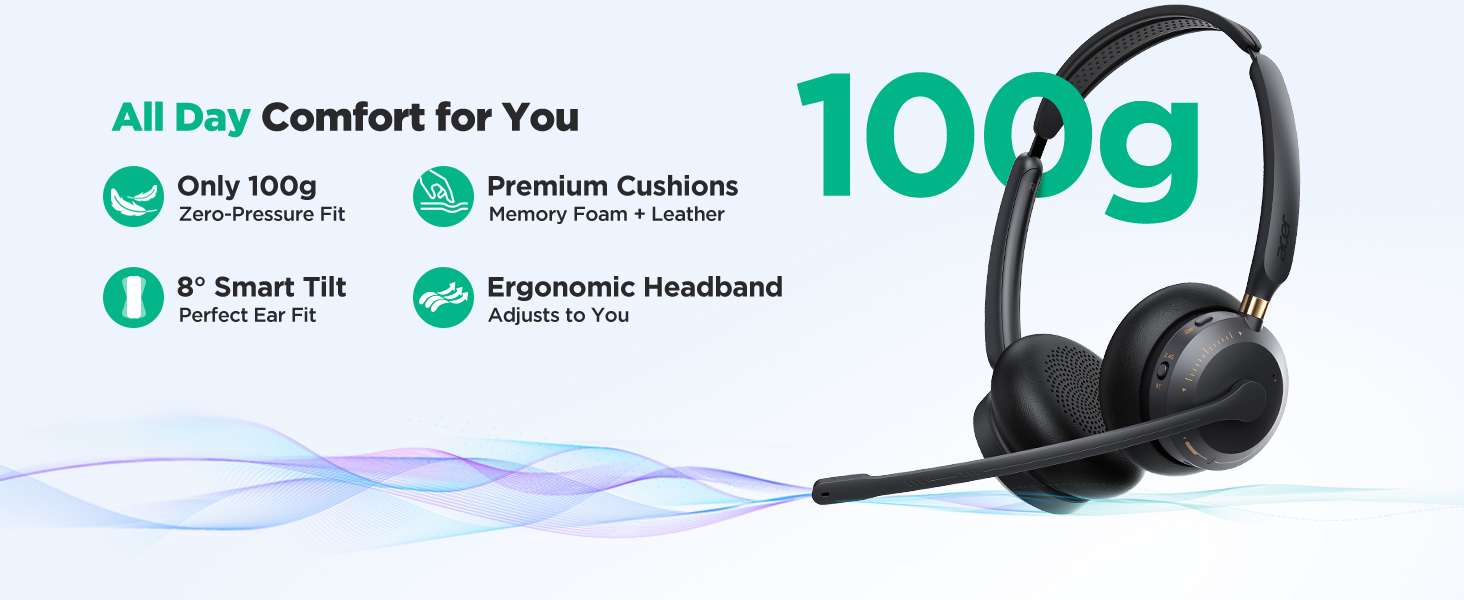
- 【All Day Comfort-Fit Headset】 3.53oz (100g) ergonomic design, ±8° tiltable ear cups – 50% lighter than market average (150-250g).Ideal for customer service reps, remote workers, and call centers. the wireless headset with mic for work comes with a one-click mute button that lets you instantly silence the microphone during private conversations.
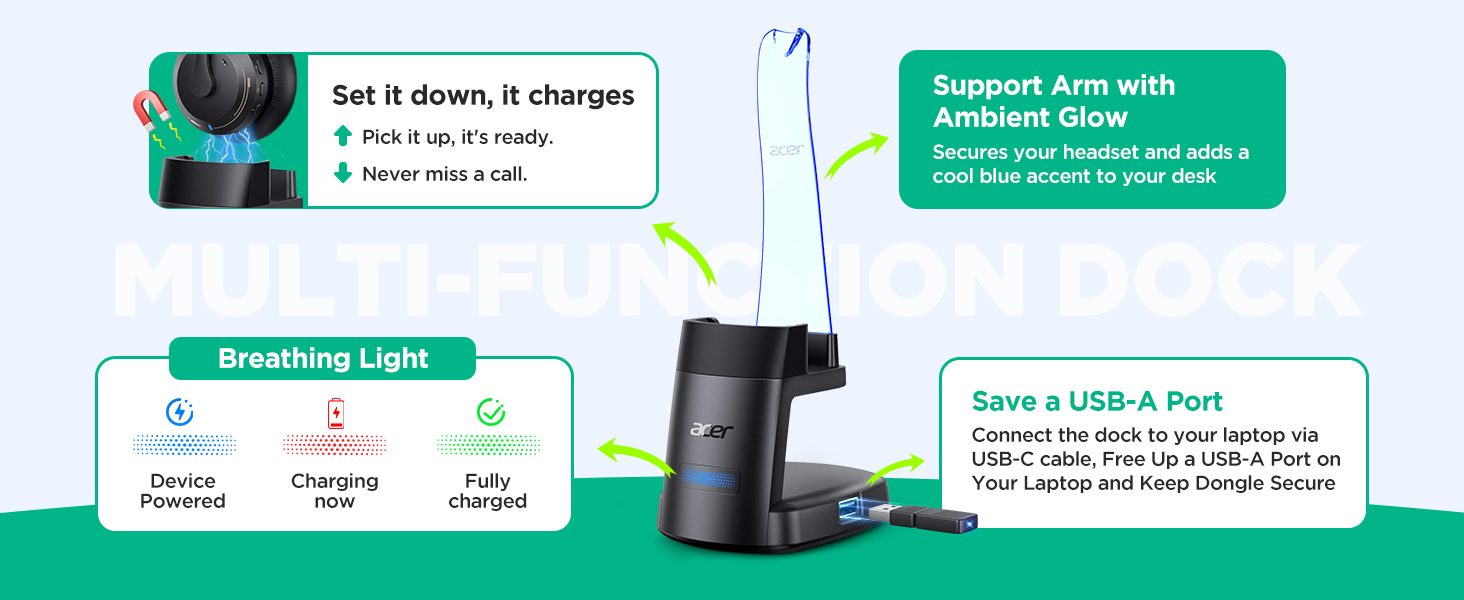
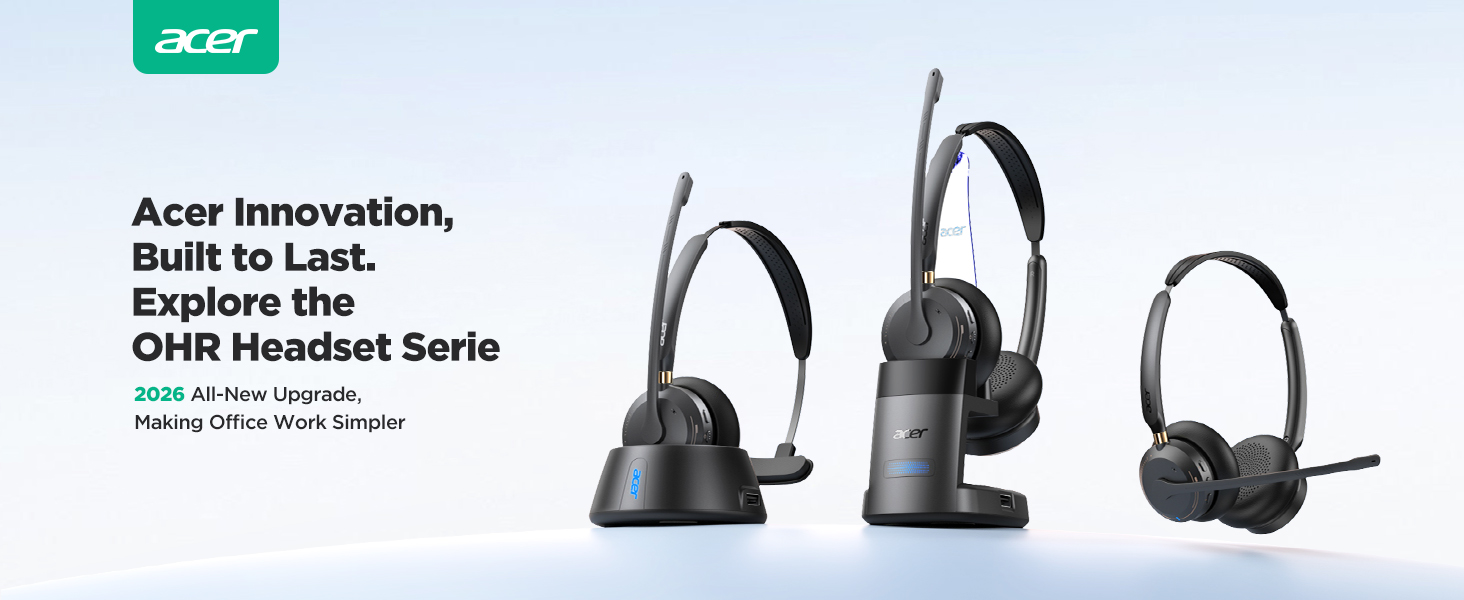
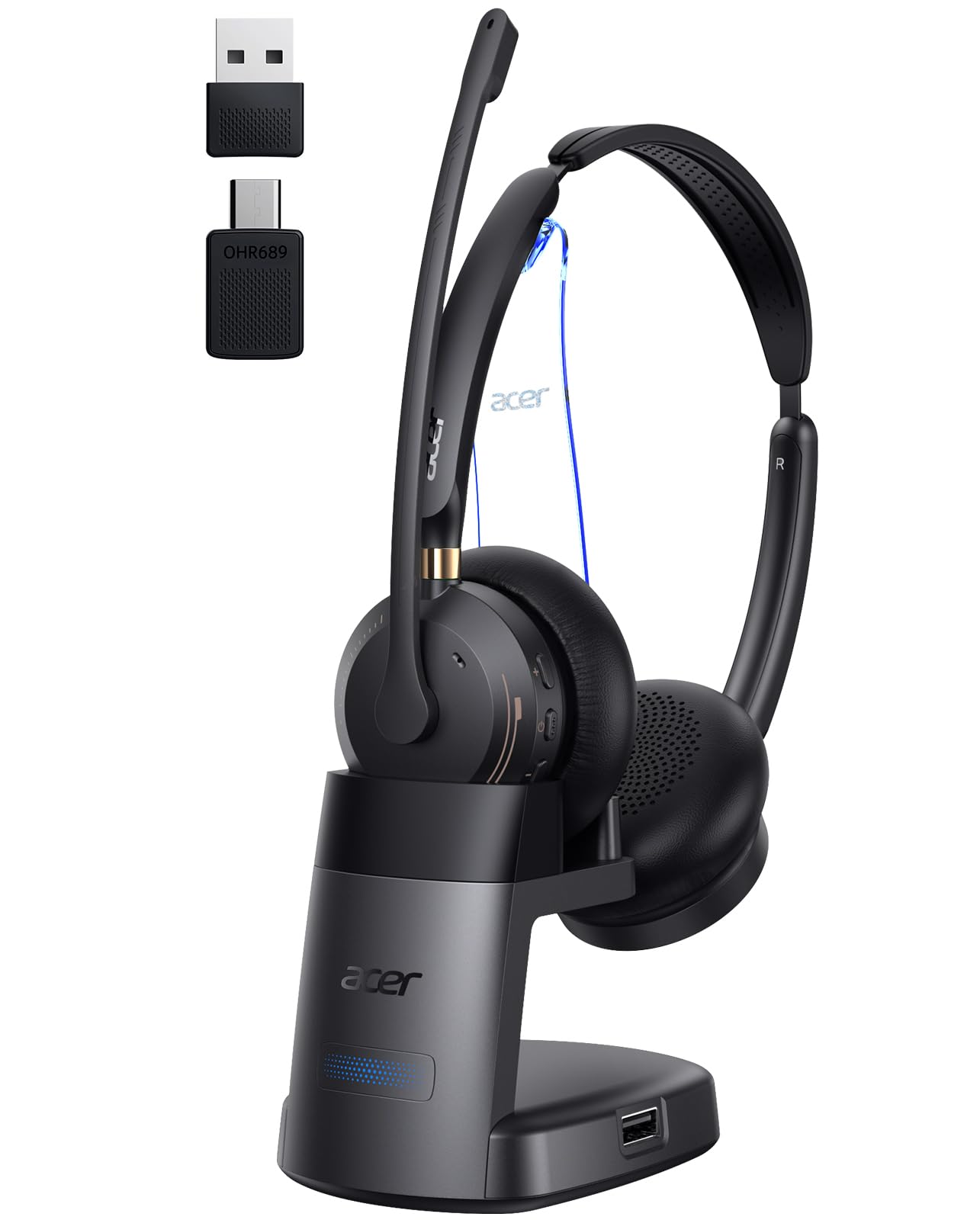
- 【Upgraded Multi-Function Dock】 Charge, store, and streamline your workspace. Unlike competitors, the OHR689 wireless work headset features an upgraded arm stand for enhanced stability—securely holding your headset while adding a cool blue ambient glow to your desk. The smart 3-color breathing light keeps device status clear at a glance. Simply set it down to charge and pick it up to talk.
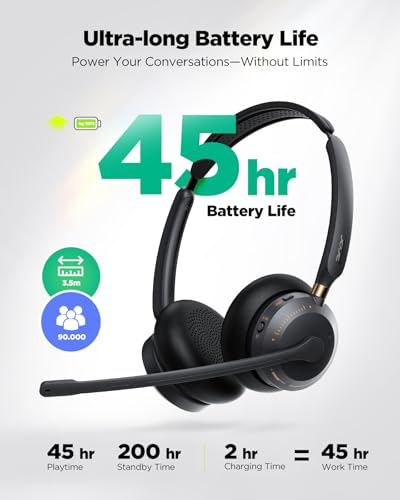
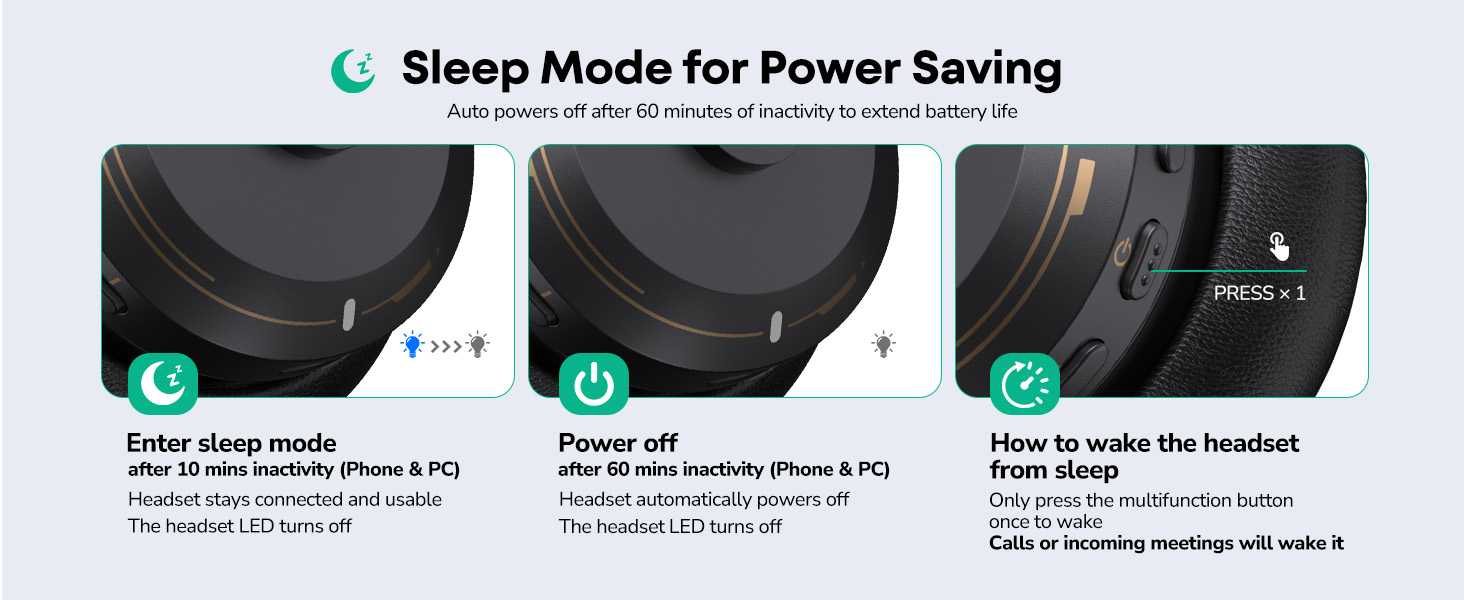
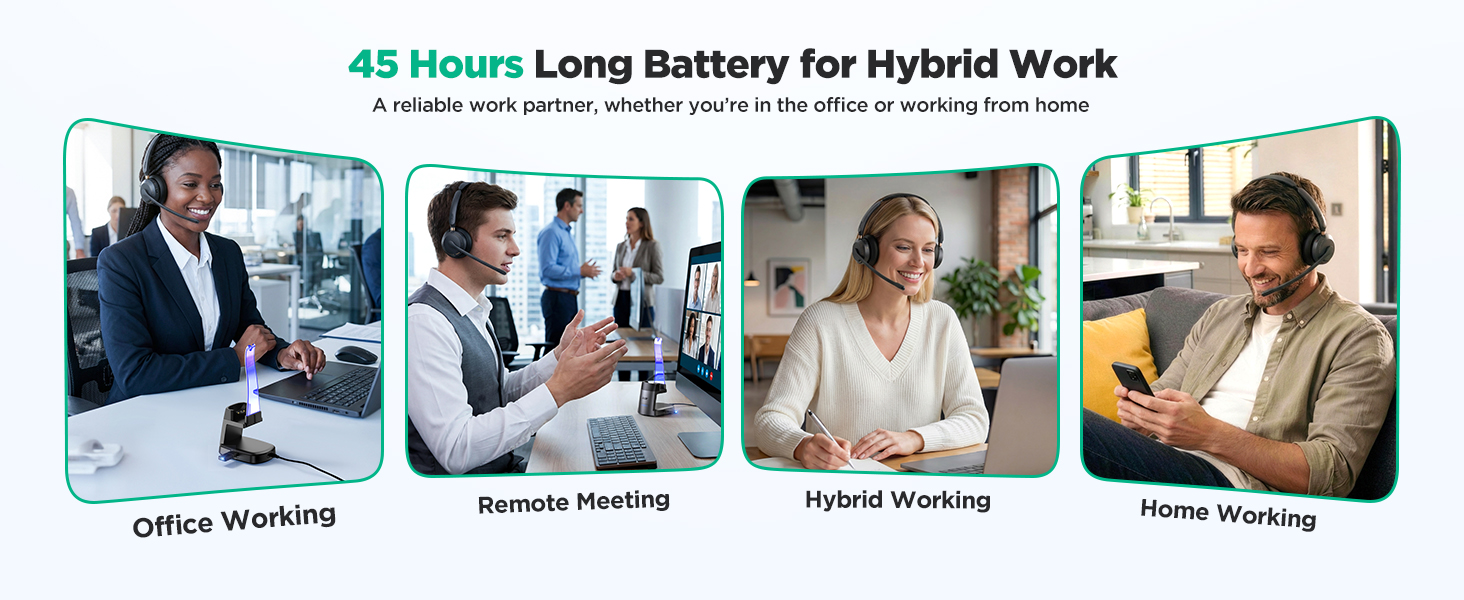
- 【45-Hour Battery for All-Day Work】 Get up to 45 hours of talk time on a single 2-hour charge from this wireless headset with mic—ideal for back-to-back meetings, remote shifts, and business travel. Automatically powers off after 60 minutes of inactivity. Smart sleep mode saves power, preserves battery health, and extends lifespan.
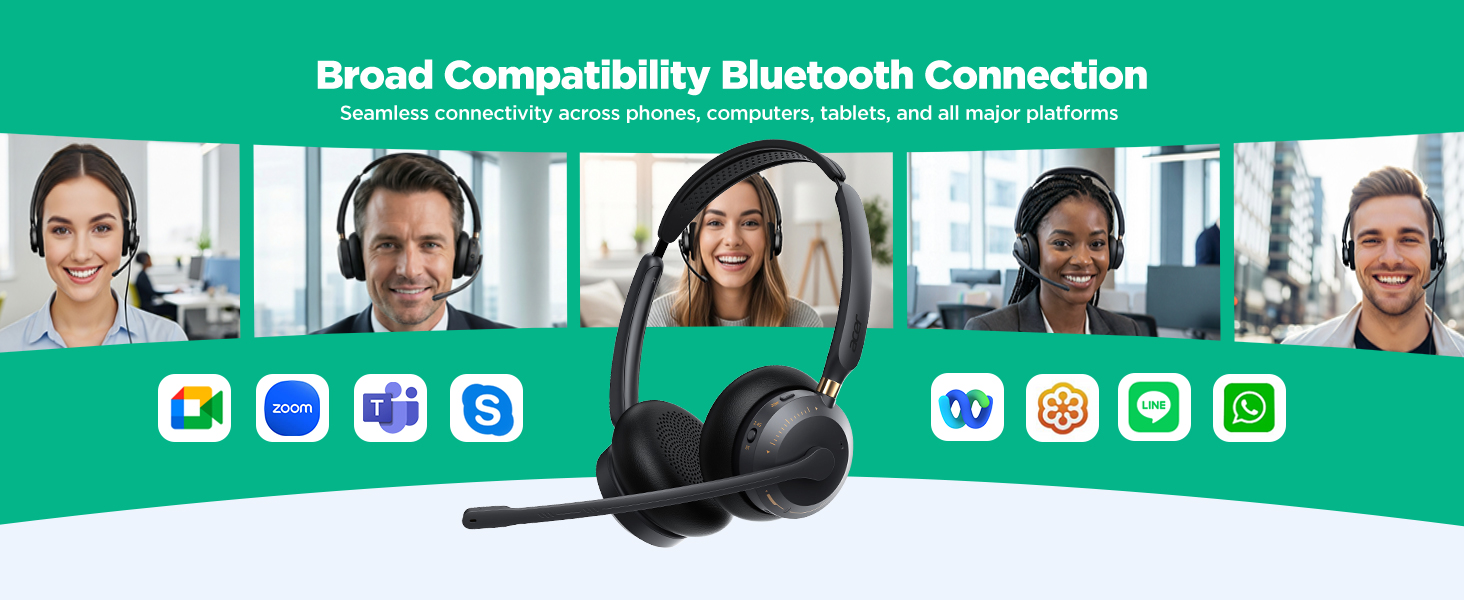
- 【Universal Compatibility】 The acer OHR689 wireless headset works seamlessly with Zoom, Microsoft Teams, Skype, Cisco, and all popular platforms. Perfect for PC, laptop, phones ect. Your reliable work companion for home office, call centers, or business travel.
acer OHR689 Wireless Headset for Work
Merchant VideoHow do I connect my headset to my computer via the dongle?
Insert the USB dongle (blue light flashes). Hold the power button for 3 seconds until the light flashes red and blue. Switch to USB mode. Solid blue light means paired. Then select "OHR689" as audio output on your computer.
How do I connect my headset to my phone via Bluetooth?
Press and hold the Power button for 3 seconds; the Power button indicator will flash red and blue. Then, switch the mode to Bluetooth mode. Enable Bluetooth on your mobile phone and pair it with "OHR689".
My phone shows Bluetooth is connected, but nobody can hear me on calls. What should I do?
If you have previously connected the headset to other devices via Bluetooth, you may need to manually disconnect Bluetooth on those devices. Then, reconnect the headset to your phone to ensure the audio works properly.
What should I do if there's no sound after successfully connecting the microphone to my computer?
When using conference software for a call, check the sound settings on both your computer and the software to ensure that [OHR689] is set as the default input (microphone) and output (speaker) device.
Why does the headset turn off after inactivity?
Enters sleep after 10min idle. Powers off after 5omin if no action on phone or PC. Tap power button occasionally to prevent.

| SKU: | B0GFVJDKJH |
| Weight: | 3.53 Ounces |
| Brand: | acer |
| Model: | OHR689 |
| Colour: | Black golden |
| Pack Quantity: | 1 |
| Manufacture: | acer |
| Colour: | Black golden |
| Quantity: | 1 |
Product description
The video showcases the product in use.The video guides you through product setup.The video compares multiple products.The video shows the product being unpacked.acer OHR689 Wireless Headset for Work
Merchant Video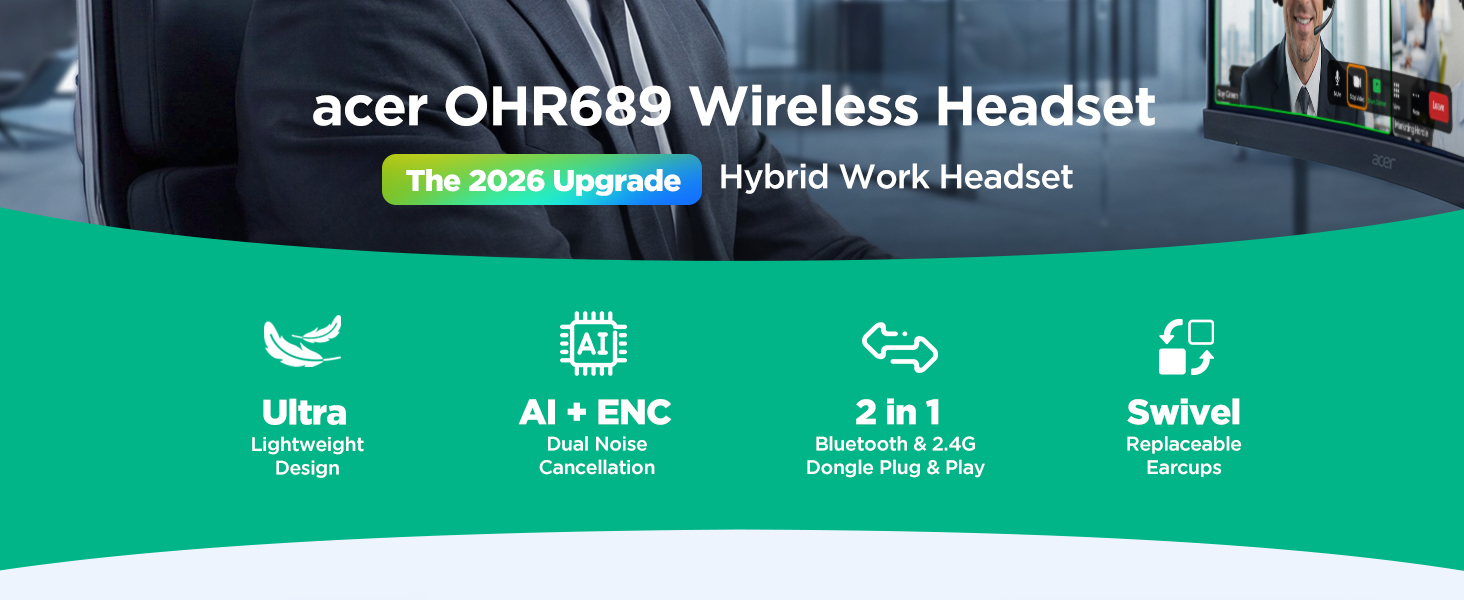
How do I connect my headset to my computer via the dongle?
Insert the USB dongle (blue light flashes). Hold the power button for 3 seconds until the light flashes red and blue. Switch to USB mode. Solid blue light means paired. Then select “OHR689” as audio output on your computer.
How do I connect my headset to my phone via Bluetooth?
Press and hold the Power button for 3 seconds; the Power button indicator will flash red and blue. Then, switch the mode to Bluetooth mode. Enable Bluetooth on your mobile phone and pair it with “OHR689”.
My phone shows Bluetooth is connected, but nobody can hear me on calls. What should I do?
If you have previously connected the headset to other devices via Bluetooth, you may need to manually disconnect Bluetooth on those devices. Then, reconnect the headset to your phone to ensure the audio works properly.
What should I do if there's no sound after successfully connecting the microphone to my computer?
When using conference software for a call, check the sound settings on both your computer and the software to ensure that [OHR689] is set as the default input (microphone) and output (speaker) device.
Why does the headset turn off after inactivity?
Enters sleep after 10min idle. Powers off after 5omin if no action on phone or PC. Tap power button occasionally to prevent.
Nice Fit for Home Office Calls
Working from home sounds quiet in theory, but in real life there is always something happening. That is why this headset worked out so well for me. I needed something that could handle meetings without making me feel shut off from everything around me. Since it only covers one ear, I can still hear the room while staying locked in on the call. That balance has been great during regular workdays.
The comfort level surprised me more than anything else. A lot of headsets feel okay for fifteen minutes and then start getting annoying. This one stayed comfortable through a long stretch of calls, and the ear area did not feel stiff or awkward. It has a lighter feel, so it never seemed like it was dragging down the side of my head. That matters a lot when meetings stack up one after another.
The microphone quality has been strong too. I have taken calls while typing, moving papers around, and walking from one room to another, and people still heard me clearly. Voices coming through the speaker sound crisp enough that I do not feel drained after listening for a while. There is a difference between sound that is merely loud and sound that is actually easy to listen to, and this falls into the second group for me.
Easy Calls Through Busy Days
I picked this up for work calls, and it has fit into my routine in a way that feels natural instead of forced. The single-ear design was a big part of that for me, because I still like hearing what is going on around me while talking. It sits light on the ear and does not give that squeezed feeling some work headsets have after a while. I can leave it on through a long stretch of calls and not spend the whole time adjusting it.
What stood out fast was how clean my voice came through on meetings. I have used it during video calls, regular phone calls, and even while walking around the house with background noise going on. People on the other end said I sounded clear and close, which matters a lot when half the day is spent repeating the same points in meetings. The mute control is also placed in a way that feels easy to use without hunting for it.
The charging stand ended up being one of my favorite parts. I like having a spot where the headset lives instead of tossing it on my desk between calls. It makes the whole setup feel neat, and grabbing it before a meeting feels almost automatic now. Pairing was simple, switching between devices felt smooth, and overall it gives that polished work-from-home setup feeling without being complicated.
Comfortable Earpiece Stays Put During Work Calls
I have this wireless headset that I started using for my job calls. It weighs almost nothing so my ear does not get tired even after several hours of talking. The design lets it adjust naturally to fit without any pressure. I wore it through a morning of meetings and it stayed comfortable the whole time. The voice comes through sharp and people hear me clearly too without any issues.
Background sounds from my area get filtered out which keeps the conversations focused. Setting it up with my laptop took little time using the receiver. I can also pair it with my phone easily. The button lets me change between connections fast if needed.
The battery lasts through my daily activities so I stay connected without worry. Placing it on the stand charges it up quickly and keeps the space neat since the receiver stores there too. The mute option is simple to use when I need privacy or a quick break. This headset makes my call handling smoother overall and fits my work flow nicely.
Keeps My Desk Life Organized
My desk gets cluttered fast, so I liked this headset mostly because it helps keep things looking less messy. The stand gives it a home, and that small detail made a bigger difference than I expected. Instead of a headset cable or some random device sliding around near my keyboard, everything feels cleaner and more put together. The fit is also nicer than a lot of office headsets I have tried. It does not feel bulky, and it does not drag on one side of my head the way some single-ear styles do. I wear glasses, and I was glad this did not create extra pressure around my ear. During long meeting blocks, I could focus on the conversation instead of thinking about the headset sitting on me.
Call quality has been the biggest win. I work in a space where there is always something going on, whether it is a TV in another room, kitchen noise, or people talking nearby. Even with that, my calls sounded clear, and voices coming through the earpiece were easy to follow. I also like being able to stay connected to more than one device, because my laptop handles meetings while my phone still gets the random work call that cannot wait.
Nice Pick for Call-Heavy Schedules
My workdays can turn into a string of meetings with barely a break in between, so comfort matters almost as much as sound. That’s where this headset has done really well for me. It feels easy to wear for long stretches, and I don’t get that heavy, tired feeling on the side of my head after a while. The balance is good, and it stays put without needing constant adjusting.
The mic performance is what sold me after using it a bit. People hear me clearly, and that takes away a lot of the little frustrations that come with remote work. I’m not repeating myself or leaning closer to the mic to make sure my words come through. It helps keep conversations moving, whether I’m on a formal meeting or a quick call that only lasts a few minutes.
I also like how well it fits into a mixed work setup. I use it at a desk, but I’m not glued to that desk all day. Being able to move around a little while staying connected makes work feel less stiff. I’ve stepped away to grab notes, straighten up my space, or check on something nearby, and the connection stayed steady.