JetKVM IP KVM Over IP PC Remote Control, Open-Source Jet KVM
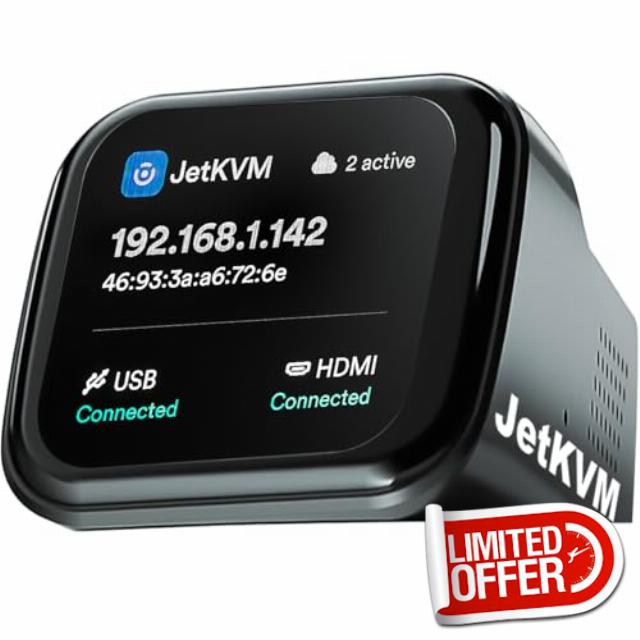
JetKVM IP KVM Over IP PC Remote Control, Open-Source Jet KVM Switch Network with Touchscreen LCD, Low Latency Remote BIOS Computer Access for Windows/Mac/Linux/Raspberry Pi Server Offices Data Cente
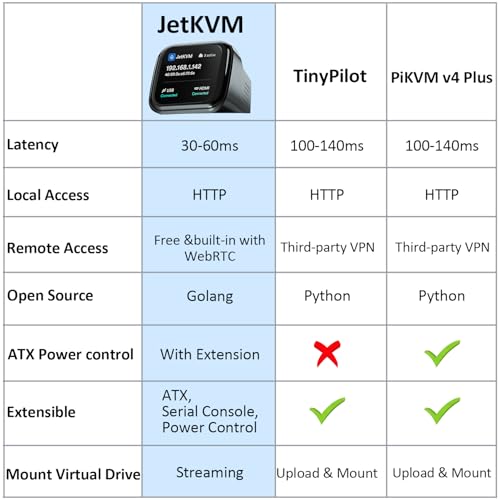
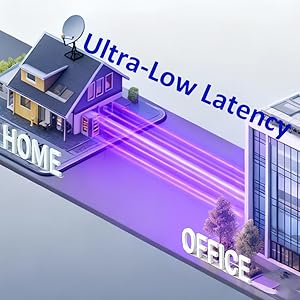
- Instant BIOS-Level Control: Experience ultra-low latency (30-60ms) and 1080p/60fps streaming with JetKVM. Access BIOS, install operating systems, and manage headless servers remotely as if you were there. No more waiting for OS-based software to load; get full hardware-level control instantly.
- Plug-and-Play IP KVM: Zero software, drivers, or subscription fees required. This ip kvm works via any web browser (Chrome/Firefox). Simply connect via HDMI and USB to control your PC, Mac, or Linux system. The built-in LCD touchscreen displays the IP address for effortless setup.
- Secure & Open Source: Built on a robust Linux and Golang foundation, jet kvm offers transparency and privacy. Connect via your local network kvm or use the optional WebRTC cloud for secure access behind restrictive NAT environments. Perfect for home labs and professional data centers.
- Universal Remote Management: This jetkvm kvm over ip is fully OS-independent and supports everything from Windows to Raspberry Pi. Use it as a remote kvm to manage devices globally. Powered by USB, it features a minimal, bloat-free system designed for maximum stability and uptime.
- 【ATX Power Control】 manages PC power states (USB-C/5V power, PCIe bracket for clean cable routing, dual pin headers). 【DC Power Control】 supports 12-20V DC devices (mini PCs/NAS) with 5.5×2.5/2.1mm adapters. Extension Power Control sold separately. See our store for details.
JetKVM is a high-performance, open-source KVM over IP (Keyboard, Video, Mouse) solution designed for efficient remote management of computers, servers, and workstations. Whether you're dealing with boot failures, installing a new operating system, adjusting BIOS settings, or simply taking control of a machine from afar, JetKVM provides the tools to get it done effectively.
Key Features
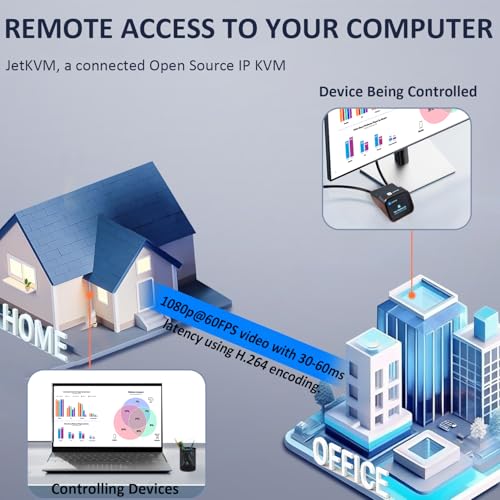
- Ultra-low Latency – 1080p@60FPS video with 30-60ms latency using H.264 encoding. Smooth mouse and keyboard interaction for responsive remote control.
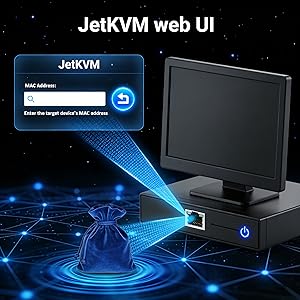
- Free & Optional Remote Access – Remote management via JetKVM Cloud using WebRTC.
- Open-source software – Written in Golang on Linux. Easily customizable through SSH access to the JetKVM device.
| Add to Cart | Add to Cart | Add to Cart | Add to Cart | |
| 4.7 out of 5 stars57 | 4.4 out of 5 stars6 | 4.7 out of 5 stars5 | 4.7 out of 5 stars17 | |
| JetKVM Device | JetKVM ATX Power Extension Board | JetKVM DC Power Control Extension | Device | |
| PC | PC | Mini PC&NAS | PC |
Three Important Notices
Important Notice about video
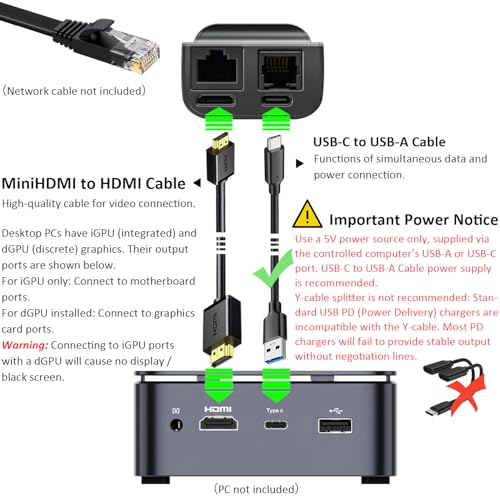
Desktop PCs have iGPU (integrated) and dGPU (discrete) graphics. Their output ports are shown below.
- For iGPU only: Connect to motherboard ports.
- For dGPU installed: Connect to graphics card ports.
Warning: Connecting to iGPU ports with a dGPU will cause no display / black screen.
Important Power Notice
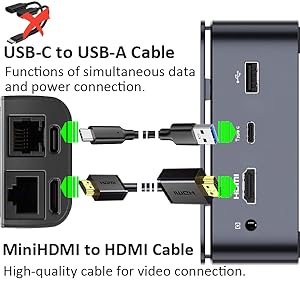
Use a 5V power source only, supplied via the controlled computer’s USB-A or USB-C port. USB-C to USB-A Cable power supply is recommended.
Y-cable splitter is not recommended: Standard USB PD (Power Delivery) chargers are incompatible with the Y-cable. Most PD chargers will fail to provide stable output without negotiation lines.
No response on first use?
Unplug and reconnect all cables securely, then wait for automatic adaptation.
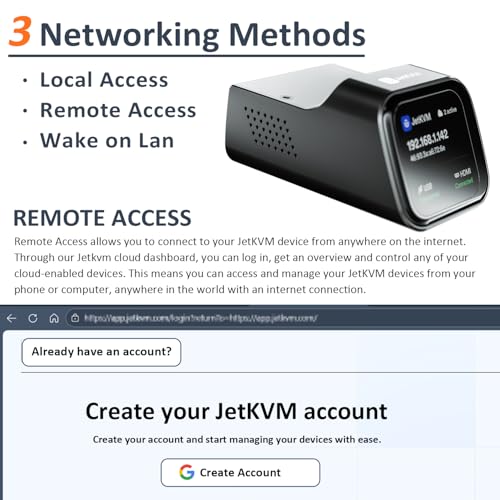
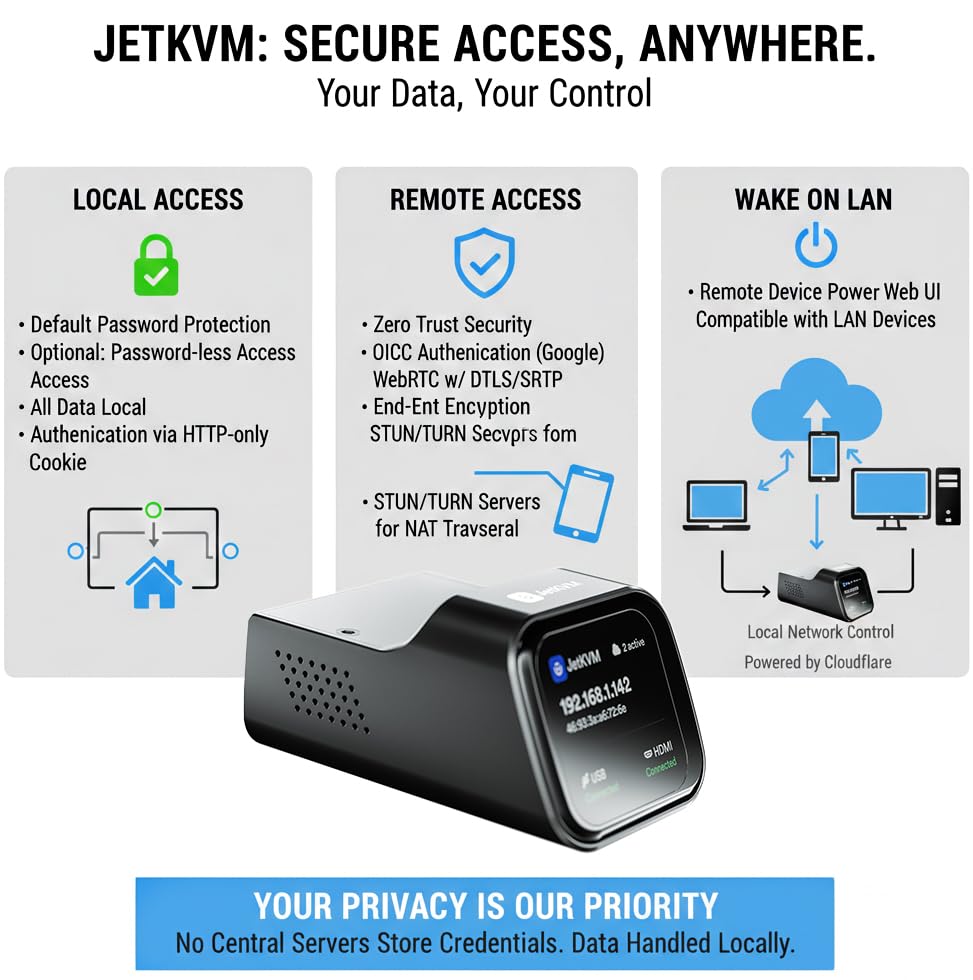
Three ways for the Networking
Local Access
Remote Access-Lifetime free
Wake on LAN
Q: Does this device come with Tailscale pre-installed?
A: Tailscale isn't pre-installed, but can be easily installed on JetKVM.
Q: Can I use it without cloud features or self-host the cloud?
A: Yes. JetKVM supports local access, cloud features are optional, and self-hosting is available via open-source code.
Q: Does Jet KVM work with KVM switches?
A: Not fully tested, but no known compatibility issues.
Q: Is JetKVM compatible with most devices, systems and Raspberry Pi?
A: Yes. It works with Windows, Linux, macOS, Raspberry Pi and all HDMI/USB supported devices.
Q: Does the web interface work on mobile?
A: Yes. The mobile-friendly UI has a built-in virtual keyboard for remote control.
Q: Can it control the connected device’s power?
A: Yes. It supports Wake-on-LAN, DC Extension Board and ATX Extension Board.
Q: Can JetKVM control multiple computers?
A: One unit controls one computer at a time. To manage multiple devices, you need multiple units or a KVM switch.
Q: Can I use a wireless keyboard or mouse?
A: Yes, connect them via the USB port directly.
Q: Does JetKVM require an internet connection?
A: No internet for local use; only needed for cloud remote access.
Q: Is setup complicated? Does it need extra software?
A: No. Plug-and-play design, no extra software or drivers required.

| SKU: | B0GKDNQVBL |
| Weight: | 0.14 Kilograms |
| Dimensions: | 2.36 x 1.77 x 1.38 inches |
| Brand: | YOTABOX |
| Manufacture: | JeKVM |
Product description
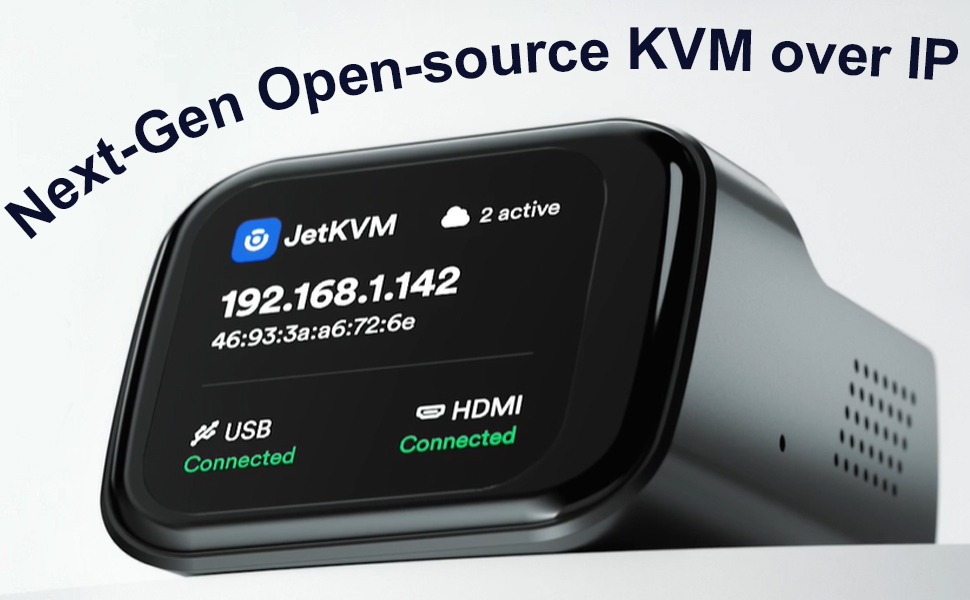
JetKVM is a high-performance, open-source KVM over IP (Keyboard, Video, Mouse) solution designed for efficient remote management of computers, servers, and workstations. Whether you're dealing with boot failures, installing a new operating system, adjusting BIOS settings, or simply taking control of a machine from afar, JetKVM provides the tools to get it done effectively.
Key Features
- Ultra-low Latency – 1080p@60FPS video with 30-60ms latency using H.264 encoding. Smooth mouse and keyboard interaction for responsive remote control.
- Free & Optional Remote Access – Remote management via JetKVM Cloud using WebRTC.
- Open-source software – Written in Golang on Linux. Easily customizable through SSH access to the JetKVM device.
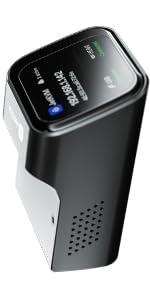 JetKVM JetKVM | 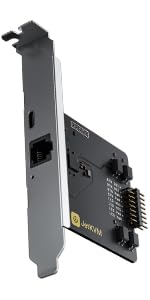 JetKVM ATX Power JetKVM ATX Power | 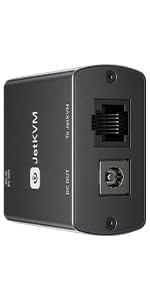 JetKVM DC Power JetKVM DC Power | JetKVM | |
|---|---|---|---|---|
| Customer Reviews | 4.7 out of 5 stars57 | 4.4 out of 5 stars6 | 4.7 out of 5 stars5 | 4.7 out of 5 stars17 |
| Usage | JetKVM Device | JetKVM ATX Power Extension Board | JetKVM DC Power Control Extension | Device |
| Usage Case | PC | PC | Mini PC&NAS | PC |
Three Important Notices
Wake on LAN
Q: Does this device come with Tailscale pre-installed?
A: Tailscale isn't pre-installed, but can be easily installed on JetKVM.
Q: Can I use it without cloud features or self-host the cloud?
A: Yes. JetKVM supports local access, cloud features are optional, and self-hosting is available via open-source code.
Q: Does Jet KVM work with KVM switches?
A: Not fully tested, but no known compatibility issues.
Q: Is JetKVM compatible with most devices, systems and Raspberry Pi?
A: Yes. It works with Windows, Linux, macOS, Raspberry Pi and all HDMI/USB supported devices.
Q: Does the web interface work on mobile?
A: Yes. The mobile-friendly UI has a built-in virtual keyboard for remote control.
Q: Can it control the connected device’s power?
A: Yes. It supports Wake-on-LAN, DC Extension Board and ATX Extension Board.
Q: Can JetKVM control multiple computers?
A: One unit controls one computer at a time. To manage multiple devices, you need multiple units or a KVM switch.
Q: Can I use a wireless keyboard or mouse?
A: Yes, connect them via the USB port directly.
Q: Does JetKVM require an internet connection?
A: No internet for local use; only needed for cloud remote access.
Q: Is setup complicated? Does it need extra software?
A: No. Plug-and-play design, no extra software or drivers required.
Great subscription free hardware level control
This JetKVM IP KVM over IP remote control is a really impressive tool for anyone who needs true remote access to a computer at the hardware level. What this device does is let you remotely control a PC or server through a web browser as if you were physically sitting in front of it, even during BIOS access, boot menus, system updates, or recovery situations. That is what makes it so useful compared to normal remote desktop software, which usually only works after the operating system has fully loaded.
One of the best things about this unit is the performance. The video is smooth at 1080p and 60 FPS, and the latency feels low enough that using it feels much closer to local control than I expected. That kind of responsiveness matters a lot when navigating BIOS menus or doing troubleshooting where delays get frustrating quickly.
I also like that it is plug and play and does not require extra software. The setup is straightforward through HDMI, USB, and wired Ethernet, and being able to use it from a browser without subscription fees is a huge plus. The open source design is another major strength because it gives more flexibility for developers, home lab users, and anyone who likes to customize tools through SSH.
The hardware level control is what really makes this a good one. It works regardless of operating system, handles power control options, and gives reliable remote access for headless systems, servers, and troubleshooting tasks that software based tools cannot cover. It feels compact, capable, and thoughtfully designed.
Great KVM, but doesn't work with Reolink NVR. Tailscale works
This unfortunately doesn’t seem to work well with Reolink NVR systems. The mouse cannot be moved using the kvm, even in “relative mode”. Because this is what I purchased this KVM to do, I have to give it 4 stars.
Otherwise, it appears to work perfectly! The connection is very stable and the KVM is physically smaller than I expected, which is great. I was able to install tailscale (headscale) without issue, allowing encrypted fully remote access.
Powerful and attractive remote access
The JetKVM is a strong hardware-level remote management tool for home servers and lab environments. It provides 1080p video at 60FPS with very low latency, making BIOS access and OS installation feel almost local. Setup is quick since it uses a web browser for control and does not need extra software or paid subscriptions. The built-in LCD is also a great addition for checking the IP address and connection status at a glance.
Performance is great for managing headless systems, including Proxmox nodes and network gear. Typing and mouse movements are quite responsive, which is helpful for troubleshooting boot issues. The open-source software allows for deep customization via SSH, and the virtual drive feature lets you mount ISO files easily for remote OS installs. While the included cables are a bit short, the overall build quality is strong and compact.
This is a good choice for anyone needing reliable “bare metal” access without enterprise costs. It works well with various systems like Windows, Ubuntu, and Android TV boxes. Note that the ATX power control requires a separate module, but the core KVM functions are complete and work right away. If you need a simple way to manage remote hardware, this is the right tool.
Exceptionally Useful and Reliable KVM for Home Labs and Servers
This JetKVM unit has turned out to be an absolute gem — easily one of the most impressive tech tools I’ve added to my setup. The build quality feels solid and durable (it is built like a tank), and the compact design makes it easy to fit into tight spaces around a server rack or desk.
The screen is a touch screen, and some basic functions can be managed from it directly.
I’m using it to manage my home server, and it has performed flawlessly. The remote access experience is clean, responsive, and far better than I expected. Being able to access the BIOS, start the machine, and shut it down without relying on remote desktop has made a huge difference in daytoday management.
It’s also been incredibly helpful during power outages. Previously, I couldn’t log in remotely because many services only started after a local login. With this device, I can access the server directly and get everything running again without being physically present.
Overall, this is one of the best pieces of tech I’ve used — reliable, thoughtfully designed, and genuinely useful. I highly recommend it to anyone running a home lab, server, or small datacentre setup.
Finally Found the Perfect Solution for My NVR!!
Pros x3 | Cons x1
Rating: Good
First Impression:
I used this product for about a week before putting my thoughts together. It was set up to reach an outdoor NVR tucked away in a box, and it immediately felt like a clever workaround for a tricky setup. I was skeptical at first—if it really did what it claimed, it would solve a longstanding problem with my NVR being installed far from the house. The moment it arrived, I tested it, and to my surprise this tiny device delivered exactly what it promised. Not only could I view my NVR’s HDMI over IP, but I could also control it with mouse/keyboard. That alone made it an impressive solution. The device is super tiny, which was perfect for me to fit into my custom NVR box. The lag is absolutely acceptable, almost negligible. For the price point, I may get couple more units for my other NVRs.
Positives (3):
1. The metal housing feels sturdy and handled warm weather without any odd behavior, almost like it doubled as a heat sink.
2. The cloud access didn’t cost anything, and signing in with Google made the setup painless. No extra passwords to track, which felt safer and more convenient.
3. The feature list is surprisingly stacked. Even though I only used the basics, switching positioning modes was simple, and the interface didn’t get in the way.
Drawbacks (1):
1. The absolute mouse positioning never worked correctly for me. I had to switch to relative mode, which was fine for occasional use, but someone relying on it daily might find it frustrating.
Note:
There’s a builtin keyboard function, but my NVR doesn’t support keyboards at all, so that feature went unused.
Summary:
This device ended up being a solid fix for accessing an NVR that couldn’t be reached directly. It saved time and kept the system manageable without having to open the backyard box every time. Even with a few quirks, it’s been a chill, dependable tool that solved a real problem in my setup.
An extremely versatile "bare metal" remote KVM for home lab enthusiasts, or remote tech suppo
I use KVMs (Keyboard Video Mouse) to manage all my computers, and this JetKVM takes management to the next level, allowing me to securely manage my media server over the Internet. What differentiates this product from standard remote management software solutions, is that it provides “bare metal” access to the remote computer. In other words, you can access the computer at the BIOS level, BEFORE the operating system loads.
Setup is reasonably simple. It requires a network connection on the same router or switch as the machine being managed, and you plug the HDMI video and USB-C connections directly into the target machine. You may need to adjust the computer’s BIOS settings to enable the USB and HDMI at power on if you want access to the computer prior to it loading the operating system. A separate USB-C port is used to power the device. I wouldn’t recommend using the PC being managed to power the device, since you want its operation to be independent of the computer. Once correctly cabled, power on the device and note its network information. From that point onwards, you can basically forget about the unit as everything is managed through a web browser.
In order to control the remote computer, open a connection to the address of the JetKVM device (not the address of the PC being managed), and you’re presented with the equivalent of a 1080p monitor plugged into the computer. It doesn’t matter what operating system is being used. The JetKVM web page provides management statistics, and has control functions for the remote computer. You can also switch to full screen and use it like a regular computer. The latency is very low, but it’s not designed for playing games, or streaming videos, as that’s what client applications are for.
Secure access to the remove computer over the internet is optionally provided through JetKVM’s cloud site, which provides a zero trust connection. For people familiar with mesh network technology, there’s already a TailScale exit node app that can be loaded on the device. I’m hoping other VPN providers like NordVPN will provide a Meshnet client as well. The whole device is open source (software available on GitHub, written in GO), so I’m sure some enterprising developer with come up more add-ons.
Two other notable features, are a virtual drive, and a jiggler. There’s a small amount of storage on the device that you can load an OS installation ISO, so you can install the computer remotely from scratch. The mouse jiggler app simulates moving a mouse, in order to keep the remote PC from hibernating.
There’s quite an active support community for this device as it has great potential for home lab enthusiasts and IT tech support people. There’s also accessories available, or in development, like a PCI card that can physically turn on/off the remote computer. The web site provides information on what’s in development.
Brilliant IP KVM -- built well, works simply -- and works well
I’ve been using KVMs at home for many years, but until recently I didn’t have any reason to use one away from a desk. I decided to give IP KVM a try because I wanted to place a file server for my music production work — not real time, but for storage of projects. This lets me use a computer for editing that’s not kitted out with all the storage on top of the RAM given the required investment for a “does all the things” computer.
I decided to try the JetKVM so I can manage the computer serving as host for my RAID in another room away from audio signals and keeping the audio noise remote without having to access it.
I had no idea it would be this easy.
Plugging this into the target computer via USB-C also powered it, connecting the HDMI to that computer, then connecting my network to the JetKVM were all I needed to do. I did not test the extension RJ-11 port in my setup. I gave the computer a static IP, connected to that IP from another computer’s browser and I was “in” with zero muss or fuss. This is a great solution, and everything about it was easy. The operation is not only easy, but the lag was very low, but every so slightly perceptible. Definitely not a problem for me.
Construction: This unit is built like a tank with a heavy duty case and no wasted space. It’s heavy for the size, weighing 136.5g according to my coffee scale. The display is clear and crisp. The connector ports are easy to use and well placed. My one complaint is that my device did not have any sort of feet and, because of this, slides around easily. All in all it feels premium and looks good as well.
Operation: This device defaults to a Local Access mode in networking terms. This is, in my view, optimal. I can see using Wake-on-LAN, but I didn’t need to try it for my usage. Having Remote Access is a good feature, but I’m not sure I’d be brave enough to enable that mode, but the good news is that it uses OpenID Connect (ODIC) with Google, so there is a measure of peace of mind in that mode.
There are many features that I’m not using, this is a deep device, such as “mouse jiggler” mode, pasting from the host computer, and a virtual keyboard. I don’t need these functions, but they are an example of the deep feature-set.
Value: At the current price, with the high quality construction of this unit, I think this is a fantastic value. Add in the feature-set and I am very glad to have found this device.
Overall Comments: The best thing about this entire experience is that this just worked, quietly doing everything I wanted it to. I have no reservations about offering this as a suggestion to people in need of this type of solution, and also think it has promise for experimentation in the hands of fellow hobbyists.
I would not hesitate to buy another, and look forward to any future products.
5/5 stars, and then some.
Remote monitor keyboard and mouse
I run a homelab that shares file to the network. Its in a spot thats hard to reach since I usually dont need to touch it. However there is the occasional power loss that makes me need to access its console and is a chore everytime. This KVM was the solution I was hoping for, and so far it seems to deliver on the essentials that I want. As of this review this product is still in early kickstarter phase so Im hoping it’ll only get better
IN PACKAGE
Included cables are extremely short:
0.5m for the mini-hdmi cable
0.5m usb c cable
tiny power/usb C splitter for constant external power, which I opted for to avoid shutdown power loss.
These barely reached the same table and isn’t long enough to have the KVM anywhere except on the desktop. No Ethernet or RJ12 cables are included
Functions
It has internal storage of 12gb, mainly to upload iso files that are mounted via the USB, can also reference a url for files (like debian isos)
doesnt support hdmi at 75hz, in my case the laptop detected the device but jetkvm didnt detect my laptop. Worked on 60hz displays no problem
extension module is not included, this is needed to control the power button, a real bummer that it’s separate and needs to be purchased. The port for this is also the less common RJ12 so you’d have to buy it (its not the phone line cable)
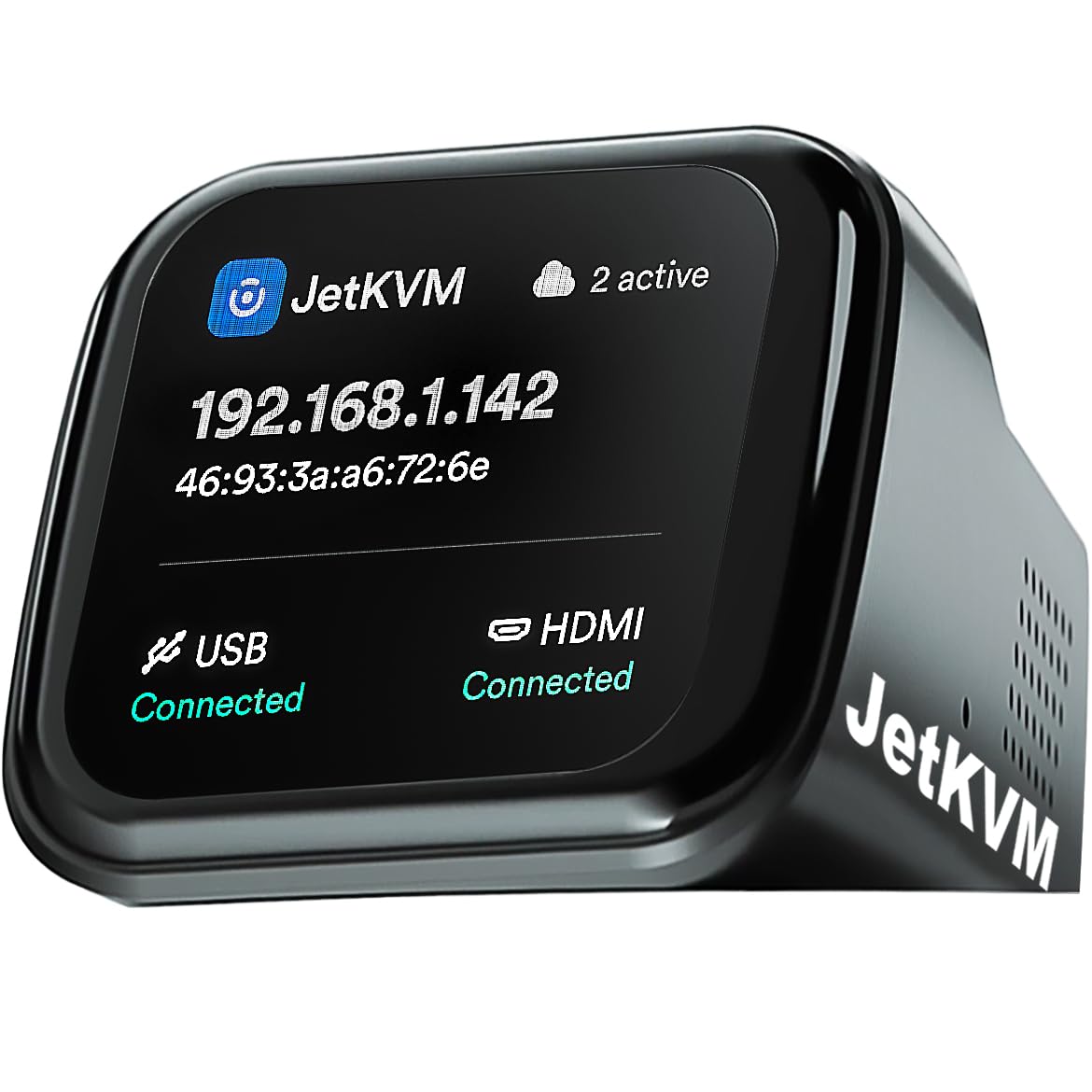
It has a display that shows the IP, USB &HDMI connection state, and number of clients viewing the webpage, and can turn off after awhile
SETUP
setup was pretty smooth, after powering it on, it will get an IP from your router and show it on the screen, the webpage with screen visuals can be seen and its quite responsive, ~800ms delay of mouse, and ~100ms key delay. Completely possible for navigation. Not fast enough for gaming though.
The page can be accessed locally via IP, but you can also setup remote access outside your network via cloudflare and a google account (currently no other account option). It worked first try and I was able to access it via the remote dashboard with the same behavior as local.
Tailscale is also possible though takes more effort, you need to do some console stuff that a linux user would be used to, but not if you’ve never touched CLI.
on a side note, the tailscale install file doesnt work on windows unless you remove the IP check if statement on line 120. After that I was able to successfully setup tailscale on the jetkvm (though no IP forward/LAN expose)
while I didn’t get the extension module, once you have it, it does allow gracefull shutdown and reset of the desktop, with state feedback (no scheduling or force shutdown yet but has been requested)
Additionally the project is open source, so while the documentation isn’t complete yet, its a flavor of linux under the hood and they allow you to modify the filesystem.
Overall on its own its a great remote hdmi screen with mouse & keyboard input already, and is actively developed, though without the extension module they sell separately, it misses the ability to control power button remotely