Funhill Laptop Screen Extender 14 inch Laptop Monitor
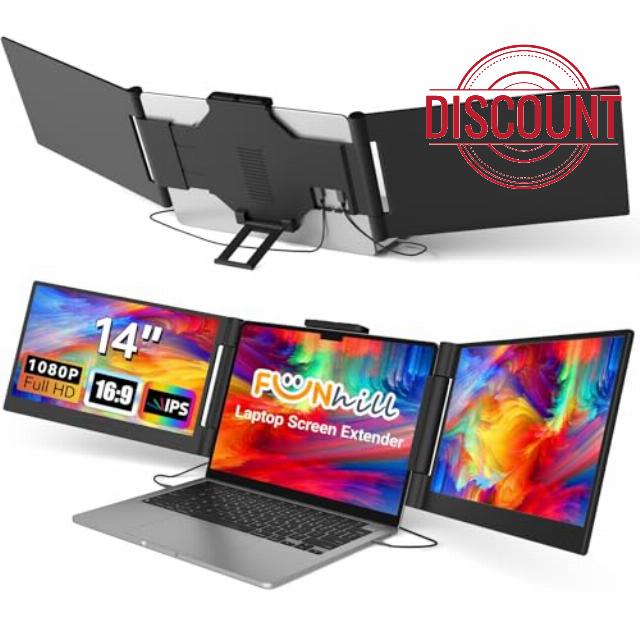
Funhill Laptop Screen Extender 14 inch Laptop Monitor Extender 1080P IPS, Triple Portable Monitor for Laptops 13-17.3″ with Display/HDMI Port, Plug-Play Portable Screen for Windows/Chrome/Android
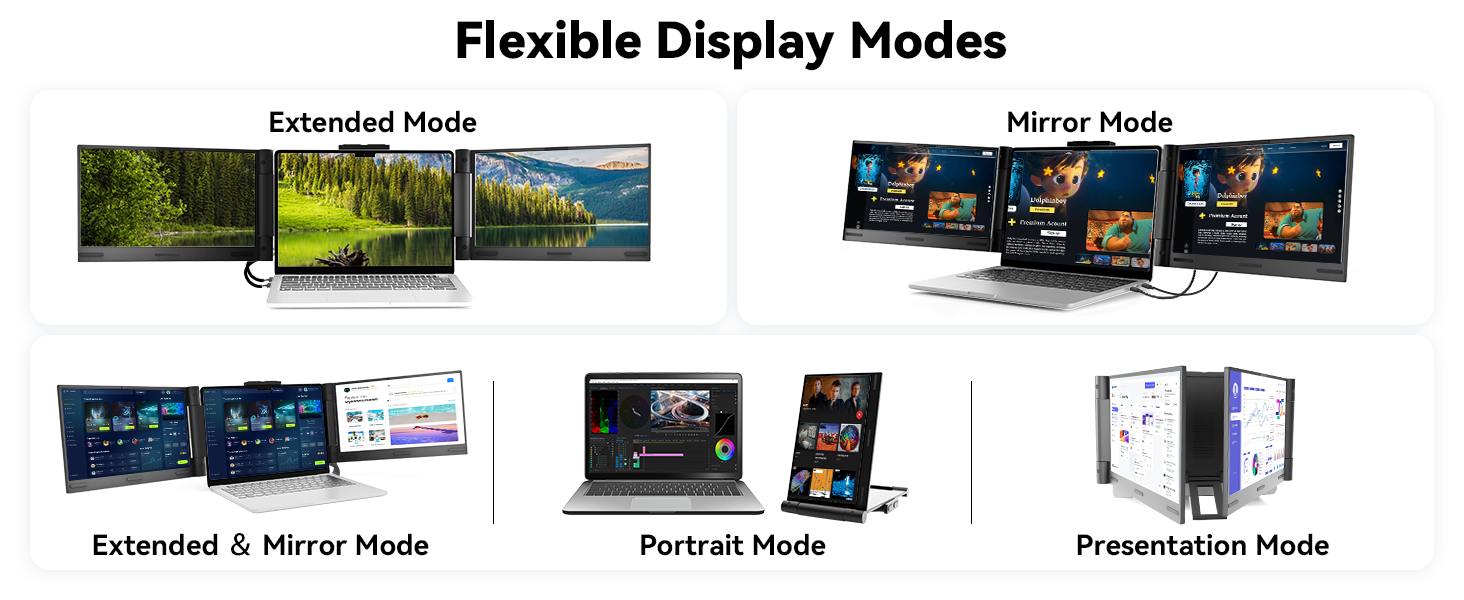
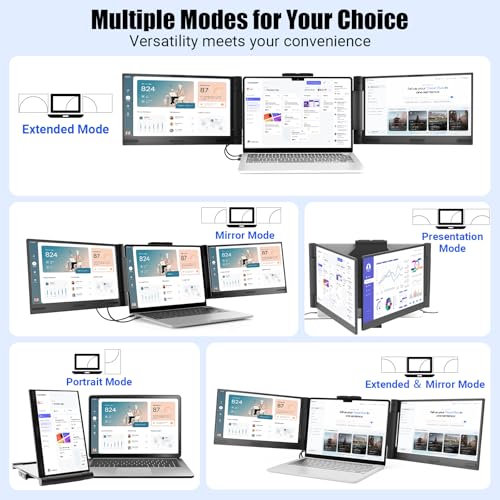
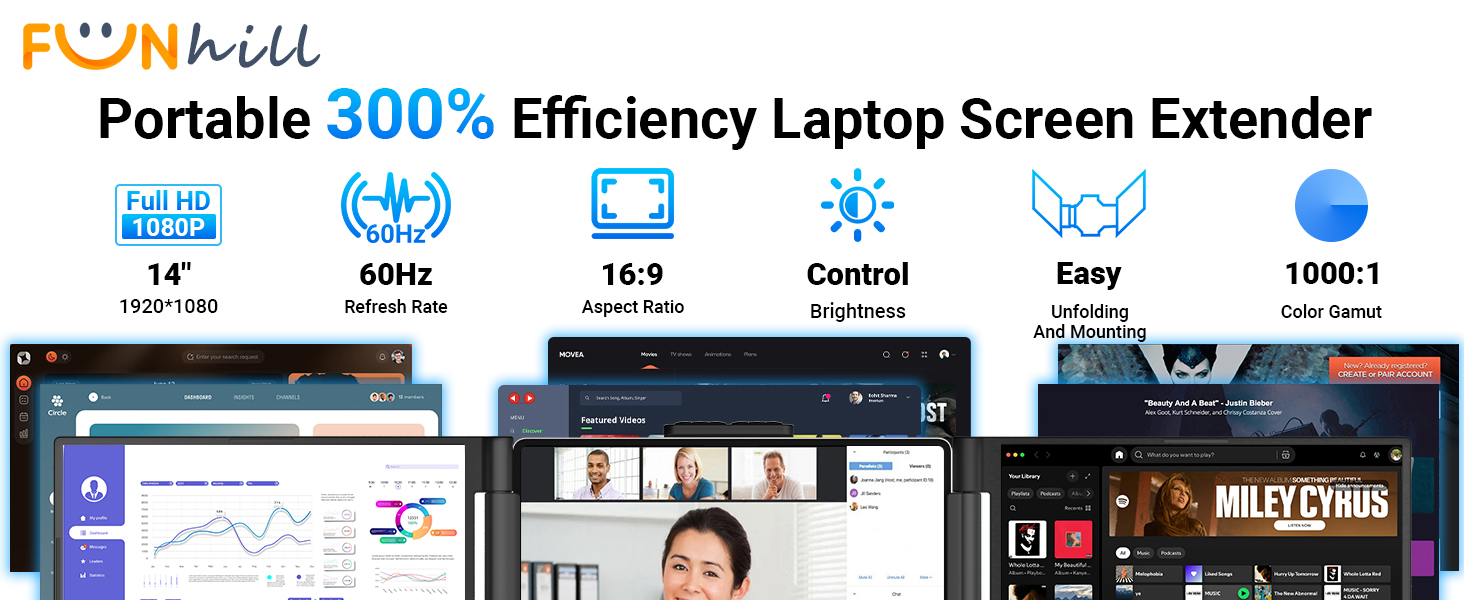
- Boost 300% Efficiency- Funhill laptop screen extender can instantly expand your laptop to triple screens – view spreadsheets, design tools, and chats simultaneously. Say goodbye to the hassle of constantly switching back and forth on a single display continuously. Portable screen for laptop can switch between extended/duplicate/portrait modes to minimize tab-switching fatigue. Funhill triple monitor provides the perfect solution for laptop users for multi-screen synchronization and split-screen display.
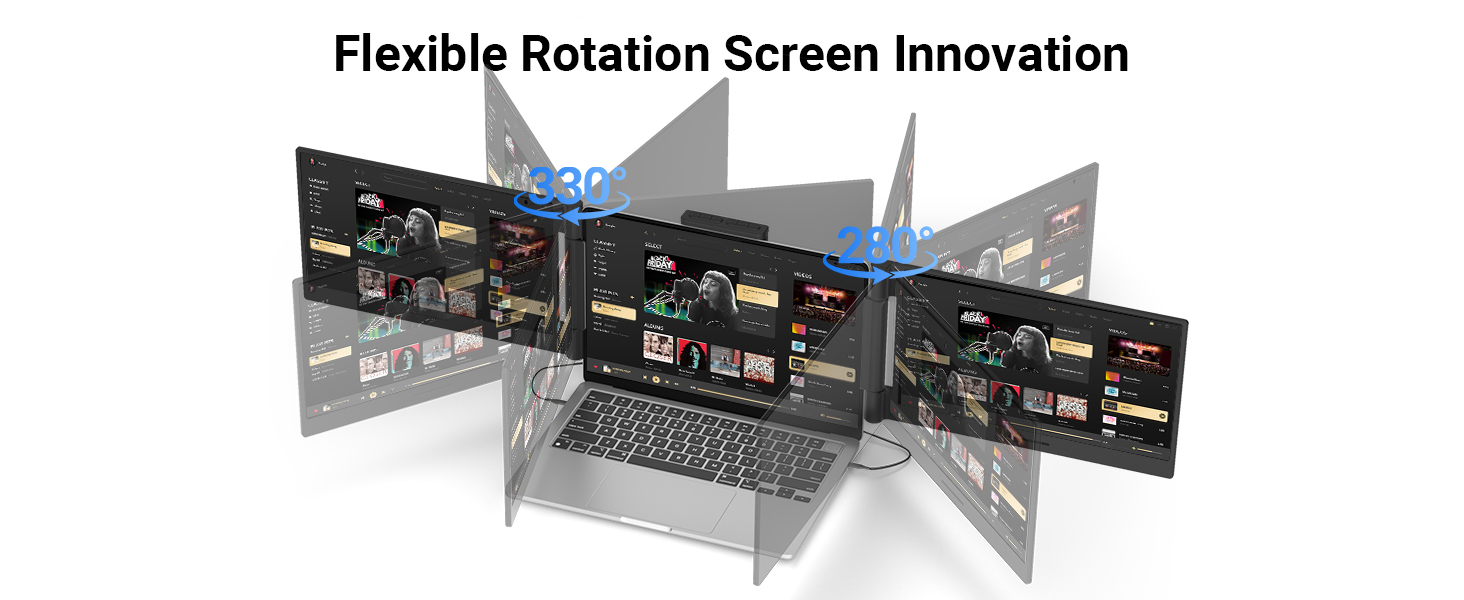
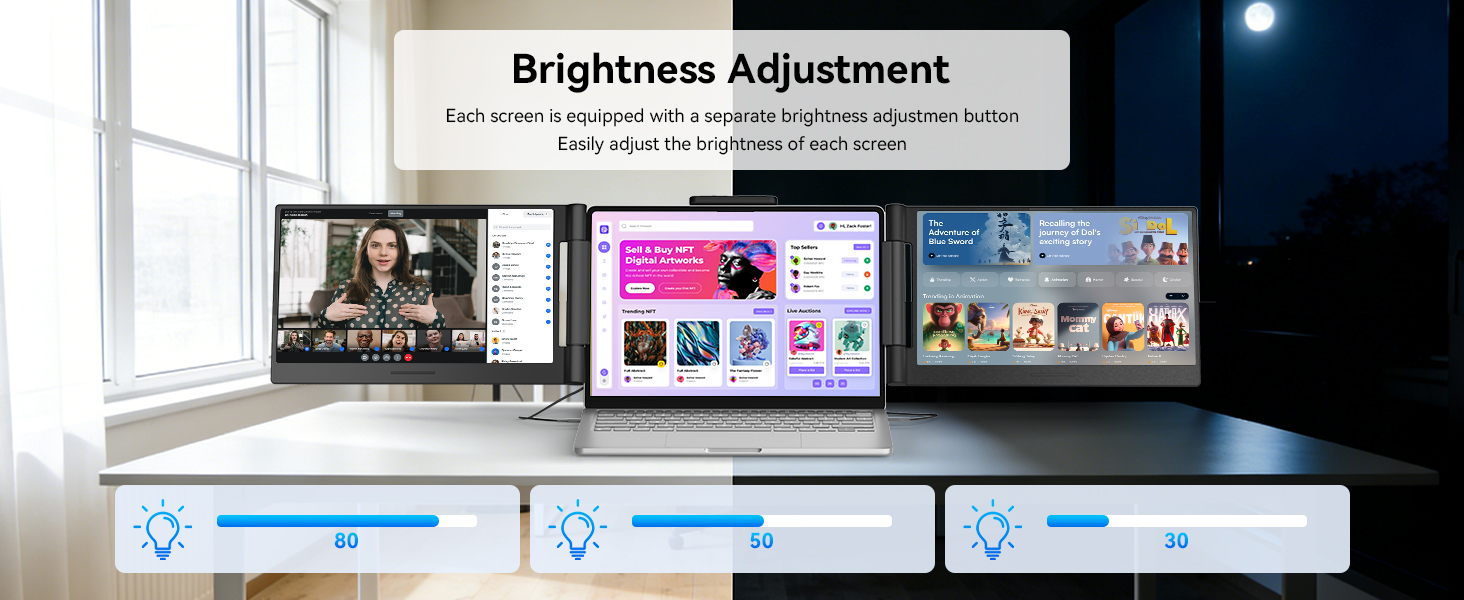
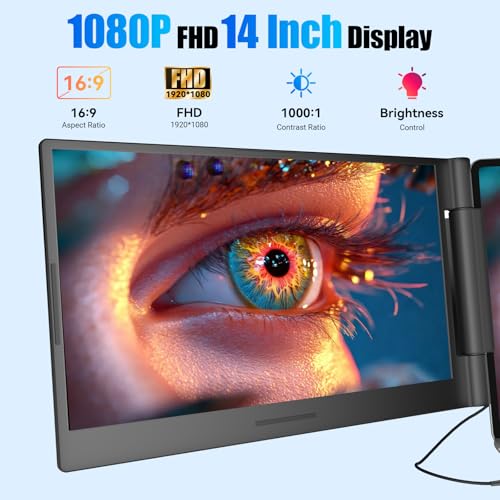
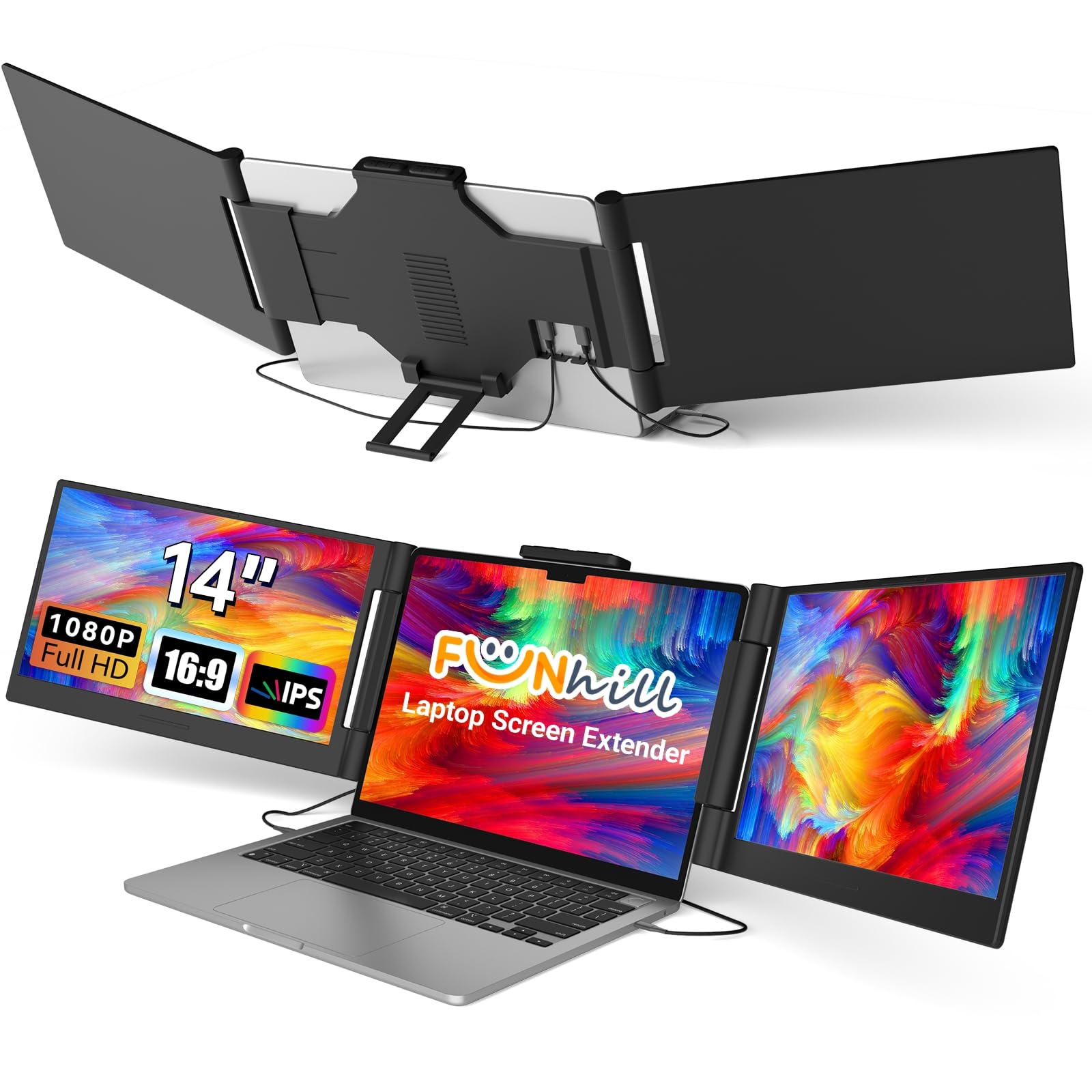
- 1080P IPS FHD Monitor Extender- Funhill laptop monitor extender equips a 14" FHD IPS screen paired with 1920×1080 resolution, 16:9 aspect ration, 60Hz refresh rate for superior image clarity. Enjoy a wide viewing angle and rich, vibrant colors. The triple laptop screen can rotate 0-330° (Left), 0-280°(Right), allowing you to customize the viewing experience according to your preferences. Adjust brightness via screen extender portable side buttons.
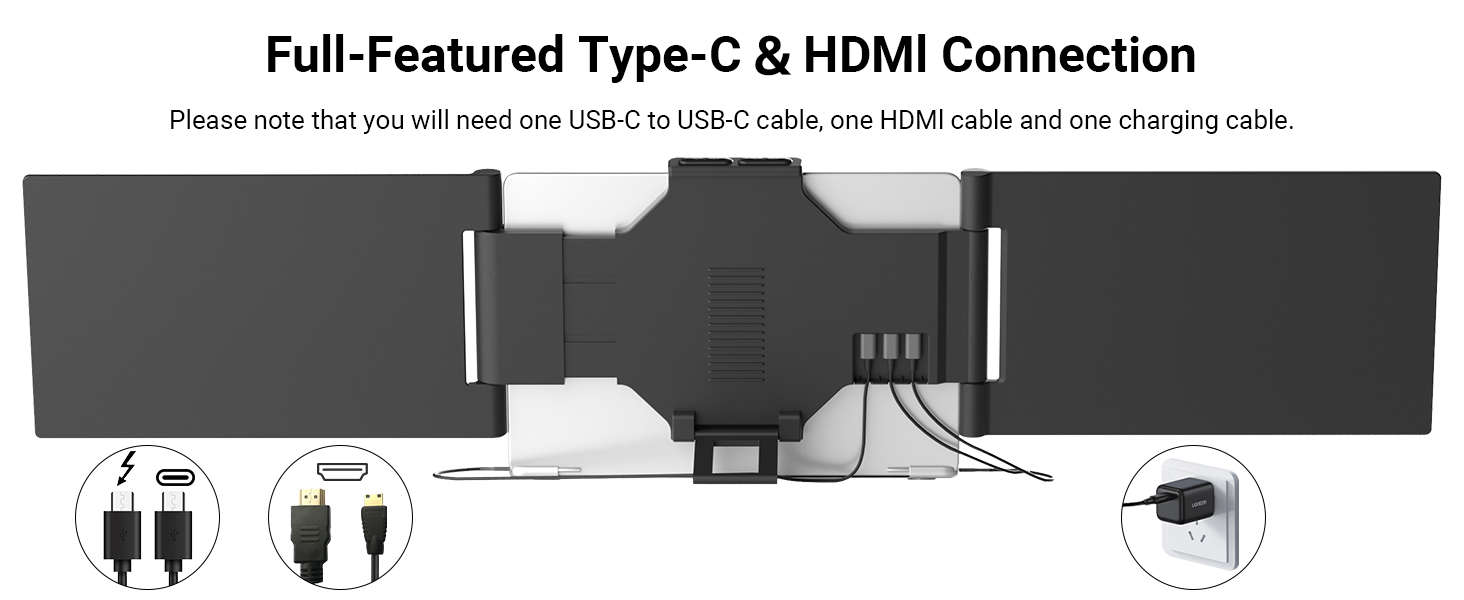
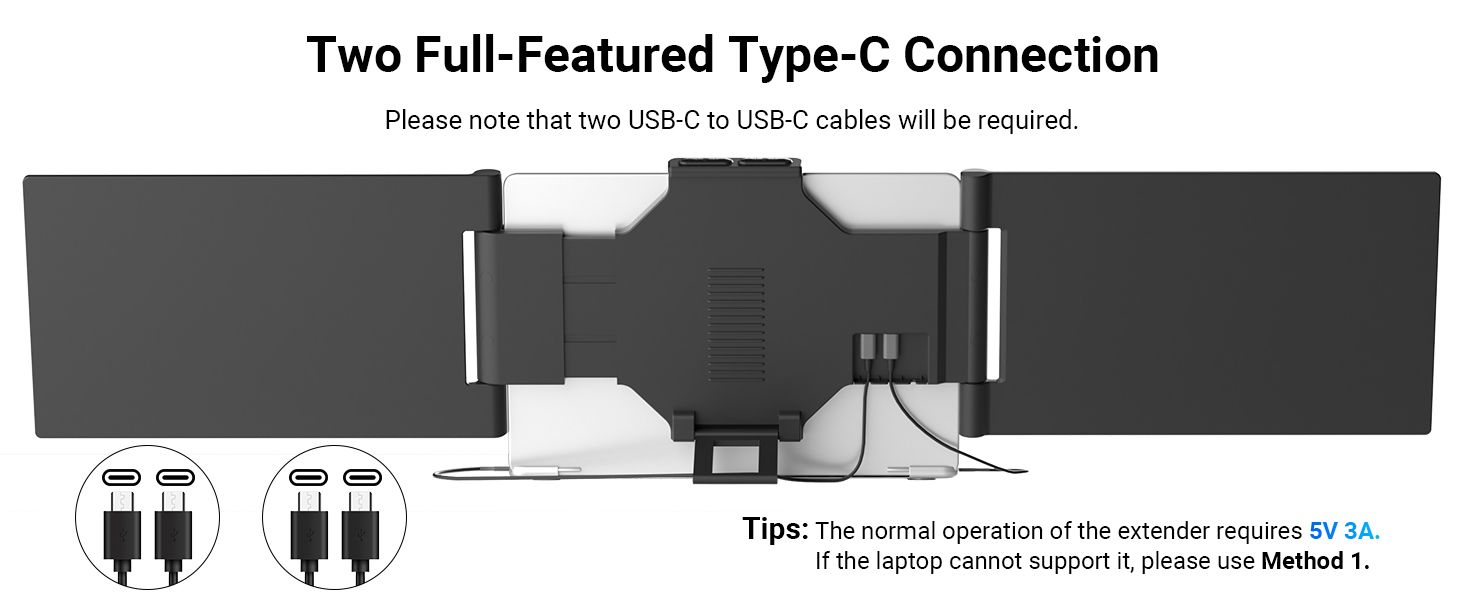
- Plug & Play Without Driver- You just need to connect the portable monitor for laptop via USB-C DP, HDMI directly without any additional driver download. Funhill multiple screens includes all the necessary cables (2* Dual USB-C cable, 1* HDMI to Mini-HDMI cable, 1*DC Charger). : Make sure your laptops support * USB-C ( ) or * USB-C ( )+ * HDMI port. : when use the HDMI cable, please connect one extra dual USB-C cable to the same screen extender to power supply.
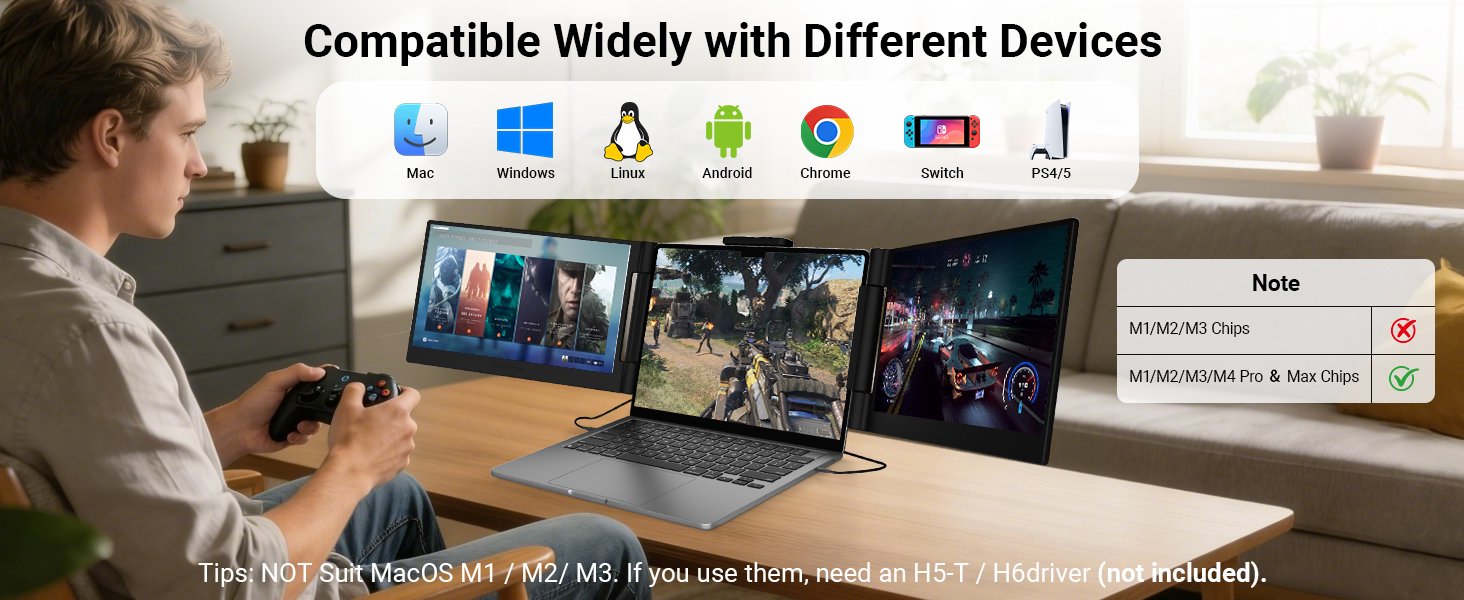
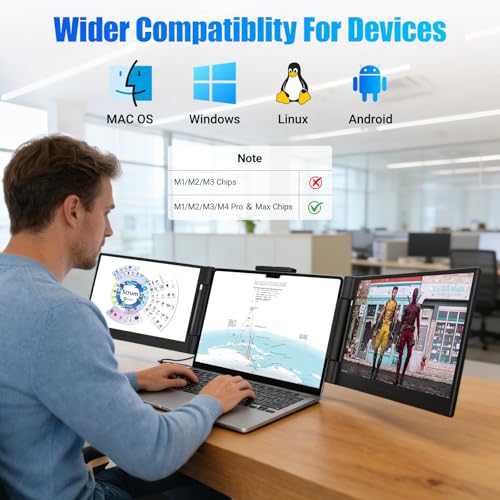
- Widely Compatible & Portable- Portable monitors for 13-17.3" laptop support a wide range of devices and operating systems, including Intel, Android, Windows, Chrome, Linux, Type-C/A phones, PS4, Switch, and so on. Funhill 14 inch laptop screen extender is created to folded compactly for easy storage in a computer bag(not included). Note: The phones need to support video output
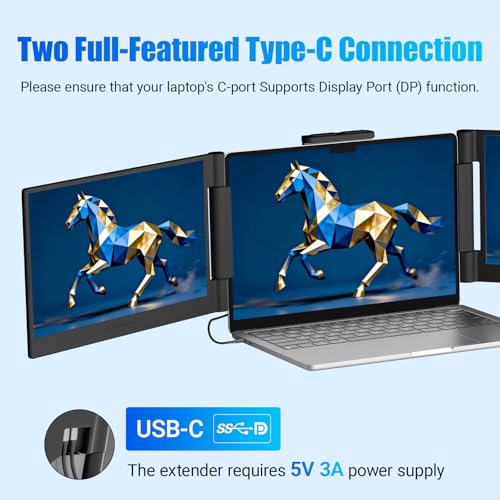
- Reliable Service Support- Rest assured with a 1-year support on our laptop screen extender. If you notice missing accessories or have inquiries about connectivity, feel free to contact us, and we are here to provide a prompt solution within 24 hours. : Please ensure that your laptop has at least one USB-C ( ), Otherwise, the right screen may not function properly. : Two USB-C DP ports for connection, but the monitor extension for laptop no respond. This may be due to the laptop version being too low to support the screen extender. Please use HDMI+C ports to connect and connect the external power supply
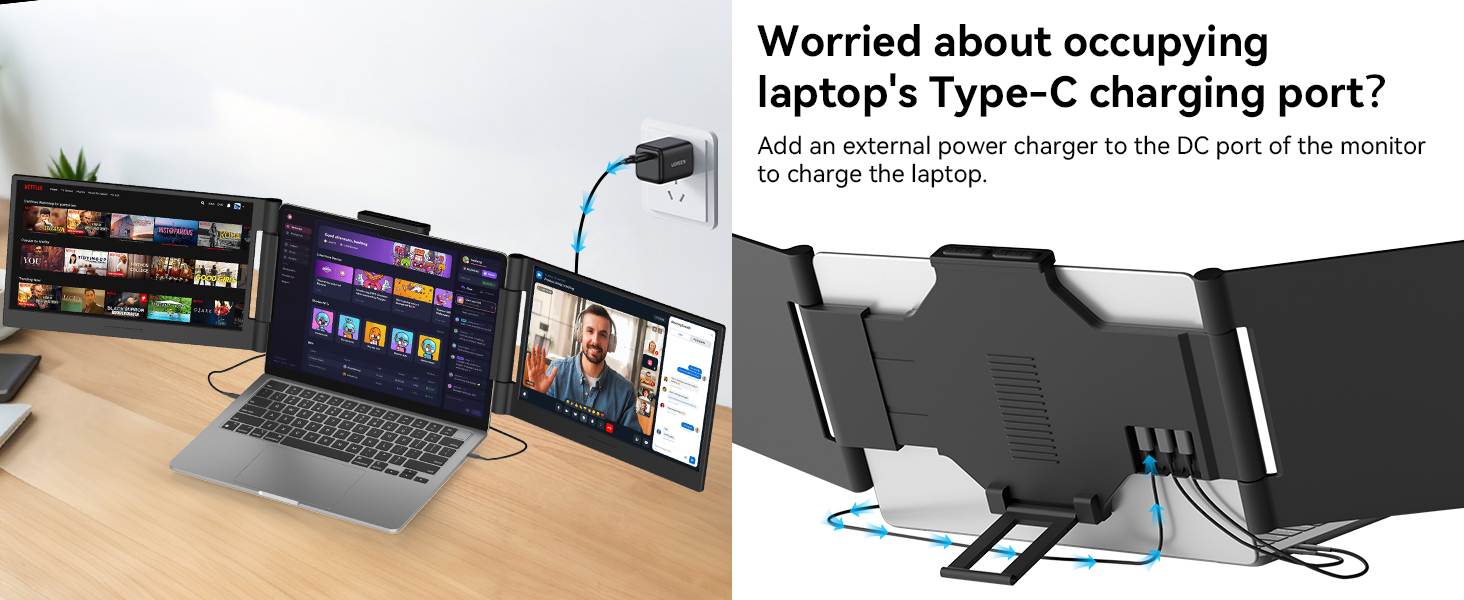
- : If your laptop's USB-C port cannot provide sufficient power (5V 3A), you must connect an external power adapter to both the laptop and the product simultaneously to ensure proper functionality. : Close the left screen first, then the right one—otherwise, the screen may get damaged. Do not force the monitor to retract; stretch it slightly before retracting. : Not for base M1/M2/M3: Only works with Pro/Max/M4/M5 series chips.
Warm Tips Before Purchase
Merchant VideoUsage Instructions & Common Troubleshooting
- Purchased items include a portable monitor, an HDMI-to-Mini HDMI converter, a DC charger, an HDMI-to-Mini HDMI cable, and two dual USB-C cables.
- Make sure your laptops support * USB-C ( ) or * USB-C ( )+ * HDMI port.
Usage Instructions & Common Troubleshooting
Merchant VideoFirst type of computer:
using HDMI + Type-C connection
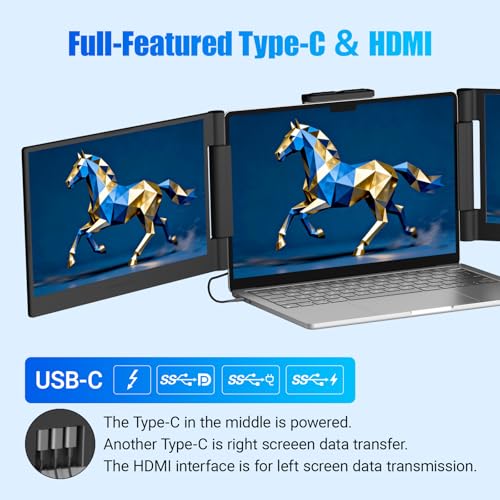
The Type-C in the middle is powered.
Another Type-C is right screeen data transfer.
The HDMI interface is for left screen data transmission.
Please ensure that your laptop's C-port supports ( ) function.
The video showcases the product in use.The video guides you through product setup.The video compares multiple products.The video shows the product being unpacked.First type of computer:
Merchant VideoSecond type of computer:
using two TypeC cables for connection
Two USB-C DP ports are available for connection; however, the screen extender is not responding. This issue may arise because your laptop is unable to provide sufficient power to support the screen extender.
Make sure your laptops support * USB-C ( )
The video showcases the product in use.The video guides you through product setup.The video compares multiple products.The video shows the product being unpacked.using two TypeC cables for connection
Merchant Video

| SKU: | B0GJ4KK3DV |
| Weight: | 3.5 Pounds |
| Brand: | Funhill |
| Model: | LE1411 |
| Colour: | Black |
| Manufacture: | Funhill |
| Colour: | Black |
Product description
Warm Tips Before Purchase
Merchant Video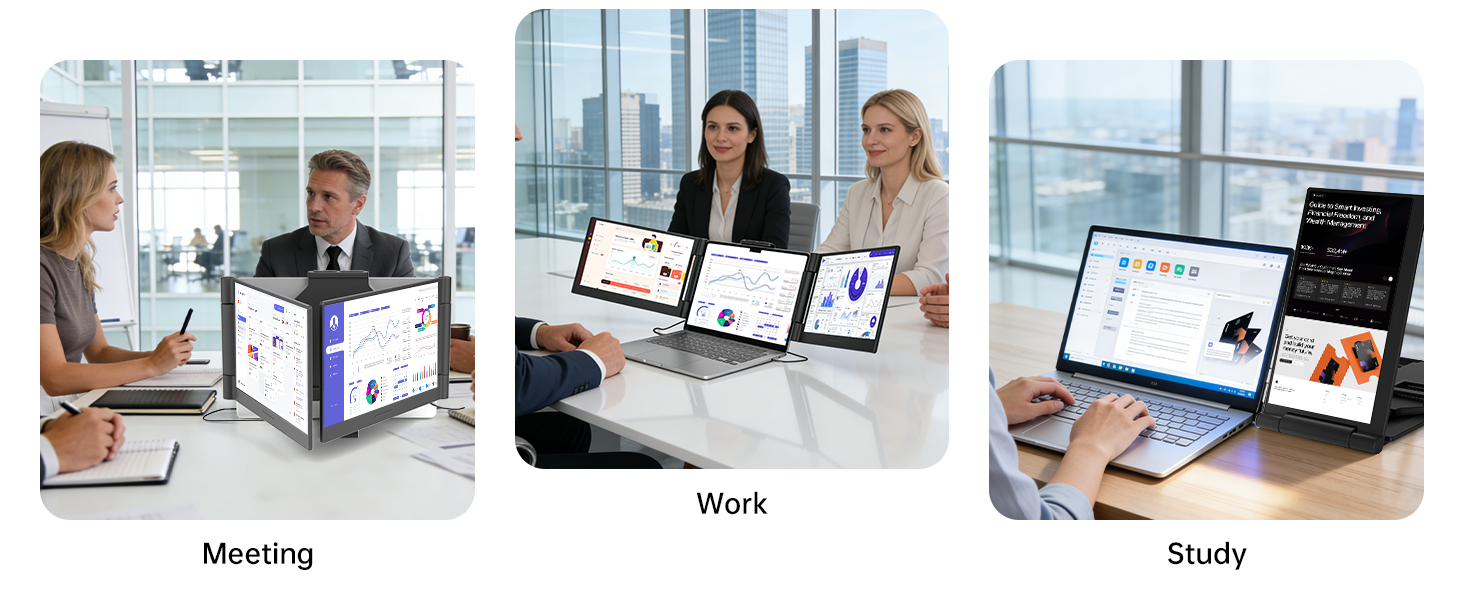
Usage Instructions & Common Troubleshooting
- Purchased items include a portable monitor, an HDMI-to-Mini HDMI converter, a DC charger, an HDMI-to-Mini HDMI cable, and two dual USB-C cables.
- Make sure your laptops support 𝟐* USB-C 𝐃𝐢𝐬𝐩𝐥𝐚𝐲 𝐏𝐨𝐫𝐭𝐬 (𝐃𝐏) or 𝟏* USB-C 𝐃𝐢𝐬𝐩𝐥𝐚𝐲 𝐏𝐨𝐫𝐭 (𝐃𝐏)+𝟏* HDMI port.
Usage Instructions & Common Troubleshooting
Merchant VideoFirst type of computer:
using HDMI + Type-C connection
The Type-C in the middle is powered.
Another Type-C is right screeen data transfer.
The HDMI interface is for left screen data transmission.
Please ensure that your laptop's C-port supports 𝐃𝐢𝐬𝐩𝐥𝐚𝐲 𝐏𝐨𝐫𝐭 (𝐃𝐏) function.
The video showcases the product in use.The video guides you through product setup.The video compares multiple products.The video shows the product being unpacked.First type of computer:
Merchant VideoSecond type of computer:
using two TypeC cables for connection
Two USB-C DP ports are available for connection; however, the screen extender is not responding. This issue may arise because your laptop is unable to provide sufficient power to support the screen extender.
Make sure your laptops support 𝟐* USB-C 𝐃𝐢𝐬𝐩𝐥𝐚𝐲 𝐏𝐨𝐫𝐭𝐬 (𝐃𝐏)
The video showcases the product in use.The video guides you through product setup.The video compares multiple products.The video shows the product being unpacked.using two TypeC cables for connection
Merchant Video
A brilliant and portable way to triple your screen space
Since trying out the Funhill 14-inch laptop screen extender, my daily productivity has skyrocketed. This clever device wraps around my current monitor to add two extra screens, instantly creating an incredible triple display workstation. The setup was remarkably fast and entirely plug-and-play without any complicated software required. By simply connecting the cables, which conveniently draw power and transmit video simultaneously, I had both monitors running perfectly in minutes. The 1080P IPS displays are absolutely stunning, delivering crisp text and vibrant colors that make juggling multiple apps and tabs entirely effortless.
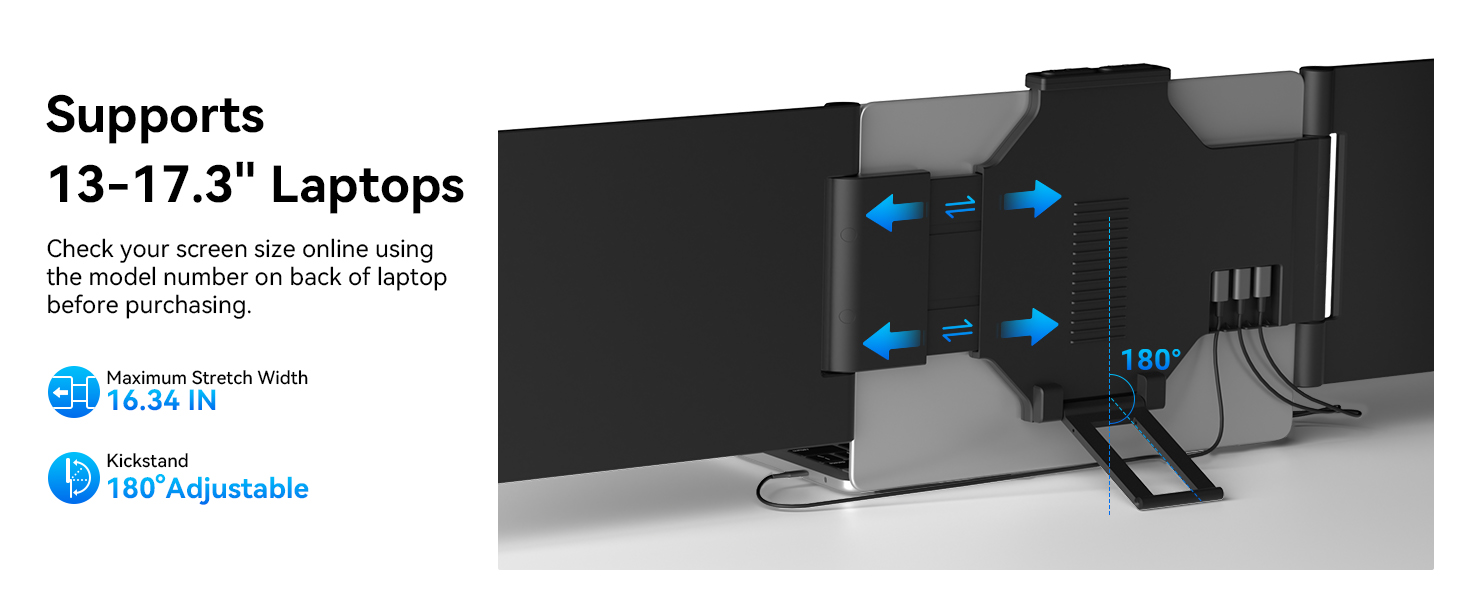
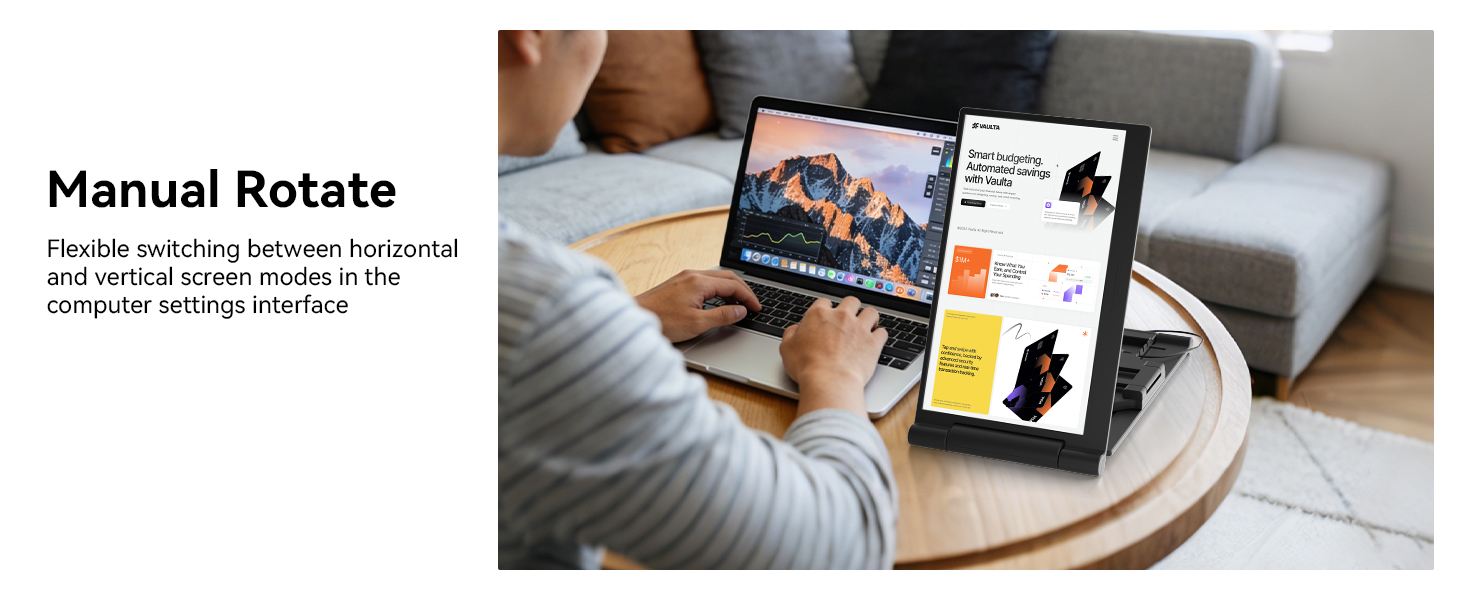
The physical design is very well thought out and feels extremely sturdy while attached. A retractable frame easily adjusts to hold the monitors securely in place against the laptop, and a built-in kickstand supports the extra weight so the whole setup never tips backward. I really appreciate the flexibility of the 280 degree screen rotation, allowing me to find the absolute perfect viewing angle for any task. It can even be configured to use a single side as a standalone monitor in portrait mode if desired.
Despite adding two whole screens, the entire unit remains lightweight and highly portable. It folds down completely flat, making it incredibly simple to slip into my backpack when I want to work from a library or a coffee shop. Whenever I use it in public, it immediately catches the eyes of passersby who want to know about my setup. This monitor offers fantastic value for the money and has completely transformed how I work on the go. I cannot imagine returning to a single screen after using this system.
This laptop screen extender is a total productivity upgrade!
The display quality is crisp and clear, and having a triple screen setup makes multitasking so much easier. It’s perfect for working, streaming, or even editing content.
Setup was quick and truly plug-and-play—no stress at all. It fits my laptop securely and feels sturdy without being too bulky. I also love how portable it is, so I can use it at home or on the go.
Everything runs smoothly with no lag, and the extra screen space makes a huge difference in getting things done faster. Definitely a great investment!
Portable monitor extende
A very good portable monitor. It is very easy to set up, connect, and use; within a matter of minutes, I had a second screen up and running with my laptop. The image is crisp, and the 14-inch size is perfect for working with multiple windows simultaneously. It is also lightweight and easy to carry.
can't go back once you use this triple portable screens
I have MacBook Pro and I just can’t use the single screen that comes with the unit so I’ve been using a portable screen extender that wraps around the laptop screen and provide a second screen hanging on the side. Well, I decided to get this unit so I can add 2 screens, one on each side of the laptop screen, to make total of 3 screens and I don’t think I can ever go back to not using it or anything less than 3 screens!
My coding productivity is much higher since I don’t have to minimize the windows or apps to switch to another app as I can now have 3 different apps/windows open all at the same time on different screens. The screens are beautiful and clear, and is plug-n-play with USB-C cables that draws power from the same cable! The screens can be tilted to the desired angles and I love the kickstand on the back, which helps keep my laptop screen in place as it would simply fall back without it due to the weight of the screens on both sides. It’s really well designed and thought out.
The part that wraps around the laptop screen is retractable to fit different laptop screen size and it fits and holds in place. I love how portable it is with size and being lightweight, I can carry it with me in my laptop backpack. I can also use it as a standalone 2nd screen in portrait mode if needed. I bring this to coffee shops and library whenever I’m working from there and it always catches other people’s eyes and so many people ask me about this cool laptop screen extenders! Love it and highly recommend it.
Great Portable Screen Extender for Productivity
This laptop screen extender works really well and is a great addition for multitasking. The 14-inch display has clear 1080P picture quality and the colors look sharp thanks to the IPS panel. It fits nicely on my laptop and feels lightweight, so it’s easy to carry when traveling or working in different places. The connectivity is simple and it was quick to set up. Overall, it’s a very useful tool for increasing productivity and a great value for the price
Productivity On the Go!
This 14″ portable monitor clips right onto my laptop and sets up in seconds — no drivers, no hassle, just instant dual-screen freedom. The 1080P IPS display is crisp and vibrant, and the 280 rotation makes it incredibly versatile whether I’m at a desk or working remotely.
The image on the screen is sharp
This laptop monitor extender has helped me work more comfortably, it’s very easy to set up and fits my laptop perfectly. The image on the screen is sharp, with high resolution and good color quality. It’s lightweight and easy to carry.
Game-Changer for Productivity – Easy Setup & Crystal Clear Display
I absolutely love this laptop screen extender! The Funhill 14-inch monitor is lightweight, sleek, and incredibly easy to set up—true plug-and-play. The 1080P FHD IPS display is sharp, vibrant, and easy on the eyes, making multitasking so much more efficient.
The 280 rotation is a huge plus, allowing me to adjust the screen exactly how I need it, whether I’m working, presenting, or traveling. It fits perfectly on my laptop and feels sturdy and well-made. I also appreciate that it works seamlessly with my device without needing extra power or complicated drivers.
This is my second time purchasing a laptop accessory like this, and I am very impressed with the quality and performance. Highly recommend for anyone looking to boost productivity on the go!