ASUS ROG Strix OLED 27” 1440P Gaming Monitor (XG27AQWMG
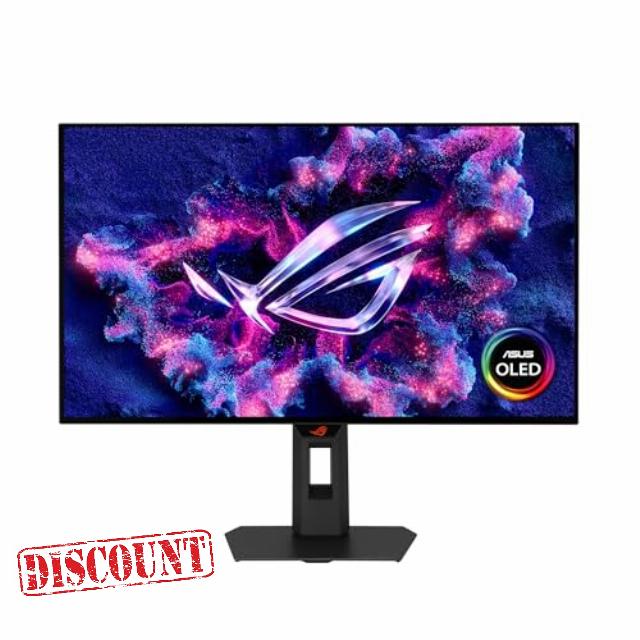
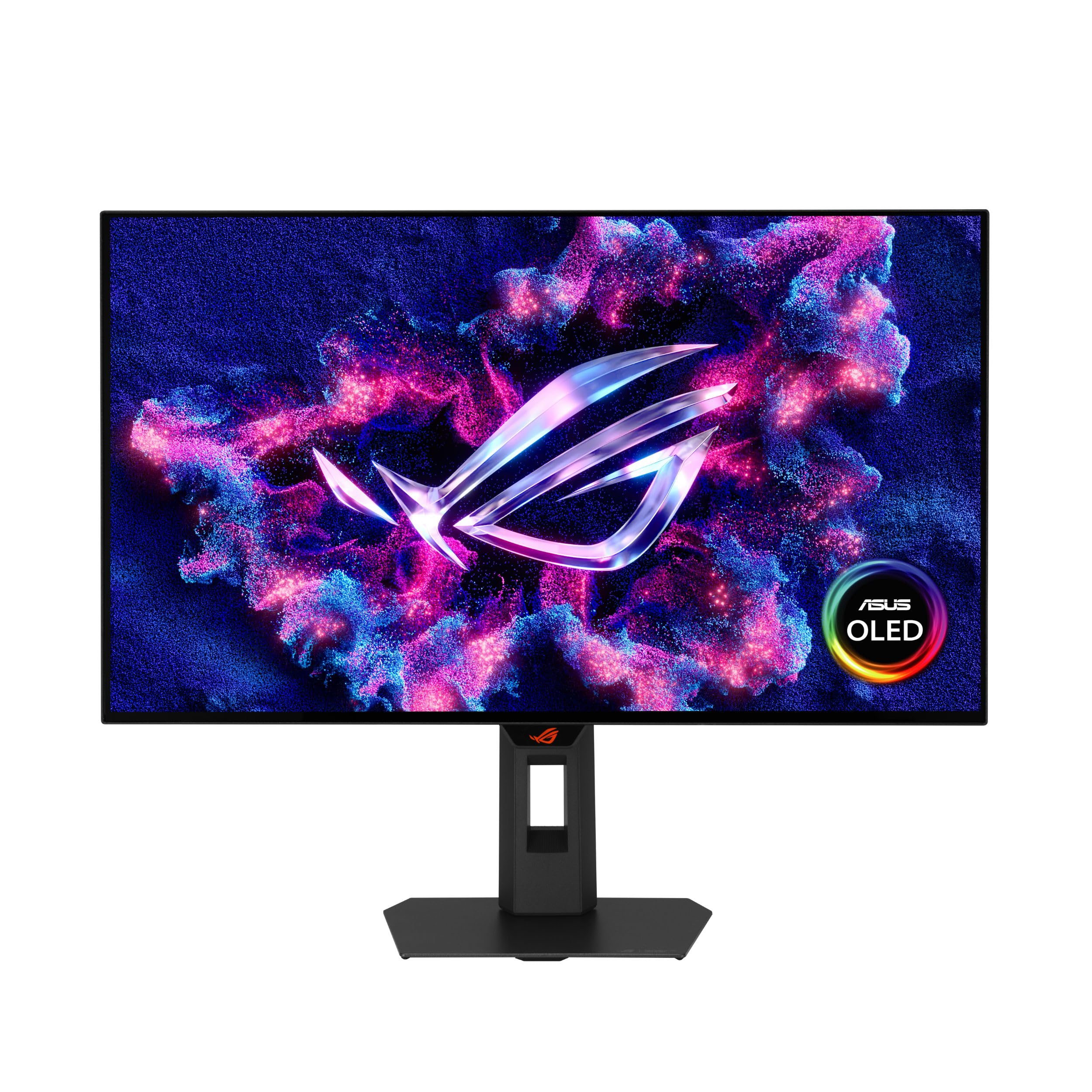
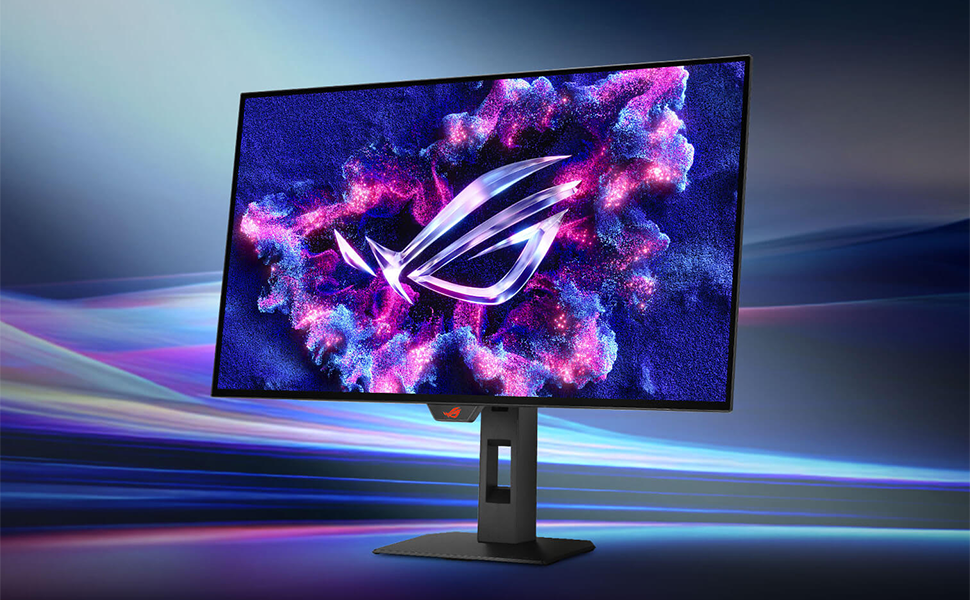
ASUS ROG Strix OLED 27” 1440P Gaming Monitor (XG27AQWMG) ― QHD, TrueBlack Glossy Tandem OLED, 280Hz, 0.03ms, Neo Proximity Sensor, DisplayHDR True Black 500, 99% DCI-P3, DisplayWidget, 3yr Warranty
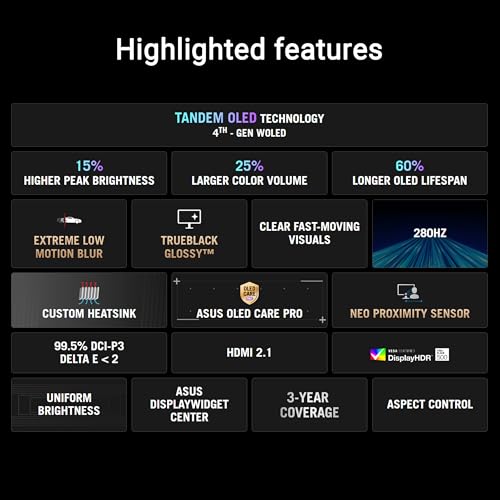
- 26.5-inch QHD (2560 x 1440) TrueBlack Glossy WOLED gaming monitor with 280 Hz refresh rate and 0.03ms response time
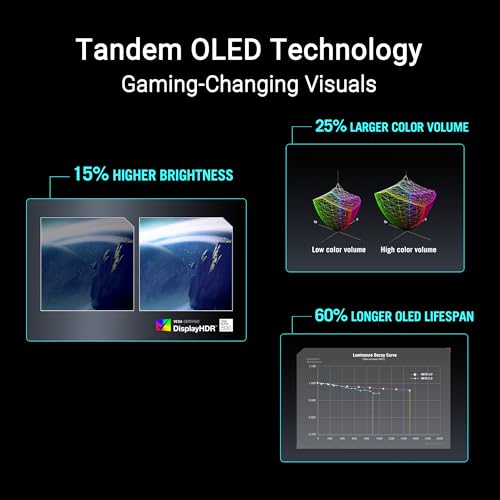
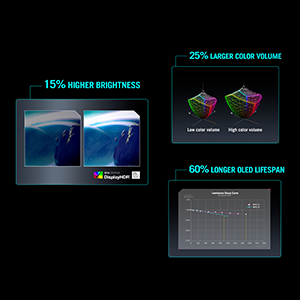
- New Tandem OLED technology for 15% higher peak brightness, 25% larger color volume, and 60% longer OLED lifespan versus previous-generation WOLED panels
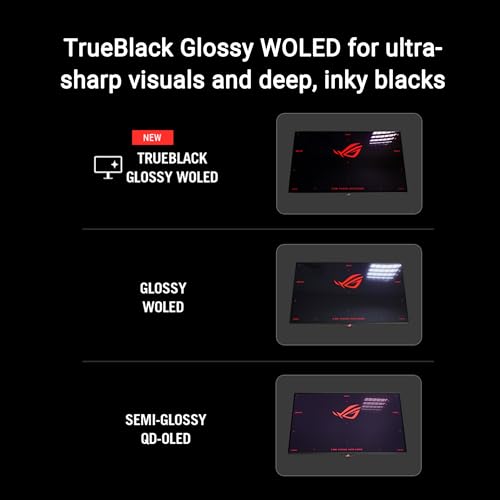
- TrueBlack Glossy panel provides a zero-haze surface and exceptionally sharp imagery
- VESA DisplayHDR 500 True Black compliance, 99.5% DCI-P3 gamut, true 10-bit color, and Delta E<2 color difference for astonishing HDR performance
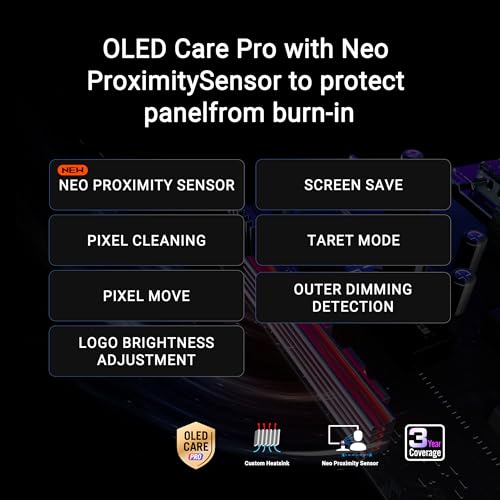
- ASUS OLED Care Pro with Neo Proximity Sensor precisely detects when the user is away and switches to a black screen to reduce the risk of burn-in
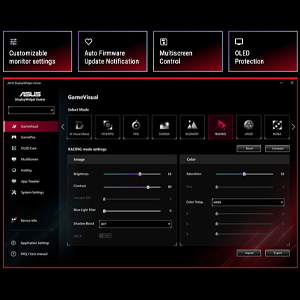
- DisplayWidget Center allows users to easily access OLED Care Pro functions and adjust monitor settings using a mouse
- What’s in the box: DisplayPort cable, HDMI cable, USB Type-B to A cable, Power cord, Microfiber cloth, ROG sticker, ROG pouch, VESA mount kit, Quick start guide, Warranty Card
- 3-month Adobe Creative Cloud: Receive complimentary access with the purchase of this product (valid until 8/31/2026)
The ROG Strix OLED XG27AQWMG is a 27-inch QHD TrueBlack Glossy™ Tandem OLED gaming monitor that offers sharp visuals and features tandem OLED technology that offers 15% higher peak brightness, 25% wider color volume, and a 60% longer lifespan versus previous-generation WOLED monitors. Featuring the new Neo Proximity Sensor within the ASUS OLED Care Pro suite, the monitor is able to detect when the user is away and automatically transition to a black screen to guard against panel burn-in. Thanks to a compact stand, the XG27AQWMG takes up minimal desktop space. Plus, it offers users an extensive array of connectivity options, including DisplayPort™ 1.4 (DSC), HDMI® 2.1, and

| SKU: | B0FP152SJW |
| Weight: | 14.8 Pounds |
| Brand: | ASUS |
| Model: | XG27AQWMG |
| Colour: | BLACK |
| Manufacture: | ASUS |
| Colour: | BLACK |
From the manufacturer
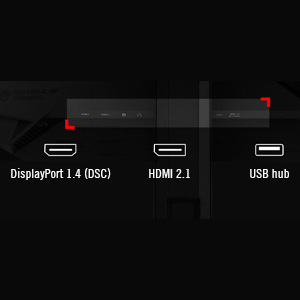
Rich Connectivity
Extensive connectivity options such as DisplayPort 1.4 with Display Stream Compression (DSC), two HDMI 2.1, and USB hub for a wide array of multimedia devices.
Take the leap, it’s worth it… if you win the panel lottery
I had to RMA my 6 month old MSI 271QPX E2 QD OLED which had permanent black horizontal lines running across the panel. I received a refund as there was no replacement stock and almost purchased a similar model before looking at the tandem OLEDs. After hours of research I came to the conclusion it’s effectively a panel lottery for grey banding on tandem oleds, however, given recent reviews of (likely) newer stock I thought I would take the risk and return if necessary.
I received the new monitor and on its first power on I checked for banding which was evident but not to a great degree. I then proceeded to do a pixel clean as per the instructions, updated the firmware and performed another pixel clean. The banding that was there did fade somewhat and after another day of use it seems to have improved even more. I would now have to pixel peep on the test to see anything at all. The picture makes the banding more apparent but in reality looking at the monitor you can’t really see anything at all. Even in grey apps that have been reported as an issue online like steam, YouTube dark mode etc are all perfect on my panel. Whilst there is still some very minor grey uniformity present, in normal use the monitor is absolutely perfect, it must be remembered that grey uniformity is a common occurrence in a range of OLED panels so would not say this is out of the ordinary.
I tested the monitor on a wide range of content and I have to say it’s phenomenal! It out classes my QD OLED in every way. The true black glossy screen is amazing but beware it’s very reflective so bear that in mind. Text clarity is the best I’ve seen on an OLED, if you have minor text clarity issues like I did initially it seems that updating to the latest firmware improves the text rendering and now it is perfectly acceptable for me.
Im glad I took the chance on this monitor it’s an absolute beast!
yes
he neo sensor is a absolute gimmick, but outside of tgst the monitor is flawless interms of color and refresh. ive only ran into the Grey scale issue when looking at discord. id recommend it to anybody looking at getting into oleds
The new gen W-oleds are really good, this monitor and visuals are beautiful
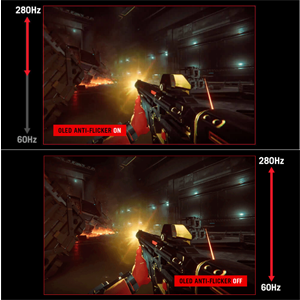
I was a bit scared with the vertical banding issues but I’m assuming Asus got this addressed with more monitors being sent fixed plus the recent firmware update. I can attest is barely an issue and while is there you need to really cause the issue by using a extreme test that does not match daily use. I rarely saw them on the grey test. You can use a clean pixel cycle which takes 6 minutes and clears up the monitor. one issue I can say is a big problem is the flickering which is caused by using G-sync I believe. the monitor comes with an option to reduce it but requires the monitor to be restarted for a few seconds. For me disabling g-sync for now works and eliminates the VRR flicker, the gpu I have has enough overhead to not suffer stutter and screen tearing for now.
Now to the good stuff, this monitor for the price is amazing, the color look vivid in the default “uniform brightness” setting which is on by default to reduce burnt in. I was not aware of good the monitor even looks when you disable this setting for gaming or watching movies/series. the brightness is increased and the colors pop even more so to a vivid gaumut. It really is a feast to the eyes how good it looks. I’m interested to later get a colorimeter to get a profile for the color but for now it comes with decent settings from factory default. The true black is great also for very bight rooms, I had a window behind me and it rarely affects or distracts with light artifacts. also hrd is fantastic and vivid. I’m on w10 and is ok but I have read that Hdr is even better in w11 and on some linux Os forks. Response time feels good too and the extra herts for FPS is a good option. I can’t come up with any negatives other than the VRR flicker which is easy to address, I guess the height adjustment on this monitor is a bit limited. Overall this is a big upgrade for me and I’m very happy with the results. If in doubt you can still test it with either video content and games, if the vertical banding is not showing then the monitor is good to go. Is great to see games so vivid and clear.
Vertical banding
Empecemos por lo primero, es un monitor espectacular, la pantalla glossy es una maravilla al jugar, si necesitas un montn de brillo est es tu monitor, yo lo uso al 20% de noche, 30 a 40% con luz de da.
Ahora el banding, es real… al jugar no lo noto para nada, pero en ciertas paginas web, o al abrir programas como lightroom en los menus se nota, final cut lo mismo, ya con archivos trabajando en la linea de tiempo no esta tan mal, te olvidas de ese tema, pero… ah est,
Sinceramente dira que compraran otro monitor, o esperaran a que LG arregle el problema de estos paneles, en mi uso particular no me molesta tanto por un lado y por otro ya vend mi monitor anterior asi que sera un problema regresarlo y esperar a que me llegue otro monitor asi que me lo quedar pero de haber sabido antes este problema del banding probablemente habra comprado la versin pasada o bien un qd led, compre est porque se supone es ms nuevo y mejor y no… no lo es.
Worth it~
First off it was really nice even though at first boot up there was a bit of banding and dirty effect on the screen, but it is to be expected since its the first boot but after the first pixel cleaning you would barely even notice the banding it has. So rest assured this monitor is one of the best you can get for the new tandem WOLED true black glossy so i can say confidently very worth it to purchase.
EDIT: I’ve discovered that the horizontal lines come back after the standby pixel cleaning runs. It seems like a firmware update is needed to fix this. Updating from MCM102 to MCM104 did not resolve the issue. It is easily fixed by running a manual pixel cleaning, but I shouldn’t have to do this every time I wake the monitor up. Im hoping ASUS addresses this issue.
If you’re worried about the grey banding after unboxing, don’t be until your return window is actually about to close. After I unboxed mine, I immediately ran a few pixel cleaning cycles and it definitely helped, but it was still pretty bad out of the box. The banding was noticeable enough to be annoying during daily use (productivity and gaming), but I could tell it was slowly getting better the more I used it and the more refreshes I did.
About 3 weeks in, I was honestly about to box it up and send it back. The graininess on the greys really bothered me. It was like this thin horizontal and vertical banding that created a grid pattern across the whole screen for grey backgrounds. But I ran one last refresh and now it’s very minimal, to the point I almost don’t even notice it anymore. Plus, seeing how it got better over time from normal use, I’m expecting it to get even better as I put more hours on it and do more cleaning cycles.
For reference, I’m at 108 hours on this screen with 35 pixel cleans. I don’t love that you have to “work” for a good looking display, but once the banding is gone, I think the screen is incredible. Colors are great, brightness and HDR look really good, and the sub-pixel layout makes text look way clearer than my QD-OLED monitor. For the price, it’s a great value.
If you don’t have a huge reason to upgrade right now and don’t want to wait 100+ hours for a screen to look right, maybe wait for the next gen of tandem oled to see if the manufacturing gets better. But if you are thinking about buying it, I dont think there’s any harm in buying it and trying it out since Amazon returns are easy anyway.
Note: Im not including pictures of the screen because the pictures just dont capture the banding issue properly and I dont want to mislead anyone. My monitor looked similar to a lot of pictures you will find online, and now it looks very similar to the greys on my QD-OLED.
To start with some context, I have a single-monitor setup and have been looking for a premium product that I could use in my 9-5 data analyst job and for gaming. I originally purchased an XG27AQDMG, but the text fringing with the old RWGB pixel layout made it practically unusable in my 8+ hours a day in Excel. This monitor does not have that same issue and the text clarity is basically perfect.
The gray banding issues were something I was very worried about because of Reddit. It’s not perfect, but this issue was definitely blown way out of proportion. Unless you are actively seeking it out, you will hardly ever notice it.
This monitor is absolutely gorgeous. Amazing colors, blinding brightness levels for HDR gaming, and incredible motion performance for multiplayer games such as Counter-Strike or ARC Raiders. Really happy with this purchase and I’m excited to use it for years to come.