32GB FRAMEO 10.1 Inch Smart WiFi Digital Photo Frame
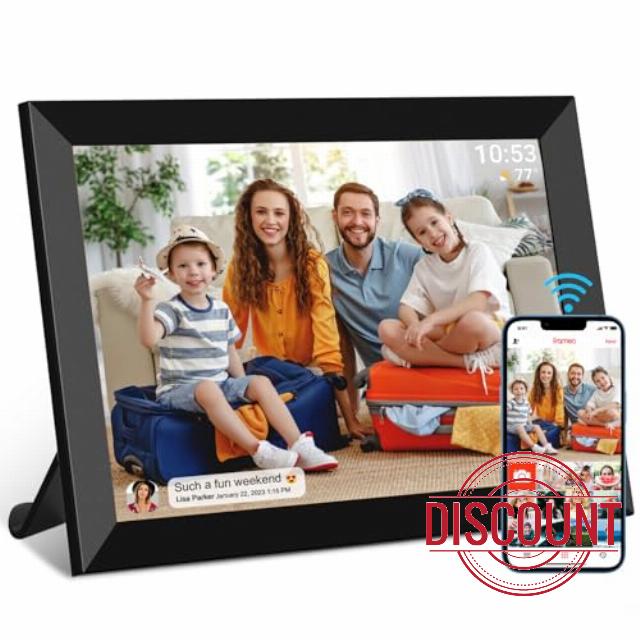
32GB FRAMEO 10.1 Inch Smart WiFi Digital Photo Frame 1280×800 IPS LCD Touch Screen, Auto-Rotate Portrait and Landscape, Built in 32GB Memory, Share Moments Instantly via Frameo App from Anywhere
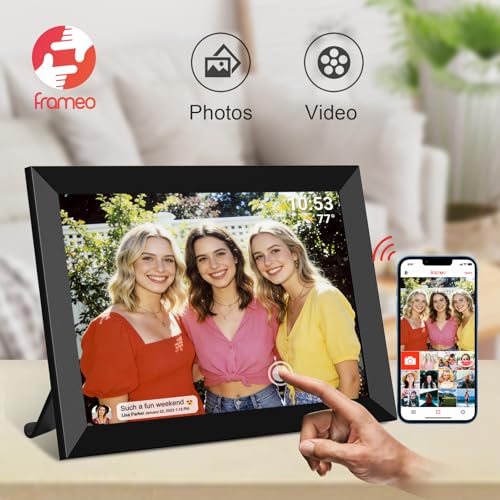
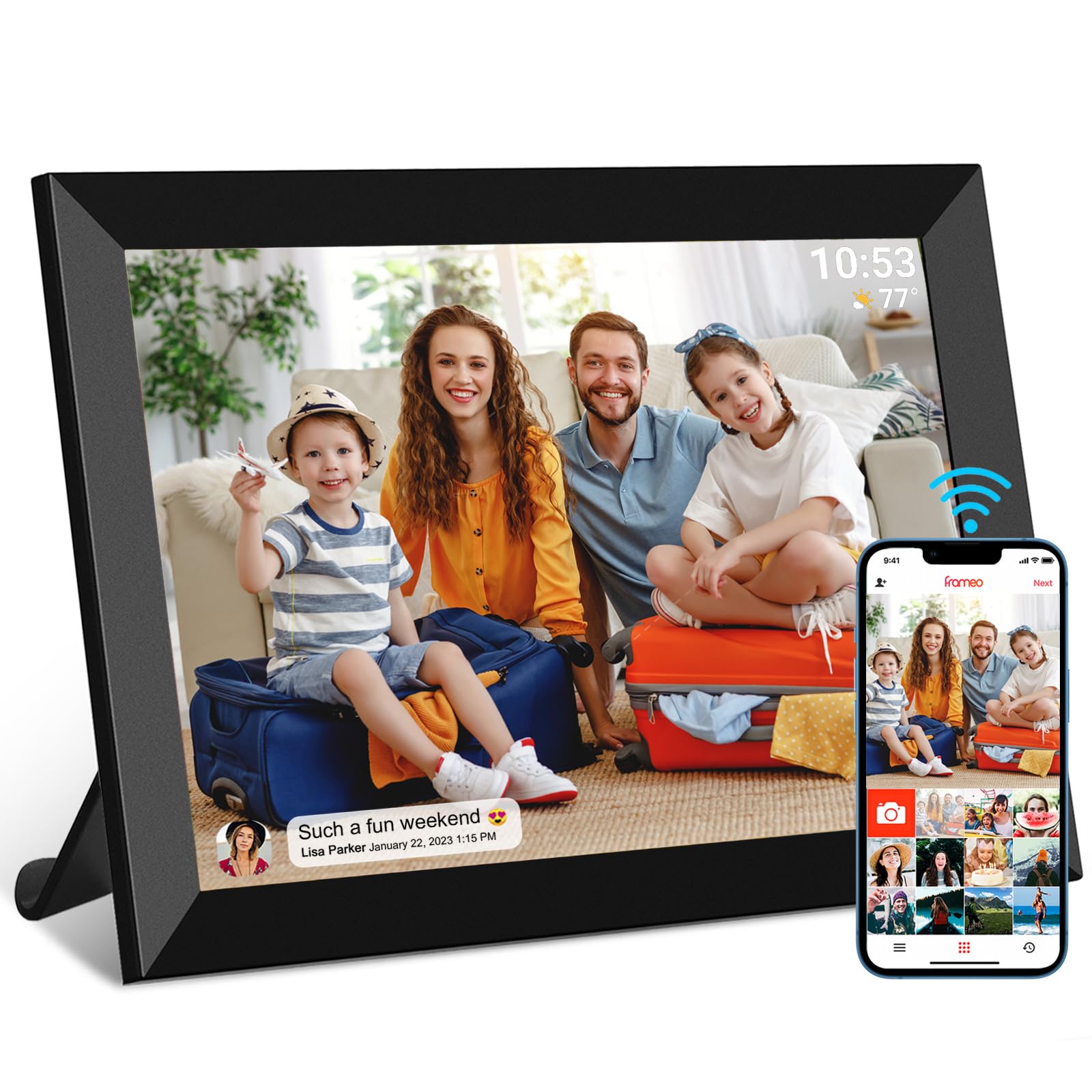
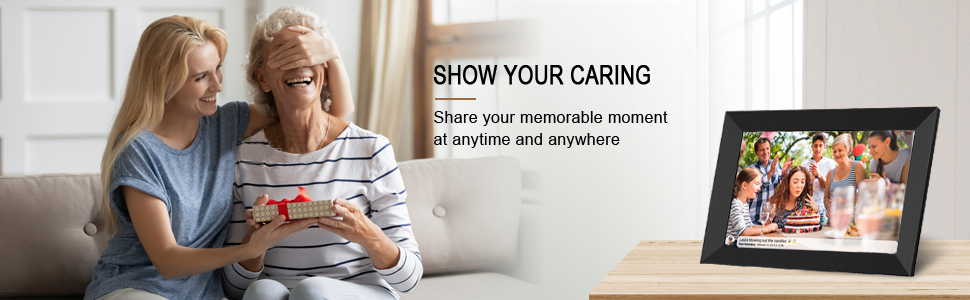
- 【SHARE PHOTOS AND VIDEO PRIVATELY, SAFELY】 Send photos or small videos (Max.15 seconds) directly to FRAMEO APP from anywhere in the world, friends and family can enjoy your wonderful moments within seconds on Akimart WIFI frame. The ''frameo'' App for iOS and Android gives you full control over your frame. Built-in 32GB memory, Support Mirco SD Card extend storage, also can Import and Export pictures or videos.
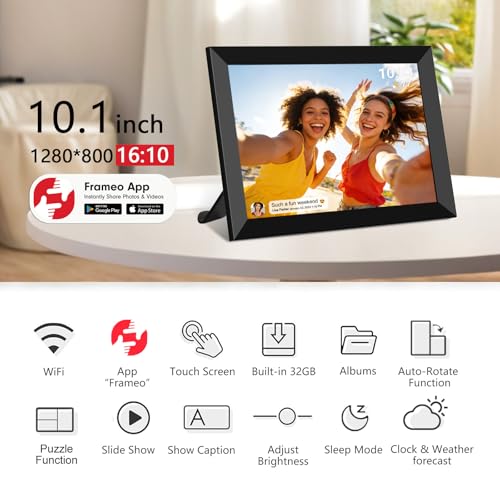
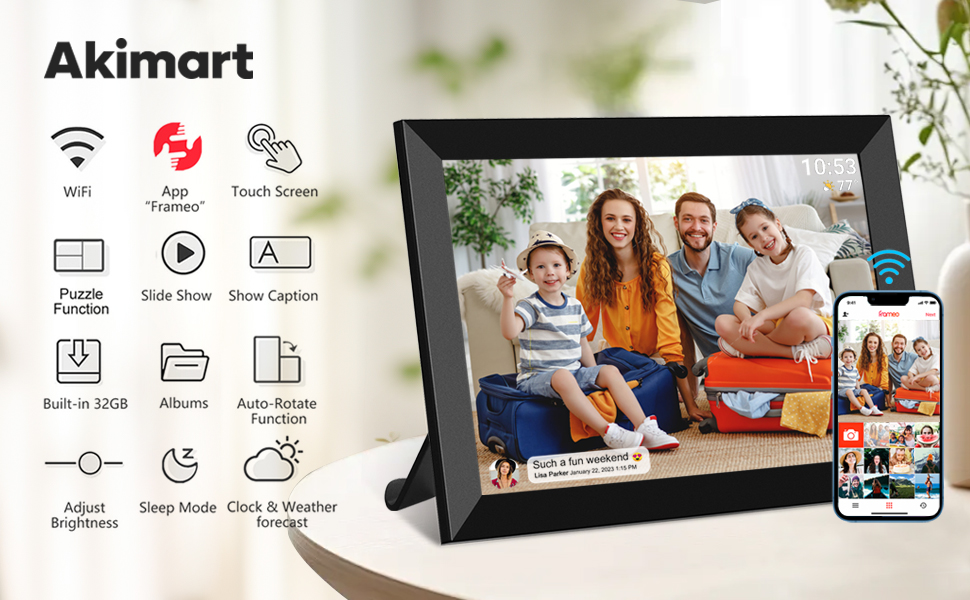
- 【IPS HD TOUCH SCREEN】 This 10.1” digital picture frame is featured with 1280*800 Resolution IPS touch screen which allows you to get a nice visual from any angle. Even at a glance, you can see the pictures clearly. The photo frame supports picture format by JPG/JPEG/BMP/PNG and video format by MP4.
- 【IMPRESSIVE FUNCTIONS】 Akimart WiFi digital picture frame can automatically rotate photos to adjust the direction, Come with a detachable holder as a frame stand, allowing you to view the photos in either portrait or landscape mode. Display caption, weather and clock, you can sett turn on or off. Multifunctional custom settings, such as play order, image zooming, hide/publish images, adjustable brightness, sleep mode, etc.
- 【EASY SETUP & USE】 User-friendly interface design makes it easy-to-use for all ages. Only a few steps to complete the setup and intuitive touch screen makes the usage much easier than ever.
- 【SINCERE TO THE LOVED ONE】 Suitable for different scenarios, birthday, wedding, graduation ceremony, family gathering and so on. All your precious and cherished moments can be displayed on the digital photo frame instead of just being locked inside your phone.
10.1 inch WiFi Photo Frame Support Frameo APP
Frameo APP
- To send photos or video to your frame, use the frameo app for iOS or Android
- Frameo is an easy way to share your photos or video with the people you love. Send photos or video directly from your smart phone to a Frameo WIFI digital photo frame and allow friends and family to enjoy your best moments.
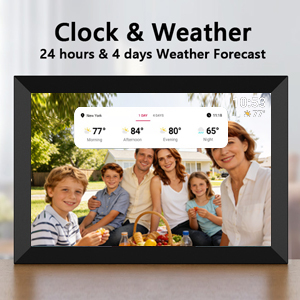
24 hours & 4 days Weather Forecast
This combination of features makes the digital photo frame a versatile addition to any home or office. It can serve as a decorative piece, a functional clock and weather station, and a repository of your cherished memories.
Whether you're looking for a unique gift or a way to enhance your own living or working environment, a digital photo frame with clock and weather functions is definitely worth considering.
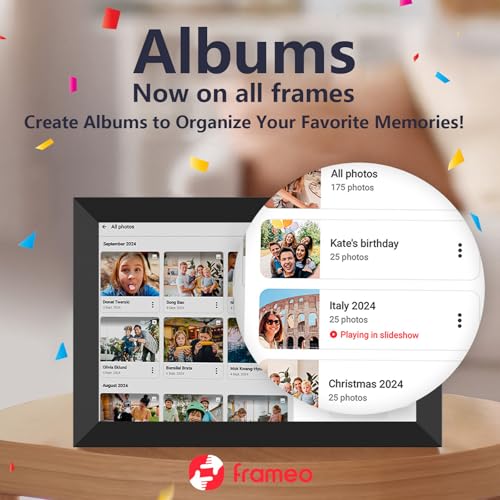
Create Albums to Organize Your Favorite Memories
Create albums on your frame. Switch easily between your favorite albums. Easily organize and display your favorite memories. Group photos by events or loved ones, switch between albums in the slideshow, and enjoy your favorite moments on your frame.
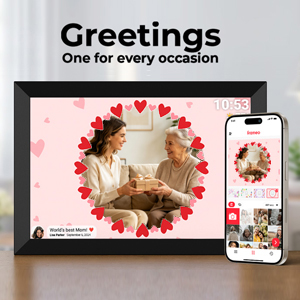
Greetings For Every Occasion
During the holiday season, when warmth and togetherness are in the air, a digital photo frame can serve as a heartwarming messenger. Load it with beautiful pictures of festive decorations, snowy landscapes, or happy family moments. As your loved ones glance at the frame, they will be greeted with these images, instantly feeling the holiday spirit.
Makes You Feel Connected Even When You Miles Apart
Imagine sending a picture of a beautiful sunset from your vacation to your parents who live in another city. As they look at the photo on their digital photo frame, they can send a heart reaction back to you, letting you know that they are sharing in your joy. Or perhaps you send a photo of your newborn baby to a distant relative. Their excited reaction in the form of a smiley face or a congratulatory message can bring tears of happiness to your eyes.
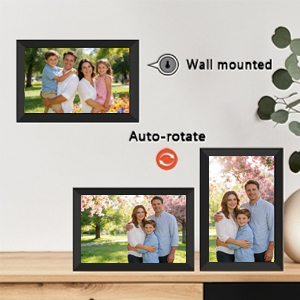
Auto-Rotate Function
WiFi digital picture frame can automatically rotate photos to adjust the direction, and the border will be filled to blur the background. Enjoy your intact photos in full screen.
Sleep Mode
Sleep mode helps conserve energy. Activating sleep mode can significantly reduce power consumption. This not only saves electricity but also extends the lifespan of the device.
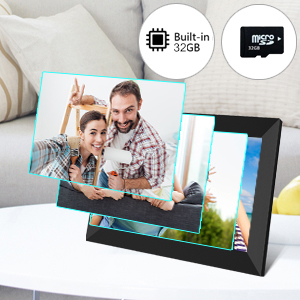
Built-in 32GB, Support Micro SD Card
This WiFi frame has unlimited free cloud storage and built-in 32GB memory. Support Micro SD Card extend storage, also can Import and Export pictures or videos.
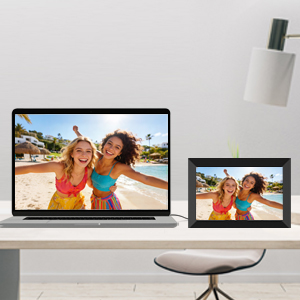
Transfer to Computer Via Usb Cable
1. Frame connet to computer with usb cable.
2. Turn on frame transfer function.
3. Found DCIM folder in computer file explorer.
4. Coppy photos to DCIM folder.
Note: only possible on Windows and Linux.
USB-C to frame and USB-A to laptop.

| SKU: | B0GTJGFZ28 |
| Dimensions: | 6"L x 8"W |
| Brand: | akimart |
| Model: | ZN-DP1002 |
| Manufacture: | akimart |
Product description
10.1 inch WiFi Photo Frame Support Frameo APP

Workable offline! :D With hiccups :|
I might be weird, but I wanted to get this as an offline digital frame. And while this is definitely geared towards online use – it works really nicely offline as well.
The display is glossy, not my favorite but it does make colors pop. I tossed a bunch of jpegs onto it – some edited, some straight out of camera(s) – and it handled all of them well. Colors seem reasonable and they weren’t distracting to me even though I could tell which photos I had edited and which ones were straight of of camera.
Build quality is plastic fantastic. It’s not bad, it’s just plastic. For something that doesn’t get touched that’s totally fine. If you’ve got little fingers that will poke at this often, I could see opting for something more robust. The frame itself around the display is a classy matte black and allows the photos to pop without being distracting.
I used a MicroSD card to copy files over. I did resize all my files to be 2400px on the largest dimension to save on space. Copying from the microSD card was pretty easy. It isn’t the most responsive touch screen but if you’ve used a smartphone, it’s easy to figure out. I think it’s running an Android version under the hood and everything feels responsive if not smooth. Like I can tell when I pushed a button even though it takes hot minute to do most tasks. Fingerprints don’t show super easily and so long as you don’t regularly touch the screen, shouldn’t be an issue.
The charger is USB C and I tried it with a 100W charger brick but it didn’t work. Since you can transfer from your computer to the display I think this prefers a lower wattage charger if you’re going to use it with anything other than the provided power cord. I however was unable to get it to do anything except bootloop when connected to my laptop. I tried multiple USB C cables and only a USB A – C cable got it to power on at all….but then it gets showing the frameo logo and restarting. So I was not able to connect directly to my laptop and transfer pictures that way. Fortunately I had a microSD card around to use but that isn’t going to be an option for everyone. I do appreciate the built in storage that I could copy photos to instead of permanently giving my microSD card to this frame. A second data only USB port in addition to the power port would be nice to have since this doesn’t seem to do any proper handshake for power from a computer.
The speakers are covered up by the stand itself so temper and expectation you have of decent audio. And if you hang this on a wall, it’ll just project sound straight into the wall with no real room for the audio to escape. I’d consider this a photo first frame but that was what I bought it for.
Overall, this is totally workable as an offline photo frame and so it gets 4 stars for me. The direct from computer transfer was a big letdown. But considering I can set it up and use it entirely offline without needing an app or anything else makes me happy. I definitely recommend this even with some caveats.
FRAMEO 10.1" Smart WiFi Digital Photo Frame
This 10.1-inch FRAMEO digital photo frame is a modern, app-connected way to display and share photos with family and friends. It combines a clear IPS touchscreen with WiFi connectivity and built-in storage, making it more interactive than traditional frames.
One of its standout features is the Frameo app integration, which allows photos and short videos to be sent directly to the frame from anywhere. This makes it especially appealing for staying connected with family—multiple people can share images in real time without needing physical access to the device.
The 1280800 IPS display offers good clarity and color for everyday viewing, and the touchscreen makes navigation simple, even for less tech-savvy users. The auto-rotate feature adjusts images between portrait and landscape depending on orientation, which adds flexibility for placement on a table or wall.
With 32GB of internal storage, it can hold thousands of photos, and some models support additional storage via SD card. Setup is generally straightforward—connect to WiFi, pair with the app, and start sharing.
There are a few limitations to keep in mind. Video clips are typically limited in length (often around 15 seconds), and image quality depends on the original file resolution. Also, while the display is sharp for a frame, it’s not as high-resolution as premium tablets or screens.
Overall, this is a user-friendly and giftable digital frame, especially well-suited for families, grandparents, or anyone who wants an easy way to share and display photos remotely. It balances convenience, functionality, and value without being overly complicated.
Budget friendly
Digital frames have been around for many years now and they haven’t changed much. They used to be expensive and with some you had to stand right in front of it to see it. And they all had a row of tiny buttons on the back where they were hard to see, hard to use and multifunction so they were confusing. The good new with this one is that all of the above seems to have been solved. This one is a fraction of what they used to cost yet has a picture at least as good and maybe better than the best ones of fifteen years ago. And to my joy it only has one large and easy to find button on the back, everything is adjusted and customized using the included downloadable app.
YES NO MAYBE
If you are shopping for digital frames you already know what they are so I won’t simply repeat the obvious. I will only say that they all have some drawbacks. A picture on a digital frame will look like one on your phone, that is to say it will be sharp and crisp and bright but when you hang it one the wall it doesn’t really look like a photo, it looks like a small TV screen, which in essence is what it is. There is a newer technology for those who want it to look more like a real photograph but they are still very expensive. As far as what’s available in the budget category this is one of the better ones I’ve seen. I like it.
Easy app to use- clear images
Great size and instructions. Very easy to set up. I like how easy the Frameo app is to use. I’ve given 3 of these frames as gifts. I charge the frame and update the software, link the frame to the app, upload a handful of photos- then turn off the power and wrap up the frame. When the gift recipient opens the frame it already has photos streaming!
What I love about this frame is that I’m not stuck looking at the same picture but I can also keep adding or removing pictures. I love how easy this was to setup, including the app. I was able to go through and upload so many pictures through the app, even while we were on vacation. So when we got home, we were able to see all of the pictures from our vacation. Connecting this to my modem was super easy too! I personally love the look of this frame and love that I can either have it vertical or horizontal. The brightness is adjustable but the picture clarity is nothing but amazing! The quality of this frame and the picture quality has surpassed my expectations. Easy to connect and I would definitely buy this as a gift, which I actually am after I write this review!
I bought this for my parents who live a few states away and constantly complain they never see new pictures of the grandkids, and it’s turned into one of the better gifts I’ve given them. The setup was easier than I worried it would be for them, I got it on their WiFi in a few minutes and linked the app, and now I can snap a photo here and it shows up on their frame across the country within seconds, which honestly still feels a little magical to them. The screen is nice and clear, the IPS panel holds its color and brightness even when you’re looking at it from the side, so it looks good sitting on their kitchen counter no matter where you stand. I like that it auto rotates and handles both portrait and landscape shots without me having to fuss, and being able to add a little caption is a sweet touch. Honest notes, the video limit is only fifteen seconds so you can’t send a real clip, just a quick moment, which felt limiting. The built in storage fills up if you send a ton, though the SD slot helps. The touch response is also a bit laggy sometimes and the speaker on videos is tinny. For getting photos off your phone and onto a loved one’s shelf in real time, this has worked well for us and I’d recommend it.