Wireless Headset with Mic for Work, Clear Sound
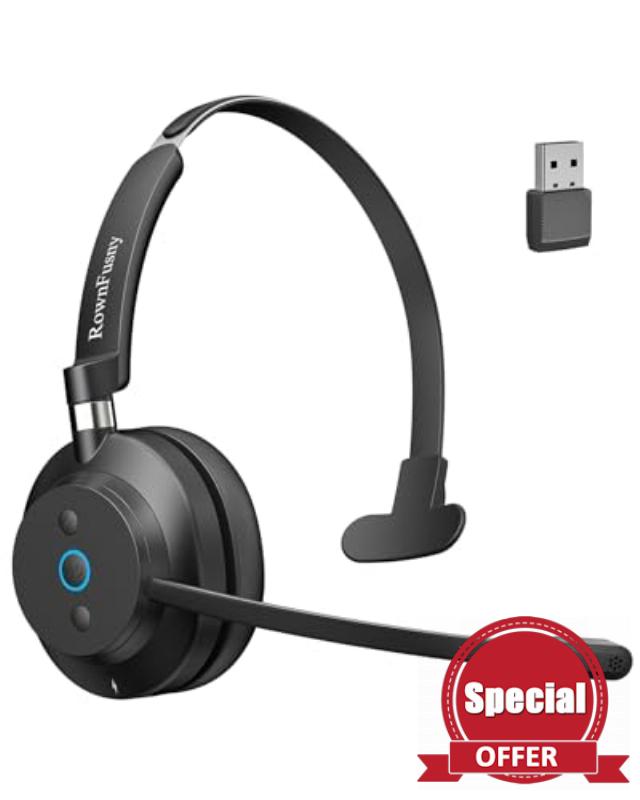
Wireless Headset with Mic for Work, Clear Sound & Comfortable& Stable Bluetooth 5.3 Connection, Computer Headset with Microphone, Bluetooth Headset with USB Dongle for Office/Home/Teams/Zoom/Skype
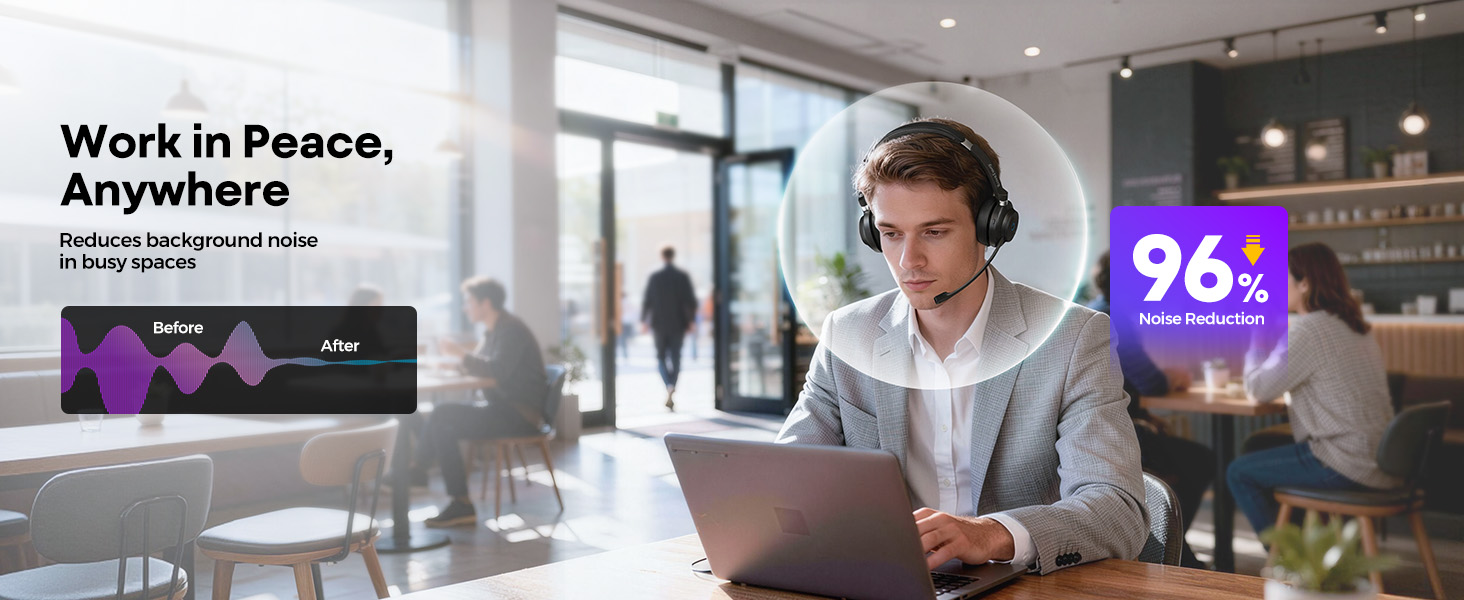
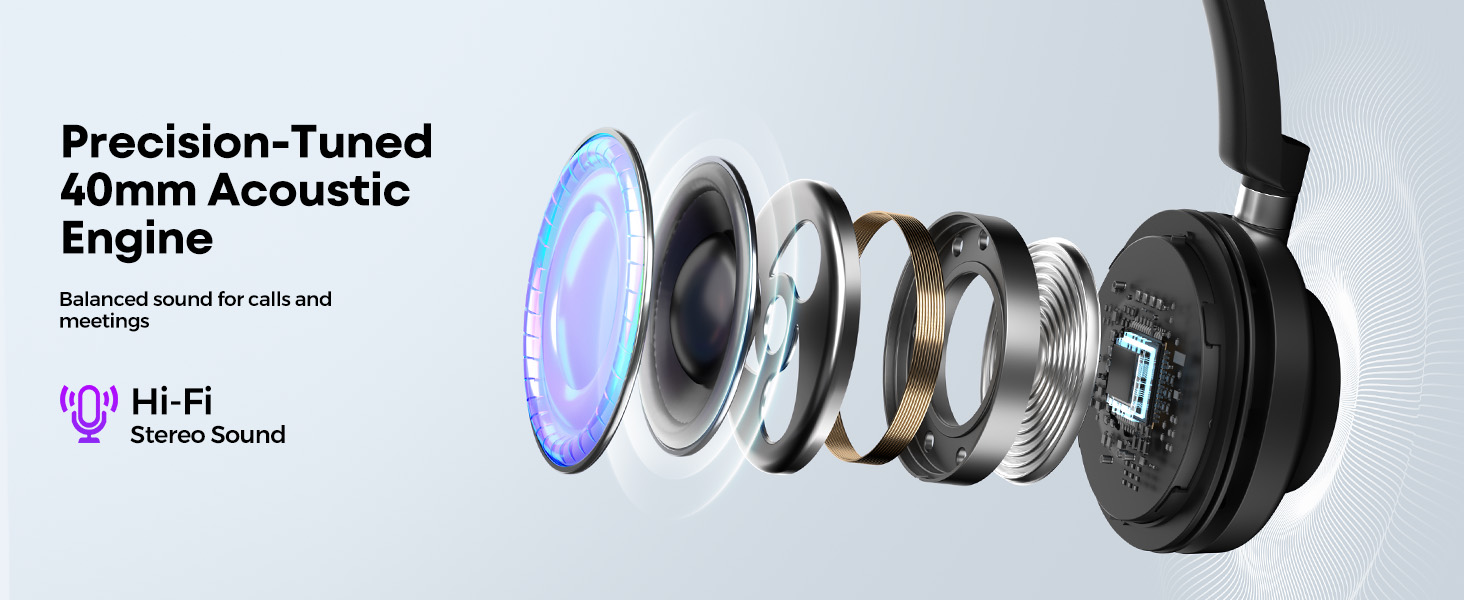
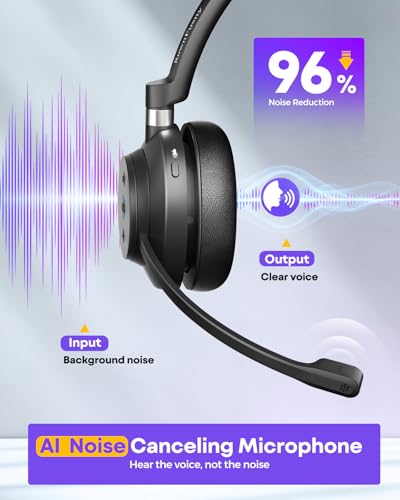
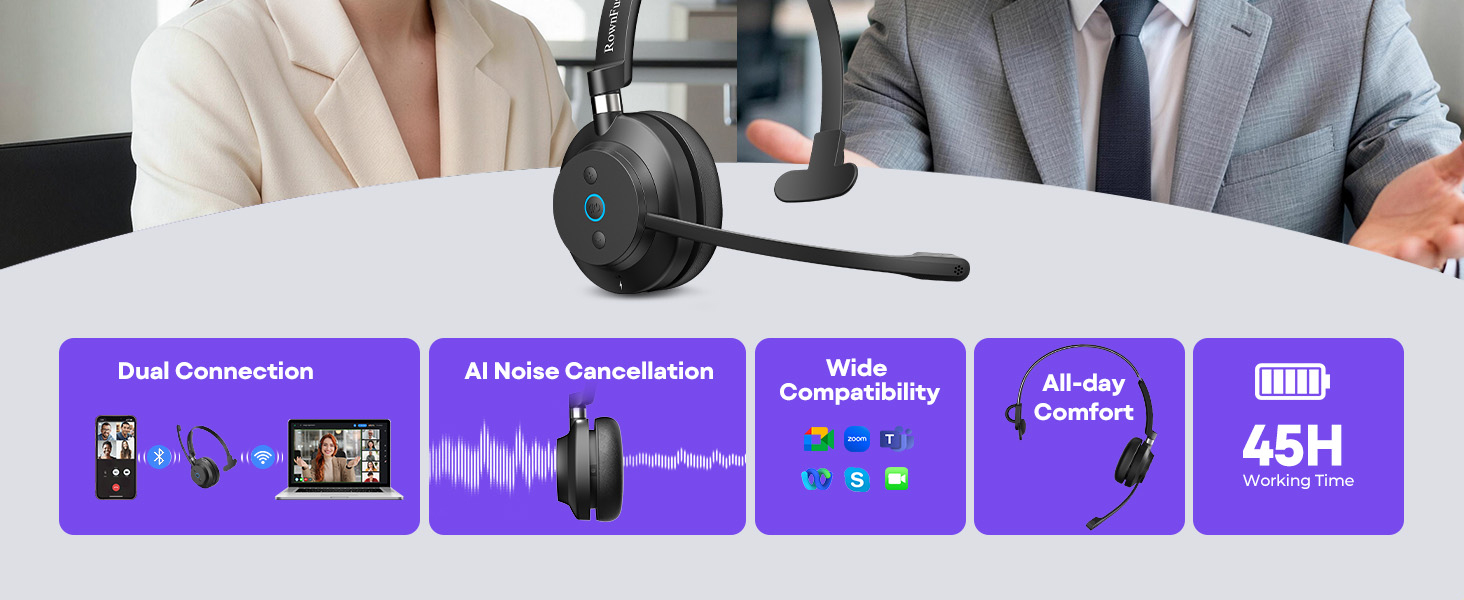
- 📞【ENC Noise Cancellation】This wireless headset with microphone features ENC noise cancellation to reduce background noise for clear calls. The headphones with microphone features Dynamic EQ that keeps voices natural during meetings and automatically switches to stereo sound for music or videos. With DSP noise processing, voice calls and media playback remain clear in the office, at home, or in a meeting.
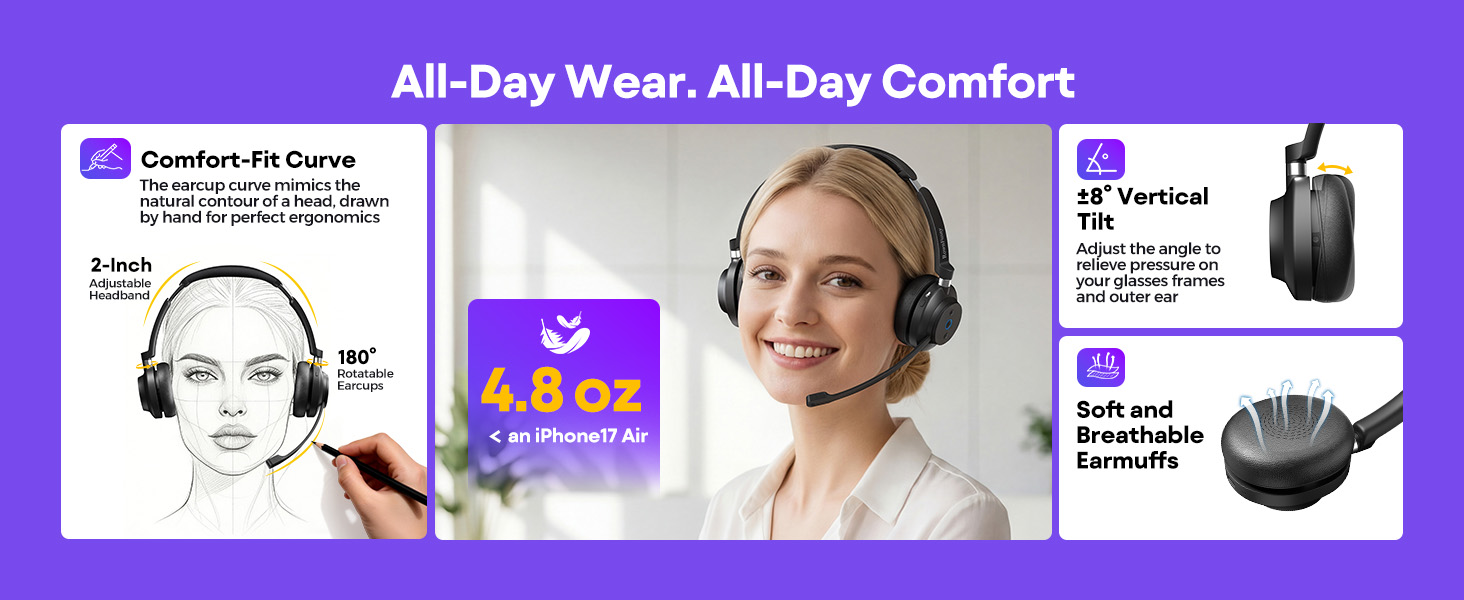
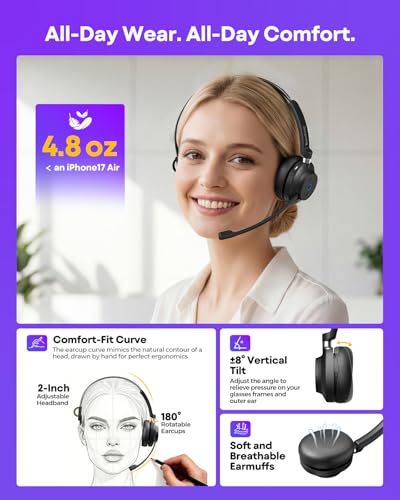
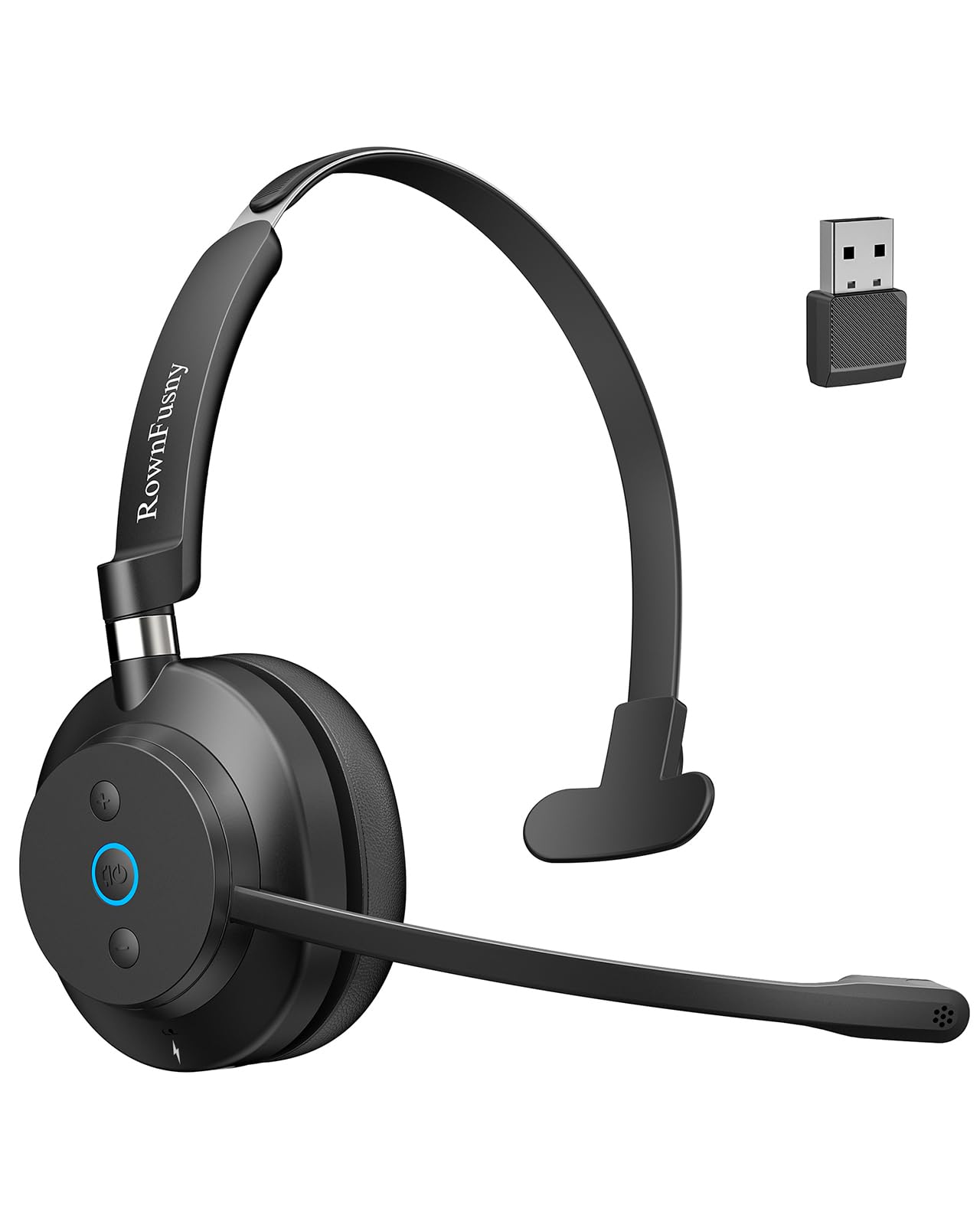
- 💪【Provide Ergonomic Comfort】This wireless headset with mic combines a TPE steel headband and protein leather ear cushions, built with aerospace-grade materials.The headband distributes pressure evenly, and the ear cushions conform to the ear for a stable fit. A 270° rotatable microphone allows left or right side wearing, providing ergonomic comfort and clear audio during calls, meetings, or online classes.
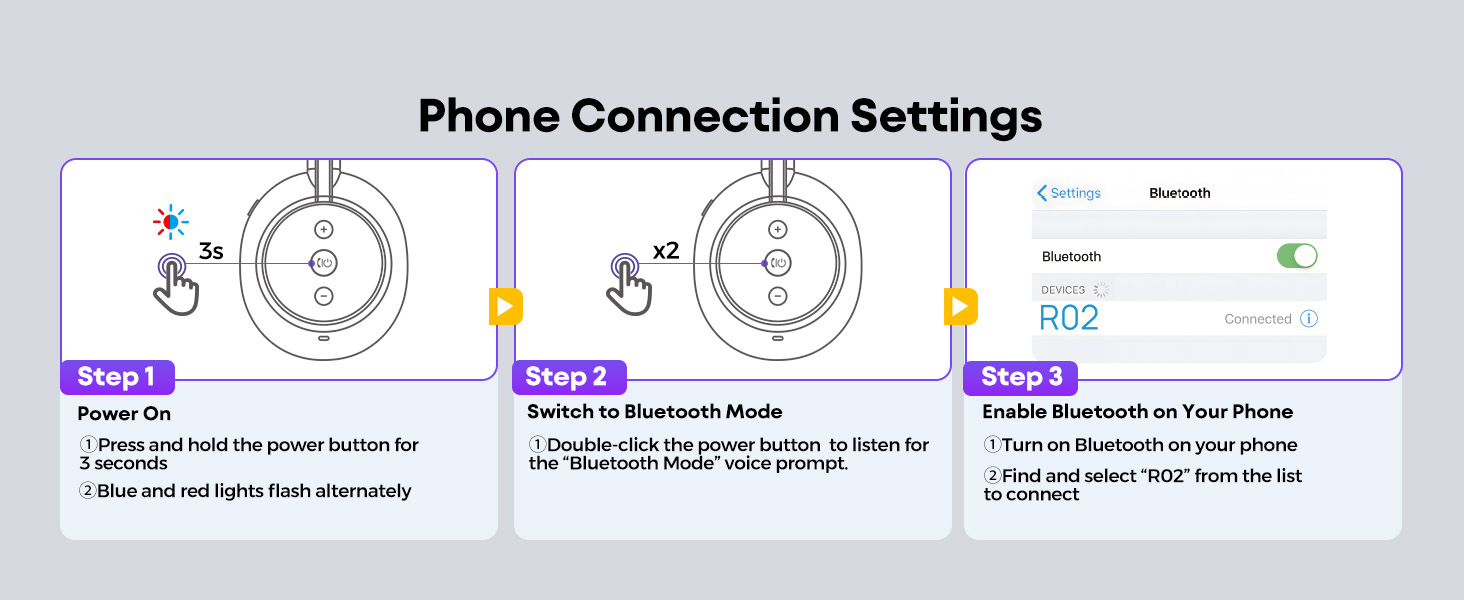
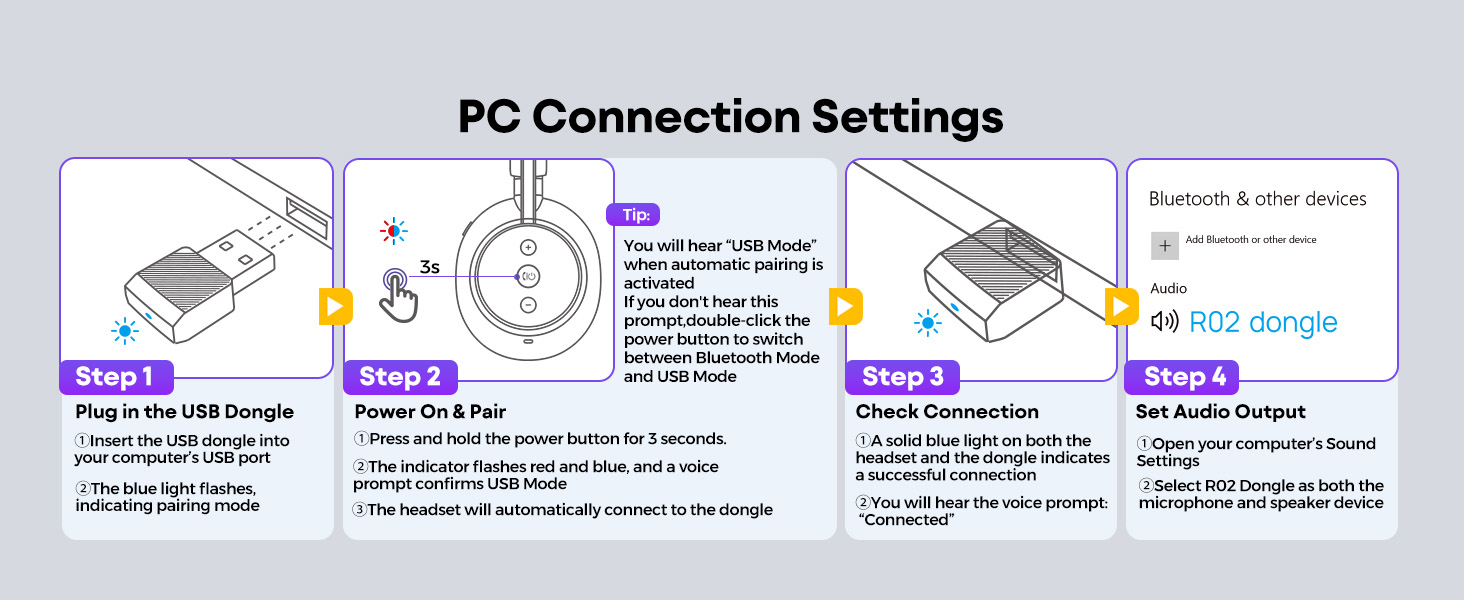
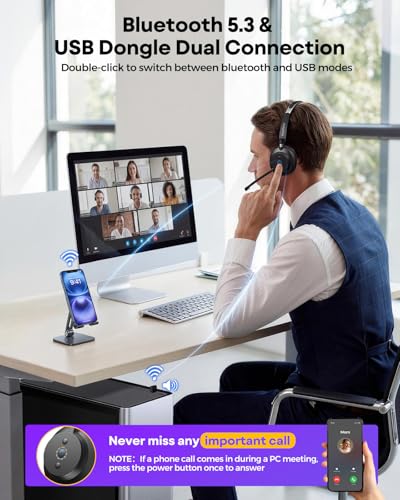
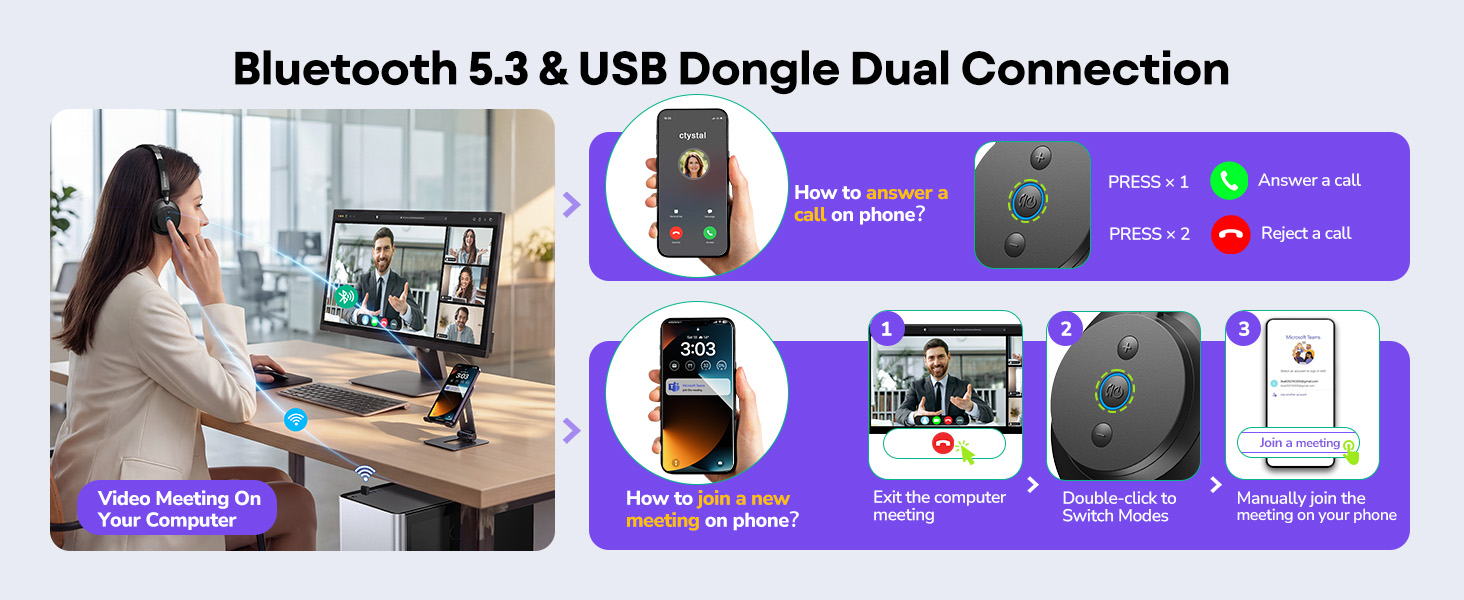
- 🔄【Dual Connectivity Options】Effortlessly switch between devices with this Bluetooth headset featuring Bluetooth 5.3 and a plug and play USB dongle. Simply double click the power button to toggle between Bluetooth mode and USB mode. When you are in a video meeting on your PC and receive an important call on your phone, just press the power button to answer instantly, so you never miss a call.
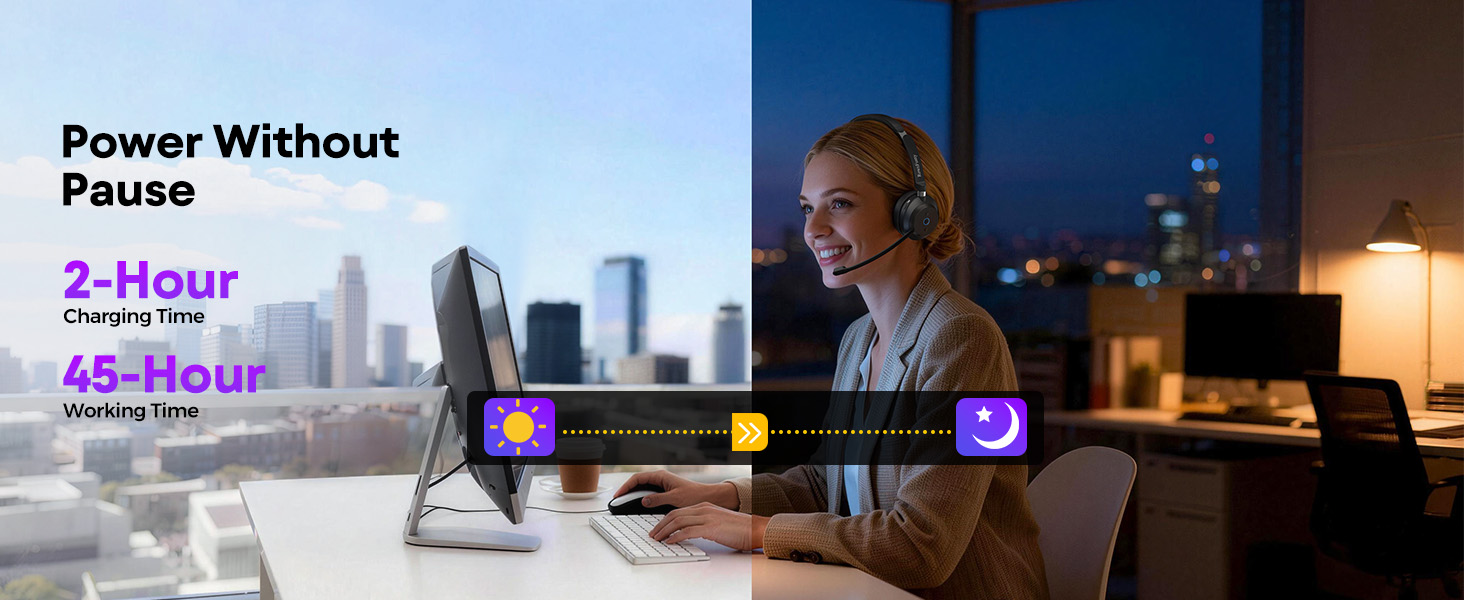
- 🔋【Up to 45 Hours Battery Life】This computer headset with microphone supports fast charging, delivering up to 45 hours of working time with just a 2 hour charge. Designed for long office shifts, back to back meetings, and business travel, it keeps you productive without interruption. With a wireless range of up to 49 ft (15 m), you can move freely while staying connected.
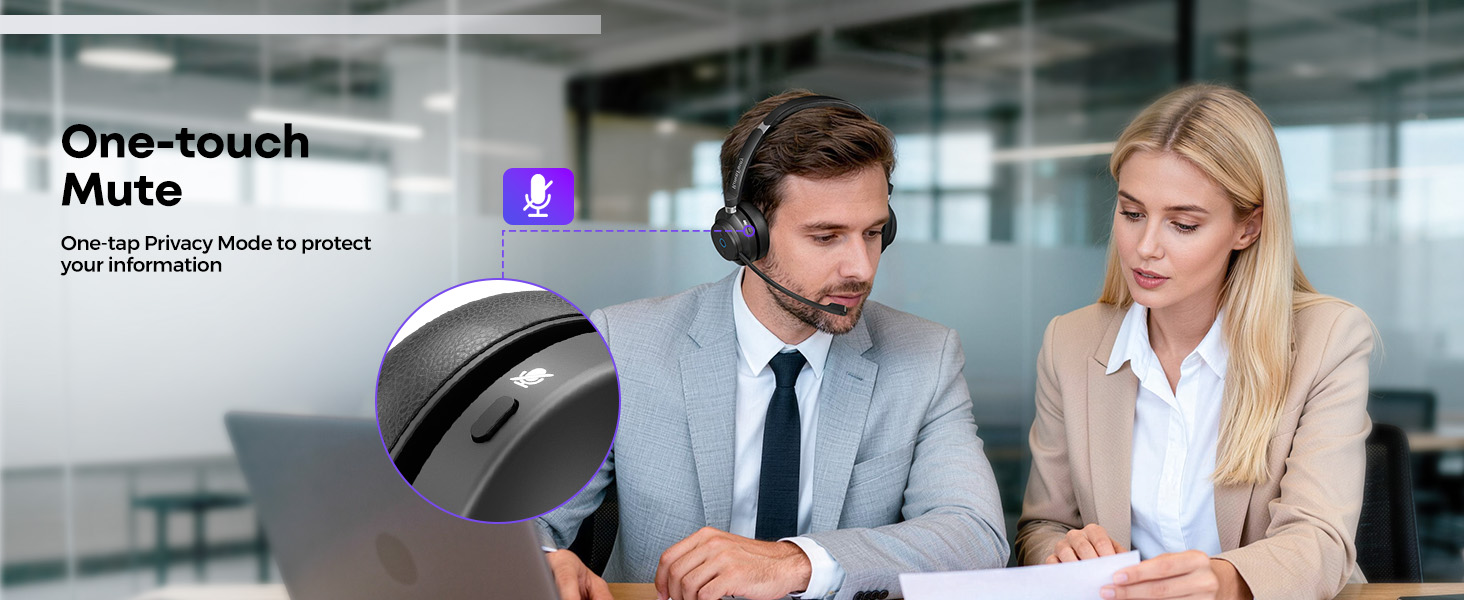
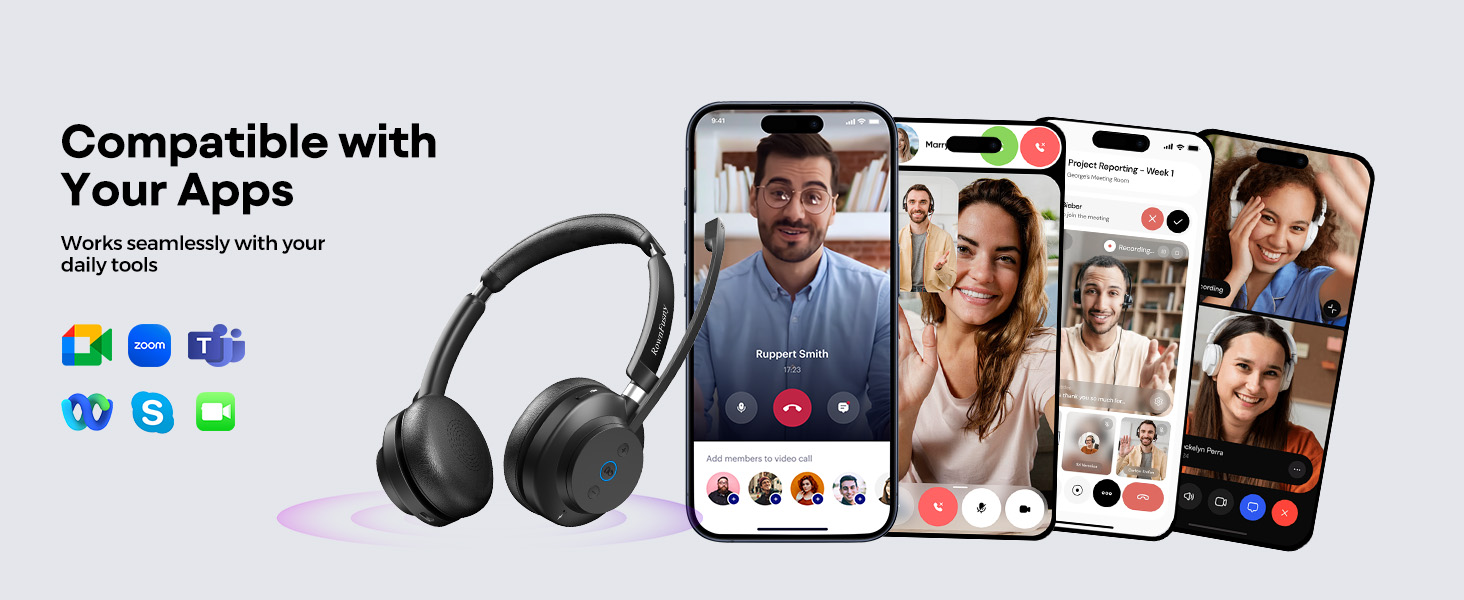
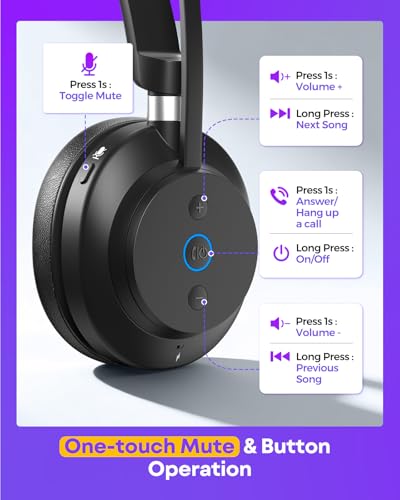
- 📱【Quick Access to Voice Assistant & Mute Button】Triple-click the power button to instantly activate Siri or Google Assistant. The intuitive mute button lets you silence the mic in one click during meetings or calls, enhancing focus and privacy. This wireless headset with mic is also seamlessly compatible with Zoom, Skype, and other platforms you want to use, making it an ideal PC headset for work or study.



| SKU: | B0FPQV568M |
| Brand: | Rownfusny |
| Model: | R03U |
| Colour: | Black |
| Pack Quantity: | 1 |
| Manufacture: | Rownfusny |
| Colour: | Black |
| Quantity: | 1 |
Product description

Perfect for those long conference calls
I’ve had this headset for a short time now and so far, it’s been excellent for conference calls. The noise cancellation works wonders; I can hear everyone perfectly, even with some distractions around me. What I appreciate most is the mute feature—it’s quick and easy to mute myself whenever needed. The battery life is impressive, and I don’t find myself needing to charge it mid-day, which has been a game-changer. The sound quality is clear, and the audio transitions are smooth when switching devices. Overall, this headset has been a great addition to my work-from-home setup.
Comfortable, great quality headset!
I’ve been using this dual-mode wireless headset for both work calls and casual listening, and it’s been a very practical addition to my setup. The ability to switch between Bluetooth 5.3 and the 2.4GHz USB dongle is genuinely useful — Bluetooth works great with my phone and tablet, while the dongle gives a more stable, low-latency connection on my computer for meetings and streaming.
Comfort is one of its strongest points. The headset is lightweight with soft, breathable ear cushions, and I can wear it through long video conferences without feeling pressure or heat buildup. The fit is secure but not tight, which makes it suitable for all-day use.
Sound quality is clear and balanced for voice and general media, and the noise-canceling mic does a good job keeping background noise from distracting callers.
The fast-charge feature is also surprisingly effective — a short charge gives enough runtime for a meeting or two, and USB-C charging is convenient.
I think it’s a great device for the price!
comfort and reliable headphone for daily use
I’ve been using this wireless headset for daily work, and very satisfied with the result. Setup was incredibly easy. Pairing it with my laptop and phone took seconds, and it reconnects automatically every time I turn it on. I really appreciate how seamless the wireless experience is. I can move around my desk, grab a drink, or even step into another room without the connection dropping. The ear cushions are soft and well-padded, and they sit comfortably over my ears without pressing too hard. Even after several hours of continuous use, I don’t get that sore or overheated feeling that I’ve experienced with other headsets. The adjustable headband feels sturdy and distributes the weight evenly, which makes long workdays much easier. The sound quality is clear and balanced, which is perfect for calls and meetings. Voices come through crisp and natural, and I don’t have to strain to hear people even during long conversations. For music and videos, the audio has enough depth and clarity to be enjoyable without sounding flat or tinny. It’s not overly bass-heavy, which I actually prefer for everyday use.
Simple Replacement Covers That Freshened Up My Headse
I used these headset ear pad and mic covers to replace the worn ones on my old headphones, and they fit better than I expected. Slipping them on was quick, and they stayed in place without bunching or sliding around. The material feels soft against my ears and makes longer listening sessions more comfortable again.
I also like that the mic cover helps reduce wind noise and popping during calls, which makes conversations clearer. These small parts made a noticeable difference in how my headset feels and sounds, and it’s nice not having to replace the whole headset just because the original pads wore out.
Overall, these replacement covers fit naturally into my setup. They’re easy to install, comfortable to use, and brought new life to a headset I wasn’t ready to give up.
Comfortable and good sound quality!
I really like this pair of wireless headphones. The headphones I used before needed to be taken off from time to time during the day because my ears would get a bit sore. But this pair of headphones allow me to wear them all day without any problem. This is very convenient for consecutive meetings. I use this pair of headphones for making calls and attending meetings at work, and the sound quality at both ends is very clear. People can clearly hear my voice, and even if there are other noises around, there won’t be too much background noise coming in. The battery life is impressive. I don’t need to charge it every day. The connection operation is also very simple. The wireless design makes it very convenient to use. During a call, I can move freely in the home office without being tied to the desk.
Comfortable Wireless Headset for All-Day Calls and Meetings
This wireless headset fits smoothly into a regular workday, especially for voice calls and virtual meetings. The over-ear design feels lightweight and balanced, making it comfortable to wear for extended periods without creating noticeable pressure or fatigue. Audio clarity is consistent on both sides of the call, and spoken voices remain easy to understand even when there is some background activity.
The microphone handles everyday noise well, helping conversations stay clear and focused during meetings. Connectivity is stable whether using Bluetooth or a USB dongle, and switching between devices feels straightforward once initial setup is complete. The on-headset controls are easy to locate, allowing quick volume adjustments or muting without interrupting a call.
The included charging stand adds practical convenience by keeping the headset organized and ready to use between sessions. Battery performance supports regular daily use without frequent recharging. For remote work, call-heavy roles, or long online meetings, this headset offers a comfortable and reliable setup that integrates easily into daily routines.
Excellent connectivity and hardware-level mute control
From a technical perspective, the dual connectivity options are the most significant feature here. The inclusion of both a 2.4GHz USB dongle and Bluetooth 5.0 is a smart move. I use the dongle for my desktop PC because it offers a more stable, low-latency connection for Teams calls, while the Bluetooth pairs instantly with my iPhone for casual music listening or taking calls while I’m in the kitchen. The audio profile is balanced, leaning slightly towards vocal clarity which is exactly what you need for conferencing. The noise-cancelling microphone is not just a marketing gimmick; I tested it while my mechanical keyboard was clicking away, and my colleagues confirmed they couldn’t hear the typing. However, the standout feature for me is the dedicated privacy button. Unlike other headsets that rely on software integration, this has a physical button with a red LED indicator on the mic boom itself. This visual confirmation is critical when you are juggling multiple windows and can’t find the mute icon on screen fast enough. The build quality feels robust despite being lightweight. The memory foam cushions are dense but breathable, providing a decent acoustic seal without creating a heat trap around the ears. I haven’t experienced any connection drops or “robot voice” artifacts, which suggests the wireless chip is high quality.
If you need a reliable workhorse for a high-traffic communication environment, this hardware configuration is hard to beat. I am rating this a full 5 stars for the seamless integration into my workflow.
Comfortable all-day headset with clear mic for calls
I bought this wireless headset as a budget option for daily Teams and Zoom calls and it’s been a pleasant surprise so far. The sound quality is more than good enough for voice and general YouTube or music listening, and people on the other end say my voice is clear with very little background noise, even when I’m typing. The ear pads and headband are soft faux leather and light enough that I can wear it for a couple of hours without pressure points, which I really appreciate for long work sessions. Pairing over Bluetooth was straightforward with my PC and laptop and the connection has been stable with no random dropouts during meetings. The on-ear controls for volume and mute are easy to find by touch, so I can quickly mute when someone walks into the room. Build quality feels better than I expected at this price, with no creaks and a mic boom that stays where you position it. My only minor gripe is that the headset is a bit snug out of the box, which might bother people with larger heads until it loosens up a bit. Overall, if you need an affordable, comfortable headset mainly for work calls on your PC, this is a solid choice that does exactly what it promises.
Perfect for work from home setup
I work from home and needed something comfortable for back-to-back video calls and these headphones handle that perfectly. The ear cushions are soft enough that I can wear them from morning through afternoon without my ears getting sore, which was a problem with my old pair. The microphone picks up my voice clearly according to colleagues, nobody’s mentioned background noise or asked me to repeat myself which used to happen frequently.
Sound quality is balanced nicely for both calls and music during breaks, bass is present but doesn’t overpower everything else. The Bluetooth connection stays stable even when I move around my apartment during calls. Battery life gets me through multiple workdays before needing a charge which is convenient.
The controls on the side let me adjust volume or mute quickly during meetings without fumbling. They fold up neatly which makes them easy to pack if I’m working from a coffee shop. Build feels solid, nothing creaks or seems fragile. Really pleased with these.
Comfortable bluetooth headset with great audio quality!
This over the ear headset is lightweight and very comfortable to use for long periods of time. The foam pieces covering the ears and the top are all very soft and cushy.
The audio quality is very good and the bass response is really good.
The mic works really well.
Included in the box:
– Bluetooth stereo headset with earpieces which can rotate. (~140g)
– Charging base with nice large rubberized feet. (~189g)
– Long USB-A to USB-C cable.
– USB-A dongle.
– Soft, velvety, thick storage bag.
– User manual & FAQ sheet.
Usage:
– To power the headset on/off, long press the power button for 5 seconds. A female voice will tell you when it is powered on/off and which connection mode it is in.
– The left earpiece contains all of the controls:
– Power/select connection mode (via double press)/switch between audio and calls/Play-pause audio.
– Volume buttons (can also be used to switch audio tracks via long press).
– a mute button to mute/unmute the mic. (mic mute status confirmation via female voice)
– The headset can be connected to 2 separate devices at the same time, one via bluetooth, and the other via the USB-A dongle.
– The USB-A dongle has a blue LED light. It’s solid when connected to the headset, and flashes when it isn’t connected.
Charging:
– The headset only requires regular USB 5V/1A charging, so any USB charger will work with this.
– The headset can be charged on the base station or directly via a USB-C port on the right earpiece. The left earpiece has metal connectors for charging via the base station.
– The base station can be connected to a charger via USB-C.
– The battery status can be seen on the bluetooth status screen on android and windows.
– The charging status can also be seen on the headset, when it is done charging, the LED light around the power button will turn off. While charging, it is red. The base station also lights up red when charging and turns green when it’s done charging.
– When you remove the headset from the charging stand, it automatically turns the headset on. Only the left earpiece can fit onto the charging stand, the right side won’t sit on it at all. The headset needs to click into the charging base in order to charge. Line up the lightning bolt symbols on the earpiece with the charging base in order to align it properly to charge.