UGREEN 8K@60Hz HDMI Displayport KVM Switch 3 Monitors 2
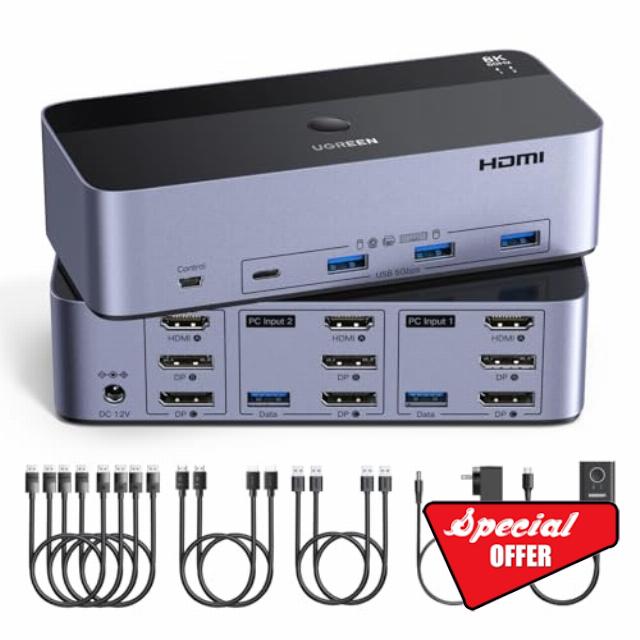
UGREEN 8K@60Hz HDMI Displayport KVM Switch 3 Monitors 2 Computers, Aluminum 4K@240Hz with 4 USB 3.0 Ports for 2 Computers Share Triple Monitors with 4 DP+2 HDMI+2 USB Cables/Power Adapter/Controlle
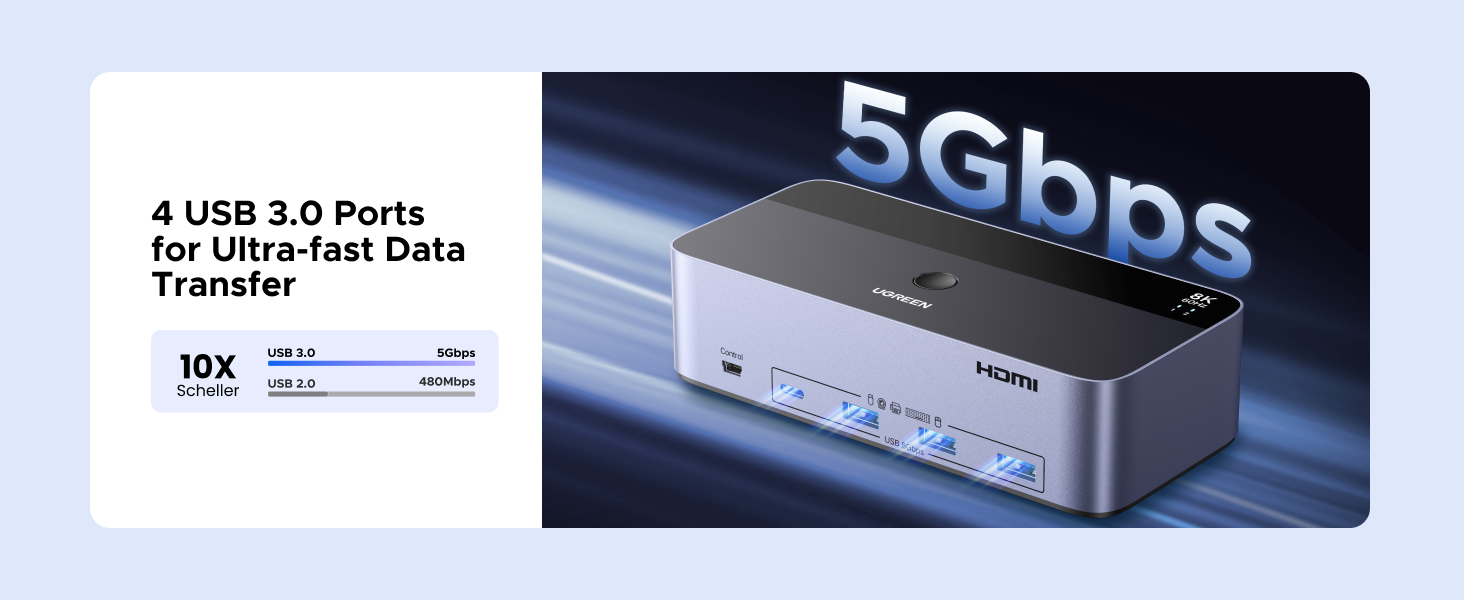
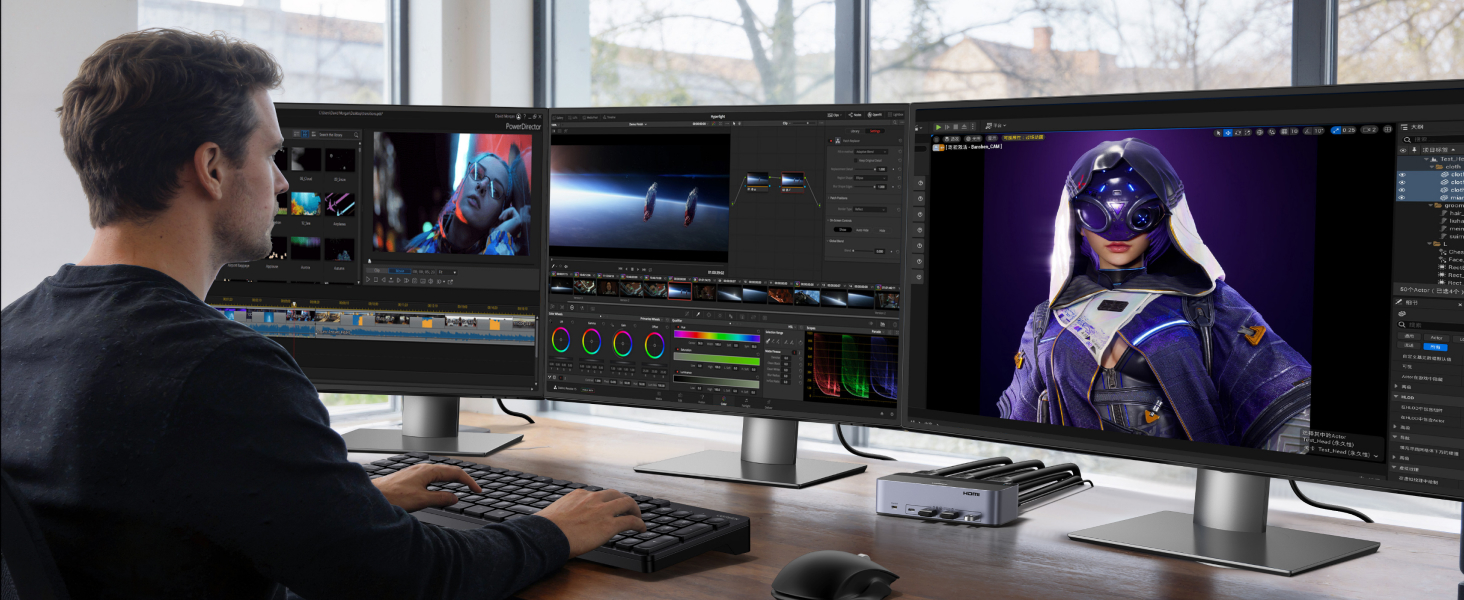
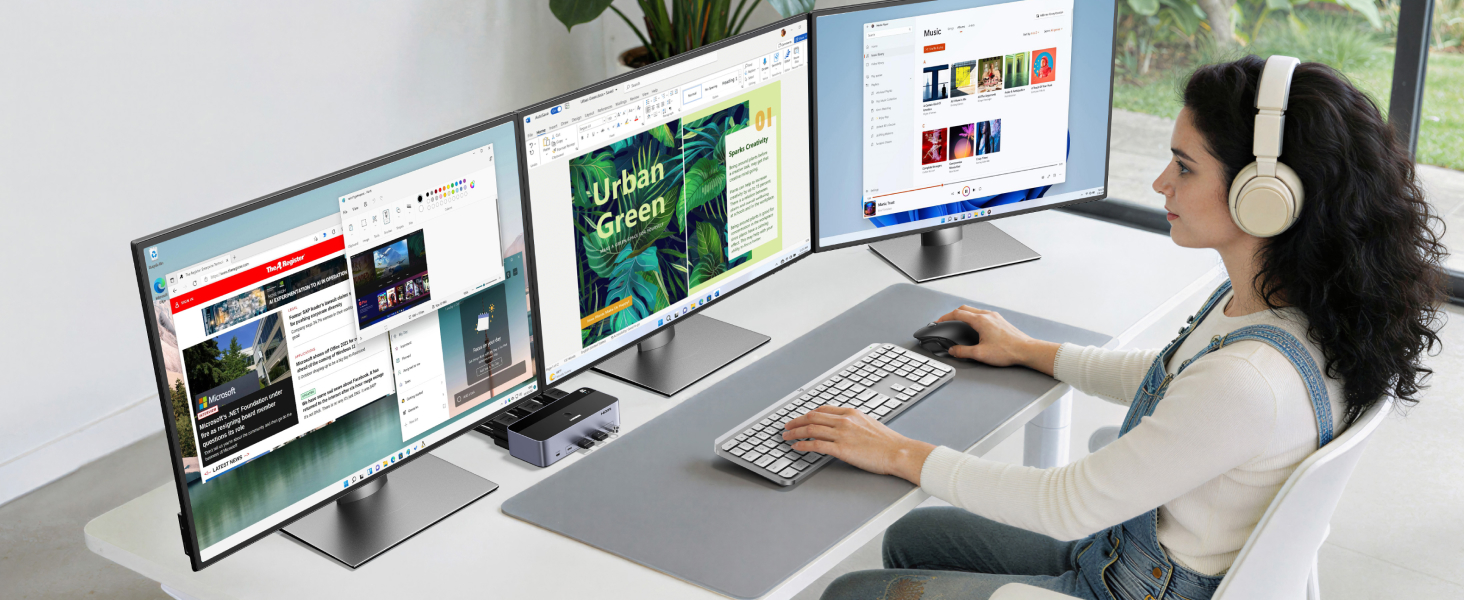
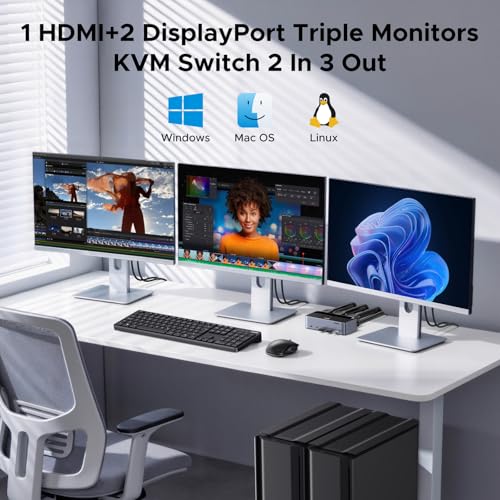
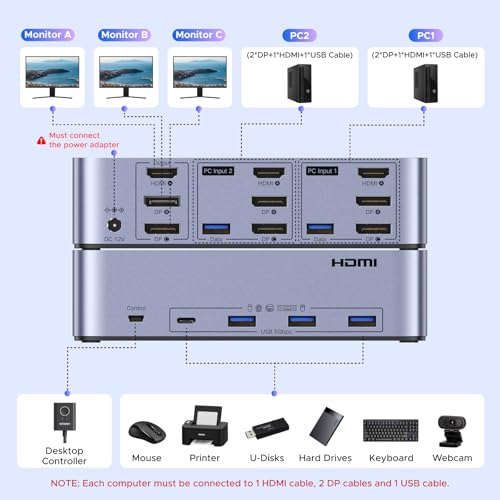
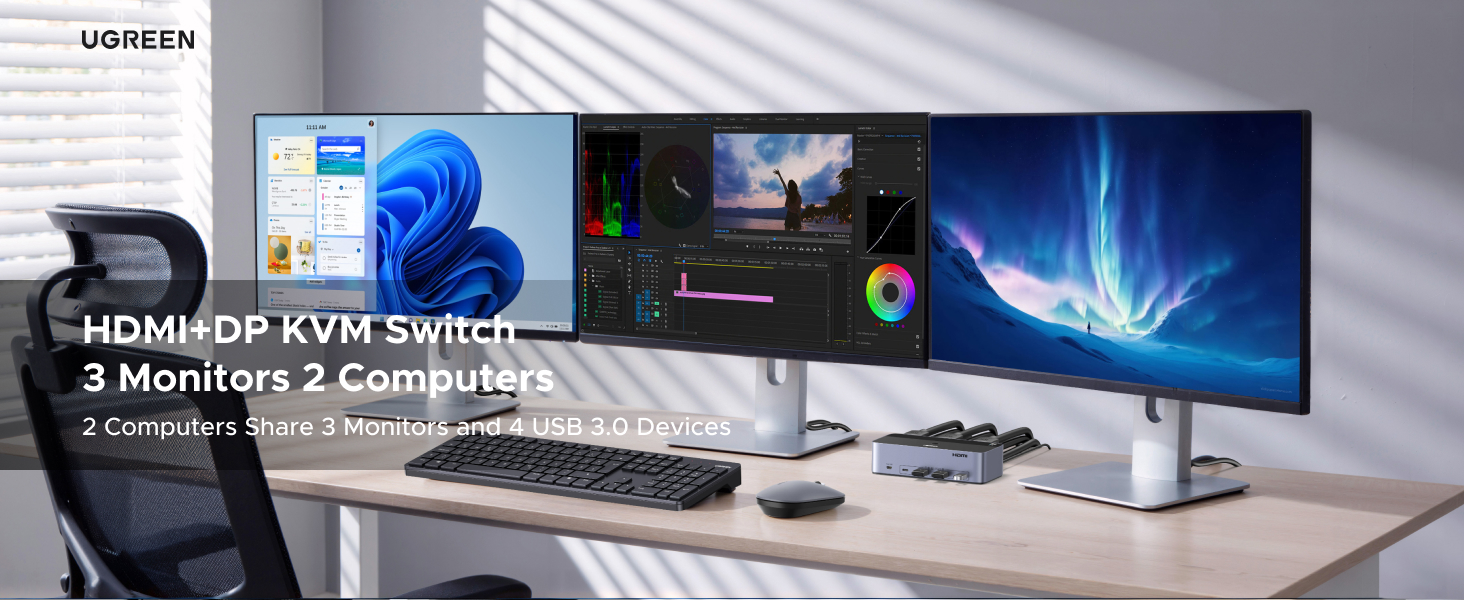
- KVM Switch 3 Monitors 2 Computers: This 2*Displayport + 1*HDMI KVM Switches allows you to switch effortlessly between two computers with one click — share 3 monitors and 4 USB 3.0 ports (keyboard, mouse, printer, webcam) without swapping cables. Space-saving KVM for home offices, content creators, and IT professionals. NOTE: Both computers must support triple-monitor output to use all 3 displays simultaneously. If either PC only supports 1 or 2 displays, the extra monitor(s) won’t activate
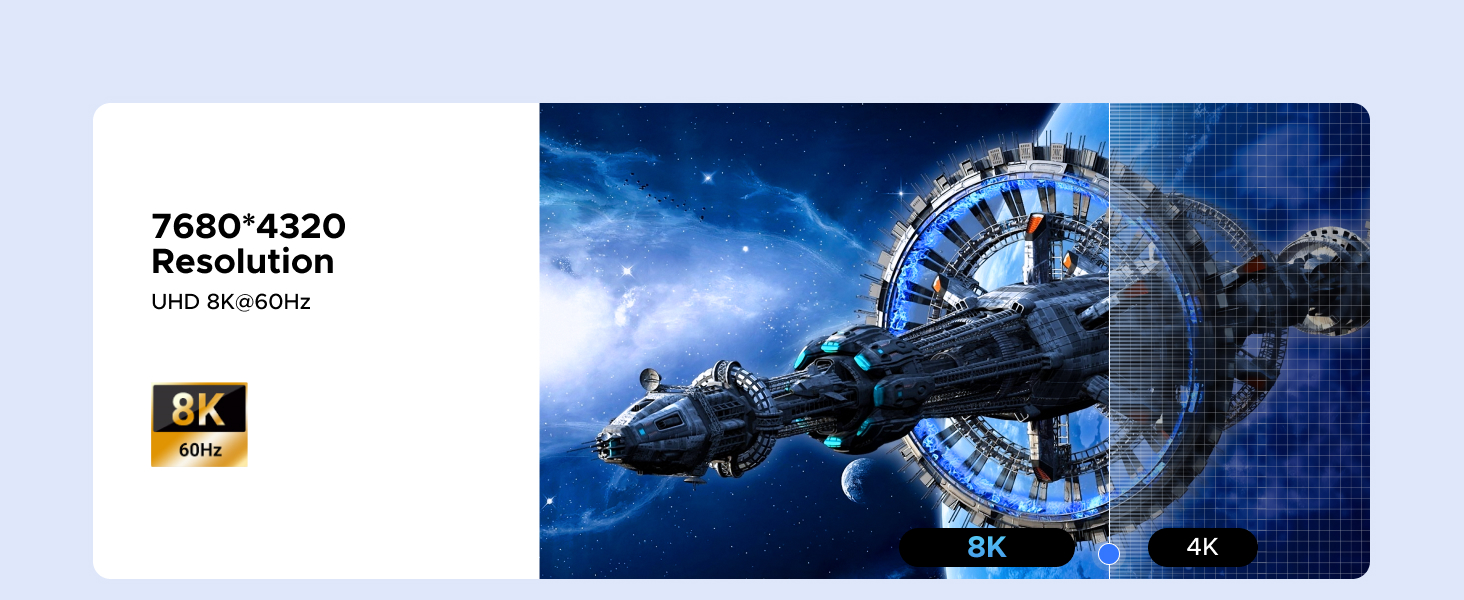
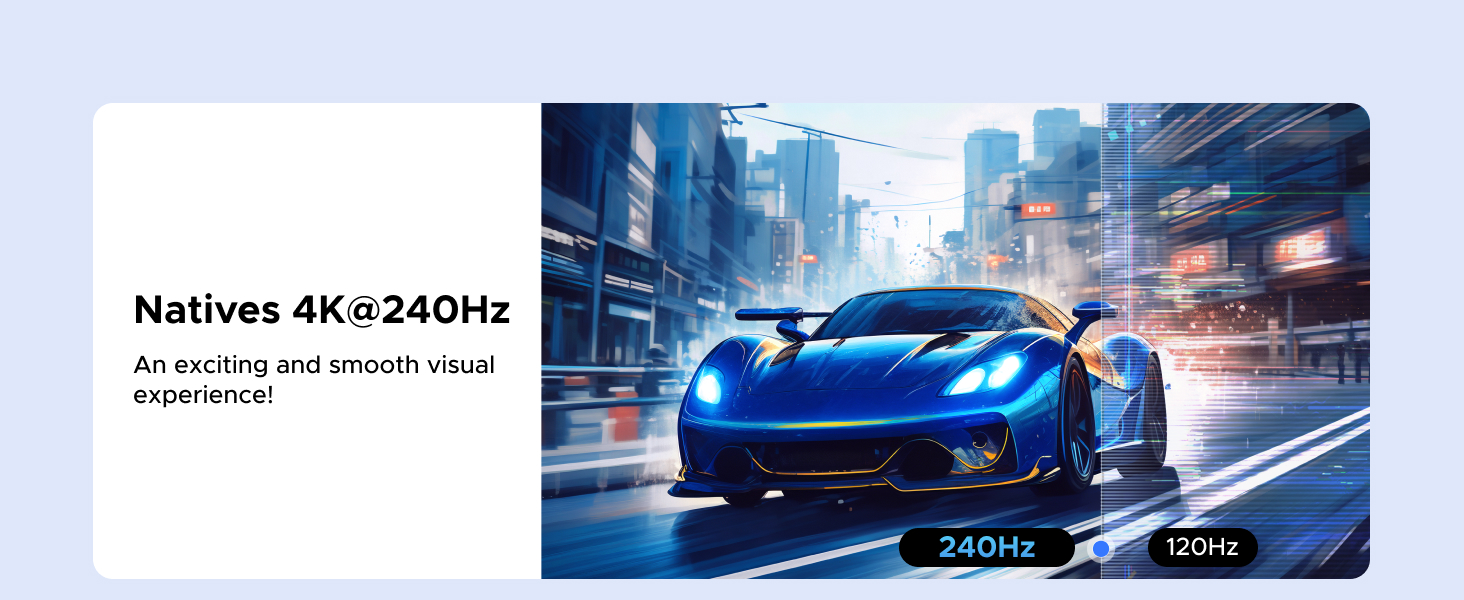
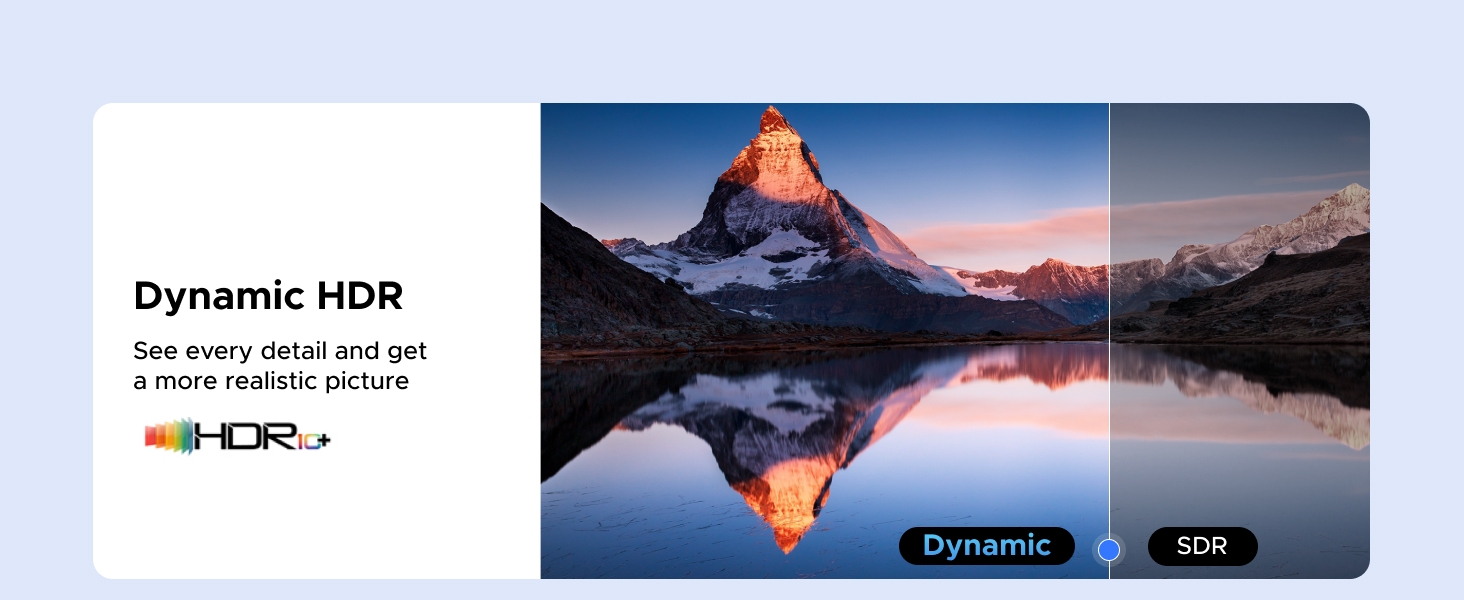
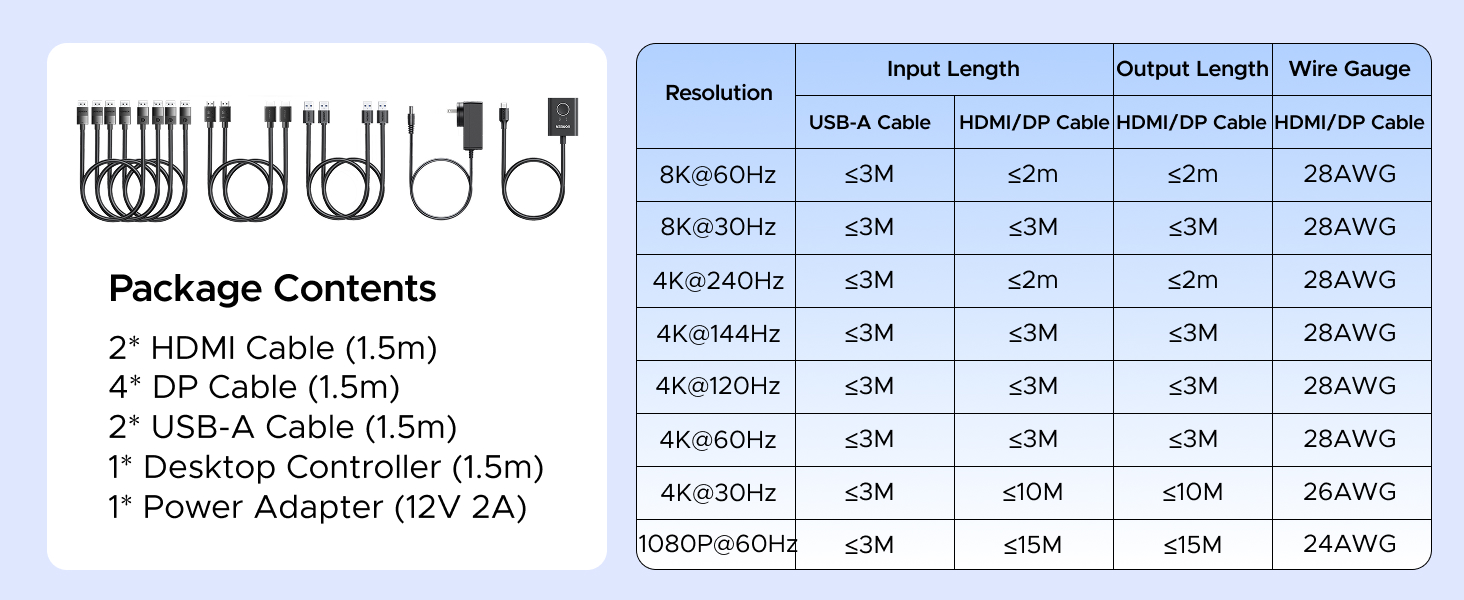
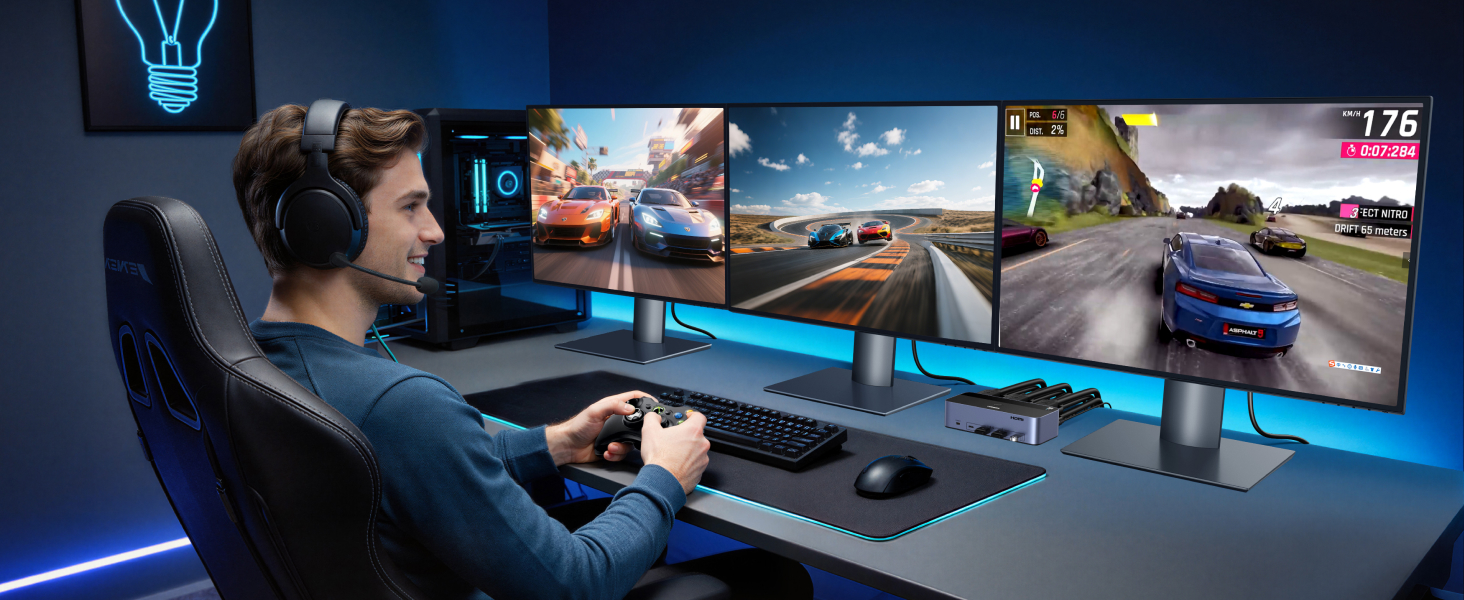
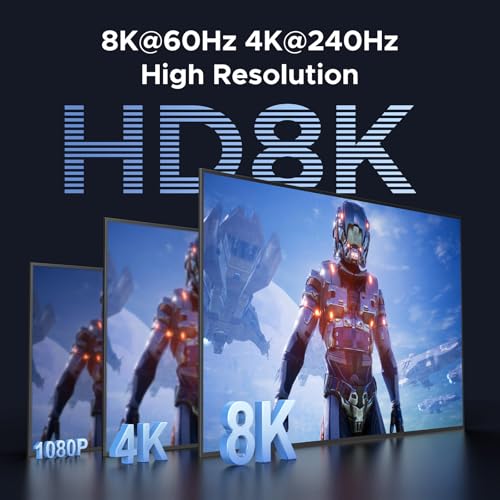
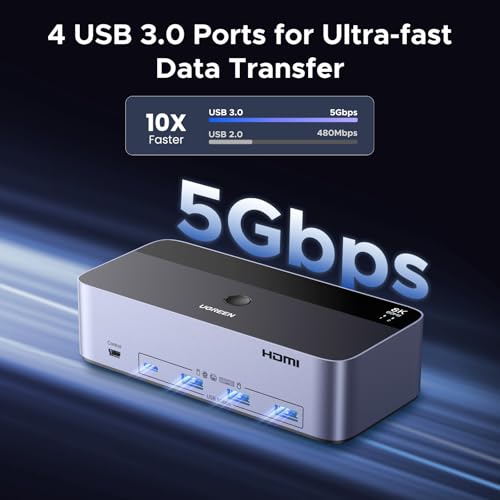
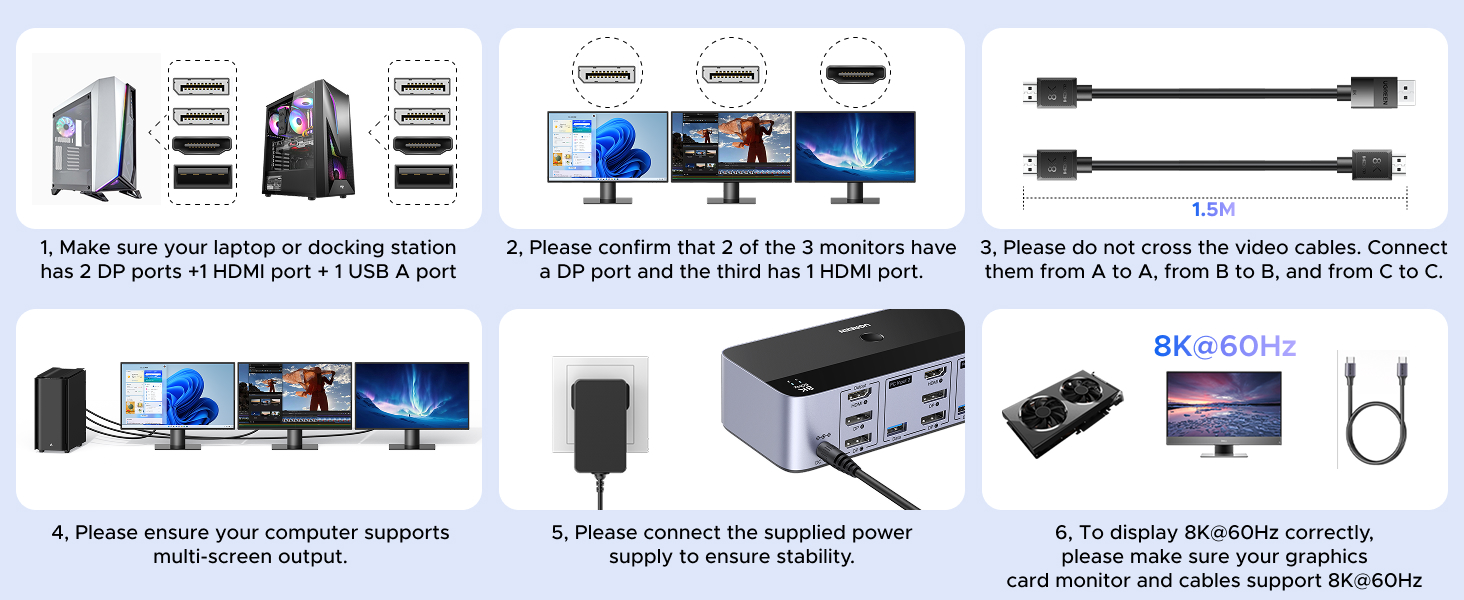
- Ultra HD 8K@60Hz/4K@240Hz Resolution: This USB KVM switch output features two DisplayPort 1.4 ports + one HDMI 2.1 port, each supporting up to 8K@60Hz resolution, and backward compatible with 8K@30Hz, 4K@240Hz/144Hz/120Hz/60Hz/30Hz. It also supports HDR10+, HDCP 2.3/1.4, VRR, FreeSync, and G-Sync, eliminating screen tearing and stuttering across three monitors, even at high frame rates. NOTE: If need to achieve 8K resolution, your computers and monitors both need to support 8K@60Hz resolution, and please make sure the length of your cables are within 2 meters 28AWG
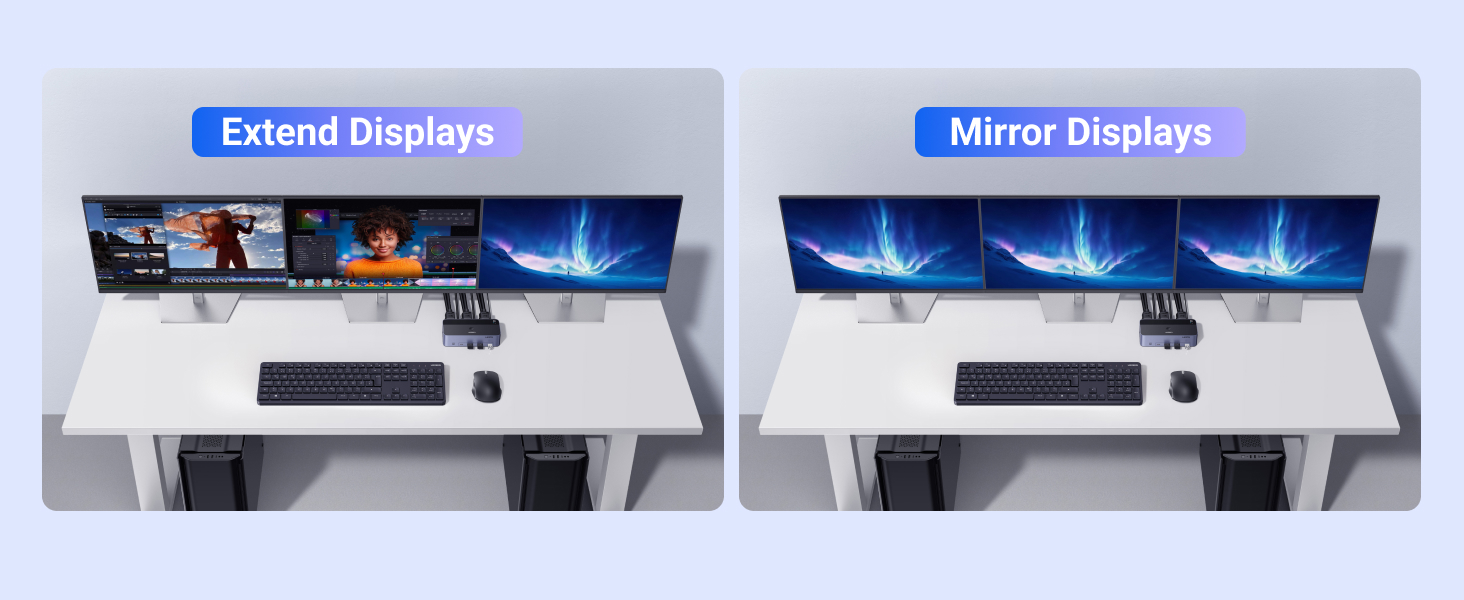
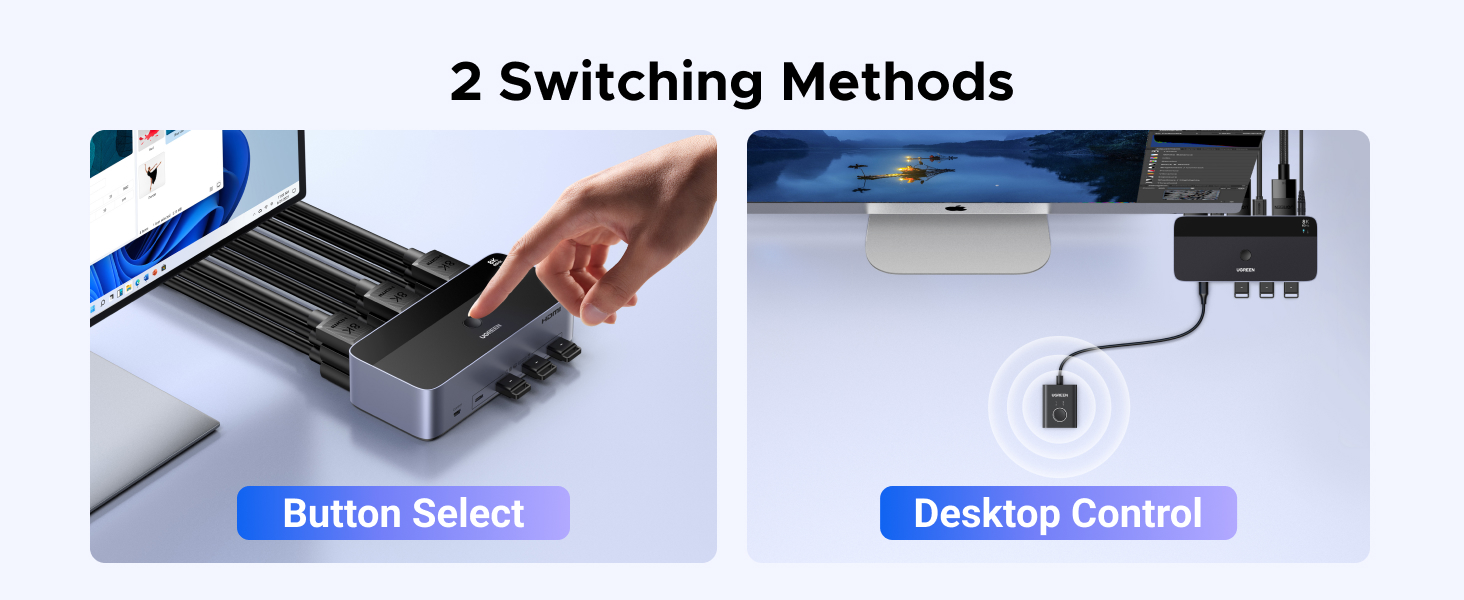
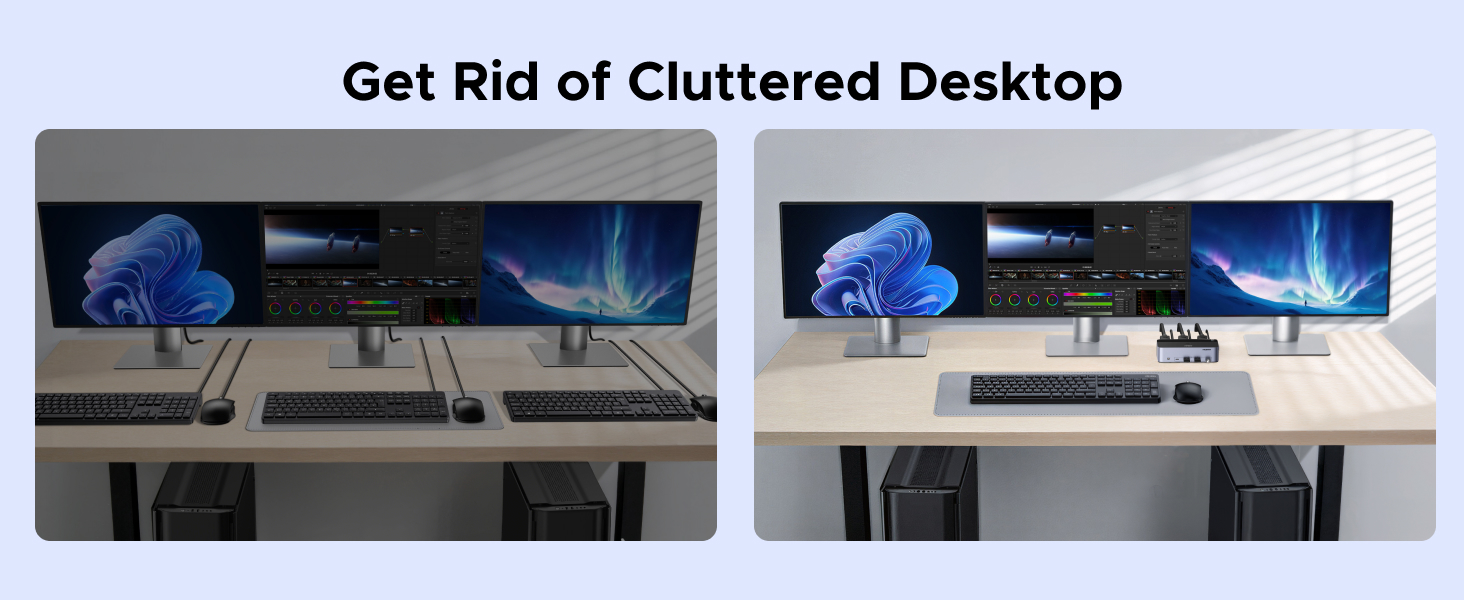
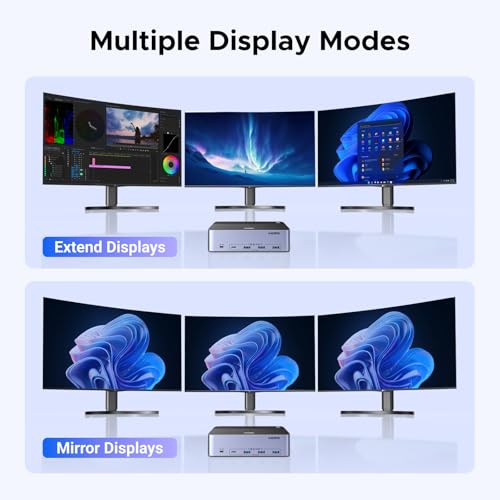
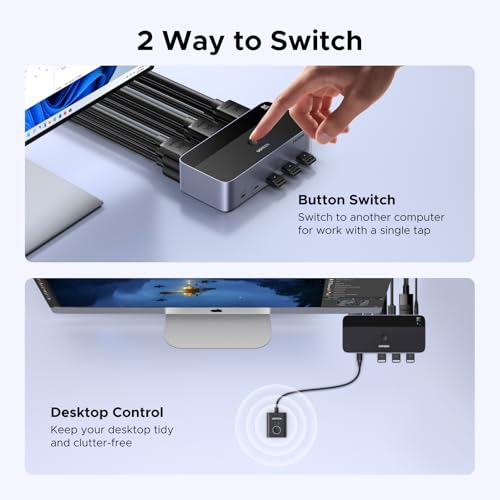
- Two Switching Ways & Two Dispaly Modes: This KVM switch displayport HDMI supports button switching and desktop controller switching, freely switch between 2 computers. With the desktop controller, you can place this monitor switch for 2 computers outside your work area, making your desktop cleaner and tidier. Two Dispaly Modes, Mirror mode: Triple monitors output the same images, Extend mode: Triple monitors output different images. NOTE: Not support Keyboard shortcuts (hotkeys) toggles
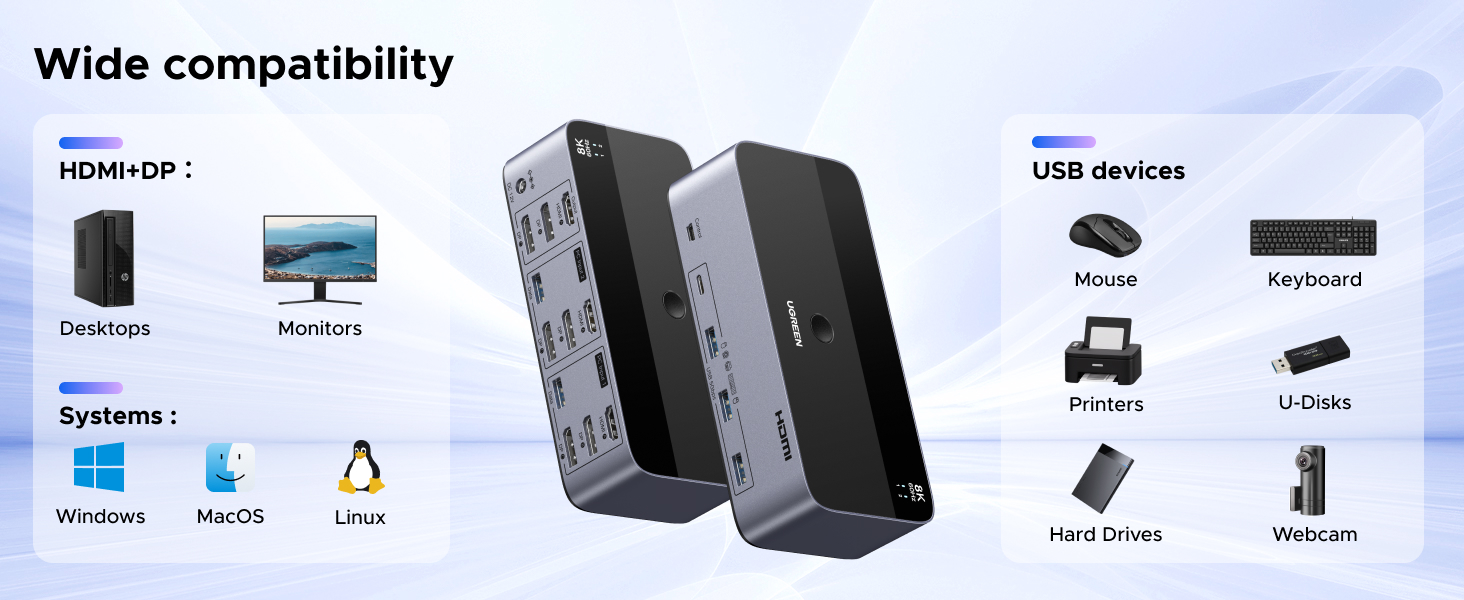
- Wide Compatibility & Package List: This triple monitor KVM switch driver-free and plug and play, and supports Windows, MacOS, and Linux systems. PACKAGE LIST: 1*KVM switch, 4*DP cables, 2*HDMI cables, 2*USB A cables, 1*power adapters, 1*desktop controller, 1*user guide
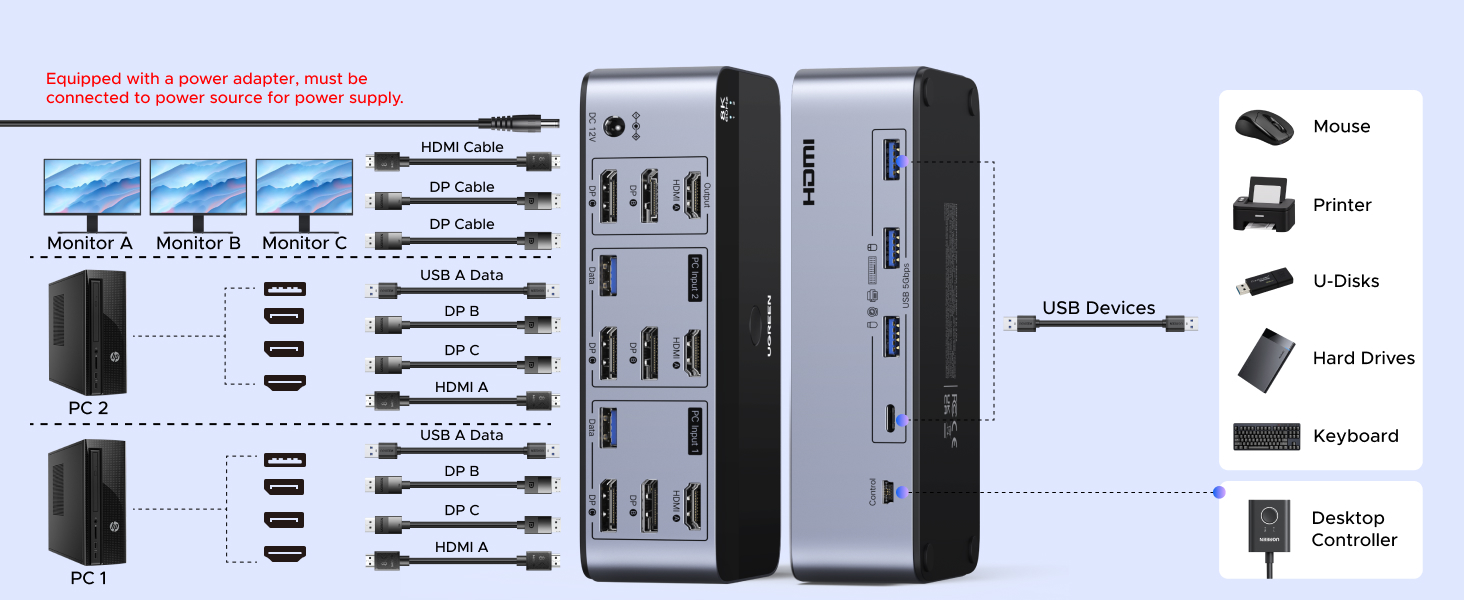
- NOTE: 1, To ensure normal usage, please make sure to connect the power supply via the power adapter. 2, To display content across three screens simultaneously, make sure each of your PC is equipped with 2 DisplayPort ports + 1 HDMI port. 3, Each computer at the input needs to be connected with 2* DP cables + 1* HDMI cable+1* USB cable. 4, Please make sure your PC supports 3 screens or above display function before purchasing. 5, If a signal converter or docking station is used, there may be compatibility issues. 6, NOT support EDID emulation
| SKU: | B0G34NJ11Y |
| Dimensions: | 6.18 x 2.83 x 1.57 inches |
| Brand: | UGREEN |
| Colour: | Multi |
| Manufacture: | Ugreen Group Limited |
| Colour: | Multi |
Product description
Qualità eccelsa e funzionalità garantita
Un KVM non un prodotto di uso comune ma rappresenta la svolta quando si ha a che fare con il controllo di 2 pc e pi monitor nello stesso momento. Questo KVM permette di pilotare senza NESSUNA perdita di qualit 2 pc e 3 monitor in contemporanea e grazie allo switch cablato il cambio praticamente fulmineo e preciso. L’altra grande comodit il poter usare ovviamente una sola tastiera/mouse.
La dotazione completissima e la qualit molto elevata, senza imprecisioni nelle rifiniture o incertezze di alcun tipo, il dispositivo solidissimo, compatto e bello a vedersi.
Insomma Ugreen ha sfornato un prodotto di alta gamma con un rapporto qualit/prezzo conveniente
Prodotto assolutamente consigliato!
Une solution efficace pour gérer un setup à 2 unités centrales
Ce switch KVM est une excellente solution pour grer un setup deux units centrales avec plusieurs crans, et ce sans avoir un ddale de cbles sur le bureau.
Premier point positif : l’ensemble est trs complet. Le switch est livr avec plusieurs cbles HDMI, DP et USB-A, ce qui permet de connecter directement les deux configurations sans revoir racheter des cbles supplmentaires.
Le botier est en mtal, bien fini, et donne une vraie sensation de robustesse.
A l’usage, le switch prend en charge la 8k 60Hz ou la 4K jusqu’ 240Hz ce qui est juste impressionnant pour un si petit botier. Le signal vido reste stable, sans artefacts ni coupures. Le clavier, la souris et d’autres priphriques USB sont galement reconnus et bien grs lors du passage d’un pc l’autre, ce grce l’alimentation qui fait parfaitement son travail.
L’ajout d’un bouton de commutation est galement un vrai plus. Une simple pression permet de passer d’un ordinateur l’autre aisment. Vous constaterez une petite coupure du signal de l’ordre de 2/3 secondes, ce qui est parfaitement normal.
Un point d’attention tout de mme : ce switch est surtout destin aux PC/Units centrales capables de grer 3 sorties vidos. J’ai test avec un pc portable peu performant que j’utilise uniquement pour de la bureautique, et le rsultat n’est clairement pas la hauteur mais cause du PC, pas du switch. Vigilance sur ce point donc, chaque PC doit pouvoir grer 3 crans.
Malgr tout ces lments, le botier est compact et reste discret sur le bureau. Coupl avec ses capacits grer les hautes rsolutions, cela en fait une solution de gestion de setup trs performante. Je ne peux que recommander.
Gremlin tested, human approved!
I received this through Amazon Vine, and it’s been a surprisingly smooth upgrade for my multimonitor setup. I’m running three displays across two computers, and this KVM handled the layout without any drama — which is more than I can say for the gremlins who immediately tried to claim it as a “portal selector.”
Setup & Connectivity
Everything connected cleanly. The ports are clearly labeled, and once all three monitors were plugged in, the switch recognized them without any weird flickering or resolution drops. The included cables are decent quality, and the unit feels sturdy enough to survive a gremlin knocking it off the desk (which happened within five minutes).
Performance
Switching between systems is quick — just a second or two before all three screens sync to the other machine. Keyboard and mouse follow instantly, and I didn’t run into any lag or missed inputs. Even the gremlins couldn’t break it by mashing the button repeatedly “to see what happens.”
Video Quality
All three monitors stayed at their correct resolutions and refresh rates. No compression artifacts, no random black screens, and no audio dropouts when switching. It just works, which is exactly what you want from a KVM.
Everyday Use
Once everything was set up, it’s been completely reliable. I can bounce between my main PC and secondary system without replugging anything. The gremlins have accepted it as the “official screenflipper box,” which is high praise in their chaotic little world.
Final Verdict
A dependable 3monitor KVM switch that handles two computers without hiccups. Easy setup, stable video output, and fast switching. If it can survive gremlin interference, it’ll do great in a normal workspace.
El KVM casi definitivo
Si tienes dos torres de ordenador (por ejemplo, una para teletrabajar y otra para uso personal/gaming) y quieres controlarlas con el mismo teclado y ratn usando hasta tres monitores simultneos, este Switch KVM es la herramienta perfecta.
Es una solucin estupenda para no mezclar mquinas. Te permite aislar tu entorno corporativo (evitando problemas con las estrictas polticas de tu empresa o VPNs) de tu entorno personal. Con pulsar un simple botn, cambias de un ordenador a otro. Para perfiles como editores de vdeo o programadores que necesitan un setup bestial de tres pantallas, esto abre un mundo de posibilidades.
A nivel fsico, est fabricado en aluminio de color gruis espacial y se nota verdaderamente premium (casa muy bien con la esttica de los MAC). Sin embargo, hay un detalle esttico a tener en cuenta: los 4 puertos USB estn en la parte frontal. Se echa en falta tener un par de puertos en la parte trasera para dejar conectados el teclado, el ratn o la webcam cableados de forma permanente y ocultar los cables. Si usas perifricos con cable, el escritorio te puede quedar un poco “revoltijo” por delante (mi consejo es usar perifricos inalmbricos con su dongle si buscamos limpieza visual).
No obstante, desde el punto de vista de la ingeniera esto tiene una justificacin tcnica: la parte trasera ya est saturadsima de cables de vdeo de alta capacidad. Separar los USB al panel frontal evita problemas de induccin electromagntica e interferencias (crosstalk) entre las seales de vdeo y de datos, asegurando un funcionamiento ms estable.
El “falso problema” de la velocidad USB:
Los puertos son USB 3.0 (5 Gbps). Se podra echar en falta el salto a 10 Gbps, pero siendo honestos, no es nada recomendable conectar discos duros o SSDs externos a un KVM. Si ests transfiriendo datos y cambias de PC por error, desconectars la unidad en caliente y podras ocasionar un desastre perdiendo tus archivos. Para conectar perifricos bsicos, la velocidad va sobrada.
Accesorios y valor aadido (Un 10 en cables):
Aqu UGREEN marca la diferencia. El aparato trae un pequeo mando controlador de escritorio con cable. Esto es vital para poder esconder el “amasijo” de cables del KVM detrs de la mesa y tener solo este botoncito a mano. Adems, trae un set completo de alta calidad: 4 cables DisplayPort y 2 cables HDMI, a parte de los USB para los PCs y la fuente de alimentacin. Es sacarlo de la caja y funcionar sin comprar nada extra.
Advertencia tcnica 1 (Cables, longitud y AWG):
Si vas a exprimir este aparato con resoluciones extremas (ej. 4K a 144Hz), necesitas cables gruesos (AWG 28 o superior) y de 3 metros como mximo (si son de 2 metros, mejor). Un KVM divide la seal, as que usa cables cortos y de altsima calidad para evitar parpadeos. Para 1080p a 60Hz, el margen es mucho mayor.
Advertencia tcnica 2 (El detalle del EDID):
Para ser un producto 100% redondo, le faltara contar con emulacin EDID. Al no tenerla, cuando conmutas del PC 1 al PC 2, el ordenador “cree” que le has desenchufado las pantallas. Al volver, a veces las ventanas de tus programas no vuelven a la posicin exacta en la que las dejaste y toca reorganizarlas. Es un mal menor que los sistemas operativos modernos (como Windows 11) gestionan cada vez mejor, y es cierto que la emulacin EDID es rarsima en esta gama de precios, pero hay que tenerlo en cuenta.
El sueo del Power User (La limitacin de la conmutacin global):
Como apunte para los usuarios ms avanzados y exigentes, hay una funcionalidad que habra sido ya la traca: la conmutacin independiente por monitor (Matrix KVM). Este aparato cambia el bloque completo; es decir, las 3 pantallas pasan al PC 1 o las 3 pasan al PC 2. Habra sido increble poder decirle al KVM: “Djame el monitor izquierdo en el PC del trabajo (A), y los dos monitores derechos en mi PC personal (B)”.
Entiendo perfectamente que esto obligara a complicar el enrutamiento de los puertos USB (para saber a qu PC va el ratn en cada momento) y encarecera el producto acercndolo a gamas de 300 o 400 euros, pero es una limitacin de los KVM tradicionales que hay que tener clara: el cambio de las 3 pantallas y los perifricos es todo o nada.
Veredicto:
Es un producto avanzado, excelentemente fabricado y que soluciona un problema de conectividad complejo de forma elegante. El hecho de que incluya toda la cablera justifica su precio. Salvo por el detalle esttico de los cables frontales y la falta de EDID y las funciones avanzadas, satisface con creces las expectativas de cualquier usuario exigente, y al precio al que se ofrece no se puede pedir ms. Totalmente recomendable. Le doy 5 estrellas.
Praktischer 3-Monitor-KVM für zwei PCs mit starkem Zubehörpake
Kurzversion
Ich habe dieses Produkt im Rahmen des Amazon Vine Programms erhalten und in einem typischen Desktop-Setup mit mehreren Bildschirmen und USB-Gerten ausprobiert. Der KVM-Switch macht genau das, was er soll: zwei Rechner an drei Monitoren plus gemeinsam genutzter Peripherie komfortabel umschalten. Besonders positiv sind die hohe Anschlussvielfalt, das mitgelieferte Zubehr und die einfache Umschaltung per Desktop-Controller. Ganz gnstig ist das Gert nicht, fr diese spezielle 3-Monitor-Klasse aber insgesamt stimmig.
Ausfhrliche Bewertung
Wer einmal zwei Rechner an einem Schreibtisch mit mehreren Monitoren, Tastatur, Maus, USB-Stick, Headset oder externer SSD parallel betrieben hat, kennt das Problem: Kabelsalat, stndiges Umstecken und je nach Monitor auch lstiges Wechseln der Eingnge. Genau fr so einen Anwendungsfall ist dieser UGREEN KVM-Switch gedacht, und im Alltag ist das schon eine echte Erleichterung.
Dieses Produkt wurde mir ber das Amazon Vine Programm zur Verfgung gestellt. Meine Bewertung basiert aber auf dem Eindruck, den ich nach der Einrichtung und Nutzung in einem praxisnahen Multi-Monitor-Setup gewonnen habe.
Der Switch ist fr 2 PCs und 3 Monitore ausgelegt. Auf der Ausgabeseite stehen 2x DisplayPort und 1x HDMI zur Verfgung, dazu kommen 4 USB-3.0-Ports, davon 3x USB-A und 1x USB-C. Gerade diese Kombination finde ich sinnvoll, weil man so nicht nur klassische Bro-Peripherie wie Tastatur und Maus anschlieen kann, sondern auch mal einen schnellen USB-Stick, eine externe SSD oder ein Headset. Fr jemanden, der zwischen Arbeitsrechner und privatem PC wechselt, ist das sehr angenehm.
Die Verarbeitung macht auf mich einen guten Eindruck. Das Gehuse wirkt ordentlich gemacht, sauber montiert und passend fr den Schreibtisch, ohne billig rberzukommen. Gerade bei KVM-Switches gibt es viele Produkte, die technisch auf dem Papier gut klingen, haptisch aber eher nach Bastellsung aussehen. Hier ist das Gesamtbild deutlich wertiger. Das Gert ist kompakt genug, um es unauffllig auf oder hinter dem Tisch zu platzieren, und der separate Desktop-Controller ist im Alltag wirklich praktisch. Man muss nicht jedes Mal ans Gert greifen, sondern kann bequem per Knopfdruck umschalten.
Positiv fand ich auch den Lieferumfang. Mit dabei sind bereits HDMI-Kabel, mehrere DisplayPort-Kabel, USB-A-Kabel, der Desktop-Controller und das Netzteil. Das ist nicht selbstverstndlich, denn gerade bei solchen Spezialgerten summieren sich passende Kabel sonst schnell noch einmal sprbar auf den Gesamtpreis. Hier kann man im Grunde direkt loslegen, sofern die eigenen Rechner und Monitore von den Anschlssen her passen. Das spart Nerven und auch unntige Zusatzkufe.
Die Einrichtung ist insgesamt recht unkompliziert, wenn man verstanden hat, fr wen dieses Produkt gedacht ist. Es richtet sich klar an Nutzer mit Desktop-PCs beziehungsweise Systemen, die die ntigen Videoausgnge auch wirklich bereitstellen. Der wichtige Punkt ist nmlich: Ein 3-Monitor-KVM zaubert keine zustzlichen Displays aus einem Gert heraus, das diese Signale gar nicht liefern kann. Gerade bei vielen Laptops oder einfacheren Office-Rechnern ohne dedizierte Grafikkarte kann die Dreifach-Display-Nutzung an Grenzen stoen. Das ist kein echter Mangel des Switches, sollte aber vor dem Kauf unbedingt beachtet werden. Wer hier falsche Erwartungen hat, wird das Problem eher an der eigenen Hardware als am KVM finden.
In der Praxis berzeugt die Umschaltung. Tastatur, Maus und angeschlossene USB-Gerte wechseln zusammen mit dem aktiven Rechner, was genau der Komfortgewinn ist, den man sich von so einem Gert erhofft. Besonders hilfreich ist das, wenn man am einen Rechner arbeitet und am anderen zum Beispiel private Dinge, Home-Assistant-Verwaltung, Serverzugriff oder Multimedia nutzt. Statt zwei komplette Arbeitspltze parallel zu pflegen, hat man einen aufgerumten Tisch und wechselt einfach das gesamte Setup.
Bei der Bildausgabe wirbt UGREEN mit bis zu 8K bei 60 Hz, abwrtskompatibel zu 4K in verschiedenen Bildwiederholraten bis hin zu 240 Hz. Das ist technisch beeindruckend, wobei man natrlich realistisch bleiben sollte: Wer so hohe Auflsungen oder Bildraten tatschlich nutzen will, braucht passende Kabel, kompatible Monitore und vor allem entsprechende Grafikausgnge an beiden Rechnern. Fr ein modernes Setup mit 4K-Monitoren, hoher Bildrate oder gemischtem Office-/Gaming-Einsatz ist man hier aber auf jeden Fall gut aufgestellt. Auch Features wie HDR10, HDR10+, VRR und G-Sync klingen fr ambitionierte Nutzer sehr interessant. Entscheidend ist fr mich am Ende weniger die Maximalangabe auf dem Karton, sondern dass das Signal im Alltag stabil bleibt. Genau das scheint hier der Fall zu sein.
Was mir ebenfalls gefllt: Die USB-Funktion kann laut Hersteller auch unabhngig von DP/HDMI genutzt werden. Das ist praktisch, wenn man das Gert nicht nur als klassischen Video-KVM, sondern auch als USB-Switch einsetzen will. Gerade in einer technisch etwas volleren Umgebung mit mehreren Rechnern, NAS-Zugriff, USB-Datentrgern oder wechselnden Eingabegerten kann das ein echter Mehrwert sein.
Ein kleiner Punkt, den man wissen sollte: Beim Umschalten gibt es naturgem eine kurze Unterbrechung, bis die Monitore das Signal neu annehmen. Das ist bei solchen Gerten normal und kein Drama, aber eben auch nicht vllig nahtlos wie bei einem simplen USB-Umschalter. Fr Office, Alltag und normalen Wechsel zwischen zwei Systemen ist das vllig in Ordnung. Wer jedoch erwartet, mitten im Spiel oder in einer laufenden Prsentation ohne jede Verzgerung unsichtbar hin- und herzuschalten, sollte seine Erwartungen realistisch halten.
Ebenfalls erwhnenswert ist das Netzteil. Ein externes 12V/2A-Netzteil gehrt zum Lieferumfang, was angesichts der Technik und der USB-Versorgung auch sinnvoll ist. Proprietre Netzteile mag ich grundstzlich nicht besonders, weil ein spterer Ersatz oft unntig kompliziert wird. Andererseits sorgt die externe Stromversorgung natrlich dafr, dass mehrere USB-Gerte und die Signalverteilung stabil betrieben werden knnen. Das ist bei einem 3-Monitor-KVM wichtiger als maximale Eleganz.
Fr wen ist das Gert also besonders interessant? Aus meiner Sicht vor allem fr:
Nutzer mit zwei Desktop-PCs an einem festen Arbeitsplatz
Leute mit 3-Monitor-Setup im Homeoffice oder Technikzimmer
Anwender, die neben Bildsignalen auch mehrere USB-Gerte sauber mit umschalten mchten
Nutzer, die Wert auf ein aufgerumtes Setup statt Kabelumstecken legen
Misch-Setups aus produktivem Arbeiten und privater Nutzung oder Gaming
Weniger passend ist es eher fr:
einfache 1-Monitor-Setups, bei denen ein gnstigerer KVM vllig reicht
Laptop-Nutzer ohne passende Docking-Lsung oder ohne ausreichende Videoausgnge
Kufer, die nur eine USB-Umschaltung brauchen
Anwender mit sehr knappem Budget
Verbesserungswrdig wren aus meiner Sicht vor allem zwei Dinge. Erstens wre eine noch klarere, grere und anfngerfreundlichere Beschriftung bzw. Anleitung hilfreich, denn nicht jeder richtet so ein Nischenprodukt regelmig ein. Zweitens wre ein standardisierteres Netzteil aus Nutzersicht angenehmer. Schn wre zustzlich eine noch etwas ausfhrlichere Kompatibilittsbersicht direkt auf der Produktseite, damit Kufer schneller erkennen, ob ihr Laptop oder PC die bentigten drei Signale berhaupt bereitstellen kann.
Abschlieend bleibt ein insgesamt sehr positiver Eindruck. Der Switch wirkt durchdacht, gut ausgestattet und im Alltag wirklich ntzlich. Gerade wer zwischen zwei Rechnern mit mehreren Bildschirmen pendelt, spart sich mit so einem Gert viel Gefummel. Fr die richtige Zielgruppe ist das kein Spielzeug, sondern ein echter Komfort- und Ordnungsgewinn am Arbeitsplatz.
Brilliant addition to a busy setup
I already have the UGREEN 2Monitor KVM, and it’s been reliable, so I was confident this 3Monitor version would perform just as well.
Setting up a multi-monitor workstation with two different computers often leads to a tangle of cables, but this KVM switch handles the transition between a desktop and a laptop very smoothly—especially with three screens now.
The display output was excellent, even on monitors with 120Hz refresh rates. The three USB-A ports plus one USB-C port easily managed my mouse, keyboard, and 4K webcam without any issues.
Switching between systems takes just two to three seconds for the monitors to hand over the signal, which is quick enough to keep a workflow uninterrupted. The unit feels solid on the desk, and having the toggle button within easy reach saves the hassle of reaching behind the monitors or adjusting individual inputs every time I switch machines.
As usual, UGREEN quality is evident, with all necessary cables included to get everything up and running. This is another excellent product from them and perfect for power users who want to take advantage of three monitors.
A solid triple-monitor KVM that’s easy to set up
Quick take: A solid triple-monitor KVM that’s easy to set up, includes all the cables and makes switching between two computers easy.
This KVM switch is a really nice setup if you’re running the same monitors for two computers and want to keep your desk organized. The build quality stood out right away. The aluminum housing gives it a durable feel rather than the lightweight plastic you sometimes see with these kinds of devices.
Setup was pretty straightforward since it’s plug and play. I also appreciated that the box actually includes all the cables you need: DisplayPort, HDMI, USB, power adapter, and even the desktop controller so you can switch systems without reaching for the unit itself. That controller is a small detail but really helps keep your workspace tidy.
The unit supports three monitors across two computers, which is perfect for anyone doing productivity work, editing, or running a home office with multiple displays. Switching between computers is simple with either the button on the unit or the external controller. USB peripherals like keyboard, mouse, and other devices transfer over with the switch so you don’t have to reconnect anything.
Performance has been pretty smooth with no lag during switching and it also supports very high resolutions and refresh rates (up to 8K / 4K high refresh depending on your setup).
One thing to keep in mind is that both computers need to support a triple monitor output if you want to run all three of them at one time. Also, there are no keyboard hotkey shortcuts for switching so you’ll be using the button or the controller.
Pros
Supports three monitors across two computers
Easy switching with button or external desktop controller
Lots of cables included in the box
Supports very high resolutions and refresh rates
Shares keyboard, mouse, and other USB devices
Solid aluminum construction
Cons
Both computers must support triple display output to use all monitors
No keyboard hotkey switching optio
The Ultimate Command Center Magician: Conquering the Triple-Monitor Chaos!
If you are constantly wrestling with a rat’s nest of cables while trying to balance a demanding work laptop and a beastly personal gaming rig, your salvation has arrived. I recently overhauled my workspace and needed a seamless way to share my massive triple-monitor setup between two distinct machines without losing my mind. The UGREEN 8K@60Hz HDMI DisplayPort KVM Switch stepped up to the plate and completely transformed my desk from a tangled nightmare into a sleek, streamlined productivity hub. Encased in a gorgeous, premium aluminum shell, this device doesn’t just feel incredibly durable; it looks like a high-end piece of studio equipment sitting on my desk, perfectly complementing my aesthetic while quietly doing all the heavy lifting behind the scenes.
The visual performance here is absolutely breathtaking, pushing the extreme limits of modern display technology without breaking a sweat. Whether I am analyzing massive data arrays across multiple screens during the day or diving into immersive, hyper-fast gaming sessions at night, this UGREEN KVM switch handles the immense bandwidth flawlessly. Supporting mind-bending resolutions up to 8K at 60Hz and buttery-smooth 4K at a blistering 240Hz, there is zero screen tearing, no noticeable latency, and no degradation in picture quality whatsoever. Managing three separate displays across two different systems is usually a recipe for flickering or complex handshake issues, but this switch routes the massive video data with stunning reliability and crystal-clear fidelity.
Beyond the sheer graphical muscle, the peripheral management is where this hub truly earns its keep and saves me hours of daily frustration. The front panel is incredibly well thought out, featuring four high-speed USB 3.0 ports that effortlessly share my mechanical keyboard, precision mouse, 4K webcam, and external DAC between both computers. I no longer have to play the dreaded game of unplugging and replugging a dozen USB cables every time I switch from work mode to play mode. Even better, UGREEN generously includes a massive bundle of high-quality cables right in the box—four DisplayPort cables, two HDMI cables, two USB PC connection cables, and a dedicated power adapter—saving me an expensive extra trip to the electronics store and ensuring everything works perfectly right out of the gate.
The actual day-to-day switching experience is nothing short of joyous thanks to the brilliant inclusion of a wired desktop controller. Instead of having to awkwardly reach across my desk to press a button on the main KVM unit itself, I have this neat little remote tucked right next to my keyboard pad. A simple, satisfying click instantly toggles all three of my monitors and all my USB peripherals from my corporate workstation over to my gaming tower in mere seconds. It is a massive quality-of-life upgrade that keeps my workflow entirely uninterrupted and allows the main aluminum chassis to stay neatly tucked away with the rest of my cable management setup out of sight.
Ultimately, this device has completely revolutionized how I interact with my technology on a daily basis. By flawlessly bridging the gap between dual systems and triple displays, this KVM switch eliminates all the friction typically associated with complex multi-PC setups. It is incredibly rare to find a hub that manages this level of extreme bandwidth—effortlessly combining high-refresh-rate gaming capabilities with professional-grade multi-tasking—without a single hiccup or crash. If you are looking to build the ultimate, zero-compromise battlestation or dual-purpose home office, this powerful little box is the absolute secret ingredient that pulls the entire ecosystem together seamlessly.