Rongta 4×6 Bluetooth Shipping Label Printer – Thermal Label
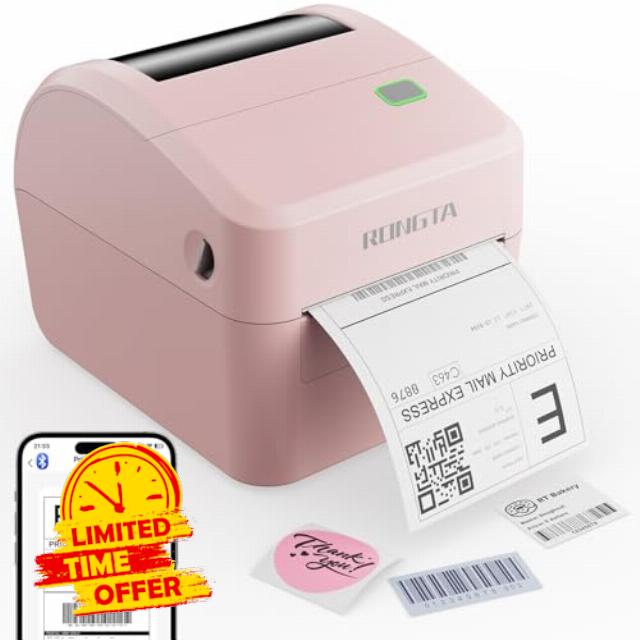
Rongta 4×6 Bluetooth Shipping Label Printer – Thermal Label Printer for Shipping Packages, Small Business, Home, Office, Compatible with Amazon, Tiktok, Etsy, USPS, Commercial Grade, Pink
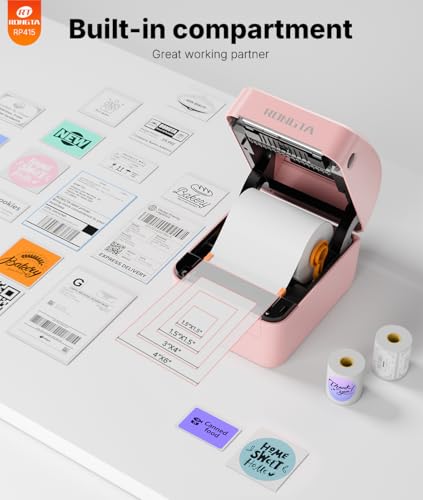
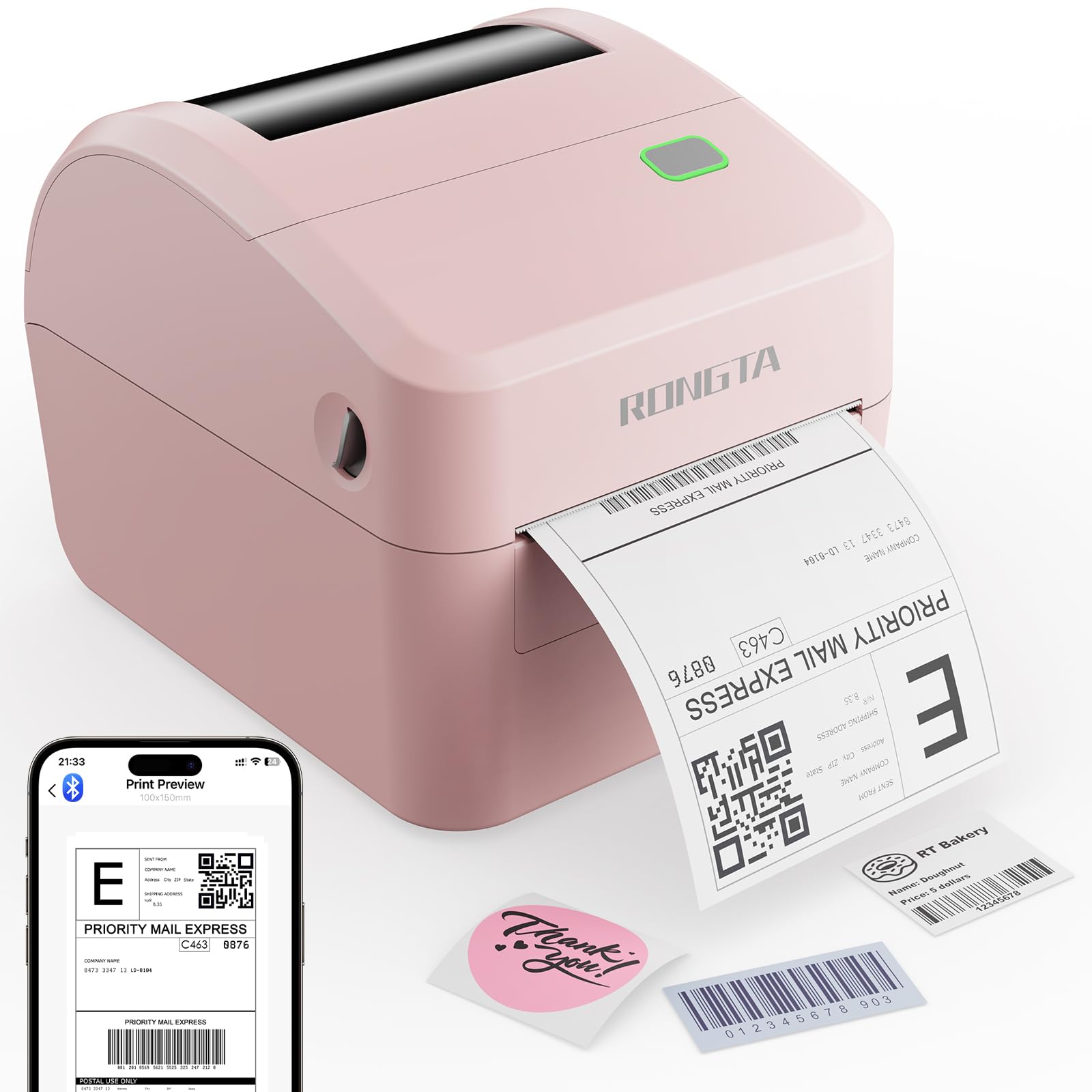
- Big Built-in Label Bin: Rongta shipping label printer's revolutionary built-in label bin design supports both internal roll paper (up to 500 4×6 labels) and folded paper loading from the back, eliminating the need for extra holders. the size of this thermal label printer is 8.2 x 6.6 x 6.6 inches with built-in label bin. Undoubtedly, Our thermal printer offers you the ultimate in space-saving, making every inch of space count, helping your work easier and more efficient.
- Direct Thermal Printer: The upgraded thermal printing technology allows the label printer 4×6 no need for ink or toner, only thermal labels needed, making your work more cost-effective.Our desktop label printers can help your business grow faster and work more efficiently.
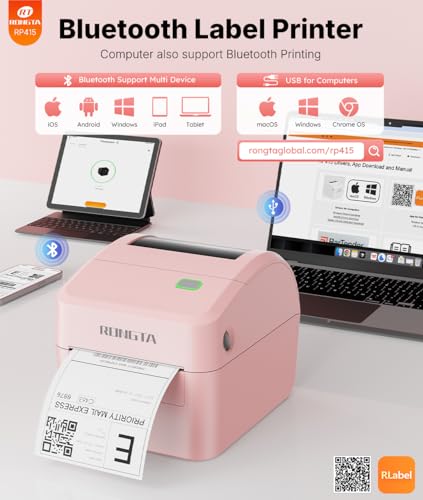
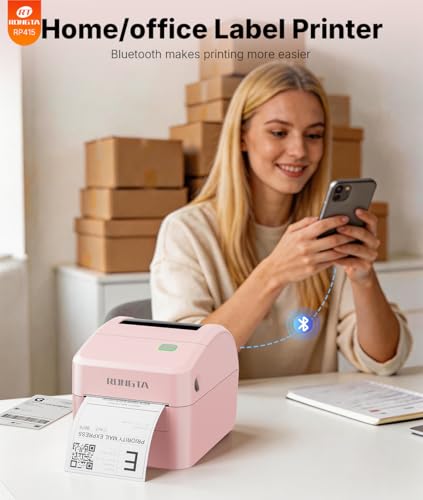
- Wireless Printing via Bluetooth: Thermal shipping label printer boasts an advanced Bluetooth connection capability, seamlessly compatible with Android/iOS and Windows/macOS/Linux systems. Moreover, If you prefer a USB connection, the label printer for small business can also be connected to USB and is compatible with all major computer systems.
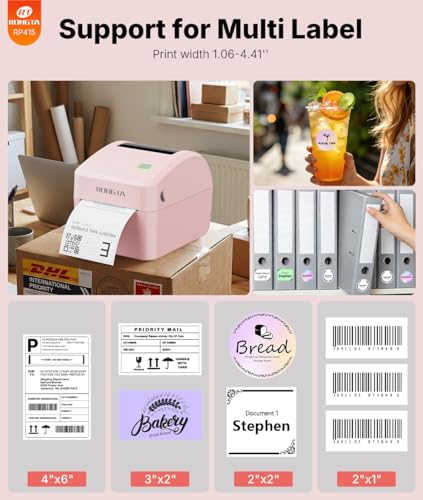
- Strong Helper for Commercial and Home Use: This label printer can support the width of labels ranges from 0.78 – 4.6 inches, a label roll outer diameter of 4.75", very suitable for printing shipping labels, mailing labels, barcode labels, and all kinds of labels you want.
- Widely Platform Compatibility: Compatible with iPhone, Android, iPad, Windows, macOS, Amazon, Tiktok and Linux, and can be used with ZPL software. Ideal for your online small business for shipping packages, Let’s start your small business with this mailing label printer.
Rongta Shipping Thermal Label Printer
Merchant VideoBluetooth pairing code(if need): 0000 or 000000 (activation code)
Labels for RP415 Label Printer
| Customer Reviews | — | 4.2 out of 5 stars19 | 5.0 out of 5 stars3 | 5.0 out of 5 stars3 | 5.0 out of 5 stars3 | — |
| SIZE | 4*6 inch | 4*6 inch | Φ 2 inch | 2*2 inch | 2*1 inch | 4*6 inch |
| NAME | Adhesive Shipping Labels | Adhesive Shipping Labels | Adhesive Thermal Labels | Adhesive Thermal Labels | Adhesive Thermal Labels | Adhesive Shipping Labels |
| LABELS | 220 lables | 500 lables | 750 lables | 750 lables | 1000 lables | 500 lables |
| Adhesive | ✔ | ✔ | ✔ | ✔ | ✔ | ✔ |
| QUANTITY | 1 Roll | 1 Stacks | 1 Roll | 1 Roll | 1 Roll | 1 Roll |

| SKU: | B0FR95WZ26 |
| Weight: | 1 Kilograms |
| Brand: | Rongta |
| Model: | RP415-PK |
| Colour: | Pink |
| Manufacture: | Rongta |
| Colour: | Pink |
Product description
The video showcases the product in use.The video guides you through product setup.The video compares multiple products.The video shows the product being unpacked.Rongta Shipping Thermal Label Printer
Merchant VideoBluetooth pairing code(if need): 0000 or 000000 (activation code)
Labels for RP415 Label Printer
 Roll Direct Thermal Label | 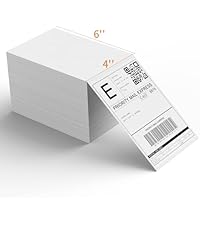 Folded Thermal Label |  2 Inch Thermal Labels | 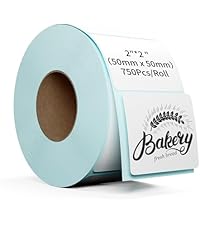 2 Inch Thermal Labels | 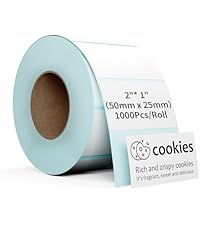 2*1 Inch Thermal Labels | 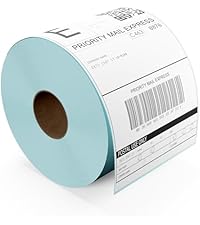 Roll Direct Thermal Label | |
|---|---|---|---|---|---|---|
| Customer Reviews | — | 4.2 out of 5 stars19 | 5.0 out of 5 stars3 | 5.0 out of 5 stars3 | 5.0 out of 5 stars3 | — |
| SIZE | 4*6 inch | 4*6 inch | Φ 2 inch | 2*2 inch | 2*1 inch | 4*6 inch |
| NAME | Adhesive Shipping Labels | Adhesive Shipping Labels | Adhesive Thermal Labels | Adhesive Thermal Labels | Adhesive Thermal Labels | Adhesive Shipping Labels |
| LABELS | 220 lables | 500 lables | 750 lables | 750 lables | 1000 lables | 500 lables |
| Adhesive | ✔ | ✔ | ✔ | ✔ | ✔ | ✔ |
| QUANTITY | 1 Roll | 1 Stacks | 1 Roll | 1 Roll | 1 Roll | 1 Roll |
Great label printer overall for $99
I bought the Rongta 46 Bluetooth shipping label printer mainly out of curiosity, because at work we use much more expensive barcode printers every day. I wanted to see how well a budget option like this would perform, especially when used with a phone. After using it for a while, I have to say I was pleasantly surprised overall.
The setup process was very quick. Once I powered it on and inserted the labels, the printer automatically detected their position and was ready to print without any complicated calibration. Connecting it to my phone was also easy. After installing the app, the printer was detected right away and I was able to print within minutes. It also works with a computer through USB, which is useful if you want to print multiple labels at once.
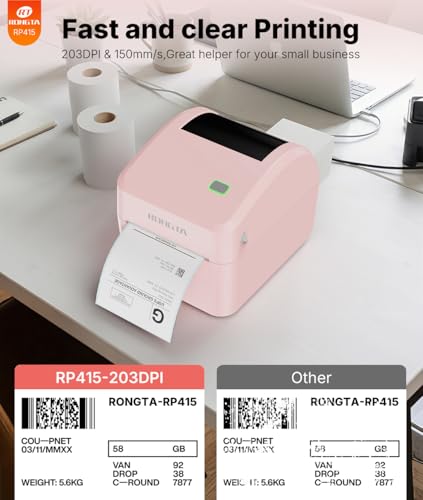
Print quality is better than expected for the price. The labels come out sharp and dark, and barcodes scan without any problems. It’s also quite fast — after pressing print, the label comes out almost immediately, which makes a big difference if you ship packages regularly. Not having to deal with ink or toner is another big advantage compared to a normal printer.
The app itself works fine, but it isn’t perfect. It does the job and makes it easy to crop and print shipping labels, but it feels a bit outdated and sometimes you need to adjust the image manually to get the size right. Once you get used to it, it’s manageable, but it could definitely be improved.
One thing I’m not a huge fan of is the design. The printer works well, but the pink color makes it look more like a toy than a work device. It would have been nice to have a more neutral option. It also makes a few beeping sounds while loading labels, which isn’t a big issue but worth mentioning.
Overall, this is a very solid label printer for the price. It’s fast, easy to set up, and produces clear labels that scan perfectly. The software and design could be better, which is why I wouldn’t give it a full 5 stars, but it still performs better than expected and is definitely worth considering if you ship packages regularly.
Prints are very clear, Bluetooth very convenient, does not have N.A. electrical safety labelling
The Rongata 4×6 Bluetooth shipping label printer does a good job of printing very clear shipping labels. The flexibility of the Bluetooth connection makes it very easy to setup – all I needed was a power outlet. I did not use a hardwire connection for communication between pc (Windows mini pc) and printer.
The manual does a very good job of explaining how to set this up. I followed the order it stated (connect the Bluetooth first, then install the drivers). In less than 3 minutes I was up and running. The printer comes with a small roll of 4×6 inch labels to get you started (photo). This is the largest that manual says this printer can handle. Another great feature on this is the fact that it is a “thermal” printer. This means there is no ink or drying out of print head concerns. We do not ship high volumes, maybe 3-4 packages every couple weeks/month. For low volume this is an ideal solution as sitting for an extended period unused is not detrimental to function (would be a great solution for high volume as well). Loading the printer is very quick. You can use either rolls of labels or accordion style flip/fold labels that can be fed from the back of the printer. The manual states there are 5 ideal sizes, but it can handle any thing that is over 0.79″ in length with a width between 1.57″ and 4.1″.
The printer comes with a power supply brick that is situated mid-cord (nice for not blocking wall or power bar receptacles), a USB connection cable (as mentioned I didn’t use this), a USB A to C adapter, plus the manual. The manual makes acquiring the software for this on either your phone or pc super easy as it includes multiple QR codes you can scan depending on device/operating system, and the address in plain text if you rather just type it in.
In the video you can see that there is a bit of a delay from the time you click “Print” to the time the label is produced, but it isn’t that bad. This printer seems well made and is similar to other big name label printers I have used in the past. The design appears to be such that it will do a good job of keeping dirt and debris out of the print head area – a common cause of issues I have had with thermal label printers.
I do wish that this showed it meets North American electrical safety standards on the power brick/printer. It does show the CE and UKCA markings (see photo). We are happy with this printer, and though it won’t get heavy use, it will be a lot more convenient than attaching a 4×6 label with multiple strips of packing tape while trying to keep the tape wrinkle-free so the barcodes remain scannable.
Easy To Use Label Printe
This Rongta 4×6 Bluetooth shipping label printer is a nice balance between commercial grade performance and a compact size. It feels like a more heavy duty unit compared to basic label printers, but it is still small enough to fit comfortably on a desk without taking up too much space. It works well for home setups, small businesses, or even office use.
One thing I liked right away is that it comes with a roll of labels included, so you can get started right out of the box without needing to order supplies separately. That is always a nice touch, especially if you need to start printing labels right away.
In terms of features, it supports Bluetooth connectivity which makes it easy to print directly from your phone or tablet, along with standard wired connections for computers. It is compatible with a wide range of platforms like Amazon, eBay, Etsy, TikTok, and USPS, so it works well if you are shipping orders from different marketplaces. The thermal printing means you do not need ink or toner, which keeps ongoing costs low and maintenance simple.
The app is also very easy to use. Setting it up and connecting to the printer was straightforward, and printing labels from a phone is quick and convenient. It is especially helpful if you are managing orders on the go or do not want to rely entirely on a computer.
Overall this is a solid label printer that offers commercial grade capability in a compact design. It is easy to set up, works across multiple platforms, and includes everything you need to get started. It is a great option for anyone doing regular shipping from home or running a small business.
Solid thermal printe
The Rongta connects over Bluetooth or USB, prints on thermal paper (so no ink costs), and has a built-in compartment that holds a full roll of 500 labels. After using it for a few days I can say it does exactly what I needed. The Bluetooth pairing with my Android phone was quick, you just open the app, find the printer, enter 0000 as the PIN, and you’re connected. I’ve been printing almost exclusively from my phone and the labels come out in a couple of seconds each, clean text, sharp barcodes, no smearing. I tested a few barcode labels and some standard 4×6 shipping labels for Amazon and eBay orders and everything scanned perfectly on the first try. The thermal printing means the labels are dry the moment they come out, which is something I never appreciated until I stopped dealing with wet ink smudging on my old printer.
The unit is a bit bulkier than the listing photos suggest, but the trade-off is that the label roll sits inside the printer instead of hanging off some external holder, so the overall footprint on my desk is actually smaller than my previous setup. Loading the paper roll takes a little practice because of the spring mechanism inside, there’s a small latch on the left side that releases the holder and it snaps back pretty firmly, so you want to be careful the first time. The instruction manual could be clearer on this part, I ended up scanning the QR code for a video tutorial which helped more than the printed guide. It also comes with a USB-A to B cable and a USB-C adapter in the box, plus a small starter roll of labels. The starter roll is tiny though, probably 30 labels or so, so order a proper roll before this arrives or you’ll run out during setup. One feature I wish it had is an auto cutter, having to manually tear each label off is fine for a few at a time but gets tedious during bigger batches. There’s a maintenance reminder inside the printer about cleaning the head every two weeks which seems easy enough.
The android app is slightly outdated, but works perfectly.
A little bit of an usual case scenario, but I print a lot of schematics that I stick to the inside of my electronics devices so I can keep relevant information I need about how to service them properly! So I got this printer to do so, more than for shipping labels, putting more attention on the capabilities of printing PDF’s and pictures that this printer has.
The printer was super easy to set up and is pretty much plug and play if you own an android device, their app links to the printer in a heartbeat and, while is slightly outdated and unorganized, it does it’s job and sends the job to the printer in a timely fashion. Which is the main way I expect to interface with this printer.
In the box, this printer includes a USB A to B cable, and a USB C to A adapter, which surprisingly is 3.0 (nice surprise! Thanks for the adapter!), the thermal printer can be opened with two semi circles that are marked on grey, and once they slide towards you, unlocks the device for you to maintain, if you do so with the device on, it’ll bother you with beeps constantly, once closed, the printer will calibrate and align properly without you needing to take any further action.
I find the prints to be of quality but with emphasis in text; pictures can be hard or finicky to get right, leaving me desiring for more, but I understand what the device is for, and that my particular use case is slightly unconventional.
The device is bigger than expected, but nowhere near as big as other printers you’ll find on the market, however, one of the things I miss is having a automatic cutter, which sadly this printer lacks.
The prints come out looking nicely, no weird smudges nor weird artifacts, there is warning inside that reminds you to clean the printer every two weeks to keep it performing as good as new.
Overall, my experiences have been excellent and I’m super excited about it, while $71 is a very steep price, I see the appeal and I can get behind it, I just wish it came with a longer roll of paper!
Cute little printer works really well does come with paper or labels
Got this because I ship so much stuff. and thought this would be a much better fit than my printer at home which is just basic office printer. I can never get to work and it always fails on me at the worst time. so I bought this and it works pretty good getting it out of the box, it was a box, in a box ,in a box lol. but it worked overall set up was a little bit difficult I looked through the instruction manual because I didn’t want to accidentally break anything. and it was not super intuitive on how to open it I did figure out where the paper comes out so I figured it wouldn’t open from the direction where the paper comes out. there’s these two little notches and you push them in and then you can open it but you do have to kind of pull a little bit hard, not as simple as I would have liked. and then the second part that I had trouble with was attaching the paper roll it does come with labels, which they do not mention on their listing. but it does come with a nice little roll of labels just enough to get you started they are four by six inches which basically comes out to 101 mm by 152 mm. that’s not exact but it’s good enough ,that I was able to get good reproducible results see pictures attached also there’s a little basically there’s this little spring loaded thing that the paper roll attaches into. and it’s not immediately observable how you would unlock it so it can spring shut on the left side there’s a teeny tiny little switch that is the same color as the paper holder carriage. and you have to pull that forward but it will it will Spring shut at the same time. so your best bet is to kind of hold the roll and then let the switch go. and then that way it doesn’t slam into each side of the where the spring stops we have a nice little tutorial and I just scand the QR code on the label by the way the pin is listed as 0000 to connect Bluetooth ,it didn’t tell that right away but once I dug through a bunch of instructions I did figure that out I would assume that’s basically by default , and not anything special set up person to person but nice little printer wish it could have been a little bit easier on knowing how to set up the paper roll, well sticker paper roll and you can do images as well. but your mileage may vary on images it does not like color images because it’s just a thermal printer but it is very quick it probably takes 2 seconds to print a single label.
Very affordable and very easy to use. Was printing labels with app in minutes.
This review is for the Rongta 4×6 Bluetooth Shipping Label Printer.
At work my team does a lot of work printing to barcode label printers. Some of these are very expensive, so I was curious how good a much less expensive label printer would be, and how well something like that would work with a phone.
I was very, very pleasantly surprised by this cute little guy.
Right out of the box it was very easy to setup. When powered on it immediately detected the position of the labels already loaded and positioned for its first print. I did have to download the app – I used an iPhone. Once done, it very easily detected the Rongta printer. I didn’t have to do anything to put it into pairing mode. Then I was easily able to have the app print a random photo from my phone’s album.
I did have to tweak the sizing in the app, which as far as I can tell has no way to resize images or such to the current label size. So I played with cropping the image until what I wanted was centred. I’m sure as I use this more it will become easier. To be clear this is not designed as a photo printer, so don’t judge the pictures of my dog that are in the photo – they’re just there to show how easily I could print – this was within a few minutes of installing the app.
The really, really surprising thing is that it apparently comes with a license for Seagull Scientific’s Bartender software. I’m intimately familiar with this software as the higher end versions are used by my company every day to print barcode labels. I couldn’t determine what version of Bartender this is, as I don’t have a personal computer capable of running it. This software lets you design label templates which you can then print out by feeding it input files. Licenses for this probably start at more than the cost of this printer as they apparently discontinued the free version of Bartender some time ago.
I do wish the color weren’t pink though. It’s would have been fine to have something a little colorful, but the pink makes it look like a toy.
For the price ($114.45 at the time of writing) I think this is a great little printer that punches above its weight.