OBSBOT Tiny 3 AI-Powered Spatial Audio 4K Webcam, AI
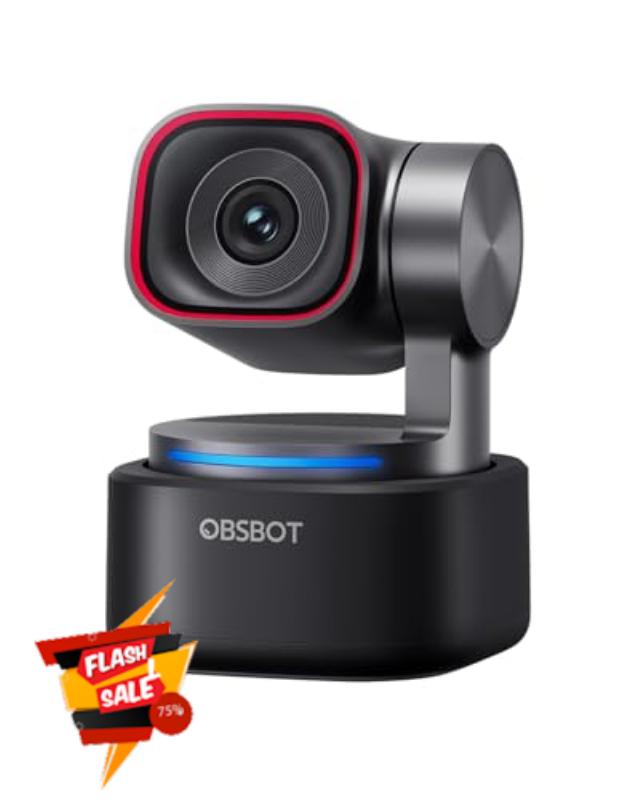
OBSBOT Tiny 3 AI-Powered Spatial Audio 4K Webcam, AI Tracking PTZ Camera with 1/1.28″ Sensor, Tri-Mic, Voice & Gesture Control, 120FPS, HDR, Web Cam for PC, Laptop, Streaming, Meeting, Switch 2, etc.
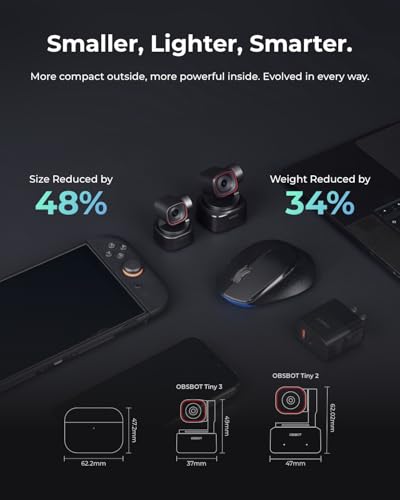
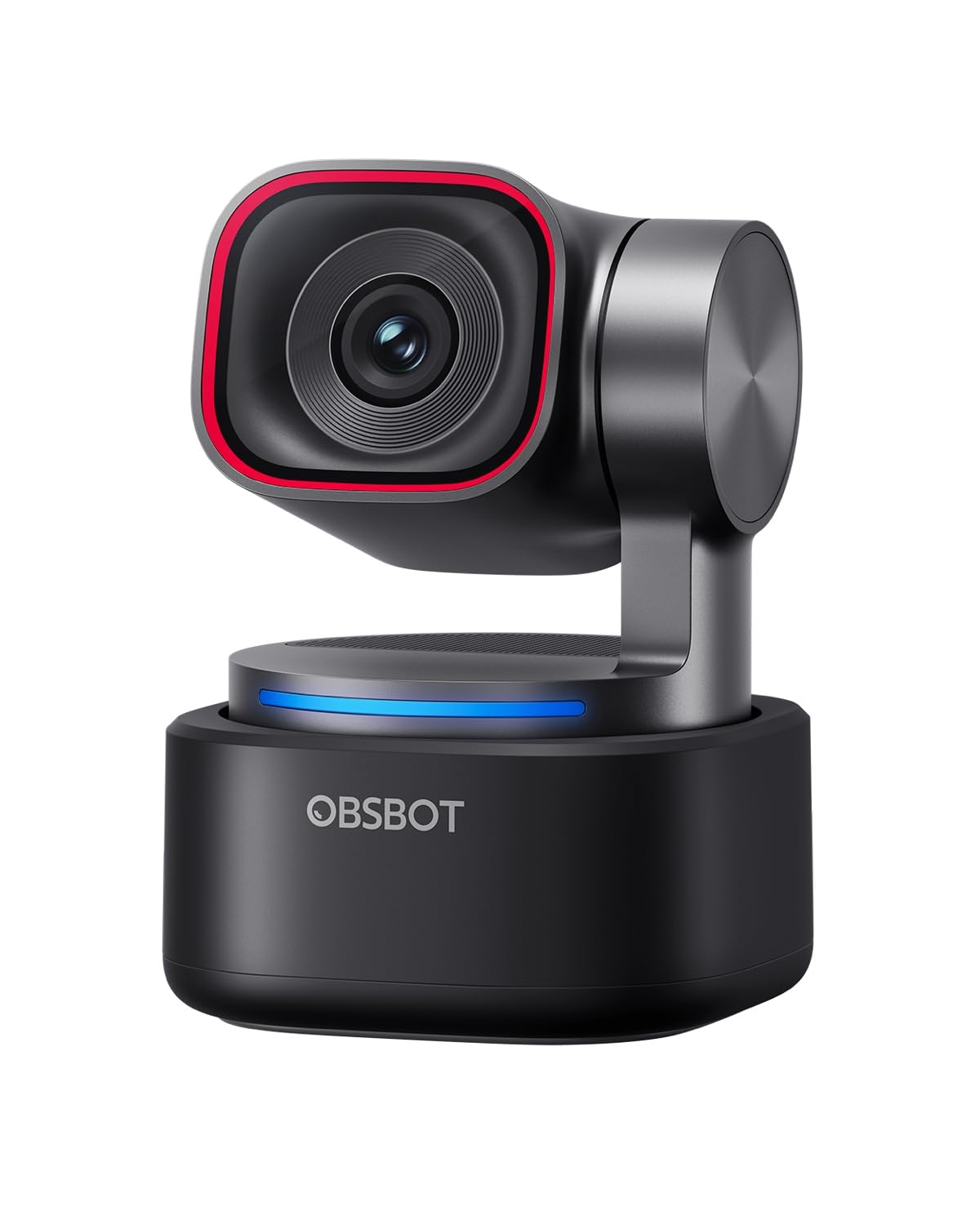
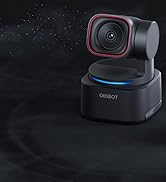
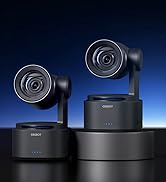
- 【Tiny Titan】Compared to its predecessor, the Tiny 3 webcam is 48% smaller and 34% lighter, yet houses a more powerful 1/1.28” CMOS. It’s also upgraded to a triple-mic array for professional spatial audio. Small form, big performance.
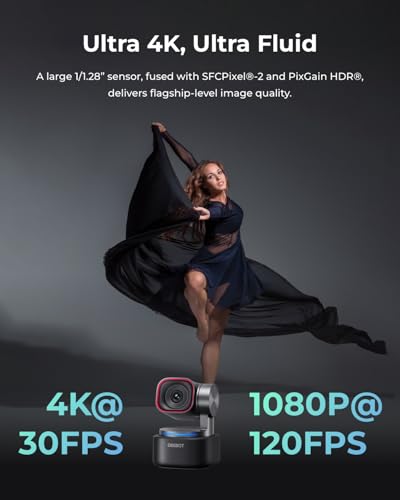
- 【Imaging, Upgraded】Stunning clarity and smooth motion, in 4K@30FPS or 1080P@120FPS. Dual All-Pixel PDAF keeps every frame sharp by intelligently switching focus modes to match the lighting. Enhanced by a Wide ISO Domain (0-12800) and DCG HDR, the 4K webcam delivers detailed, balanced, and professional results even in low-light scenes.
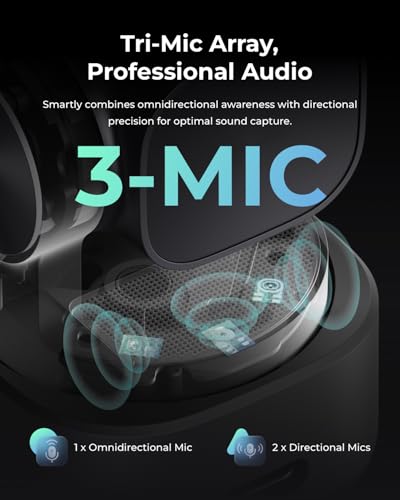
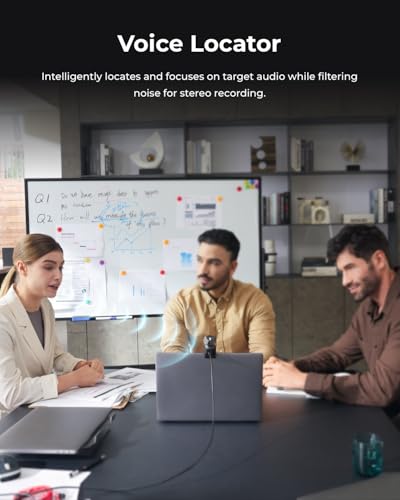
- 【Tri-Mic Array, Professional Audio】An omnidirectional mic captures the full scene while two MEMS directional mics pinpoint voices. This powerful array fuels five specialized audio modes, ensuring superior noise reduction, crystal-clear quality, and seamless adaptation to any scenario.
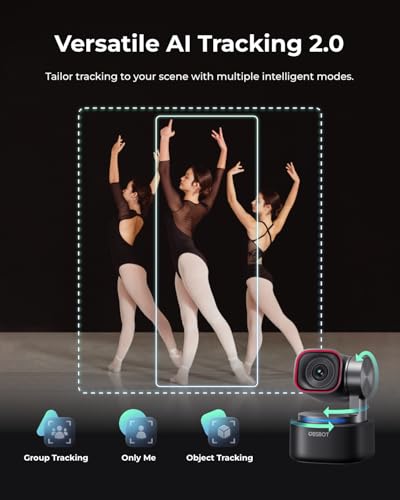
- 【AI Tracking 2.0】With the newly upgraded AI Tracking, the PTZ webcam can identify and lock onto a wide range of targets—whether tracking a single person, an entire group, or over 200 types of objects. Moreover, multiple intelligent tracking modes then ensure a precise frame for any scenario.
- 【Say It or Wave It】Command your webcam for PC with your voice or gestures. Wake it up, track, zoom in/out, and switch presets—all without touching a button, for ultimate convenience and creative flow.
- 【Discover More AI Modes】Explore more intelligent tools built for your workflow.From auto-framing Desk/Whiteboard Modes and one-touch Presets to adjustable Composition Lines and Zone Tracking—these stremaing camera's features enable a truly customized workflow for any scenario.
- 【Empowerment Software】OBSBOT Center software handles everything from core utilities (like Beauty Mode, Background Blur, Teleprompter) to pro-grade calibrations (like Exposure Gamma Curve, Auto White Balance Offset, NVIDIA Maxine Eye Contact). The web cam then sets its sights further on frontier technologies like RTC Remote Interaction and VR Avatars.
From the brand
Connecting You to The Future
With the artificial intelligence as the core, OBSBOT focuses on the application research of new technologies in the field of videography. It hopes to use revolutionary technology and innovative products to innovate the way of public records and image creation, and to change people's social way.
-
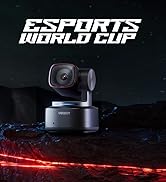
Tiny 3 Spatial Audio Webcam
-
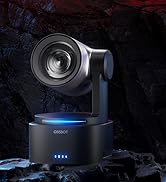
Tail 2 PTZR Live Camera
-
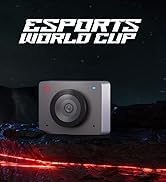
OBSBOT Pro Streaming Camera
-
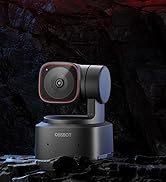
OBSBOT Budget-Friendly Webcam

| SKU: | B0G636CXQM |
| Weight: | 310 Grams |
| Brand: | OBSBOT |
| Model: | Tiny 3 |
| Batteries Included: | No |
| Manufacture: | OBSBOT |
From the brand
Useful webcam
I didn’t expect to care this much about a webcam, but the Tiny 3 ended up being one of those upgrades that you notice right away.
First thing—setup is easy. Plug it in, mount it, and you’re basically good. You can install their software, and I’d recommend it, but you don’t need to spend an hour tweaking stuff just to get a decent picture. It already looks better than most webcams out of the box.
Image Quality
This is the main reason to buy it.
Compared to a typical webcam, it’s just cleaner. Better detail, better colors, and it handles indoor lighting way better than I expected. I don’t feel like I have to crank lights or sit in a perfect spot just to not look washed out.
It’s not DSLR quality—but honestly, for calls and normal use, it gets close enough that most people wouldn’t know the difference.
The Tracking (this is what makes it different)
This is the feature I thought would be gimmicky, but it’s actually useful.
The camera physically moves to follow you, and it does a pretty good job of keeping you centered. If you lean, shift, or even stand up, it adjusts without you touching anything.
It’s not perfect—you’ll notice it occasionally overcorrect or lag a bit—but overall it works well enough that you stop thinking about it. Going back to a normal webcam after using this feels kind of static and outdated.
Audio
The built-in mics are better than I expected. Totally usable for calls. People can hear you clearly, and it does a decent job cutting background noise.
That said, if you already have a mic, you’ll still use it. This isn’t replacing a real audio setup.
What I Actually Like About It
I don’t have to think about framing myself anymore
It just looks better without messing with settings
It feels more “professional” on calls without extra effort
The size is small, so it doesn’t clutter your setup
It’s one of those things where everything just works, which is honestly what you want.
What’s Not Great
It’s expensive for a webcam
4K is only 30fps (fine for calls, but still worth noting)
Tracking isn’t perfect if you move quickly
You still need decent lighting to get the best out of it
Nothing here is a dealbreaker, but it’s not flawless either.
Who It’s Actually For
This makes the most sense if you:
spend a lot of time on video calls
care how you look on camera
move around while talking or presenting
If you just need something basic for occasional calls, it’s probably more than you need.
Final Thoughts
This is one of those upgrades that feels unnecessary until you use it for a week.
After that, it’s hard to go back to a regular webcam. The combination of image quality and tracking just makes everything feel smoother and a little more polished without extra effort.
If you’re on camera a lot, it’s worth it. If you’re not, it’s probably overkill—but a really nice piece of overkill.
Tiny powerhouse that punches above its weight!
The title says it all. The Obsbot Tiny 3 is somewhere between a webcam and a decent entry level dedicated mirrorless streaming camera.
The software has loads of options that will appeal to the novice as well as the well seasoned user.
All in all, I think it’s a great value when comparing the quality of the image to a much more expensive mirrorless streaming cam.
Ziemlich perfekt aber auch recht teue
Leider sehr teuer aber das Bild ist perfekt beleuchtet und auch die Farben passen perfekt. Gegenlicht ist berhaupt kein Problem.
Die Software kann man auf einfach schalten und damit viel vereinfachen wenn man es eh nicht braucht. Automatische Verfolgung, Zoom per Geste oder Sprache kein Problem und dann gibts tatschlich noch nerdige Vernderungen des eigen Aussehens, die man einstellen kann, witzig aber eher was zum rumspielen.
Merece la pena si vas a exprimir el seguimiento por IA, el PTZ y el audio espacial
La OBSBOT Tiny 3 es la primera webcam que realmente me ha hecho sentir que tengo “una cmara de verdad” encima del monitor y no un simple accesorio USB. Es cara, s, pero est claramente pensada para quien vive de verse y orse bien delante de una pantalla: streamers, docentes online, gente que hace muchas videollamadas profesionales o presentaciones, y cualquiera que se mueva mucho por el plano y no quiera estar pendiente del encuadre.
Calidad de imagen: por fin parece una cmara seria
La imagen es muy ntida y limpia, con buena definicin incluso en 1080p, y el salto a 4K se nota sobre todo si recortas o haces zoom en edicin. El sensor es bastante grande para ser una webcam y eso se nota en dos cosas: aguanta muy bien en poca luz y el ruido (el “grano” tpico cuando oscureces la habitacin) se controla bastante mejor que en webcams tpicas.
Trabaja con HDR, que bsicamente es una forma de equilibrar luces y sombras: si detrs tienes una ventana o un foco fuerte, no te “quema” el fondo ni te deja la cara a oscuras, algo clave para reuniones y directos en setups caseros que no son estudios de TV.
Movimiento y seguimiento: PTZ e IA que s aportan
Es una cmara PTZ: puede girar (pan), inclinarse (tilt) y “acercar” la imagen con zoom, todo con un gimbal motorizado muy suave. Traducido: puedes moverte por la habitacin, levantarte, usar una pizarra o ensear algo en la mesa, y la cmara te sigue sin que tengas que tocar nada.
El seguimiento por IA funciona mejor de lo que esperaba. Reconoce la cabeza y el cuerpo, te sigue de forma bastante natural y tiene distintos modos de velocidad: el rpido puede ser algo nervioso, pero en velocidades ms lentas da un resultado ms “cinematogrfico”. No es un zoom ptico (es digital), as que si apuras mucho el acercamiento pierdes algo de detalle.
Audio espacial: micrfonos que sirven de verdad
Lleva tres micrfonos integrados pensados para audio espacial. Esto significa que no solo te escuchan “en mono” como muchas webcams, sino que pueden captar mejor desde dnde viene la voz y ofrecen varios patrones: modo ms direccional si hablas t delante, modo ms abierto si hay varias personas en la sala, etc.
Para alguien que empieza o que hace muchas videollamadas, te puedes ahorrar comprar un micro dedicado y aun as sonar ms que decente. No va a sustituir a un buen micrfono XLR o USB en un estudio, pero s juega claramente en otra liga frente a las webcams tpicas.
Software, control por gestos y voz
La cmara se controla con una aplicacin de escritorio bastante completa. Desde ah ajustas exposicin, balance de blancos (para que no se te vea naranja o verdoso), encuadres predefinidos, zonas de enfoque (por ejemplo, un modo para enfocar la mesa cuando enseas algo) e incluso algunos efectos de fondo.
Adems, trae control por gestos y comandos de voz. Esto significa que con un gesto de la mano o una frase puedes decirle que te siga, que deje de seguirte o que cambie el zoom. Para un uso diario, reduce mucho el tener que ir abriendo el programa todo el rato, aunque reconozco que a algunos usuarios estos “trucos” les pueden sobrar si solo quieren encenderla y ya.
Puntos dbiles y cosas a tener en cuenta.
No todo es perfecto, y creo que es importante dejarlo claro si alguien la est valorando de forma profesional:
Precio alto: est en la franja “premium”. Si solo haces videollamadas puntuales, es excesiva.
Zoom solo digital: el motor se mueve, pero el acercamiento real es recorte de la imagen. Para uso normal vale, pero no sustituye a una cmara con objetivo zoom ptico.
Software potente pero con curva de aprendizaje: la app ofrece muchas opciones y perfiles, pero puede ser abrumadora los primeros das y a veces tiene comportamientos raros (reconexiones, ajustes que hay que retocar).
Demasiado para usuarios bsicos: si alguien quiere “enchufar y olvidarse” y no va a aprovechar seguimiento, PTZ ni modos de audio, hay opciones mucho ms baratas que cumplen.
Creo que esta cmara tiene sentido para:
Profesionales que hacen muchas reuniones online y quieren dar una imagen ms cuidada sin montar un equipo de cmara + capturadora.
Streamers o creadores que se mueven por el plano, ensean material fsico, usan pizarra o combinan plano general y plano medio sin tocar nada.
Formadores, coaches, profesores online o gente que da webinars y quiere poder moverse, levantarse y seguir en plano sin preocuparse por el encuadre.
Usuarios semi-profesionales que no quieren entrar en el mundo de cmaras mirrorless, pticas, focos y capturadoras, pero s notar un salto claro respecto a una webcam estndar.
En cambio, para alguien que solo quiere verse en una videollamada ocasional o que nunca se levanta del sitio, una webcam de gama media le va a salir mucho ms rentable con un sacrificio de calidad que, para ese uso concreto, puede ser asumible.
Excellent video quality and features.
This is a simple plug and play device, you can literally use it as soon as you unpack it.
The design, size and build quality are all matching expectations from the price, it’s also incredibly accurate with target tracking, making ideal for presentations and busy setups.
The gesture control does work as intended, although it’s probably best to get everything setup before starting a meeting if you want to maintain a professional approach.
Currently priced just under 350 makes it a rather expensive option, but you do get what you pay for, would happily recommend it if high resolution footage if required.
Tiny and packs a Punch
I love this PTZ Camera! It is compact and offers a lot of customization. I love the ability to zoom and tilt with ease.
The software allows different ways of tracking, hand signals, and presets which are very useful. I would say a beginner could use it, but with a little time and practice you could really unlock its potential. It is built with quality materials and the picture quality is a professional level.
Excellent and capable webcam/streamcam
Camera is surprisingly small. The PTZ functions work well, but be aware that when mounted above a monitor they add a bit of height. Software is really good. Many extras and add-ons that might replace other third party solutions.
I would purchase again.
The Webcam That Finally Got Everything Righ
I’ve been using the OBSBOT Tiny 3 for a while now, and I can honestly say I’ve really enjoyed it. From the moment I set it up, it felt like a premium upgrade to my streaming and video setup.
The auto-focus is excellent and incredibly fast. It locks onto my face almost instantly, even when I move around or adjust my position. There’s no annoying hunting or blur, it just snaps into focus smoothly and stays there. That alone made a huge difference during live sessions and video calls.
What really impressed me, though, is the color reproduction. The colors look rich, natural, and vibrant without being oversaturated. I have a lot of RGB lighting in my room, and this camera made all those colors truly pop. The reds, blues, and purples look deep and dynamic, but at the same time, my skin tones stay accurate and properly exposed. It balances everything beautifully. The background lighting stands out, yet my face remains well-lit and clear.
I didn’t test the built-in microphones because I was using my own auxiliary mic, but from what I’ve heard and read, the Tiny 3’s audio performance is solid with its built-in array and many reviewers praise the spatial and stereo capture it offers. I didn’t put the mic through tests myself, so I can’t speak from personal experience there, but it seems to hold up well for general use.
There’s also an optional accessory called the OBSBOT Vox SE wireless microphone that you can buy separately if you want lavalier-style audio without relying on the built-in mics. It’s a compact wireless mic designed to work with the Tiny 3 and Tiny 3 Lite, perfect for interviews or presentations where you want freedom of movements.
Overall, the OBSBOT Tiny 3 delivers sharp focus, beautiful colors, and a very polished image. If you care about fast autofocus and accurate color — especially in an RGB-heavy setup — this camera absolutely delivers.
Highest Quailty
This camera is so amazing. It blows my mind that it’s so small. It’s very high quality, and the microphone is exactly what I was hoping to find. The only challenge that I find with this is the software. There is no manual, and you have to figure it out on your own, and it’s pretty complex.