ErGear Vertical Dual Monitor Stand, Stacked Monitor Mount
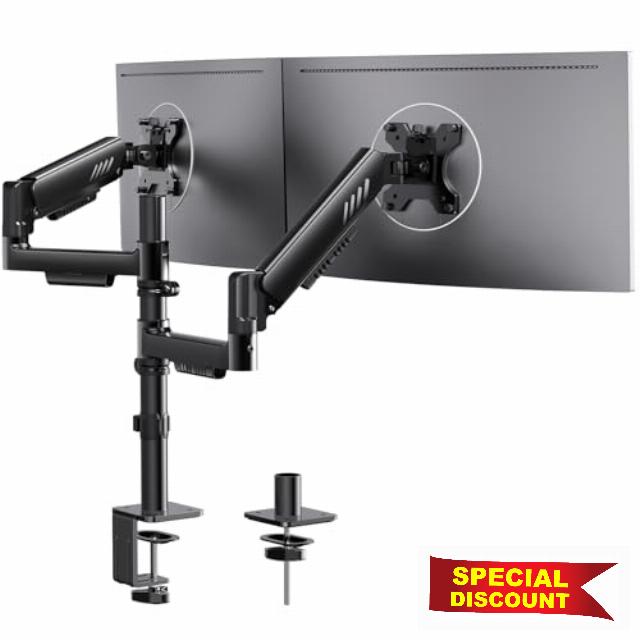
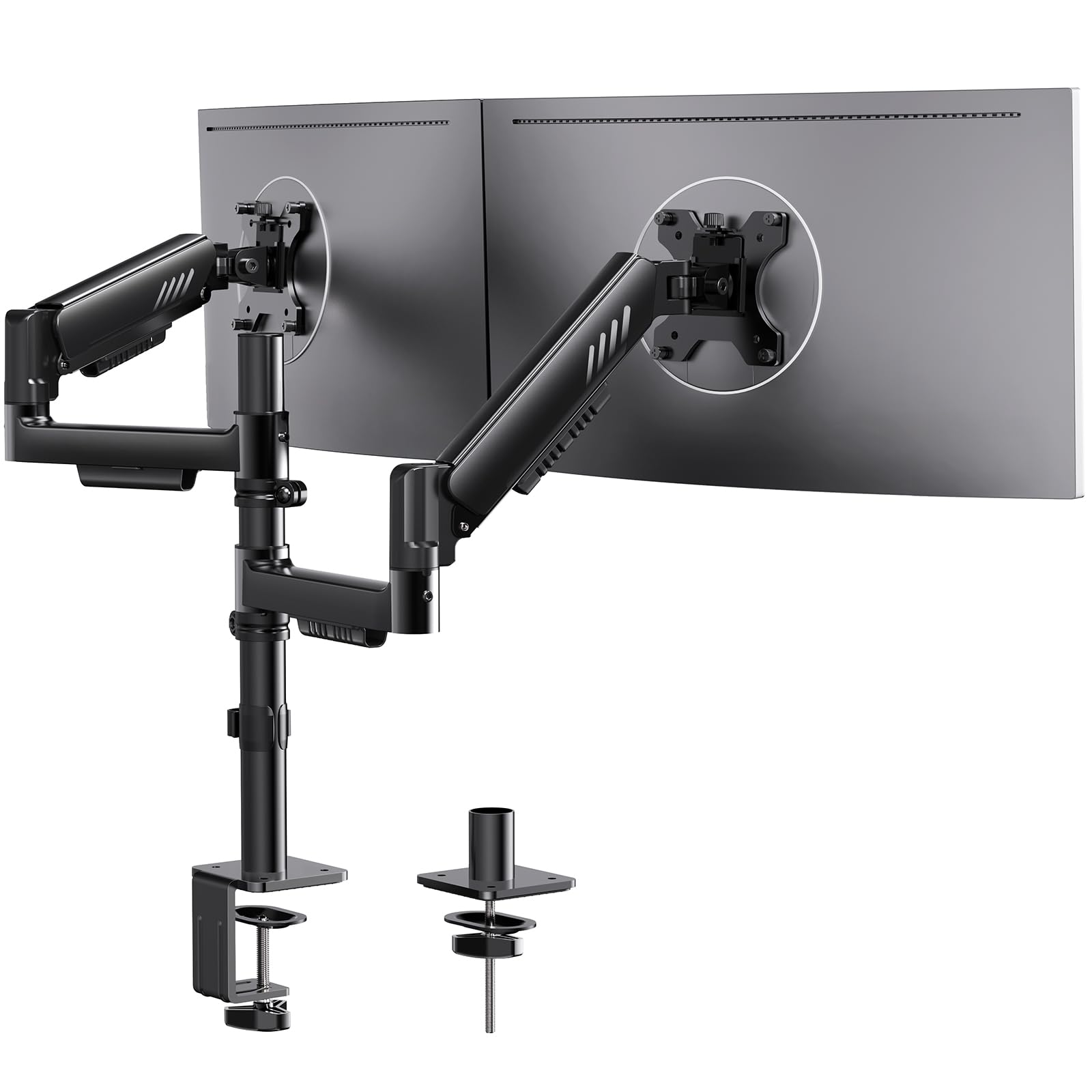
ErGear Vertical Dual Monitor Stand, Stacked Monitor Mount for 13-32″ Screens, Up to 19.8 lbs per Arm, Enhanced Stability with Integrated C-Clamp, Upgraded Cable Management, VESA 75×75/100x100mm, Black
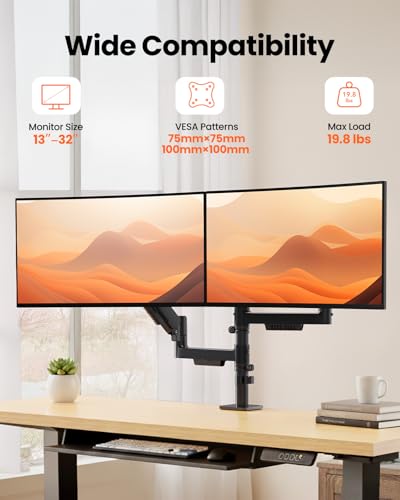
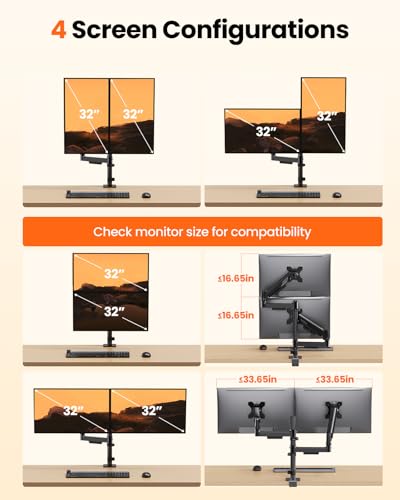
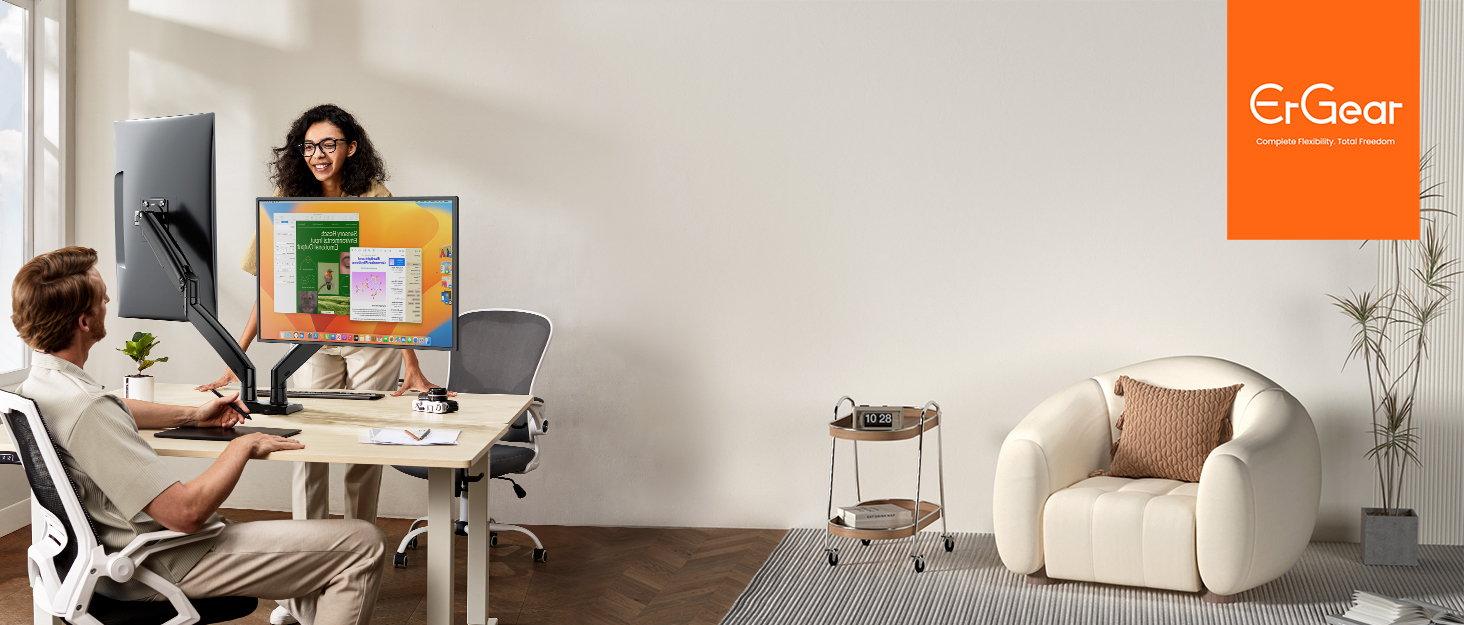
- Wide Compatibility for Dual Setup: This dual monitor arm supports monitors ranging from 13″ to 32″ with VESA 75x75mm and 100x100mm mounting patterns. Each monitor arm holds up to 19.8 lbs, making this monitor stand a perfect solution for pairing two standard-sized displays, optimizing your workspace for maximum productivity with a multi-monitor setup.
- Improved Stability and Support: Featuring an upgraded C-clamp with anti-slip silicone padding, this dual monitor mount provides a firm and secure hold. The wider VESA plate (40% larger) and the gap-free arm/post connection effectively prevent wobbling, sagging, and screen instability, offering a smooth and stable setup for your monitors.
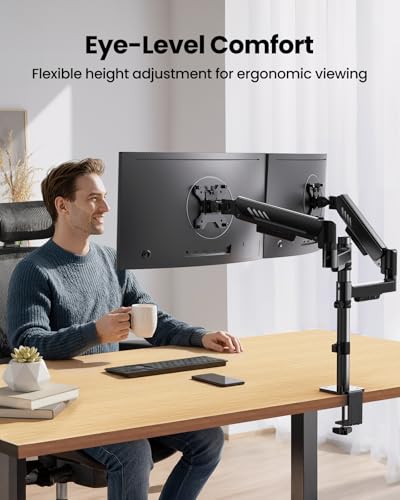
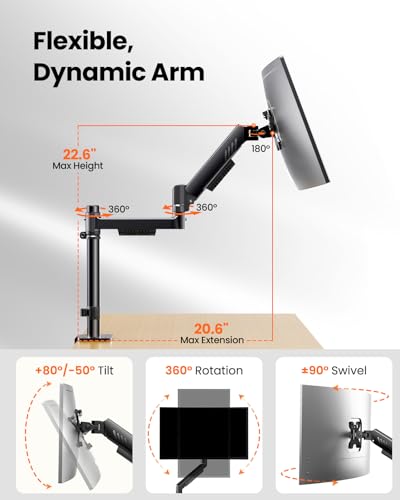
- Dual Arm Adjustability: Each monitor arm on this dual monitor stand can be independently adjusted to your ideal position, with height adjustments up to 25″ and extensions reaching up to 20.6″ per arm. Tilt your monitors from +80° to -50°, swivel ±90°, and rotate them 360° for portrait or landscape mode, making this stackable monitor mount perfect for multitasking and creating a more dynamic and ergonomic workspace.
- Simple Setup: The setup process is quick and straightforward with the integrated C-clamp and VESA plate screws. Tighten everything on this monitor mount by hand, eliminating the need for extra tools, and enjoy a hassle-free installation.
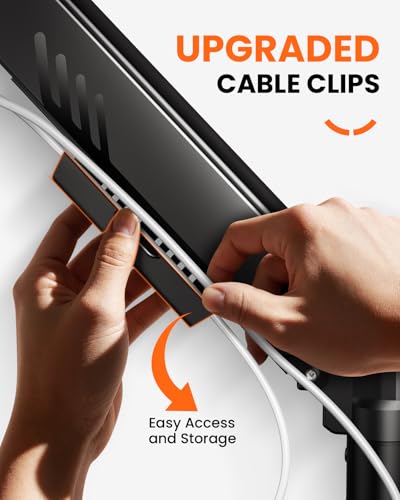
- Enhanced Cable Management: Keep your desk organized and clutter-free with the upgraded cable management system. The vertical dual monitor stand comes with pre-installed clips that securely hold cables in place, ensuring your workspace remains neat without requiring additional tools.
From the brand
-
New Release
-
Ergear Standing Desk
-
ErGear Dual Monitor Mount
-
Ergear Single Monitor Mount
-
Ergear Multi Monitor Mount
| SKU: | B0FQM5K3RX |
| Weight: | 10.49 pounds |
| Dimensions: | 16.54 x 8.86 x 5.71 inches |
| Brand: | ErGear |
| Model: | EGDMA72B |
From the brand

Very good product and very good price
Set up took around 10mins, the arms are very smooth and actually tilt and turn as described. The 34″ ultrawide at the bottom makes it slightly too tall for stacked 2×29″ would stack fine. Very happy with the product for the price. Comparable to dual mounts double its price
Full adjustable gas piston monitor bracket with light touch and easy reach
Excellent, office quality adjustable monitor bracket with gas piston raise and lower.
This was obtained to replace a older dual monitor bracket which whilst adjustable, wasn’t with gas pistons so if you wanted to raise the height or tilt, you needed a tool kit. This bracket contains two gas pistons like a office chair and therefore is easily adjustable once assembled and th eheight, tilt and angle can all be adjusted by hand.
Unpacking the set gives you all the parts needed, three Allan keys and an easy to follow assembly guide. You can rough assemble the bracket and only fully tighten once you are happy with the postion you intend to use.
The desk mount has a foam backed desktop protector to prevent any incidental damage occuring to your desk as you install the monitor bracket set.
Loose fit the entire assembly minus only the monitor plates that are screwed to the back of your monitors. This allows you to get the stand to be more or less where you want before you add the additonal weight of the monitors themselves. This is important because not doing it this way will then involve you trying to keep the monitors straight whilst attempting to decide the corect height and reach of the bracket.
Once everything has been tightened with the supplied allen keys, you will need to play around with the weight compensation screw on the brackets to ensure that the monitor doesn’t make the monitor fall constantly to the desktop or else always be too high and out of view. It is a delicate balance to get them weight exactly right but now I can move my monitors with the lightest touch to ensure they are tilted as I like or swung up and down to the desired height and stay there once pushed.
I am overall very pleased with this bracket and have installed it into mmy home office set up to make working from home at different times of the day (where daylight levels are not constant) much easier with less eye strain.
My only real complaint is that the cable management system is not very well thought out and so multiple rear cables don’t really have anywhere concealed to sit.
Performs as expected
All hardware was present. Installation was a breeze, granted I had to drill a couple holes to get it positioned right and drill a hole through a 2×4 for clamping strength. After some fine tweaks, my twin 27″ monitors are holding steady.
Excellent dual monitor arm – smooth adjustments, rock-solid stability, great value
I’ve gone through several monitor arms over the years (HUANUO, Amazon Basics, some no-name ones, and even a premium Ergotron way back), so I have a good sense of what makes a dual arm worth keeping. This Ergear dual monitor arm (for 13-32″ screens, up to 19.8 lbs per arm, gas spring with C-clamp/grommet mount) is one of the strongest contenders in the mid-price range I’ve tried lately.
Right away:
Build quality is impressive for the cost — heavy-duty aluminum arms with a matte black finish that doesn’t show fingerprints easily. The gas springs are strong and hold my 27″ + 24″ setup perfectly level (one 1440p gaming monitor, one productivity screen). No sagging even after weeks of use.
Adjustments are smooth — tilt, swivel, height, and rotation all move fluidly without needing to loosen/tighten knobs constantly. Once set, it stays put — no drifting like cheaper springs do.
Cable management is upgraded and actually useful — integrated channels and clips keep everything tidy without cables popping out.
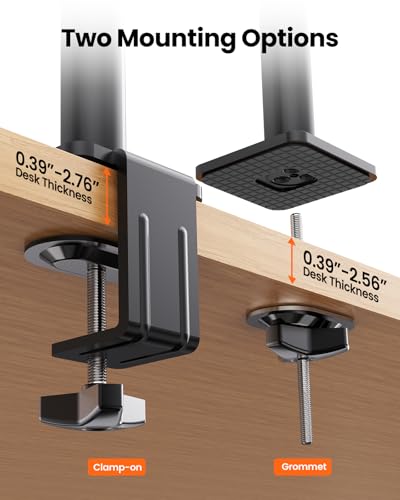
Mount options are flexible — I used the C-clamp on my 1.5″ thick desk edge, and it grips securely without marring the wood (rubber pads help). Grommet install would be easy too if needed.
VESA compatibility spot-on (75×75 and 100×100 plates fit both my monitors perfectly, quick-release for easy removal).
Installation took about 30-40 minutes solo — instructions are pictorial but clear, all tools included (Allen keys, etc.). No stripped screws or missing parts like I’ve seen with some brands. Stability is excellent — no wobble when typing or bumping the desk.
Only tiny nitpick is that the tension adjustment screws are a bit stiff at first (normal for gas springs), but once dialed in, it’s perfect. No creaking, no play.
If you’re upgrading from fixed stands or single arms and want dual without spending $150+, this punches way above its weight. Desk feels more open, ergonomics improved big time (eye level now spot-on). I’ve recommended it to coworkers already. Saves on desk space.
Solid 5 stars from someone who’s mounted way too many screens — reliable, feature-packed, and no regrets. Would buy again or grab another for a triple setup if they expand the line.
Very well made
Where the amount of money it is well worth it well made. I had to replace an older one because I wanted my monitors higher.. the only disadvantage is my desk is in a corner and you can’t get around to it very easily. Everything is tightened down with Allen wrenches, which makes it difficult. It would’ve been much easier if it would’ve had screw knobs other than that I’m very pleased with it.
Der perfekte Partner für dein Dual-Monitor-Setup!
Wenn du viel am Computer arbeitest und zwei Monitore nutzt, dann weit du, wie wichtig die richtige Halterung ist. Die ErGear vertikale Monitor Halterung bietet dir eine durchdachte Lsung fr dein Dual-Monitor-Setup. Mit einer stabilen Konstruktion und intelligenten Features kannst du deinen Arbeitsbereich optimal nutzen. Lass uns einen genaueren Blick darauf werfen!
Design und Material
Die ErGear Monitor Halterung hat ein modernes, minimalistisches Design in Schwarz, das sich nahtlos in jede Broeinrichtung einfgt. Die Halterung ist sowohl stabil als auch stilvoll und untersttzt Monitore von 13 bis 32 mit einem Gewicht von bis zu 9 kg pro Arm.
Beispiel: Ich habe die Halterung in meinem Home Office installiert, und sie sieht nicht nur gut aus, sondern hlt auch meine Monitore sicher.
Montage und Stabilitt
Einfache Installation
Die Installation der Halterung ist unkompliziert. Die integrierte C-Klemme ermglicht eine schnelle und sichere Befestigung an deinem Schreibtisch. Du bentigst kein zustzliches Werkzeug, um die Halterung zu montieren.
Hohe Stabilitt
Ein groer Vorteil der ErGear Halterung ist die hohe Stabilitt. Selbst bei maximaler Ausladung bleiben die Monitore fest an ihrem Platz. Das bedeutet, dass du dir keine Sorgen um Wackeln oder Umkippen machen musst, whrend du arbeitest.
Kabelmanagement
Ein oft bersehenes, aber wichtiges Feature ist das verbesserte Kabelmanagement. Die Halterung verfgt ber integrierte Kabelkanle, die es dir ermglichen, Kabel ordentlich zu verlegen und so fr einen aufgerumten Arbeitsplatz zu sorgen.
Beispiel: Ich habe meine Kabel in den vorgesehenen Kanlen verstaut, und jetzt sieht mein Schreibtisch viel ordentlicher aus!
VESA-Kompatibilitt
Die Halterung ist mit den gngigen VESA-Standards 75×75 und 100×100 mm kompatibel. Das bedeutet, dass du eine Vielzahl von Monitoren problemlos anbringen kannst — perfekt, wenn du deine Monitore in der Zukunft austauschen mchtest.
Fazit
Die ErGear vertikale Monitor Halterung ist eine ausgezeichnete Wahl fr alle, die ihr Dual-Monitor-Setup optimieren mchten. Mit ihrem stabilen Design, der einfachen Montage und dem effektiven Kabelmanagement ist sie ein Must-Have fr jeden, der viel Zeit am Computer verbringt.
Sternebewertung: (5 von 5 Sternen)
Insgesamt bin ich begeistert von dieser Monitor Halterung! Sie bietet alles, was ich mir von einem Dual-Monitor-Setup wnsche, und hat meinen Arbeitsplatz erheblich verbessert. Wenn du auf der Suche nach einer robusten und funktionalen Halterung bist, solltest du die ErGear Monitor Halterung unbedingt ausprobieren!
Works good, would buy again for double stacked monitors top/bottom
I wanted to stack two 4K monitors top and bottom. Had to fight the adjustments a little, because the central bar mount is well, in the center, and the monitor mounts are also in the center, but after some finicking with it I got it working, and how it’s really nice, exactly how I wanted.
Reliable Positioning: A Set-It-and-Forget-It Mou
The Context (What & How) I have installed this ErGear dual mount across two separate workstations to manage side-by-side monitor arrays. My setup has evolved from a pair of 22-inch screens to larger 27-inch displays, requiring a mount that can handle increased leverage and weight. I utilized the C-clamp base on both desks, one being a standard 1.25-inch thickness and the other a much thinner 0.5-inch surface. In both applications, the clamp achieved a secure purchase without requiring shims or reinforcement blocks, proving versatile across different desk materials.
Physical & Technical Performance The standout feature of this system is the gas-spring arm mechanism. Unlike static brackets that rely solely on friction, these arms utilize internal counterbalance tension to hold the monitors in place. I found the tension adjustment process straightforward; by tuning the gas shock to match the specific weight of my 27-inch panels, I achieved a “neutral buoyancy” where the screens stay exactly where I put them. The included hardware kit deserves mention for its comprehensive selection of fasteners. I was able to mount two different generations of monitors without hunting for specific metric screws or spacers at a hardware store.
The Stress Test (Real-World Evidence) In my experience, gas-spring arms often suffer from “droop” when pushed to their weight limits, but these have held firm. Once the tension was dialed in for the 27-inch monitors, they maintained their position without drifting or sagging over time. The setup essentially disappears from my workflow; I don’t have to constantly retighten joints or wrestle with the positioning. While I use them in a side-by-side orientation, the arms provide enough articulation to angle the screens precisely for a seamless dual-monitor cockpit.
Critical Nuance (Pros & Cons) A key distinction in this design is the separation of “coarse” and “fine” adjustments. The gas springs handle the immediate, fluid movement (fine adjustment), allowing you to push or pull the monitor for better viewing angles. However, the gross height is determined by the collar on the central pole. This is a “set-and-forget” mechanic; making significant changes to the base height requires breaking out the included tools to loosen the collar. It is a one-time inconvenience for long-term stability.
Final Verdict This is an excellent, pragmatic solution for anyone needing a reliable dual-monitor setup that doesn’t require constant tinkering. It supports 27-inch screens with ease and offers professional-grade stability once the tension is properly calibrated.
Solid Dual Monitor Stand
Having several monitors cluttering up your desk leads to the need for a dual monitor stand. Nothing is more difficult than not being able to adjust each monitor to your specific need. Of the current dual monitor stands I have, I only have the option to place the monitors next to each other (either vertically or horizontally), which limits functionality. This monitor stand allows for varied placement of the monitors where you can align the monitors next to each other, or one above the other.
Assembly of the monitor stand is rather straight forward and relatively easy with the instructions provided. It will take about 10 minutes to assemble the stand. There are two desk securing options, “Option A” — clamp base to the edge of your desk, or “Option B” — clamp base through your desktop (this may be required if you do not have enough of an edge to clamp the bracket onto the desk.) If you choose “Option B”, you will need to be able to drill a hole into your desk to secure the base. My only issue with the instructions was that to secure the center column to the base you needed to place 3 screws through the base plate. While it isn’t indicated in the instructions, it is far easier to remove the clamping plate to give you more room to work with the screws.
All items are in bags and separated for each step of the project. There are two identical bags with various components for the VESA mounting brackets that are included with the stand. Each component is sealed individually and labelled with the coded letters for assembly. This makes it is easier to identify which components you will need for your specific monitor, however if you are familiar with VESA mounting brackets, you will find what your need without the coding. Two things are important: 1. Make sure that your monitor has VESA capability as not all monitors are able to be mounted. 2. Make sure you use the proper mounting screws for your monitor, so that you don’t damage your monitor. One of the nice features of this system is that the VESA mounting bracket can be mounted on the monitor and then slipped onto the system arm. This feature makes it a lot easier to add the monitor to the stand.
When assembled, the springs are strong enough to hold my 30″ monitors and are easy to position. You can increase or decrease the spring tension with the included Allen keys so that the monitors don’t sag or move up over time. It is easy to position the monitors and then secure the brackets by tightening the collar rings and the arm ring in order to stabilize the monitor in the position you wish. If you want more flexibility and motion, you can just secure the collar ring and leave the arm to rotate free.
Overall, I am quite pleased with the stand. The price is reasonable and it is well constructed.