Yale Assure Lock 2 Touch (New) – Fingerprint Key-Free Door
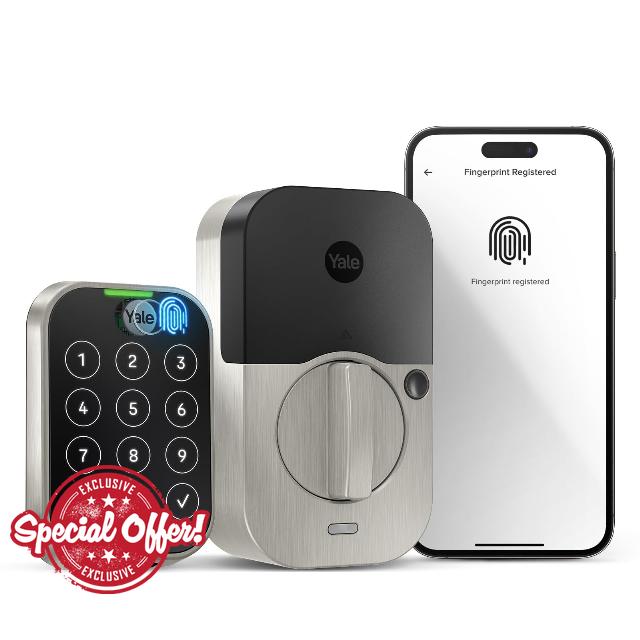
Yale Assure Lock 2 Touch (New) – Fingerprint Key-Free Door Lock in Satin Nickel – Unlock with Your Code or Your Fingerprint – YRD450-F-BLE-619 – No Wi-Fi
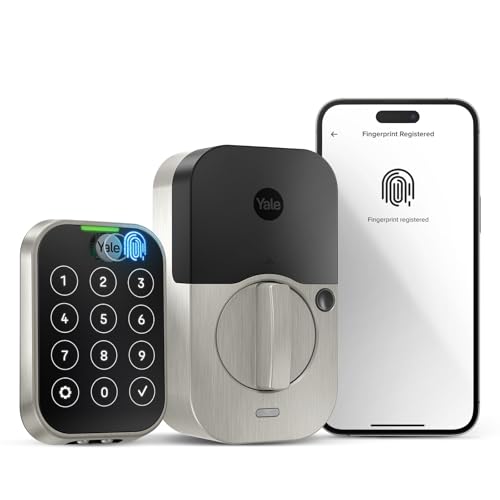
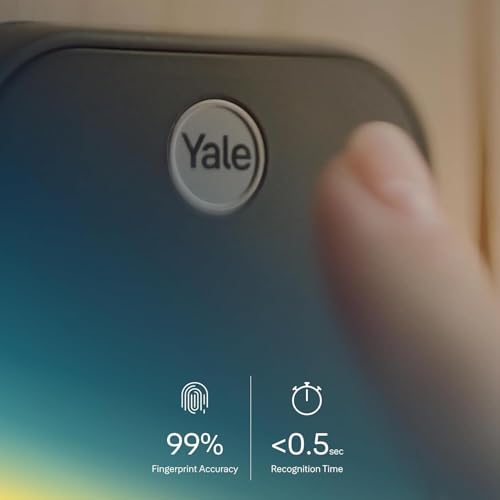
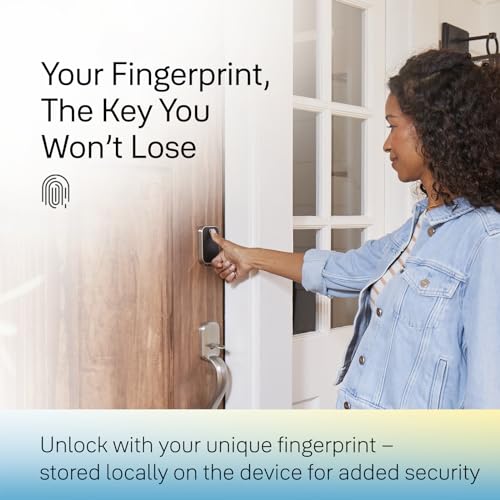
- UNLOCK WITH YOUR FINGERPRINT: The one key that is completely unique to you, and can never be lost. With a 99% accuracy and <0.5 recognition time, your fingerprint is the fastest and most secure way to unlock your home.
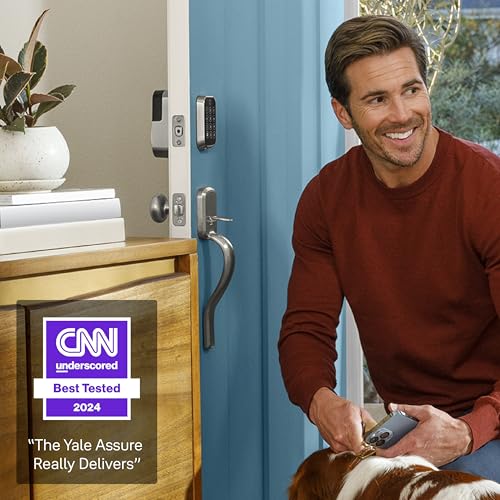
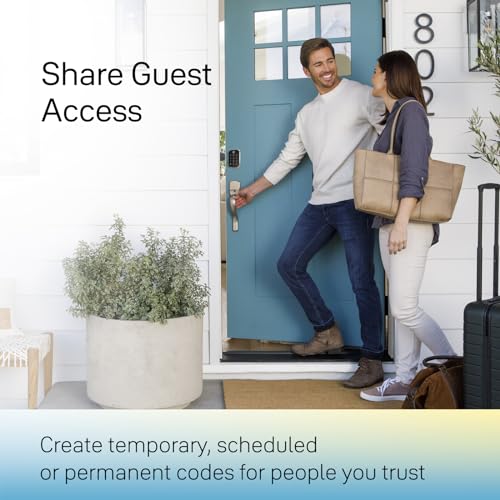
- LOSE YOUR KEYS. Enjoy secure keyless access for your family, friends, dogwalker, house sitter and more. Offer fingerprint touch or share virtual keys on the Yale Access App.
- SECURITY AT YOUR FINGERTIPS. The one key that can never be lost or duplicated — your fingerprint. Also, ensure only the right people have access with two-factor authentication, biometric verification, and matte keypads for fingerprint resistance.
- YOUR ENTRYWAY. ELEVATED. With multiple ways to lock and unlock your door, including biometric touch, home access is smarter, sleeker, and more convenient than ever before.
- HANDS FULL? NO PROBLEM. A door that auto-unlocks as you approach – now that’s a warm welcome. With this hands-free option, you don’t need to touch your lock or your phone. Always let Yale get the door.
YALE ASSURE 2 TOUCH. A LOCK AS UNIQUE AS YOU. Make coming home more seamless than ever with the Yale Assure Lock 2 Touch. Thanks to the new biometric touchpad, a simple touch of your finger is all it takes. Explore all the different ways to access including hands-free Auto-Unlock, or using your phone or Apple Watch. Let Yale get the door for your trusted network with fingerprint or easily create unique entry codes or virtual keys from the Yale Access App. For added peace of mind, never worry about locking the door behind you with advanced Auto-Lock and DoorSense(R).
| SKU: | B0CBN946KZ |
| Weight: | 3.54 pounds |
| Dimensions: | 0.88 x 2.5 x 3.75 inches |
| Brand: | Yale Security |
| Model: | YRD450-F-BLE-619 |
| Colour: | Satin Nickel |
| Pack Quantity: | 1 |
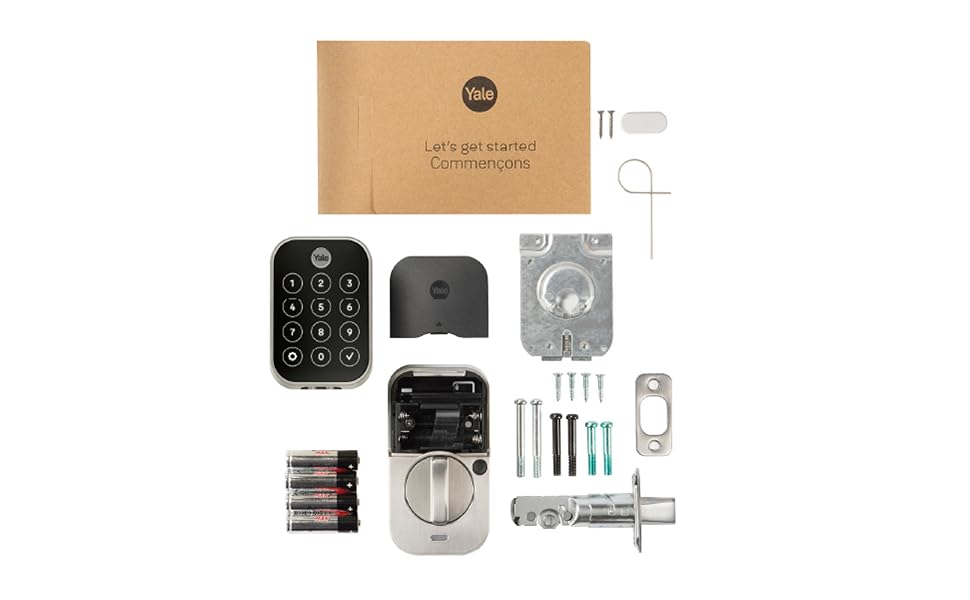
| Batteries Included: | 4 AA batteries required. (included) |
| Manufacture: | Yale |
| Colour: | Satin Nickel |
| Origin: | Vietnam |
| Quantity: | 1 |
From the manufacturer
Great lock with excellent features, but compatibility issues when used in Australia
The lock (Yale Assure Lock 2 Touch YRD450-F-BLE-BSP) has excellent features, with fingerprint unlock which works fairly well and ‘one-touch’ locking from the outside. From the inside, the knob is turned to lock/unlock the door. This lock is the ‘second’ lock on the door. We purchased this lock particularly because it does *not* have a key (which could be picked), because it has decent batteries (4 x AA) and because Yale is a reputable lock brand.
As some other reviews mention, although sold by amazon.com.au, the lock doesn’t seem supported in Australia (or anywhere other than USA/Canada).
This results in – for us – two separate problems (1) extra steps involved in configuring the lock with the ‘Yale Access’ or ‘August Home’ app (2) connecting the lock to the local network
The second problem I have not been able to solve. As of July 2024, the ‘Yale Access’ app and ‘August Home’ app does not recognise the ‘Yale Connect Plus Wifi Bridge’ (currently sold in Australia) and the ‘Plus’ bridge is not listed in the manual product selector choices. I purchased the older version of the Wifi bridge (the version which is not ‘Plus’, and is no longer available from standard shops in Australia). Although I could connect to that older Wifi bridge with the app, trying to connect that Wifi bridge to the lock is not successful (the app reports an error). Another Amazon review – and an oblique reference on the Yale website – mentions that Yale Assure Lock can connect to the Wifi bridge, so I don’t know if that is a problem with buying the Australian version of the old Wifi bridge or because the App doesn’t like being outside North America (although I’m using an VPN).
Sadly, z-wave standards are different in Australia compared to the USA, and there are some reports that using the Yale Assure 2 wifi module is detrimental to the lock’s battery life.
The first problem is solveable. As of July 2024, it *cannot* be configured with the “Yale Home” app which is available to Australian users of Google Play. Either the “Yale Access” app needs to be installed from another source or the “August Home” app can be used (available in Google Play for Australian users). Both these apps will not allow a lock to be ‘added’ to the ‘home’ unless the app believes the user is in the USA or Canada. Some other users mention using an American phone number. I used an Australian phone number, but used a VPN to ‘fake’ a USA location.
Reviewed after 13 months – overall this is a great lock that my family has been happy with. I did not want wifi connection and this fit the bill. The fingerprint sensor still works great and occasionally needs to be wiped clean to work properly. The keypad is difficult to see sometimes during the day and I wish there was some haptic feedback. It does light up when touched. The lock mechanism is loud and I wish it was quieter. I love the auto lock feature where the door locks after whatever timer you set. I never have to remember to lock the door. However the motor does run even after you manually lock the door which is not a smart design. Best of all, 13 months and after heavy use we only just starting to get a low battery alert. I think I can squeeze 14 months out of a set of batteries for our main front door. If you want a good fingerprint sensor keypad without wifi and long battery life and some useful programming features, then I recommend this one.
Best of the bes
I have purchased 3 of these assure 2 locks and 3 other Yale locks and they all work great! Their app works fantastic and their customer service is great! I really trust Yale as a brand and I would highly recommend to anyone.
Mostly positive
It’s works well but it sucks the power out of the batteries. Yale has added a battery power percentage in the app and that was a great addition to the overall usability. Buy a 24 pack of quality batteries because you are going to need them.
Summary:
I bought this lock mostly for the auto lock feature and ability to ditch physical keys. The shortof it is that this lock has been everything I hoped it would be. The fingerprint access method is great and what everyone in my family prefers to use.
Security / Access Features:
I like the lack of a physical keyhole. Youtube “pick deadbolt” or “bump key” to see that most physical key locks are easy to bypass. No physical key means that vulnerabilityis eliminated. Also eliminated are the chances of losing a key or having it unknowingly copied. The downside is what to do if thelock batteries die. Yale provides 9V battery contacts on the keypad for this case – still I’d recommend researching solutions with a physical key if you only have a single door.
I opted to get the version *without* a Wifi or ZWave module. These optional modules provide remote access but add potential headaches. Issues I’ve learned about from researching other locks include mysterious rapidly drainingbatteries, remote lock flakiness and firmware lockups. To be clear, I’m *not* saying *this* lock has any of these issues but a less complex system naturally has less that can go wrong.
In any case, the WiFi or ZWave modules can be added later for extra cost if the features they bring become important.
Without Wifi / Zwave, the options for unlocking the door include:
– Keypad codes, you can program multiple codes and set the times they are active. When choosing this method I suggest using one or more digits multiple times in the code for added security.
– Fingerprint. You can add up to 25 fingerprints. This is the most convenient access method. It would seem that with each fingerprintadded, the chance of a “false positive” (accepting an invalid fingerprintbecause it’s close enough) would rise but I don’t see needing to add a lot of prints as a common need.
– Bluetooth proximity. Simply having your phone near the lock. I’m not sure how good it is at determining if you are inside your house or outside so I have it disabled.
– Phone app via bluetooth. This method allows anyone that can unlock your phone to unlock the door too (although you can add an extra validation code). Still more secure than an anonymous device like aphysical key or apple watch.
Of the methods above, my family prefers the fingerprint method because it’s convenientand you always have what you need.
The lock also had the ability to autolockitself after a configurable 1-30 minutes after being closed. I think this is a great security feature which covers forgetting to lock the door when going to bed or leaving the house. Love it.
Installation:
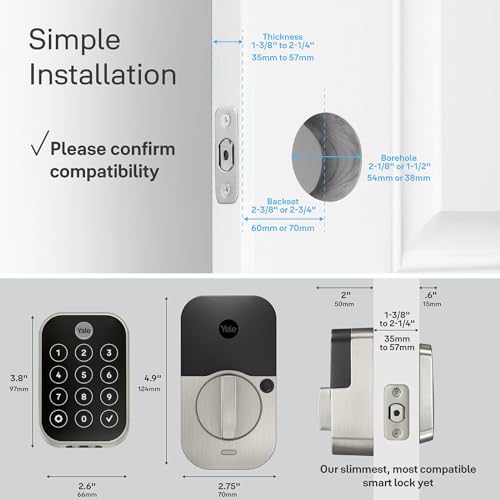
I thought that installing this lock was very easy for the most part. Having a door with standard spacings was surely a help. I suggest lookingat the manual ahead of time to get the measurements and avoid the potential disappointment of an incompatibility.
One thing that did not work out of the box was the “door closed” sensor. There are two installation methods: an “easy” flush with the door method and slightly harder inline-with-door method which requires drilling a 5/8″ hole. It turns out that the “in app” instructions contained a critical pieceof information not present in the printed instructions: “flush with the door” only works if your door is also flush with the wall. Mine is not. So I switched the install from flush to inline with the door method and all is well.
Well I can say its finally about time, but you know what the time is here the time is now. August, Yale Assay Ambloy Sister of companies, has finally kept me for life, August Locks have always worked great for me over the years. All models I havent had issues with, and good battery life, Switched to the Wifi 4th Gen module when it came out because it was alot smaller , sleek and looked good however wasnt a fan of the cr123 batteries as they was battery hogs.
I understand why they did it, because the overall footprint was smaller so the batteries had to be smaller.
I was looking for something else… I didnt have good luck with other Smart Locks on the market, including those with Fingerprint sensors… Thats really what I always wanted the ease of use… Basically theres nothing better than Auto Unlock, which means you dont have to do anything no extra steps… when it works… Mines was 85% of the time which is great. Other times it was phone issues to where I had to restart my phone and reconnect the Bluetooth.
Other Smart Locks with Fingerprints was decent or either good IMO but however had a terrible app experience. So in my book its 2023, there is no excuse.
August has always had a high rating in the google play store…
Now August/Yale has finally came up with the same great Yale Assure lock 2, but now finally with a fingerprint sensor where the Yale logo is,, it works flawlessly everyone loves it, its very intuitive within the app to add more fingerprints going from 1 all the way until its finished and the app tells you instantly to hit continue and its finished. All the same great features as all the other August/Yale Locks, with AA Batteries , Auto Unlock, Auto Lock, Keypad, Voice or Fingerprint or Watch…Great Job, Well Done,,,
10/10/2023 Update
Still using the locks and I have to say I have had no issues with still. Seems like the lock is learning the accuracy of the fingerprint reader and one attempt now to unlock the door works,, everyones finger in the house is reading faster now than when initially set up. Thanks Yale
I recently bought and installed two Yale Assure Lock 2 Touch door locks. I elected to get the keyless version with Bluetooth only.
It doesn’t take too much searching to find plenty of YouTube videos that show how easy it is to defeat conventionally keyed locks. So right off the bat, going keyless was a step up in security. I chose the Bluetooth-only option mainly to keep battery drain to an acceptable level. But it’s also the case that I have no need to remotely activate my locks or view their status – never had it and don’t need it. On the other hand, without a Wi-Fi-enabled lock you lose geofencing capabilities and remote/timed entry for house cleaners, dogwalkers, and guests.
Here though, something that isn’t mentioned (or is easily missed) in their sales info is that Yale does not recommend using keyless locks if you only have one entry door because you can be locked out if there is a lock failure. That warning appears in the user’s manual.
But with the Assure Touch, there are three ways to open the lock: finger touch, keypad code, or with the app if you are within Bluetooth range. And if the batteries go dead, you can touch a 9-volt battery to contacts on the underside of the keypad to enable the lock. So there is plenty of built-in redundancy. It seems like the only failure mode would be if the actual motor-driven locking mechanism somehow broke or jammed. But there is redundancy there if you have these locks on more than one door since the chances that two locks would fail at the same time is probably highly unlikely.
Installation was relatively easy but if you don’t know what end of a screwdriver to pick up or are intimated by putting together Ikea furniture, it might be a challenge.
My main issue came after installation. The user manual is very good in explaining the installation but not so much with getting the app up and running. After install, the manual just tells you to follow the instructions on the app on your cell phone. But I found it like following a road detour and suddenly there are no more signs to follow. I did not find either the app or user manual documentation to be forthcoming in telling you how to configure the lock and how to add other people. You can grant access to other homeowners and guests but it’s not immediately clear how. I suppose there is always Google there to help, but at least at the time of this review, there is a 24/7 Yale customer hotline that proved to be quite responsive and helpful.
But after you explore the app and get used to it, it offers a lot of functionality. I opted to install the Yale DoorSense hardware (which is nothing more than a little magnet) that lets the door “know” when it is opened or closed. This enables to door to automatically lock at a time delay of your choosing. So there’s no more I-wonder-if-I-locked-the-door anxiety when you leave. You can also program in the number of tries someone gets to guess your keypad entry code before getting locked-out for a period of time that’s also programmable.
But the best part of the lock is the touch entry. It is amazing. You just have to touch (importantly, not press) the finger of your choice on the fingerprint reader and the lock opens instantly (you LOCK the door using any finger). Easy and convenient.
This is a well thought-out lock that looks great and is easy to use. I very much recommend it. The only thing left to be assessed is how well it performs over time in regular use. But my immediate impression is that they are very well made and likely to go the distance.
Update 7/17/2025
I chose the Bluetooth only version of the Assure Lock 2 instead of the WiFi version mainly to keep the battery drain to an acceptable level although at the time of purchase, I didn’t know what to expect in the way of battery life. I just changed the batteries in my lock for the first time almost exactly a year after I installed it. The lock is on the door from the garage into the house and is my most used door. Changing batteries once a year is more than acceptable to me. Your mileage may vary.
I also have an Assure lock on my front door that was installed a little later than the garage door. This door is used much less frequently than the garage door. So far I have not gotten a low battery warning.
The low battery warning appeared on my phone app and indicated there was 20% battery remaining.
One other observation is that somehow and for some unknown reason the locks get scrambled such that the lock/unlock status and door open/closed status do not agree. I have an idea what may cause this but can’t say for certain that I’m on the right track. No matter. This has happened very rarely and is easily corrected by simply recalibrating the lock.