PXN V99 Gaming Racing Wheel, Driving Force Feedback Steering
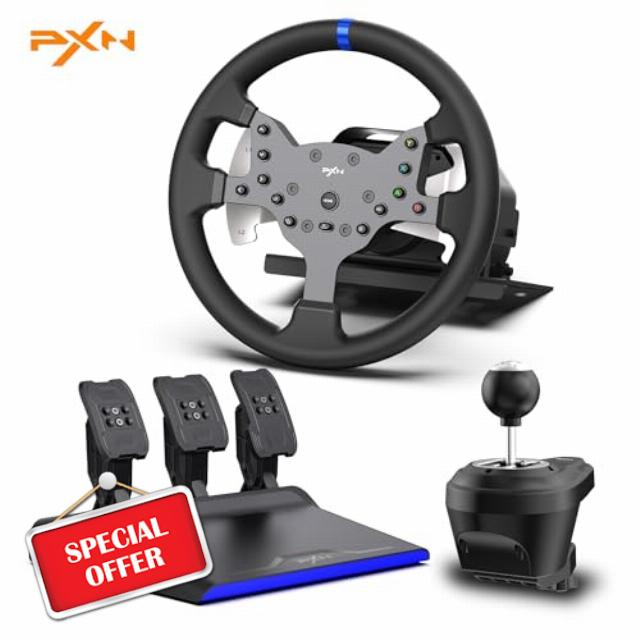
PXN V99 Gaming Racing Wheel, Driving Force Feedback Steering Wheel with Pedals and Shifter – 3.2NM, 270°&900°, 11.8 inch, 4 Paddle Shifters, Tools APP – Racing Wheel for PC, Xbox Series X|S, X and PS4
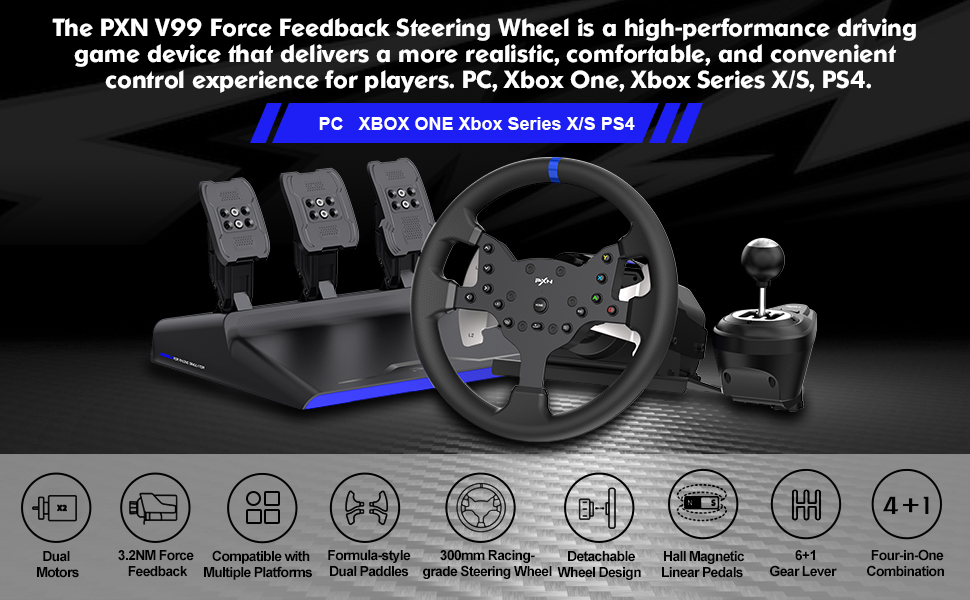
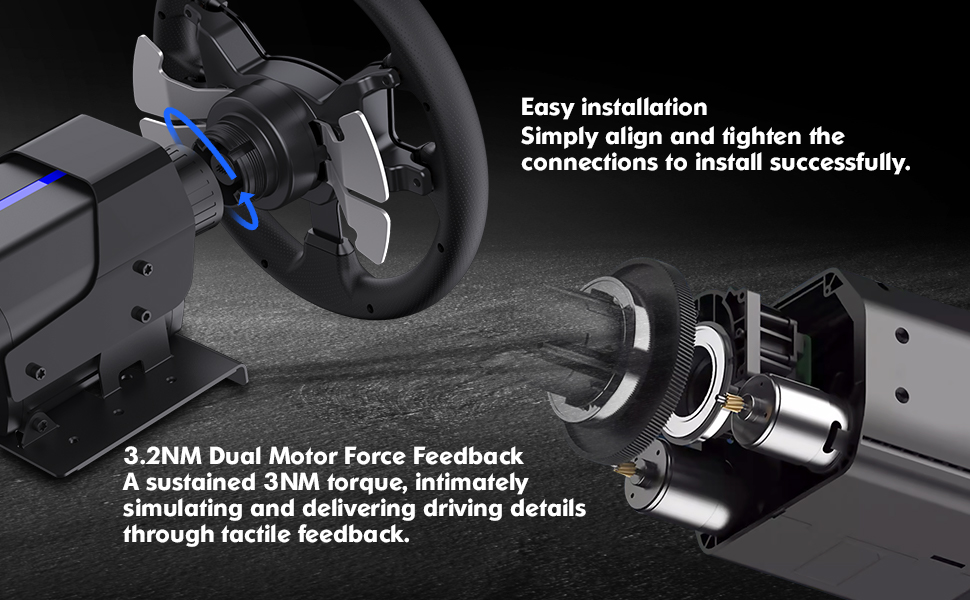
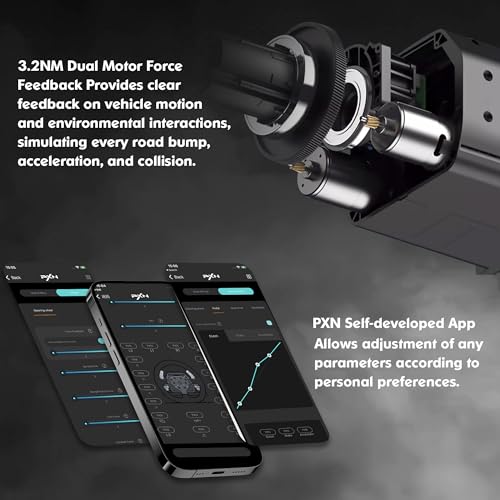
- 【CUTTING-EDGE FORCE FEEDBACK TECHNOLOGY】 The V99 Racing Wheel employs advanced force feedback technology, featuring dual built-in motors and sophisticated algorithms to precisely replicate the authentic variations in force encountered by in-game vehicles. Experience the vibrations of each turn, bump, and acceleration, immersing yourself as if seated in the driver's seat of a real racing car.
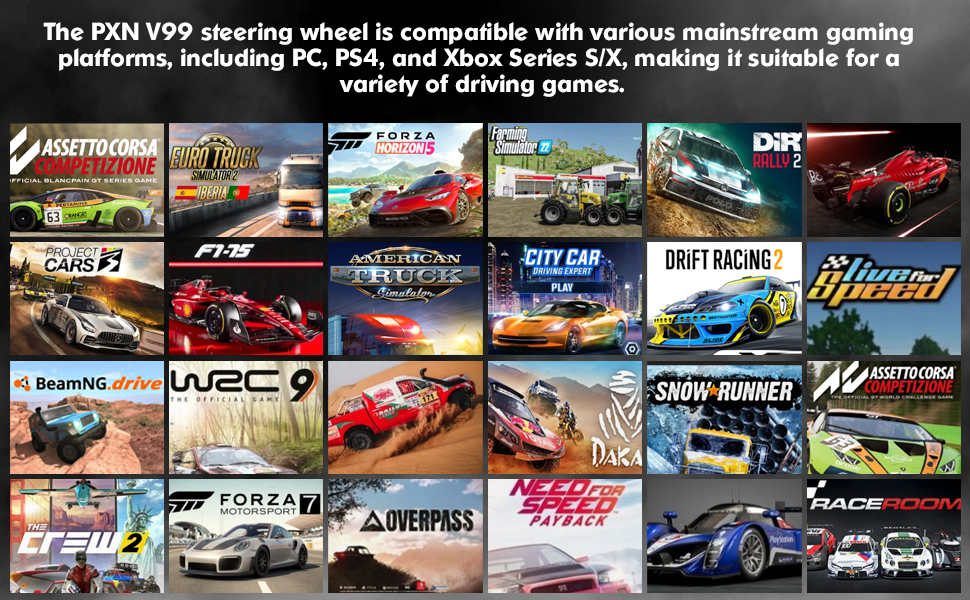
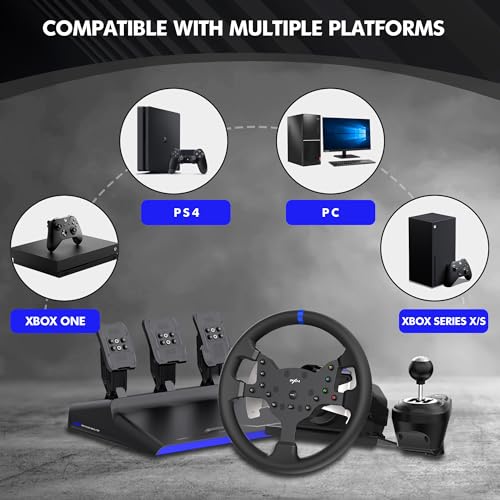
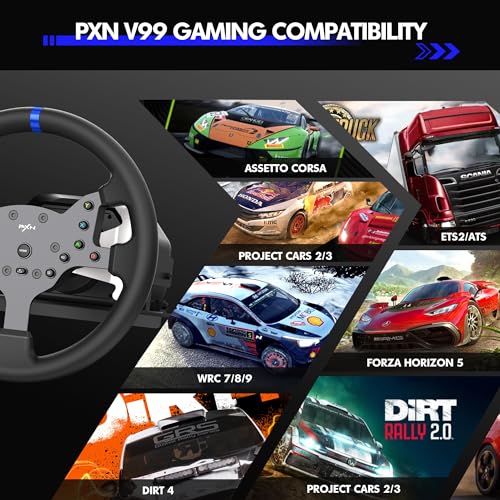
- 【VERSATILE COMPATIBILITY AND EASY CONNECTIVITY】 Whether you're a PC, Xbox One, Xbox Series, or PS4 user, the V99 Racing Wheel boasts extensive compatibility. Through a straightforward USB wired connection and an additional controller guide (not needed on PC), easily link the Racing Wheel to devices across different platforms, delivering a seamless plug-and-play experience.
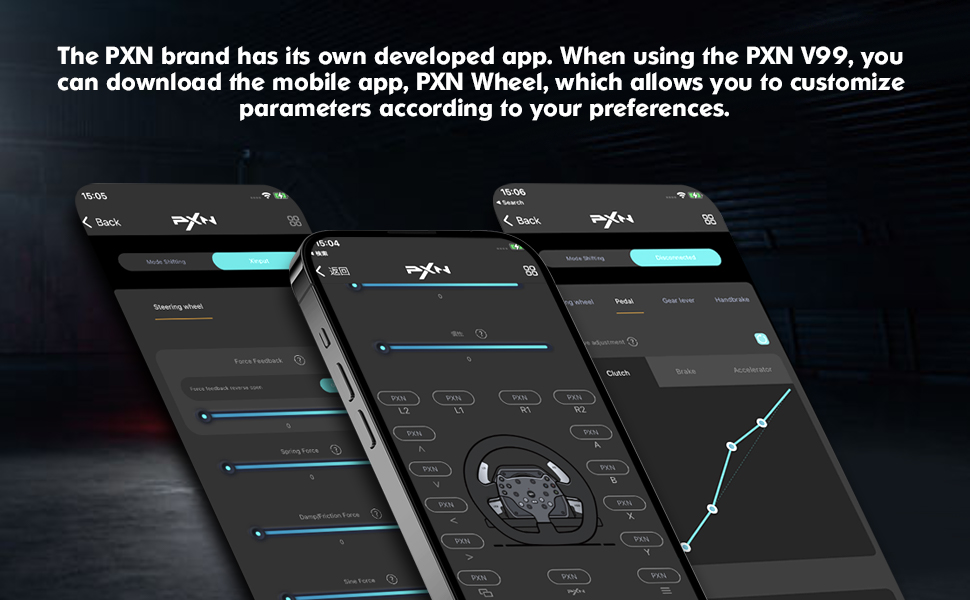
- 【PERSONALIZED ADJUSTMENTS AND MOBILE APP SUPPORT】 The V99 Steering Wheel allows users to personalize settings via a mobile app, adjusting parameters such as force feedback intensity, steering range, and button mapping. This highly customizable feature ensures you can finely tune the Racing Wheel's performance according to personal preferences and gaming requirements, crafting a distinctive and tailored driving experience.
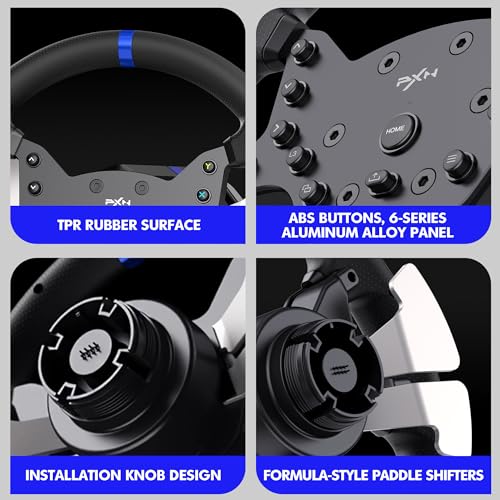
- 【COMFORTABLE DESIGN AND PRACTICALITY】 With an 11.8-inch diameter, the V99 Racing Wheel features a TPR soft rubber surface, providing an outstanding grip and anti-slip effect. Additionally, the Steering Wheel boasts a detachable design, facilitating easy portability, storage, and replacement. The V99 Racing Wheel is equipped with upper and lower dual shift paddles, offering a blend of switch and linear functionalities, providing abundant customization options.
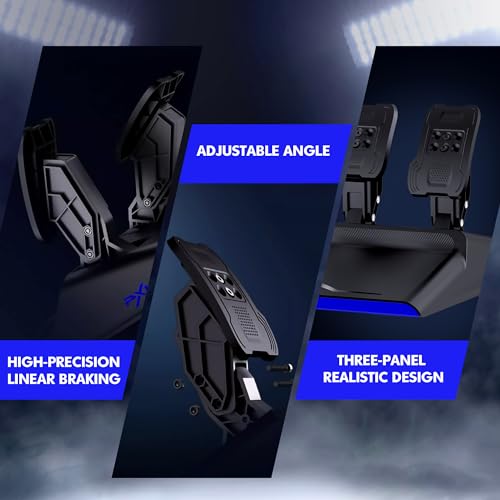
- 【COMPREHENSIVE SET OF REINFORCED ACCESSORIES】 The V99 Racing Wheel kit includes an H-pattern gear shifter and a 3-Pedal set. The gear shifter replicates a realistic shifting feel, while the three-pedal set employs Hall sensor technology, offering a more authentic operational feel for throttle, brake, and other functions. These included accessories not only enhance the gaming realism but also provide users with a more immersive and enriched driving experience.

| SKU: | B0D6QNHV4J |
| Weight: | 19.51 pounds |
| Dimensions: | 13.27 x 11.81 x 11.81 inches; 19.55 Pounds |
| Model: | V99 |
| Manufacture: | PXN |
| Origin: | Ghana |
Product Description
Muy bueno
Como primer volante con force feedback es excelente por calidad precio, para que funcione tiene que estar todo conectado en todo momento incluso la palanca de cambios aunque no la vayas a utilizar sino no funciona, pero de ah en fuera todo esta genial
ice budget sim setup
great budget sim setup, pedals and steering wheel are all adjustable. i wish that PXN would have come out with some different wheels for this base because they clearly had it in mind with the screws that hold the wheel on, but it just was never implemented i guess
Perfect first rig!!
Why did you pick this product vs others?:
No hype. This is my first wheel with FFB, gotta say, it’s frigging awesome after months of researching thrustmaster and logitech I settled with the V99 simply because it’s a full bundle at an affordable price. I also got the A10 wheel stand. I’m am amateur so I don’t need a full cockpit. Test on forza Motorsport and F1 24. Pro tip- some games require you to hold L3 and R3 before you start. Just get i
This is a great simulator for its price range. Really there is nothing else on the market like it concidering it already comes with the gear switcher. The pedals lack realism, but that is made up for in the steering wheel ( which is the true star). Very responsive and worked with tons of different games (I used beam ng drive, AC2, Cars 2, Dirt 4, Dirt 5, ext.)
My main issue with this device is the lack of computer software. It uses the app, but honestly it would do better with a Windows app.
One week in, our experience with the V99 has been fantastic. I’ve been following PXN for some time now, and the V99 has been a great introduction into the company and their simulator equipment.
The product itself was packaged great. My kids and I unboxed the pedals, wheelbase, steering wheel, shifter, power cables and hardware in preparation to mount the equipment on a GTPlayer sim racing stand. The wheelbase was installed using the included table clamps and the pedals using the included hardware. *Tips; the pedals mount differently than the Logitech pedals. We were able to cross diagonally install two of the included bolts. This mounting solution was more than sturdy; however, we do plan to drill a few new holes in the bottom of the GTPlayer stand pedal base to utilize all four mounting bolts.* Wiring itself was plug and play and self-explanatory.
After we got the V99 mounted to the stand, we hooked it up to our computer. Both the pedal USB and the wheelbase USB got plugged into the EVGA 3090 equipped gaming rig. Our computer is set up with Windows 11 and we did not have to further configure any drivers.
My children really enjoy American Truck Simulator, so that is what we configured first. Configuring the controls and button mapping is the most important step. If you do some research, you will find that there are many different configurations for most games that seem to work well as far as button mapping is concerned. However, we’ve never followed or searched for that guidance. We simply mapped the buttons, pedals, shifter to what makes the most sense to us. After we were set up, we quickly found out that coming from a Logitech G923, the direct drive wheelbase of the PXN did not disappoint.
American Truck Simulator was a lot of fun with the V99 and the force feedback it provided. After some experimenting, we were able to map the buttons so that when we triggered one of the paddle switches behind the wheel, the shift pattern was able to extend to the next set of gears utilizing “all” gears on our semi. We did not have a shifter for the Logitech setup, so combined with the direct drive feedback and the gate shifter, easily made this setup feel next level. One thing worth mentioning is the noise. There simply isn’t much. Other than the vibrations from the stand or shifting into the next gear, the overall setup is quite, well quiet.
Assetto Corsa was next. Button mapping for this game was a little bit more confusing but nothing we couldn’t figure out in a few extra minutes. Our trial with this game and the V99 turned into the rest of the afternoon, that evening and pretty much the entire Sunday racing. We honestly couldn’t get enough of it. One thing we figured out pretty quickly, was that on a few of the cars, we found it almost necessary to remap our controls and use the paddle shifters instead. On higher performance vehicles, it felt as if we were on the clutch the majority of the time.
A few things worth noting. The instructions state that there is an app you can download to further configure the system. Although we downloaded the app, we did not find it necessary to configure any of the settings outside of the available in game configuration itself. Everything was easily adjustable to our likings. Also, it is worth mentioning that our GTPlayer stand, although it worked great, it would have been nice to have a stand a bit heavier duty. The V99 does have a fair amount of force feedback and sometimes the stand felt like it would move around more than a person would like. Mounting the wheelbase to a table, a more heavy-duty stand or an actual simulator cockpit would alleviate this concern. It was fairly easy to push this stand beyond its intended use.
Overall, our initial experience with the PXN V99 exceeded our expectations. Switching between the computer to a gaming console has been plug and play. We’ve had the PXN working with our Xbox One as well as a PS5 now. Configuring the button or switch mapping to our liking was the only time-consuming part, but nothing we couldn’t do in under 5 minutes. From the grip of the steering wheel to the easily manipulated pedal feedback, the cost to performance ratio sits well in our favor. It’s easy to say the V99 is officially a hit in this household.