UGEE Q6 Drawing Tablet for Android Phone, Graphic Tablet
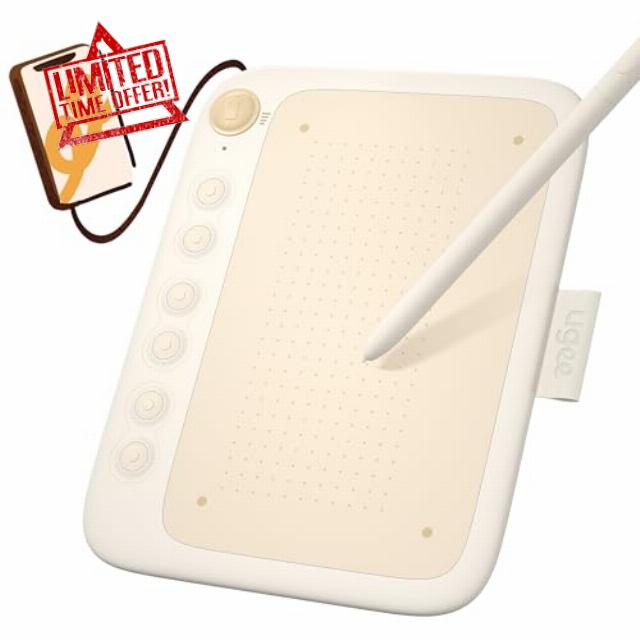
UGEE Q6 Drawing Tablet for Android Phone, Graphic Tablet with 6Hot Keys, 6.5”x4” Portable Writing Tablet Adjustable Drawing Mode, Drawing Pad with 8192Levels Battery-Free Stylus for Mac/Windows/Chrome
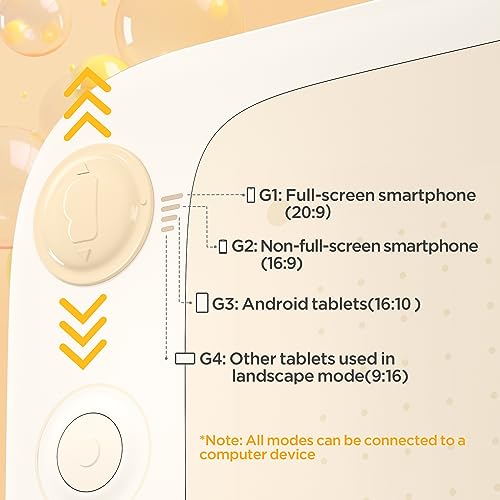
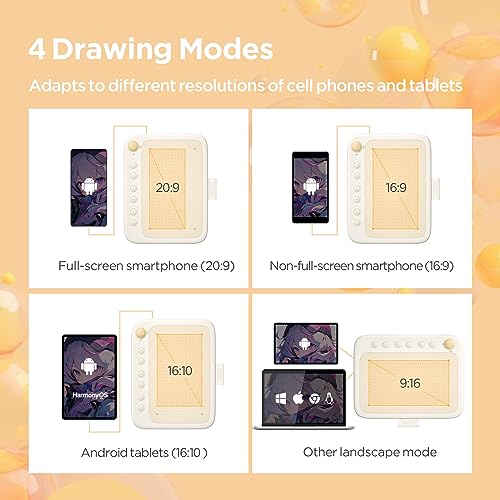
- 4 Adjustable Drawing Modes:graphics tablets with 4 sliding switches for seamless mode transitions, adapting to over 90% of mainstream device resolutions. this ensures an effortlessly perfect fitted drawing area, eliminating distortions in lines and strokes.
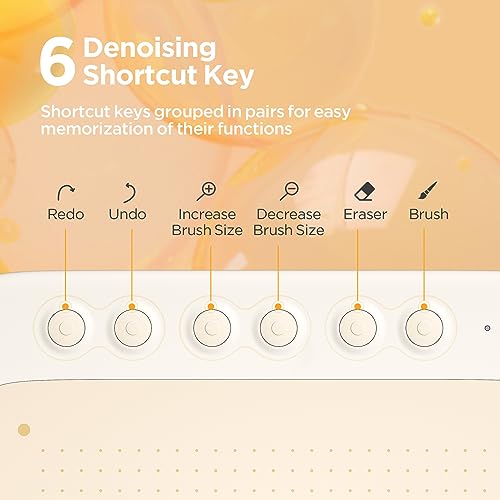
- Designed for Artistry:The drawing tablet features 6 noise-reduced shortcuts, organized in a user-friendly manner for easy function recall and swift operations. Say goodbye to inefficient mobile drawing experiences.
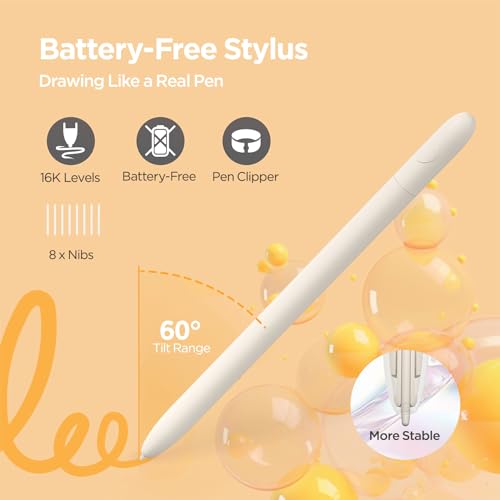
- Battery-Free Stylus: The stylus design mimics a sketching pencil, providing a realistic grip. It offers 8192 levels of pressure and 60° tilt for a smooth and natural drawing experience with no delays. With battery-free electromagnetic technology and a built-in passive chip, you can draw freely and effortlessly.
- Powerful Compatibility: This pen tablet is compatible with Android, Linux, macOS, Windows, and Chrome OS (iOS is supported only with ibis). It seamlessly integrates with creative software like Photoshop, Illustrator, Macromedia Flash, Comic Studio, SAI, Infinite Stratos, 3D MAX, Autodesk MAYA, Pixologic ZBrush, and more, ensuring a fluid artistic workflow.
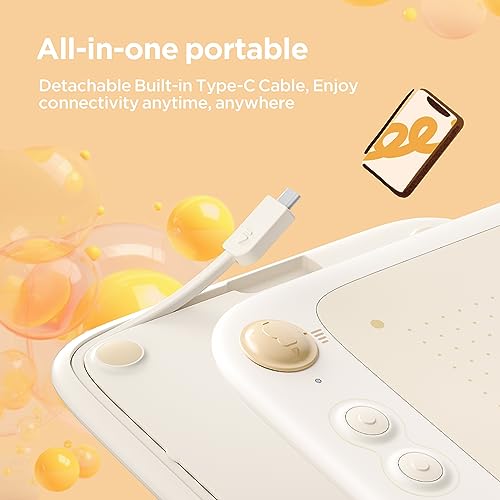
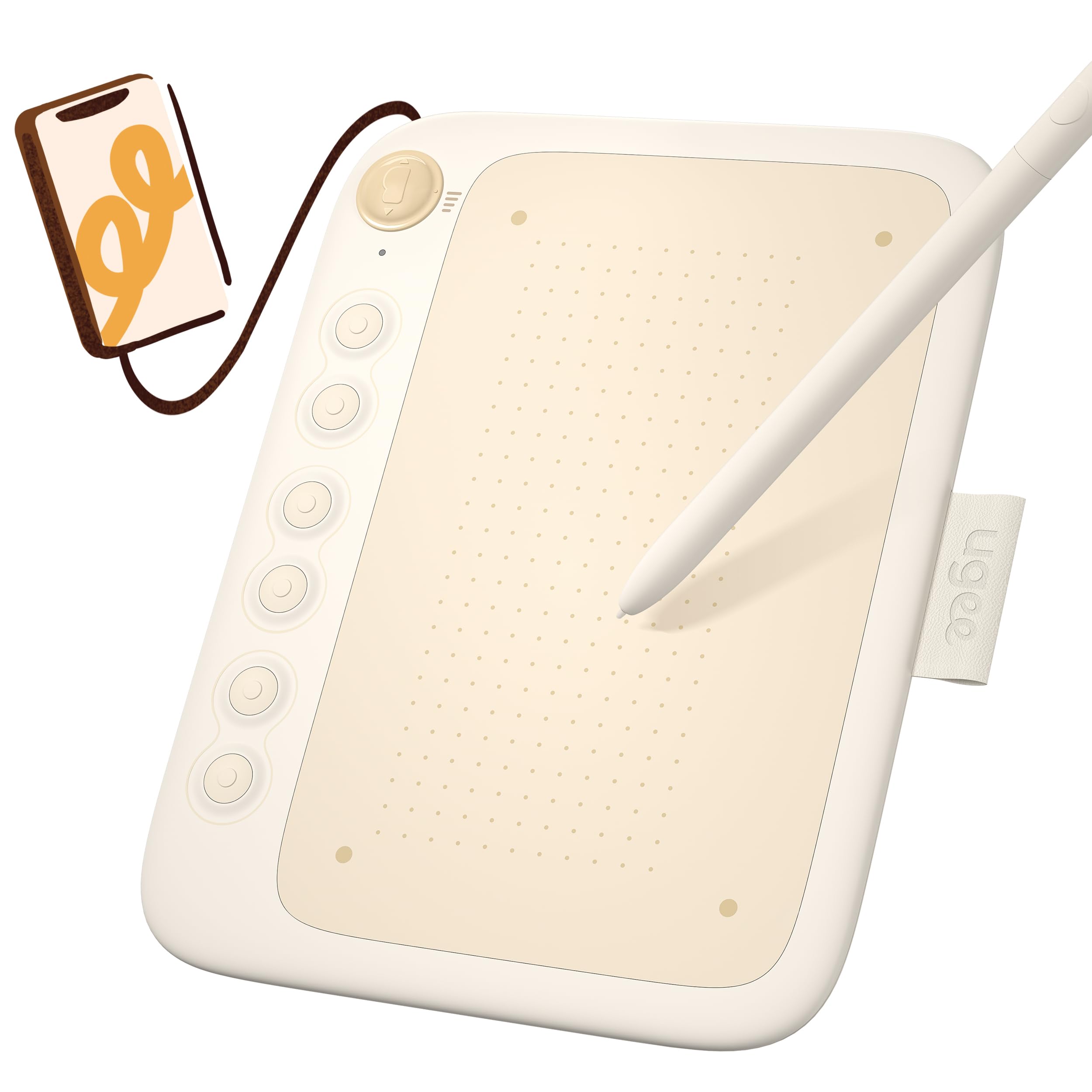
- Ultimate Portability and Versatility: The Q6 art tablet weighs only 249g, similar in size and weight to an A5 notebook. It features a built-in Type-C cable with a detachable design, making it easy to detach or store the cable. Simply grab the drawing board and start your creative work anytime, anywhere.

| SKU: | B0CDL6TJR3 |
| Weight: | 8.8 ounces |
| Dimensions: | 9.29 x 6.93 x 1.54 inches |
| Manufacture: | UGEE |
| Origin: | China |
Product Description

Welcome to a new era of mobile creativity
Brought to you by the ugee Q6. A tablet designed specifically for your portable devices, merging the best of digital artistry and on-the-go convenience.
Previous page


Compare with similar items
 S640 drawing tablet |  S1060 drawing tablet |  Q8W Bluetooth art tablet |  1060W wireless pen tablet |  M708 drawing tablet |  U1200 drawing monitor |  U1600 drawing monitor | |
| Work Area | 6.5×4 inch | 10×6.27 inch | 8.5×6 inch | 10×6.27 inch | 10×6 inch | 11.9 inch | 15.4 inch |
| Shortcut Keys | 10 | 12 | / | / | / | / | / |
| Color Type | black/purple/beige | black/purple | white | black | black | black | black |
| Interface | USB A to C | USB A to C | Bluetooth 5.0/USB A to C | USB A to C | USB A to C | 3 in 1 Cable/USB C to C | 3 in 1 Cable/USB C to C |
| Compatibility | Windows/MAC/Chrome/ Android | Windows/MAC/Chrome/ Android | Windows,Mac, Chomebook,Android | Windows/MAC/Chrome/ Android | Windows/MAC/Chrome/ Android | Windows, Mac, Chomebook, Linux | Windows, Mac, Chomebook, Linux |
| Stylus | Battery-Free Stylus | Battery-Free Stylus | Battery-Free Stylus | Battery-Free Stylus | Battery-Free Stylus | Battery-Free Stylus | Battery-Free Stylus |
Soooo I bought this like a year or two ago and just completely forgot to review it, but in that time I’ve used this SO. FREAKING. MUCH. It’s my first drawing tablet and it still works FLAWLESSLY. I previously used my mouse which was actually horrible, so this was a very big upgrade, but it took almost nothing to get used to it. The pen is a nice shape (sometimes the buttons get in the way, so you have to rotate the whole pen, which isn’t really a problem.) It’s very easy to set up, the app you can download to set the hotkeys is easy to figure out, and if you don’t want to download it you really don’t have to, (the hotkeys also have a nice clicking sound.) The extra nibs are probably a lifesaver, but I haven’t switched them in all the time I’ve had it, (I don’t recommend doing that I just keep forgetting-) It’s very portable and easy to plug and play. It was overall a very good purchase and worth the money, I recommend :3
Wow. I was expecting this to be really trashy because i had asked some friends about their thoughts and they said it wouldnt be that good, but i used it a lot- and its so much better than i thought. Of course, something like this isnt exactly “ideal” for professional drawing but for beginners this is perfect. I was convinced 6×4 would be small but its actually a really good size. I love how easy it is to wrap up the cord and take it wherever with me. I haven’t installed the program but the buttons work, the brush, eraser tool and the undo. Sometimes i just like sitting there clicking them because i love the sound. See- i WOULD. have put a 5 star, but ive come to see that as im drawing the pen will randomly dot on the screen. Or if im trying to make really small details it just lags and wont draw it. The other reason why i picked 4 star is because i followed all the instructions to use it on mobile and it wont work. But mostly because the drawing problem. Not to mention, sometimes while drawing i will lift the pen up and it will just stay coloring, (without me clicking anything) and it wont stop till i spam a bunch of the buttons or turn it off and on again. Other than that, i think if you can look past those small things then youll be fine. (Here is something i drew with it. The colors look weird in the picture but normal irl.) HELP. I realized this was a Computer problem. THE PAD CAN DRAW SMALL DETAILS!! my computer is just lazy. Tyy
Really pleased with how easy to use this is and how well it performs. At first when shopping thought the 6.5 x 4 inch might be too small but those are just the active pad field dimensions, the actual device is larger (but still small), so the size is perfect. I ordered the wireless and received the other USB to C wired version, but in hindsight actually that’s probably less fuss and the cord is long enough that it’s not a problem so I’m happy with this version. For the low price compared to others I’m really impressed. In case anyone’s wondering, you can see the pen mouse position track on the screen even when you’re not writing, which is super helpful. Haven’t used the hotkeys yet but there are videos online of how to set them up.
I love my Ugee Q6. I use two devices for my art. My computer with my screen tablet the Ugee U1600 and my Samsung Galaxy Tab S6 Lite. I love my Tab S6, but Krita picks up all my hand inputs even if I’m using a pen. I tend to draw in bed more than I do at my desk, so I needed something new.
My husband got this for me for Christmas after much gushing about it. I’ve been using it nonstop since I’ve recieved it. It’s small and can fit in my bag for on the go use. I doodle and take notes on my Tab S6 at school and this will be great to carry around with me. The cable goes into the back, the pen as a little loop to sit in when I’m done with is. The buttons were easy to program. I’ve tested it with several android drawing apps and the only issue I have is that Krita is still working on their kinks for their android app. Every single other app I have used has had zero issues.
This tablet is worth the money. It’s a wonderful lightweight starter tablet for those using just a laptop and want to learn how to use a screenless. For those tired of having issues with palm rejection or use their phones to draw this is a fantastic drawing tablet! I can’t wait to take it with me for any of my studying not done at home! :))