Amcrest UltraHD 4K (8MP) Outdoor Security IP Turret PoE
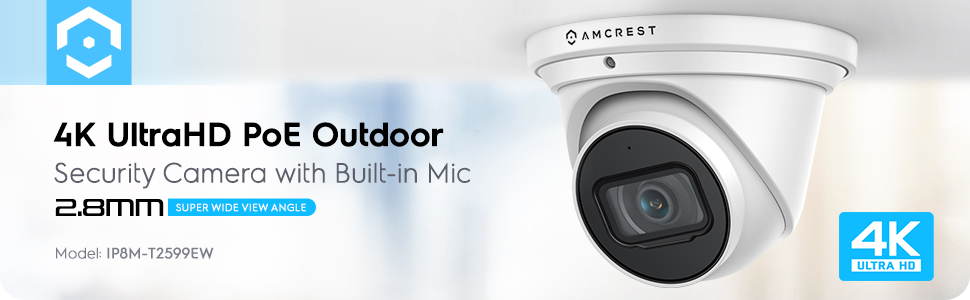
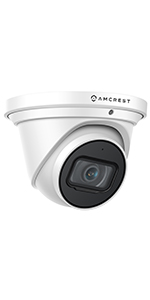
Amcrest UltraHD 4K (8MP) Outdoor Security IP Turret PoE Camera, 3840×2160, 98ft NightVision, 2.8mm Lens, IP67 Weatherproof, MicroSD Recording (256GB), White
- .
- .
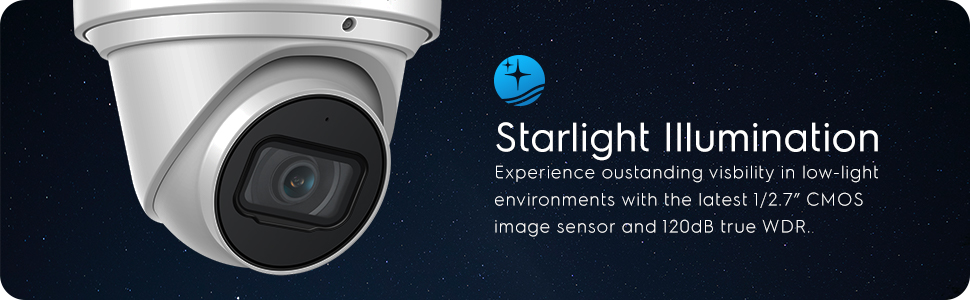
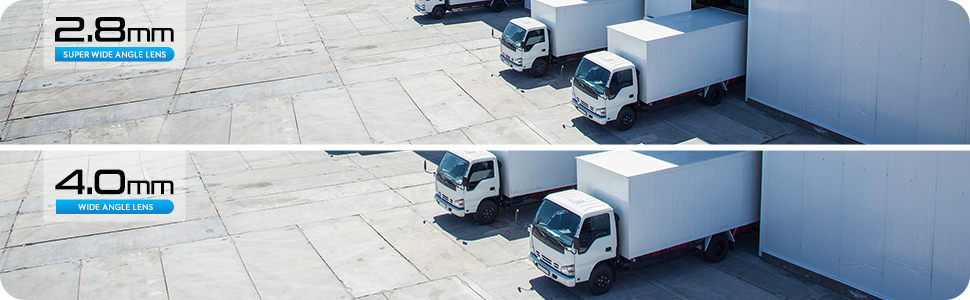
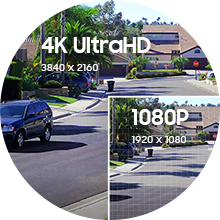
- EXPERIENCE ULTRA HD 4K – Stunning ultra-high quality 4K (8-Megapixel / 3840×2160) resolution featuring enhanced low light capability utilizing the latest CMOS image sensor and chipset. Super-wide 105° viewing angle allows you to cover more ground and keep more of what matters to you safe. Power Over Ethernet (POE camera) for easy installation (POE Injector or Switch Required; Not Included, Sold Separately).
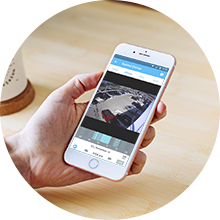
- SMARTER SECURITY – Receive motion alert notifications and review footage via your smartphone with the Amcrest View app. Playback and record professionally on a PC using the Amcrest Surveillance Pro for Windows and MAC (included) or Blue Iris Professional. Works with Amcrest Cloud remote video storage, MicroSd Card (up to 256GB), Amcrest NVRs, Synology and QNAP NAS, FTP, Pale Moon and Sea Monkey Browsers, IE, Safari, Firefox 49. 0 and Chrome with Amcrest Web View Extension.
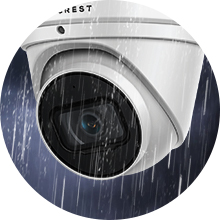
- DAY OR NIGHT, RAIN OR SHINE – Built to weather any storm and the darkest of nights, this Dome 4K PoE IP Turret Camera features a heavy-duty metal weatherproof IP67 housing as well as built-in IR LEDs and a CMOS 1/2.7” 8MP progressive CMOS image sensor to achieve unsurpassed low-light capability and night-vision up to 98 feet. Dual H.265/H.264 compression allows for maximum encryption with the latest technology as well as backwards compatibility with legacy platforms.
- SECURE CLOUD VIDEO BACKUP – The optional Amcrest Cloud remote video storage subscription service allows you automatically store your videos off-site in a third-party location hosted and secured by AWS. This way if something happens to your local PC/NVR/SDcard/NAS, the footage will be safely recorded in a secure off-site location and accessible to you through a web-based Flash interface for PC (Chrome/Firefox/Safari/Edge) and AmcrestCloud smartphone app.
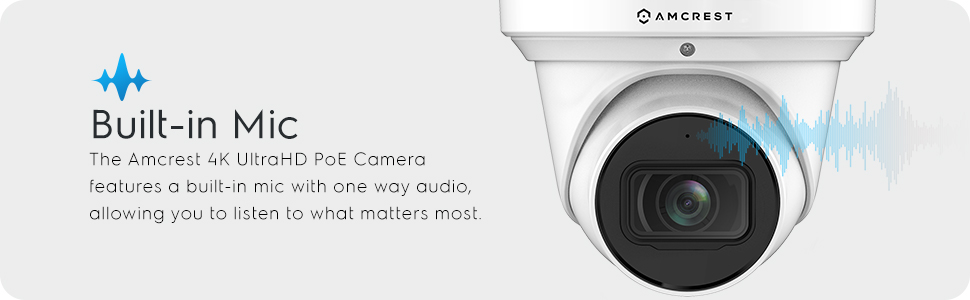
- SIMPLE, RELIABLE, SECURE – At Amcrest, we want to ensure the safety of our customers, their loved ones, homes and businesses. You’ll receive a full 1-year US and Lifetime Support provided directly from Amcrest. Built in microphone for one way audio. Compatible with the following Amcrest Junction Boxes, ASIN: B07CB468HC, B07FK662Z5 & B07628JHXL.

| SKU: | B07RHQGS8V |
| Weight: | 1.5 pounds |
| Dimensions: | 8 x 6 x 6 inches |
| Model: | IP8M-T2599EW |
| Manufacture: | Amcrest |
Product Description


| | | | |
|---|---|---|---|
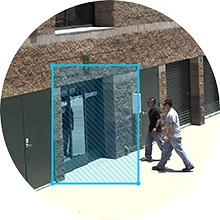
4K UltraHD ResolutionExperience magnificent 4K UltraHD footage featuring 105° super wide view angle and enhanced low light capability utilizing the latest CMOS image sensor and chipset. The Amcrest UltraHD camera soaks in the entire scene, dynamically painting all the vivid colors and rich imagery, pixel by pixel, onto your desktop or mobile device in UltraHD 3840×2160 resolution | Motion Detection AlertsReceive intelligent alerts that send notifications directly to your computer or smartphone via the Amcrest View Pro app anytime motion is detected. Create up to 4 motion detection zones and customize each zone's sensitivity to receive only the alerts that you need. Be notified anytime your smart home camera goes offline. | Mobile Viewing & AlertsView, record and playback UltraHD footage directly from your smartphone with the Amcrest View Pro or Amcrest Cloud app. View up to 16 cameras at one time with Multi-View feature. Locally record HD footage directly to a 256GB MicroSD card (sold separately). Never worry about losing your footage with Amcrest Cloud optional Cloud storage plans. This product may contain components which are not NDAA compliant | Fully FeaturedThe Amcrest 4K UltraHD PoE Indoor / Outdoor Camera features a built-in microphone that allows you to listen to what matters most. The camera is equipped with a heavy-duty IP67 weatherproof housing that protects against dust and hurricane level winds and rain. |


 |  |  |  |  |  | |
|---|---|---|---|---|---|---|
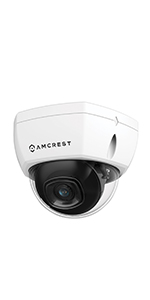
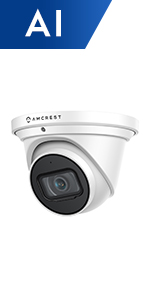
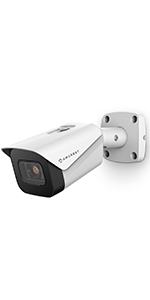
| 4K UltraHD PoE Turret Security Camera with Built-in Microphone | 4K UltraHD PoE Dome Security Camera with Built-in IVS Features | 4K UltraHD PoE Security Camera with 5x Optical Zoom & Smart Motion Detection | 4K UltraHD PoE Bullet Security Camera with Built-in IVS Features | 4K PTZ POE + IP Camera Pan Tilt Zoom Optical 25x Human and Vehicle Detection AI | 4K UltraHD PoE Dome Security Camera with 4x Optical Zoom and External Audio Port | |
| Resolution | 4K (3840 x 2160) | 4K (3840 x 2160) | 4K (3840 x 2160) | 4K (3840 x 2160) | 4K (3840 x 2160) | 4K (3840 x 2160) |
| Viewing Angle | 125° | 125° | 108° | 125° | 59.3° | 131° |
| Night Vision | 98ft | 98ft | 98ft | 98ft | 328ft | Night Color 164ft |
| Focal Length | 2.8mm | 2.8mm | 2.8mm | 2.8mm | 2.8mm | 2.8mm |
| Zoom | 16x Digital Zoom | 16x Digital Zoom | 5x Optical Zoom | 16x Digital Zoom | 25x Optical Zoom | 16x Digital Zoom |
| Audio | 1-Way Audio with Built-in Mic | 1-Way Audio with Built-in Mic | 1-Way Audio with Built-in Mic | 1-Way Audio with Built-in Mic | 2-Way Audio with External Speaker & Mic | 2-Way Audio with External Speaker & Mic |
| Storage | 256GB Class10 MicroSD Card (FAT32), Amcrest Cloud, FTP, NAS, Amcrest NVR, Local PC | 256GB Class10 MicroSD Card (FAT32), Amcrest Cloud, FTP, NAS, Amcrest NVR, Local PC | 256GB Class10 MicroSD Card (FAT32), Amcrest Cloud, FTP, NAS, Amcrest NVR, Local PC | 256GB Class10 MicroSD Card (FAT32), Amcrest Cloud, FTP, NAS, Amcrest NVR, Local PC | 256GB Class10 MicroSD Card (FAT32), Amcrest Cloud, FTP, NAS, Amcrest NVR, Local PC | 256GB Class10 MicroSD Card (FAT32), Amcrest Cloud, FTP, NAS, Amcrest NVR, Local PC |
| Weatherproof | IP67 | IP67 | IP67 | IP67 | IP66 | IP67 |
| Compression | H.265/H.264 | H.265/H.264 | H.265/H.264 | H.265/H.264 | H.265/H.264 | H.265/H.264 |
| Connection Type | PoE 802.3af | PoE 802.3af | PoE 802.3af | PoE 802.3af | PoE 802.3at | PoE 802.3af |
Excelente Camara
Tengo un mes con ella y la verdad es un excelente equipo.
De entrada, la estructura de la camara es toda de metal. Lo que le hace mas resistente y ayuda bastante bien a disipar el calor que produce todo el procesamiento de imagenes en 4K. Fue facil de montar en mi caso particular, para su orientacion, puedes simplemente girar la esfera y direccionar el area que deseas abarcar. El ngulo de vision es bastante amplio. TIENE MICROFNO INCLUIDO, con lo que puedes grabar el audio, lo que la hace mas versatil. Puedes instalar una memoria micro sd de hasta 128, lo que es suficiente para grabar en 4K sim mayor problema. La administracion y configuracion de la camara es su parte debil, ya que no es del todo intuitiva, para una persona primeriza que le encanta la tecnologia como yo, me resulto algo dificil poder configurar todas las opciones necesarias, pero despues de configurada, va de maravilla.
En mi caso, la calle siempre esta iluminada de dia y de noche, asi que no requiero de la lusz infraroja, pero en el par de ocasiones que la probe, me resulto con bastante alcance, aunque no estoy seguro del alcance total ni de los detalles nocturnos que puede capturar.
La recomiendo totalmente.
To give a little backstory, I’m a security camera hobbyist and I have installed multiple camera systems throughout the years. From box systems to piecing together systems, I’ve had experience with quite a few cameras in my business, home, and helping others as well. Full disclosure, this is my first time with a 4k camera as well as PoE. My parents home is in an area that seems to be trafficked by a lot of unsavory people, and most recently, had two cars broken into in the garage. I had installed a Night Owl 1080p BNC system as well as a 1080p Wyze Cam as a backup. While it alerted me to the burglary in progress, the video was too blurry to use to ID the thieves, and they were released. This has made me interested in something better than what I currently use, which is how I found the Amcrest 4k PoE on Amazon. I’ve never used a PoE before, but it seems it’s the direction that the industry is going.
I was told I needed a PoE infuser (1 camera), or a PoE switch (multiple cameras) to provide power over the ethernet cable, so I picked up an infuser as well. When I finally received the camera and opened it, my first impression of it was how well made it was. Most of the cameras I’ve installed were made of plastic, but this Amcrest camera was entirely metal. Very solid build quality right off the bat. Next thing to do was to connect everything up prior to the installation. Honestly, I didn’t even read the instructions, but it took me about 5 mins to connect up everything and another 10 mins to download the app and get the picture on my phone. Extremely simple hook up, and I can see why PoE has become the default nowadays. The QR code setup definitely contributed to the speed of the setup. Once I confirmed that everything was working, I saw that the camera could take a microSD card for internal storage. This is probably one of the only drawbacks of the camera as you have to physically open up the camera to install the SD card. If you’re haven’t done something like this before, it would be easy to pull the wrong wire out, or not put everything back together correctly again as the weatherproof seal needs to be lined up exactly. Not a major issue, but just something worth noting.
On to the camera itselfthe images that it produces are extremely clear. I mounted the camera pointing at the driveway as I wanted the best camera at the point of entry to be able to see detail. I’m used to using 1080p cameras, so the level of detail the Amcrest has is definitely much clearer. Here is a still picture of the level of detail in 4k. You can see the license plate clearly when you magnify it.
While pictures in full sunlight are usually decent quality on 1080p cameras, my main interest was the details the camera could take at night. Here are two side by side comparisons of a Wyze Cam vs the Amcrest in the same area.
As you can see, the Amcrest has a wider field of view and a lot more detail at night. One thing worth noting is that the Wyze Cam picture seems brighter, but only because of the infrared light from the Amcrest. The infrared light on the Amcrest floods the entire area much better than infrared lights on any camera I’ve ever used.
While the camera does have a motion detection notification feature, it doesn’t differentiate between shadows and real people. I’m still trying to tweak the settings to minimize or eliminate false alarms, but I hope that there will be some type of person detection features in the future. Still, the notifications are a useful feature that alerts me to motion when its triggered.
Amcrest Cloud is also a very nice feature that will get you up and going without much setup. I do prefer the Amcrest View Pro app over the Cloud app as I found that the Cloud app does have a pretty substantial lag. The View Pro app has almost zero lag on notifications and live view. I also use the Surveillance Pro program for PC which is great for live view as well. All the programs used seem to be pretty user friendly although I couldn’t get the email function to work. There does seem to be a discrepancy between the phone app and the PC program when trying to adjust the motion detection area.
All in all, I am extremely impressed with the build quality and the amount of detail this little camera puts out. Out of all the cameras I’ve used in my years, this is by far one of the best cameras for the money. Easy to setup, easy to use, and awesome build quality. If you’re looking for one of the best PoE 4k cameras available now without buying a box set, this would be the one. I know comparing a 4k camera to a 1080p isn’t fair, but 1080p’s were the standard for a while, and what I had. If you were on the fence about upgrading to a higher resolution camera, 4k is definitely the way to go, but keep in mind it’s currently about 3-4x as expensive.
Good image quality, excellent low light color vision. Easy to setup and pair with your own NVR
Great camera image quality. Starlight sensor is incredible in giving color night vision without any spotlights. I pair it with Frigate which handles detection. I’ve had one going 4 years strong with no issues and have purchased a few more over the years as other cameras died. The only downside to this camera is the 15 fps frame rate limit. Not a deal breaker for me given the image quality and low light capabilities.
About a year ago, we purchased an Amcrest doorbell camera. It’s
been a great investment, so we decided to try this Amcrest security camera. It
is well packaged, and the camera appears to be good quality
with the housing and outer shell cast made of aluminum. It comes with a
template on a sticker so you can easily place it in your desired camera location and drill right through the sticket template. It has four screw holes and
one center hole for the wiring. The camera has one
power input and one POE (ethernet) input (which can also provide power). The
power supply is not included if you need to power the unit with the
power port, otherwise you will need a POE switch or POE router. We
found a 4 port POE switch on Amazon for only $20 which was plug & play, no setup
required. I should also note that if you are also using the switch with
non-POE devices, some of the extremely cheap POE switches cannot
determine if you are plugging in a POE device or any other device which
does not require power, so make sure that the one you get has auto
detecting if you want to keep things simple. One ethernet from the
router to the switch, then you can have four cameras fed off of the
switch. Setting up the app was pretty straight forward, other than the
directions stating that the serial number & QR code was typically on the
back of the camera, which it was not. After a phone call with tech
support, he insisted it was there somewhere. I found that it was
actually on a sticker, wrapped around the wire, quite a few inches away
from the camera. This portion of the wire happened to already be
stuffed up through the hole in the soffit, but once I found it and
scanned the QR code, setup took minutes. The picture quality in 4k far
exceeded my expectation. You also have the option to digitally zoom/pan
quite a bit before major degredation. The night vision is pretty good
as well. Our driveway is about 60ft. long and there is enough infrared
light to show a clear picture up to about 40-50ft. out. The best
feature is the push notifications to the app for events such as motion
or sound detection. You can easily set the dead zones to prevent false
alarms. The microphone seems to pick up sounds very well, although I’ve
only tried it out a couple of times. We have used the basic cloud
service on the doorbell in addition to storing on the SD card, but we
have not setup the cloud service on the turret camera yet, instead we’re just using an
SD card. I should also note, if other cameras are added, the app
allows simultaneous viewing of multiple cameras with the ability to fill
the screen with just one. If you prefer, Amcrest also offers an app
for PC which can do it all, as well as some 3rd party software that can
also be used.
On the negative side of things…. The motion detection at night using
infrared seems to only pick up motion up to about 25′. There are some
adjustments for the sensitivity, but I haven’t been able to sense motion
beyond 25′ yet. I couldn’t find an in-depth user guide for the Amcrest
View Pro app which details all features, only a handful of guides
showing a handful of features which is found in the support area of
Amcrest’s website. The app is fairly clean, but could use some work.
A lot of Amcrest’s other cameras use the same app, so for a camera like
this with fewer features, the app still shows the buttons for the more
advanced features which other cameras would use. I feel like these
should at the very least be grayed out. After using the app for a
short time, you get used to which items are available and which are
not. In reality, once you get things setup the way you want, you really
don’t do a lot on the app. When a clip is recorded to your phone, your
frame rate is limited by your internet connection. A 4k recording may
output only a frame every few seconds if you are not on your home
network, making the recorded video very choppy. You can choose to send
the files or export to view on a computer. For some reason, when clips
are exported, the delay between frames is removed, so you get all the
frames quickly one after another right away, then the remaining time is
just the last frame on the screen, so something is off there. Keep in
mind, this is only when you click the record button on the app, not when
events are recorded straight to the cameras SD card. My biggest
complaint is that there are three main subcategories to view live video,
saved video/pics, and recorded events. On the live view screen, there
is no shortcut to view any recorded video, events, or pictures. In
order to view automatically recorded video from a triggered event, you
have to click the menu, find “push notifications”, “event list”, then
choose which event to view. However, once you are on the screen and
viewing your recorded events, there are shortcuts at the top to switch
to snapped pictures, and live video feed. It would be nice to have them
all accessible anywhere in the app. It seems like a lot of work to get
to your recordings. I should also point out that the Amcrest smarthome
app does have shortcuts to your recordings from the live video feed,
which works really well. Both apps are very different, and I’d assume the
Amcrest cloud app is also different.
All in all, it’s a great camera and easy to get used to once you run
through the app front to back a few times.
For my setup I am using this camera in my backyard using POE to a BlueIris server. The camera comes with a torx key for adjusting and locking down the turret, water resistant Ethernet connector, four screws with drywall anchors, and a coupon for 1 month of cloud storage if you go that route. I currently have similar cameras from Dahua and Hikvision but they are only 2MP and 4MP so I can’t really compare the video quality but, the web interface for configuration is by far the best with this Amcrest camera. Though some of the setting are not where I would expect, I did find setting for everything I could think of. Using an IPhone app I could easily find the camera and setup the app. Be aware that you won’t find all of the configurations in the phone app that are available in the web interface so it’s best to configure the camera on your PC via the web interface.
This camera also supports on board recording, and Amcrest offers a cloud service with a per camera fee based on how many days of recording you want to have access to. At this time the service starts at $6 a camera for 7 day recording of motion only. Hardware NVR’s and software NVR’s are also available. I use BlueIris with my cameras so I only needed to learn one NVR system that can work with any camera. I’m not sure if the Amcrest DVR’s will work with other brands of cameras.
Being an 8MP camera the image quality is vastly superb to my 2MP and 4MP cameras I have during the day. At night the image is very close to my Dahua 2MP camera with STARVIS CMOS, I’m still playing with the settings but this camera may be slightly less crisp.
To power this camera you can use POE or a 12v power supply that you will need to purchase separately. I purchased the Amcrest POE injector to test with this camera and it works fine to power the camera with POE.
It appears that most of the problems people have been having is with the NVR software which I don’t use. Some people have had issues with firmware upgrades but the camera I received came with the latest firmware.
The biggest problem I have had is that the camera freezes up about once a week and I can’t get the stream nor can I connect to the web interface. I have tracked this issue down to the camera and contacted Amcrest Support. I was told that this is an issue and a workaround would be to set the camera to auto reboot. This can be found in the System -> Auto Maintain menu. I’m still testing this to see if it will auto reboot when it’s already frozen. My first guess is that this will not recover if the camera freezes before the auto reboot. I currently have a remote switch powering the POE injector so a simple power cycle will also recover the cameras stream.
With the high resolution this is a great camera for daytime recording, for nighttime recording there may be some better options but in general this camera does quite well. For the price of just over $100 I’m considering upgrading some of my other cameras with this one but with the limited zoom of the 2.8mm lens it would not be good for focused viewing at longer distances (for license plates). Consider a camera with a variable lens using the STARVIS CMOS for capturing details at night. Amcrest has a few offering using this technology but the cost will substantially higher.
Because of the freezing problem I would normally give this 3 stars but because of the responsive support from Amcrest I will give it 4 stars. Upped to 5 if a solid solution comes from the support team to address the freezing.
Update 12/10/202:
Amcrest reconsidered:
“I have consulted with our techs and they have assured me that our firmware updates are working properly and this issue is mostly likely caused by the power being disconnected during the install process. However we have decided to issue a one time replacement.”
Note, the firmware update was done via the web interface while the camera was still mounted on my house and connected to an Amcrest POE injector installed in my garage and continuously powered, so I’m not sure how the power could possibly have been interrupted. On the bright side, they are RMAing this camera and sending a replacement. Thank you Amcrest!
Update 12/9/2020:
Sadly, I updated the firmware on this camera and now it is stuck in a reboot loop. The camera was working perfectly until I pressed the Upgrade button on my browser to update the firmware to V2.622.00AC000.0.R.201022.bin. Now the camera starts up, displays live video for a few seconds, then reboots. I contacted support who were unable to resolve the problem. They suggested contacting the RMA group which I did. They said the camera was purchased 1 year and 6 months ago, so it was out of warranty and Amcrest does not warranty firmware upgrades.
Maybe it was a coincidence that the camera failed during the firmware update and has nothing to do with the firmware itself. My experience tells me the camera would be working perfectly today if I hadn’t put Amcrest’s latest firmware on it….sure seems like just a software problem.
I am still very satisfied with my other Amcrest cameras, but I won’t be updating their firmware.
*************
I’ve been using Amcrest IP cameras for several years now for home and business security. I purchased this camera to be the primary camera covering my driveway and front yard. It has a 112 degree field of view which is perfect for my application. The daytime 4k video is amazing but I was surprised by the great night vision quality compared to the other models I’ve used. I highly recommend this camera. Now for some more specifics of my experience.
This is a POE (power over ethernet) camera which also has an optional 12V power connector. I went with Amcrest’s POE Injector for ease of installation. I just connected an ethernet cable from my network to the DIN port on the injector and then connected the camera to the injector with a second cable. I was delighted to find the weather seal has been re-designed to allow the ethernet cables RJ-45 connector to fit through the seal cap so premade cables work great.
The camera has several options for where the video is recorded. I wanted at local copy stored on the camera which requires installation of a micro SD card. I’m using a Samsung 64GB 100MB/s (U3) card. Using motion/sound triggered recording at the highest resolution, highest frame rate, and highest quality on my active street, this gives me about 4 days of stored video. Installing the SD card was a bit more of an operation than I had expected. Other Amcrest cameras I have used have small a weather sealed panel which can be removed revealing the sd card slot. This camera requires not only removing the back cover, but also the camera board inside. It is not a difficult process, just 5 screws to remove, but the documentation is not very specific. Fortunately, this is a one time task so it is not a big deal. Just make sure you don’t touch the camera lens itself, or if you do, make sure you clean it before closing it up.
I used the free Amcrest View Pro app on my Android phone to setup the camera. It is very straight forward and walks you through the process step by step. Once complete, I was able to view the live video and audio feed from anywhere. I can also playback the stored recordings as well. In addition to the app on my phone, I use Amcrest Surveillance Pro on my pc. This app is also free and the primary way I monitor multiple cameras simultaneously during the day.
Once the camera was setup, I went the the extensive customization options provided by the camera. Amcrest has done a great job giving you access to nearly every aspect of the cameras operation so you can set it to meet your needs. I went through the more detailed configuration options to specify motion detection recording and sound detection. The options provided are excellent. You can specify the times/days you want motion detection to be active, the thresholds for the amount of motion require to trigger the recording, up to 4 separate regions, etc. Likewise, the sound detection allows you to define your schedule and threshold by viewing a live graph showing the sound level.
Once the sun went down, I was able to check the night vision capabilities of the camera. It was immediately clear that this camera does a much better job than the 3 or 4 MP models from Amcrest. I’m not sure if it is the new Starlight sensor or the improved built in IR illuminator, but I have no problem seeing people walking 70 feet away at night. Not only that, but the camera maintains a good shutter speed so moving people/cars are not a blur. I am very happy with the night vision performance.
The built-in microphone is very sensitive. I have no problem hearing people in my yard, dogs barking, birds singing, sirens, etc. The camera has a noise reduction option to filter our some of the background noise, but I found the audio quality to be better without noise reduction.
Overall, this is a fantastic, versatile camera. The daytime 4k video performance is excellent, the night vision is great and the audio recording is impressive. The android app is very good at home or away. The PC app works well, but I’d say it is due for an update. Alternatively, Amcrest suggests purchasing Blue Iris software which works well with their cameras. Considering the features and performance this camera offers for a relatively little extra cost, this is an excellent value.
I purchased this PoE camera as a direct replacement for an older Amcrest PoE camera, which has given me a couple years of perfect performance. The camera being replaced is an IP2M-851EW, which includes a similar fixed dome lens setup with 1080p @ 30fps, 128 degree viewing angle, IP67 with 98ft. night vision. I want to highlight the definite performance advances with this newer camera.
Installation
I have installed several different types of bullet and dome cameras, and this one is just as easy and solid as any other out there. Amcrest provides a template for screw placement (I did not need it) and any adjustments past needing a screwdriver can be made with the included tool. The camera was well boxed and padded.
The first thing I noticed was a white balance difference, between the two cameras. It is apparent that the lens is calibrated to a more natural tone. Saturation also appears to be more accurate as well. For activity at a distance it will be much easier on this 4K camera to pick out identifying details, in comparison to the previous 1080p feed.
Zooming in with the AmcrestViewPro app (no optical lens zoom) the 4K quality really shines at a distance. If my neighbors across the street had a theft occur with entry to their front door or vehicle, I would now have a decent chance of catching some identifying features, as opposed to the previous 1080p camera.
Night Picture Quality
There is a noticeable improvement in low light capability, allowing me to now see some clear low light definition at the end of my driveway, where the old IP2M did not reach. The IP2M advertised 98ft. night vision capability, while this IP8M boasts up to 164ft! What really improves the low light capability is removing near-field reflections of the IR LED’s (hanging plant) and toying with image adjustments such as brightness and contrast. Distance clarity shows a marked improvement!
Picture Adjustments
Attempting to improve the night vision capability using picture adjustments had mixed results. Object definition at a distance improved slightly with increased brightness and contrast, but at the cost of a grainier image. I believe that factory calibration on this camera is optimal and maximizing night vision will be dependent on removing near-field object reflections and adding ambient lighting at a distance. Exceedingly bright lights within view can cause the rest of the field to dim as the camera adjusts for the lighting. The claim of 164ft. night vision capability is probably accurate but requires the correct setup.
Viewing Angle
I was hesitant to purchase a camera with a smaller viewing angle (112 in the IP8M vs 128 in the IP2M!) since I need wide coverage, but I would be hard pressed not to believe that the IP8M isn’t actually wider in my application.
Overall
Overall, this Amcrest 4K POE camera fit the bill. It was exceedingly easy to set up with the included QR code and a smart phone, using the AmcrestViewPro app on an Iphone. I can only assume it is just as easy on Android, as I have been using this App for some time and it has developed well. There was a modest improvement in night vision capability over the older generation 1080p camera, but it really shines in picture resolution and color accuracy. The app is relatively intuitive to use, including motion detection which allows you to be very specific in what spots of the picture trigger an alarm, which can be set for push notifications and even email, including photos and video clips. I have not yet used the cloud recording service, but unless you have an NVR, that will do just fine at a subscription price. I would recommend this camera and definitely the Amcrest brand over many others, they are rock solid in the home surveillance arena.
I own two of these and use them with Blue Iris. The software integration is simple and has been very reliable. Streaming rate is adequate for 15 fps on both main and sub stream. Image quality is excellent during the day, and seems to be very good during the night, but that is deceptive: the clear static picture you see is achieved at the expense of massive smoothing of the pixelated image. This becomes apparent whenever anyone walks through the field of view at night, all you see is a “comet” with a blob for the face and a blurry tail. I tried to experiment with the amount of 3D and 2D smoothing that the web interface provides, but to achieve realistic motion capture in the dark I had to sacrifice image quality so much that the pixelation and digital noise made the image unusable anyway. Long exposure mode showed promise but I had to extend the exposure to the point of reaching the frame rate, and also had trouble having the camera switch between night and day mode. That resulted in the long exposure mode extending into daylight, saturating the sensor and whiting out the image. The IR illumination only seems to blur the image instead of making it better, so I turned it off. Note that the camera is not even in a particularly dark area, there are 4 garage night lights lighting up the driveway that it is looking at. So that is a little disappointing. But that said, my other brand of consumer camera that starts with R performs more or less the same in the dark, and much worse in all other aspects with Blue Iris, so I will not complain. But take the “starlight” label on the box with a grain of salt. You probably need a $700 camera for that to be true.
The second one I have looks at an area under a street light. That one is doing better at night, which makes me think that the IR from the street lamp helps it a lot (the garage lights are LED, so they probably are lacking in the IR range). So if you stick with these cameras, you may want to add a dedicated IR illuminator over the area it is looking at.
During daylight this camera is great. The mic works fine.
I wish it had field curvature correction in the firmware as the FOV is very distorted on the edges due to the wide angle. Alas, you don’t get that at this price point.
Overall I like these cameras and recommend them to people using Blue Iris.