LGA 1155 Motherboard H61 for Intel 2th/3th Core i7/i5/i3
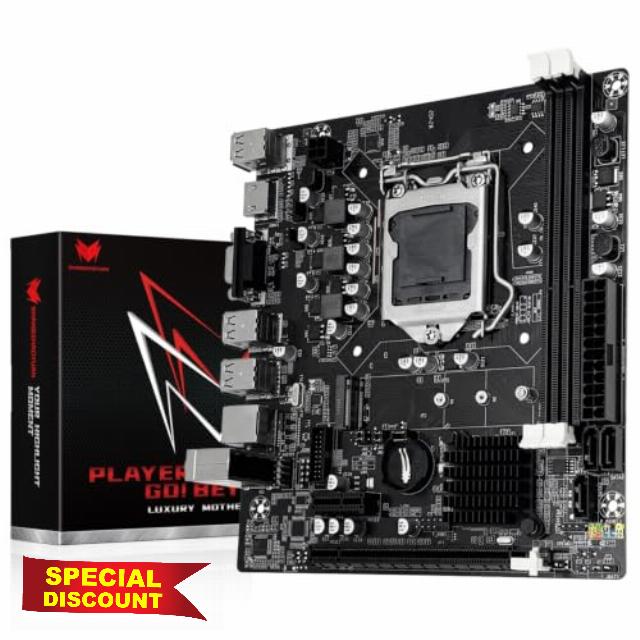
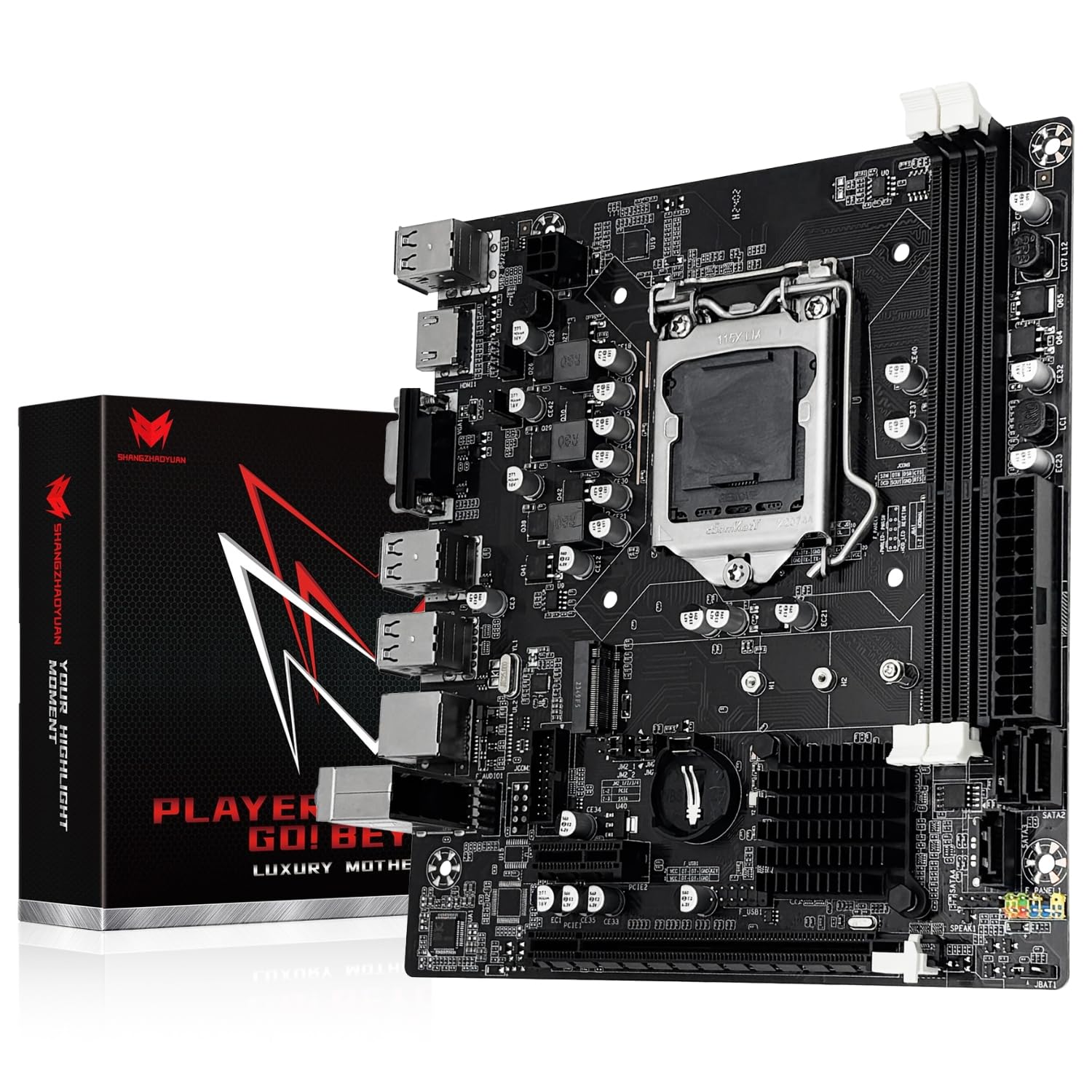
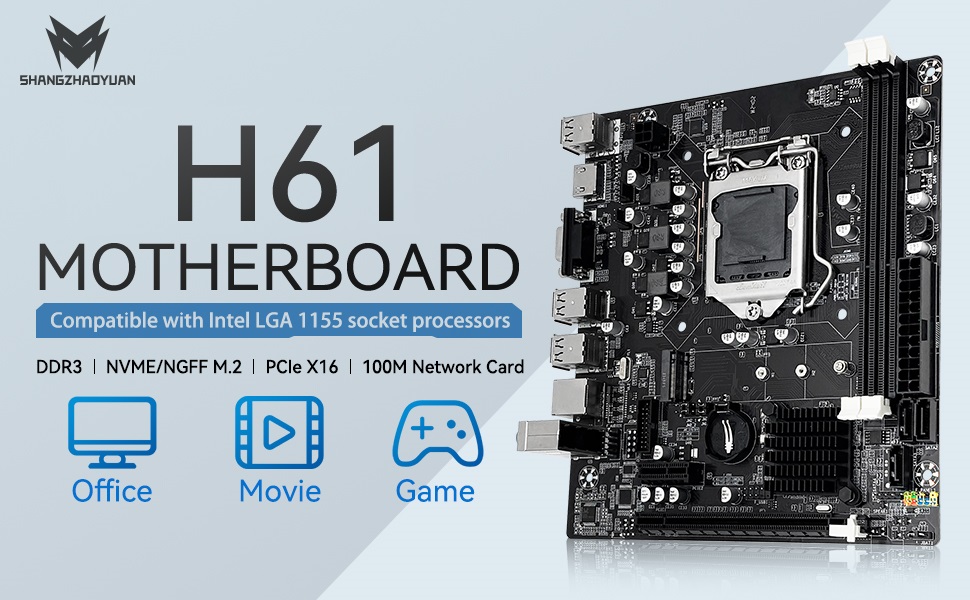
LGA 1155 Motherboard H61 for Intel 2th/3th Core i7/i5/i3 DDR3 NVME/NGFF M.2, PCIe X16, 100M LAN, VGA, HDMI-Compatible PC Gaming Mainboard
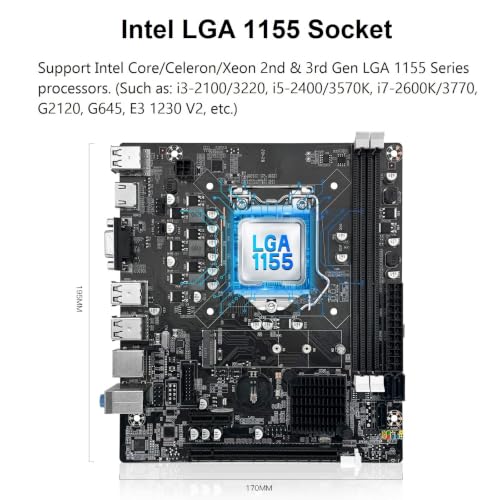
- LGA 1155 Motherboard: The H61 DDR3 Motherboard supports Intel Core i3/i5/i7 2th 3th generation processors, as well as Xeon E3 v2, Pentium series processors (Eg Intel xeon E3-1230 V2, Intel Core i7-3770, Intel Core i5-3570/K, Intel Core i3-2100, etc.)
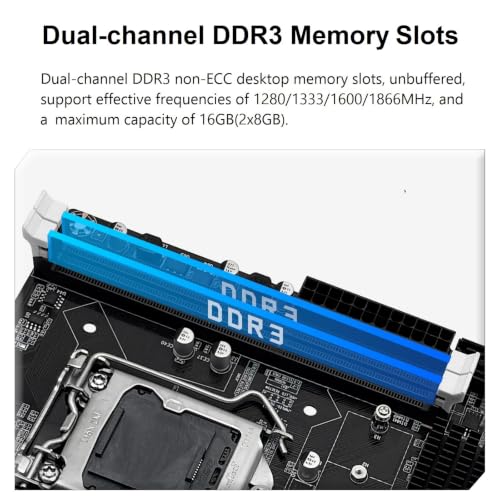
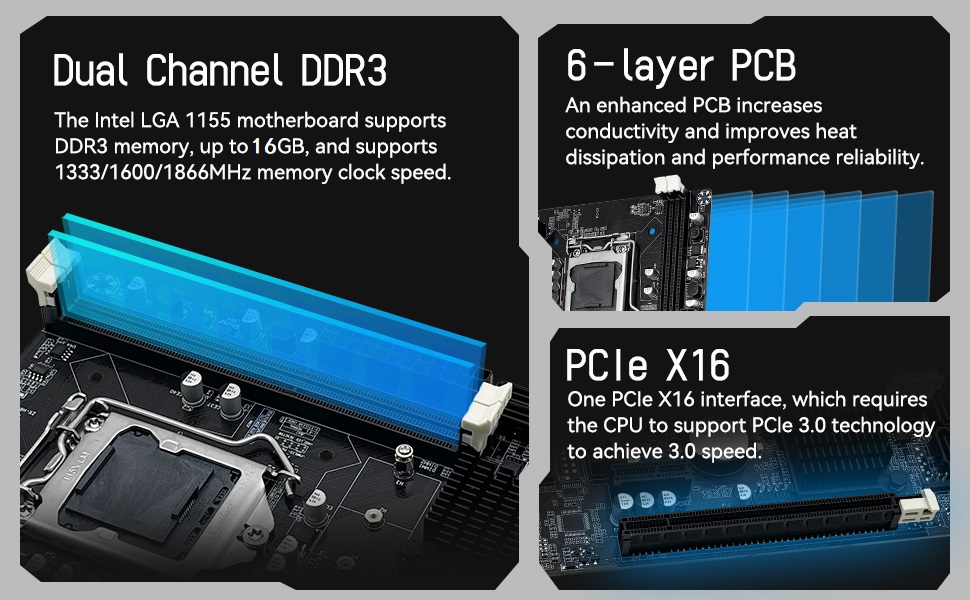
- Dual-channel DDR3 Slots: The PC gaming Motherboard support DDR3 non-ECC desktop memory max 16GB(2x8GB), unbuffered, supports 1280/1333/1600/1866MHz memory clock speed
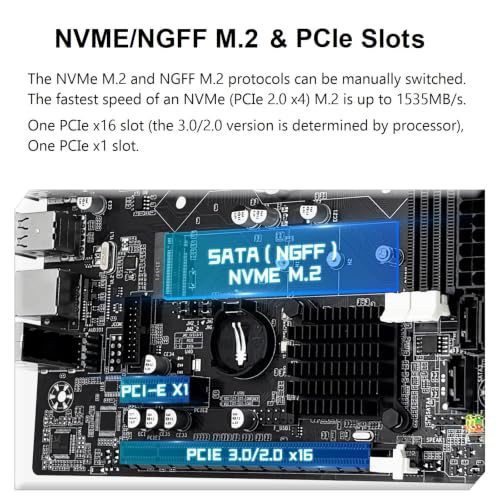
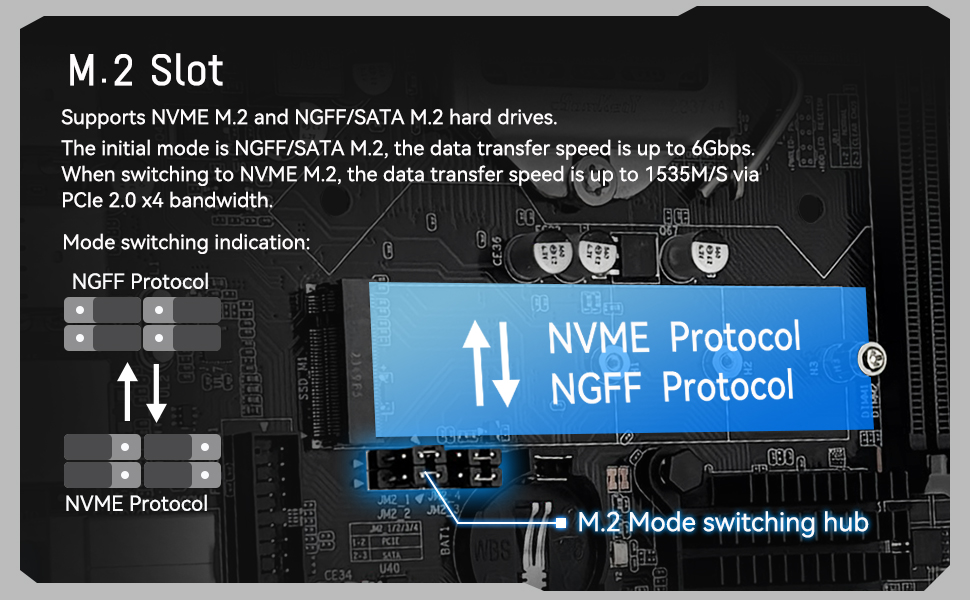
- M.2 SSD Interface: This computer motherboard is equipped with an M.2 interface, which can be converted between NVME and NGFF. The NVME M.2 slot uses the PCIe 2.0 x4 lane and the NGFF M.2 slot uses the SATA lane
- PCIe Slot: The Intel motherboard provides 1 PCIe X16 slot. The PCIe standard is determined by the CPU, and under the PCIe 3.0 protocol, the X16 slot has a throughput of 128Gbps
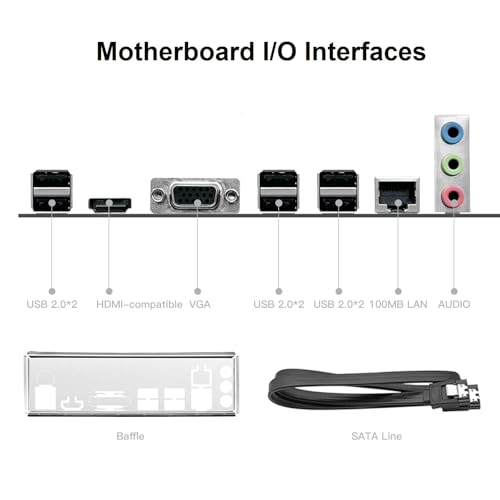
- Video Interface: Equipped with VGA and HDMI-compatible Interfaces, which can support 1080P high-definition video output without an external graphics card. Note: To use these two interfaces, your CPU needs to support integrated graphics
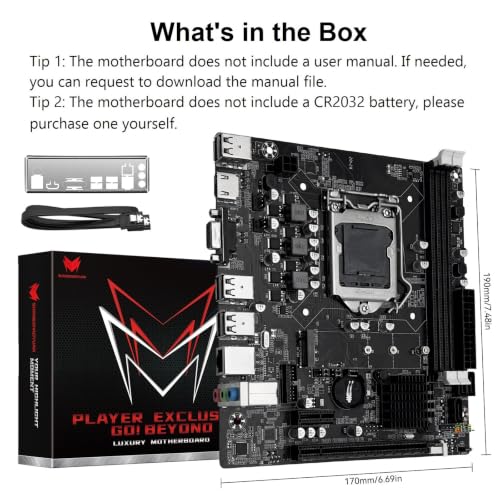
- Package Includes: 1*SATA cable, 1*I/O baffle, 1*motherboard. IMPORTANT: The package does not include the user manual and CR2032L battery
- Warm Tips: (1) If no display, no boot, no screen, no network card, no sound card, etc., please feel free to seek support. (2) It is recommend driver download: Driver Talent, or use Win 10 system, it can help you solve all the driver problems. (3) If the CPU does not support integrated graphics, install an external graphics card
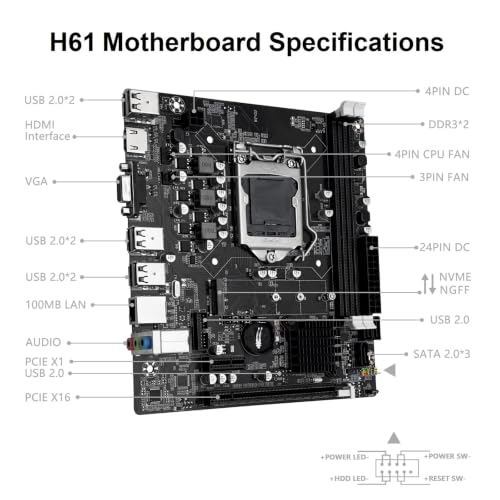
H61 Motherboard Specifications
| Chipset | Intel H61 Chipset |
| CPU Socket | LGA 1155 |
| Memory Slot | DDR3 (Max 2*8GB) |
| SATA Port | 3*SATA 2.0 |
| M.2 Slot | 1*MVMe/NGFF M.2 |
| PCIe Slot | 1*PCIe x16, 1*PCIe x1 |
| Display Port | HDMI-Compatible, VGA |
| Network Port | 100Mbps network card |
| USB Port | Front(2*USB 2.0), Rear(6*USB 2.0) |
| Power Connector | 24+4Pin |
| Audio | Realtek ALC661 2.1 channel |
| Size | 190mm*170mm |
Frequently Asked Questions
1. Computer won't start, fan doesn't spin, indicator lights are off
Check CPU compatibility or damage; check motherboard and CPU power supplies; check power button cable; check power switch on; check power supply; disconnect graphics card, hard drive, USB devices, etc., then try powering on again; clear CMOS.
2. The fan spins briefly and then immediately shuts off, or the computer repeatedly restarts
Clear the CMOS; check CPU and memory compatibility or damage; disconnect the graphics card, hard drive, USB devices, etc., and then try powering on.
3. The fan is spinning, but pressing the Caps Lock key on the keyboard doesn't activate the indicator lights
Try clearing the CMOS; checking that the motherboard and CPU power supplies are properly connected; checking for CPU and memory compatibility issues or damage; and checking that the memory is installed correctly.
4. The fan is spinning. Pressing the Caps Lock key on the keyboard illuminates the indicator light, but there is no display
Check if the monitor is powered on or damaged; check if the display data cable is properly connected or damaged; if using integrated graphics on the motherboard, check if the CPU supports integrated graphics. If not, an external graphics card must be installed; if an external graphics card is installed, check if the display data cable is plugged into the graphics card's display interface; check if the graphics card is working properly.
5. Blue screen, system crash
Check if the CPU cooling fan is spinning and if the cooling fan base is properly seated on the CPU; replace the CPU, memory, hard drive, operating system, and power supply.
| Add to Cart | Add to Cart | Add to Cart | Add to Cart | Add to Cart | ||
| 4.4 out of 5 stars33 | 3.2 out of 5 stars18 | 4.0 out of 5 stars17 | 2.9 out of 5 stars16 | 3.7 out of 5 stars16 | 3.2 out of 5 stars13 | |
| $80.99$80.99 | $96.99$96.99 | $82.99$82.99 | $79.99$79.99 | $74.99$74.99 | — no data | |
| Intel B85 Chipset | Intel H97 Chipset | Intel H97 Chipset | Intel H110 Chipset | AMD B450 | AMD B450 | |
| LGA 1150 | LGA 1150 | LGA 1150 | LGA 1151 | AMD AM4 | AMD AM4 | |
| 4*DDR3(up to 32GB) | 4*DDR3(up to 32GB) | 2*DDR3(up to 16GB) | 2*DDR4(up to 32GB) | 2*DDR4(up to 64GB) | 4*DDR4(up to 128GB) | |
| 1*Gigabit LAN Interface | 2*Gigabit LAN Interfaces | 1*Gigabit LAN Interface | 1*100MB LAN Interface | 1*Gigabit LAN Interface | 1*Gigabit LAN Interface | |
| HDMI; VGA; DVI | HDMI; VGA; DVI | HDMI; VGA; DP | HDMI; VGA | HDMI; VGA | HDMI; VGA; DP | |
| YES(Requires CPU to support integrated display) | YES(Requires CPU to support integrated display) | YES(Requires CPU to support integrated display) | YES(Requires CPU to support integrated display) | YES(Requires CPU to support integrated display) | YES(Requires CPU to support integrated display) | |
| PCIe X16; PCIe X1 | PCIe X16; PCIe X1 | PCIe X16 | PCIe X16 | PCIe X16; PCIe X1 | PCIe X16; PCIe X1 | |
| NVME/NGFF M.2 | NVME/NGFF M.2 | NVME M.2; WIFI M.2 | NVME/NGFF M.2 | NVME M.2 | 2*NVME M.2; WIFI M.2 | |
| 244mm*195mm | 243mm*193mm | 170mm*170mm | 190mm*170mm | 220mm*200mm | 235mm*215mm |
| SKU: | B0H6M6TJFM |
| Size: | 16 GB |
| Brand: | SHANGZHAOYUAN |
| Manufacture: | SHANGZHAOYUAN |
| Size: | 16 GB |
Product description
H61 Motherboard Specifications
| Chipset | Intel H61 Chipset |
| CPU Socket | LGA 1155 |
| Memory Slot | DDR3 (Max 2*8GB) |
| SATA Port | 3*SATA 2.0 |
| M.2 Slot | 1*MVMe/NGFF M.2 |
| PCIe Slot | 1*PCIe x16, 1*PCIe x1 |
| Display Port | HDMI-Compatible, VGA |
| Network Port | 100Mbps network card |
| USB Port | Front(2*USB 2.0), Rear(6*USB 2.0) |
| Power Connector | 24+4Pin |
| Audio | Realtek ALC661 2.1 channel |
| Size | 190mm*170mm |
Frequently Asked Questions
1. Computer won’t start, fan doesn’t spin, indicator lights are off
Check CPU compatibility or damage; check motherboard and CPU power supplies; check power button cable; check power switch on; check power supply; disconnect graphics card, hard drive, USB devices, etc., then try powering on again; clear CMOS.
2. The fan spins briefly and then immediately shuts off, or the computer repeatedly restarts
Clear the CMOS; check CPU and memory compatibility or damage; disconnect the graphics card, hard drive, USB devices, etc., and then try powering on.
3. The fan is spinning, but pressing the Caps Lock key on the keyboard doesn’t activate the indicator lights
Try clearing the CMOS; checking that the motherboard and CPU power supplies are properly connected; checking for CPU and memory compatibility issues or damage; and checking that the memory is installed correctly.
4. The fan is spinning. Pressing the Caps Lock key on the keyboard illuminates the indicator light, but there is no display
Check if the monitor is powered on or damaged; check if the display data cable is properly connected or damaged; if using integrated graphics on the motherboard, check if the CPU supports integrated graphics. If not, an external graphics card must be installed; if an external graphics card is installed, check if the display data cable is plugged into the graphics card’s display interface; check if the graphics card is working properly.
5. Blue screen, system crash
Check if the CPU cooling fan is spinning and if the cooling fan base is properly seated on the CPU; replace the CPU, memory, hard drive, operating system, and power supply.
 B85M PRO MOTHERBOARD B85M PRO MOTHERBOARD | 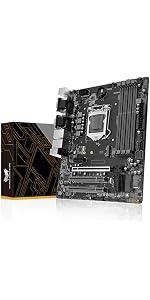 H97M PRO MOTHERBOARD H97M PRO MOTHERBOARD | 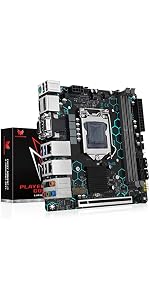 H97 STRONG MOTHERBOARD H97 STRONG MOTHERBOARD | 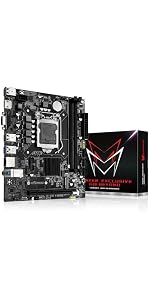 H110 MOTHERBOARD H110 MOTHERBOARD | 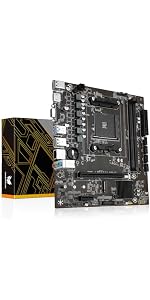 B450 MOTHERBOARD B450 MOTHERBOARD |  B450M AM4-K MOTHERBOARD B450M AM4-K MOTHERBOARD | |
|---|---|---|---|---|---|---|
| Customer Reviews | 4.4 out of 5 stars33 | 3.2 out of 5 stars18 | 4.0 out of 5 stars17 | 2.9 out of 5 stars16 | 3.7 out of 5 stars16 | 3.2 out of 5 stars13 |
| Price | $80.99 | $96.99 | $82.99 | $79.99 | $74.99 | — no data |
| Main Chipset | Intel B85 Chipset | Intel H97 Chipset | Intel H97 Chipset | Intel H110 Chipset | AMD B450 | AMD B450 |
| CPU Socket | LGA 1150 | LGA 1150 | LGA 1150 | LGA 1151 | AMD AM4 | AMD AM4 |
| Memory Slots | 4*DDR3(up to 32GB) | 4*DDR3(up to 32GB) | 2*DDR3(up to 16GB) | 2*DDR4(up to 32GB) | 2*DDR4(up to 64GB) | 4*DDR4(up to 128GB) |
| Network Card | 1*Gigabit LAN Interface | 2*Gigabit LAN Interfaces | 1*Gigabit LAN Interface | 1*100MB LAN Interface | 1*Gigabit LAN Interface | 1*Gigabit LAN Interface |
| Display Ports | HDMI; VGA; DVI | HDMI; VGA; DVI | HDMI; VGA; DP | HDMI; VGA | HDMI; VGA | HDMI; VGA; DP |
| Integrated Display | YES(Requires CPU to support integrated display) | YES(Requires CPU to support integrated display) | YES(Requires CPU to support integrated display) | YES(Requires CPU to support integrated display) | YES(Requires CPU to support integrated display) | YES(Requires CPU to support integrated display) |
| PCIe Slots | PCIe X16; PCIe X1 | PCIe X16; PCIe X1 | PCIe X16 | PCIe X16 | PCIe X16; PCIe X1 | PCIe X16; PCIe X1 |
| M.2 Slots | NVME/NGFF M.2 | NVME/NGFF M.2 | NVME M.2; WIFI M.2 | NVME/NGFF M.2 | NVME M.2 | 2*NVME M.2; WIFI M.2 |
| Motherboard Size | 244mm*195mm | 243mm*193mm | 170mm*170mm | 190mm*170mm | 220mm*200mm | 235mm*215mm |