Phenyx Pro Wireless Microphone System, 4-Channel Wireless Mic Set w/ 4 Bodypacks and Headsets/Lapel Mics, 4×25 UHF Frequencies, 200ft Coverage, Cordless Microphone for Singing, Church (PTU-5200-4B)
REGULAR PRICE: £257.99
About this item
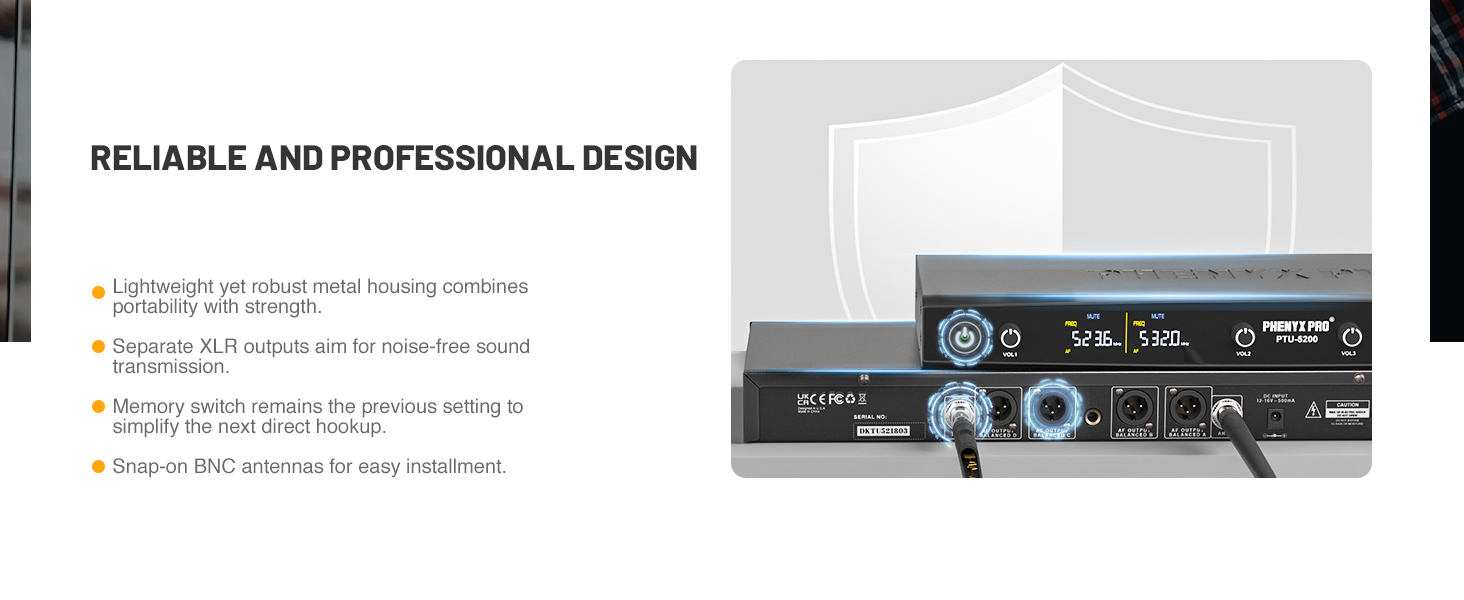
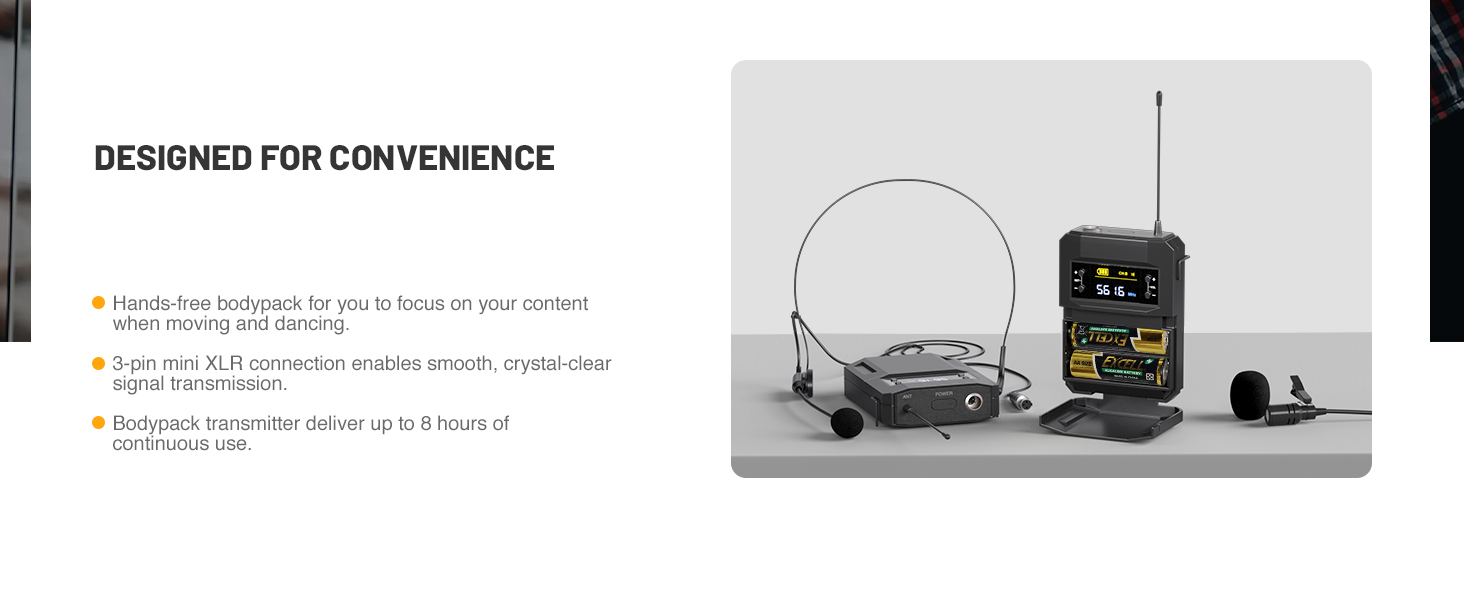
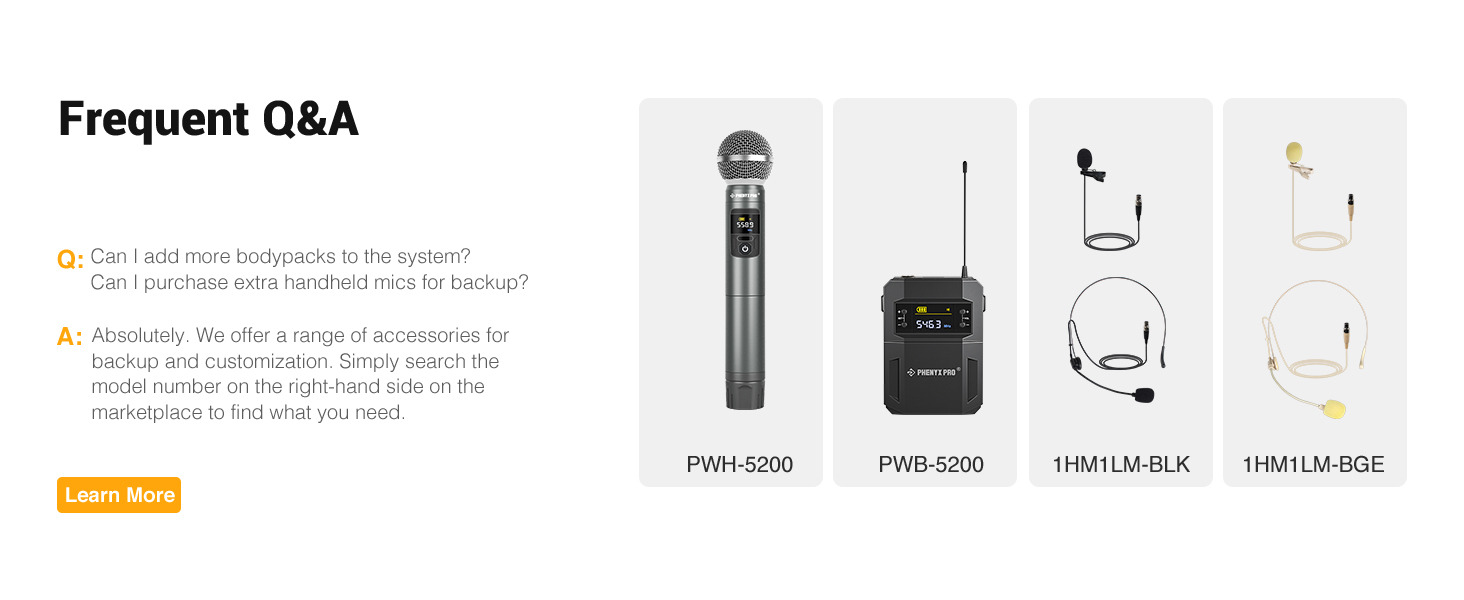
- STURDY BUILD WITH DETAILS: Metal UHF cordless microphone system receiver is designed to last, suitable for heavy use. The bodypack is built with high-quality components and includes both a lapel and headset microphone, offering hands-free flexibility. It also features a MUTE button to prevent disturbances during shared use. This wireless headset lapel microphone system also comes with AA batteries, ensuring you're ready to go right out of the box
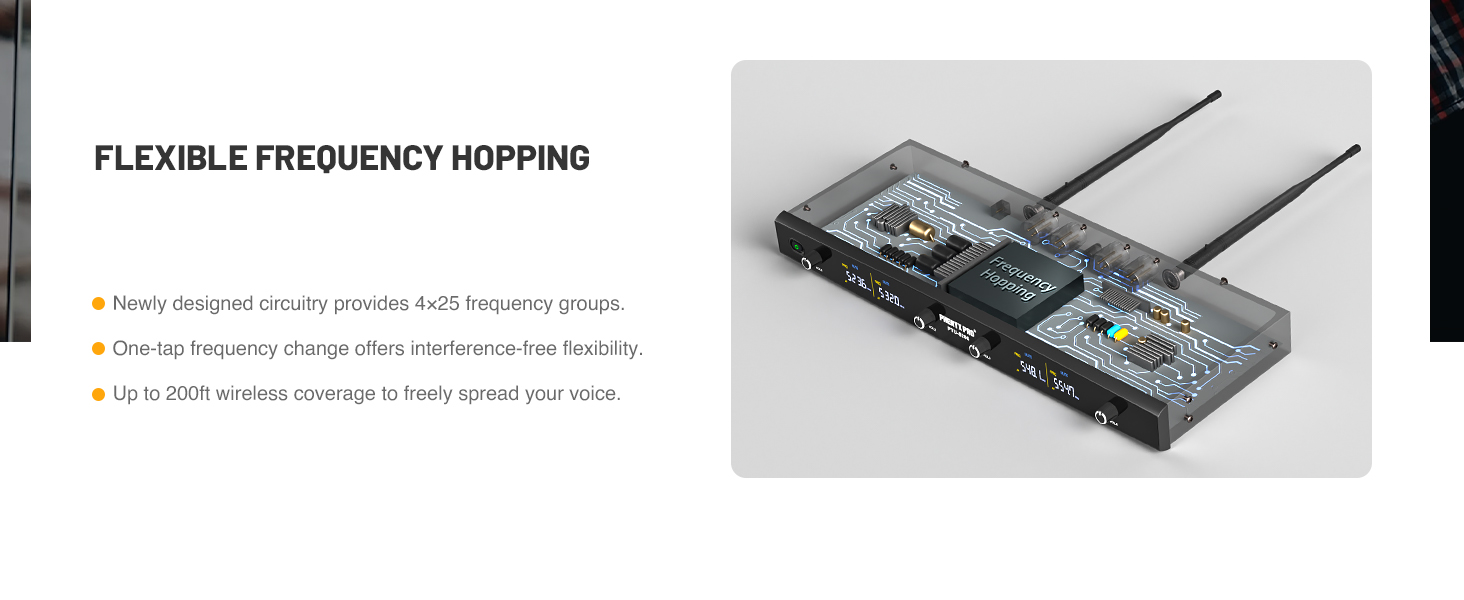
- 25 TUNABLE FREQUENCY GROUPS: State-of-the-art circuitry design with 25 tunable frequency groups for this microfono inalambrico set in 500 MHz band from 530 MHz – 580 MHz, allowing multiple wireless mic systems to use at the same time without interference. You can enjoy the freedom of changing frequency if preset frequency failed. Operating distance is up to 200 ft in open space line of sight
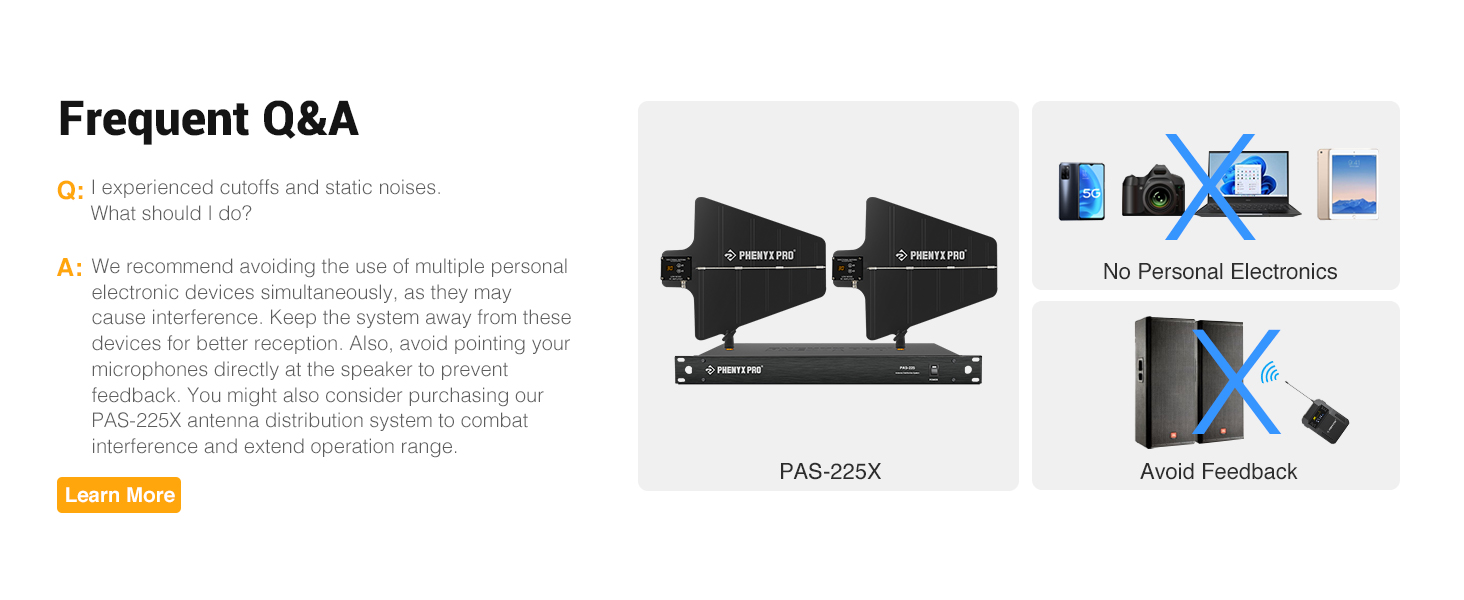
- STABLE SUPERIOR SOUND: The improved circuitry of the quad wireless microphone system and the 3-pin mini XLR design on the bodypack transmitter ensure balanced sound transmission. The unidirectional headset microphone and lapel lavalier mic capture original sound and transmit it smoothly without dropouts, hiss, or feedback, delivering clear, robust, and stable sound quality. The wireless lavalier microphone system is ideal for church, public speaking, instruction, conferences, and outdoor events
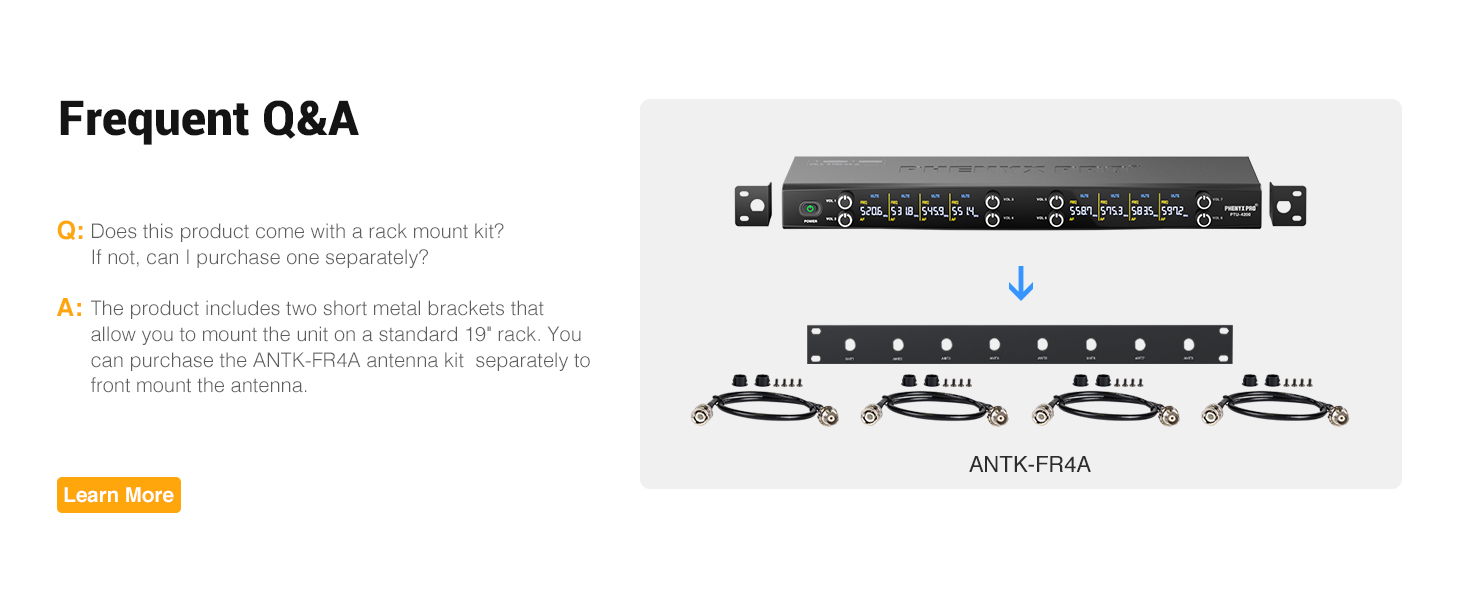
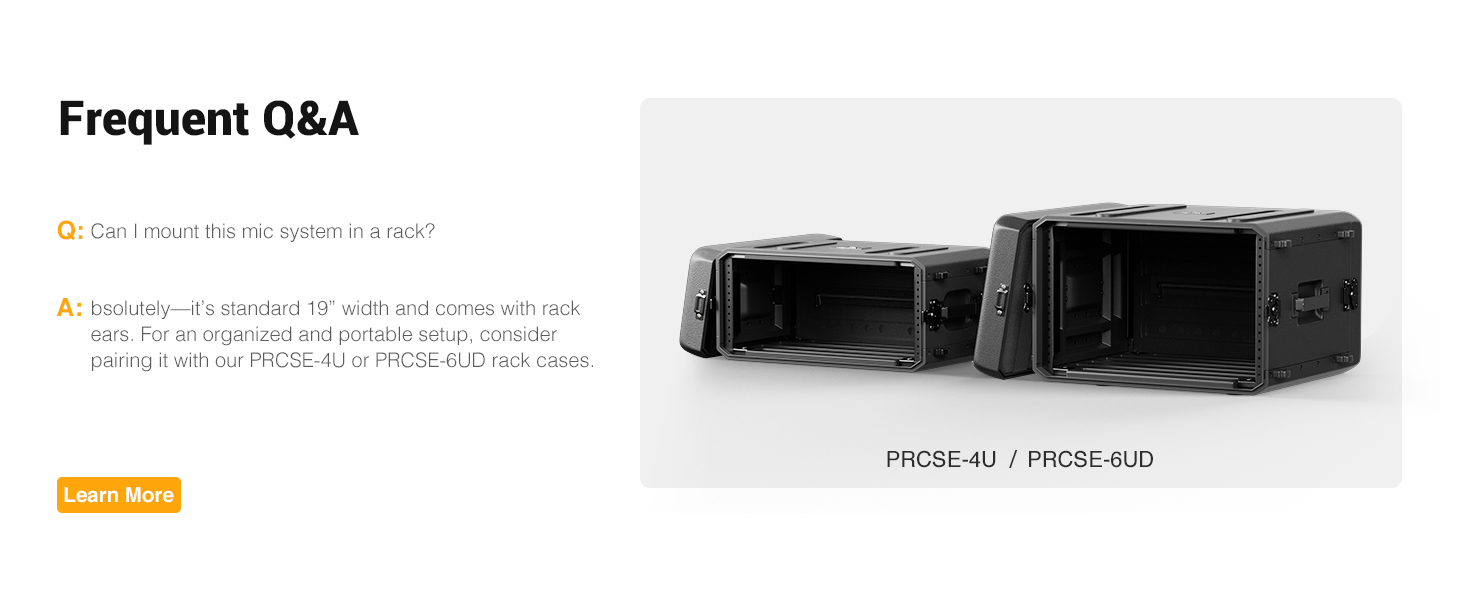
- QUICK PROFESSIONAL SETUP: The 4 channel wireless microphone system utilizes frequency hopping technology, allowing the transmitter and receiver to automatically connect within seconds. You can remotely switch channel with a simple press. With 4 XLR outputs and 1 mixed 1/4'' output, the system is compatible with external devices such as mixers, speakers, power amplifiers, and more. Two short brackets are included for rack mounting
- BOX CONTENT: 4 x bodypack wireless, 4 x headset microphones, 4 x lapel lavalier microphones, 1 x UHF wireless receiver, 1 x user manual, 1 x power adapter, 1 x 1/4’’ audio cable, 1 x 6.35mm to 3.5mm adapter, 8 x AA batteries, 4 x rubber feet, 2 x metal rack ears to install the system on rackcase. NOTE: You can front-mount the system antenna on a rackcase with our antenna kit ANTK-FR4A (can purchase seprately)
- PURCHASE WITH CONFIDENCE: Phenyx Pro products are crafted with premium components and precision engineering, ensuring trusted quality and lasting reliability. We stand firmly behind every product we make
Product description
CHANNEL SWITCH FOR THE BODYPACK
HOW TO SWITCH THE CHANNEL FOR THE BODYPACK
1. Press the power button for 2 seconds to turn it on.
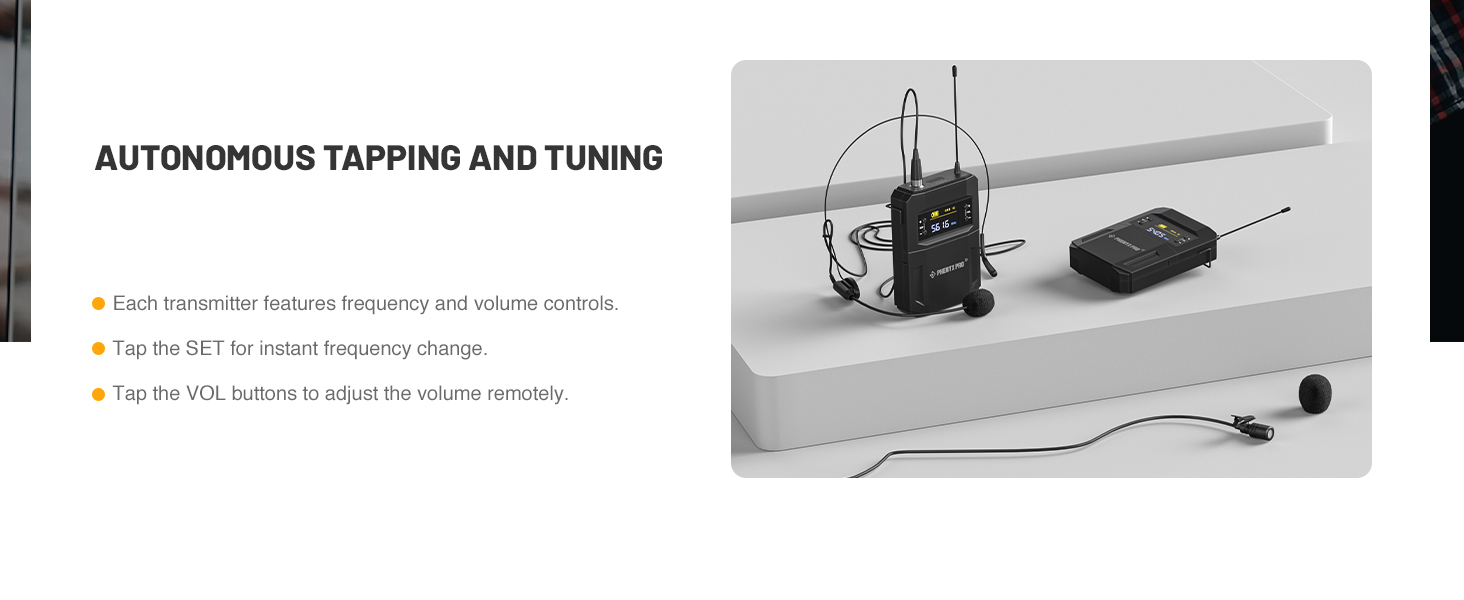
2. Press the SET button for 5 seconds to switch the channel until the preset Channel A is switched to B/C/D as needed.
3. Turn off the transmitter, and long press the SET and power buttons together for 3 seconds to lock your setting.
4. Tap the SET button to confirm the synchronization.
The video showcases the product in use.The video guides you through product setup.The video compares multiple products.The video shows the product being unpacked.cordless microphone set for speaking
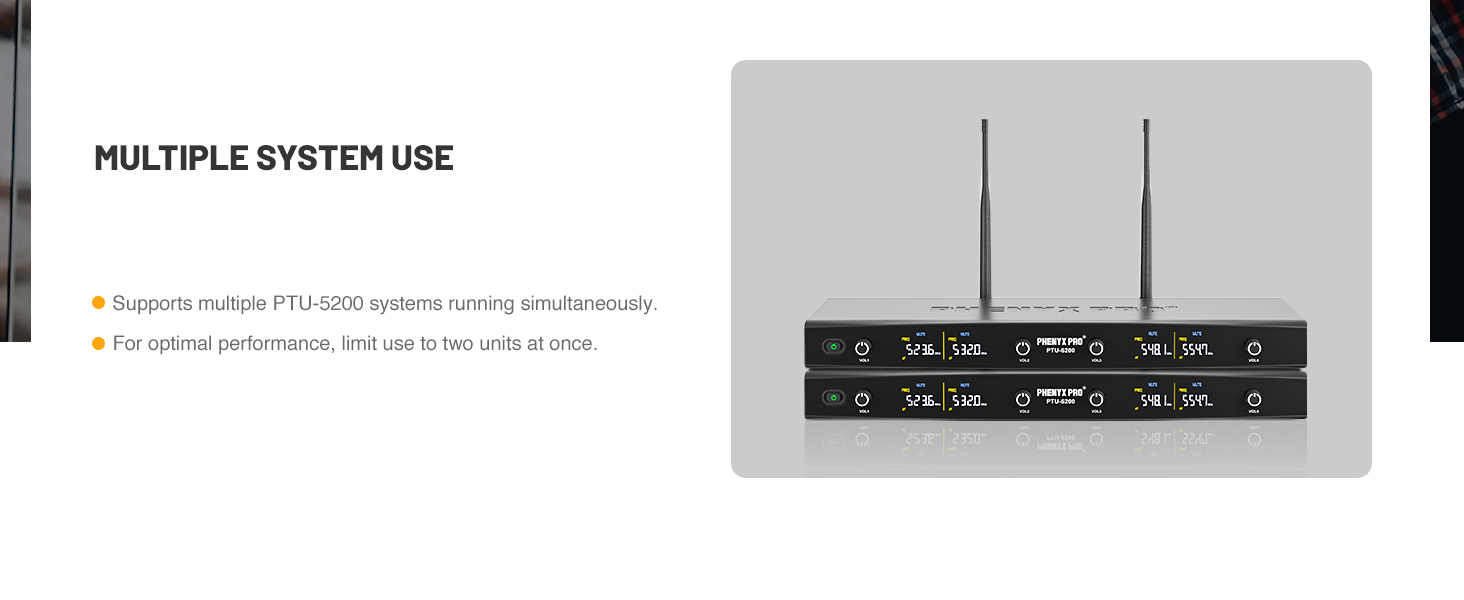
MULTISET OPERATION
HOW TO SET UP MULTIPLE SYSTEMS
1. Turn on the first receiver and transmitter.
2. Tap the SET button of a transmitter to select frequency. Tap the VOL button of the transmitter to adjust the volume remotely.
3. Repeat above steps to set up each transmitter so as to hook up the whole system.
4. Leave transmitters on and continue with additional systems according to the above steps.
The video showcases the product in use.The video guides you through product setup.The video compares multiple products.The video shows the product being unpacked.karaoke wireless microphone
RACK MOUNT
HOW TO RACK MOUNT THE GEAR
1. Prepare a standard 19-inch rack and attach the two included short brackets to the receiver.
2. Use the Phenyx Pro ANTK-FR4A antenna kit (not included, sold separately) for front antenna mounting.
3. Connect the antenna kit’s extension cables to the receiver and secure the receiver to the rack with a screwdriver.
4. Install the metal front mounting plate from the antenna kit and connect the antennas to complete installation.
The video showcases the product in use.The video guides you through product setup.The video compares multiple products.The video shows the product being unpacked.ANTK-FR4A antenna kit
The Line Up
| Add to Cart Add to Cart Add to Cart Add to Cart Add to Cart | |||||||
| Customer Reviews | 4.3 out of 5 stars56 | 4.2 out of 5 stars316 | 4.6 out of 5 stars154 | 4.5 out of 5 stars47 | 4.5 out of 5 stars83 | 4.5 out of 5 stars1,126 | 4.7 out of 5 stars40 |
| Price | $237.35$237.35 | $205.19$205.19 | $251.99$251.99 | $402.99$402.99 | $319.99$319.99 | $196.64$196.64 | $286.99$286.99 |
| Frequency Design | Frequency Hopping | Frequency Hopping | Frequency Hopping | Frequency hopping | Adjustable Frequency | Fixed Frequency | Adjustable Frequency |
| Number of Channel | 4 | 4 | 4 | 8 | 4 | 4 | 4 |
| Number of Frequency | 4×25 | 4×25 | 4×25 | 8×20 | 4×40 | 4 | 4×50 |
| Coverage Distance | 180-200ft | 180-200ft | 180-200ft | 180-200ft | 290-328ft | 180-260ft | 290-328ft |
| Mic Switch Function | ON/MUTE/OFF | ON/MUTE/OFF | ON/MUTE/OFF | ON/MUTE/OFF | ON/MUTE/OFF | ON/OFF | ON/MUTE/OFF |
| Customization Choice | 4 bodypack/headset/lapel mics | 4 handheld mics | 2 handheld & 2 bodypack | 8 handheld mics | 4 bodypack/headset/lapel mics | 2 handheld & 2 bodypack | 4 gooseneck mics |







| SKU: | B0DFYBJ49M |
| Brand: | Phenyx Pro |
| Model: | PTU-5200-4B |
| Colour: | Silver |
| Manufacture: | Phenyx Technology,LLC |
| Colour: | Silver |
Product description


CHANNEL SWITCH FOR THE BODYPACK
HOW TO SWITCH THE CHANNEL FOR THE BODYPACK
1. Press the power button for 2 seconds to turn it on.
2. Press the SET button for 5 seconds to switch the channel until the preset Channel A is switched to B/C/D as needed.
3. Turn off the transmitter, and long press the SET and power buttons together for 3 seconds to lock your setting.
4. Tap the SET button to confirm the synchronization.
The video showcases the product in use.The video guides you through product setup.The video compares multiple products.The video shows the product being unpacked.cordless microphone set for speaking
MULTISET OPERATION
HOW TO SET UP MULTIPLE SYSTEMS
1. Turn on the first receiver and transmitter.
2. Tap the SET button of a transmitter to select frequency. Tap the VOL button of the transmitter to adjust the volume remotely.
3. Repeat above steps to set up each transmitter so as to hook up the whole system.
4. Leave transmitters on and continue with additional systems according to the above steps.
The video showcases the product in use.The video guides you through product setup.The video compares multiple products.The video shows the product being unpacked.karaoke wireless microphone
RACK MOUNT
HOW TO RACK MOUNT THE GEAR
1. Prepare a standard 19-inch rack and attach the two included short brackets to the receiver.
2. Use the Phenyx Pro ANTK-FR4A antenna kit (not included, sold separately) for front antenna mounting.
3. Connect the antenna kit’s extension cables to the receiver and secure the receiver to the rack with a screwdriver.
4. Install the metal front mounting plate from the antenna kit and connect the antennas to complete installation.
The video showcases the product in use.The video guides you through product setup.The video compares multiple products.The video shows the product being unpacked.ANTK-FR4A antenna kit


The Line Up
 PTU-5200-4B |  PTU-5200-4H |  PTU-5200-2H2B |  PTU-4200-8H |  PTU-7000-4B |  PTU-5000-2H2B |  PTC-4 | |
|---|---|---|---|---|---|---|---|
| Customer Reviews | 4.3 out of 5 stars56 | 4.2 out of 5 stars316 | 4.6 out of 5 stars154 | 4.5 out of 5 stars47 | 4.5 out of 5 stars83 | 4.5 out of 5 stars1,126 | 4.7 out of 5 stars40 |
| Price | $237.35 | $205.19 | $251.99 | $402.99 | $319.99 | $196.64 | $286.99 |
| Frequency Design | Frequency Hopping | Frequency Hopping | Frequency Hopping | Frequency hopping | Adjustable Frequency | Fixed Frequency | Adjustable Frequency |
| Number of Channel | 4 | 4 | 4 | 8 | 4 | 4 | 4 |
| Number of Frequency | 4×25 | 4×25 | 4×25 | 8×20 | 4×40 | 4 | 4×50 |
| Coverage Distance | 180-200ft | 180-200ft | 180-200ft | 180-200ft | 290-328ft | 180-260ft | 290-328ft |
| Mic Switch Function | ON/MUTE/OFF | ON/MUTE/OFF | ON/MUTE/OFF | ON/MUTE/OFF | ON/MUTE/OFF | ON/OFF | ON/MUTE/OFF |
| Customization Choice | 4 bodypack/headset/lapel mics | 4 handheld mics | 2 handheld & 2 bodypack | 8 handheld mics | 4 bodypack/headset/lapel mics | 2 handheld & 2 bodypack | 4 gooseneck mics |