Adobe Creative Cloud Photography Plan 1TB (Photoshop +

Adobe Creative Cloud Photography Plan 1TB (Photoshop + Lightroom) | 12-month Subscription with auto-renewal
- Creative Cloud Photography Plan 1TB is a different subscription than Creative Cloud Photography Plan 20GB. Purchasing this will NOT extend or renew Creative Cloud Photography Plan 20GB subscription with Adobe.
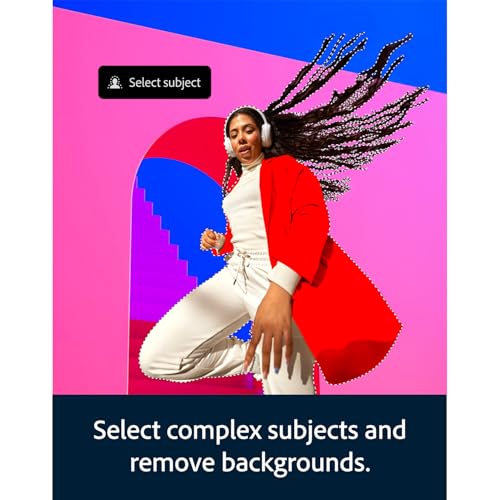
- Tap the power of generative AI with full versions of Lightroom (desktop and mobile), Photoshop (desktop, iPad, and iPhone), and Lightroom Classic (desktop).
- Edit your photos in Lightroom and remove anything in your images with the new AI-powered Generative Remove. Then transform them in Photoshop with generative AI tools powered by Adobe Firefly.
- Use the AI-powered Generative Fill and Generative Expand to add, remove, or extend content in any image.
- Create a portrait effect in any photo with Lens Blur, powered by AI.
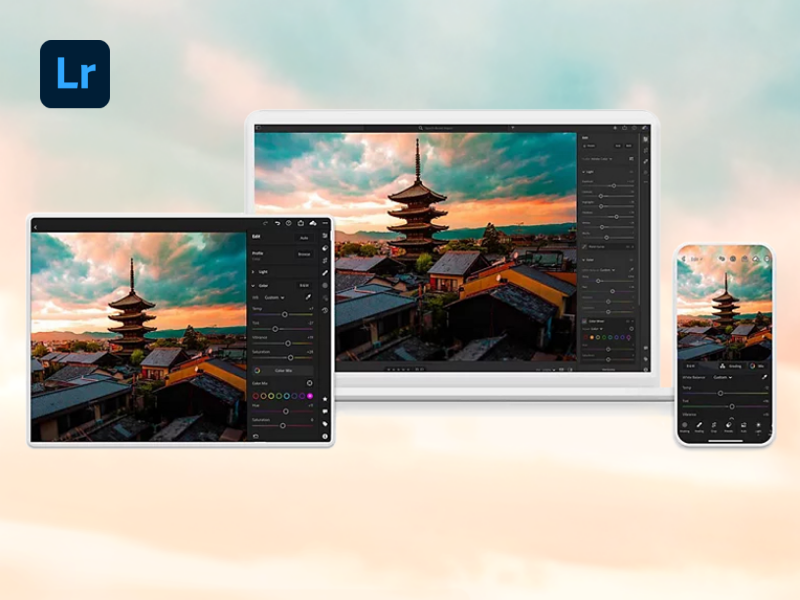
- Quickly adjust light and color, add presets and effects, crop images, and more.
- Adjust light and color, add presets and effects, and more. Apply changes to a whole image or select specific parts.
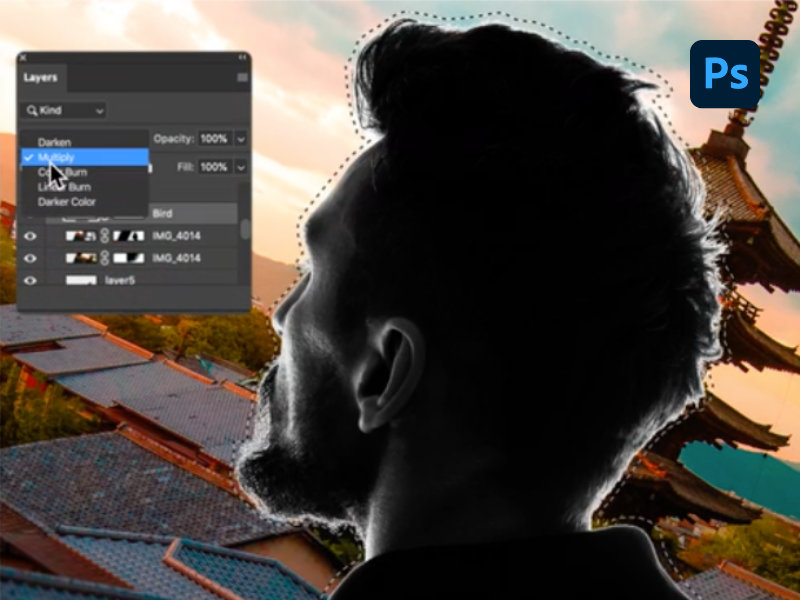
- Make amazing graphics and more. Use a full set of one-of-a kind tools in Photoshop to customize text, color, and images.
- Bring your ideas to life with simple text prompts. 25 monthly generative AI credits are included with your subscription.
- 1TB of cloud storage and file synchronization across devices and get the latest features with regular updates.
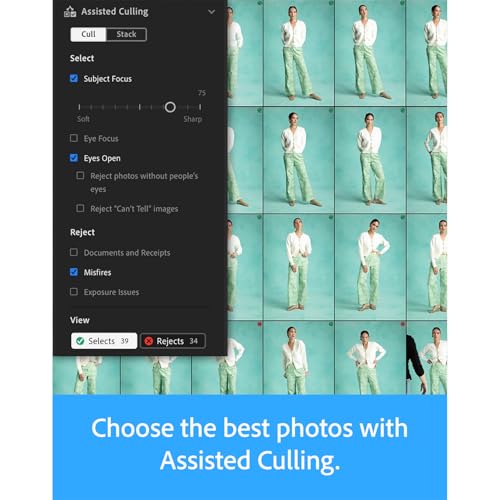
The Adobe Creative Cloud Photography Plan is a comprehensive software package designed to meet the needs of both amateur and professional photographers. It includes full versions of Lightroom (desktop, mobile, and web), Photoshop (desktop and iPad), and Lightroom Classic (desktop) plus 1TB of cloud storage with file synchronization across all your devices. Lightroom enables you to edit, organize, store, and share your photos from anywhere. It includes the latest AI features powered by Adobe Firefly, including Generative Remove which lets you remove anything in any photo, and Lens Blur which instantly adds a blur effect, highlighting your subject and blurring out the rest. Access and work on your photos from any device, with all changes automatically synced in the cloud – your photo library is available and up-to-date wherever you are. Photoshop is the industry standard for photo editing and graphic design. It offers unparalleled capabilities for creating, enhancing, and transforming images and includes the latest AI features powered by the new Adobe Firefly Image 3 model. Instantly expand images in a few steps with Generative Expand, and use simple text prompts to add and remove content from images with Generative Fill. Automatically delete unwanted elements in images with Distraction Removal. The desktop version provides a comprehensive suite of tools for professional- grade photo manipulation, while the iPad version allows for on-the-go creativity with many of the same powerful features. Lightroom Classic offers robust tools for managing and editing large volumes of images. It provides extensive functionality for detailed photo edits and organization, including advanced features like the Develop and Map modules, and is perfect for precise control over your photo collection and editing on your desktops.






| SKU: | B09J1H7HYG |
From the manufacturer
The video showcases the product in use.The video guides you through product setup.The video compares multiple products.The video shows the product being unpacked.Creative Cloud Photography Plan 1TB Overview Video
Transform ideas into images: the photography plan assists with your personal creative process. Edit photos with Lightroom or create a brand-new design with Photoshop. The photography plan has everything you need.
New and popular features in the Creative Cloud Photography Plan.
Introducing Photoshop for iPhone.
The power of Photoshop in the palm of your hand.
Unleash your creativity anytime, anywhere with the power of generative AI. Plus, with the Creative Cloud Photography Plan, you get access to advanced tools like Generative Remove, the Clone Stamp, and a vast collection of premium fonts from Adobe Fonts.

New Photoshop feature
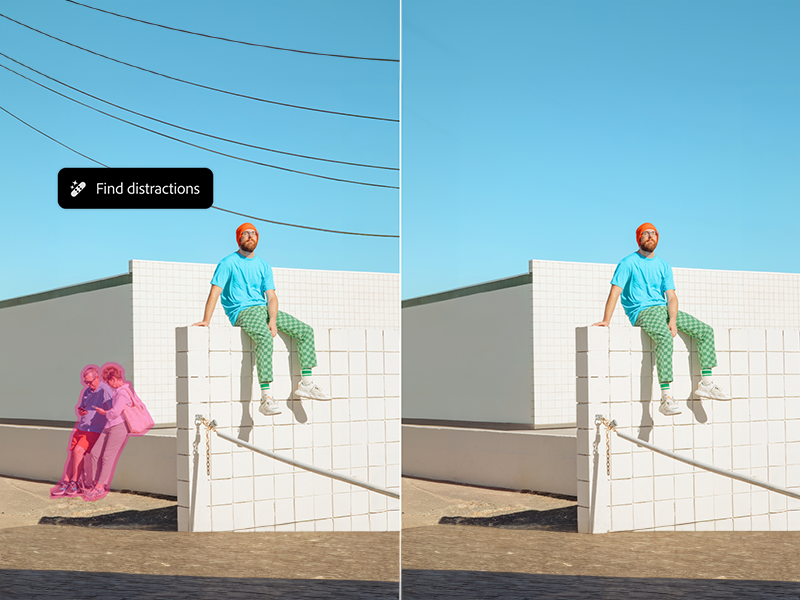
Decluttering on demand.
Tidy up your scene in a click. Distraction Removal in the Remove tool automatically detects and deletes unwanted elements like wires and people in the background.
Lightroom feature
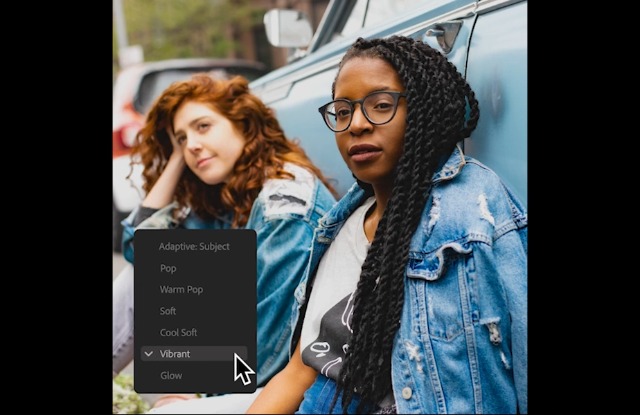
Add a blur effect powered by AI.
Instantly create a portrait effect in any photo with Lens Blur. Control the amount you want or let Lightroom handle it.
The video showcases the product in use.The video guides you through product setup.The video compares multiple products.The video shows the product being unpacked.Add a blur effect powered by AI.
Photoshop feature
Instantly expand images.
Extend images in a few steps with Generative Expand. Just click and drag beyond the borders of an image with the Crop tool and seamlessly fill the expanded canvas with newly generated content that blends with the existing image.
The video showcases the product in use.The video guides you through product setup.The video compares multiple products.The video shows the product being unpacked.Instantly expand images.
Lightroom feature
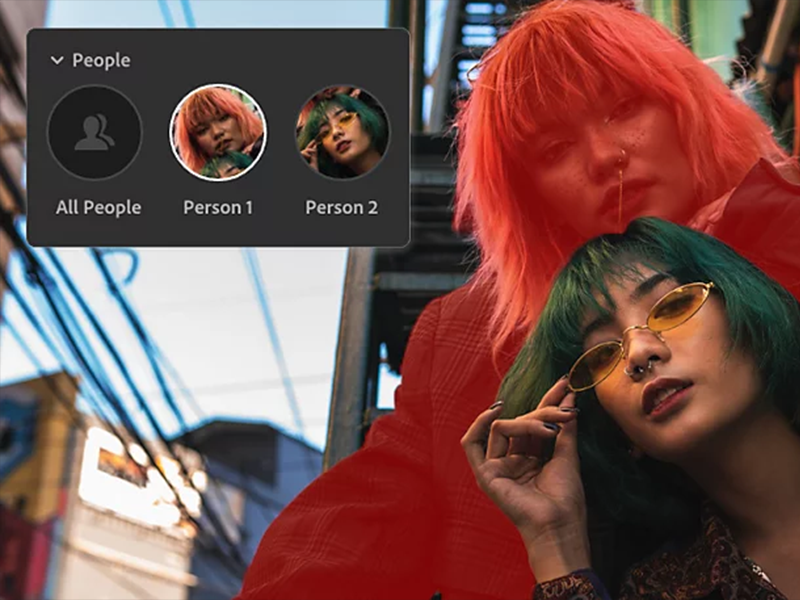
More precise ways to edit people.
Select People instantly detects the people in your image so you can quickly make edits to facial features, clothing and more.
Photoshop feature
Share for review.
Save time by creating links to your work, managing feedback in one place, and pushing updates when ready. Collaborators don't need to sign up or sign in to comment.
Compare Creative Cloud plans.
 Photography Plan 1TB |  Lightroom |  Creative Cloud All Apps |  Creative Cloud Students | |
|---|---|---|---|---|
| Customer Reviews | 3.7 out of 5 stars278 | 3.7 out of 5 stars278 | 3.7 out of 5 stars278 | 3.7 out of 5 stars278 |
| Price | $239.88 | $118.88 | $779.88 | $239.88 |
| Lightroom | ✔ | ✔ | ✔ | ✔ |
| Lightroom Classic | ✔ | ✔ | ✔ | ✔ |
| Lightroom mobile | ✔ | ✔ | ✔ | ✔ |
| Photoshop on the desktop | ✔ | ✘ | ✔ | ✔ |
| Photoshop on the iPad | ✔ | ✘ | ✔ | ✔ |
| Photoshop on the iPhone | ✔ | ✘ | ✔ | ✔ |
| Adobe Portfolio | ✔ | ✔ | ✔ | ✔ |
| Photoshop Express | ✔ | ✔ | ✔ | ✔ |
| Photoshop Camera | ✔ | ✔ | ✔ | ✔ |
| Adobe Express Premium | ✘ | ✘ | ✔ | ✔ |
| 20+ programs and mobile apps | ✘ | ✘ | ✔ | ✔ |
Dream Bigger with Generative Fill.
The video showcases the product in use.The video guides you through product setup.The video compares multiple products.The video shows the product being unpacked.Dream Bigger with Generative Fill.
Quickly create, add to, remove, or replace images right in Adobe Photoshop with simple text prompts powered by Adobe Firefly generative AI.
How do I activate my plan after purchase?
After your purchase, Amazon will send you a link and activation code by e-mail. Sign on with your Adobe ID or create a new one. Enter the code from the e-mail and download all programs you plan to use.
Will I get the latest version automatically?
Yes! Thanks to the new automatic updates, Creative Cloud programs will be updated immediately once a new version is launched. You can manage your update settings in the Client.
Can I work offline too?
Yes. The Creative Cloud desktop programs are installed on your computer. This means you don't always have to be online to use Lightroom or Photoshop.
Do I have to store my photos in the cloud?
Lightroom saves and manages all photos in the cloud, and Photoshop syncs automatically with the cloud. Prefer not to store your photos there? Use Lightroom Classic instead.