Aula L99 Wireless Mechanical Keyboard with Smart Touch
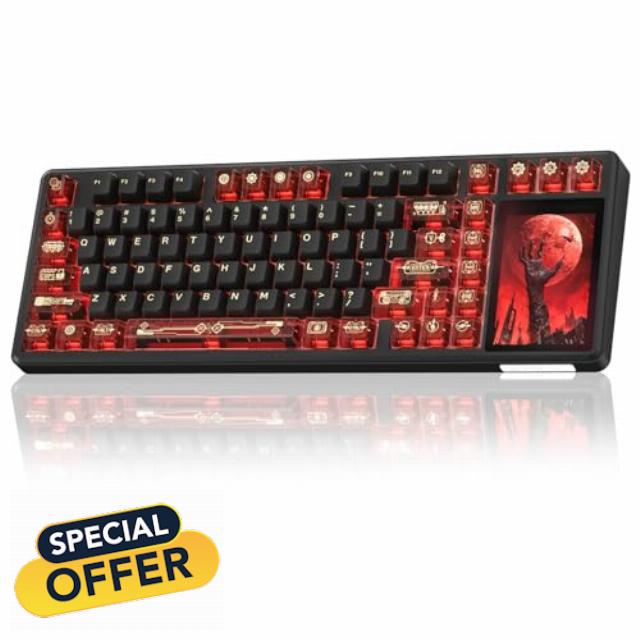
Aula L99 Wireless Mechanical Keyboard with Smart Touch Screen,Tri-Mode Hot Swappable Custom Gaming Keyboard,RGB Backlit,PBT Keycap,Gasket Mount Creamy Sounding Computer Keyboards for Office PC,84 Keys
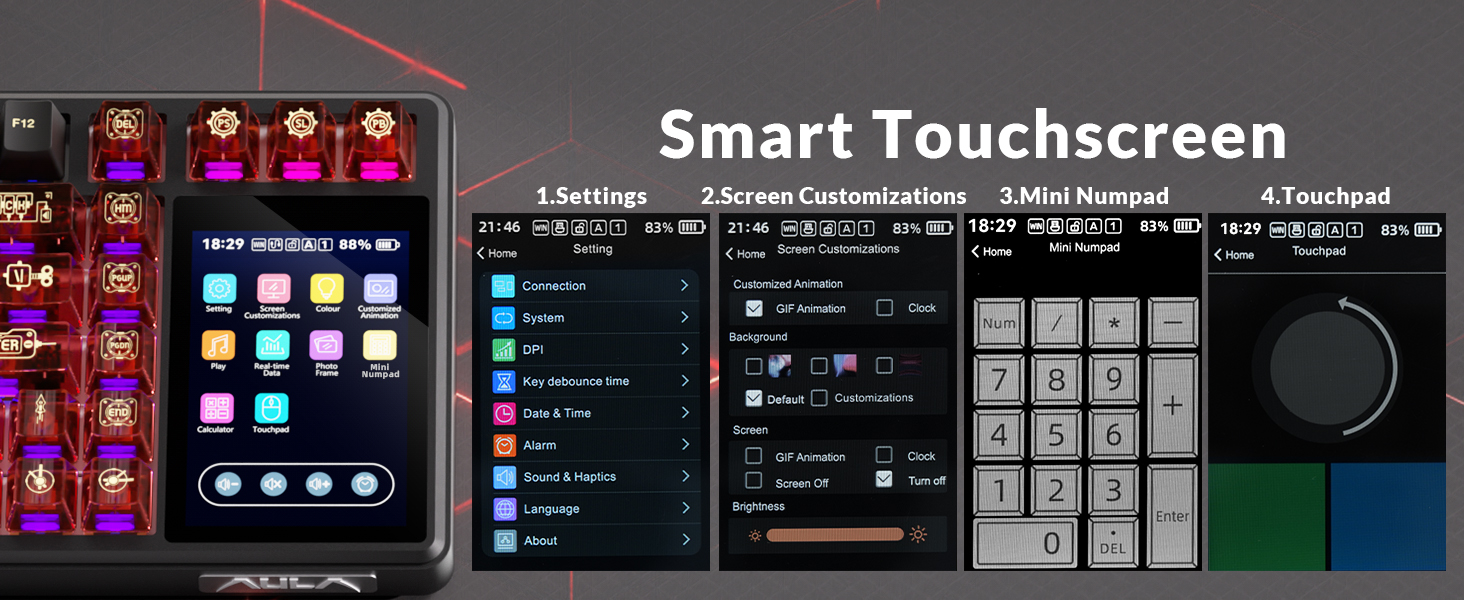
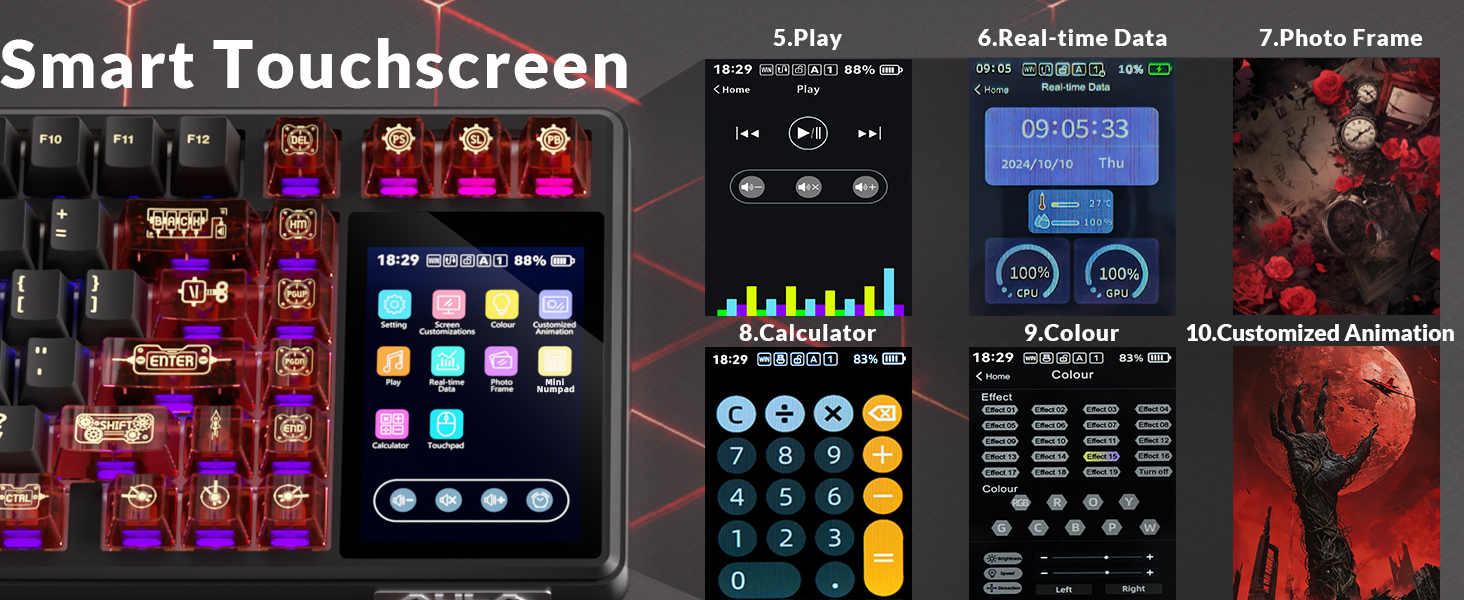
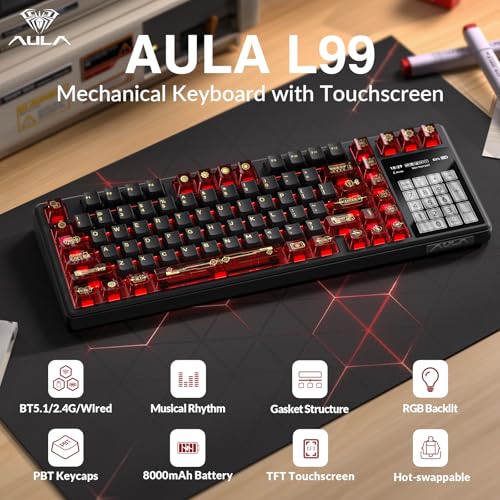
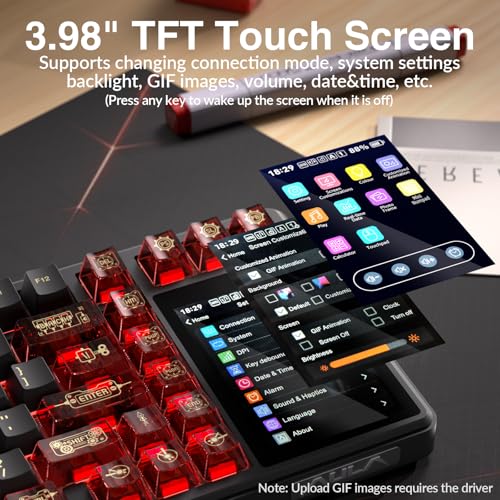
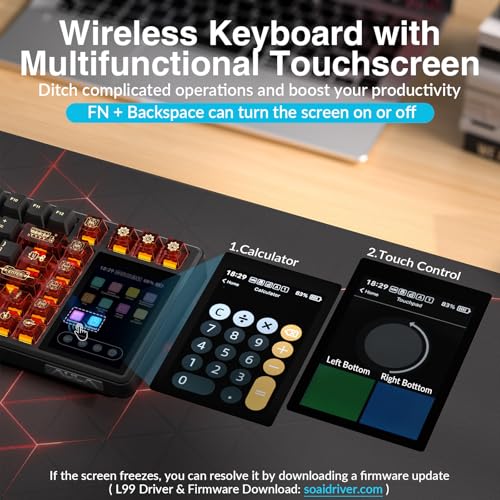
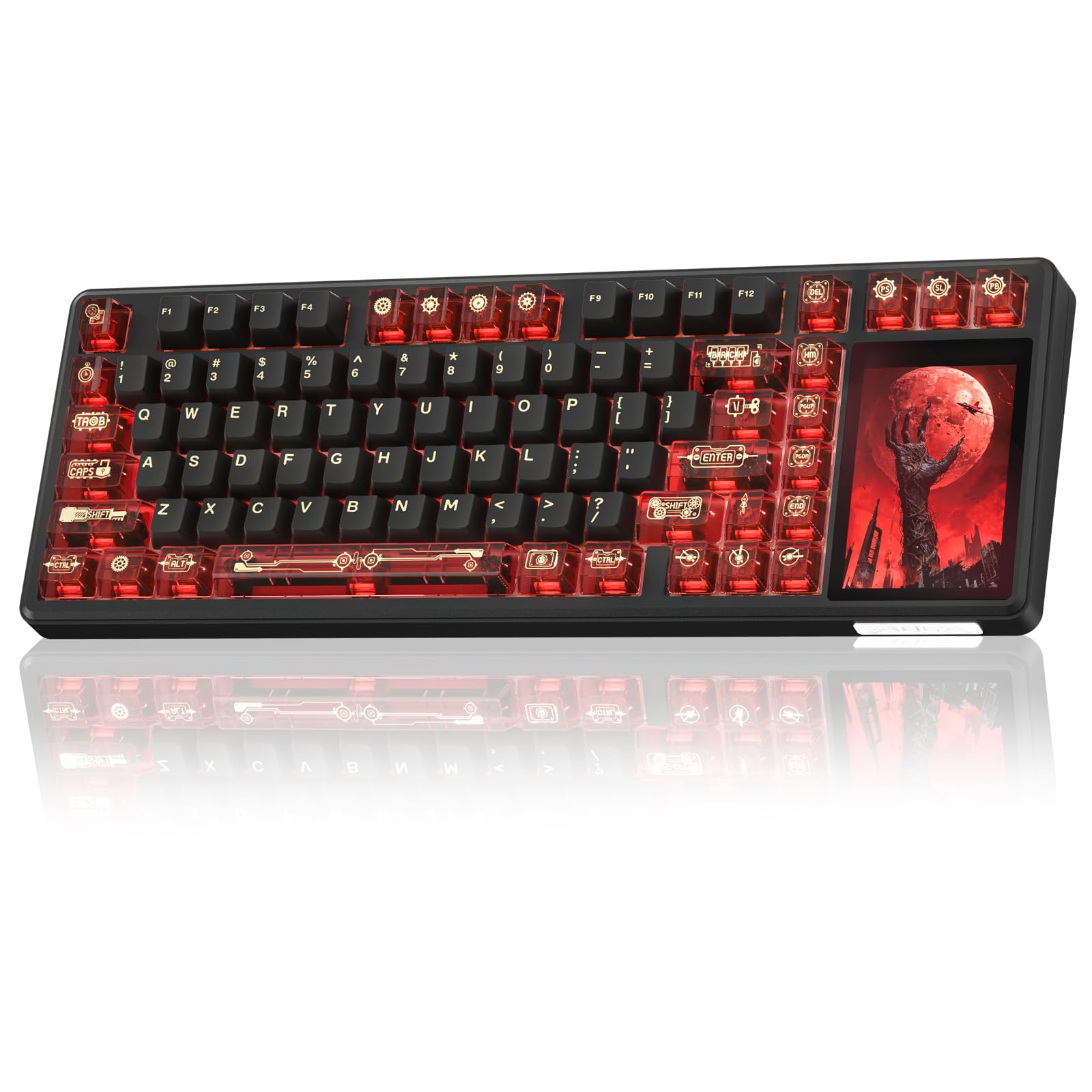
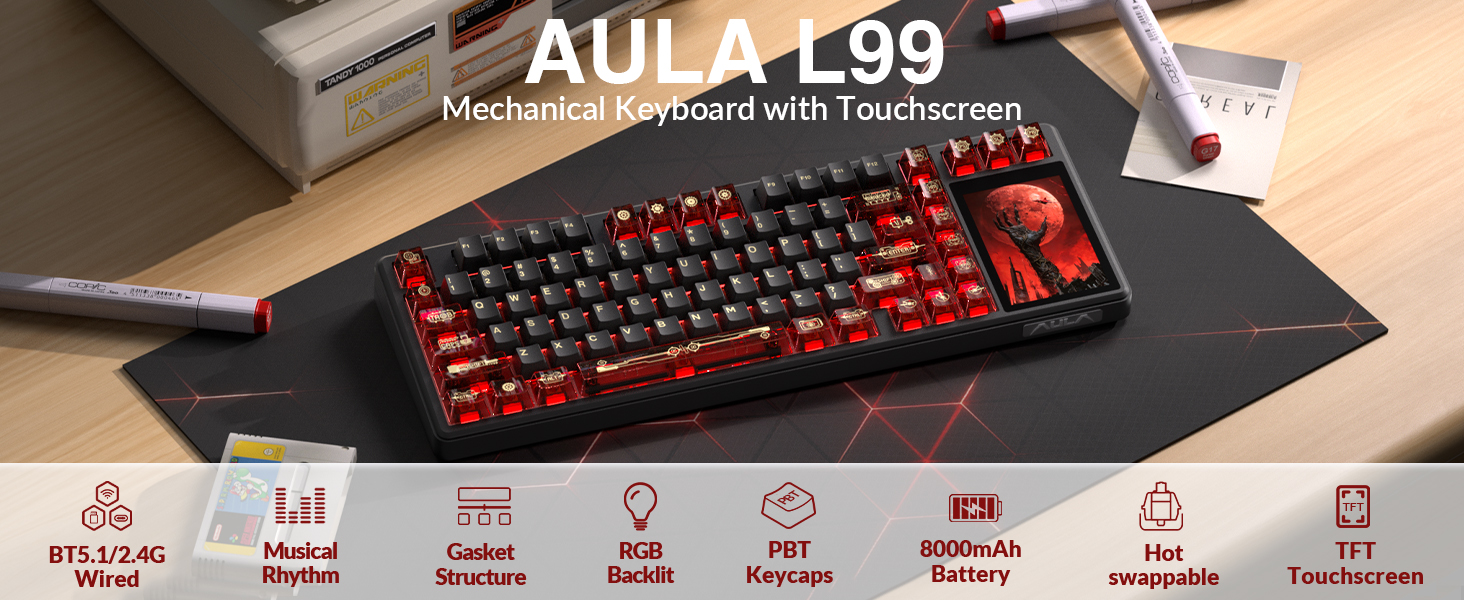
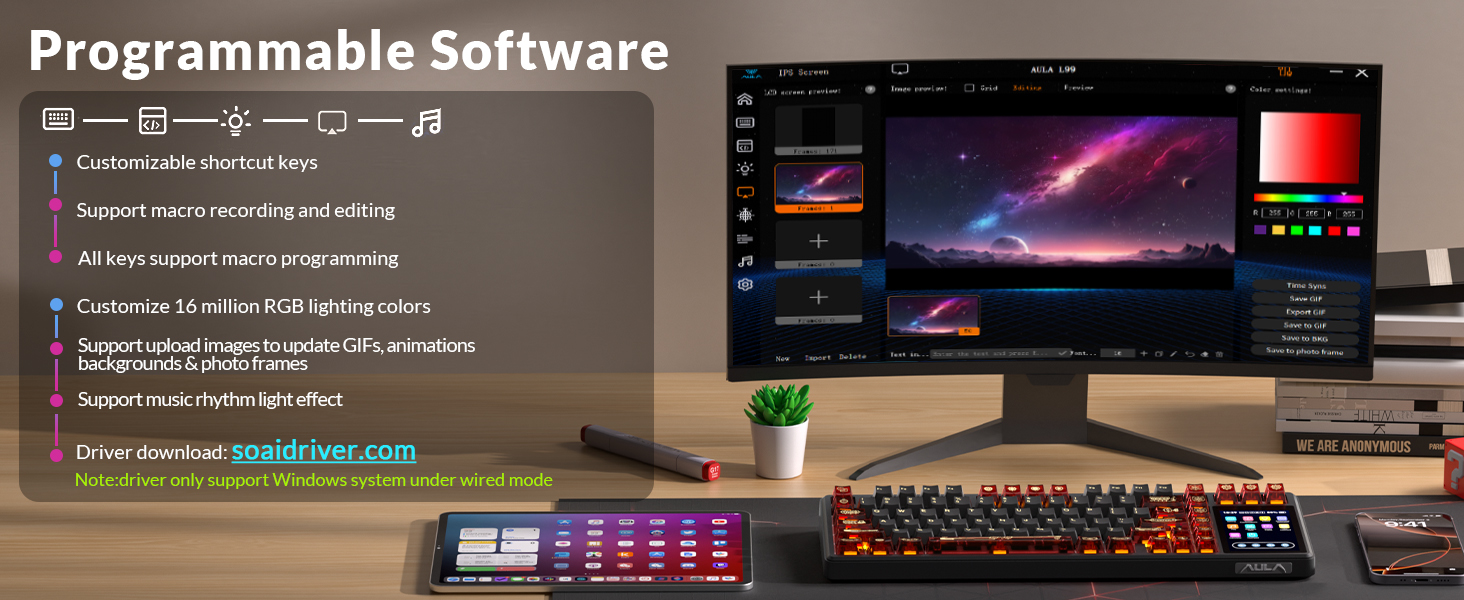
- 96% Layout & 3.98" Smart Touch Screen: The AULA L99 wireless mechanical keyboard with a touchscreen turns an ordinary input device into a smart desktop command center. The screen displays time, battery level, system and connection status. It supports custom interfaces like animations, GIFs, frames(driver required), and integrates a calculator, touchpad and mini numpad to enhance work efficiency. Tap to switch settings intuitively, upgrading the traditional computer keyboard into a visual smart terminal. Wake on-Touch: Press any key to instantly wake up the screen when it’s off. (Note: Protective film included, torn off before use.)
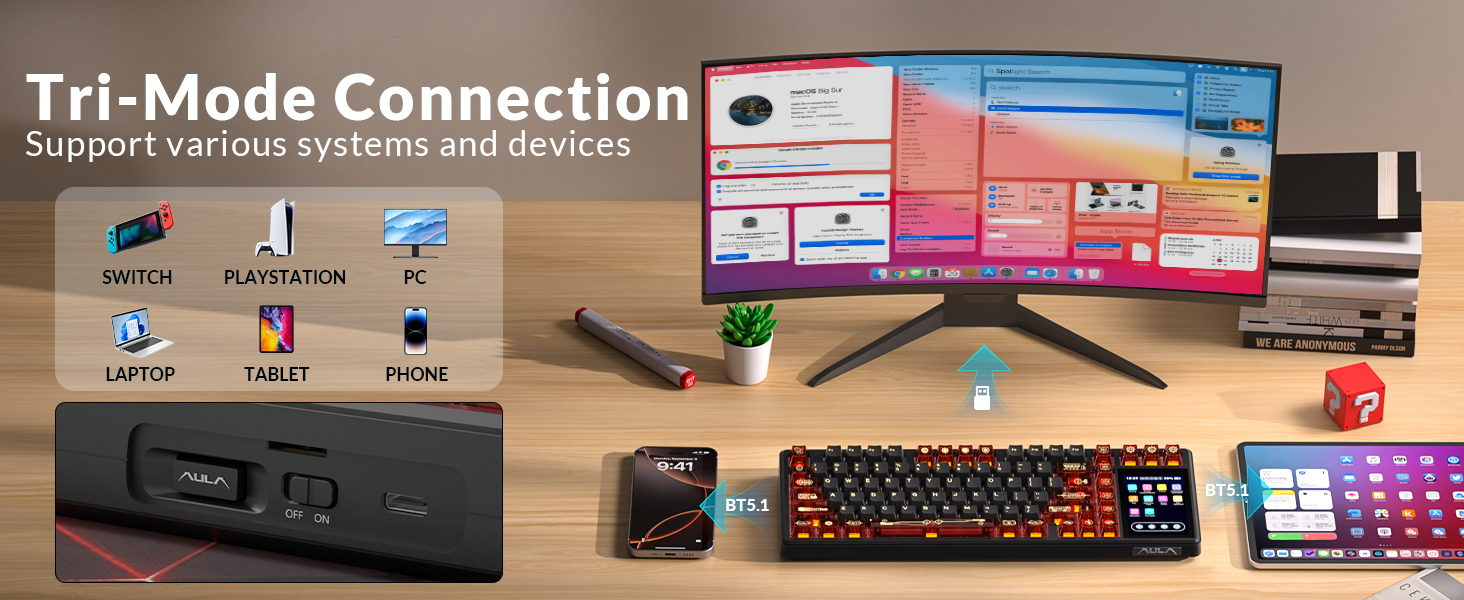
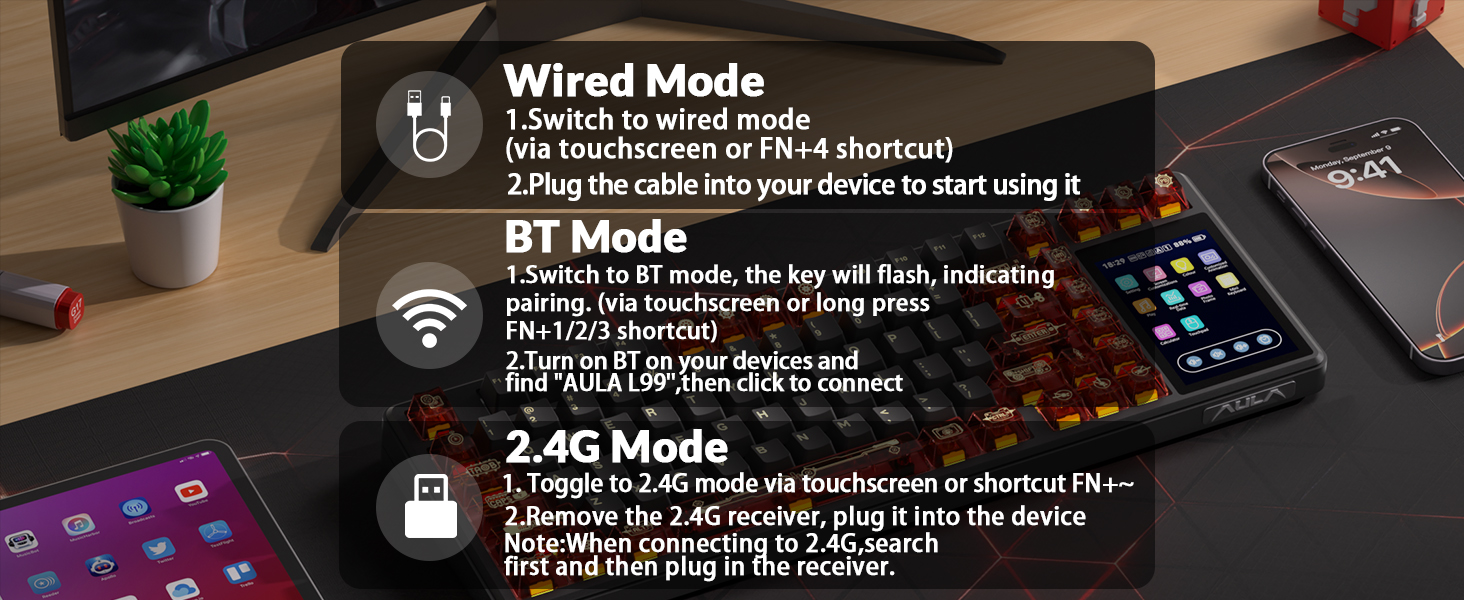
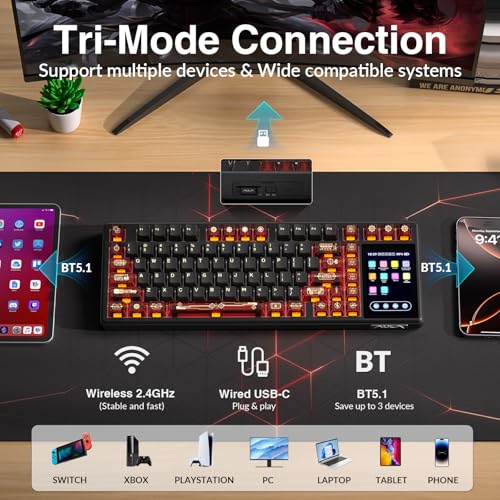
- Tri-mode & Large Capacity Battery: The AULA L99 gaming keyboard supports USB-C wired 2.4GHz wireless BT5.1 modes for flexible connection to PC, Mac, laptop, tablet, or phone. BT mode can connect up to 3 devices. Serving as a low-latency wireless gaming keyboard and efficient office wireless keyboard. Built-in 8000mAh high-capacity battery, the creamy keyboard with number pad fits long-time work and high-intensity gaming, freeing you from battery anxiety. (Note: Charge with the original cable. Do not use fast charging.)
- Programmable Software: With the AULA L99 driver, all keys support macro programming, allowing you to record and edit complex commands to boost work efficiency and gain an edge in fast-paced keyboard gaming. Driver download: soaidriver.com. (Note: The driver only supports windows system in wired mode.)
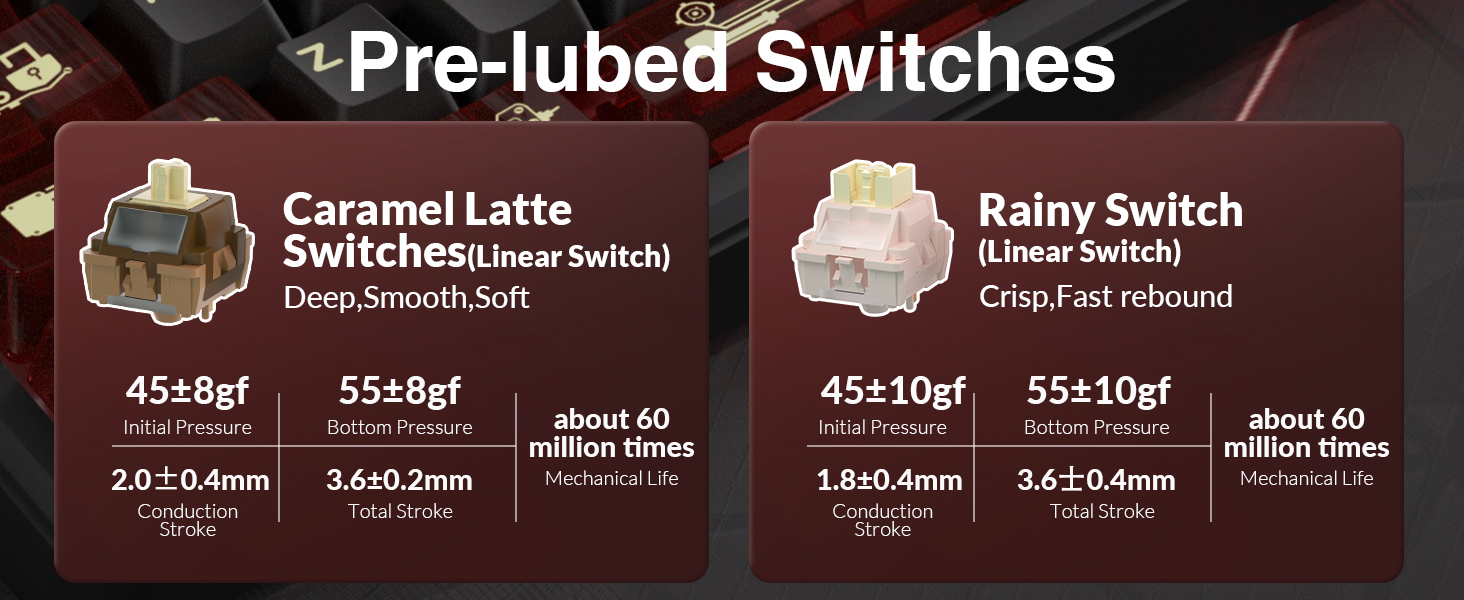
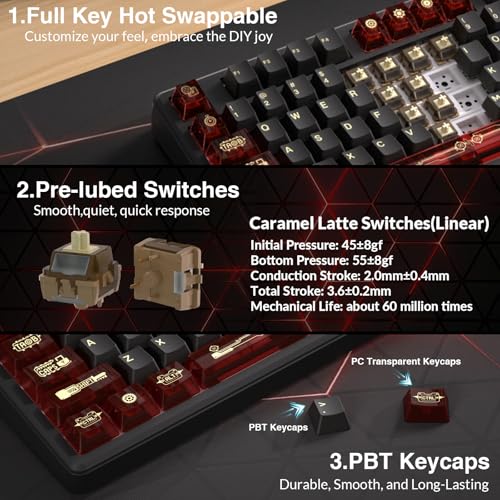
- Hot-Swappable & PBT Keycaps: As a hot swappable mechanical keyboard, it supports full-key 3/5-pin hot-swapping, allowing solderless DIY switch replacement to meet personalized needs. Pre-lubricated Caramel Latte switches provide a smooth feel and a creamy keyboard sound. AULA L99 is equipped with both durable, non-fading PBT keycaps for long-term use and transparent keycaps for a stylish, personalized look. (Note: Turn off the keyboard power when replacing the switches.)
- Gasket Mount & 6 Layer Soundproof Filling: The mechanical gaming keyboard adopts an advanced structure with an extended integrated silicone pad and PCB single-key slotting, which better optimizes resilience and stability for a softer, more elastic typing feel. Six-layer sound-dampening filling fills the gaps between the PCB, positioning plate and switches, effectively eliminating cavity noise caused by switches striking the positioning plate, ensuring pure sound and a soft, smooth typing experience with every keystroke
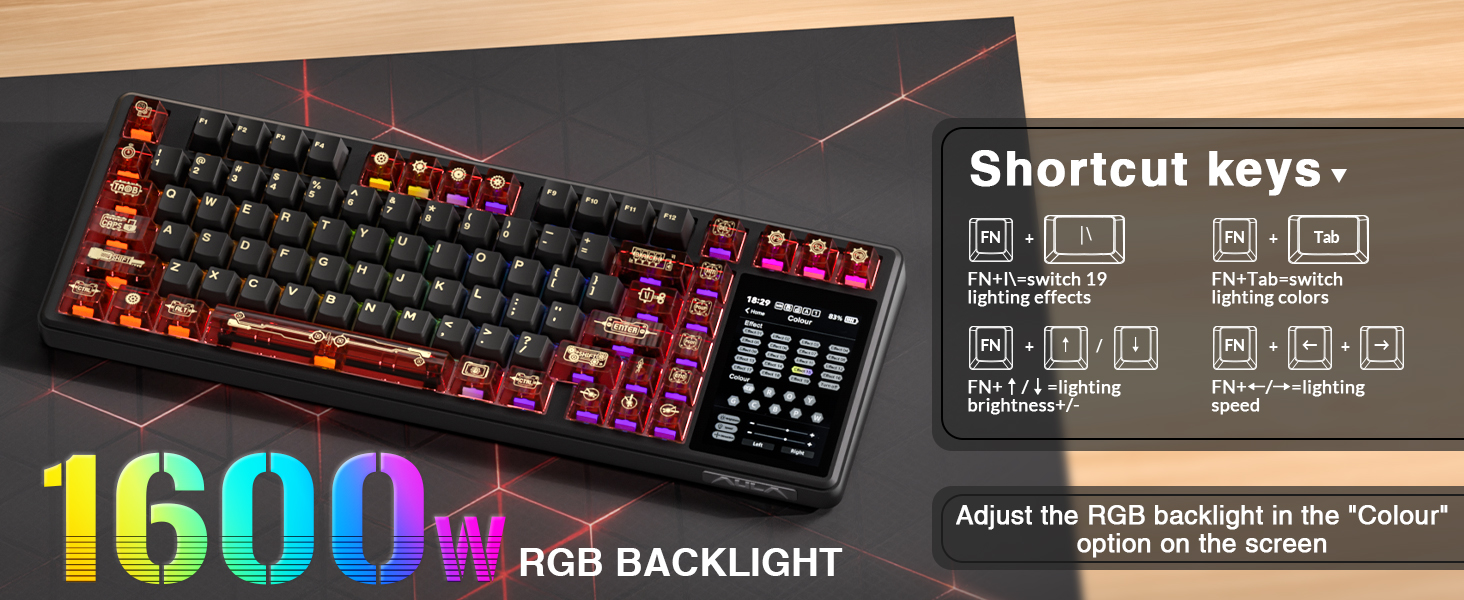
- RGB Backlight: The custom office keyboard features 16 million color RGB backlighting with multiple dynamic effects. Colors and effects can be switched through the screen, software, or shortcut keys, creating a stunning light up keyboard atmosphere that complements any desktop setup, delivering both style and functionality
Mechanical Keyboard & Magnetic Switch Gaming Keyboard From Strikonx
| Add to Cart Add to Cart Add to Cart Add to Cart Add to Cart | ||||||
| Customer Reviews | 3.0 out of 5 stars2 | 3.0 out of 5 stars2 | 4.8 out of 5 stars32 | 4.4 out of 5 stars29 | 4.6 out of 5 stars28 | 4.6 out of 5 stars28 |
| Price | GBP 77.96GBP77.96 | GBP 77.96GBP77.96 | — | GBP 47.68GBP47.68 | GBP 37.84GBP37.84 | GBP 37.84GBP37.84 |
| Touch Screen | ✔ | ✔ | ✘ | ✘ | ✘ | ✘ |
| Hot-Swappable | ✔ | ✔ | ✔ | ✔ | ✔ | ✔ |
| RGB Light Box | ✘ | ✘ | ✔ | ✔ | ✘ | ✘ |
| Connectivity | Tri-Mode,2.4G/BT5.1/Wired | Tri-Mode,2.4G/BT5.1/Wired | Tri-Mode,2.4G/BT5.0/Wired | Wired,USB-C | Wired,USB-C | Wired,USB-C |
| Keyboard Type | Wireless Mechanical Keyboard | Wireless Mechanical Keyboard | Silent Mechanical Keyboard | Hall Effect Magnetic Keyboard | Hall Effect Magnetic Keyboard | Hall Effect Magnetic Keyboard |
| Backlight | RGB | RGB | RGB | RGB | RGB | RGB |
| Keycap Material | PBT | PBT | PBT | ABS | Side Printed ABS | Side Printed ABS |
| Keyboard Layout | 96% Layout,84 Keys | 96% Layout,84 Keys | 100%,108 Keys | 98%,101 Keys | 75%,82 Keys | 75%,82 Keys |
| Switch Type | Caramel Latte switches | Caramel Latte switches | Feather Switch(Silent Switch) | Wing Chun Magnetic Switch | White Jade Magnetic Switch | Graywood Magnetic Switch |
How to fix a black screen?
1. Press any key to check.
2. Use FN+Backspace to toggle the screen.
3. Press FN+Esc to restart the keyboard.
4. If still not working, download firmware update from soaidriver.com (see video for details).
How to download the software driver? Is it compatible with Mac?
1.Download the software via : soaidriver.com
2.This Aula L99 mechanical keyboard is compatible with Windows, Mac, iOS and Android systems, but the software only supports Windows and requires wired mode.
How to customize image animations and personalize the screen?
1.Download and install the Aula L99 driver in wired mode with windows system.
2.Open the software, find the IPS Screen option, and click to upload an image or GIF.
What should I note when charging the L99 keyboard?
1.Use original cable & computer USB port only.
2.Do not use phone fast chargers,or overvoltage adapters.
How to adjust the backlight of Aula L99?
Adjust backlight color via on-screen colors or shortcut keys.
FN+I=switch 19 lighting effects;FN+Tab=switch lighting colors,FN+↑/↓=lighting brightness+/-;FN+←/→=lighting speed.

| SKU: | B0GL2MHWWN |
| Brand: | Strikonx |
| Model: | L99 |
| Colour: | Black Red |
| Manufacture: | AULA |
| Colour: | Black Red |
Product description
Mechanical Keyboard & Magnetic Switch Gaming Keyboard From Strikonx
 Aula L99 |  Aula L99 |  Aula H108 | 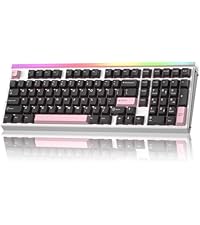 AULA Hero 99 | 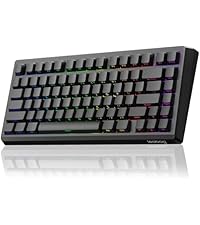 LEOBOG A80 RT | 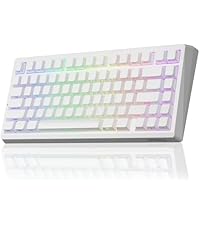 LEOBOG A80 RT | |
|---|---|---|---|---|---|---|
| Customer Reviews | 3.0 out of 5 stars2 | 3.0 out of 5 stars2 | 4.8 out of 5 stars32 | 4.4 out of 5 stars29 | 4.6 out of 5 stars28 | 4.6 out of 5 stars28 |
| Price | GBP 77.96 | GBP 77.96 | — | GBP 47.68 | GBP 37.84 | GBP 37.84 |
| Touch Screen | ✔ | ✔ | ✘ | ✘ | ✘ | ✘ |
| Hot-Swappable | ✔ | ✔ | ✔ | ✔ | ✔ | ✔ |
| RGB Light Box | ✘ | ✘ | ✔ | ✔ | ✘ | ✘ |
| Connectivity | Tri-Mode,2.4G/BT5.1/Wired | Tri-Mode,2.4G/BT5.1/Wired | Tri-Mode,2.4G/BT5.0/Wired | Wired,USB-C | Wired,USB-C | Wired,USB-C |
| Keyboard Type | Wireless Mechanical Keyboard | Wireless Mechanical Keyboard | Silent Mechanical Keyboard | Hall Effect Magnetic Keyboard | Hall Effect Magnetic Keyboard | Hall Effect Magnetic Keyboard |
| Backlight | RGB | RGB | RGB | RGB | RGB | RGB |
| Keycap Material | PBT | PBT | PBT | ABS | Side Printed ABS | Side Printed ABS |
| Keyboard Layout | 96% Layout,84 Keys | 96% Layout,84 Keys | 100%,108 Keys | 98%,101 Keys | 75%,82 Keys | 75%,82 Keys |
| Switch Type | Caramel Latte switches | Caramel Latte switches | Feather Switch(Silent Switch) | Wing Chun Magnetic Switch | White Jade Magnetic Switch | Graywood Magnetic Switch |
How to fix a black screen?
1. Press any key to check.
2. Use FN+Backspace to toggle the screen.
3. Press FN+Esc to restart the keyboard.
4. If still not working, download firmware update from soaidriver.com (see video for details).
How to download the software driver? Is it compatible with Mac?
1.Download the software via : soaidriver.com
2.This Aula L99 mechanical keyboard is compatible with Windows, Mac, iOS and Android systems, but the software only supports Windows and requires wired mode.
How to customize image animations and personalize the screen?
1.Download and install the Aula L99 driver in wired mode with windows system.
2.Open the software, find the IPS Screen option, and click to upload an image or GIF.
What should I note when charging the L99 keyboard?
1.Use original cable & computer USB port only.
2.Do not use phone fast chargers,or overvoltage adapters.
How to adjust the backlight of Aula L99?
Adjust backlight color via on-screen colors or shortcut keys.
FN+I=switch 19 lighting effects;FN+Tab=switch lighting colors,FN+↑/↓=lighting brightness+/-;FN+←/→=lighting speed.