Car Radio for Chevrolet Chevy Silverado 1500/2500/3500
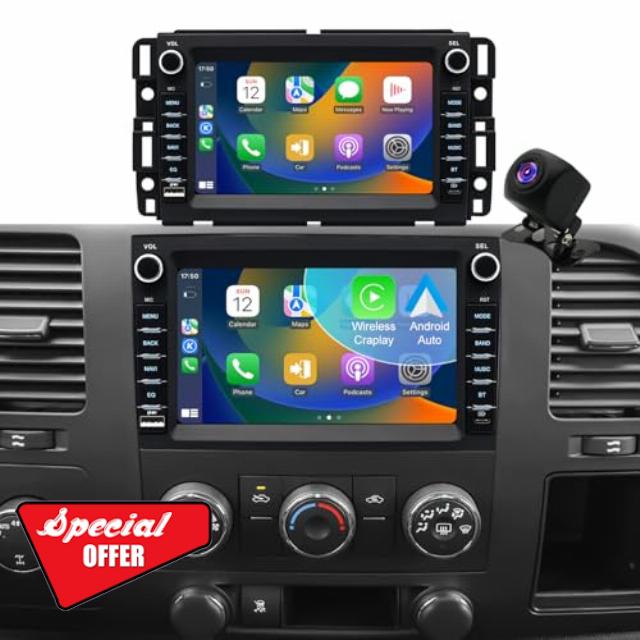
Car Radio for Chevrolet Chevy Silverado 1500/2500/3500 2007-2013, Tahoe 2007-2014, GMC Sierra 1500/2500/3500 2007-2013, Yukon 2007-2014, Hummer H2 Buick Enclave, Touch Screen Stereo Wireless Carplay
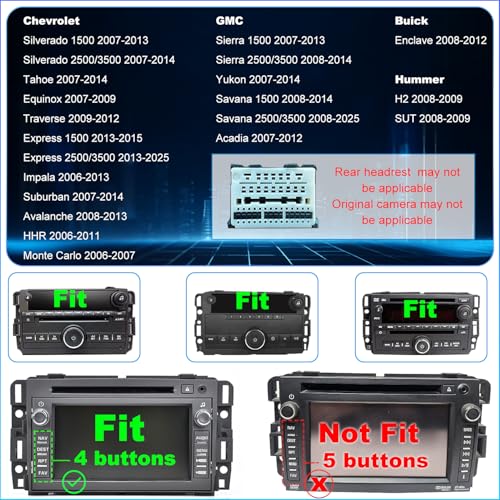
- ✅【Applicable Car Models】 Radio For GMC: sierra 1500 2007-2013; sierra 2500 3500 2008-2014; yukon 2007-2014; savana 1500 2008-2014; savana 2500 3500 2008-2025; acadia 2007-2012. For Chevy: silverado 1500 2007-2013; silverado 2500 3500 2007-2014; tahoe 2007-14; express 1500 2013-2015; express 2500 2013-2025; impala 2006-13; suburban 2007-2014; avalanche 2008-2013; hhr 2006-2011; traverse 2009-2012; equinox 2007-2009; monte carlo 2006-2007. For Hummer h2/sut 2008-2009. For Buick enclave 2008-2012
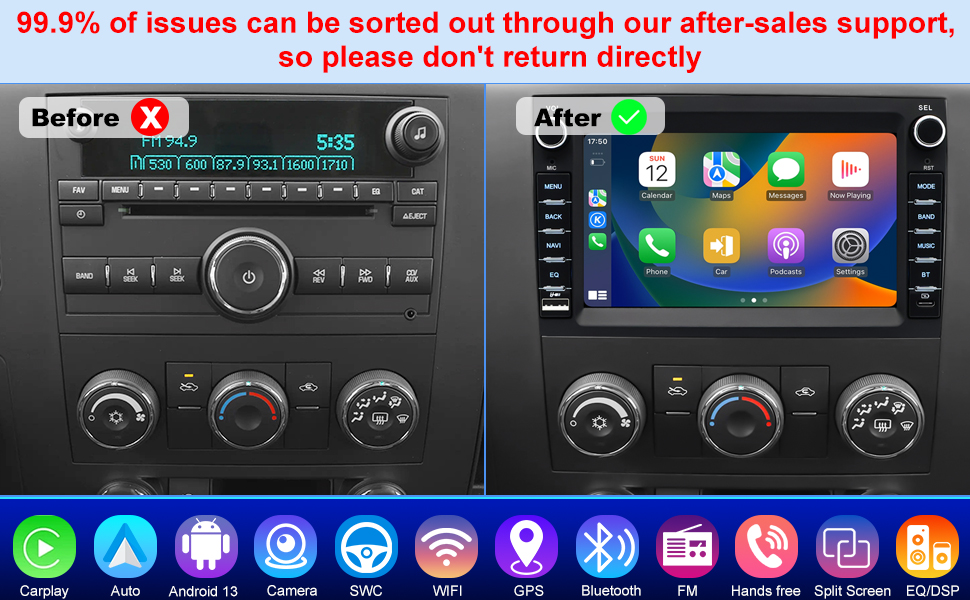
- ✅【Updated Android 13 & 4-Core CPU】 2007-2013 Silverado touch screen radio & GMC Sierra 1500 radio head unit car stereo features android 13 and a high-speed 4-core processor, so you can navigate with GPS, stream playlists, and run apps all at once—no freezing, no delays. the faster system makes every drive smarter, easier, and way more fun.
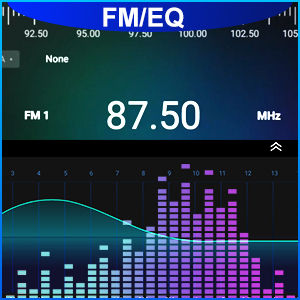
- ✅【Built-In Bluetooth & FM Radio】 Enjoy safer drives with Chevy Silverado 1500 accessories car audio receivers featuring a head unit GMC Sierra 1500 radio touchscreen. built-in bluetooth supports clear hands-free calls, while FM radio with 18 preset channels lets you listen to news, sports, or music anytime.
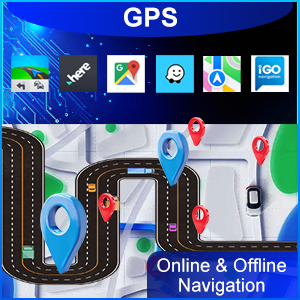
- ✅【GPS Navigation & WiFi Connect】 2006 Chevy Silverado radio supports both offline maps and online apps like waze or google maps. Chevrolet Silverado accessories connect seamlessly through WiFi, and the car multimedia player keeps you online for real-time traffic, videos, and easy app access.
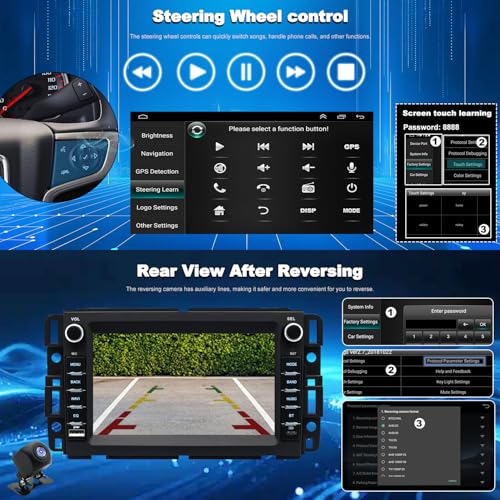
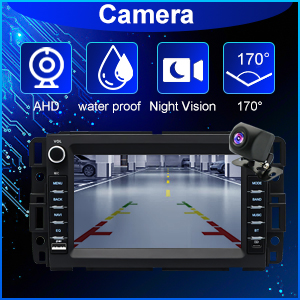
- ✅【Rearview Camera & Steering Wheel Control】 2007 Tahoe radio lets you use factory steering controls to stay focused on driving. this chevy silverado 1500 accessories car stereo with backup camera gives you a wide rear view and auto-switches when reversing for safer backups every time.
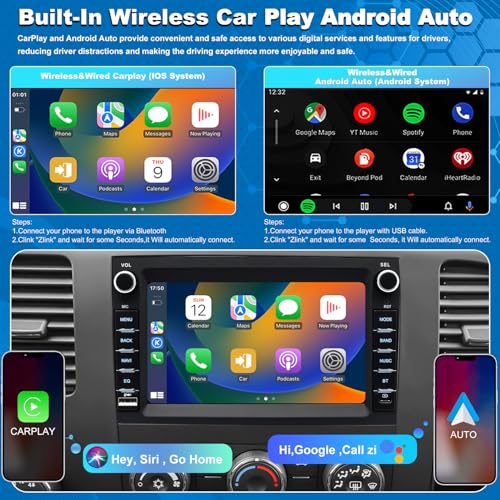
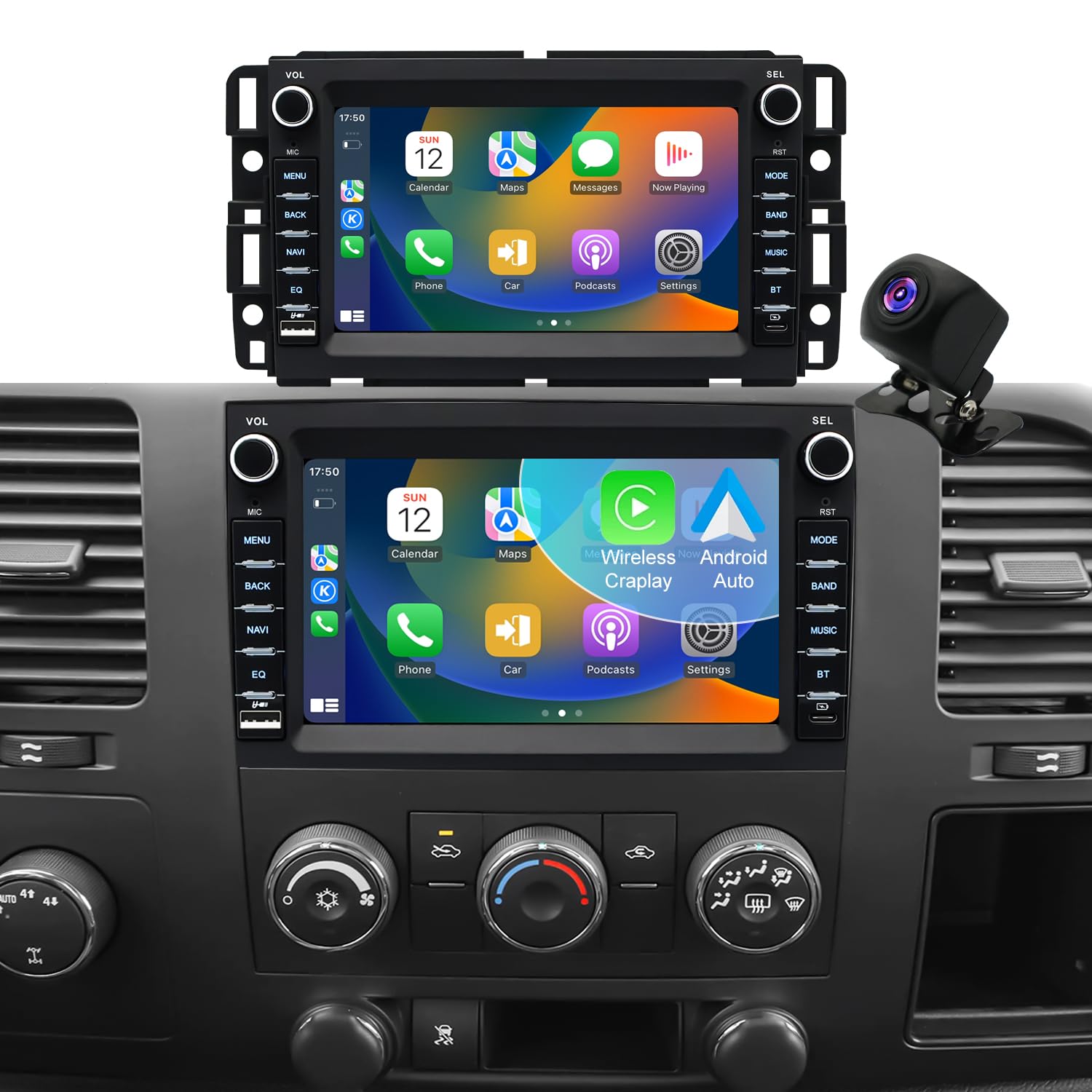
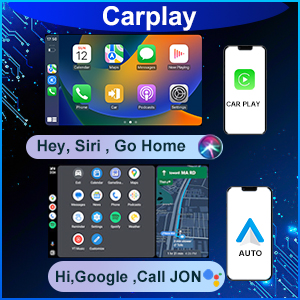
- ✅【Wireless CarPlay & Android Auto & HD 7inch Screen】 Car radio for GMC Yukon accessories supports wireless carplay and android auto, GMC Acadia radio letting you use GPS, music, and messages safely. the hd 7-inch IPS display in car radio with apple carplay and android auto provides a clear, lag-free visual experience.
- ✅【Lifetime Tech Support】 This Chevy Tahoe accessories includes full wiring kits and step-by-step guides for quick diy installation. whether it’s your first car radio upgrade or a replacement, our support team is always there to walk you through it.
Car Radio for Chevrolet Chevy Silverado 1500/2500/3500 2007-2013, Tahoe 2007-2014, GMC Sierra 1500/2500/3500 2007-2013, Yukon 2007-2014, Hummer H2
For GMC Radio:
- Sierra 1500 2007-2013; Sierra 2500 3500 2008-2014;
- Savana 1500 2008-2014; Yukon 2007-2014;
- Savana 2500 3500 2008-2025; Acadia 2007-2012;
For Chevrolet Radio:
- Silverado 1500 2007-2013; Tahoe 2007-2014;
- Silverado 2500 3500 2007-2014;
- Express 1500 2013-2015;
- Express 2500 3500 2013-2025;
- Impala 2006-13; Suburban 2007-2014;
- Avalanche 2008-2013; HHR 2006-2011;
- Traverse 2009-2012; Equinox 2007-2009;
- Monte Carlo 2006-2007;
For Hummer Radio: H2 SUT 2008-2009;
For Buick Radio: Enclave 2008-2012;
Year Is for Reference Only. Please Check the Original Center Console, Connector, And Sound System Before Buying.
- Android 13.0 2G RAM + 32G ROM: Supports smooth multitasking and responsive app performance.
- Wireless/Wired CarPlay & Android Auto: Seamless smartphone integration for navigation and media.
- Rearview Camera: Automatically activates the rear display when backing up.
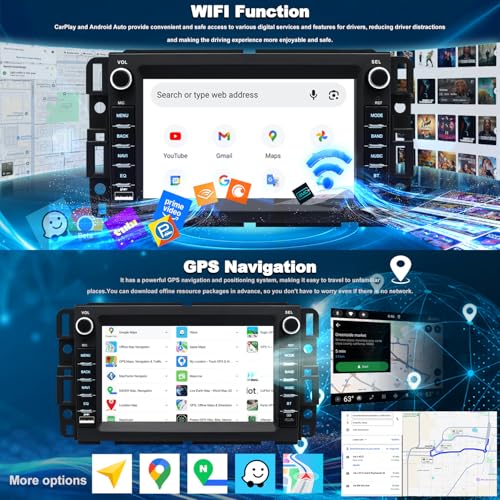
- Built-in GPS: Enables online/offline navigation with complimentary map package.
- WiFi: Connect via hotspot to stream, download, or update apps.
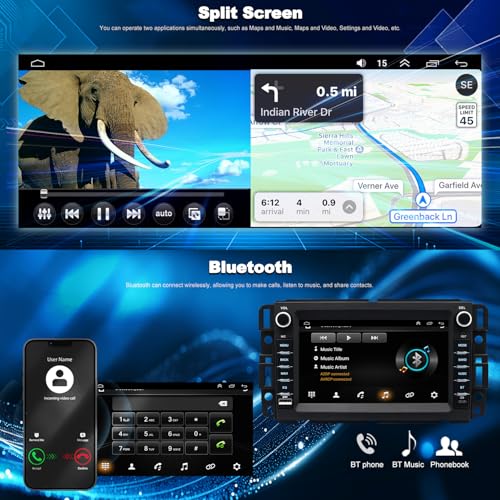
- Bluetooth: Enables hands-free calls and wireless music playback for safer driving.
- FM/AM Radio + RDS: Access FM1/2/3 bands with live station and traffic data.
- Dual USB Ports: Use for charging or media file access.One SUB in front and one in back
- DSP EQ Sound Tuning: Allows customized audio for optimal in-car listening.
- Split Screen & 7" HD Display: Run two apps side by side on a vivid IPS screen.
- Steering Wheel Control Compatible: Enables in-drive audio control without distraction.
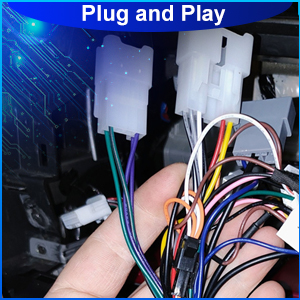
- Plug & Play Installation: Tool-free, non-destructive install process.
Wireless/Wired Carplay & Android Auto
Your phone, now part of your dashboard. With wireless CarPlay & Android Auto, access key apps, calls, and maps without touching your device.
Built-in Bluetooth
Bluetooth lets you talk, listen, and drive safely—access calls and audio wirelessly with clear sound and no distractions.
GPS Navigation
Supports GPS navigation with or without internet. Access maps and routes anytime, ensuring seamless travel wherever you go.
WiFi Hotspot Connection
Built-in WiFi lets your car stereo go online—ideal for app downloads, real-time GPS, and entertainment streaming.
Rearview Camera
Rear camera integration displays what's behind in real time for safer reversing and accurate parking.
Steering Wheel Control Compatible
Steering wheel control lets you adjust functions easily without distraction—perfect for safe driving.
FM & EQ
Supports FM radio with RDS and advanced EQ tuning to optimize sound clarity and balance for any music genre.
Split Screen & HD Display
Split-screen function allows real-time navigation and media access on a stunning 7" HD display—ideal for busy drivers.
Plug and Play Installation
Plug & Play Installation: this stereo plugs directly into your original wiring for quick, error-free setup.
Q: Why does the radio screen stay black or fail to start?
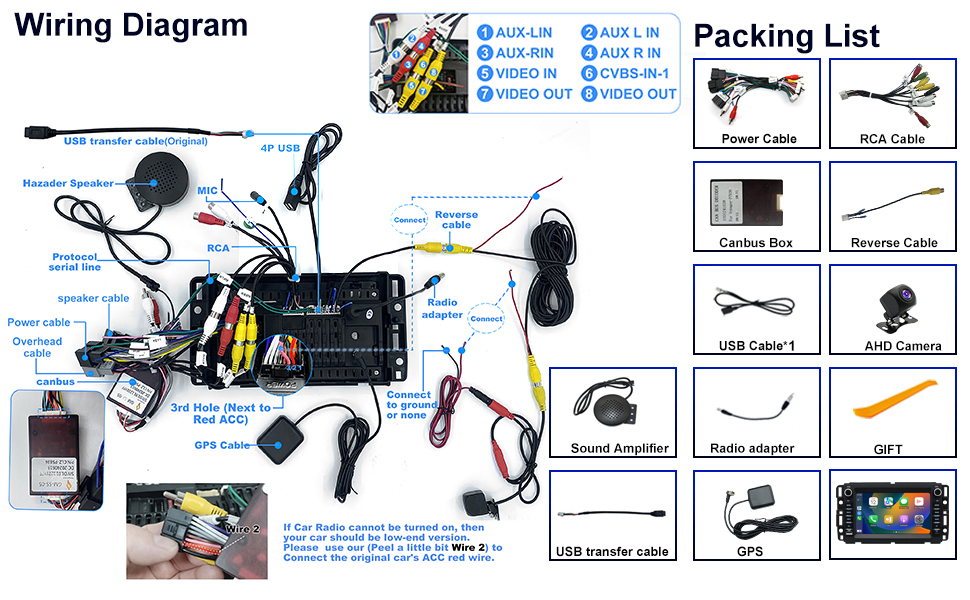
A: Press the RST hole using a toothpick. Check the fuse and CANbus box connection.
Q: Why doesn’t the touch function respond?
A: Follow the calibration steps with five fingers from the setup video.
Q: Why is there no speaker output?
A: Double-check speaker wire connections and confirm CANbus is in place.
Q: Why is the signal for Bluetooth/Wi-Fi weak?
A: Reversing wire helps boost Bluetooth and Wi-Fi signals.
Q: Why won’t my phone connect via Bluetooth?
A: Search for “Car-BT”, use “0000” as the passcode, and delete old pairings before retrying.
Q: How do I use or disable CarPlay?
A: 1. Bluetooth auto-links to Zlink.
2. Close background apps.
3. Manage in iPhone > CarPlay > Zlink.
Q: Why is the steering control not working?
A: 1. Recheck protocol cable and plugs.
2. Verify the system protocol setting.
Q: Why is the reverse camera screen blank?
A: 1. Confirm correct wiring.
2. Go to Settings > Factory > Protocol > AHD/25 video format.

| SKU: | B0FC6J6R1G |
| Weight: | 2.88 pounds |
| Dimensions: | 11.41 x 7.29 x 3.93 inches |
Product description
Car Radio for Chevrolet Chevy Silverado 1500/2500/3500 2007-2013, Tahoe 2007-2014, GMC Sierra 1500/2500/3500 2007-2013, Yukon 2007-2014, Hummer H2
Q: Why does the radio screen stay black or fail to start?
A: Press the RST hole using a toothpick. Check the fuse and CANbus box connection.
Q: Why doesn’t the touch function respond?
A: Follow the calibration steps with five fingers from the setup video.
Q: Why is there no speaker output?
A: Double-check speaker wire connections and confirm CANbus is in place.
Q: Why is the signal for Bluetooth/Wi-Fi weak?
A: Reversing wire helps boost Bluetooth and Wi-Fi signals.
Q: Why won’t my phone connect via Bluetooth?
A: Search for “Car-BT”, use “0000” as the passcode, and delete old pairings before retrying.
Q: How do I use or disable CarPlay?
A: 1. Bluetooth auto-links to Zlink.
2. Close background apps.
3. Manage in iPhone > CarPlay > Zlink.
Q: Why is the steering control not working?
A: 1. Recheck protocol cable and plugs.
2. Verify the system protocol setting.
Q: Why is the reverse camera screen blank?
A: 1. Confirm correct wiring.
2. Go to Settings > Factory > Protocol > AHD/25 video format.