M.2 NVMe & SATA SSD/HDD Hard Drive Docking Station, ICY BOX
M.2 NVMe & SATA SSD/HDD Hard Drive Docking Station, ICY BOX USB-C 10Gbps NVMe Cloner&Reader, TripleBay Hard Drive cloner for 2.5″/3.5″ SSD&HDD Hard Drives, Offline Cloning, Tool-Free
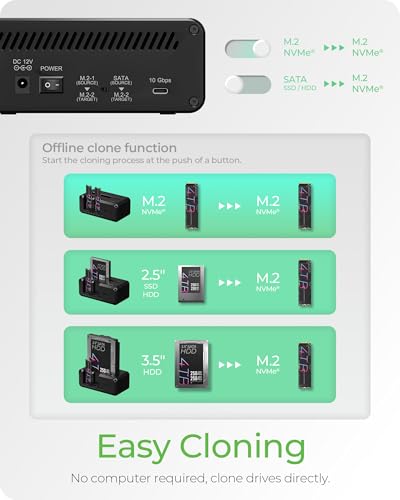
- One-Touch Offline Cloning: Start the cloning process with a single touch—no software installation or complicated PC setup required. Designed for quick, hassle-free data migration to save you time and effort.
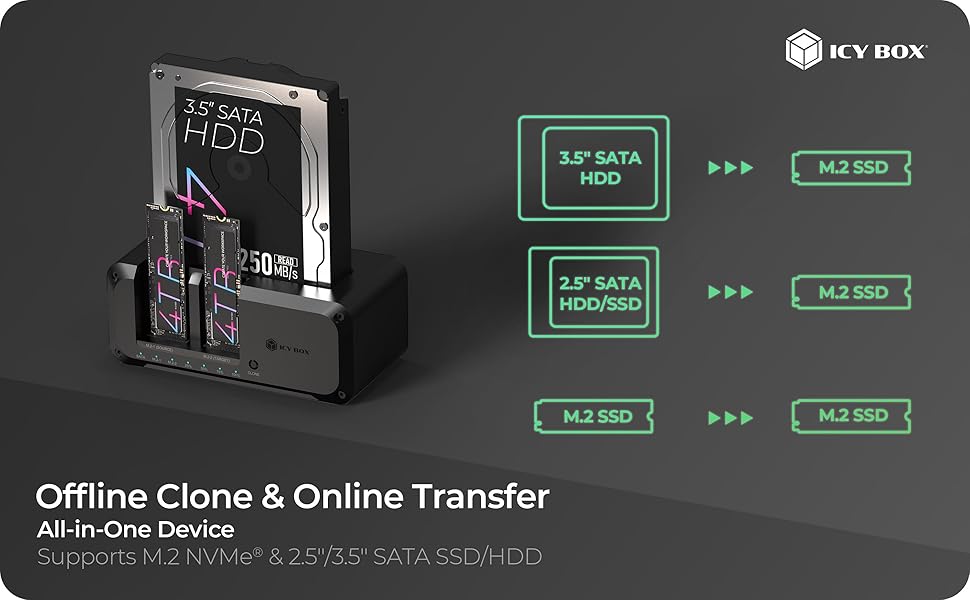
- Flexible Cloning:Supports cloning between various drive types, including M.2 PCIe NVMe SSDs, 2.5" and 3.5" SATA SSDs and HDDs. Easily clone from NVMe to NVMe or from SATA to NVMe, offering maximum versatility for different storage setups.
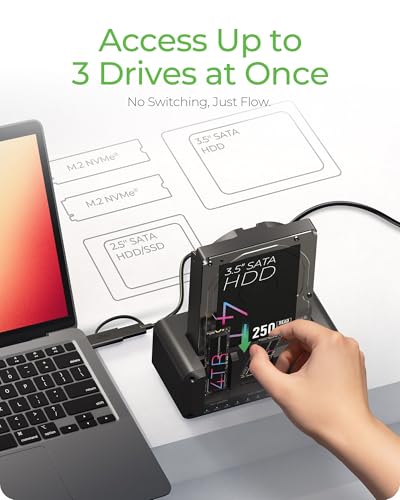
- Versatile Triple-Bay Design: Equipped with three independent slots, allowing you to connect and access multiple drives simultaneously. The tool-free design makes swapping and docking drives fast and convenient, ideal for professionals managing diverse data sources.
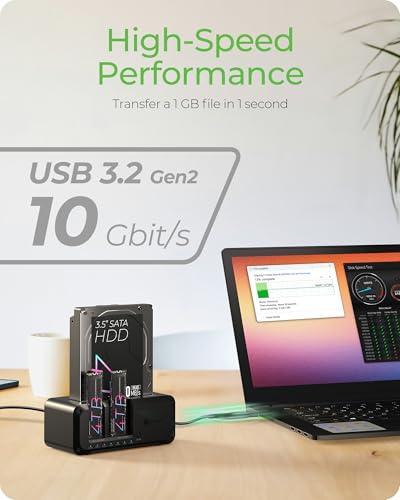
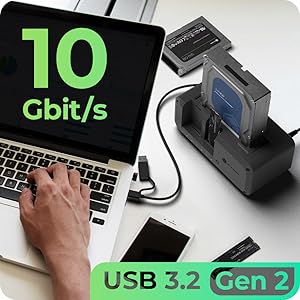
- High-Speed USB 3.2 Gen 2 Performance: Features USB 3.2 Gen 2 technology for blazing-fast data transfer speeds up to 10 Gbps. Includes a dual-purpose USB-C/USB-A combo cable, eliminating the need for extra adapters and ensuring easy connectivity across devices.
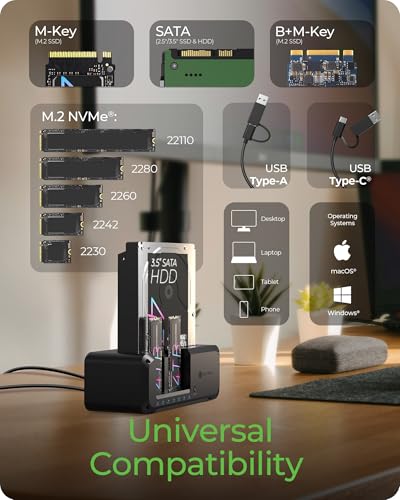
- Multi-OS Compatibility: Designed to work flawlessly with Windows and macOS systems, delivering consistent and stable performance. Compatible with a wide range of devices including PCs, laptops, and game consoles—perfect for users who switch between operating systems or use mixed environments.
- What You Get: TripleBay Standalone hard drive cloner, 2 in 1 Cable (USB C to USB C & USB C to USB A Cable), Power adapter, 24-month warranty, and our friendly customer service to solve your problems timely.
Package Contents
- 1x IB-2924MSCL-C31 Hard Drive Docking Station/Cloner
- 1x USB Combo Cable
- 1x Power Adapter
- 1x Manual
ICY BOX SATA 2.5” & 3.5” M.2 NVMe Cloner and Docking Station
IB-2924MSCL-C31
A USB 3.2 Gen 2 Clone & Docking Station to enhance your data management and storage solutions. The device is suitable for both 2.5"/3.5" SATA and M.2 NVMe SSDs. The IB-2924MSCL-C31 Clone & Docking Station is the ultimate tool for reliable data management. Its versatility, speed, and intuitive design are of utmost value to all users who rely on effective digital storage solutions.
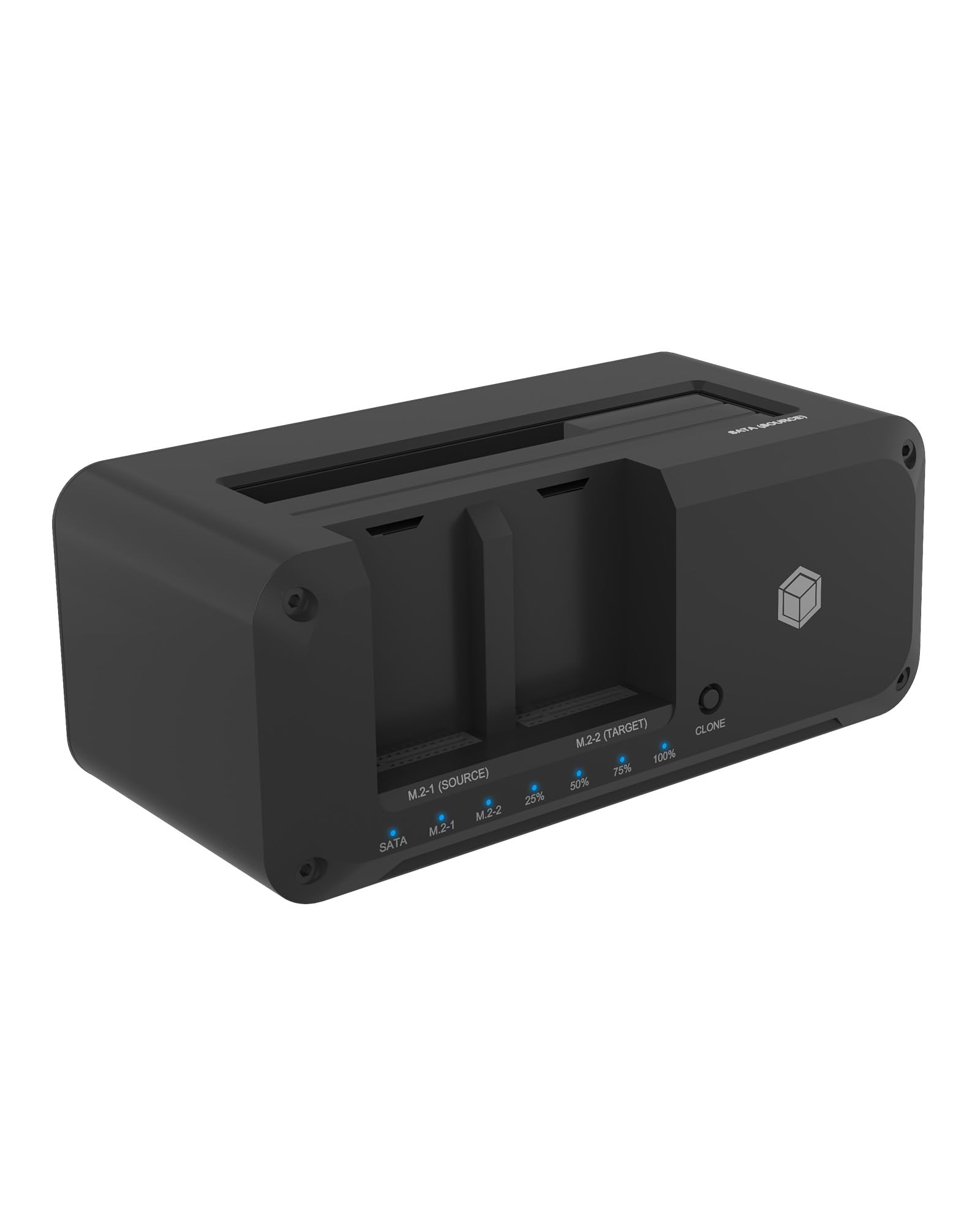
- Cloning from 2.5"/3.5" SATA to M.2 NVMe or M.2 NVMe to M.2 NVMe
- Cloning – Simple at the push of a button, no software required
- Compatible with 2.5"/3.5" and M.2 NVMe SSDs
- USB 3.2 Gen 2 Type-C & Type-A – Up to 10 Gbps
- Support Three independent drives in docking mode
- Status LEDs for drive activity and cloning progress
- Plug & Play – No drivers or cloning software needed
High-Speed Performance
The IB-2924MSCL-C31 harnesses the power of USB 3.2 Gen 2 technology, delivering blazing-fast data transfer speeds of up to 10 Gbps. The device comes with an ICY BOX combo cable, providing dual connectivity options. This allows users to flexibly connect a wide range of devices without requiring additional adapters.
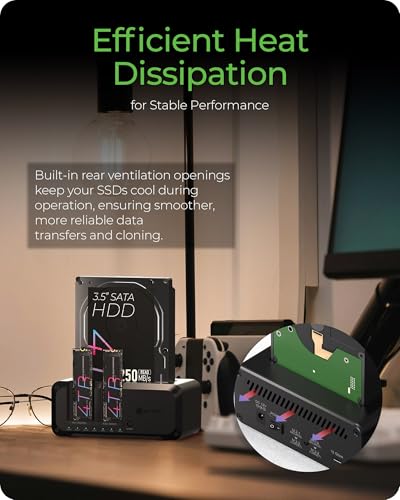
Efficient Heat Dissipation for Stable Performance
Built-in rear ventilation openings keep your SSDs cool during operation, ensuring smoother, more reliable data transfers and cloning.
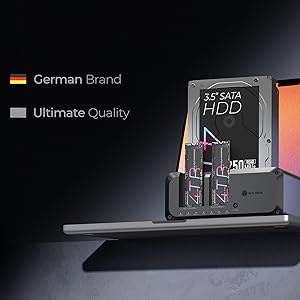
German Craft. Ultimate Quality
Elevate your storage experience with the 3-in-1 SSD Cloner—where precision engineering meets unmatched durability. Ensures optimal heat dissipation and robust protection for your high-speed SSD. Unlock the full potential of your SSD—ICY BOX delivers speed, reliability, and German-engineered excellence!
Why choose ICY BOX?
26 years of German-engineered storage mastery since 1999—where precision engineering meets relentless durability. Backed by lifetime dedicated service. Pure focus, zero compromises.
1. What is the main purpose and typical usage scenario?
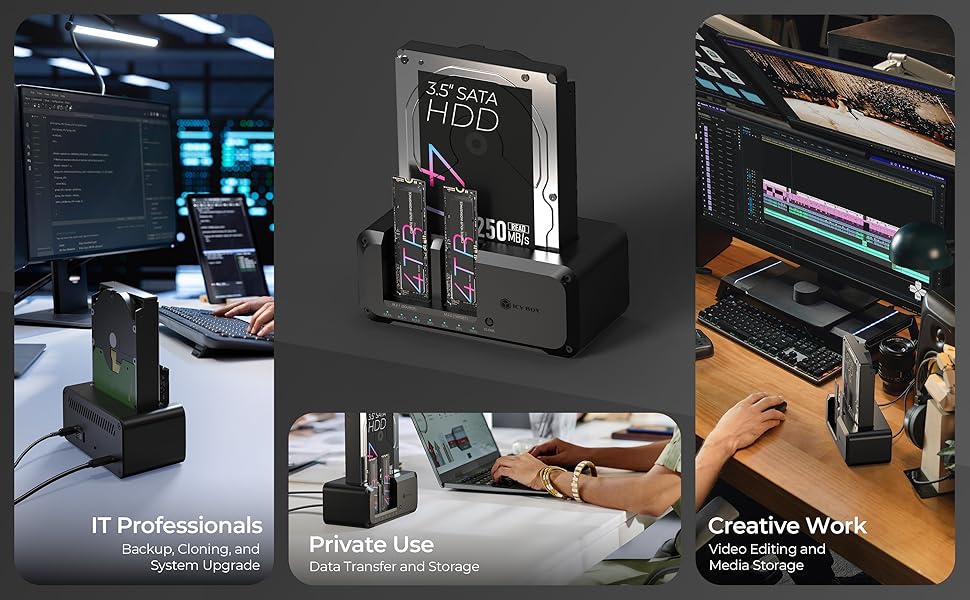
Specifically designed for IT engineers, system maintenance professionals, and content creators. No software or computer connection is needed to transfer SSD data with ease. Supports M.2 NVMe and 2.5"/3.5" SATA drives, enabling seamless cloning between SSDs and traditional hard drives. When connected to a computer via a Type-C cable, it can simultaneously read up to three drives, allowing users to manage multiple storage devices at once. Perfect for backups, system upgrades, or maintenance tasks—one device, multiple solutions
2. What are the differences between this product and another two ICY BOX Cloners (2913/2915)?
- -Compared to models 2913 and 2915, the 2924 offers a simpler, truly plug-and-play experience. While 2913 and 2915 require a rubber piece to secure the M.2 SSD after insertion, the 2924 allows you to simply insert the drive—no extra steps needed.
- -When used as a docking station, the 2924 stands out with three independent slots, enabling simultaneous access to three SSDs or HDDs. This makes it easy for users to manage multiple drives at once, boosting efficiency in data handling and device management.
3. How is data security ensured?
- -Please insert and remove the SSD properly.
- -Avoid unplugging the cable or cutting power while the drive is in use.
- -Regularly back up your data to prevent loss.
4. Why is my SSD not detected by the computer?
- -Please first check if the product’s indicator light is on. If not,
- -Please make sure the cable is properly connected between the enclosure and the host device.
- -Please ensure you are using the cable and adapter provided by ICY BOX.
- -Please double-check that the SSD is compatible and properly inserted into the slot.
- If the drive remains unrecognized after these steps, please contact support for further assistance.
5.Why can’t I use the device to clone my drive?
- Please first check if the product’s indicator light is on.
If not:
- -Please confirm the SSD is properly installed.
- -Make sure you are using the adapter provided with the ICY BOX accessories.
If yes:
- -Please make sure to disconnect the USB-C cable connecting the enclosure to the computer. Cloning is offline cloning, so the USB-C to host cable must be unplugged.
- -Confirm that the target SSD’s capacity is larger than the source SSD’s capacity.
- -Press and hold the clone button for 5 seconds.
- -If the percentage starts blinking, cloning has begun.
If the percentage does not blink after these steps, please contact support for further assistance.
| Add to Cart | Add to Cart | Add to Cart | Add to Cart | Add to Cart | ||
| 4.8 out of 5 stars15 | 5.0 out of 5 stars5 | — | — | — | 4.8 out of 5 stars12 | |
| $75.99$75.99 | $67.99$67.99 | $31.99$31.99 | $54.99$54.99 | $41.99$41.99 | — no data | |
| SATA I,II,III M.2 NVMe | SATA I,II,III M.2 NVMe / SATA | SATA I,II,III M.2 NVMe / SATA | M.2 NVMe | M.2 NVMe | SATA, M.2 NVMe | |
| 2230/2242/2260/2280 2.5"/3.5" SATA SSD/HDD | 2230/2242/2260/2280 2.5"/3.5" SATA SSD/HDD | 2230/2242/2260/2280 2.5"/3.5" SATA SSD/HDD | 2230/2242/2260/2280 | 2230/2242/2260/2280 | 2230/2242/2260/2280 | |
| M.2 NVMe –>M.2 NVMe 2.5''/3.5'' –> M.2 NVMe | M.2 NVMe/SATA–>M.2 NVMe 2.5''/3.5'' –> M.2 NVMe | / | / | / | / | |
| 10GB | 10GB | 10GB | 20GB (Dual Bay) | 20GB | 10GB | |
| ✓ | ✓ | / | / | / | / | |
| ✓ | ✓ | ✓ | ✓ | ✓ | ✓ | |
| ✓ | ✓ | ✓ | ✓ | ✓ | ✓ | |
| Tool Free | Tool Free | Tool Free | Tool Free | Tool Free | Tool Free | |
| C to C+A | C to C+A | C to C+A | C to C | C to C | C to C+A | |
| PC/Phone/Game console | PC/Phone/Game console | PC/Phone/Game console | PC/Phone/Game console | PC/Phone/Game console | PC/Phone/Game console |

| SKU: | B0F1DLZYQN |
| Weight: | 10.3 ounces |
| Dimensions: | 5.47 x 3.03 x 2.32 inches |
| Manufacture: | TECHDRIP COMPANY LIMITED |
| Origin: | Taiwan |
Product Description
Why choose ICY BOX?
26 years of German-engineered storage mastery since 1999—where precision engineering meets relentless durability. Backed by lifetime dedicated service. Pure focus, zero compromises.
1. What is the main purpose and typical usage scenario?
Specifically designed for IT engineers, system maintenance professionals, and content creators. No software or computer connection is needed to transfer SSD data with ease. Supports M.2 NVMe and 2.5″/3.5″ SATA drives, enabling seamless cloning between SSDs and traditional hard drives. When connected to a computer via a Type-C cable, it can simultaneously read up to three drives, allowing users to manage multiple storage devices at once. Perfect for backups, system upgrades, or maintenance tasks—one device, multiple solutions
2. What are the differences between this product and another two ICY BOX Cloners (2913/2915)?
- -Compared to models 2913 and 2915, the 2924 offers a simpler, truly plug-and-play experience. While 2913 and 2915 require a rubber piece to secure the M.2 SSD after insertion, the 2924 allows you to simply insert the drive—no extra steps needed.
- -When used as a docking station, the 2924 stands out with three independent slots, enabling simultaneous access to three SSDs or HDDs. This makes it easy for users to manage multiple drives at once, boosting efficiency in data handling and device management.
3. How is data security ensured?
- -Please insert and remove the SSD properly.
- -Avoid unplugging the cable or cutting power while the drive is in use.
- -Regularly back up your data to prevent loss.
4. Why is my SSD not detected by the computer?
- -Please first check if the product’s indicator light is on. If not,
- -Please make sure the cable is properly connected between the enclosure and the host device.
- -Please ensure you are using the cable and adapter provided by ICY BOX.
- -Please double-check that the SSD is compatible and properly inserted into the slot.
- If the drive remains unrecognized after these steps, please contact support for further assistance.
5.Why can’t I use the device to clone my drive?
- Please first check if the product’s indicator light is on.
If not:
- -Please confirm the SSD is properly installed.
- -Make sure you are using the adapter provided with the ICY BOX accessories.
If yes:
- -Please make sure to disconnect the USB-C cable connecting the enclosure to the computer. Cloning is offline cloning, so the USB-C to host cable must be unplugged.
- -Confirm that the target SSD’s capacity is larger than the source SSD’s capacity.
- -Press and hold the clone button for 5 seconds.
- -If the percentage starts blinking, cloning has begun.
If the percentage does not blink after these steps, please contact support for further assistance.
 M.2 NVMe & SATA SSD/HDD Hard Drive Docking Station, ICY BOX USB-C 10Gbps NVMe… M.2 NVMe & SATA SSD/HDD Hard Drive Docking Station, ICY BOX USB-C 10Gbps NVMe… | 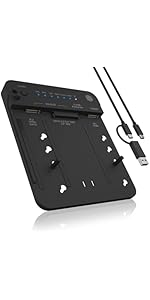 M.2 NVMe & SATA SSD/HDD Docking Station, USB-C 3.2 Gen 2 (10 Gbps) Ha… M.2 NVMe & SATA SSD/HDD Docking Station, USB-C 3.2 Gen 2 (10 Gbps) Ha… | 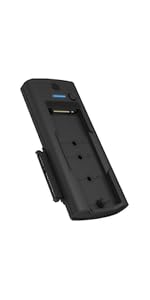 M.2 NVMe/SATA & 2.5”/3.5” Hard Drive Docking Station M.2 NVMe/SATA & 2.5”/3.5” Hard Drive Docking Station |  Dual Bay M.2 NVMe SSD Enclosure, 20Gbps USB C to M2 Adapter Dual Bay M.2 NVMe SSD Enclosure, 20Gbps USB C to M2 Adapter |  20Gbps M.2 NVMe SSD Enclosure, ICY BOX USB C External NVMe M.2 Enclosure with… 20Gbps M.2 NVMe SSD Enclosure, ICY BOX USB C External NVMe M.2 Enclosure with… | 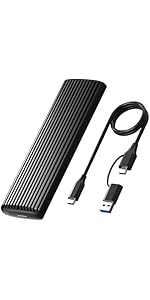 M.2 NVMe SATA SSD Enclosure, ICY BOX SSD Enclosure Adapter, Tool-Free USB C E… M.2 NVMe SATA SSD Enclosure, ICY BOX SSD Enclosure Adapter, Tool-Free USB C E… | |
|---|---|---|---|---|---|---|
| Buying Options | ||||||
| Customer Reviews | 4.8 out of 5 stars15 | 5.0 out of 5 stars5 | — | — | — | 4.8 out of 5 stars12 |
| Price | $75.99 | $67.99 | $31.99 | $54.99 | $41.99 | — no data |
| Supported Protocols | SATA I,II,III M.2 NVMe | SATA I,II,III M.2 NVMe / SATA | SATA I,II,III M.2 NVMe / SATA | M.2 NVMe | M.2 NVMe | SATA, M.2 NVMe |
| Supported Sizes | 2230/2242/2260/2280 2.5″/3.5″ SATA SSD/HDD | 2230/2242/2260/2280 2.5″/3.5″ SATA SSD/HDD | 2230/2242/2260/2280 2.5″/3.5″ SATA SSD/HDD | 2230/2242/2260/2280 | 2230/2242/2260/2280 | 2230/2242/2260/2280 |
| Clone Direction | M.2 NVMe –>M.2 NVMe 2.5''/3.5'' –> M.2 NVMe | M.2 NVMe/SATA–>M.2 NVMe 2.5''/3.5'' –> M.2 NVMe | / | / | / | / |
| Transmission Speed | 10GB | 10GB | 10GB | 20GB (Dual Bay) | 20GB | 10GB |
| Offline Clone | ✓ | ✓ | / | / | / | / |
| Plug and play | ✓ | ✓ | ✓ | ✓ | ✓ | ✓ |
| Support UASP | ✓ | ✓ | ✓ | ✓ | ✓ | ✓ |
| Assembly | Tool Free | Tool Free | Tool Free | Tool Free | Tool Free | Tool Free |
| Cable | C to C+A | C to C+A | C to C+A | C to C | C to C | C to C+A |
| Support devices | PC/Phone/Game console | PC/Phone/Game console | PC/Phone/Game console | PC/Phone/Game console | PC/Phone/Game console | PC/Phone/Game console |